53.4 Environment files, interpolation and secrets
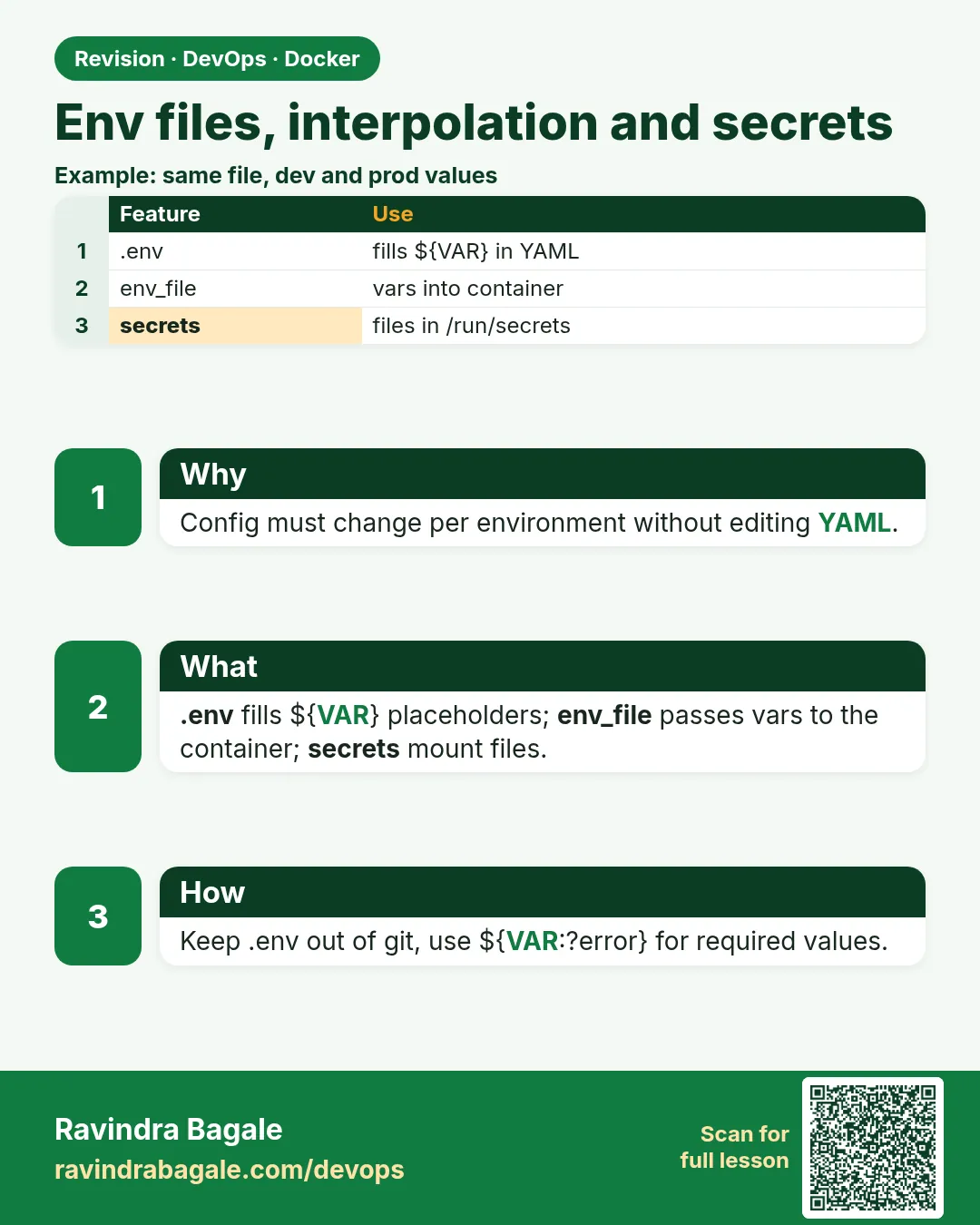
Friends, the same compose.yaml must run on your laptop, in testing and in production, with different settings and different passwords. Today we learn three tools: the .env file that fills ${VARIABLES} in YAML, env_file that passes settings into the container, and secrets that give passwords as files instead of environment variables.
मित्रांनो, एकच compose.yaml तुमच्या laptop वर, testing मध्ये आणि production मध्ये, वेगळ्या settings आणि वेगळ्या passwords सोबत चालली पाहिजे. आज तीन tools शिकू: YAML मधले ${VARIABLES} भरणारी .env file, container मध्ये settings पाठवणारं env_file, आणि passwords environment variable ऐवजी file म्हणून देणारे secrets.
दोस्तों, एक ही compose.yaml आपके laptop पर, testing में और production में, अलग settings और अलग passwords के साथ चलनी चाहिए. आज तीन tools सीखेंगे: YAML के ${VARIABLES} भरने वाली .env file, container में settings भेजने वाला env_file, और passwords को environment variable की जगह file के रूप में देने वाले secrets.
1. Start from a story
At Ola, Divya's team kept the payments-sandbox password directly in compose.yaml. It was committed to the Git server and copied into three other projects.
A security review found it. The password had to be rotated in every environment, and nobody was sure which copies were still in use.
Divya changed the file. Non-secret settings like the log level went into .env and env_file. The database password became a Compose secret read from a file outside the repository. compose.yaml now had only ${NAMES} and secret references.
Rotation became one file change on each server. The repository had no passwords at all. Today we build that same setup with example values.
2. Interpolation with ${VAR}
Step 1: ${VAR} in YAML
Why: Compose fills values before running.
What: Values come from the shell first, then from .env.
Example 1: File
Type this:
printf 'services:\n web:\n image: nginx:${NGINX_TAG}\n' > compose.yaml && NGINX_TAG=1.27-alpine docker compose config | grep image
You will see:
image: nginx:1.27-alpine
What it means: Filled from the shell.
Example 2: Missing
Type this:
docker compose config 2>&1 | head -1
You will see:
WARN The "NGINX_TAG" variable is not set. Defaulting to a blank string.
What it means: Empty value, image name broken.
Example 3: Check result
Type this:
docker compose config | grep image
You will see:
image: 'nginx:'
What it means: Always read config.
Step 2: Defaults and required
Why: Safe fallbacks.
What: ${VAR:-default} gives a default; ${VAR:?message} stops with an error.
Example 4: Default
Type this:
sed -i 's/${NGINX_TAG}/${NGINX_TAG:-1.27-alpine}/' compose.yaml && docker compose config | grep image
You will see:
image: nginx:1.27-alpine
What it means: Works with no variable.
Example 5: Required
Type this:
printf 'services:\n db:\n image: postgres:16-alpine\n environment:\n POSTGRES_PASSWORD: ${DB_PASS:?set DB_PASS}\n' > compose.yaml && docker compose config 2>&1 | tail -1
You will see:
required variable DB_PASS is missing a value: set DB_PASS
What it means: Refuses to start without it.
Example 6: Literal $
Type this:
printf ' command: echo $$HOME\n' && echo double
You will see:
    command: echo $$HOME
double
What it means: $$ means a real dollar sign.
Step 3: The .env file
Why: Default values for the project.
What: Compose reads .env in the project folder automatically. One KEY=value per line.
Example 7: Write
Type this:
printf 'NGINX_TAG=1.27-alpine\nDB_PASS=example-only\nWEB_PORT=8080\n' > .env && cat .env
You will see:
NGINX_TAG=1.27-alpine
DB_PASS=example-only
WEB_PORT=8080
What it means: Example values only.
Example 8: Used
Type this:
docker compose config | grep POSTGRES_PASSWORD
You will see:
POSTGRES_PASSWORD: example-only
What it means: Filled from .env.
Example 9: Shell wins
Type this:
DB_PASS=from-shell docker compose config | grep POSTGRES_PASSWORD
You will see:
POSTGRES_PASSWORD: from-shell
What it means: Shell beats .env.
Step 4: --env-file and ignore
Why: Different files per environment.
What: --env-file picks another file. Keep .env out of Git.
Example 10: Staging
Type this:
printf 'NGINX_TAG=1.27-alpine\nDB_PASS=example-staging\nWEB_PORT=9090\n' > staging.env && docker compose --env-file staging.env config | grep -E 'PASSWORD'
You will see:
POSTGRES_PASSWORD: example-staging
What it means: Other values.
Example 11: Two files
Type this:
docker compose --env-file .env --env-file staging.env config | grep PASSWORD
You will see:
POSTGRES_PASSWORD: example-staging
What it means: Later file wins.
Example 12: Git ignore
Type this:
printf '.env\n*.env\n!example.env\n' >> .gitignore && git check-ignore -v .env
You will see:
.gitignore:1:.env .env
What it means: Real values stay off the server.
3. Variables inside the container
Step 5: environment vs env_file
Why: Two ways in.
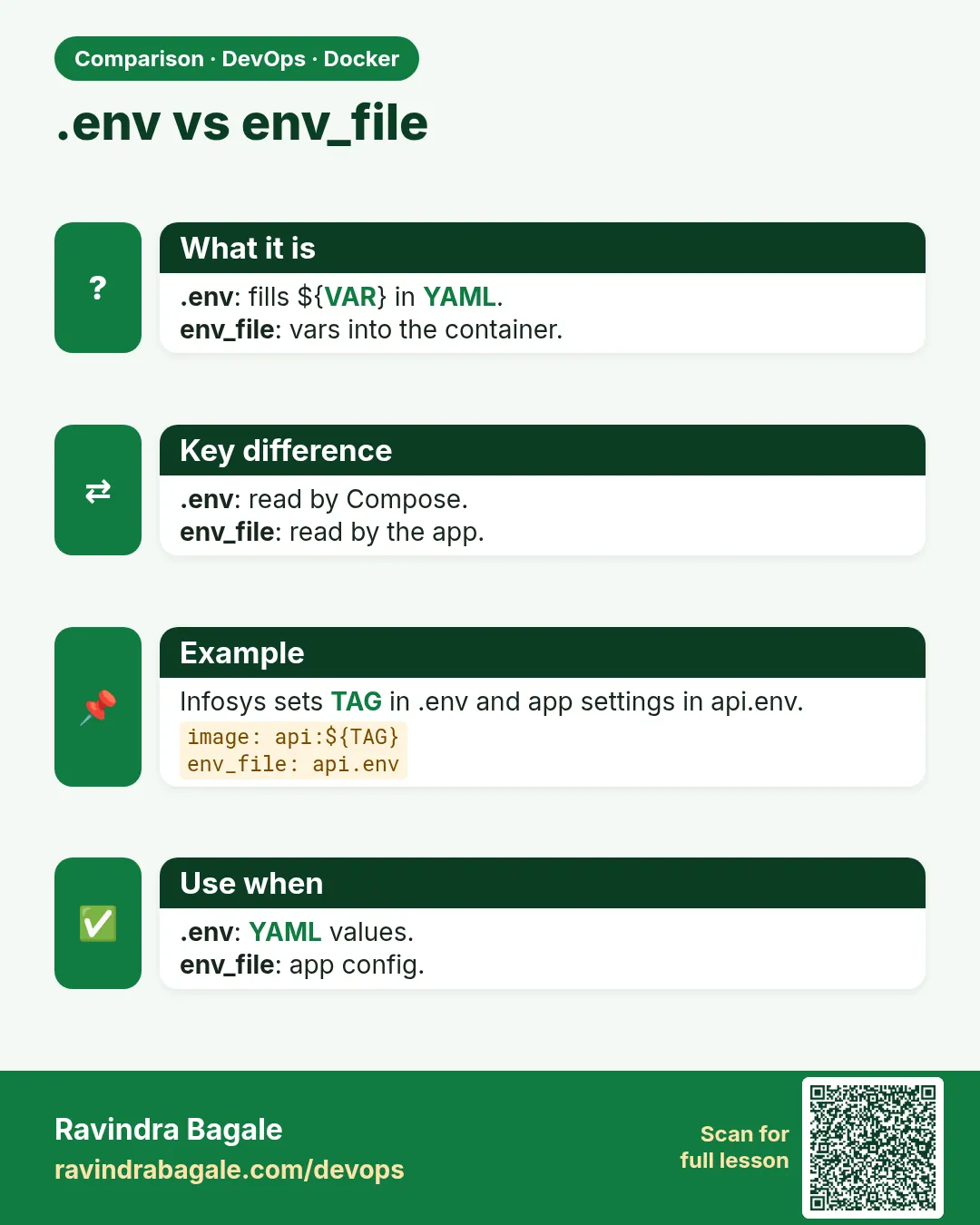
What: environment lists values in YAML. env_file loads a whole file into the container.
Example 13: env_file
Type this:
printf 'LOG_LEVEL=info\nFEATURE_UPI=true\n' > app.env && printf 'services:\n t:\n image: alpine:3.20\n env_file: [app.env]\n command: env\n' > compose.yaml && docker compose run --rm t | grep -E 'LOG|UPI'
You will see:
LOG_LEVEL=info
FEATURE_UPI=true
What it means: Loaded.
Example 14: environment wins
Type this:
printf ' environment:\n LOG_LEVEL: debug\n' >> compose.yaml && docker compose run --rm t | grep LOG
You will see:
LOG_LEVEL=debug
What it means: environment overrides env_file.
Example 15: Optional file
Type this:
printf 'services:\n t:\n image: alpine:3.20\n env_file:\n - path: local.env\n required: false\n' > compose.yaml && docker compose config -q && echo ok
You will see:
ok
What it means: No error if local.env is missing.
Step 6: .env is not env_file
Why: The most common confusion.
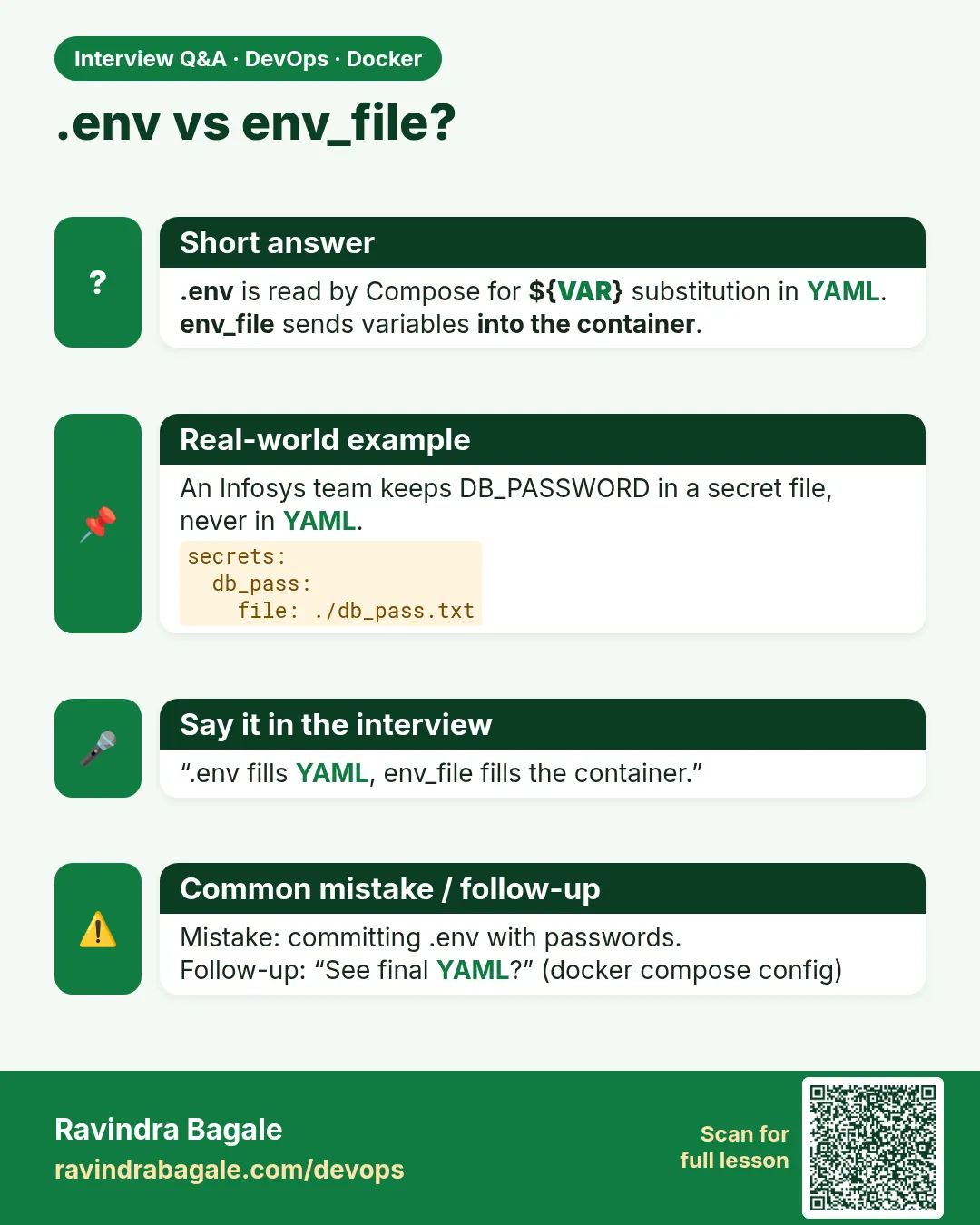
What: .env fills the YAML. It does not go into containers unless you pass the values.
Example 16: Not inside
Type this:
printf 'ONLY_IN_DOTENV=yes\n' >> .env && printf 'services:\n t:\n image: alpine:3.20\n command: env\n' > compose.yaml && docker compose run --rm t | grep -c ONLY_IN
You will see:
0
What it means: Not passed.
Example 17: Pass it
Type this:
printf ' environment:\n ONLY_IN_DOTENV: ${ONLY_IN_DOTENV}\n' >> compose.yaml && docker compose run --rm t | grep ONLY
You will see:
ONLY_IN_DOTENV=yes
What it means: Now it is.
Example 18: Pass by name
Type this:
printf ' environment: [ONLY_IN_DOTENV]\n' && echo 'name only takes the value from the shell'
You will see:
    environment: [ONLY_IN_DOTENV]
name only takes the value from the shell
What it means: Short form.
Step 7: Why env vars are weak for secrets
Why: They leak easily.
What: docker inspect, crash dumps, child processes and logs can show them.
Example 19: Inspect
Type this:
docker compose up -d db && docker inspect -f '{{.Config.Env}}' $(docker compose ps -q db) | tr ' ' '\n' | grep PASS
You will see:
POSTGRES_PASSWORD=example-only
What it means: Anyone with docker access can read it.
Example 20: Child process
Type this:
docker compose exec db sh -c 'cat /proc/1/environ | tr "\0" "\n" | grep PASS'
You will see:
POSTGRES_PASSWORD=example-only
What it means: Visible in /proc.
Example 21: Plan
Type this:
printf 'Move passwords to secrets.\n'
You will see:
Move passwords to secrets.
What it means: Next section.
4. Compose secrets
Step 8: Define and use a secret
Why: A file mounted read-only.
What: Top-level secrets point to a file or an environment variable. Services list the ones they need.
Example 22: Secret file
Type this:
mkdir -p secrets && printf 'example-only-db-pass' > secrets/db_pass.txt && chmod 0600 secrets/db_pass.txt && ls -l secrets
You will see:
-rw------- 1 divya divya 20 Oct 25 10:00 db_pass.txt
What it means: Only the owner can read.
Example 23: compose.yaml
Type this:
printf 'services:\n t:\n image: alpine:3.20\n secrets: [db_pass]\n command: cat /run/secrets/db_pass\nsecrets:\n db_pass:\n file: ./secrets/db_pass.txt\n' > compose.yaml && docker compose run --rm t
You will see:
example-only-db-pass
What it means: Read as a file.
Example 24: Not in env
Type this:
docker compose run --rm t env | grep -c example-only
You will see:
0
What it means: Not an environment variable.
Step 9: _FILE variables
Why: Official images read secrets from files.
What: Postgres, MySQL and many others accept POSTGRES_PASSWORD_FILE.
Example 25: Postgres
Type this:
printf 'services:\n db:\n image: postgres:16-alpine\n environment:\n POSTGRES_PASSWORD_FILE: /run/secrets/db_pass\n secrets: [db_pass]\nsecrets:\n db_pass:\n file: ./secrets/db_pass.txt\n' > compose.yaml && docker compose up -d --wait db
You will see:
✔ Container pay-db-1 Healthy
What it means: Started with the secret.
Example 26: Login
Type this:
docker compose exec -e PGPASSWORD=example-only-db-pass db psql -h localhost -U postgres -c 'select 1' | tail -2
You will see:
        1
(1 row)
What it means: Password works.
Example 27: Inspect is clean
Type this:
docker inspect -f '{{.Config.Env}}' $(docker compose ps -q db) | grep -c example-only
You will see:
0
What it means: No password in inspect.
Step 10: Secret from an environment variable
Why: Useful in CI.
What: environment: NAME in the top-level secret reads from the shell.
Example 28: Define
Type this:
printf 'secrets:\n api_key:\n environment: API_KEY\n' > s.yaml && cat s.yaml
You will see:
secrets:
  api_key:
    environment: API_KEY
What it means: Source is the CI variable.
Example 29: Use
Type this:
API_KEY=example-only-key docker compose -f compose.yaml -f s.yaml run --rm t cat /run/secrets/api_key 2>/dev/null || echo 'add api_key to the service first'
You will see:
add api_key to the service first
What it means: Services must list it.
Example 30: Target and mode
Type this:
printf ' secrets:\n - source: db_pass\n target: db.txt\n mode: 0400\n'
You will see:
secrets:
  - source: db_pass
    target: db.txt
    mode: 0400
What it means: Custom path and a safe mode.
Step 11: Build secrets in Compose
Why: Pass a secret to a Dockerfile RUN.
What: build.secrets connects to RUN --mount=type=secret.
Example 31: compose.yaml
Type this:
printf 'services:\n api:\n build:\n context: .\n secrets: [npmrc]\nsecrets:\n npmrc:\n file: ~/.npmrc\n' > compose.yaml && docker compose config | grep -A1 'secrets:' | head -2
You will see:
secrets:
  - source: npmrc
What it means: Wired to the build.
Example 32: Dockerfile line
Type this:
printf 'RUN --mount=type=secret,id=npmrc,target=/root/.npmrc npm ci\n'
You will see:
RUN --mount=type=secret,id=npmrc,target=/root/.npmrc npm ci
What it means: Same id.
Example 33: Build
Type this:
docker compose build api 2>&1 | grep npm
You will see:
=> [4/5] RUN --mount=type=secret,id=npmrc,target=/root/.npmrc npm ci
What it means: Private packages without a leak.
Step 12: Rotate a secret
Why: Change a password without editing YAML.
What: Replace the file, then recreate the services that use it. Secrets are mounted at container start.
Example 34: New value
Type this:
printf 'example-only-new-pass' > secrets/db_pass.txt && docker compose run --rm t cat /run/secrets/db_pass
You will see:
example-only-new-pass
What it means: New containers see it.
Example 35: Running one
Type this:
docker compose exec db cat /run/secrets/db_pass
You will see:
example-only-new-pass
What it means: Bind-mounted file, so it may change live; the app may still hold the old one.
Example 36: Recreate
Type this:
docker compose up -d --force-recreate api
You will see:
✔ Container pay-api-1 Recreated
What it means: Restart users of the secret after rotation.
Step 13: See where a value came from
Why: Debug the order of sources.
What: docker compose config shows final values; config --environment lists the variables Compose resolved.
Example 37: Final
Type this:
docker compose config | grep -E 'image|WEB_PORT'
You will see:
image: nginx:1.27-alpine
What it means: The end result.
Example 38: Sources
Type this:
docker compose config --environment | grep -E 'NGINX_TAG|WEB_PORT'
You will see:
NGINX_TAG=1.27-alpine
WEB_PORT=8080
What it means: What Compose used.
Example 39: Order
Type this:
printf 'shell, then the env file (.env, or the --env-file files instead of it), then ${VAR:-x} defaults\n'
You will see:
shell, then the env file (.env, or the --env-file files instead of it), then ${VAR:-x} defaults
What it means: Highest priority first.
5. Common mistakes and how Divya avoids them
Mistake one: real passwords in compose.yaml. Divya uses ${VAR:?} or secrets.
Mistake two: committing .env. Divya commits only example.env with fake values.
Mistake three: expecting .env values inside the container. Divya passes them through environment or env_file.
Mistake four: secret files readable by everyone. Divya uses mode 0600 on the host and 0400 inside.
Mistake five: forgetting the shell beats .env. Divya runs docker compose config to see the final values.
Check yourself
Q1. What does .env do?
Fills ${VAR} in compose.yaml.
Q2. Which wins, shell or .env?
The shell.
Q3. Where does a Compose secret appear?
/run/secrets/name.
Q4. How does Postgres read a secret file?
POSTGRES_PASSWORD_FILE.
Friends, settings in .env and env_file, passwords in secrets, and nothing real in Git. Did you understand? Let us try it once more. Move one password in your project from environment to a secret.
मित्रांनो, settings .env आणि env_file मध्ये, passwords secrets मध्ये, आणि Git मध्ये काहीही खरं नाही. समजलं का? चला, पुन्हा एकदा करून पाहू. तुमच्या project मधला एक password environment मधून secret मध्ये हलवा.
दोस्तों, settings .env और env_file में, passwords secrets में, और Git में कुछ भी असली नहीं. समझ आया? चलिए, एक बार फिर करके देखते हैं। अपने project का एक password environment से secret में ले जाइए.
Ravindra Bagale's Tip
Keep an example.env in the repository with every variable name and a fake value. New joiners copy it to .env and the app starts on day one.
Repository मध्ये प्रत्येक variable चं नाव आणि खोटी value असलेली example.env ठेवा. नवीन लोक ती .env मध्ये copy करतात आणि पहिल्या दिवशी app चालू होतं.
Repository में हर variable के नाम और नकली value वाली example.env रखिए. नए लोग उसे .env में copy करते हैं और पहले दिन app चालू हो जाता है.
Lab: try at home
- Use ${VAR:-default} and ${VAR:?}.
- Create .env and staging.env.
- Prove .env is not inside the container.
- Read a password with docker inspect.
- Move it to a secret with POSTGRES_PASSWORD_FILE.
- Pass a build secret through Compose.
Recap
- .env fills the YAML.
- Shell values beat .env.
- env_file and environment set container variables.
- Environment variables leak.
- Secrets are files in /run/secrets.
- Keep only fake values in Git.
 Revision card
 Interview card
 Comparison card