53.3 depends_on with healthchecks: start in the right order
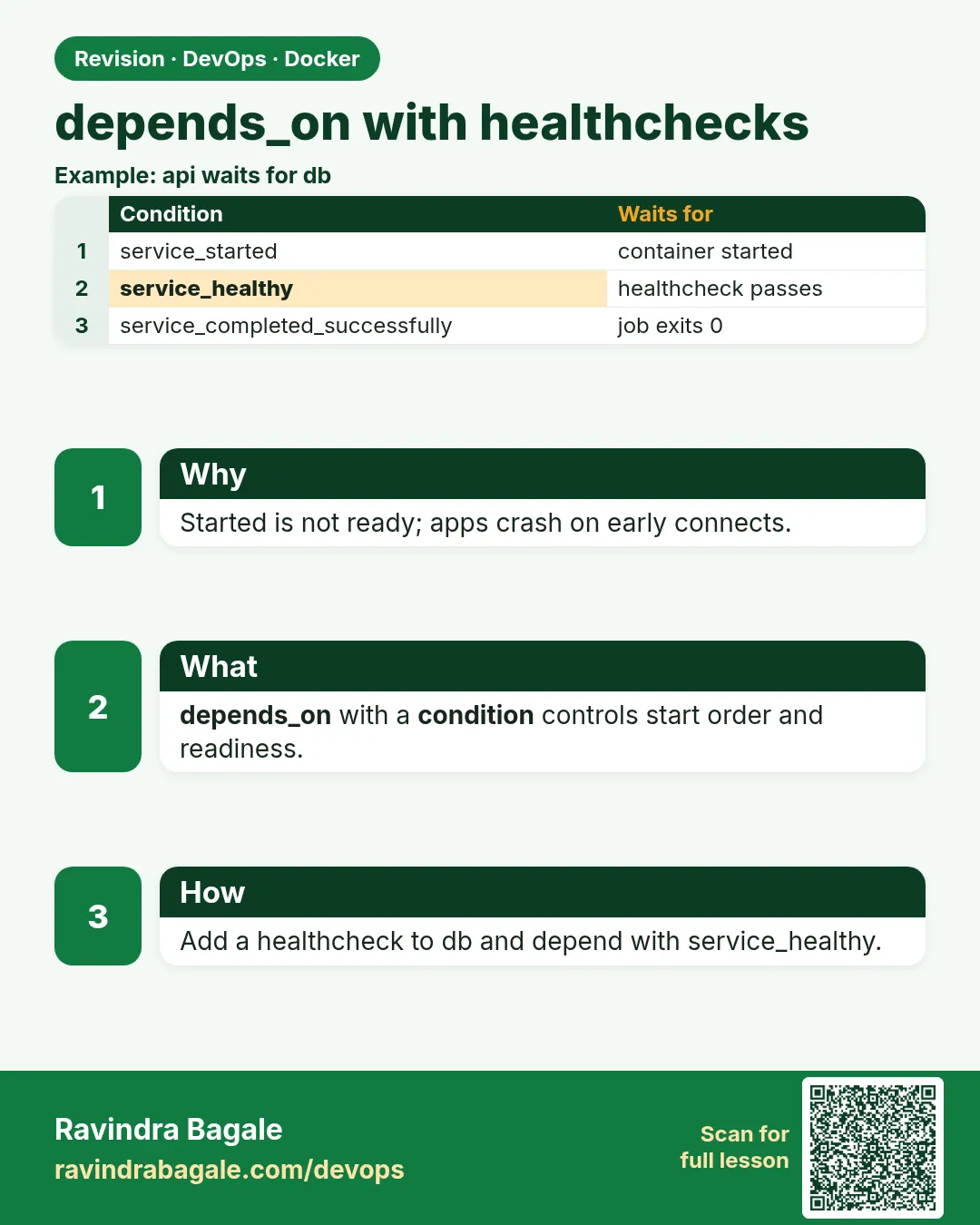
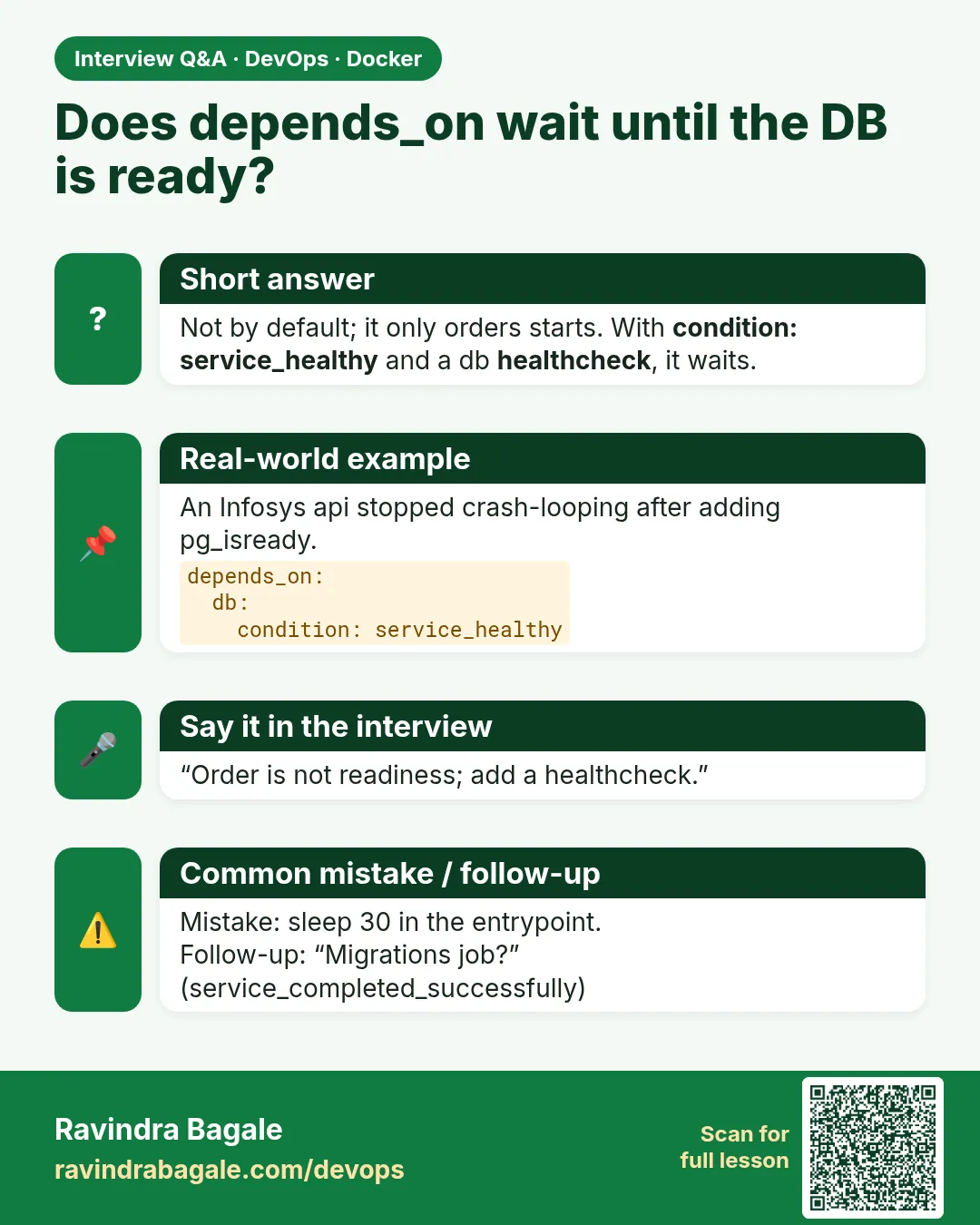
Friends, the API starts in one second, but Postgres needs eight seconds to be ready. If the API connects first, it crashes. Plain depends_on only waits for the database container to start, not for the database to be ready. Today we add healthchecks and condition: service_healthy, so every service waits for the one it really needs.
मित्रांनो, API एका सेकंदात सुरू होतो, पण Postgres ला तयार व्हायला आठ सेकंद लागतात. API आधी connect झाला तर crash होतो. साधं depends_on फक्त database container सुरू होईपर्यंत थांबतं, database तयार होईपर्यंत नाही. आज healthcheck आणि condition: service_healthy जोडू, म्हणजे प्रत्येक service खरंच गरजेच्या service ची वाट बघेल.
दोस्तों, API एक सेकंड में शुरू होता है, पर Postgres को तैयार होने में आठ सेकंड लगते हैं. API पहले connect करे तो crash होता है. सादा depends_on सिर्फ़ database container शुरू होने तक रुकता है, database तैयार होने तक नहीं. आज healthcheck और condition: service_healthy जोड़ेंगे, ताकि हर service सच में ज़रूरी service का इंतज़ार करे.
1. Start from a story
Every morning the Paytm wallet-test environment came up with the API in a crash loop for the first minute. The logs said connection refused to db:5432.
Kunal looked at compose.yaml. The API had depends_on: [db]. Compose started db first, then the API one second later, while Postgres was still creating its files.
He added a healthcheck to db using pg_isready, and changed the API to depends_on db with condition: service_healthy. He also added a migrate service that must complete successfully before the API starts.
The next morning docker compose up --wait returned only when everything was healthy, and the crash loop was gone. Today we build the same chain.
2. The problem
Step 1: Plain depends_on
Why: Order of start, not readiness.
What: depends_on: [db] starts db first and then the API immediately.
Example 1: File
Type this:
printf 'services:\n db:\n image: postgres:16-alpine\n environment: {POSTGRES_PASSWORD: example-only}\n api:\n image: postgres:16-alpine\n command: psql -h db -U postgres -c "select 1"\n environment: {PGPASSWORD: example-only}\n depends_on: [db]\n' > compose.yaml && docker compose up api
You will see:
api-1 | psql: error: connection to server at "db" (172.20.0.2), port 5432 failed: Connection refused
What it means: Too early.
Example 2: Timing
Type this:
docker compose logs db | grep -m1 'ready to accept'
You will see:
db-1 | database system is ready to accept connections
What it means: Ready came later than the API's try.
Example 3: Run again
Type this:
docker compose up api
You will see:
api-1  |  ?column?
api-1  |         1
What it means: Works only because db is already up.
Step 2: Restart is not a fix
Why: Crash loops hide the real issue.
What: restart: on-failure makes it work eventually, with errors in logs and alerts.
Example 4: Add restart
Type this:
docker compose down && sed -i 's/depends_on: \[db\]/depends_on: [db]\n restart: on-failure/' compose.yaml && docker compose up -d && sleep 10 && docker compose ps -a api --format '{{.Status}}'
You will see:
Exited (0) 2 seconds ago
What it means: Succeeded after failures.
Example 5: Count
Type this:
docker inspect -f '{{.RestartCount}}' $(docker compose ps -aq api)
You will see:
3
What it means: Three failed starts.
Example 6: Clean
Type this:
docker compose down
You will see:
✔ Network wallet_default Removed
What it means: Start fresh for the real fix.
3. Healthchecks in Compose
Step 3: healthcheck key
Why: Tell Docker how to test readiness.
What: test, interval, timeout, retries and start_period.
Example 7: For Postgres
Type this:
printf 'services:\n db:\n image: postgres:16-alpine\n environment: {POSTGRES_PASSWORD: example-only}\n healthcheck:\n test: ["CMD-SHELL","pg_isready -U postgres"]\n interval: 3s\n timeout: 3s\n retries: 10\n start_period: 5s\n' > compose.yaml && docker compose up -d && docker compose ps --format '{{.Service}} {{.Status}}'
You will see:
db Up 2 seconds (health: starting)
What it means: Being checked.
Example 8: Later
Type this:
sleep 8 && docker compose ps --format '{{.Service}} {{.Status}}'
You will see:
db Up 10 seconds (healthy)
What it means: Ready.
Example 9: History
Type this:
docker inspect -f '{{range .State.Health.Log}}{{.ExitCode}} {{end}}' $(docker compose ps -q db)
You will see:
2 0 0
What it means: First check failed, then passed.
Step 4: CMD vs CMD-SHELL
Why: Two ways to write test.
What: CMD runs the program directly. CMD-SHELL runs through sh, so you can use || and pipes.
Example 10: CMD
Type this:
printf ' test: ["CMD","redis-cli","ping"]\n' && echo exec-form
You will see:
      test: ["CMD","redis-cli","ping"]
exec-form
What it means: No shell needed.
Example 11: CMD-SHELL
Type this:
printf ' test: ["CMD-SHELL","wget -qO- localhost:3000/health || exit 1"]\n'
You will see:
test: ["CMD-SHELL","wget -qO- localhost:3000/health || exit 1"]
What it means: Shell features available.
Example 12: Disable
Type this:
printf ' healthcheck:\n disable: true\n'
You will see:
healthcheck:
  disable: true
What it means: Turn off a check from the image.
Step 5: Checks for common services
Why: Use the tool each image already has.
What: Postgres pg_isready, MySQL mysqladmin ping, Redis redis-cli ping, Mongo mongosh ping.
Example 13: MySQL
Type this:
printf ' test: ["CMD","mysqladmin","ping","-h","localhost","-uroot","-pexample-only"]\n' | grep -o mysqladmin
You will see:
mysqladmin
What it means: Example password only.
Example 14: Mongo
Type this:
printf ' test: ["CMD","mongosh","--quiet","--eval","db.adminCommand(\"ping\").ok"]\n' | grep -o mongosh
You will see:
mongosh
What it means: Returns 1 when ready.
Example 15: Redis
Type this:
docker compose run --rm --entrypoint redis-cli cache -h cache ping
You will see:
PONG
What it means: What the check runs.
4. Conditions
Step 6: service_healthy
Why: Wait for a passing healthcheck.
What: The long form of depends_on takes a condition.
Example 16: Add api
Type this:
printf ' api:\n image: postgres:16-alpine\n command: psql -h db -U postgres -c "select 1"\n environment: {PGPASSWORD: example-only}\n depends_on:\n db:\n condition: service_healthy\n' >> compose.yaml && docker compose down && docker compose up api
You will see:
✔ Container wallet-db-1  Healthy
api-1  |         1
What it means: Waited, then succeeded first time.
Example 17: Order in log
Type this:
docker compose up api 2>&1 | grep -E 'Waiting|Healthy'
You will see:
Container wallet-db-1  Waiting
Container wallet-db-1  Healthy
What it means: Compose waited.
Example 18: Restart count
Type this:
docker inspect -f '{{.RestartCount}}' $(docker compose ps -aq api)
You will see:
0
What it means: No crash loop.
Step 7: service_completed_successfully
Why: Wait for a one-time job.
What: Use for database migrations or seed jobs that must finish with exit 0.
Example 19: Migrate job
Type this:
printf ' migrate:\n image: postgres:16-alpine\n command: psql -h db -U postgres -c "create table if not exists wallet(id int)"\n environment: {PGPASSWORD: example-only}\n depends_on: {db: {condition: service_healthy}}\n' >> compose.yaml && grep -c migrate compose.yaml
You will see:
1
What it means: Job added.
Example 20: API waits for it
Type this:
printf ' depends_on:\n db:\n condition: service_healthy\n migrate:\n condition: service_completed_successfully\n' > api-deps.txt && docker compose up api 2>&1 | grep -E 'migrate|api-1'
You will see:
Container wallet-migrate-1  Exited
api-1  |         1
What it means: After pasting these lines under api, the migration runs first.
Example 21: Failure stops chain
Type this:
docker compose run --rm migrate psql -h db -U postgres -c 'bad sql'; echo exit=$?
You will see:
ERROR:  syntax error at or near "bad"
exit=1
What it means: If migrate fails, the API is not started.
Step 8: service_started and required
Why: The default and optional deps.
What: service_started is the old behaviour. required: false lets a service start even if the dependency is missing.
Example 22: Started
Type this:
printf ' cache:\n condition: service_started\n'
You will see:
cache:
  condition: service_started
What it means: No readiness wait.
Example 23: Optional
Type this:
printf ' metrics:\n condition: service_started\n required: false\n'
You will see:
metrics:
  condition: service_started
  required: false
What it means: Fine if metrics is not running.
Example 24: restart: true
Type this:
printf ' db:\n condition: service_healthy\n restart: true\n'
You will see:
db:
  condition: service_healthy
  restart: true
What it means: Restart the API when db restarts.
Step 9: Tune the timing
Why: Fast enough to start quickly, slow enough not to waste CPU.
What: interval is the gap between checks, timeout the max time per check, retries how many failures mean unhealthy, start_period a grace time, start_interval faster checks during that grace time.
Example 25: Fast during start
Type this:
printf ' interval: 30s\n start_period: 60s\n start_interval: 2s\n' && echo ok
You will see:
      interval: 30s
      start_period: 60s
      start_interval: 2s
ok
What it means: Checks every 2s while starting, then every 30s.
Example 26: Measure
Type this:
time docker compose up -d --wait
You will see:
real 0m7.8s
What it means: Healthy in under 8 seconds.
Example 27: Too strict
Type this:
printf ' timeout: 1ms\n' && echo 'every check would time out'
You will see:
      timeout: 1ms
every check would time out
What it means: Never set timeout below the real check time.
Step 10: --no-deps and run
Why: Skip the chain when you need to.
What: up --no-deps starts one service alone. run also starts dependencies unless --no-deps is given.
Example 28: Alone
Type this:
docker compose up -d --no-deps api
You will see:
✔ Container wallet-api-1 Started
What it means: db was not touched.
Example 29: run with deps
Type this:
docker compose run --rm api echo hi 2>&1 | grep -E 'db-1|hi'
You will see:
Container wallet-db-1  Healthy
hi
What it means: run waited for db.
Example 30: run without
Type this:
docker compose run --rm --no-deps api echo hi
You will see:
hi
What it means: Fast one-off, no deps.
5. Waiting from the command line
Step 11: up --wait
Why: Block until healthy.
What: Great for CI and scripts.
Example 31: Wait
Type this:
docker compose up -d --wait; echo exit=$?
You will see:
✔ Container wallet-db-1  Healthy
exit=0
What it means: Returns when ready.
Example 32: Timeout
Type this:
docker compose up -d --wait --wait-timeout 30
You will see:
✔ Container wallet-db-1 Healthy
What it means: Fails if slower than 30 seconds.
Example 33: Broken check
Type this:
sed -i 's/pg_isready -U postgres/pg_isready -U nobody -h nohost/' compose.yaml && docker compose up -d --wait --wait-timeout 20; echo exit=$?
You will see:
container wallet-db-1 is unhealthy
exit=1
What it means: CI stops early.
Step 12: Read health in ps and inspect
Why: Debug a failing check.
What: The last outputs of the check are stored in the container.
Example 34: ps
Type this:
docker compose ps --format '{{.Service}} {{.Health}}'
You will see:
db unhealthy
What it means: Quick look.
Example 35: Last output
Type this:
docker inspect -f '{{(index .State.Health.Log 0).Output}}' $(docker compose ps -q db)
You will see:
nohost:5432 - no response
What it means: The real error.
Example 36: Fix
Type this:
git checkout compose.yaml && docker compose up -d --wait && docker compose ps --format '{{.Service}} {{.Health}}' | head -1
You will see:
db healthy
What it means: Back to good.
Step 13: Health checks in the app
Why: The API needs its own check too.
What: Give the API a /health endpoint that checks its own dependencies, and use it for web's depends_on.
Example 37: API check
Type this:
printf ' healthcheck:\n test: ["CMD-SHELL","wget -qO- localhost:3000/health || exit 1"]\n interval: 5s\n' | head -2
You will see:
healthcheck:
  test: ["CMD-SHELL","wget -qO- localhost:3000/health || exit 1"]
What it means: App-level check.
Example 38: web waits
Type this:
printf ' web:\n depends_on:\n api:\n condition: service_healthy\n' | tail -2
You will see:
api:
  condition: service_healthy
What it means: Full chain.
Example 39: Curl
Type this:
curl -s localhost:3000/health
You will see:
{"status":"ok","db":"ok"}
What it means: The endpoint itself.
6. Common mistakes and how Kunal avoids them
Mistake one: plain depends_on and hope. Kunal adds a healthcheck and condition: service_healthy.
Mistake two: a healthcheck command that is not in the image, like curl in an Alpine image. Kunal uses wget or the database's own tool.
Mistake three: start_period too short for a big database. Kunal sets it to the real start time.
Mistake four: thinking depends_on helps in production on Kubernetes. It does not; apps still need retries, covered in a later lesson.
Mistake five: migrations inside the API start. Kunal runs a separate migrate job with service_completed_successfully.
Check yourself
Q1. Does plain depends_on wait for readiness?
No, only for the container to start.
Q2. Which condition waits for a healthcheck?
service_healthy.
Q3. Which condition waits for a job to finish with 0?
service_completed_successfully.
Q4. How do you block until healthy in CI?
docker compose up -d --wait.
Friends, start order is a chain: healthy database, finished migration, then the app. Did you understand? Let us try it once more. Add a healthcheck to your database and make the API wait for it.
मित्रांनो, start order म्हणजे एक साखळी: healthy database, संपलेलं migration, मग app. समजलं का? चला, पुन्हा एकदा करून पाहू. तुमच्या database ला healthcheck लावा आणि API ला त्याची वाट बघायला लावा.
दोस्तों, start order एक ज़ंजीर है: healthy database, पूरा हुआ migration, फिर app. समझ आया? चलिए, एक बार फिर करके देखते हैं। अपने database को healthcheck दीजिए और API को उसका इंतज़ार करवाइए.
Ravindra Bagale's Tip
If a healthcheck keeps failing, read State.Health.Log with docker inspect before changing anything. The real error message is almost always there.
Healthcheck सतत fail होत असेल तर काहीही बदलण्याआधी docker inspect ने State.Health.Log वाचा. खरा error जवळजवळ नेहमी तिथेच असतो.
Healthcheck बार बार fail हो तो कुछ भी बदलने से पहले docker inspect से State.Health.Log पढ़िए. असली error लगभग हमेशा वहीं होता है.
Lab: try at home
- Reproduce the connection refused error.
- Add a pg_isready healthcheck.
- Use condition: service_healthy.
- Add a migrate job with service_completed_successfully.
- Run up --wait and break the check.
- Read State.Health.Log.
Recap
- depends_on alone orders starts only.
- healthcheck defines ready.
- service_healthy waits for ready.
- service_completed_successfully waits for jobs.
- up --wait helps CI.
- Apps still need retries in production.
 Revision card
 Interview card