49.5 Restart policies
Friends, if the app crashes at 3 AM, who starts it again? Docker does, if we gave a restart policy. Today we test the four kinds by hand: no, on-failure, always and unless-stopped.
मित्रांनो, रात्री 3 वाजता app crash झाला तर कोण चालू करणार? Docker करणार, जर आपण restart policy दिली तर. आज no, on-failure, always आणि unless-stopped हे चार प्रकार हाताने test करू.
दोस्तों, रात 3 बजे app crash हो जाए तो कौन चालू करेगा? Docker करेगा, अगर हमने restart policy दी हो. आज no, on-failure, always और unless-stopped ये चार प्रकार खुद test करेंगे.
1. Start from a story
At Paytm, a small notification service crashed at 3 a.m. because a network call failed. Nobody was awake. Payments still worked, but customers got no SMS for four hours. The fix was not new code. The fix was one flag: --restart unless-stopped.
Think of a security guard at a building. If the lift stops, the guard presses the reset button. Some guards press it only when the lift breaks. Some press it always, even when the owner switched it off. Some never touch it. A Docker restart policy tells Docker which kind of guard to be.
The policy lives with the container. Docker, not you, watches the process and starts it again when the rule says so.
2. The default: no
Step 1: no: the default
Why: By default Docker does nothing when a container dies.
What: With restart policy no, a container that exits stays exited until a person starts it again.
Example 1: A crashing app
Type this:
docker run -d --name n1 alpine:3.20 sh -c 'sleep 3; exit 1'
You will see:
2a1f...
What it means: It will fail after 3 seconds.
Example 2: Wait and look
Type this:
sleep 5; docker ps -a --filter name=n1 --format '{{.Status}}'
You will see:
Exited (1) 2 seconds ago
What it means: Nobody brought it back.
Example 3: Read the policy
Type this:
docker inspect n1 --format '{{.HostConfig.RestartPolicy.Name}}'
You will see:
no
What it means: no is the default.
3. Restart on crash: on-failure
Step 2: on-failure: only when it fails
Why: A batch job at Zomato should retry when it crashes, but not run again after it finishes well.
What: on-failure restarts the container only when it exits with a non-zero code. Exit 0 means done, so it stays stopped.
Example 4: Fails, so it restarts
Type this:
docker run -d --name f1 --restart on-failure alpine:3.20 sh -c 'echo try; sleep 2; exit 1'
sleep 15; docker inspect f1 --format '{{.RestartCount}}'
You will see:
4
What it means: Docker restarted it four times so far.
Example 5: Success, so it stays
Type this:
docker run -d --name f0 --restart on-failure alpine:3.20 sh -c 'echo done; exit 0'
sleep 5; docker ps -a --filter name=f0 --format '{{.Status}}'
You will see:
Exited (0) 4 seconds ago
What it means: Exit 0 is not a failure.
Example 6: Logs show every try
Type this:
docker logs f1
You will see:
try
try
try
try
try
What it means: One line per run, because the same container restarts.
Step 3: on-failure:N: limit the retries
Why: An app with a wrong password will fail for ever. Endless restarts waste CPU and fill the logs.
What: on-failure:N stops after N restarts.
Example 7: Limit to 3
Type this:
docker run -d --name f3 --restart on-failure:3 alpine:3.20 sh -c 'exit 2'
sleep 20; docker inspect f3 --format '{{.RestartCount}} {{.State.Status}}'
You will see:
3 exited
What it means: Three retries, then it gave up.
Example 8: See the exit code
Type this:
docker inspect f3 --format '{{.State.ExitCode}}'
You will see:
2
What it means: The last failure code is kept.
Example 9: Read the max
Type this:
docker inspect f3 --format '{{.HostConfig.RestartPolicy.MaximumRetryCount}}'
You will see:
3
What it means: Stored with the container.
Step 4: Back-off: why restarts slow down
Why: Docker does not restart in a tight loop.
What: Each restart waits longer: 100 ms, then double each time, up to one minute. When the container runs for 10 seconds, the wait resets.
Example 10: Watch the gaps
Type this:
docker events --filter container=f1 --filter event=start --format '{{.Time}}' --since 1m --until 0s
You will see:
1761372001
1761372003
1761372006
1761372011
1761372020
What it means: The gap grows: 2, 3, 5, 9 seconds.
Example 11: Status while waiting
Type this:
docker ps -a --filter name=f1 --format '{{.Status}}'
You will see:
Restarting (1) 3 seconds ago
What it means: Restarting means it is waiting for the next try.
Example 12: Stop the loop
Type this:
docker update --restart no f1 && docker stop f1
You will see:
f1
f1
What it means: Turn off the policy, then stop.
4. Always running: always and unless-stopped
Step 5: always: restart on every exit
Why: A web server at Flipkart must be up all the time.
What: always restarts the container on any exit, even exit 0. It also starts the container when the Docker daemon starts, for example after a reboot.
Example 13: Exit 0 still restarts
Type this:
docker run -d --name a1 --restart always alpine:3.20 sh -c 'sleep 3; exit 0'
sleep 12; docker inspect a1 --format '{{.RestartCount}}'
You will see:
2
What it means: Even a clean exit is restarted.
Example 14: docker stop does stop it
Type this:
docker stop a1; sleep 5; docker ps -a --filter name=a1 --format '{{.Status}}'
You will see:
a1
Exited (137) 5 seconds ago
What it means: A manual stop is respected while the daemon runs.
Example 15: But it comes back after a daemon restart
Type this:
sudo systemctl restart docker; sleep 3; docker ps --filter name=a1 --format '{{.Status}}'
You will see:
Up 2 seconds
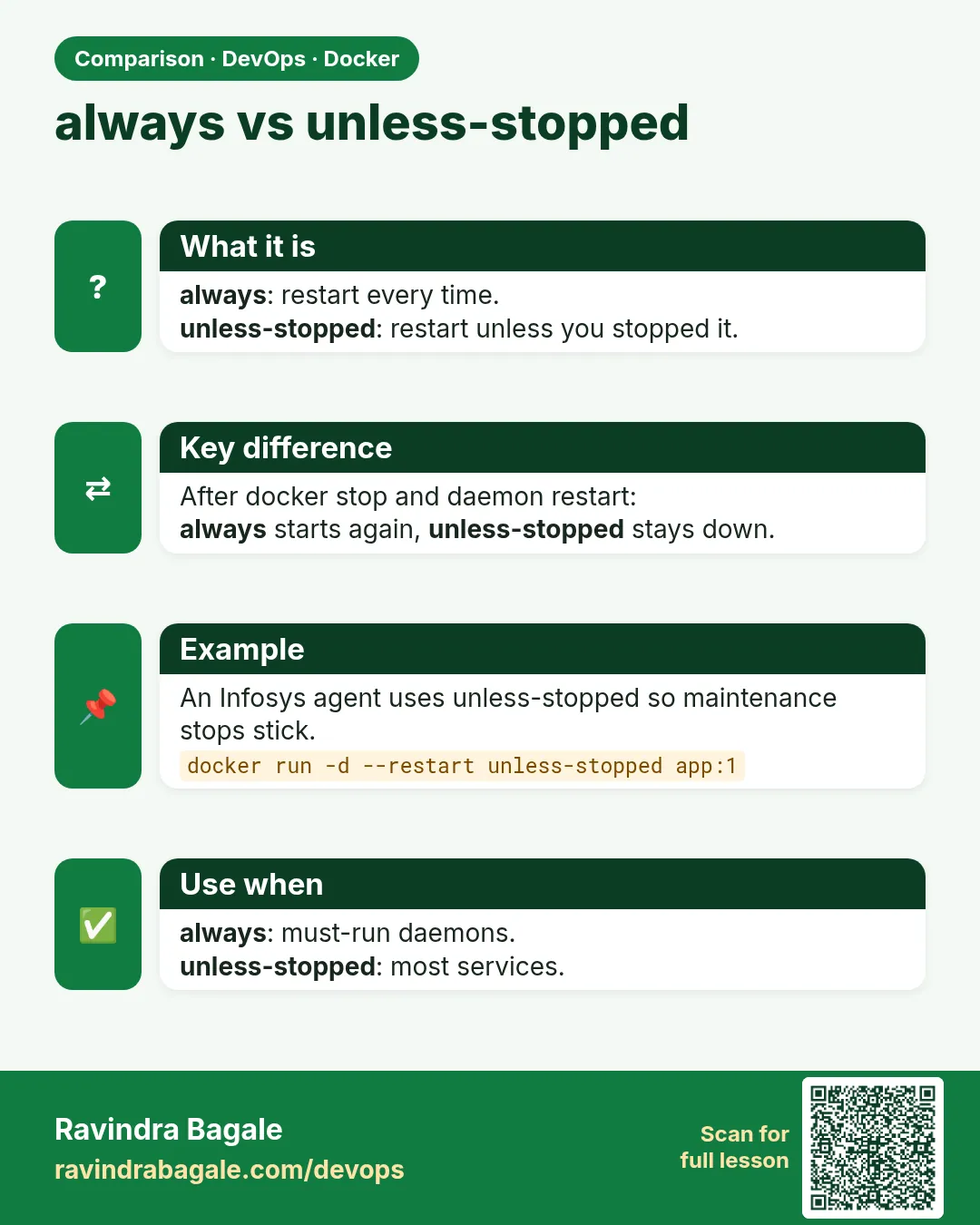
What it means: always ignores your earlier stop after the daemon restarts.
Step 6: unless-stopped: the usual choice
Why: You stopped a container on purpose for maintenance. You do not want it back after a reboot.
What: unless-stopped is like always, except that a container you stopped by hand stays stopped after a daemon restart or reboot.
Example 16: Run with unless-stopped
Type this:
docker run -d --name u1 --restart unless-stopped nginx:1.27
You will see:
7c3e...
What it means: Our long-running service.
Example 17: Stop it, restart the daemon
Type this:
docker stop u1; sudo systemctl restart docker; sleep 3; docker ps -a --filter name=u1 --format '{{.Status}}'
You will see:
u1
Exited (0) 6 seconds ago
What it means: It stayed stopped, as we wanted.
Example 18: A running one comes back
Type this:
docker start u1; sudo systemctl restart docker; sleep 3; docker ps --filter name=u1 --format '{{.Status}}'
You will see:
u1
Up 2 seconds
What it means: It was running before, so it starts again.
Step 7: Reboot test
Why: The real proof is a server reboot.
What: The Docker service must start at boot, then Docker starts containers that have always or unless-stopped.
Example 19: Docker starts at boot
Type this:
sudo systemctl is-enabled docker
You will see:
enabled
What it means: If it says disabled, run sudo systemctl enable docker.
Example 20: Reboot
Type this:
sudo reboot
You will see:
(connection closed)
What it means: Wait one minute, then ssh back.
Example 21: Check
Type this:
docker ps --format '{{.Names}} {{.Status}}'
You will see:
u1 Up 40 seconds
a1 Up 40 seconds
What it means: Both came back by themselves.
Step 8: Unhealthy does not mean restart
Why: A team at Ola thought Docker would restart a container when its health check failed.
What: Plain Docker only marks a container unhealthy. The restart policy acts only when the process exits. Swarm and Kubernetes do replace unhealthy containers; plain Docker does not.
Example 22: A health check that always fails
Type this:
docker run -d --name sick --restart always --health-cmd 'exit 1' --health-interval 3s --health-retries 2 nginx:1.27
sleep 12; docker ps --filter name=sick --format '{{.Status}}'
You will see:
Up 12 seconds (unhealthy)
What it means: Unhealthy, but still up.
Example 23: No restarts happened
Type this:
docker inspect sick --format '{{.RestartCount}}'
You will see:
0
What it means: The process never exited, so the policy never acted.
Example 24: Make the app exit on failure
Type this:
docker rm -f sick
You will see:
sick
What it means: If you need a restart, the app itself must exit when it is broken, or use an orchestrator.
5. Changing and using policies
Now we know how each policy behaves. In real teams the question is not only which policy, but how to change it safely and how to spot when a policy is hiding a problem. Let us look at that next.
Step 9: docker update --restart
Why: The policy was forgotten at docker run.
What: docker update --restart POLICY NAME changes the policy of an existing container, no recreate needed.
Example 25: Add a policy
Type this:
docker run -d --name late nginx:1.27
docker update --restart unless-stopped late
You will see:
...
late
What it means: Changed in place.
Example 26: Check it
Type this:
docker inspect late --format '{{.HostConfig.RestartPolicy.Name}}'
You will see:
unless-stopped
What it means: Saved.
Example 27: Update many
Type this:
docker update --restart unless-stopped $(docker ps -q)
You will see:
late
u1
a1
What it means: Every running container at once.
Step 10: --rm and restart do not mix
Why: Learners try both together.
What: --rm deletes a container when it exits, so it cannot be restarted. Docker refuses the pair.
Example 28: Try both
Type this:
docker run --rm --restart always alpine:3.20 true
You will see:
docker: Conflicting options: --restart and --rm.
What it means: Pick one.
Example 29: For jobs, use --rm
Type this:
docker run --rm alpine:3.20 echo report done
You will see:
report done
What it means: One-time job, cleaned up.
Example 30: For services, use --restart
Type this:
docker run -d --restart unless-stopped --name svc nginx:1.27
You will see:
...
What it means: Long-running service.
Step 11: Restart is not a fix for bugs
Why: A restart loop hides the real problem.
What: A policy brings the app back, but if it crashes every minute, users still see errors. Watch RestartCount and the die events, and fix the cause.
Example 31: Spot a crash loop
Type this:
docker ps --filter status=restarting --format '{{.Names}} {{.Status}}'
You will see:
f3 Restarting (2) 10 seconds ago
What it means: Restarting status is a warning sign.
Example 32: Read why
Type this:
docker logs --tail 5 f3 2>&1
You will see:
Error: cannot connect to db:5432
What it means: The real cause is in the logs.
Example 33: Clean up
Type this:
docker rm -f n1 f0 f1 f3 a1 u1 late svc
You will see:
n1
f0
f1
f3
a1
u1
late
svc
What it means: All removed.
Step 12: Policies in Compose and Kubernetes
Why: You will see the same idea in other tools.
What: In Compose you write restart: unless-stopped. In Swarm and Kubernetes, the orchestrator restarts and reschedules containers itself.
Example 34: Compose file
Type this:
printf 'services:\n  web:\n    image: nginx:1.27\n    restart: unless-stopped\n' > compose.yaml
docker compose up -d
You will see:
[+] Running 1/1
 Container demo-web-1  Started
What it means: Same policy, in YAML.
Example 35: Check
Type this:
docker inspect demo-web-1 --format '{{.HostConfig.RestartPolicy.Name}}'
You will see:
unless-stopped
What it means: Compose set it for us.
Example 36: Down
Type this:
docker compose down
You will see:
[+] Running 2/2
 Container demo-web-1  Removed
 Network demo_default  Removed
What it means: Clean.
Common mistakes with restart policies
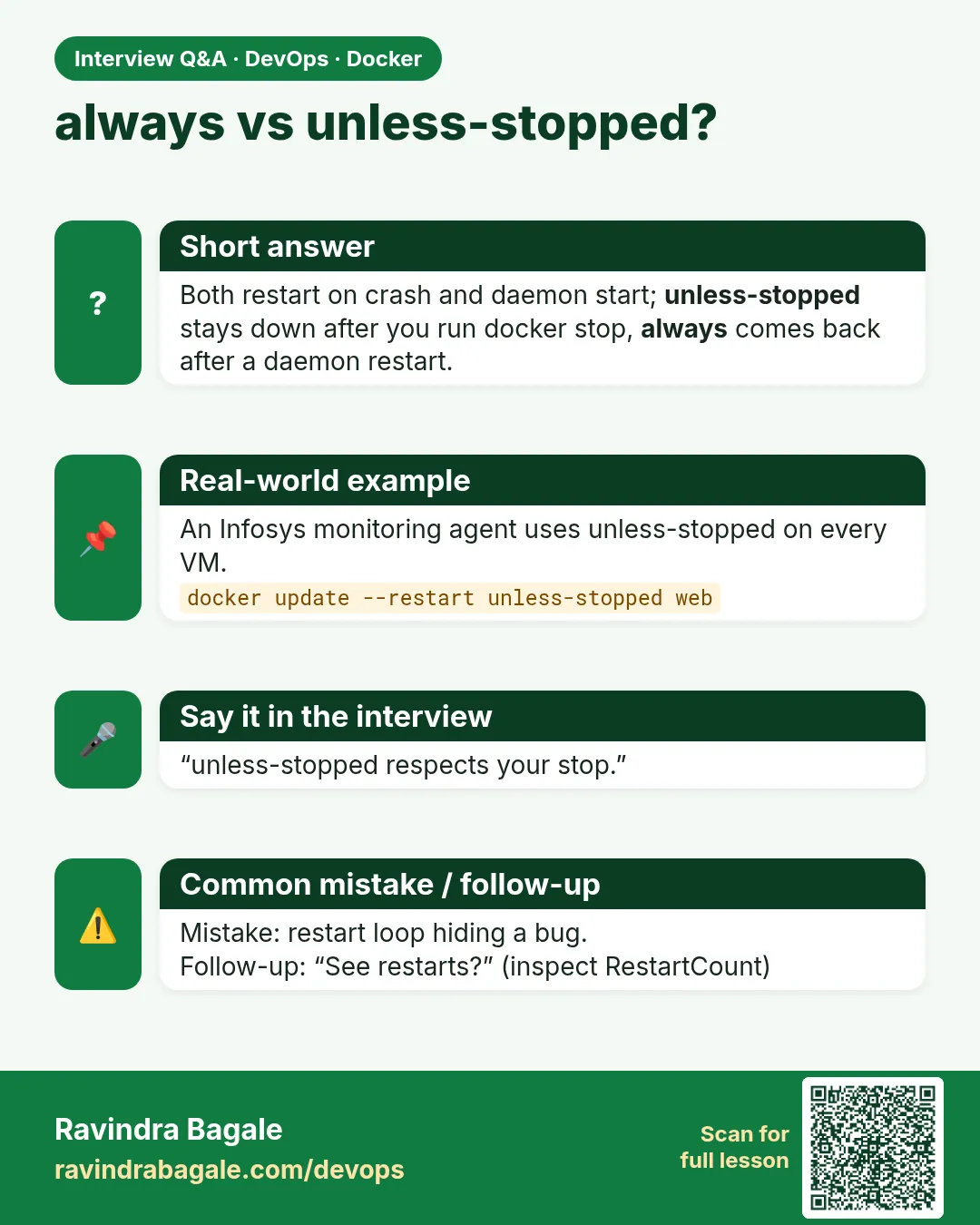
A restart policy only reacts to the main process exiting. If the app hangs but the process stays alive, Docker sees nothing wrong and will not restart it. That is why we pair a restart policy with a HEALTHCHECK and an outside alert.
Another mistake is giving always to a one-time job such as a database migration. The job finishes with exit code 0, Docker starts it again, and the migration runs in a loop all night. For jobs use no or on-failure with a small number like 3.
Last, remember that docker stop is respected. A container you stopped by hand with unless-stopped will stay stopped after a reboot, while one with always will come back. Choose based on what the team expects after maintenance.
Check yourself
Q1. What is the default policy?
no.
Q2. Does on-failure restart after exit 0?
No.
Q3. Difference between always and unless-stopped?
After a daemon restart, always brings back containers you stopped; unless-stopped does not.
Q4. How do you add a policy to a running container?
docker update --restart.
Q5. Can you use --rm with --restart?
No, Docker refuses.
Friends, a restart policy is the building's guard. unless-stopped for services, on-failure:3 for jobs. But a restart is not a bug fix. Did you understand? Let us try it once more. Now do the reboot test yourself.
मित्रांनो, restart policy म्हणजे building चा guard. Service साठी unless-stopped, job साठी on-failure:3. पण restart म्हणजे bug fix नाही. समजलं का? चला, पुन्हा एकदा करून पाहू. आता reboot test स्वतः करून बघा.
दोस्तों, restart policy मतलब building का guard. Service के लिए unless-stopped, job के लिए on-failure:3. पर restart मतलब bug fix नहीं. समझ आया? चलिए, एक बार फिर करके देखते हैं। अब reboot test खुद करके देखिए.
Ravindra Bagale's Tip
In production give most services --restart unless-stopped, and keep an alert on RestartCount.
Production मध्ये बहुतेक services ना --restart unless-stopped द्या, आणि RestartCount वर alert ठेवा.
Production में ज़्यादातर services को --restart unless-stopped दीजिए, और RestartCount पर alert रखिए.
Lab: try at home
- Run a crashing container with no policy and see it stay exited.
- Try on-failure and on-failure:3 and read RestartCount.
- Compare always and unless-stopped after sudo systemctl restart docker.
- Add a policy with docker update.
- Write the policy in a Compose file.
Recap
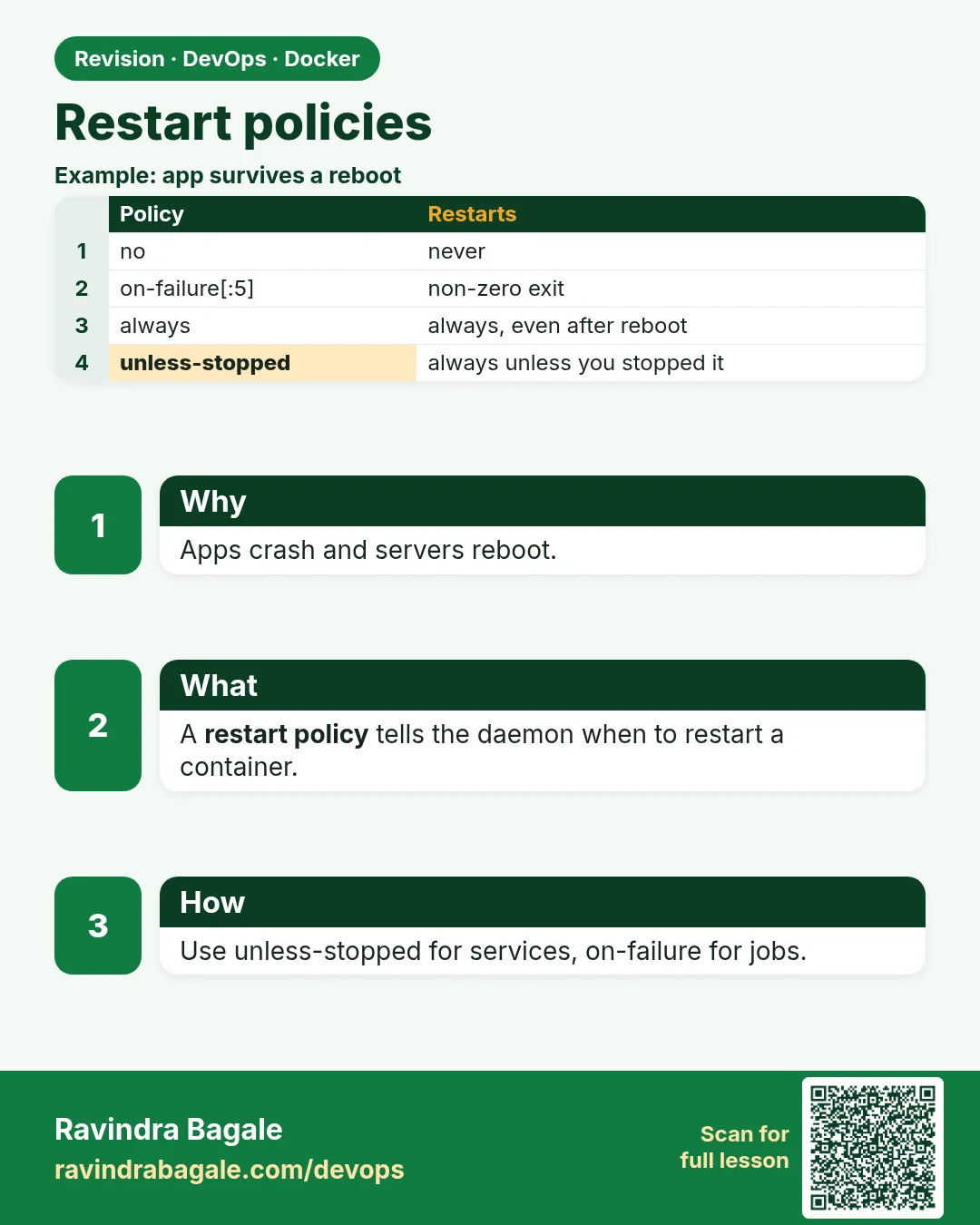
- Policies: no, on-failure[:N], always, unless-stopped.
- on-failure ignores exit 0.
- always comes back even after a manual stop plus daemon restart.
- unless-stopped respects your stop.
- Restarts slow down with back-off; fix the real bug.
 Revision card
 Interview card
 Comparison card