Chapter 44: Terraform AWS Guides EC2 RDS S3 Security Groups IAM ALB and Auto Scaling
44.3 How to create a secure S3 bucket with Terraform
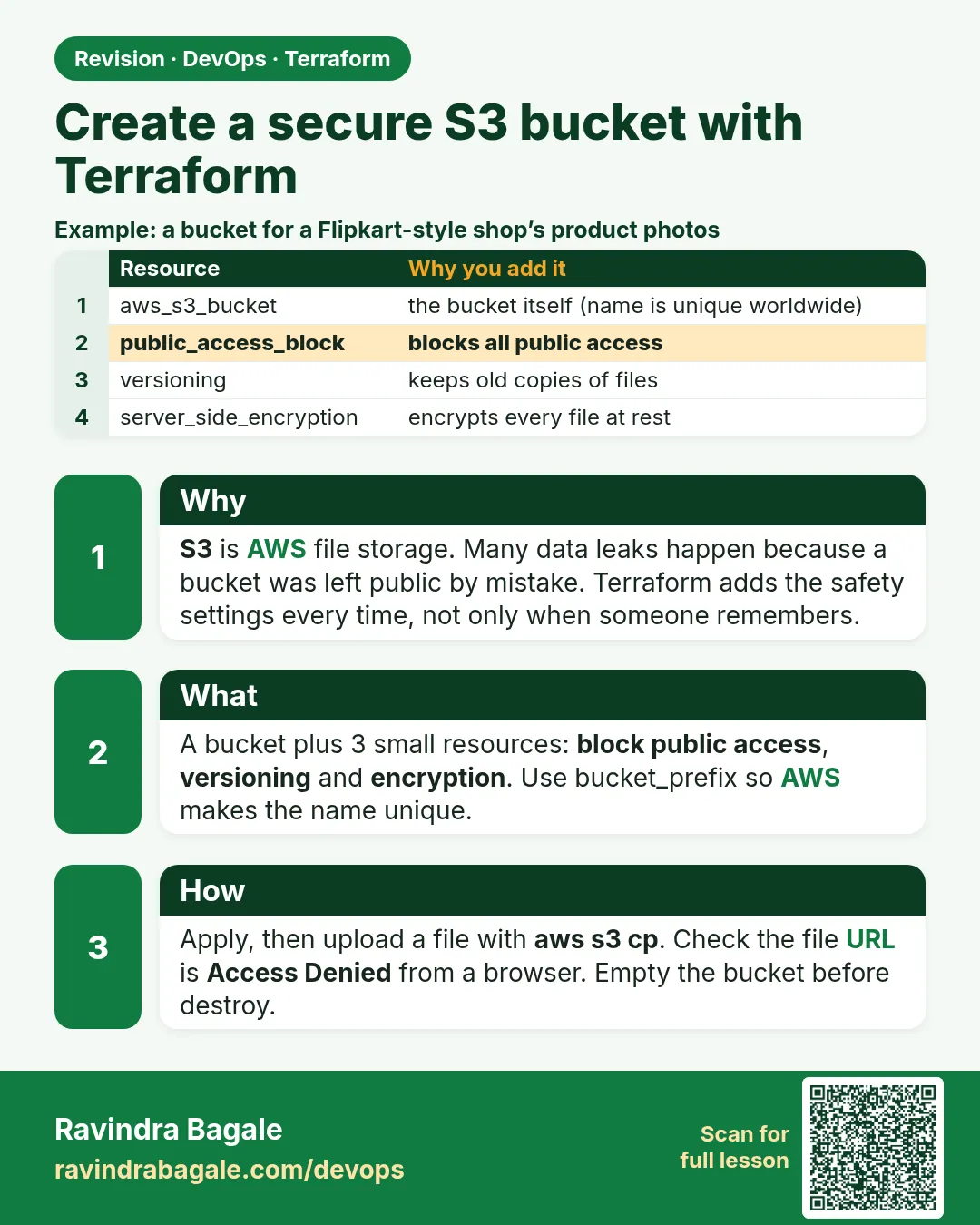
Story. Suppose we are on an Instagram-style media team that stores uploaded profile pictures in S3. One wrong click in the console can make a bucket public, and old versions of files pile up forever. In AWS provider 5.x every bucket setting is its own resource, so each safety setting is visible in review. This guide builds a private, encrypted, versioned bucket with a cleanup rule and a policy that refuses plain HTTP.
Steps
- Create a folder s3-guide and the four files.
- Run terraform init, fmt and validate.
- Run terraform apply and note bucket_name.
- Upload a test file with aws s3 cp.
- Upload the same file again and list versions with aws s3api list-object-versions.
- Run terraform destroy.
File layout
s3-guide/
├── versions.tf
├── variables.tf
├── main.tf
└── outputs.tf
# ---- versions.tf ----
terraform {
  required_version = ">= 1.6"
  required_providers {
    aws = {
      source  = "hashicorp/aws"
      version = "~> 5.0"
    }
  }
}

provider "aws" {
  region = var.region
}

# ---- variables.tf ----
variable "region" {
  type    = string
  default = "ap-south-1"
}

# ---- main.tf ----
resource "aws_s3_bucket" "assets" {
  bucket_prefix = "guide-assets-"
  force_destroy = true
}

resource "aws_s3_bucket_versioning" "assets" {
  bucket = aws_s3_bucket.assets.id
  versioning_configuration {
    status = "Enabled"
  }
}

resource "aws_s3_bucket_server_side_encryption_configuration" "assets" {
  bucket = aws_s3_bucket.assets.id
  rule {
    apply_server_side_encryption_by_default {
      sse_algorithm = "AES256"
    }
  }
}

resource "aws_s3_bucket_public_access_block" "assets" {
  bucket                  = aws_s3_bucket.assets.id
  block_public_acls       = true
  block_public_policy     = true
  ignore_public_acls      = true
  restrict_public_buckets = true
}

resource "aws_s3_bucket_lifecycle_configuration" "assets" {
  bucket = aws_s3_bucket.assets.id
  rule {
    id     = "tidy"
    status = "Enabled"
    filter {}
    noncurrent_version_expiration {
      noncurrent_days = 30
    }
    abort_incomplete_multipart_upload {
      days_after_initiation = 7
    }
  }
  depends_on = [aws_s3_bucket_versioning.assets]
}

data "aws_iam_policy_document" "tls_only" {
  statement {
    sid     = "DenyInsecureTransport"
    effect  = "Deny"
    actions = ["s3:*"]
    resources = [
      aws_s3_bucket.assets.arn,
      "${aws_s3_bucket.assets.arn}/*",
    ]
    principals {
      type        = "*"
      identifiers = ["*"]
    }
    condition {
      test     = "Bool"
      variable = "aws:SecureTransport"
      values   = ["false"]
    }
  }
}

resource "aws_s3_bucket_policy" "assets" {
  bucket     = aws_s3_bucket.assets.id
  policy     = data.aws_iam_policy_document.tls_only.json
  depends_on = [aws_s3_bucket_public_access_block.assets]
}

# ---- outputs.tf ----
output "bucket_name" {
  value = aws_s3_bucket.assets.bucket
}
What each line does
required_providers { aws = { version = "~> 5.0" } }— Pins the AWS provider to any 5.x release.provider "aws" { region = var.region }— Every resource is created in the region from variables.tf (Mumbai, ap-south-1, by default).bucket_prefix = "guide-assets-"— AWS adds a random suffix, so the name is unique worldwide.force_destroy = true— Lets destroy delete a bucket that still holds objects. Lab only.aws_s3_bucket_versioning— Keeps old copies when a file is overwritten or deleted.sse_algorithm = "AES256"— Encrypts every object with S3-managed keys.block_public_acls ... restrict_public_buckets = true— Four switches that together stop any public access.filter {}— The lifecycle rule applies to every object.noncurrent_days = 30— Deletes old versions 30 days after they are replaced.days_after_initiation = 7— Cleans half-finished uploads.depends_on = [aws_s3_bucket_versioning.assets]— Lifecycle rules for versions need versioning on first.data "aws_iam_policy_document" "tls_only"— Builds the bucket policy JSON in HCL."aws:SecureTransport" = "false" → Deny— Refuses any request that is not HTTPS.resource "aws_s3_bucket_policy" "assets"— Attaches the policy to the bucket.
When it is green.
Plan: 6 to add, 0 to change, 0 to destroy.
Apply complete! Resources: 6 added, 0 changed, 0 destroyed.
Outputs:
bucket_name = "guide-assets-20261007123456789000000001"

$ echo hi > a.txt && aws s3 cp a.txt s3://$(terraform output -raw bucket_name)/
upload: ./a.txt to s3://guide-assets-.../a.txt

Plan: 0 to add, 0 to change, 6 to destroy.
Destroy complete! Resources: 6 destroyed.
When it is red.
Error: creating S3 Bucket (my-bucket): BucketAlreadyExists
  -- or --
Error: putting S3 Bucket Policy: AccessDenied ... because public policies are blocked
Fix. BucketAlreadyExists means a fixed name is taken somewhere in the world; use bucket_prefix. AccessDenied on the policy means the policy you wrote would make the bucket public; keep the Deny-only TLS policy, or remove the Allow to "*".
What: every term in plain English
- S3 bucket — A container for files (objects) in AWS. Names are global across all accounts.
- public access block — Four settings that stop anyone making the bucket or its files public.
- versioning — Keeps every old version of a file, so a delete or overwrite can be undone.
- server-side encryption — S3 encrypts every object at rest, with SSE-S3 or SSE-KMS keys.
- bucket policy — A JSON policy on the bucket, for example to deny non-HTTPS requests.
- lifecycle rule — Moves or deletes objects automatically after a number of days.
- random_id — A Terraform resource that makes a random suffix so bucket names never clash.
- force_destroy — Lets terraform destroy delete a bucket that still has objects. Labs only.
Example 1: Make a unique bucket name
Bucket names are global. Two learners in the same Infosys batch picking "test-bucket" collide. A random suffix fixes that.
- Add random_id.
- Use its hex in the bucket name.
- Plan.
resource "random_id" "suffix" {
  byte_length = 4
}

resource "aws_s3_bucket" "assets" {
  bucket        = "guide-assets-${random_id.suffix.hex}"
  force_destroy = true
}
Output
aws_s3_bucket.assets: Creation complete after 2s [id=guide-assets-9f3a1c7e]
What it shows: The suffix stays the same across applies because random_id is stored in state.
Example 2: Block all public access
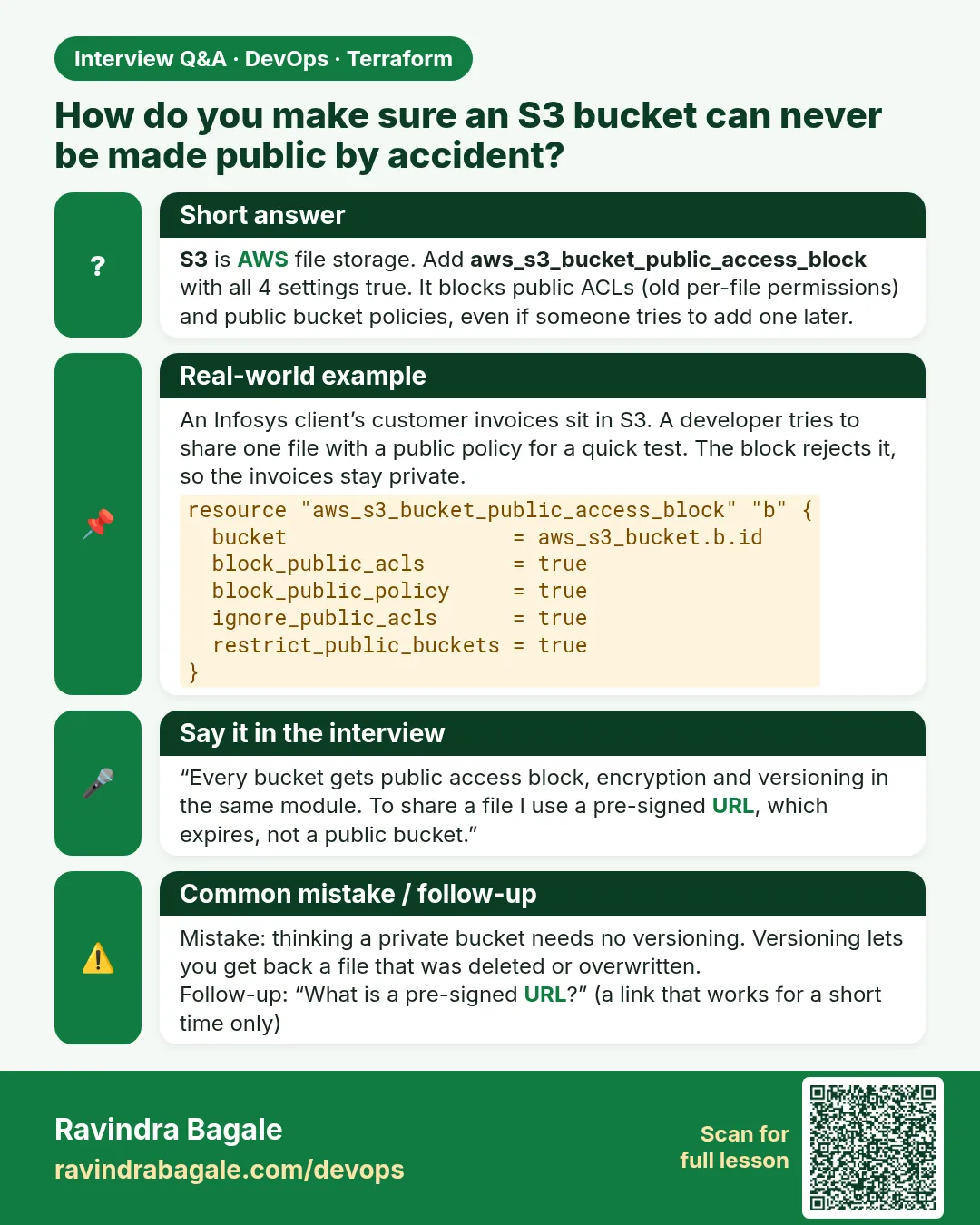
Many data leaks came from public buckets. Every bucket at Paytm gets all four block settings on day one.
- Add aws_s3_bucket_public_access_block.
- Turn on all four settings.
- Check with the CLI.
resource "aws_s3_bucket_public_access_block" "assets" {
  bucket                  = aws_s3_bucket.assets.id
  block_public_acls       = true
  block_public_policy     = true
  ignore_public_acls      = true
  restrict_public_buckets = true
}
aws s3api get-public-access-block --bucket $(terraform output -raw bucket_name)
Output
{
    "PublicAccessBlockConfiguration": {
        "BlockPublicAcls": true,
        "IgnorePublicAcls": true,
        "BlockPublicPolicy": true,
        "RestrictPublicBuckets": true
    }
}
What it shows: All four true. Even a mistaken policy cannot make the bucket public now.
Example 3: Turn on versioning and test an undo
An engineer at Myntra overwrote a config file in S3. Versioning let them restore the old copy in seconds.
- Enable versioning.
- Upload the same file twice.
- List versions.
resource "aws_s3_bucket_versioning" "assets" {
  bucket = aws_s3_bucket.assets.id
  versioning_configuration {
    status = "Enabled"
  }
}
BKT=$(terraform output -raw bucket_name)
echo v1 > app.txt && aws s3 cp app.txt s3://$BKT/
echo v2 > app.txt && aws s3 cp app.txt s3://$BKT/
aws s3api list-object-versions --bucket $BKT --prefix app.txt --query "length(Versions)"
Output
upload: ./app.txt to s3://guide-assets-9f3a1c7e/app.txt
upload: ./app.txt to s3://guide-assets-9f3a1c7e/app.txt
2
What it shows: Two versions kept. Copy the older VersionId back to restore v1.
Example 4: Encrypt every object by default
Bank auditors require encryption at rest. Default encryption means nobody can upload an unencrypted file by mistake.
- Add the encryption configuration.
- Upload a file.
- Check its ServerSideEncryption header.
resource "aws_s3_bucket_server_side_encryption_configuration" "assets" {
  bucket = aws_s3_bucket.assets.id
  rule {
    apply_server_side_encryption_by_default {
      sse_algorithm = "AES256"
    }
  }
}
aws s3api head-object --bucket $BKT --key app.txt --query ServerSideEncryption
Output
"AES256"
What it shows: Use aws:kms with a customer key when your security team needs key rotation control.
Example 5: Deny plain HTTP with a bucket policy
Data in transit must be encrypted too. A deny on aws:SecureTransport false blocks any HTTP request.
- Write the policy with jsonencode.
- Attach it.
- Read it back.
resource "aws_s3_bucket_policy" "tls_only" {
  bucket = aws_s3_bucket.assets.id
  policy = jsonencode({
    Version = "2012-10-17"
    Statement = [{
      Sid       = "DenyInsecureTransport"
      Effect    = "Deny"
      Principal = "*"
      Action    = "s3:*"
      Resource  = [aws_s3_bucket.assets.arn, "${aws_s3_bucket.assets.arn}/*"]
      Condition = { Bool = { "aws:SecureTransport" = "false" } }
    }]
  })
}
aws s3api get-bucket-policy --bucket $BKT --query Policy --output text | python3 -m json.tool | grep Sid
Output
"Sid": "DenyInsecureTransport",
What it shows: jsonencode turns HCL into JSON, so no hand-written JSON string is needed.
Example 6: Clean old versions with a lifecycle rule
Versioning keeps everything forever and the bill grows. A lifecycle rule removes old versions after 30 days, as Zomato does for logs.
- Add a lifecycle configuration.
- Expire noncurrent versions after 30 days.
- Plan.
resource "aws_s3_bucket_lifecycle_configuration" "assets" {
  bucket = aws_s3_bucket.assets.id
  rule {
    id     = "old-versions"
    status = "Enabled"
    filter {}
    noncurrent_version_expiration {
      noncurrent_days = 30
    }
  }
}
Output
  # aws_s3_bucket_lifecycle_configuration.assets will be created
Plan: 1 to add, 0 to change, 0 to destroy.
What it shows: The current version is kept; only older copies expire.
Command cheat sheet
| Command | What it does | When to use it |
|---|---|---|
random_id |
Unique suffix | Bucket names |
aws_s3_bucket_public_access_block |
Blocks public access | Every bucket |
aws_s3_bucket_versioning |
Keeps old versions | Undo mistakes |
aws_s3_bucket_server_side_encryption_configuration |
Default encryption | Every bucket |
jsonencode({...}) |
HCL to JSON | Policies |
aws s3api list-object-versions |
Shows versions | Restore |
Verify: did it work?
-
Public blocked
aws s3api get-public-access-block --bucket $BKT --query "PublicAccessBlockConfiguration.BlockPublicPolicy"Output
true -
Versioning on
aws s3api get-bucket-versioning --bucket $BKT --query StatusOutput
"Enabled" -
Encryption on
aws s3api get-bucket-encryption --bucket $BKT --query "ServerSideEncryptionConfiguration.Rules[0].ApplyServerSideEncryptionByDefault.SSEAlgorithm"Output
"AES256"
When it is red 1
Error: creating S3 Bucket (guide-assets): BucketAlreadyExists
Cause. Someone in the world already owns that name.
Fix, step by step
- Add random_id to the name.
- Apply again.
When it is red 2
Error: deleting S3 Bucket: BucketNotEmpty: The bucket you tried to delete is not empty
Cause. Objects remain and force_destroy is false.
Fix, step by step
- Set force_destroy = true for labs.
- Or empty the bucket first.
When it is red 3
Error: putting S3 Bucket Policy: AccessDenied: User is not authorized to perform s3:PutBucketPolicy because public policies are blocked
Cause. The policy is seen as public while block_public_policy is on.
Fix, step by step
- Use a Deny policy or limit the Principal.
- Do not loosen the block.
Cleanup
terraform destroy -auto-approve
rm -f app.txt
Ravindra Bagale's Tip
In provider 5.x every S3 setting is its own resource. If you copy old code with versioning inside aws_s3_bucket, the plan will warn; split it out.
Practice tasks
Easy Upload and list
Why: Basic S3.
What to do: Upload a file and list the bucket.
- aws s3 cp, aws s3 ls.
Check: File listed.
Easy Check public block
Why: Security.
What to do: Read the public access block.
- get-public-access-block.
Check: All true.
Medium Restore a version
Why: Versioning.
What to do: Restore v1 of app.txt.
- copy-object with versionId.
Check: v1 content back.
Hard Use KMS
Why: Key control.
What to do: Switch to aws:kms with an aws_kms_key.
- kms_master_key_id.
Check: head-object shows aws:kms.
Easy Say it in two lines
Why: If you can say it simply, you understand it.
What to do: Write two short lines about this lesson for a fresher.
- Write the problem it solves.
- Write the one command or file you use.
- Read it aloud.
Check: A fresher understands it without a question.
Easy Start a safe lab folder
Why: Practice needs a throwaway place.
What to do: Make a new folder with versions.tf and a random_pet resource, so no AWS cost.
- mkdir tf-lab and cd into it.
- Add the hashicorp/random provider and one random_pet.
- Run terraform init and terraform apply.
Check: Apply complete! with 1 added.
Medium Break it on purpose
Why: You must know the red output by face.
What to do: Cause one error from the red part of this lesson and fix it.
- Follow one red section.
- Copy the exact message to your notes.
- Write the fix in one line.
Check: You fixed it without searching the web.
Medium Run it twice
Why: A second run must be quiet.
What to do: Run the same plan two times with no edits.
- Run terraform plan.
- Run it again.
- Explain any change it still shows.
Check: The second plan says No changes, or you can explain each line.
Medium Write a runbook page
Why: At 2 a.m. nobody remembers flags.
What to do: Write a one-page runbook for this lesson.
- Title, when to use, exact commands, how to check, how to undo.
Check: A teammate can follow it alone.
Medium Run it from a pipeline
Why: Real teams run Terraform from CI, not from laptops.
What to do: Run the main command of this lesson inside a GitHub Actions or Jenkins job.
- Add a job with hashicorp/setup-terraform or a Terraform Docker image.
- Give it AWS access through an IAM role, never a key in the file.
- Run init, then the command from this lesson.
Check: The job log shows the same output you saw on your laptop.
Medium Check the cost
Why: Labs left running cost real money.
What to do: Find what this lesson would cost per day if you forgot to destroy it.
- Open the AWS Pricing Calculator.
- Add each resource from your plan.
- Write the daily cost in your notes.
Check: You know the daily cost and you ran terraform destroy.
Hard Draw the flow top to bottom
Why: A drawing shows the order of work.
What to do: Draw this lesson as boxes from top to bottom.
- Start at your code, go through plan and state, end at AWS.
- Mark where each command reads or writes.
Check: Each box matches a real step you ran.
Hard Explain it like an interview
Why: Interviewers want real stories.
What to do: Record a 60 second answer about this lesson.
- Say the problem, the command, and one error you hit.
Check: Your answer has a real command and a real error message.
Homework: try at home
Try at home
Create a private, versioned, encrypted bucket for Jenkins build artefacts, with a lifecycle rule that deletes objects after 90 days.
Recap
- Bucket names are global; add a random suffix.
- Block all public access.
- Versioning lets you undo.
- Encrypt by default and deny plain HTTP.
- Lifecycle rules control cost.
FAQ
Is the bucket free?
Storage and requests are billed; a lab costs almost nothing.
Why force_destroy?
So destroy works with files inside. Do not use in production.
Can I host a website?
Yes, but put CloudFront in front instead of making the bucket public.
Does versioning cost more?
Yes, each version is stored; use lifecycle rules.
Interview questions
-
How do you prevent a public S3 bucket?
Use aws_s3_bucket_public_access_block with all four settings true.
-
Why split S3 settings into separate resources?
Provider 5.x manages each setting as its own resource.
-
How do you enforce HTTPS on S3?
A bucket policy denying requests where aws:SecureTransport is false.
-
How do you recover a deleted object?
With versioning, remove the delete marker or copy an older version.
Quick quiz
Q1. Resource for unique names?
random_id
Q2. Versioning status value?
Enabled
Q3. Default SSE algorithm here?
AES256
Q4. Condition key for HTTPS?
aws:SecureTransport
Q5. Days before old versions expire?
30
Samajla ka?
 Revision card
 Interview card