Chapter 44: Terraform AWS Guides EC2 RDS S3 Security Groups IAM ALB and Auto Scaling
44.6 How to create an Application Load Balancer with Terraform
Story. Suppose we are on an Instagram-style team and the single demo server falls over when traffic grows. An Application Load Balancer spreads requests across several servers and stops sending traffic to an unhealthy one. In Terraform an ALB is four pieces: the load balancer, a target group, a listener and the target attachments. This guide puts two nginx servers behind one ALB.
Steps
- Create the files.
- Run terraform apply.
- Wait 2 to 3 minutes for health checks to pass.
- Curl alb_url four times and see both servers answer.
- Run terraform destroy.
File layout
alb-guide/
├── versions.tf
├── variables.tf
├── main.tf
├── outputs.tf
└── web.sh.tftpl
# ---- versions.tf ----
terraform {
  required_version = ">= 1.6"
  required_providers {
    aws = {
      source  = "hashicorp/aws"
      version = "~> 5.0"
    }
  }
}

provider "aws" {
  region = var.region
}

# ---- variables.tf ----
variable "region" {
  type    = string
  default = "ap-south-1"
}

# ---- main.tf ----
data "aws_ami" "al2023" {
  most_recent = true
  owners      = ["amazon"]
  filter {
    name   = "name"
    values = ["al2023-ami-2023.*-x86_64"]
  }
}

data "aws_vpc" "default" {
  default = true
}

data "aws_subnets" "default" {
  filter {
    name   = "vpc-id"
    values = [data.aws_vpc.default.id]
  }
}

resource "aws_security_group" "alb" {
  name   = "guide-lb-alb"
  vpc_id = data.aws_vpc.default.id
}

resource "aws_vpc_security_group_ingress_rule" "alb_http" {
  security_group_id = aws_security_group.alb.id
  cidr_ipv4         = "0.0.0.0/0"
  ip_protocol       = "tcp"
  from_port         = 80
  to_port           = 80
}

resource "aws_vpc_security_group_egress_rule" "alb_all" {
  security_group_id = aws_security_group.alb.id
  cidr_ipv4         = "0.0.0.0/0"
  ip_protocol       = "-1"
}

resource "aws_security_group" "web" {
  name   = "guide-lb-web"
  vpc_id = data.aws_vpc.default.id
}

resource "aws_vpc_security_group_ingress_rule" "web_from_alb" {
  security_group_id            = aws_security_group.web.id
  referenced_security_group_id = aws_security_group.alb.id
  ip_protocol                  = "tcp"
  from_port                    = 80
  to_port                      = 80
}

resource "aws_vpc_security_group_egress_rule" "web_all" {
  security_group_id = aws_security_group.web.id
  cidr_ipv4         = "0.0.0.0/0"
  ip_protocol       = "-1"
}

resource "aws_instance" "web" {
  count                  = 2
  ami                    = data.aws_ami.al2023.id
  instance_type          = "t3.micro"
  subnet_id              = data.aws_subnets.default.ids[count.index]
  vpc_security_group_ids = [aws_security_group.web.id]
  user_data              = templatefile("${path.module}/web.sh.tftpl", { server_no = count.index })
  metadata_options {
    http_tokens = "required"
  }
}

resource "aws_lb" "web" {
  name               = "guide-web-alb"
  load_balancer_type = "application"
  internal           = false
  security_groups    = [aws_security_group.alb.id]
  subnets            = data.aws_subnets.default.ids
}

resource "aws_lb_target_group" "web" {
  name     = "guide-web-tg"
  port     = 80
  protocol = "HTTP"
  vpc_id   = data.aws_vpc.default.id
  health_check {
    path    = "/"
    matcher = "200"
  }
}

resource "aws_lb_target_group_attachment" "web" {
  count            = 2
  target_group_arn = aws_lb_target_group.web.arn
  target_id        = aws_instance.web[count.index].id
  port             = 80
}

resource "aws_lb_listener" "http" {
  load_balancer_arn = aws_lb.web.arn
  port              = 80
  protocol          = "HTTP"
  default_action {
    type             = "forward"
    target_group_arn = aws_lb_target_group.web.arn
  }
}

# ---- web.sh.tftpl ----
#!/bin/bash
dnf install -y nginx
echo "server ${server_no}" > /usr/share/nginx/html/index.html
systemctl enable --now nginx

# ---- outputs.tf ----
output "alb_url" {
  value = "http://${aws_lb.web.dns_name}"
}
What each line does
required_providers { aws = { version = "~> 5.0" } }— Pins the AWS provider to any 5.x release.provider "aws" { region = var.region }— Every resource is created in the region from variables.tf (Mumbai, ap-south-1, by default).count = 2 (aws_instance.web)— Two identical servers, in two different subnets.subnet_id = ...ids[count.index]— Server 0 in the first subnet, server 1 in the second.load_balancer_type = "application"— A layer 7 HTTP load balancer.internal = false— Internet-facing: it gets a public DNS name.subnets = data.aws_subnets.default.ids— An ALB needs subnets in at least two zones.resource "aws_lb_target_group" "web"— The group of servers that receives traffic.health_check { path = "/" matcher = "200" }— A server is healthy only if / returns 200.aws_lb_target_group_attachment— Registers each instance in the group.resource "aws_lb_listener" "http"— Listens on port 80 and forwards to the group.
When it is green.
Plan: 11 to add, 0 to change, 0 to destroy.
Apply complete! Resources: 11 added, 0 changed, 0 destroyed.
alb_url = "http://guide-web-alb-123456789.ap-south-1.elb.amazonaws.com"

$ for i in 1 2 3 4; do curl -s $(terraform output -raw alb_url); done
server 0
server 1
server 0
server 1

Plan: 0 to add, 0 to change, 11 to destroy.
Destroy complete! Resources: 11 destroyed.
When it is red.
$ curl -s $(terraform output -raw alb_url)
<html><head><title>502 Bad Gateway</title></head>
Fix. 502 or 503 means no healthy targets. Wait for user_data to finish, check that the web group allows port 80 from the ALB group, and look at the target group Health status in the console.
What: every term in plain English
- ALB — Application Load Balancer: spreads HTTP requests over healthy servers.
- listener — The port the ALB listens on and what it does with requests.
- target group — The servers behind the ALB, with a health check.
- target group attachment — Registers one server in a target group.
- health check — A periodic request (GET /) the ALB sends to each target.
- templatefile() — Reads web.sh.tftpl and fills ${server_no} for each server.
- count.index — The number of the current copy when count is used: 0, 1, ...
- listener rule — A condition such as path /api/* that sends matching requests to another target group.
Example 1: Give each server its own number with templatefile
To see load balancing work, each server must answer differently. templatefile passes count.index into the boot script without any heredoc.
- Write web.sh.tftpl with ${server_no}.
- Pass server_no = count.index.
- Preview in terraform console.
#!/bin/bash
# web.sh.tftpl
dnf install -y nginx
echo "server ${server_no}" > /usr/share/nginx/html/index.html
systemctl enable --now nginx
terraform console
> templatefile("web.sh.tftpl", { server_no = 1 })
Output
#!/bin/bash
# web.sh.tftpl
dnf install -y nginx
echo "server 1" > /usr/share/nginx/html/index.html
systemctl enable --now nginx
What it shows: The console shows exactly what server 1 will run at boot.
Example 2: Create the ALB, target group and listener
These three always go together. Missing the listener is the most common reason a new ALB returns nothing.
- Create aws_lb in the default subnets.
- Create a target group on 80.
- Add a listener that forwards to it.
resource "aws_lb_target_group" "web" {
  name     = "guide-web-tg"
  port     = 80
  protocol = "HTTP"
  vpc_id   = data.aws_vpc.default.id
  health_check {
    path    = "/"
    matcher = "200"
  }
}

resource "aws_lb_listener" "http" {
  load_balancer_arn = aws_lb.web.arn
  port              = 80
  protocol          = "HTTP"
  default_action {
    type             = "forward"
    target_group_arn = aws_lb_target_group.web.arn
  }
}
Output
aws_lb.web: Creation complete after 2m31s
aws_lb_target_group.web: Creation complete after 1s
aws_lb_listener.http: Creation complete after 0s
What it shows: The ALB takes about two minutes; target group and listener are instant.
Example 3: Register both servers
With fixed servers you attach each one. Later, an Auto Scaling group does this automatically.
- Use count = 2 on the attachment.
- Point at aws_instance.web[count.index].
- Apply.
resource "aws_lb_target_group_attachment" "web" {
  count            = 2
  target_group_arn = aws_lb_target_group.web.arn
  target_id        = aws_instance.web[count.index].id
  port             = 80
}
Output
aws_lb_target_group_attachment.web[0]: Creation complete after 1s
aws_lb_target_group_attachment.web[1]: Creation complete after 1s
What it shows: Index 0 and 1 match the two servers.
Example 4: Watch round-robin in action
The proof of load balancing: repeated requests reach different servers.
- Wait for healthy targets.
- Curl four times.
- Count server numbers.
URL=$(terraform output -raw alb_url)
for i in 1 2 3 4; do curl -s $URL; done
Output
server 0
server 1
server 0
server 1
What it shows: Requests alternate between the two servers.
Example 5: Stop one server and see health checks react
At Flipkart the ALB stops sending traffic to a sick server within seconds. Test it yourself.
- Stop server 1.
- Wait one minute.
- Curl again.
aws ec2 stop-instances --instance-ids $(terraform state show 'aws_instance.web[1]' | awk '/^ *id /{print $3}' | tr -d '"') > /dev/null
sleep 60
for i in 1 2 3; do curl -s $URL; done
Output
server 0
server 0
server 0
What it shows: All traffic goes to server 0. Start server 1 again and it rejoins after passing health checks.
Example 6: Route /api/ to a second target group
One ALB can serve many apps by path. Swiggy runs web and API behind one ALB with listener rules.
- Create an api target group.
- Add a listener rule for /api/*.
- Curl /api/.
resource "aws_lb_listener_rule" "api" {
  listener_arn = aws_lb_listener.http.arn
  priority     = 10
  condition {
    path_pattern {
      values = ["/api/*"]
    }
  }
  action {
    type             = "forward"
    target_group_arn = aws_lb_target_group.api.arn
  }
}
Output
aws_lb_listener_rule.api: Creation complete after 0s [id=arn:aws:elasticloadbalancing:...:listener-rule/app/guide-web-alb/...]
What it shows: Lower priority numbers are checked first. Anything not matching falls to the default action.
Command cheat sheet
| Command | What it does | When to use it |
|---|---|---|
aws_lb |
Creates the ALB | Front door |
aws_lb_target_group |
Targets + health | Per app |
aws_lb_listener |
Port 80 | Forward |
aws_lb_target_group_attachment |
Register a server | Fixed servers |
aws_lb_listener_rule |
Path routing | Many apps |
aws elbv2 describe-target-health |
Health states | Debug |
Verify: did it work?
-
ALB answers
curl -s $(terraform output -raw alb_url)Output
server 0 or server 1 -
Two healthy
aws elbv2 describe-target-health --target-group-arn $TG --query "TargetHealthDescriptions[].TargetHealth.State"Output
["healthy","healthy"] -
Listener on 80
aws elbv2 describe-listeners --load-balancer-arn $LB --query "Listeners[0].Port"Output
80
When it is red 1
503 Service Temporarily Unavailable
Cause. No healthy targets.
Fix, step by step
- Wait for user_data.
- Check the web group allows 80 from the ALB group.
When it is red 2
Error: creating ELBv2 Listener: ValidationError: A target group ARN must be specified
Cause. default_action has no target group.
Fix, step by step
- Add target_group_arn.
- Plan again.
When it is red 3
Error: Invalid template interpolation value: vars map does not contain key "server_no"
Cause. templatefile was called without server_no.
Fix, step by step
- Pass { server_no = count.index }.
- Match the spelling.
Cleanup
terraform destroy -auto-approve
Ravindra Bagale's Tip
Check target health before you curl. A 503 is almost always "no healthy targets", not a broken ALB.
Practice tasks
Easy Curl four times
Why: Round robin.
What to do: Run the curl loop.
- for loop.
Check: Alternating servers.
Easy Read target health
Why: Health states.
What to do: Run describe-target-health.
- TG ARN.
Check: Two healthy.
Medium Stop a server
Why: Health checks.
What to do: Stop server 1 and curl.
- stop-instances.
Check: Only server 0.
Hard Add a path rule
Why: Routing.
What to do: Send /api/* to a second target group.
- listener rule.
Check: /api/ answered by new group.
Easy Say it in two lines
Why: If you can say it simply, you understand it.
What to do: Write two short lines about this lesson for a fresher.
- Write the problem it solves.
- Write the one command or file you use.
- Read it aloud.
Check: A fresher understands it without a question.
Easy Start a safe lab folder
Why: Practice needs a throwaway place.
What to do: Make a new folder with versions.tf and a random_pet resource, so no AWS cost.
- mkdir tf-lab and cd into it.
- Add the hashicorp/random provider and one random_pet.
- Run terraform init and terraform apply.
Check: Apply complete! with 1 added.
Medium Break it on purpose
Why: You must know the red output by face.
What to do: Cause one error from the red part of this lesson and fix it.
- Follow one red section.
- Copy the exact message to your notes.
- Write the fix in one line.
Check: You fixed it without searching the web.
Medium Run it twice
Why: A second run must be quiet.
What to do: Run the same plan two times with no edits.
- Run terraform plan.
- Run it again.
- Explain any change it still shows.
Check: The second plan says No changes, or you can explain each line.
Medium Write a runbook page
Why: At 2 a.m. nobody remembers flags.
What to do: Write a one-page runbook for this lesson.
- Title, when to use, exact commands, how to check, how to undo.
Check: A teammate can follow it alone.
Medium Run it from a pipeline
Why: Real teams run Terraform from CI, not from laptops.
What to do: Run the main command of this lesson inside a GitHub Actions or Jenkins job.
- Add a job with hashicorp/setup-terraform or a Terraform Docker image.
- Give it AWS access through an IAM role, never a key in the file.
- Run init, then the command from this lesson.
Check: The job log shows the same output you saw on your laptop.
Medium Check the cost
Why: Labs left running cost real money.
What to do: Find what this lesson would cost per day if you forgot to destroy it.
- Open the AWS Pricing Calculator.
- Add each resource from your plan.
- Write the daily cost in your notes.
Check: You know the daily cost and you ran terraform destroy.
Hard Draw the flow top to bottom
Why: A drawing shows the order of work.
What to do: Draw this lesson as boxes from top to bottom.
- Start at your code, go through plan and state, end at AWS.
- Mark where each command reads or writes.
Check: Each box matches a real step you ran.
Hard Explain it like an interview
Why: Interviewers want real stories.
What to do: Record a 60 second answer about this lesson.
- Say the problem, the command, and one error you hit.
Check: Your answer has a real command and a real error message.
Homework: try at home
Try at home
Put three servers behind an ALB, each with its own message from templatefile, and add a /status path rule to one of them.
Recap
- ALB + target group + listener always go together.
- templatefile gives each server its own value.
- Health checks remove sick servers.
- Listener rules route by path.
- 503 means no healthy targets.
FAQ
Why two minutes to create?
AWS provisions load balancer nodes in each zone.
HTTP only?
Add an ACM certificate and a 443 listener for HTTPS.
Can targets be in one zone?
Yes, but the ALB itself needs two subnets.
Sticky sessions?
Possible with stickiness on the target group.
Interview questions
-
What three resources make a working ALB?
aws_lb, aws_lb_target_group and aws_lb_listener.
-
How does an ALB decide a target is healthy?
By the target group health check path and matcher.
-
How do you route by URL path?
With aws_lb_listener_rule and a path_pattern condition.
-
What causes a 503 from an ALB?
No healthy registered targets.
Quick quiz
Q1. Template variable name?
server_no
Q2. Listener port?
80
Q3. Health check matcher?
200
Q4. Resource to register a server?
aws_lb_target_group_attachment
Q5. Rule priority checked first?
The lowest number
Samajla ka?
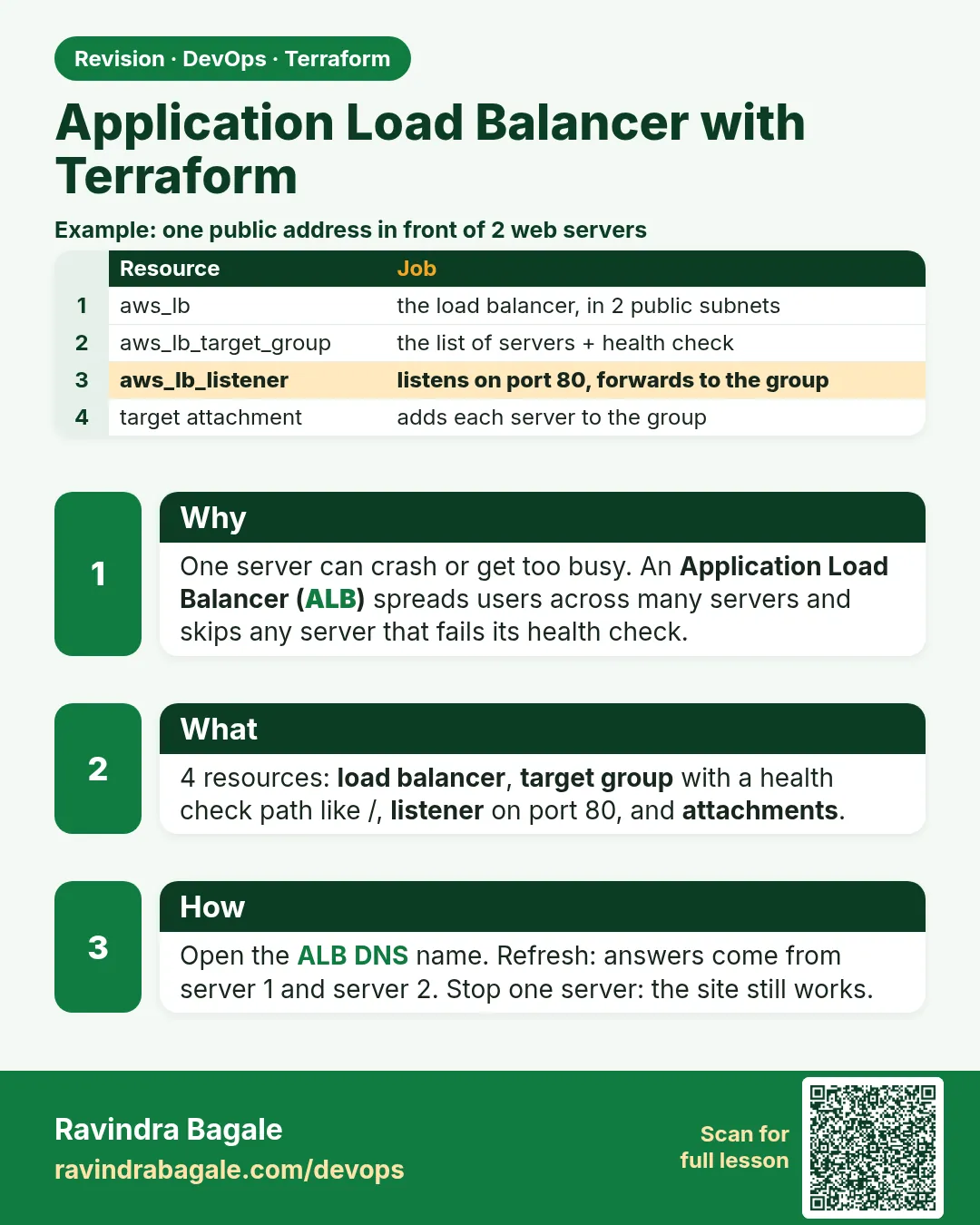 Revision card
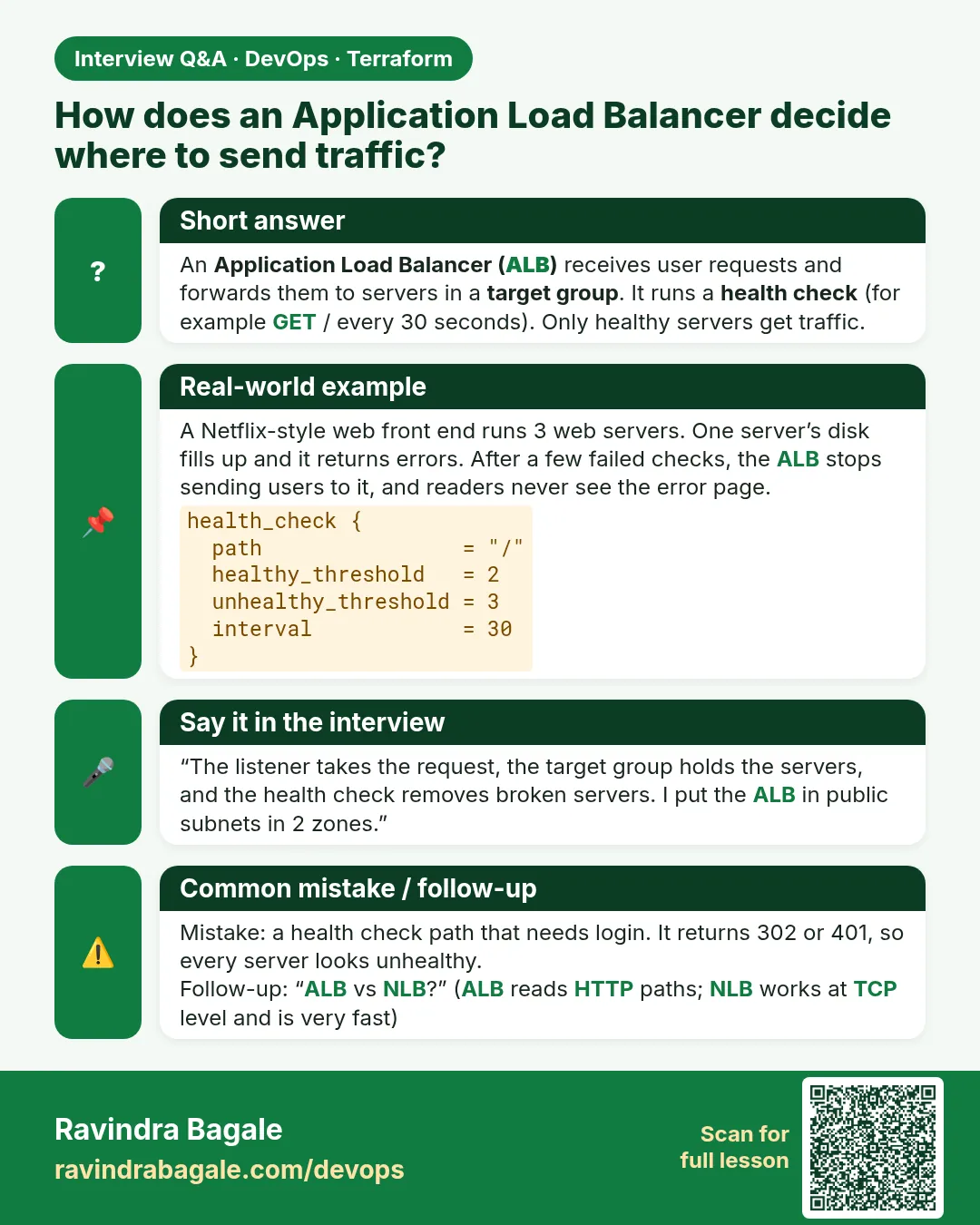 Interview card