Chapter 16: Capstone — Ship It End-to-End
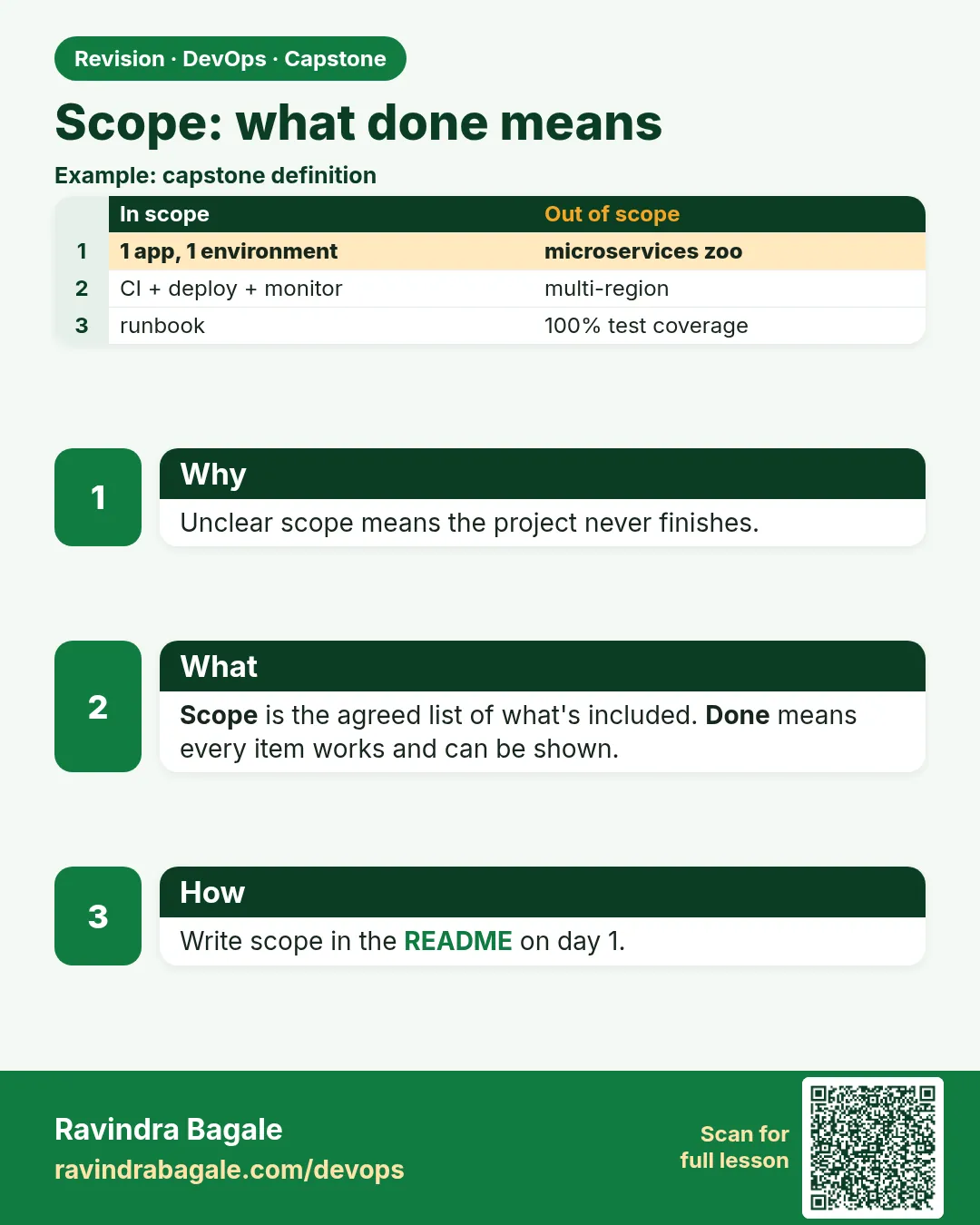
16.2 Scope — what "done" means
Why: the problem
Suppose we are on a small Infosys team. The client says "ship the badge API". One engineer adds Kubernetes, another adds Terraform, a third rewrites the app. After two weeks nothing runs. The problem was never skill. It was scope. Nobody wrote down what "done" means. Netflix teams write a short scope before they build. In this lesson you turn scope into files and a script that checks them, so "done" is a command, not a feeling.
What we will build
A SCOPE.md file with the eight in-scope items, and a scope-check.sh script that prints a green tick or a red cross for each item. Then the same check as a Makefile target, and as a Python script that writes a JSON report for CI.
What: every term in plain English
- Scope — The list of things you promise to finish. Everything else waits.
- In scope — Work you will do now.
- Out of scope — Work you will not do now, written down so nobody argues later.
- Definition of done — A check anyone can run to see if the work is finished.
- Exit code — A number a command returns. 0 means success. Any other number means failure.
How: step by step
-
Create SCOPE.md
printf "%s\n" "# Ship-It scope" "In: /health + /badge, Dockerfile, compose, CI workflow, ONE deploy path, RUNBOOK, CHECKLIST, cleanup" "Out: VPC redesign, payments, real customer data" > SCOPE.mdWhat it does: Writes the scope in the repo, next to the code.
Output
(no output) -
Write the checker
nano scope-check.sh # paste Example 1What it does: Creates a script that tests each scope item.
Output
(no output) -
Make it executable
chmod u+x scope-check.shWhat it does: Lets you (the owner) run it.
Output
(no output) -
Run it
./scope-check.shWhat it does: Prints one line per scope item.
Output
✔ app/server.js ✘ Dockerfile ✘ docker-compose.yml ... 2/8 done -
Commit
git add SCOPE.md scope-check.sh && git commit -m "scope and checker"What it does: Saves both files.
Output
[main 9b1e4d2] scope and checker
Example 1: Check scope with a Bash script
Stack. Bash
Goal. Check scope with a Bash script. Each missing file is a red line.
scope-check.sh
#!/usr/bin/env bash
# scope-check.sh — prints which capstone pieces exist
set -uo pipefail
items=(
  "app/server.js"
  "Dockerfile"
  "docker-compose.yml"
  ".github/workflows/ci.yml"
  "deploy"
  "docs/RUNBOOK.md"
  "docs/CHECKLIST.md"
  ".gitignore"
)
done_count=0
for item in "${items[@]}"; do
  if [ -e "$item" ]; then
    echo "✔ $item"
    done_count=$((done_count + 1))
  else
    echo "✘ $item"
  fi
done
echo "${done_count}/${#items[@]} done"
[ "$done_count" -eq "${#items[@]}" ]
What each line does
set -uo pipefail— Stops on unset variables and failed pipes. No -e, because a missing file is expected.items=( ... )— A Bash list of every path that must exist.[ -e "$item" ]— True if the file or folder exists.done_count=$((done_count + 1))— Adds one to the counter.${#items[@]}— The number of items in the list.[ "$done_count" -eq ... ]— The last line sets the exit code: 0 only when everything exists.
Green output
$ ./scope-check.sh; echo "exit=$?"
✔ app/server.js
✘ Dockerfile
✘ docker-compose.yml
✘ .github/workflows/ci.yml
✘ deploy
✘ docs/RUNBOOK.md
✘ docs/CHECKLIST.md
✔ .gitignore
2/8 done
exit=1
Expected result. You see exactly what is missing, and the exit code is 1 until all eight exist.
Example 2: Wrap the checker in a Makefile so everyone types the same short command
Stack. GNU Make
Goal. Wrap the checker in a Makefile so everyone types the same short command.
Makefile
# Makefile — short names for long commands
.PHONY: scope run test clean

scope:
    ./scope-check.sh

run:
    cd app && npm start

test:
    cd app && npm test

clean:
    docker compose down -v 2>/dev/null || true
    pkill -f "node server.js" || true
What each line does
.PHONY: ...— Tells make these names are commands, not files.scope:— Target name. Run it with make scope.\t./scope-check.sh— The command. Make needs a real TAB at the start of the line.clean:— One command to stop everything the capstone started.|| true— Ignore the error if nothing was running.
Green output
$ make scope
./scope-check.sh
...
2/8 done
make: *** [Makefile:5: scope] Error 1
Expected result. make scope runs the same check. Make stops with Error 1 while items are missing.
Example 3: Write a Python checker that saves a JSON report CI can read
Stack. Python 3
Goal. Write a Python checker that saves a JSON report CI can read.
tools/scope_report.py
#!/usr/bin/env python3
"""scope_report.py — writes scope-report.json and exits 1 if incomplete."""
import json, pathlib, sys

ITEMS = ["app/server.js", "Dockerfile", "docker-compose.yml",
         ".github/workflows/ci.yml", "deploy", "docs/RUNBOOK.md",
         "docs/CHECKLIST.md", ".gitignore"]

def main() -> int:
    root = pathlib.Path(__file__).resolve().parent.parent
    result = {item: (root / item).exists() for item in ITEMS}
    done = sum(result.values())
    report = {"done": done, "total": len(ITEMS), "items": result}
    (root / "scope-report.json").write_text(json.dumps(report, indent=2))
    print(f"{done}/{len(ITEMS)} done")
    return 0 if done == len(ITEMS) else 1

if __name__ == "__main__":
    sys.exit(main())
What each line does
ITEMS = [...]— The same list as the Bash script.pathlib.Path(__file__).resolve().parent.parent— Finds the repo root, wherever you run the script from.{item: (root / item).exists() ...}— Builds a dictionary: path → True or False.write_text(json.dumps(...))— Saves the report as a JSON file.return 0 if ... else 1— Exit code 0 only when complete.
Green output
$ python3 tools/scope_report.py; cat scope-report.json
2/8 done
{
  "done": 2,
  "total": 8,
  "items": {
    "app/server.js": true,
    "Dockerfile": false,
    ...
  }
}
Expected result. A machine-readable report. In lesson 16.5 CI can upload it as an artifact.
Example 4: Turn the scope into a file the pipeline can check
Stack. Bash, Markdown
Goal. Turn the scope into a file the pipeline can check.
SCOPE.md
# badge-api capstone scope
## In
- GET /health returns {"status":"ok","version":"..."}
- GET /badge/:user returns a level
- Docker image tagged with the git short SHA
- CI: lint, test, build image
- Deploy to one VM (path A) or kind (path B)
- Runbook with status, deploy, rollback
## Out (later)
- Login, payments, autoscaling, multi-region
tools/scope_check.sh
#!/usr/bin/env bash
set -u
fail=0
check() { if eval "$2" > /dev/null 2>&1; then echo "OK   $1"; else echo "MISS $1"; fail=1; fi; }
check "health route"   "grep -q /health app/server.js"
check "badge route"    "grep -q /badge app/server.js"
check "Dockerfile"     "test -f Dockerfile"
check "CI file"        "test -f .gitlab-ci.yml -o -f Jenkinsfile"
check "deploy script"  "test -x ops/deploy.sh"
check "runbook"        "test -f docs/RUNBOOK.md"
exit $fail
What each line does
## In / ## Out— What we promise, and what we clearly do not.check()— Runs a test command and prints OK or MISS.eval "$2"— Runs the check text as a command.exit $fail— Non-zero if anything is missing, so CI can use it.
Green output
OK   health route
OK   badge route
OK   Dockerfile
OK   CI file
MISS deploy script
MISS runbook
Expected result. You see exactly what is left. Two items remain before the scope is done.
Example 5: Size each scope item in hours before you start
Stack. awk
Goal. Size each scope item in hours before you start.
docs/estimate.txt
item              hours  owner
health route      1      me
badge route       2      me
Dockerfile        1      me
CI pipeline       3      me
deploy path A     4      me
runbook           2      me
total             13
sum.sh
awk 'NR>1 && $1!="total" {s+=$2} END {print "planned hours:", s}' docs/estimate.txt
What each line does
one line per item— Small items are easy to estimate.awk— Adds the hours column, skipping the header and total.
Green output
planned hours: 13
Expected result. If the total is more than your free hours this week, move items to Out now, not on demo day.
Example 6: Make an Out item visible in the README
Stack. Markdown
Goal. Make an Out item visible in the README.
README.md part
## Not in this version
Autoscaling and login are planned for v2.
See SCOPE.md for the reason.
What each line does
Not in this version— Honest limits for reviewers.See SCOPE.md— One source of truth.
Green output
(rendered in the repo home page)
Expected result. Reviewers stop asking "where is login?" because the answer is on the first page.
Example 7: Turn a vague request into a scope line
Stack. Communication
Goal. Turn a vague request into a scope line.
docs/scope-notes.txt
Request from mentor: "make it production ready"
Too vague. Ask: what must be true on demo day?
Agreed lines:
- health check used by the deploy script
- rollback in under 60 seconds
- no secrets in the repo (pre-commit hook)
What each line does
Too vague— Production ready means different things to different people.Agreed lines— Each line can be tested.
Green output
(3 testable lines added to SCOPE.md)
Expected result. A vague word becomes three checks you can show.
Verify: did it work?
-
Exit code is 1 while incomplete
./scope-check.sh; echo $?What it does: Shows the exit code.
Output
1 -
Create a dummy Dockerfile and rerun
touch Dockerfile && ./scope-check.sh | tail -1What it does: The count goes up by one.
Output
3/8 done -
Remove the dummy
rm DockerfileWhat it does: We write the real Dockerfile in 16.3.
Output
(no output)
When it is red 1
bash: ./scope-check.sh: Permission denied
Cause. The file has no execute bit.
Fix, step by step
- Run chmod u+x scope-check.sh.
- Run ./scope-check.sh again.
When it is red 2
Makefile:5: *** missing separator. Stop.
Cause. The recipe line starts with spaces, not a TAB.
Fix, step by step
- Open the Makefile.
- Delete the spaces before the command.
- Press the TAB key once.
- Run make scope again.
When it is red 3
MISS deploy script
Cause. ops/deploy.sh is missing or not executable.
Fix, step by step
- Create it.
- chmod 755 ops/deploy.sh and commit.
Cleanup
-
Remove generated report
rm -f scope-report.jsonWhat it does: Deletes the JSON report. It is rebuilt each run.
Output
(no output) -
Ignore it in Git
echo scope-report.json >> .gitignoreWhat it does: Stops the report from being committed.
Output
(no output)
Ravindra Bagale's Tip
Write the scope down. When a new idea comes, put it on the Out list — not now.
Scope लिहून ठेवा. नवीन idea आली तर Out list मध्ये टाका, आता नाही.
Scope लिखकर रखो. नई idea आए तो Out list में डालो — अभी नहीं.
Practice tasks
Easy Write SCOPE.md
Why: Doing it once with your own hands makes it stick.
What to do: Create SCOPE.md with In and Out lists.
- Use the cat heredoc from step 1.
Check: cat SCOPE.md shows both lists.
Easy Run the checker
Why: Doing it once with your own hands makes it stick.
What to do: Run scope-check.sh.
- chmod u+x scope-check.sh
- ./scope-check.sh
Check: You see a done count.
Easy Read the exit code
Why: Doing it once with your own hands makes it stick.
What to do: Print the exit code after the checker.
- ./scope-check.sh; echo $?
Check: It prints 1.
Easy Add make scope
Why: Doing it once with your own hands makes it stick.
What to do: Create the Makefile and run make scope.
- Paste Example 2 with TABs.
- make scope
Check: Same lines appear.
Medium Add make test
Why: Doing it once with your own hands makes it stick.
What to do: Run npm test via make.
- make test
Check: Jest runs (tests come in 16.4).
Medium JSON report
Why: Doing it once with your own hands makes it stick.
What to do: Run the Python checker.
- python3 tools/scope_report.py
Check: scope-report.json exists.
Medium Fix a separator error
Why: Doing it once with your own hands makes it stick.
What to do: Replace a TAB with spaces, see the error, fix it.
- Edit the Makefile.
- make scope
- Fix it.
Check: Error disappears.
Medium Count with jq
Why: Doing it once with your own hands makes it stick.
What to do: Read done from the JSON.
- jq .done scope-report.json
Check: Prints a number.
Hard Fail a CI step
Why: Doing it once with your own hands makes it stick.
What to do: Make the checker fail on purpose and read the code.
- Rename .gitignore.
- Run the checker.
- Rename back.
Check: Exit 1, then back to normal.
Hard Out-of-scope log
Why: Doing it once with your own hands makes it stick.
What to do: Add a NOT-NOW.md for ideas you postpone.
- Create the file.
- Add two ideas.
Check: File is committed.
Homework: try at home
Try at home
Add two items of your own to the scope list (for example docs/ARCHITECTURE.md and tests/). Update all three checkers and confirm the totals match.
Recap
- Scope is a written promise: In and Out.
- A checker script turns "done" into a command.
- Exit code 0 means complete.
- make gives short shared commands.
- A JSON report helps CI.
FAQ
Is SCOPE.md required?
It is not a tool rule. It saves arguments and time.
Can I change scope later?
Yes, by editing the file and committing, so the change is visible.
Why not just a checklist on paper?
A script can run in CI. Paper cannot.
Does make work on Windows?
Yes inside WSL 2.
Why no -e in the Bash script?
A missing file is normal there. We want to see every line.
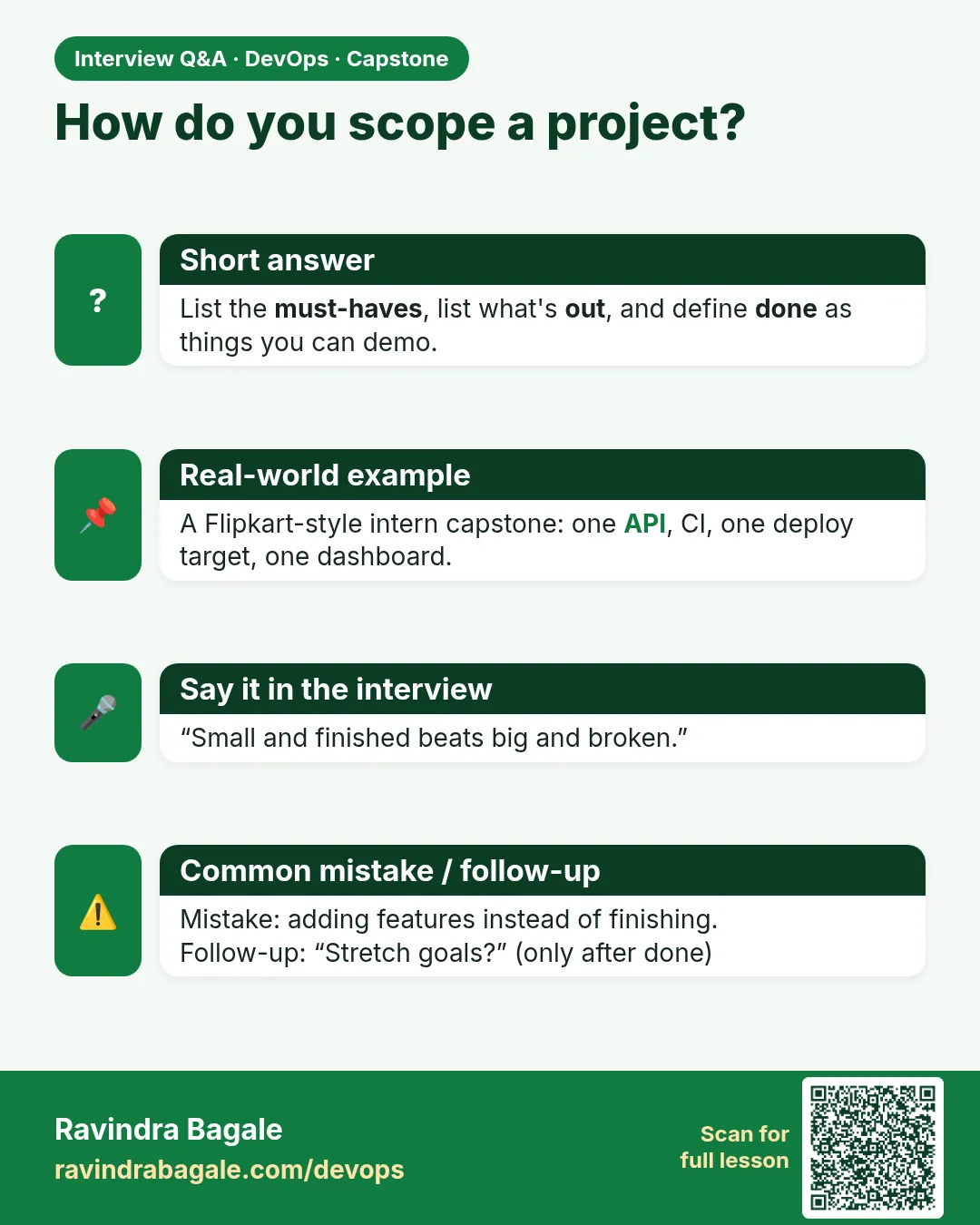
How small is too small for a capstone?
If it has a health route, tests, an image, CI, a deploy and a rollback, it is enough.
Can I pick Python instead of Node?
Yes. Keep the same scope items and checks.
Interview questions
-
How do you control scope creep?
Write In/Out scope, add new ideas to Out, and agree changes openly.
-
What is an exit code used for in CI?
CI fails the step when a command returns non-zero.
-
Why use a Makefile in a DevOps repo?
One short, documented entry point for build, test, run and clean.
-
What is a definition of done?
Agreed checks that prove a piece of work is complete.
-
Why produce machine-readable reports?
Pipelines and dashboards can read them automatically.
Quick quiz
Q1. What does "definition of done" mean?
A check anyone can run to see if the work is finished.
Q2. Why does the Bash checker end with a test command?
To set the exit code: 0 complete, 1 incomplete.
Q3. Why use make?
Short, shared commands like make scope.
Q4. What causes "missing separator"?
Spaces instead of a TAB in a recipe line.
Q5. Why pick only ONE deploy path?
One finished path beats two half-done ones.
Did you understand? Let us try it once more.
 Revision card
 Interview card