Chapter 16: Capstone — Ship It End-to-End
16.12d Evidence pack (what trainers like)
Why: the problem
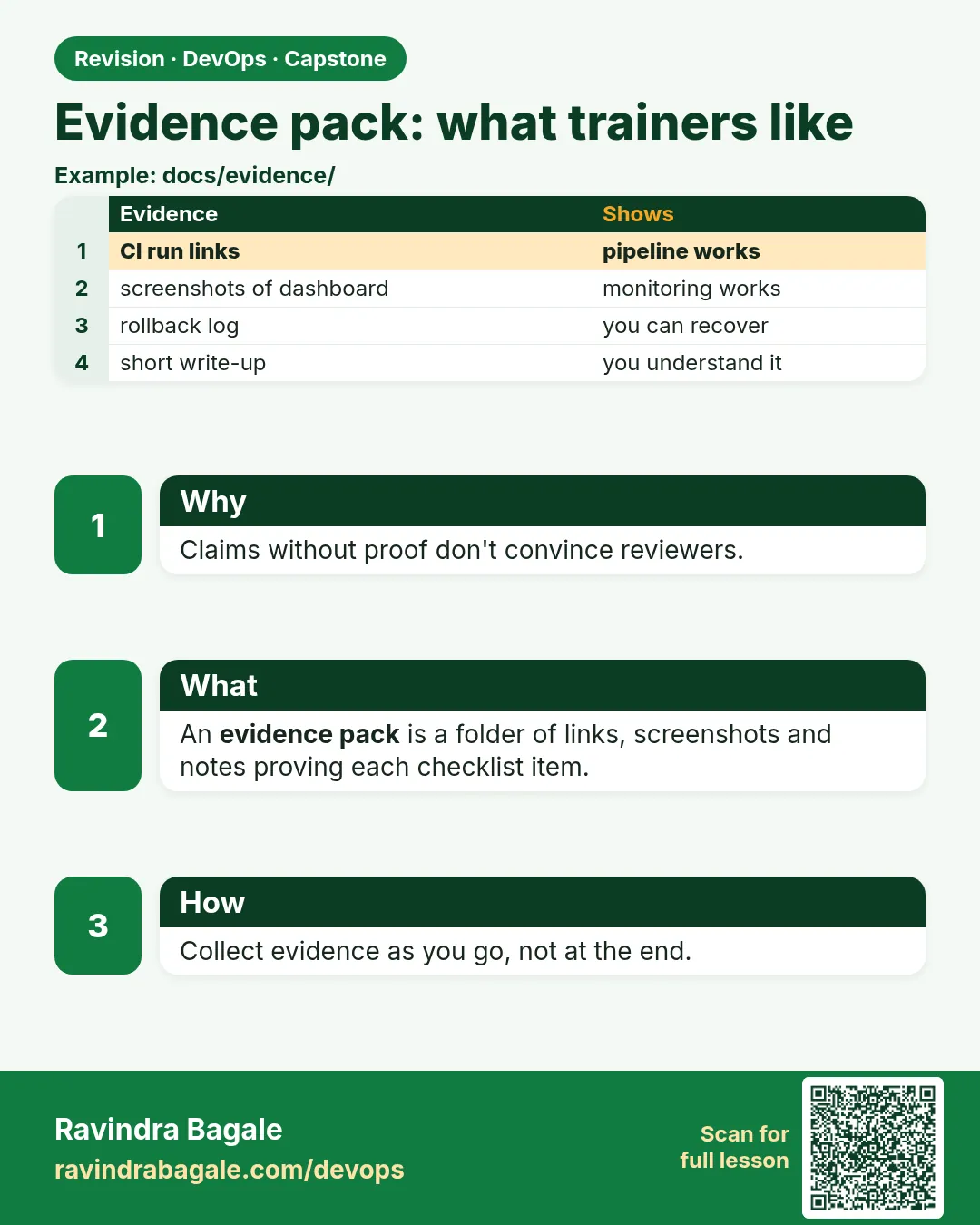
A reviewer at TCS has 10 minutes for your capstone. "It works, trust me" is not enough. They want proof: test results, the CI link, the image digest, health output and screenshots. An evidence pack is one folder holding all of that, collected by a script. Then anyone can check your work without running anything.
What we will build
ops/evidence.sh, which collects versions, test output, the acceptance result, the image digest and health output into evidence/<date>/. Then a Python script turns it into one SUMMARY.md, and a CI job uploads the folder as an artifact.
What: every term in plain English
- Evidence pack — A folder of proof that the work runs.
- Artifact — A file a CI run saves for download.
- Digest — The unique sha256 ID of an image.
- Redact — Remove secrets before sharing.
How: step by step
-
Collect
ops/evidence.shWhat it does: Runs checks and saves outputs.
Output
evidence/2026-10-25: 6 files redaction check: clean -
Summarise
python3 ops/evidence_summary.py evidence/2026-10-25What it does: Builds SUMMARY.md.
Output
wrote evidence/2026-10-25/SUMMARY.md (6 sections) -
Read
cat evidence/2026-10-25/SUMMARY.mdWhat it does: Check it yourself.
Output
# Evidence 2026-10-25
## acceptance
4/4 accepted ...
Example 1: Collect the evidence with Bash
Stack. Bash
Goal. Collect the evidence with Bash.
ops/evidence.sh
#!/usr/bin/env bash
# ops/evidence.sh — collect proof into evidence/<date>/
set -uo pipefail
D="evidence/$(date +%F)"; mkdir -p "$D"
BASE_URL="${BASE_URL:-http://localhost:3000}"
{ git rev-parse --short HEAD; docker --version; node --version; } > "$D/versions.txt" 2>&1
(cd app && npm test 2>&1)                          > "$D/unit-tests.txt"
BASE_URL="$BASE_URL" tests/acceptance.sh 2>&1      > "$D/acceptance.txt"
docker image inspect badge-api:local --format '{{.Id}}' > "$D/image-digest.txt" 2>&1
curl -s "$BASE_URL/health"                         > "$D/health.json"
ops/checklist.sh 2>&1                              > "$D/checklist.txt"
echo "$D: $(ls "$D" | wc -l) files"
if grep -rEi '(password|secret|token)[=:] *[^ ]{6,}|AKIA[0-9A-Z]{16}' "$D"; then
  echo "redaction check: FOUND possible secret, fix before sharing"; exit 1
fi
echo "redaction check: clean"
What each line does
D="evidence/$(date +%F)"— Folder named by date, like 2026-10-25.{ ...; } > file— Groups commands into one output file.2>&1— Saves errors too: honest evidence.grep -rEi ... AKIA...— Looks for likely passwords or AWS keys before sharing.
Green output
evidence/2026-10-25: 6 files
redaction check: clean
Expected result. One command, a full proof folder.
Example 2: Turn the folder into one readable summary
Stack. Python 3
Goal. Turn the folder into one readable summary.
ops/evidence_summary.py
import pathlib
import sys

d = pathlib.Path(sys.argv[1])
parts = [f"# Evidence {d.name}\n"]
for f in sorted(d.glob("*")):
    if f.name == "SUMMARY.md":
        continue
    text = f.read_text(errors="replace").strip().splitlines()
    tail = "\n".join(text[-8:])          # last 8 lines are the verdict
    parts.append(f"## {f.stem}\n```\n{tail}\n```\n")
out = d / "SUMMARY.md"
out.write_text("\n".join(parts))
print(f"wrote {out} ({len(parts) - 1} sections)")
What each line does
d.glob("*")— Every file in the folder.errors="replace"— Odd bytes will not crash the script.text[-8:]— Keeps the last 8 lines, where results usually are.f.stem— File name without extension, used as the heading.
Green output
wrote evidence/2026-10-25/SUMMARY.md (6 sections)
Expected result. Reviewer reads one page.
Example 3: Save evidence from CI as an artifact
Stack. GitHub Actions
Goal. Save evidence from CI as an artifact.
.github/workflows/evidence.yml
name: evidence
on: workflow_dispatch
jobs:
  pack:
    runs-on: ubuntu-latest
    steps:
      - uses: actions/checkout@v4
      - run: docker compose up -d --build && sleep 5
      - run: docker build -t badge-api:local .
      - run: ops/evidence.sh
      - run: python3 ops/evidence_summary.py evidence/$(date +%F)
      - uses: actions/upload-artifact@v4
        with:
          name: evidence
          path: evidence/
          retention-days: 14
What each line does
on: workflow_dispatch— Run by a button click in the Actions tab.upload-artifact@v4— Saves the folder for download.retention-days: 14— Deleted after two weeks.
Green output
pack
  ✓ Run ops/evidence.sh
  ✓ Upload artifact  (evidence, 9 KB)
Expected result. Evidence produced by CI is harder to fake.
Example 4: Collect evidence with one script
Stack. Bash
Goal. Collect evidence with one script.
ops/evidence.sh
#!/usr/bin/env bash
set -u
d=evidence/$(date +%F); mkdir -p "$d"
git log --oneline -15            > "$d/git-log.txt"
(cd app && npm test 2>&1)        > "$d/tests.txt"
curl -s localhost:30080/health   > "$d/health.json"
kubectl get deploy,pods,svc      > "$d/k8s.txt" 2>&1
ops/accept.sh                    > "$d/accept.txt" 2>&1
ls -1 "$d"
What each line does
one folder per day— Evidence is dated.each file— One proof per claim.2>&1— Keep errors too; honest evidence.
Green output
accept.txt
git-log.txt
health.json
k8s.txt
tests.txt
Expected result. Five files that prove tests, deploy, health and acceptance.
Example 5: Write a one-page summary from the files
Stack. Bash
Goal. Write a one-page summary from the files.
ops/evidence_summary.sh
d=evidence/$(date +%F)
{
  echo "# Evidence $(date +%F)"
  echo "- Commits: $(grep -c . "$d/git-log.txt")"
  echo "- Tests: $(grep -E '^# (pass|fail)' "$d/tests.txt" | tr '\n' ' ')"
  echo "- Health: $(cat "$d/health.json")"
  echo "- Acceptance: $(tail -1 "$d/accept.txt")"
} > "$d/SUMMARY.md"
cat "$d/SUMMARY.md"
What each line does
{ ... } > file— Group echo lines into one file.tail -1 accept.txt— The x/y accepted line.
Green output
# Evidence 2026-10-25
- Commits: 15
- Tests: # pass 4 # fail 0
- Health: {"status":"ok","version":"a1b2c3d"}
- Acceptance: 5/5 accepted
Expected result. A trainer reads one page and trusts the rest.
Example 6: Remove secrets before sharing evidence
Stack. grep
Goal. Remove secrets before sharing evidence.
commands
grep -rnE "AKIA[0-9A-Z]{16}|password=|BEGIN RSA PRIVATE KEY" evidence/ && echo "STOP: clean these files" || echo "evidence is clean"
What each line does
AKIA...— AWS key pattern.password=— Plain passwords.|| echo— Prints clean when nothing is found.
Green output
evidence is clean
Expected result. Never share a log with a real key inside.
Example 7: Zip the evidence for sharing
Stack. tar
Goal. Zip the evidence for sharing.
commands
d=evidence/$(date +%F)
tar -czf evidence-$(date +%F).tar.gz "$d"
tar -tzf evidence-$(date +%F).tar.gz
du -h evidence-$(date +%F).tar.gz
What each line does
tar -czf— Make a compressed archive.tar -tzf— List what is inside.du -h— Check the size.
Green output
evidence/2026-10-25/
evidence/2026-10-25/accept.txt
evidence/2026-10-25/SUMMARY.md
12K evidence-2026-10-25.tar.gz
Expected result. Small, dated and easy to attach.
Example 8: Add a checksum so nobody can change evidence silently
Stack. coreutils
Goal. Add a checksum so nobody can change evidence silently.
commands
cd evidence/$(date +%F)
sha256sum *.txt *.json SUMMARY.md > SHA256SUMS
sha256sum -c SHA256SUMS
What each line does
sha256sum— A fingerprint for each file.-c— Check the files still match.
Green output
accept.txt: OK
git-log.txt: OK
health.json: OK
SUMMARY.md: OK
Expected result. If a file changes later, the check says FAILED.
Verify: did it work?
-
Files exist
ls evidence/$(date +%F)What it does: Six or seven files.
Output
acceptance.txt checklist.txt health.json image-digest.txt unit-tests.txt versions.txt SUMMARY.md
When it is red 1
redaction check: FOUND possible secret
Cause. A file contains something like a password.
Fix, step by step
- Open the file shown above.
- Remove the value or fix the app to not print it.
- Run again.
When it is red 2
Error: No such image: badge-api:local
Cause. The image was not built with that tag.
Fix, step by step
- docker build -t badge-api:local .
- Run evidence.sh again.
When it is red 3
kubectl: The connection to the server localhost:8080 was refused
Cause. No kubeconfig; cluster not running.
Fix, step by step
- kind get clusters
- kubectl config use-context kind-capstone
When it is red 4
tar: evidence/2026-10-25: Cannot stat: No such file or directory
Cause. evidence.sh did not run today.
Fix, step by step
- bash ops/evidence.sh first.
Cleanup
-
Remove old packs
find evidence -maxdepth 1 -type d -mtime +30 -exec rm -r {} +What it does: Deletes packs older than 30 days.
Output
(no output)
Ravindra Bagale's Tip
Give proof, not a promise.
Proof द्या, promise नको.
Proof दो, promise नहीं.
Practice tasks
Easy Run it
Why: Doing it once with your own hands makes it stick.
What to do: Run evidence.sh.
- ops/evidence.sh
Check: clean.
Easy Summary
Why: Doing it once with your own hands makes it stick.
What to do: Make SUMMARY.md.
- python3 ...
Check: File exists.
Easy Read
Why: Doing it once with your own hands makes it stick.
What to do: Read SUMMARY.md.
- cat
Check: Results visible.
Easy Digest
Why: Doing it once with your own hands makes it stick.
What to do: Check digest file.
- cat image-digest.txt
Check: sha256:...
Medium Plant secret
Why: Doing it once with your own hands makes it stick.
What to do: Add password=abcdef123 to a file.
- echo >> evidence/.../x.txt
- run
Check: FOUND.
Medium CI pack
Why: Doing it once with your own hands makes it stick.
What to do: Run evidence.yml.
- Actions → Run workflow
Check: Artifact downloads.
Medium Screenshot
Why: Doing it once with your own hands makes it stick.
What to do: Add a screenshot of /health.
- Save png in the folder.
Check: Listed.
Medium k6
Why: Doing it once with your own hands makes it stick.
What to do: Add k6 output.
- Add a line to evidence.sh.
Check: load.txt.
Hard Zip
Why: Doing it once with your own hands makes it stick.
What to do: Zip the pack.
- zip -r
Check: One file.
Hard Hash
Why: Doing it once with your own hands makes it stick.
What to do: Add sha256sum of all files.
- sha256sum * > SHA256SUMS
Check: Verifies.
Homework: try at home
Try at home
Make the evidence pack, then give only SUMMARY.md to a friend. Ask: can they tell if it works? Add what they missed.
Recap
- Collect proof with one script.
- Summarise into one page.
- Check for secrets.
- Make it in CI.
FAQ
Do reviewers want everything?
They want SUMMARY.md first, details on request.
Screenshots needed?
Nice to have; text is easier to check.
Can I edit evidence?
No. Rerun instead.
Where to store?
The repo or CI artifacts; never public secrets.
Retention?
Keep as long as reviews need.
Screenshots or text?
Text first: it can be searched and checked. Add a few screenshots only for the UI.
How long to keep evidence?
Until you get feedback; keep the summary longer.
Can I share it on LinkedIn?
Share the summary only, after the secret check.
Do trainers really read evidence?
They read SUMMARY.md and open one or two files to check.
Should evidence go in git?
Keep SUMMARY.md in git; large logs go in the archive.
Interview questions
-
How do you prove a release works?
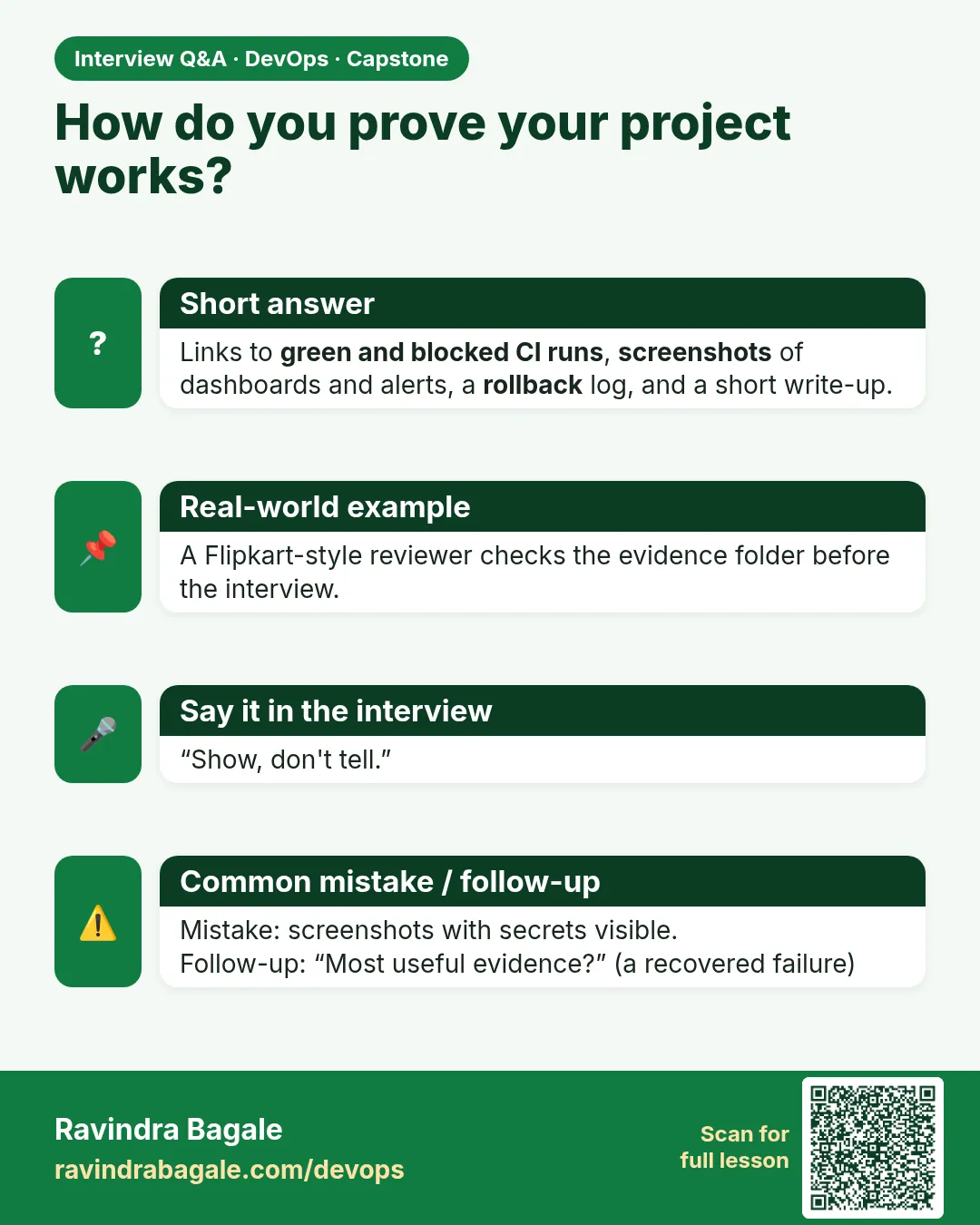
Tests, acceptance results, digests, health checks, collected automatically.
-
What is a build artifact?
Output saved from CI.
-
How do you avoid leaking secrets in logs?
Masking, redaction checks, not printing them.
-
Why digests?
They identify the exact image.
-
What is audit evidence?
Records that show controls ran.
Quick quiz
Q1. What is an evidence pack?
A folder of proof.
Q2. Why save stderr too?
Failures are evidence.
Q3. What does the redaction check do?
Finds likely secrets.
Q4. Why build it in CI?
Hard to fake, repeatable.
Q5. What is an artifact?
A saved file from a CI run.
Did you understand? Let us try it once more.
 Revision card
 Interview card