Chapter 16: Capstone — Ship It End-to-End
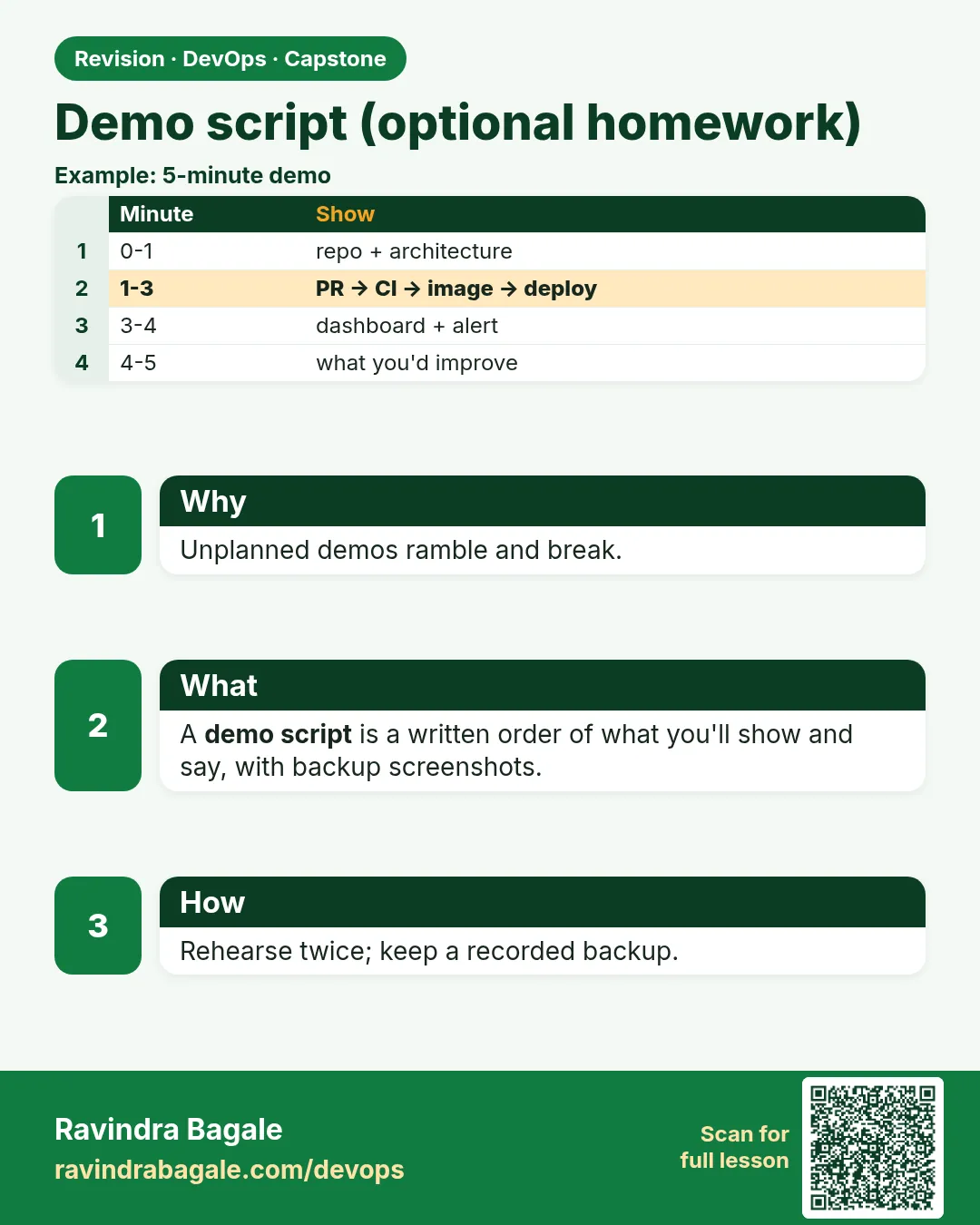
16.10 Demo script (optional homework)
Why: the problem
Suppose an Instagram hiring manager gives you five minutes on a video call. You open six windows, type slowly, and a typo breaks the build. Five minutes are gone. A demo script fixes this: the steps are written, timed and rehearsed. In this lesson you build a demo script that runs the whole story, pauses between steps, and records a terminal session you can replay.
What we will build
ops/demo.sh: a narrated, step-by-step demo (build, run, health, badge, rollback, cleanup) with pauses; a recording with script you can replay; and a Makefile demo target.
What: every term in plain English
- Demo script — A script that shows your project step by step for an audience.
- script / scriptreplay — Linux tools that record a terminal session and replay it.
- Dry run — Running the demo alone first to find problems.
How: step by step
-
Write demo.sh
nano ops/demo.sh # Example 1What it does: The narrated demo.
Output
(no output) -
Rehearse
ops/demo.shWhat it does: Runs each step and waits for Enter.
Output
== 1/6 Build the image == $ docker build -t badge-api:local . ... [press Enter] -
Record
script --timing=demo.tim demo.log -c ops/demo.shWhat it does: Records everything you see.
Output
Script started, output log file is 'demo.log'. -
Replay
scriptreplay --timing=demo.tim demo.logWhat it does: Plays it back at real speed.
Output
(the demo plays again)
Example 1: A narrated demo with pauses
Stack. Bash, Docker
Goal. A narrated demo with pauses.
ops/demo.sh
#!/usr/bin/env bash
# ops/demo.sh — five-minute Ship-It demo
set -euo pipefail
step=0; total=6
say() { step=$((step+1)); printf "\n\033[1;34m== %d/%d %s ==\033[0m\n" "$step" "$total" "$1"; }
run() { echo "\$ $*"; "$@"; }
pause() { [ "${NOPAUSE:-}" = 1 ] || read -rp "[press Enter]" _; }

say "Build the image";      run docker build -q -t badge-api:local .; pause
say "Run it";               run docker run -d --rm --name demo -p 3000:3000 -e APP_VERSION=demo-1 badge-api:local; sleep 2; pause
say "Health check";         run curl -s localhost:3000/health; echo; pause
say "Get a badge";          run curl -s localhost:3000/badge/netflix_fan; echo; pause
say "Bad input is safe";    run curl -s -w " HTTP %{http_code}\n" localhost:3000/badge/X; pause
say "Clean up";             run docker rm -f demo
echo "Demo done."
What each line does
say()— Prints a coloured step title with a counter.run()— Shows the command, then runs it, so the audience sees both.pause()— Waits for Enter, unless NOPAUSE=1 (for CI or recording).--rm— Container removes itself when stopped.
Green output
== 1/6 Build the image ==
$ docker build -q -t badge-api:local .
sha256:5b1e9c...
== 3/6 Health check ==
$ curl -s localhost:3000/health
{"status":"ok","version":"demo-1"}
== 5/6 Bad input is safe ==
{"error":"invalid username"} HTTP 400
Demo done.
Expected result. A clean, repeatable demo.
Example 2: Run the demo unattended in CI as a smoke test
Stack. GitHub Actions
Goal. Run the demo unattended in CI as a smoke test.
.github/workflows/demo.yml
name: demo
on: [pull_request]
jobs:
  demo:
    runs-on: ubuntu-latest
    steps:
      - uses: actions/checkout@v4
      - run: NOPAUSE=1 ops/demo.sh
What each line does
NOPAUSE=1— Skips the Enter prompts.ops/demo.sh— If any step fails, set -e fails the job.
Green output
demo
  ✓ Run NOPAUSE=1 ops/demo.sh
    Demo done.
Expected result. Your demo can never silently break.
Example 3: Add make targets for the demo and recording
Stack. Make, util-linux
Goal. Add make targets for the demo and recording.
Makefile (add)
demo:
    ops/demo.sh

record:
    script --timing=demo.tim demo.log -c "NOPAUSE=1 ops/demo.sh"

replay:
    scriptreplay --timing=demo.tim demo.log
What each line does
record:— Records the demo without pauses.replay:— Plays it back.
Green output
$ make record && make replay
Script started, output log file is 'demo.log'.
... (demo output) ...
Script done.
Expected result. You have a backup recording if the live demo fails.
Example 4: A timed demo script that runs itself
Stack. Bash
Goal. A timed demo script that runs itself.
ops/demo.sh
#!/usr/bin/env bash
set -e
step() { echo; echo "### $1"; sleep 1; }
step "1. The app answers"
curl -s localhost:3000/health
step "2. Tests are green"
(cd app && npm test --silent)
step "3. Change and redeploy"
sed -i 's/silver/SILVER/' app/server.js && git commit -qam "demo change"
ops/deploy.sh
step "4. Roll back"
ops/rollback.sh
git revert --no-edit HEAD -q
What each line does
step()— Prints a heading so the audience follows.sleep 1— Gives people time to read.git revert— Leaves history clean after the demo.
Green output
### 1. The app answers
{"status":"ok","version":"a1b2c3d"}
### 2. Tests are green
# pass 4
### 3. Change and redeploy
deployed b2c3d4e, health OK
### 4. Roll back
{"status":"ok","version":"a1b2c3d"}
Expected result. A 3-minute demo with no typing mistakes.
Example 5: Record the demo as a text log for the evidence pack
Stack. util-linux script
Goal. Record the demo as a text log for the evidence pack.
commands
mkdir -p evidence/$(date +%F)
script -q -c "ops/demo.sh" evidence/$(date +%F)/demo.log
wc -l evidence/$(date +%F)/demo.log
What each line does
script -c— Runs the command and saves everything it prints.date +%F— Folder name like 2026-10-25.
Green output
42 evidence/2026-10-25/demo.log
Expected result. If the live demo fails on the day, you can show the log.
Example 6: Practise the talk with a timer
Stack. Bash
Goal. Practise the talk with a timer.
timer.sh
start=$(date +%s)
read -r -p "Press Enter when you finish speaking... " _
end=$(date +%s)
echo "You spoke for $((end-start)) seconds (target 180)"
What each line does
date +%s— Seconds since 1970; the difference is your time.read -p— Waits for Enter.
Green output
You spoke for 212 seconds (target 180)
Expected result. Cut 30 seconds: drop one slide, keep the live part.
Example 7: Prepare the machine before the demo
Stack. Bash
Goal. Prepare the machine before the demo.
ops/predemo.sh
#!/usr/bin/env bash
docker ps --format '{{.Names}} {{.Status}}'
kubectl get nodes 2>/dev/null || echo "cluster not running"
curl -fs localhost:3000/health || echo "app not running"
df -h / | tail -1
echo "Close Slack, set font size 18, turn off notifications."
What each line does
docker ps— Containers are up.kubectl get nodes— Cluster is ready.font size— People at the back must read it.
Green output
badge-api Up 2 hours
capstone-control-plane   Ready   control-plane   3h   v1.31.0
{"status":"ok","version":"a1b2c3d"}
/dev/root  29G  9.1G  20G  32% /
Expected result. Five minutes of checks avoids a failed live demo.
Example 8: Show the pipeline page instead of explaining it
Stack. GitLab CLI
Goal. Show the pipeline page instead of explaining it.
commands
git log -1 --format="%h %s"
glab ci status --branch main
What each line does
git log -1— The commit you just pushed.glab ci status— Pipeline status from the GitLab CLI.
Green output
a1b2c3d demo change
• lint     passed
• test     passed
• build    passed
• deploy   passed
Expected result. One picture of green stages is worth five minutes of talk.
Verify: did it work?
-
Unattended run
NOPAUSE=1 ops/demo.sh; echo $?What it does: Whole demo without stopping.
Output
Demo done.
0
When it is red 1
docker: Error response from daemon: Conflict. The container name "/demo" is already in use
Cause. A previous demo crashed before cleanup.
Fix, step by step
- docker rm -f demo
- Add trap "docker rm -f demo >/dev/null 2>&1" EXIT near the top.
- Run again.
When it is red 2
scriptreplay: unexpected end of file
Cause. Recording was stopped with Ctrl+C mid-way.
Fix, step by step
- Record again and let it finish.
When it is red 3
script: command not found
Cause. util-linux script is missing.
Fix, step by step
- sudo apt install -y bsdutils, or use: ops/demo.sh | tee demo.log
When it is red 4
curl: (7) Failed to connect to localhost port 3000
Cause. The app is not started.
Fix, step by step
- docker compose up -d
- Run predemo.sh again.
Cleanup
-
Remove recordings
rm -f demo.log demo.timWhat it does: Delete if not needed (they may contain your prompt and paths).
Output
(no output)
Ravindra Bagale's Tip
Practise the live demo three times first. Keep a backup recording.
Live demo आधी ३ वेळा practice. Backup recording ठेवा.
Live demo से पहले ३ बार practice. Backup recording रखो.
Practice tasks
Easy Run demo
Why: Doing it once with your own hands makes it stick.
What to do: Run ops/demo.sh.
- ops/demo.sh
Check: Demo done.
Easy No pauses
Why: Doing it once with your own hands makes it stick.
What to do: Run with NOPAUSE=1.
- NOPAUSE=1 ops/demo.sh
Check: Finishes alone.
Easy Record
Why: Doing it once with your own hands makes it stick.
What to do: make record.
- make record
Check: demo.log exists.
Easy Replay
Why: Doing it once with your own hands makes it stick.
What to do: make replay.
- make replay
Check: Plays back.
Medium Add trap
Why: Doing it once with your own hands makes it stick.
What to do: Add an EXIT trap.
- Edit script.
Check: No leftover container after Ctrl+C.
Medium Add rollback step
Why: Doing it once with your own hands makes it stick.
What to do: Show a version change.
- Run demo-2 then back to demo-1.
Check: Both versions shown.
Medium CI demo
Why: Doing it once with your own hands makes it stick.
What to do: Add demo.yml.
- Commit.
Check: Job green.
Medium Timing
Why: Doing it once with your own hands makes it stick.
What to do: Time the demo.
- time NOPAUSE=1 ops/demo.sh
Check: Under 60 s.
Hard Colour off
Why: Doing it once with your own hands makes it stick.
What to do: Support NO_COLOR=1.
- Skip escape codes when set.
Check: Plain text.
Hard Live practice
Why: Doing it once with your own hands makes it stick.
What to do: Demo to a friend.
- Share screen.
Check: Done in 5 minutes.
Homework: try at home
Try at home
Time yourself giving the demo live three times. Cut steps until it fits in 4 minutes, leaving 1 minute for questions.
Recap
- A demo script removes typos and fits the time.
- run() shows the command and runs it.
- NOPAUSE lets CI run it.
- Keep a recording as backup.
FAQ
Should I show code?
Briefly. Show it running first.
What if the internet fails?
Use local images and the recording.
Is asciinema allowed?
Yes, it is another recorder.
How long?
Under 5 minutes.
Demo Path A or B?
Whichever you finished.
What if the network fails during the demo?
Show the recorded demo.log and the evidence folder.
Slides or terminal?
Mostly terminal; one slide for the architecture.
How long should the demo be?
Three to five minutes, then questions.
Who should I practise with?
A friend who does not know DevOps. If they follow, anyone will.
What if I get nervous?
Follow demo.sh step by step; the script remembers for you.
Should I show code or only results?
Show results first, then open one file if someone asks. Keep the terminal font large.
What if someone asks a hard question?
Say what you know, what you would check, and offer to follow up after the demo.
Interview questions
-
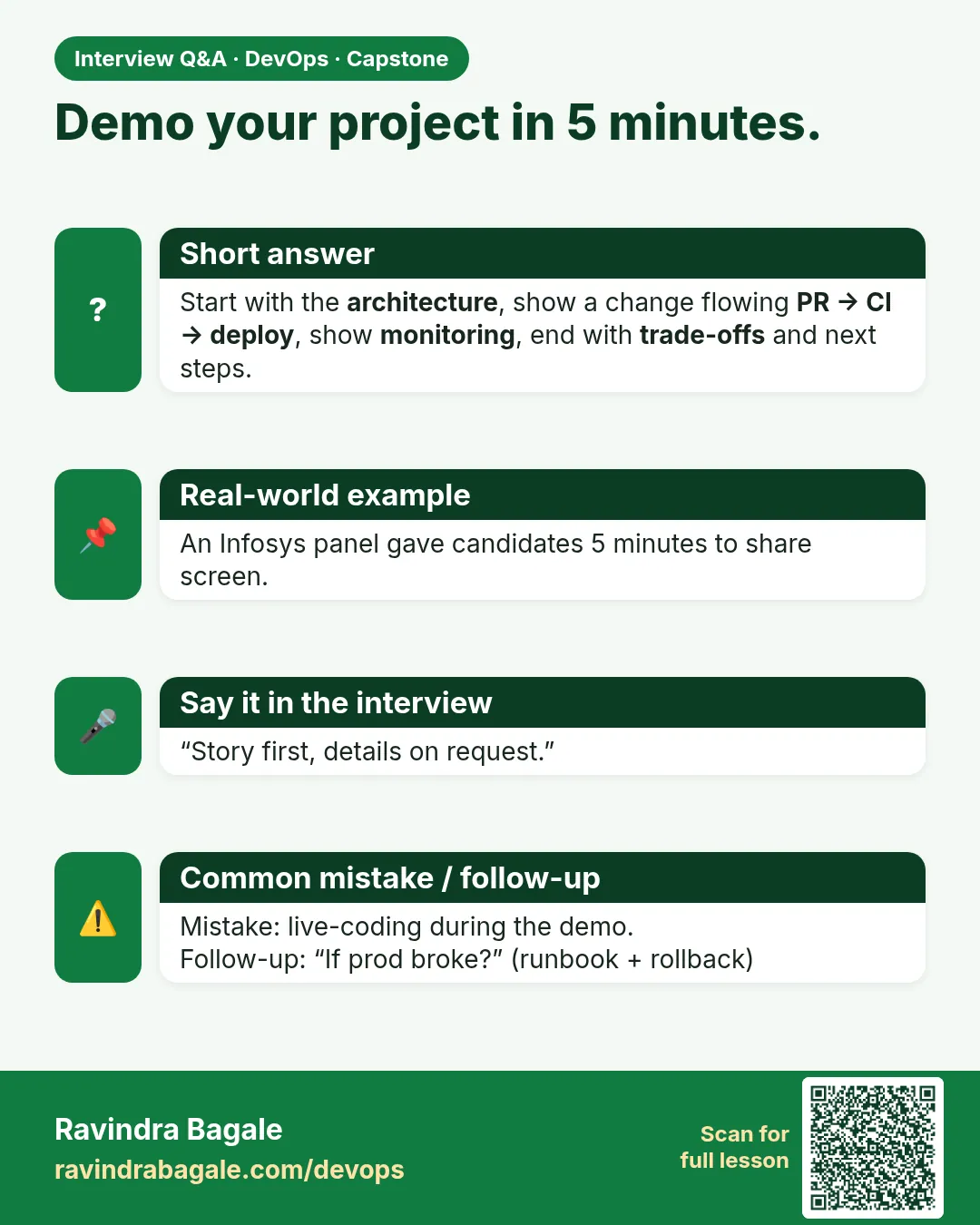
Demo your project in five minutes.
Build, run, health, feature, failure handling, rollback, cleanup.
-
How do you make demos reliable?
Script, rehearse, local images, backup recording.
-
What is a smoke test?
A quick check that the main paths work.
-
Why test the demo in CI?
Catch breakage early.
-
What do you show if something fails?
How you diagnose it; that is valuable too.
Quick quiz
Q1. Why script a demo?
No typos, fixed order, fits the time.
Q2. What does NOPAUSE=1 do?
Skips the Enter prompts.
Q3. How do you record a terminal?
script --timing=FILE LOG.
Q4. How to avoid leftover containers?
trap cleanup on EXIT.
Q5. Why run the demo in CI?
So it never silently breaks.
Did you understand? Let us try it once more.
 Revision card
 Interview card