8.9 Anti-patterns (spot them early)
Why: the problem
Every team at some point builds bad habits into its pipeline. Nobody plans them. They come from hurry. One engineer at a startup SSHes into the production server and runs git pull and a build there, because it is "faster". Another puts the database password straight into the YAML file. Another skips staging on Friday to go home early. Another deploys the latest tag. Each habit works fine for weeks. Then one day it causes a big outage, and nobody can tell what is running or how to undo it. These habits are called anti-patterns: a common way of doing something that looks fine but causes harm. If you can spot them early in an interview or a code review, you already think like a senior.
What we will build
You will look at a bad pipeline for the badge API that has six anti-patterns in it. You will find each one, see the real problem it causes, and rewrite it into a good pipeline. You will also add an automatic secret scan so passwords in Git are caught before merge.
What: every term in plain English
- Anti-pattern — A common habit that looks fine but causes harm later.
- Snowflake server — A server set up by hand, different from all others, that nobody can rebuild.
- Hardcoded secret — A password or token written directly in code or YAML.
- Mutable tag — A tag like latest that points to different images over time.
- Build on prod — Building the app on the production server itself.
- Secret scanning — A tool that searches commits for passwords and keys, like gitleaks.
- OIDC — A way for CI to get short-lived cloud access without stored keys.
How: step by step
-
Read the bad pipeline
Open bad-pipeline.yml from Example 1What it does: Find six problems before reading the answer.
Output
(file open) -
Scan for secrets
docker run --rm -v "$PWD":/repo zricethezav/gitleaks:latest detect --source /repoWhat it does: Finds the hardcoded password.
Output
leaks found: 1 -
Rewrite to the good pipeline
Use good-pipeline.yml from Example 2What it does: Each bad line has a better line.
Output
(file saved) -
Move the secret
Repo Settings > Secrets > New secret DB_PASSWORDWhat it does: The value lives in the secret store now.
Output
Secret DB_PASSWORD added -
Rotate the leaked password
Change the DB password on the database serverWhat it does: Once in Git, a secret is public forever. Rotate it.
Output
password changed -
Add a secret scan gate
Add the gitleaks job from Example 3What it does: Future leaks fail the pipeline.
Output
gitleaks: no leaks found
Example 1: A bad pipeline with six anti-patterns
Stack. GitHub Actions (bad example)
Goal. A bad pipeline with six anti-patterns.
bad-pipeline.yml
name: deploy
on: [push]
jobs:
  deploy:
    runs-on: ubuntu-latest
    steps:
      - run: |
          sshpass -p "Welcome@123" ssh root@prod-1 "
            cd /opt/badge-api && git pull &&
            docker build -t badge-api:latest . &&
            docker rm -f badge || true &&
            docker run -d --name badge -e DB_PASSWORD=Welcome@123 badge-api:latest"
What each line does
on: [push]— 1. Any branch push deploys to prod. Feature branches too.sshpass -p "Welcome@123"— 2. A password in Git. Anyone with read access has prod. (A fake value here, but the habit is real.)ssh root@prod-1— 3. Root login. One mistake can wipe the server.git pull and docker build on prod— 4. Build on prod. Not tested, not repeatable.badge-api:latest— 5. Mutable tag. No idea what runs, no rollback.No test, no staging, || true— 6. No checks, and errors are hidden.
Green output
$ docker run --rm -v "$PWD":/repo zricethezav/gitleaks:latest detect --source /repo
Finding:     sshpass -p "Welcome@123"
RuleID:      generic-password
File:        bad-pipeline.yml
leaks found: 1
Expected result. Six problems in eleven lines. This is more common in real companies than you think.
Example 2: The good rewrite
Stack. GitHub Actions (good example)
Goal. The good rewrite.
good-pipeline.yml
name: cicd
on:
  push:
    branches: [main]
  pull_request:
jobs:
  test:
    runs-on: ubuntu-latest
    steps:
      - uses: actions/checkout@v4
      - run: pip install -r requirements.txt && python -m pytest -q
  build-push:
    needs: test
    if: github.ref == 'refs/heads/main'
    runs-on: ubuntu-latest
    outputs:
      tag: sha-${{ steps.s.outputs.sha }}
    steps:
      - uses: actions/checkout@v4
      - id: s
        run: echo "sha=${GITHUB_SHA::7}" >> "$GITHUB_OUTPUT"
      - uses: docker/login-action@v3
        with:
          username: ${{ secrets.DOCKERHUB_USER }}
          password: ${{ secrets.DOCKERHUB_TOKEN }}
      - run: docker build -t ravi/badge-api:sha-${{ steps.s.outputs.sha }} . && docker push ravi/badge-api:sha-${{ steps.s.outputs.sha }}
  deploy-staging:
    needs: build-push
    runs-on: ubuntu-latest
    environment: staging
    steps:
      - run: ./deploy.sh staging ${{ needs.build-push.outputs.tag }}
      - run: curl -fsS https://staging.badge.example.com/health
  deploy-prod:
    needs: [build-push, deploy-staging]
    runs-on: ubuntu-latest
    environment: production
    steps:
      - run: ./deploy.sh prod ${{ needs.build-push.outputs.tag }}
What each line does
branches: [main] + pull_request— PRs are tested; only main deploys.test before build— No build without green tests.secrets.DOCKERHUB_TOKEN— Logins from the secret store.sha tag— Immutable tag, easy rollback.deploy-staging + smoke— Rehearsal before prod.deploy.sh with a deploy user— No root, no build on prod. The server only pulls a tested image.
Green output
test            succeeded
build-push      succeeded  ravi/badge-api:sha-a3f2c1d
deploy-staging  succeeded  {"status":"ok"}
deploy-prod     succeeded
Expected result. Every bad line has a better line. Print both files side by side in your notes.
Example 3: A secret scan gate in any tool
Stack. gitleaks in GitHub Actions, GitLab CI, Jenkins
Goal. A secret scan gate in any tool.
GitHub Actions job
secrets-scan:
  runs-on: ubuntu-latest
  steps:
    - uses: actions/checkout@v4
      with:
        fetch-depth: 0
    - run: docker run --rm -v "$PWD":/repo zricethezav/gitleaks:latest detect --source /repo --redact
GitLab CI job
secrets-scan:
  stage: lint
  image:
    name: zricethezav/gitleaks:latest
    entrypoint: [""]
  script: [gitleaks detect --source . --redact]
Jenkinsfile stage
stage('Secret scan') {
    steps {
        sh 'docker run --rm -v "$PWD":/repo zricethezav/gitleaks:latest detect --source /repo --redact'
    }
}
What each line does
fetch-depth: 0— Get full history, so old commits are scanned too.--redact— Hide the secret value in the log.entrypoint: ['']— Lets GitLab run the script lines in this image.Same command in three tools— The gate is tool neutral.
Green output
Finding:     sshpass -p "REDACTED"
leaks found: 1
Error: Process completed with exit code 1.
Expected result. The pipeline goes red before the password is merged. Then rotate the leaked value anyway.
Verify: did it work?
-
Re-scan after the fix
docker run --rm -v "$PWD":/repo zricethezav/gitleaks:latest detect --source /repo --redactWhat it does: Old history may still have the leak; rotate the value.
Output
no leaks found -
Check prod has no build tools
ssh deploy@prod-1 "ls /opt/badge-api"What it does: Prod should hold only config, no source code.
Output
compose.yaml env
When it is red 1
leaks found: 1 (after you removed the password)
Cause. The password is still in old Git history.
Fix, step by step
- Rotate the password; that is the real fix.
- Add the old commit to a .gitleaksignore file only after rotation.
When it is red 2
Permission denied (publickey)
Cause. After removing sshpass, the deploy key is not set up.
Fix, step by step
- Make a deploy key pair.
- Put the public key in the deploy user authorized_keys on the server.
- Put the private key in the CI secret store.
When it is red 3
Error: Unable to find image locally (latest)
Cause. The server still tries to run latest.
Fix, step by step
- Change the compose file to use IMAGE_TAG.
- Redeploy with the sha tag.
Cleanup
-
Delete the bad file
git rm bad-pipeline.yml && git commit -m "remove bad pipeline"What it does: Keep only the good pipeline in the repo.
Output
1 file changed
Ravindra Bagale's Tip
Never write a password in YAML. If it leaks, rotate first. Keep secrets and source code apart. Keep that in mind!
Password YAML मध्ये कधी लिहू नका. Leak झाला तर आधी rotate करा. Secrets आणि source code वेगळे ठेवा. लक्षात ठेवा!
Password YAML में कभी मत लिखो. Leak हो तो पहले rotate करो. Secrets और source code अलग रखो. याद रखो!
Practice tasks
Easy Find six problems
Why: Train your eye.
What to do: Read bad-pipeline.yml and list six problems.
- Compare with the answer.
Check: You found at least five.
Medium Add gitleaks
Why: Stop leaks at merge.
What to do: Add the secret scan job.
- Commit a fake password on a branch.
Check: The run turns red.
Hard Audit a real pipeline
Why: Use it at work.
What to do: Review one pipeline you use and list anti-patterns.
- Suggest one fix each.
Check: A short review note.
Easy Say CI/CD anti-patterns in two lines
Why: If you can say it simply, you understand it. Juniors and interviewers both want the short version first.
What to do: Write two short lines about CI/CD anti-patterns for a fresher who knows only Linux, Git and Docker basics.
- Write the problem it solves.
- Write the one pipeline line or command you use for it.
- Read it aloud to a friend.
Check: A fresher understands it without asking a question.
Easy Keep a throwaway lab repo
Why: Practice needs a repo you can break. If it gets messy, you delete it and start again.
What to do: Make a small practice repo called badge-api with one Python file, one test and one Dockerfile.
- mkdir badge-api and cd into it
- git init -b main
- Add app.py, test_app.py and Dockerfile from this chapter, then commit.
Check: git log shows one commit and pytest prints 1 passed.
Medium Do it in a second CI tool
Why: CI/CD is the idea. The tool is only the syntax. The same stages must work in GitHub Actions, GitLab CI and Jenkins.
What to do: Write the pipeline from this lesson in a second CI tool.
- If you used GitHub Actions, write .gitlab-ci.yml or a Jenkinsfile now.
- Keep the same stage names and the same commands.
- Only the wrapper syntax should change.
Check: Same green result, same stage names, different tool.
Medium Break it on purpose
Why: You must know the red log by face. In a real outage there is no time to read slowly.
What to do: Cause one error from the "When it is red" part of this lesson and fix it.
- Follow the error section.
- Copy the exact red line from the job log into your notes.
- Write the fix in one line.
Check: You fixed it using only the steps, without searching the web.
Medium Write a one-page runbook
Why: At 2 a.m. nobody remembers pipeline menus. A short page saves the on-call person.
What to do: Write a one-page runbook for this lesson.
- Title, when to use, exact steps or pipeline lines, how to check, how to undo.
Check: A teammate can follow it alone.
Hard Explain it like an interview
Why: Interviewers want real stories, not definitions.
What to do: Record a 60 second answer about this lesson.
- Say the problem, the pipeline lines you wrote, and one error you hit.
Check: Your answer has a real pipeline line and a real error message.
Hard Draw the flow top to bottom
Why: A drawing shows the order of work and which stage waits for which.
What to do: Draw this lesson as boxes from top to bottom.
- Start at git push, go through each stage, end at the green run or the deployed app.
Check: Each box matches a real line in your job log.
Homework: try at home
Try at home
At home, write a bad pipeline with three anti-patterns on purpose, ask a friend to find them, then rewrite it and add a gitleaks gate.
Recap
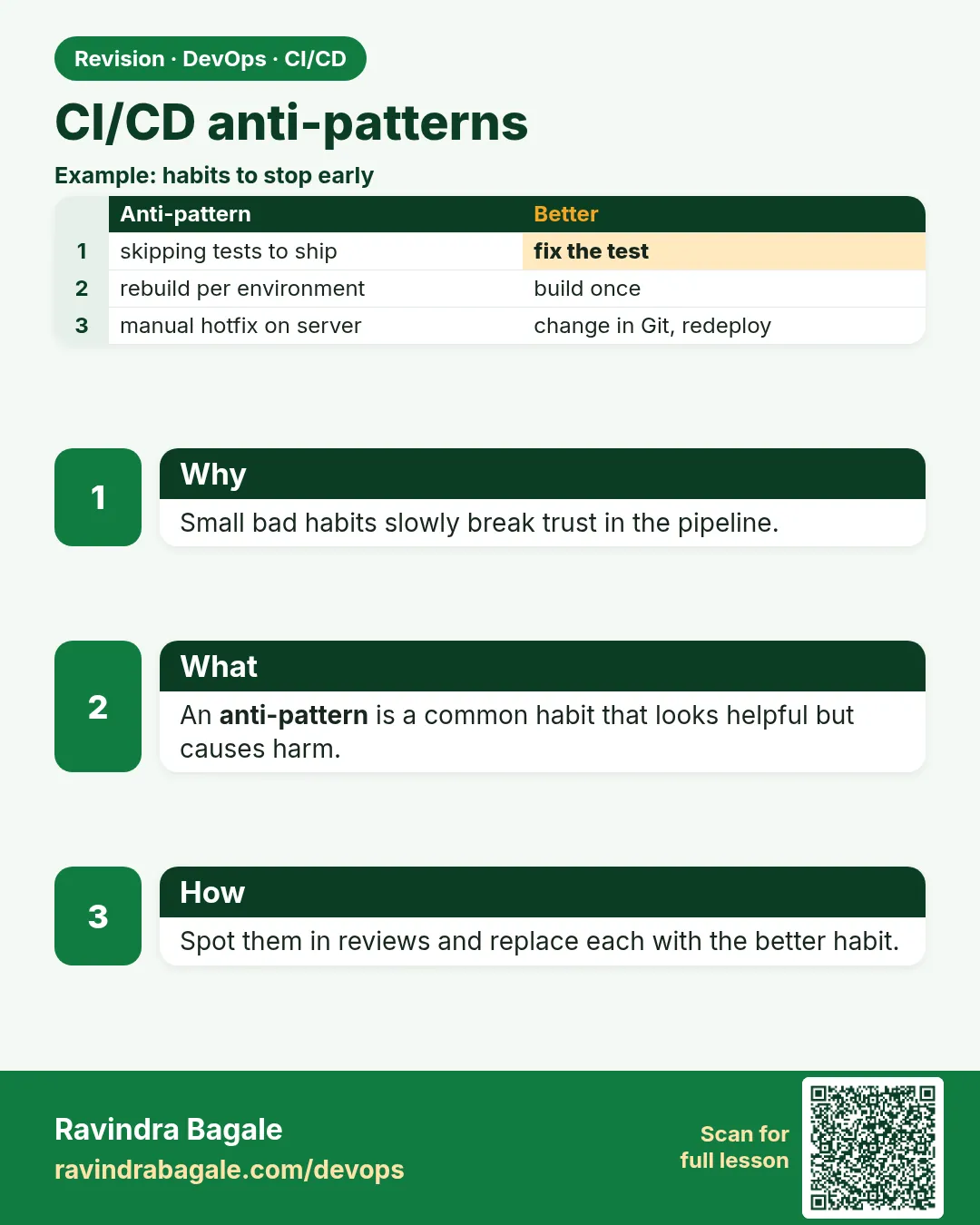
- Anti-patterns look fine until they cause an outage.
- No builds on prod, no secrets in Git, no latest tag.
- Deploy only from main, after tests and staging.
- Rotate any leaked secret.
- Add a secret scan gate.
FAQ
Is || true always bad?
Only safe for a command whose failure truly does not matter, and say why in a comment.
Can I keep a tiny password in YAML for a lab?
Build the right habit even in labs. Use secrets.
What replaces long-lived cloud keys?
OIDC short-lived credentials (later chapter).
Is manual SSH ever ok?
For reading logs during an incident, yes. Not for deploys.
How often should I review pipelines?
Every time the pipeline file changes, with CODEOWNERS.
Interview questions
-
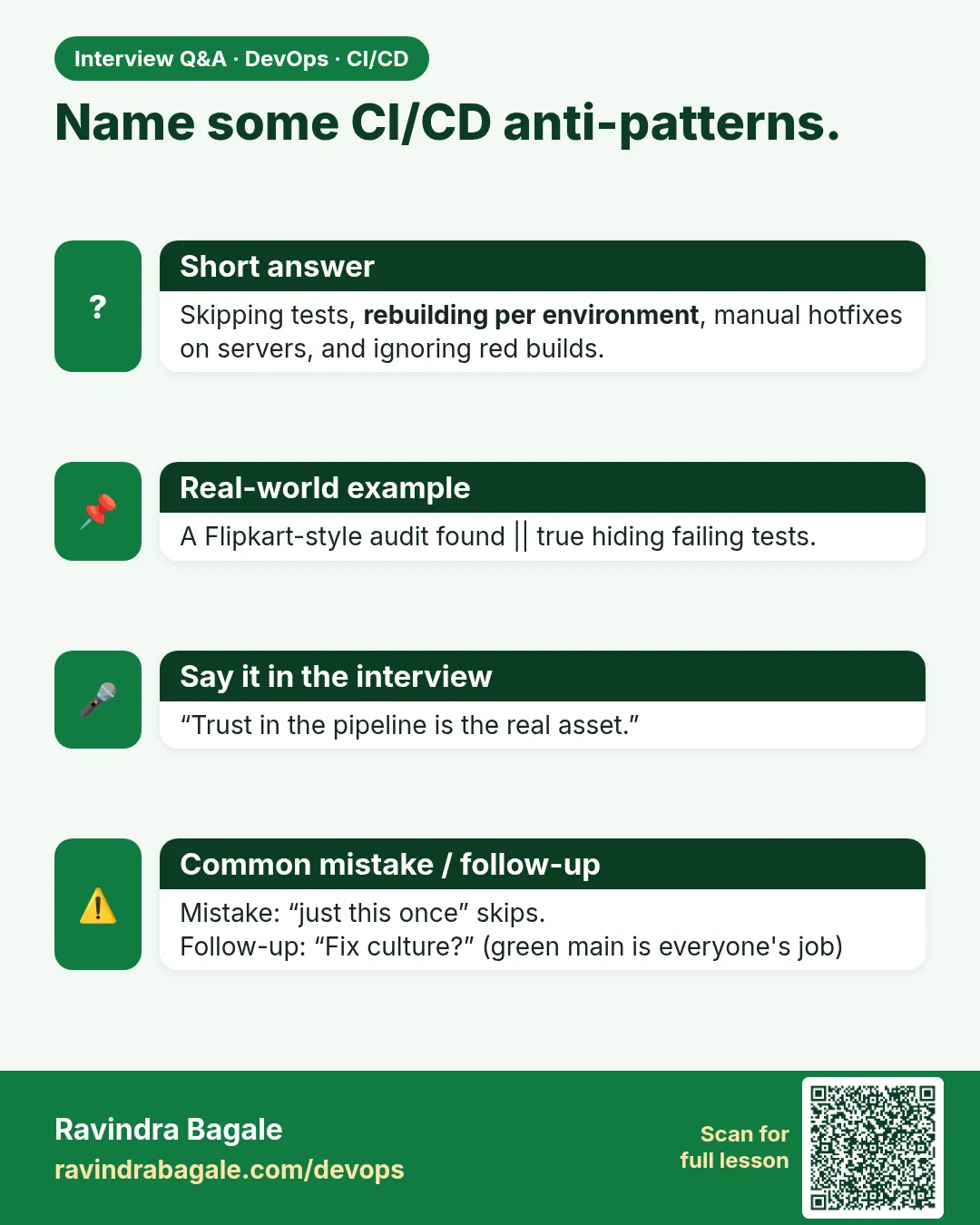
What are common CI/CD anti-patterns?
Building on prod, hardcoded secrets, mutable latest tags, skipping tests or staging, manual snowflake steps, hiding failures with || true.
-
How do you handle a secret committed to Git?
Revoke and rotate it at once, then remove it from history and add scanning.
-
Why are immutable tags important?
They make deploys traceable and rollbacks exact.
-
What is a snowflake server?
A hand-built server no one can recreate. Use automation and images instead.
-
How do you prevent secrets in repos?
Secret stores, pre-commit hooks, CI secret scanning and reviews.
Quick quiz
Q1. Name three CI/CD anti-patterns.
Build on prod, secrets in YAML, deploying latest.
Q2. What do you do after a secret leaks to Git?
Rotate it, then clean up.
Q3. Why not build on the prod server?
Untested, not repeatable, and slow to roll back.
Q4. What does gitleaks do?
It scans code and history for secrets.
Q5. Why not deploy from every branch?
Untested feature code would reach prod.
Did you understand? Let us try it once more.
 Revision card
 Interview card