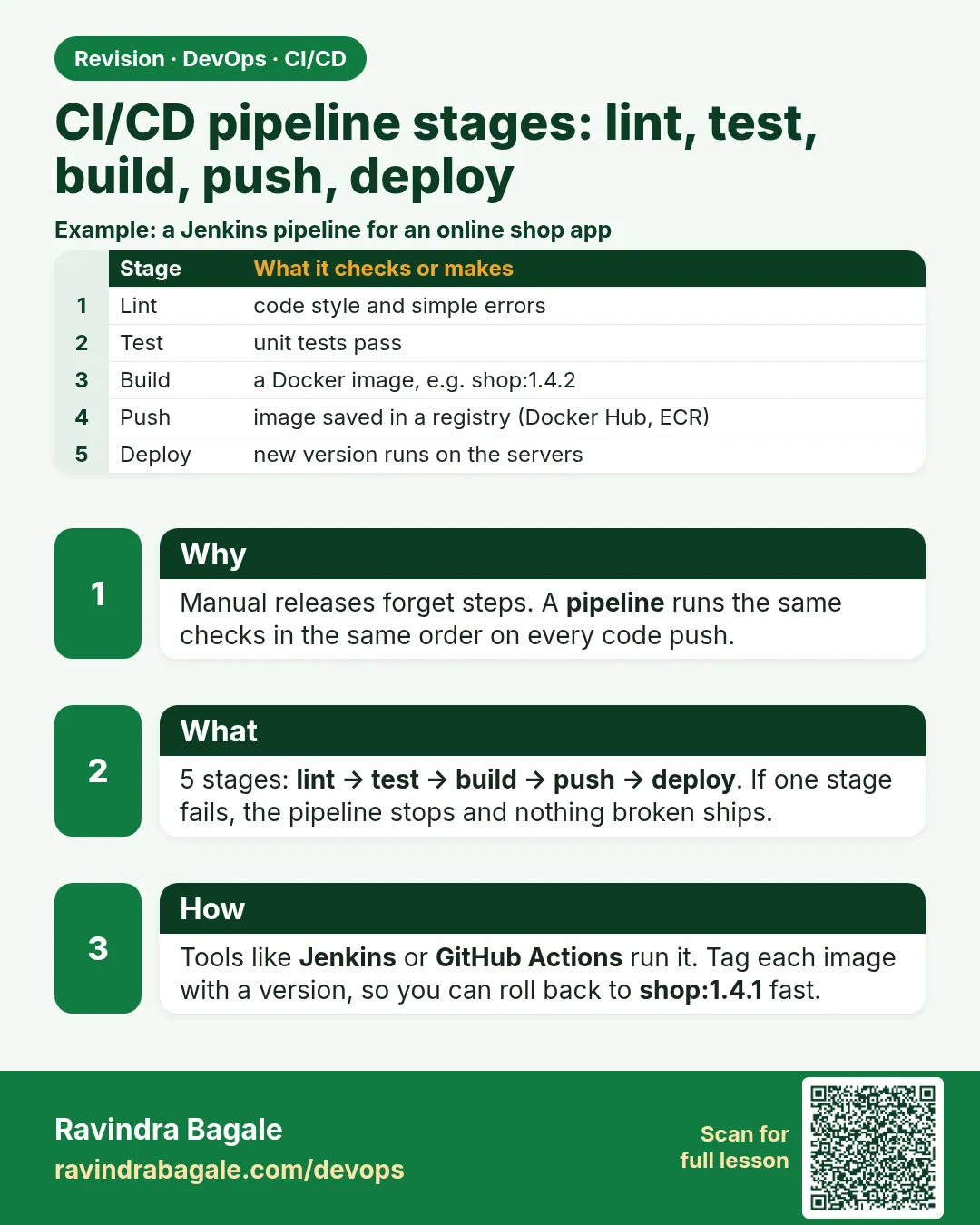
8.2 Pipeline stages — lint → test → build → push → deploy
Why: the problem
Think about how a Swiggy order moves. The restaurant checks the order. The cook makes the food. It is packed. A rider picks it up. It is delivered. Each step has one job and happens in a fixed order. Nobody packs the food before it is cooked. Code moves the same way. First we check the style of the code. This is lint. Then we run the tests. Then we build a package, usually a Docker image. Then we push that image to a registry, which is a store for images. Last, we deploy it to a server. These are the five classic pipeline stages: lint, test, build, push, deploy. Each stage answers one question. Is the code clean? Does it work? Can we pack it? Is the pack saved? Is it running for users? If a team mixes these up, for example builds the image before testing, it wastes time and can ship broken images.
What we will build
You will add a lint stage, a Dockerfile, a build stage, a push stage to a registry and a simple deploy stage to the badge API. You will write the full five-stage pipeline for GitHub Actions and GitLab CI, and a Jenkinsfile, and see the same order in all three.
What: every term in plain English
- Lint — A fast check of code style and simple mistakes, without running the code. Example tools: ruff, flake8, eslint.
- Test — Runs the code with known inputs and checks the answers.
- Build — Turns source code into something you can run, here a Docker image.
- Image — A packed app with its runtime and libraries. It runs the same everywhere.
- Registry — A store for images, like Docker Hub, GitHub Container Registry, Amazon ECR or GitLab Registry.
- Push — Upload the image to the registry.
- Deploy — Start the new image on a server or cluster so users get it.
- Tag — A label on an image, like badge-api:a3f2c1. It tells which version it is.
How: step by step
-
Lint by hand
pip install ruff && ruff check .What it does: Ruff is a very fast Python linter.
Output
All checks passed! -
Test by hand
python -m pytest -qWhat it does: Same test as before.
Output
1 passed in 0.20s -
Write the Dockerfile
Create Dockerfile from Example 1What it does: It packs the app with Python and gunicorn.
Output
(file created) -
Build by hand
docker build -t badge-api:dev .What it does: Builds the image locally.
Output
Successfully tagged badge-api:dev -
Run it by hand
docker run -d -p 8000:8000 --name badge badge-api:dev && curl -s localhost:8000/healthWhat it does: Proves the image works before CI builds it.
Output
{"status":"ok"} -
Push by hand (lab)
docker tag badge-api:dev ravi/badge-api:dev && docker push ravi/badge-api:devWhat it does: Uploads to your Docker Hub account after docker login.
Output
dev: digest: sha256:9b1f... size: 1789 -
Now put all five in the pipeline
Add the workflow from Example 2What it does: Same commands, same order, done by the machine.
Output
lint, test, build, push, deploy: all green
Example 1: The Dockerfile that the build stage uses
Stack. Docker
Goal. The Dockerfile that the build stage uses.
Dockerfile
FROM python:3.12-slim
WORKDIR /app
COPY requirements.txt .
RUN pip install --no-cache-dir -r requirements.txt gunicorn
COPY app.py .
EXPOSE 8000
CMD ["gunicorn", "-b", "0.0.0.0:8000", "app:app"]
What each line does
FROM python:3.12-slim— Start from a small official Python image.WORKDIR /app— All later commands run in /app.COPY requirements.txt .— Copy the list first, so Docker can cache the install layer.RUN pip install ...— Install Flask, pytest and gunicorn.EXPOSE 8000— Documents the port the app uses.CMD [...]— Start gunicorn, a real web server, on port 8000.
Green output
$ docker build -t badge-api:dev .
 => [1/4] FROM python:3.12-slim
 => [2/4] WORKDIR /app
 => [3/4] RUN pip install --no-cache-dir -r requirements.txt gunicorn
 => [4/4] COPY app.py .
 => naming to docker.io/library/badge-api:dev
$ curl -s localhost:8000/health
{"status":"ok"}
Expected result. The image runs on your laptop. The build stage will do exactly this on the runner.
Example 2: All five stages in GitHub Actions
Stack. GitHub Actions, Docker Hub
Goal. All five stages in GitHub Actions.
.github/workflows/cicd.yml
name: cicd
on:
  push:
    branches: [main]
jobs:
  lint:
    runs-on: ubuntu-latest
    steps:
      - uses: actions/checkout@v4
      - run: pip install ruff && ruff check .
  test:
    needs: lint
    runs-on: ubuntu-latest
    steps:
      - uses: actions/checkout@v4
      - run: pip install -r requirements.txt && python -m pytest -q
  build-push:
    needs: test
    runs-on: ubuntu-latest
    steps:
      - uses: actions/checkout@v4
      - uses: docker/login-action@v3
        with:
          username: ${{ secrets.DOCKERHUB_USER }}
          password: ${{ secrets.DOCKERHUB_TOKEN }}
      - run: docker build -t ravi/badge-api:${{ github.sha }} .
      - run: docker push ravi/badge-api:${{ github.sha }}
  deploy:
    needs: build-push
    runs-on: ubuntu-latest
    environment: staging
    steps:
      - run: echo "ssh to staging and run ravi/badge-api:${{ github.sha }}"
What each line does
branches: [main]— Only pushes to main run the full five stages.lint then test— Lint is first because it is fastest, about 2 seconds.docker/login-action— Logs in to Docker Hub with secrets, never with a password in the file.secrets.DOCKERHUB_TOKEN— A secret saved in repo settings. It is hidden in logs as ***.build-push— Build and push are in one job so the image does not need copying between machines.environment: staging— Marks the deploy job with the staging environment (lesson 8.4).
Green output
lint        succeeded  6s
test        succeeded  21s
build-push  succeeded  48s
  ...: digest: sha256:4c2a... size: 1789
deploy      succeeded  3s
Expected result. Four green boxes in a line. If lint fails, nothing else even starts.
Example 3: The same five stages in GitLab CI and Jenkins
Stack. GitLab CI, Jenkins
Goal. The same five stages in GitLab CI and Jenkins.
.gitlab-ci.yml
stages: [lint, test, build, deploy]
lint:
  stage: lint
  image: python:3.12-slim
  script: [pip install ruff, ruff check .]
test:
  stage: test
  image: python:3.12-slim
  script: [pip install -r requirements.txt, python -m pytest -q]
build-push:
  stage: build
  image: docker:27
  services: [docker:27-dind]
  script:
    - docker login -u "$CI_REGISTRY_USER" -p "$CI_REGISTRY_PASSWORD" "$CI_REGISTRY"
    - docker build -t "$CI_REGISTRY_IMAGE:$CI_COMMIT_SHORT_SHA" .
    - docker push "$CI_REGISTRY_IMAGE:$CI_COMMIT_SHORT_SHA"
deploy:
  stage: deploy
  environment: staging
  script: [echo "deploy $CI_REGISTRY_IMAGE:$CI_COMMIT_SHORT_SHA"]
Jenkinsfile
pipeline {
    agent any
    environment { IMG = "ravi/badge-api:${env.GIT_COMMIT}" }
    stages {
        stage('Lint')  { steps { sh 'pip install ruff && ruff check .' } }
        stage('Test')  { steps { sh 'pip install -r requirements.txt && python -m pytest -q' } }
        stage('Build') { steps { sh 'docker build -t $IMG .' } }
        stage('Push') {
            steps {
                withCredentials([usernamePassword(credentialsId: 'dockerhub', usernameVariable: 'U', passwordVariable: 'P')]) {
                    sh 'echo $P | docker login -u $U --password-stdin && docker push $IMG'
                }
            }
        }
        stage('Deploy') { steps { echo "deploy $IMG to staging" } }
    }
}
What each line does
$CI_REGISTRY_IMAGE— GitLab gives every project its own registry path.$CI_REGISTRY_PASSWORD— A short-lived job token from GitLab, not a real password you type.withCredentials— Jenkins reads the Docker Hub login from its credential store and hides it in logs.--password-stdin— Passes the password through a pipe, so it is not in the process list.
Green output
GitLab:  lint passed, test passed, build-push passed, deploy passed
Jenkins: Lint, Test, Build, Push, Deploy  Finished: SUCCESS
Expected result. Same five stages, same commands, three tools. Only the variable names for commit id and login differ.
Verify: did it work?
-
Check the image is in the registry
docker pull ravi/badge-api:$(git rev-parse HEAD)What it does: The tag must be the commit you pushed.
Output
Status: Downloaded newer image for ravi/badge-api:a3f2c1d... -
Check stage order
Open the run graphWhat it does: lint must be first, deploy last.
Output
lint -> test -> build-push -> deploy
When it is red 1
denied: requested access to the resource is denied
Cause. The push used the wrong account name or the login failed.
Fix, step by step
- Check the image name starts with your own Docker Hub user, ravi/.
- Check the secrets DOCKERHUB_USER and DOCKERHUB_TOKEN exist.
- Make a new access token in Docker Hub if it expired.
When it is red 2
Cannot connect to the Docker daemon at unix:///var/run/docker.sock. Is the docker daemon running?
Cause. The GitLab job has no Docker service, or the Jenkins agent has no Docker.
Fix, step by step
- In GitLab add services: [docker:27-dind].
- In Jenkins, use an agent that has Docker installed and the jenkins user in the docker group.
When it is red 3
app.py:1:1: F401 [*] `os` imported but unused
Found 1 error.
Cause. Lint found an unused import. The pipeline stopped at lint.
Fix, step by step
- Run ruff check . --fix on your laptop.
- Commit the fix.
- Push again.
Cleanup
-
Remove the lab container
docker rm -f badgeWhat it does: Stops and deletes the local test container.
Output
badge
Practice tasks
Easy Lint by hand
Why: See what lint catches.
What to do: Add import os to app.py and run ruff check.
- Read the error code.
- Fix it with ruff check --fix.
Check: Ruff says All checks passed.
Medium Push to your own registry
Why: Learn the push step.
What to do: Create a Docker Hub access token and push the image from CI.
- Save the token as a secret.
- Use the login step.
Check: The tag appears in Docker Hub.
Hard Add a scan stage
Why: Real teams scan images.
What to do: Add trivy image ravi/badge-api:TAG after build.
- Make it fail on CRITICAL issues.
Check: The run shows a scan report.
Easy Say the five pipeline stages in two lines
Why: If you can say it simply, you understand it. Juniors and interviewers both want the short version first.
What to do: Write two short lines about the five pipeline stages for a fresher who knows only Linux, Git and Docker basics.
- Write the problem it solves.
- Write the one pipeline line or command you use for it.
- Read it aloud to a friend.
Check: A fresher understands it without asking a question.
Easy Keep a throwaway lab repo
Why: Practice needs a repo you can break. If it gets messy, you delete it and start again.
What to do: Make a small practice repo called badge-api with one Python file, one test and one Dockerfile.
- mkdir badge-api and cd into it
- git init -b main
- Add app.py, test_app.py and Dockerfile from this chapter, then commit.
Check: git log shows one commit and pytest prints 1 passed.
Medium Do it in a second CI tool
Why: CI/CD is the idea. The tool is only the syntax. The same stages must work in GitHub Actions, GitLab CI and Jenkins.
What to do: Write the pipeline from this lesson in a second CI tool.
- If you used GitHub Actions, write .gitlab-ci.yml or a Jenkinsfile now.
- Keep the same stage names and the same commands.
- Only the wrapper syntax should change.
Check: Same green result, same stage names, different tool.
Medium Break it on purpose
Why: You must know the red log by face. In a real outage there is no time to read slowly.
What to do: Cause one error from the "When it is red" part of this lesson and fix it.
- Follow the error section.
- Copy the exact red line from the job log into your notes.
- Write the fix in one line.
Check: You fixed it using only the steps, without searching the web.
Medium Write a one-page runbook
Why: At 2 a.m. nobody remembers pipeline menus. A short page saves the on-call person.
What to do: Write a one-page runbook for this lesson.
- Title, when to use, exact steps or pipeline lines, how to check, how to undo.
Check: A teammate can follow it alone.
Hard Explain it like an interview
Why: Interviewers want real stories, not definitions.
What to do: Record a 60 second answer about this lesson.
- Say the problem, the pipeline lines you wrote, and one error you hit.
Check: Your answer has a real pipeline line and a real error message.
Hard Draw the flow top to bottom
Why: A drawing shows the order of work and which stage waits for which.
What to do: Draw this lesson as boxes from top to bottom.
- Start at git push, go through each stage, end at the green run or the deployed app.
Check: Each box matches a real line in your job log.
Homework: try at home
Try at home
At home, build the full five-stage pipeline for badge-api in one tool. Then copy it to a second tool. Compare the two files line by line and circle what changed.
Recap
- Five classic stages: lint, test, build, push, deploy.
- Fast stages go first.
- The build stage makes an image; the push stage saves it in a registry.
- Registry logins come from secrets.
- The order is the same in every tool.
FAQ
Can I join build and push?
Yes. Many teams do both in one job so the image is not copied between machines.
Do I always need lint?
Yes. It is cheap and stops silly mistakes.
What if my app is not Docker?
The build stage makes some other package: a jar, a zip or a static site folder.
Where should deploy go first?
To staging, then to production after checks.
Is unit test enough?
No. Later you add integration tests and smoke tests after deploy.
How long should a pipeline take?
Aim for under 10 minutes for the main checks.
Interview questions
-
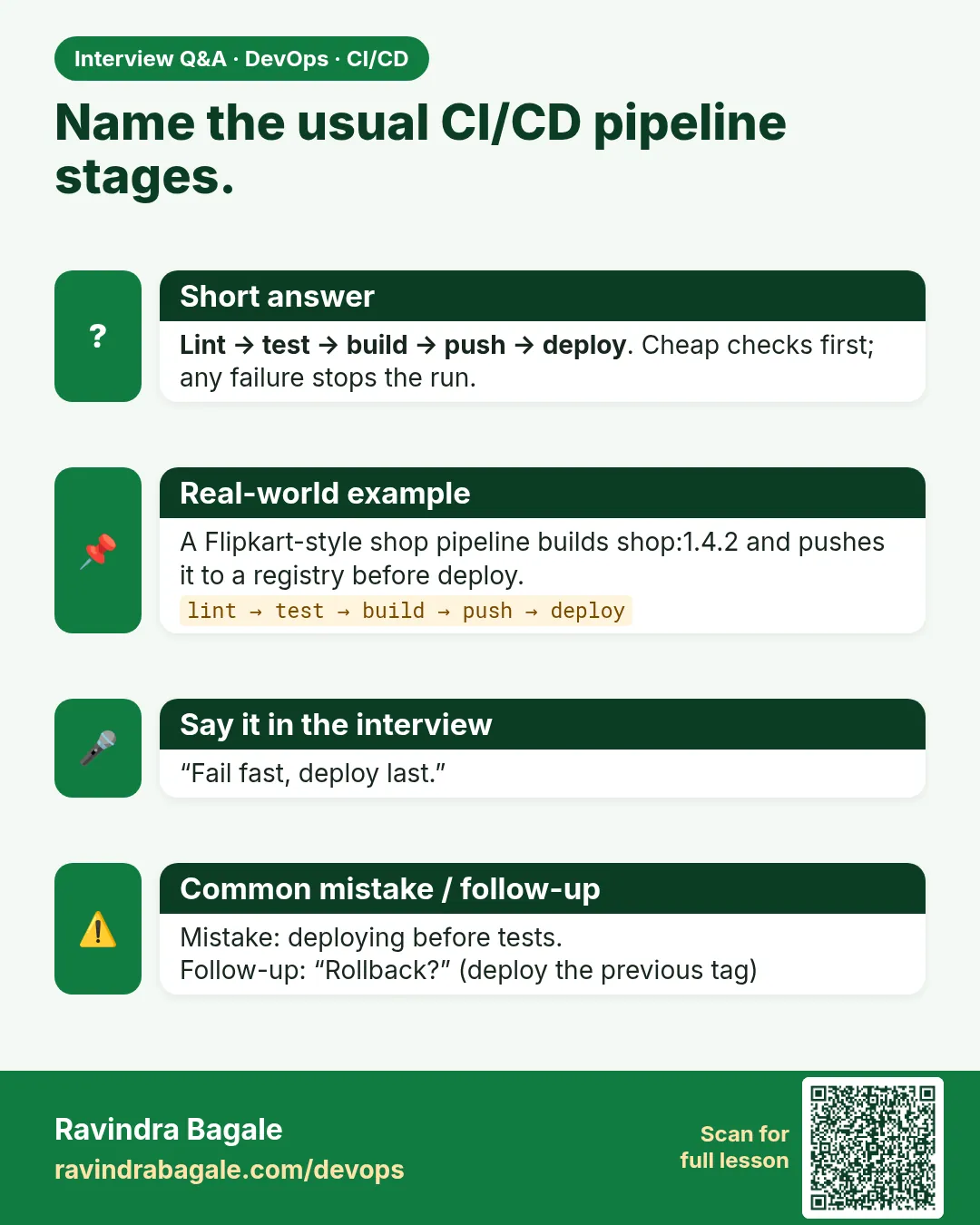
Explain the stages of a typical CI/CD pipeline.
Lint for style, test for correctness, build a package or image, push it to a registry, then deploy to an environment.
-
Why is order important?
Cheap, fast checks first save time. You never build or ship code that failed tests.
-
How do you pass registry credentials safely?
Save them as CI secrets or credentials and use login actions or --password-stdin.
-
What is a container registry?
A server that stores and serves Docker images, for example ECR, Docker Hub or GitLab Registry.
-
How do you make sure prod runs the tested image?
Build once, tag with the commit id, push it, and deploy that exact tag everywhere.
Quick quiz
Q1. Name the five classic stages in order.
Lint, test, build, push, deploy.
Q2. Why is lint first?
It is the fastest check and catches simple mistakes in seconds.
Q3. What is a registry?
A store for images, like Docker Hub or ECR.
Q4. Why tag images with the commit id?
So each image is unique and you know which code it has.
Q5. Where do registry passwords live?
In CI secrets or a credential store, never in the pipeline file.
Did you understand? Let us try it once more.
 Revision card
 Interview card