8.11 Lab — design badge API pipeline on paper
Why: the problem
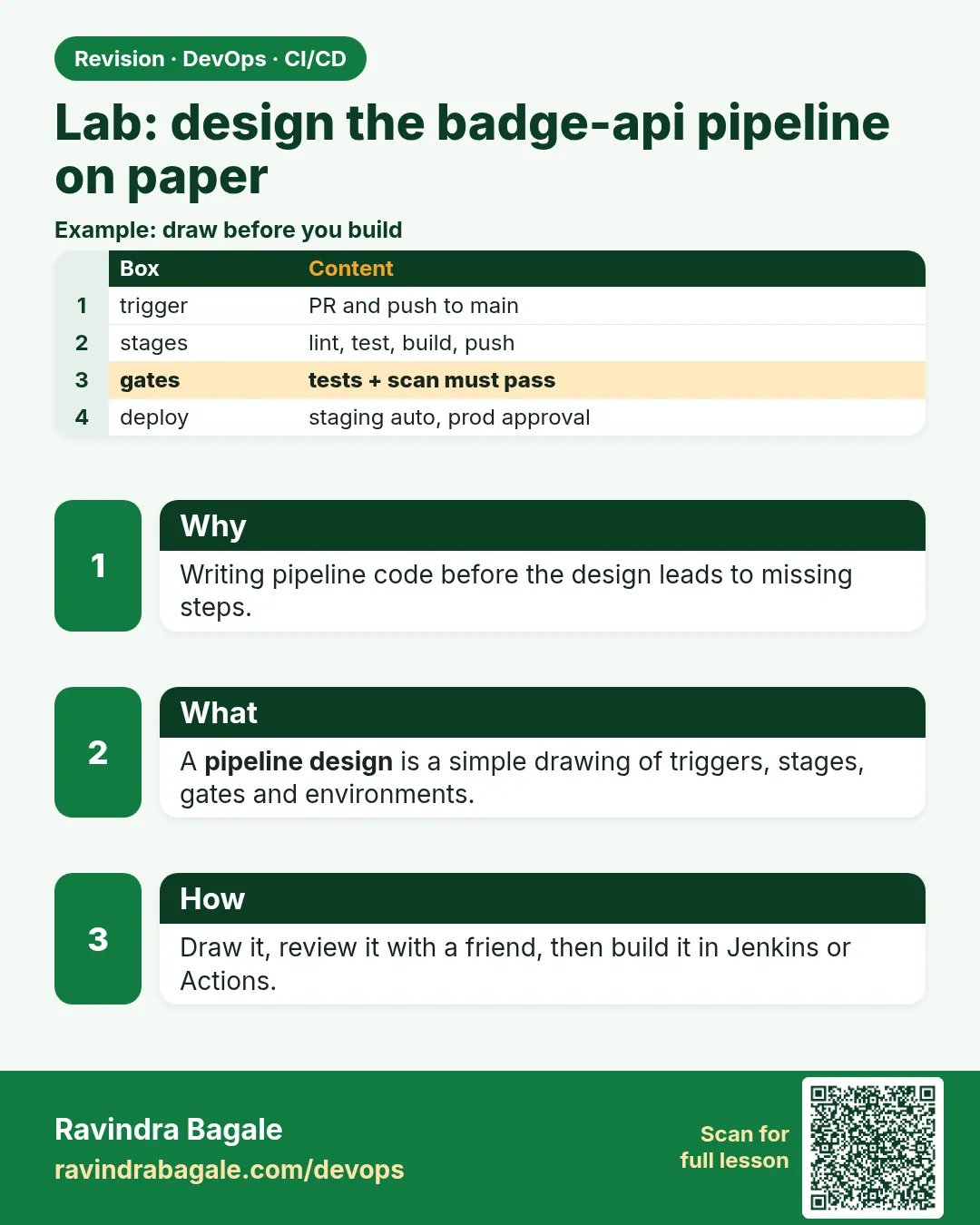
Now you know every piece: stages, artifacts, environments, gates, approval, ownership and release notes. In a real job, before anyone writes YAML, a senior engineer first designs the pipeline on paper. Why? Because YAML is the easy part. The hard part is the decisions. Which stage runs on a pull request and which only on main? What must be green before deploy? What is the tag? Who approves? How do we roll back at 2 a.m.? A team at Instagram or Swiggy that skips this design ends up with a messy pipeline that grows by copy and paste. In this lab you design the badge API pipeline on paper first, then turn the paper into a real, working pipeline in one tool, and check every decision against it.
What we will build
You will fill a one-page design table for the badge API pipeline: stages, triggers, gates, artifacts, tag scheme, environments, approval, secrets and rollback. Then you will turn it into a full pipeline file, run it, and do a rollback drill using only your design page.
What: every term in plain English
- Design doc — A short page that says what the pipeline does and why, before code.
- Trigger — What starts a stage: a pull request, a push to main or a tag.
- Gate — What must be green before the next stage.
- Tag scheme — The rule for naming images, like sha-SHORTSHA plus semver on release.
- Rollback plan — The exact command and tag to go back.
- Secret plan — Where each secret lives: CI secret store, cloud role or vault.
- Drill — A practice run of an incident, done on purpose.
How: step by step
-
Copy the design table
Create pipeline-design.md from Example 1What it does: One page, nine rows.
Output
(file created) -
Mark the fail-fast stage
Put lint first in the tableWhat it does: Cheapest check first.
Output
lint: first, about 5s -
Write the tag scheme
sha-SHORTSHA for every main build, vX.Y.Z on releaseWhat it does: Immutable and readable.
Output
sha-a3f2c1d, v0.3.1 -
Turn the table into YAML
Write the pipeline from Example 2What it does: Each row becomes one job.
Output
(file created) -
Run it end to end
git push origin mainWhat it does: Stages run in your designed order.
Output
lint, test, scan, build-push, deploy-staging, approve, deploy-prod -
Do a rollback drill
./deploy.sh staging sha-99bb01 && curl -fsS https://staging.badge.example.com/versionWhat it does: Use only your design page.
Output
{"commit":"99bb01","version":"0.3.0"}
Example 1: The one-page design table
Stack. Markdown
Goal. The one-page design table.
pipeline-design.md
# badge-api pipeline design

| Stage          | Trigger      | Must be green before   | Artifact            |
|----------------|--------------|------------------------|---------------------|
| lint           | PR and main  | (first, fail fast)     | none                |
| test           | PR and main  | lint                   | report.xml          |
| secret-scan    | PR and main  | (parallel with lint)   | none                |
| build-push     | main only    | test, secret-scan      | ravi/badge-api:sha-SHORTSHA |
| deploy-staging | main only    | build-push             | none                |
| approve        | main only    | staging smoke /health  | approver name       |
| deploy-prod    | main only    | approve                | none                |
| release        | tag vX.Y.Z   | CHANGELOG entry exists | release page        |

Tags: sha-SHORTSHA on every main build; vX.Y.Z on releases.
Secrets: DOCKERHUB_TOKEN and DEPLOY_SSH_KEY in CI secret store, never in Git.
Rollback: if prod /health fails, run ./deploy.sh prod sha-PREVIOUS (from CHANGELOG.md).
Owner of red main: commit author, else build cop in ONCALL.md.
What each line does
Trigger column— PRs get checks only; main gets deploys.Must be green before— This is your gate list.Artifact column— What each stage leaves behind.Tags line— Immutable sha tag plus human semver.Secrets line— One sentence, but it stops the biggest anti-pattern.Rollback line— The exact command to use at 2 a.m.
Green output
$ wc -l pipeline-design.md
18 pipeline-design.md
Expected result. One page. A new teammate reads it in two minutes and understands the whole pipeline.
Example 2: The design turned into a real pipeline (GitHub Actions)
Stack. GitHub Actions
Goal. The design turned into a real pipeline (GitHub Actions).
.github/workflows/cicd.yml
name: cicd
on:
  pull_request:
  push:
    branches: [main]
concurrency:
  group: cicd-${{ github.ref }}
  cancel-in-progress: true
jobs:
  lint:
    runs-on: ubuntu-latest
    steps:
      - uses: actions/checkout@v4
      - run: pip install ruff && ruff check .
  secret-scan:
    runs-on: ubuntu-latest
    steps:
      - uses: actions/checkout@v4
        with: { fetch-depth: 0 }
      - run: docker run --rm -v "$PWD":/repo zricethezav/gitleaks:latest detect --source /repo --redact
  test:
    needs: lint
    runs-on: ubuntu-latest
    steps:
      - uses: actions/checkout@v4
      - run: pip install -r requirements.txt pytest-cov && python -m pytest -q --cov=app --cov-fail-under=80 --junitxml=report.xml
      - uses: actions/upload-artifact@v4
        if: always()
        with: { name: test-report, path: report.xml }
  build-push:
    needs: [test, secret-scan]
    if: github.ref == 'refs/heads/main'
    runs-on: ubuntu-latest
    outputs: { tag: "${{ steps.s.outputs.tag }}" }
    steps:
      - uses: actions/checkout@v4
      - id: s
        run: echo "tag=sha-${GITHUB_SHA::7}" >> "$GITHUB_OUTPUT"
      - uses: docker/login-action@v3
        with:
          username: ${{ secrets.DOCKERHUB_USER }}
          password: ${{ secrets.DOCKERHUB_TOKEN }}
      - run: docker build -t ravi/badge-api:${{ steps.s.outputs.tag }} . && docker push ravi/badge-api:${{ steps.s.outputs.tag }}
  deploy-staging:
    needs: build-push
    runs-on: ubuntu-latest
    environment: staging
    steps:
      - uses: actions/checkout@v4
      - run: ./deploy.sh staging ${{ needs.build-push.outputs.tag }}
      - run: curl -fsS https://staging.badge.example.com/health
  deploy-prod:
    needs: [build-push, deploy-staging]
    runs-on: ubuntu-latest
    environment: production
    steps:
      - uses: actions/checkout@v4
      - run: ./deploy.sh prod ${{ needs.build-push.outputs.tag }}
      - run: curl -fsS https://badge.example.com/health
What each line does
pull_request + push main— Matches the Trigger column.lint first, secret-scan parallel— Matches fail fast.test needs lint— Matches the gate column.if: main for build-push— PRs never push images.environment: production— Approval comes from the reviewer rule (lesson 8.6).curl -fsS after each deploy— Smoke test that can turn the job red.
Green output
lint            succeeded   5s
secret-scan     succeeded   9s
test            succeeded   24s  Total coverage: 86%
build-push      succeeded   52s  ravi/badge-api:sha-a3f2c1d
deploy-staging  succeeded   {"status":"ok","env":"staging"}
deploy-prod     waiting for review -> approved -> succeeded
Expected result. Every row of the design page became a job. If a job is not in the table, ask why it exists.
Example 3: The same design in GitLab CI, plus the rollback drill
Stack. GitLab CI, Bash
Goal. The same design in GitLab CI, plus the rollback drill.
.gitlab-ci.yml
workflow:
  rules:
    - if: $CI_PIPELINE_SOURCE == "merge_request_event"
    - if: $CI_COMMIT_BRANCH == "main"
stages: [check, build, staging, prod]
lint:
  stage: check
  image: python:3.12-slim
  script: [pip install ruff, ruff check .]
test:
  stage: check
  image: python:3.12-slim
  script: [pip install -r requirements.txt pytest-cov, python -m pytest -q --cov=app --cov-fail-under=80]
build-push:
  stage: build
  image: docker:27
  services: [docker:27-dind]
  rules: [{ if: $CI_COMMIT_BRANCH == "main" }]
  script:
    - docker login -u "$CI_REGISTRY_USER" -p "$CI_REGISTRY_PASSWORD" "$CI_REGISTRY"
    - docker build -t "$CI_REGISTRY_IMAGE:sha-$CI_COMMIT_SHORT_SHA" .
    - docker push "$CI_REGISTRY_IMAGE:sha-$CI_COMMIT_SHORT_SHA"
deploy-staging:
  stage: staging
  environment: staging
  rules: [{ if: $CI_COMMIT_BRANCH == "main" }]
  script: [./deploy.sh staging "sha-$CI_COMMIT_SHORT_SHA", curl -fsS https://staging.badge.example.com/health]
deploy-prod:
  stage: prod
  environment: production
  rules: [{ if: $CI_COMMIT_BRANCH == "main", when: manual }]
  allow_failure: false
  script: [./deploy.sh prod "sha-$CI_COMMIT_SHORT_SHA"]
rollback drill
# read the rollback line, do not guess
grep -m1 "Rollback:" CHANGELOG.md
./deploy.sh staging sha-99bb01
curl -fsS https://staging.badge.example.com/version
# then go forward again
./deploy.sh staging sha-a3f2c1
What each line does
workflow: rules— Pipelines for merge requests and main only.stages: [check, build, staging, prod]— Same order as the design page.when: manual— The approve row.grep -m1 "Rollback:"— The drill uses the notes, not memory.Go forward again— A drill ends with the system back to normal.
Green output
$ grep -m1 "Rollback:" CHANGELOG.md
- Rollback: redeploy sha-99bb01
$ ./deploy.sh staging sha-99bb01
deploying sha sha-99bb01 to staging
$ curl -fsS https://staging.badge.example.com/version
{"commit":"99bb01","version":"0.3.0"}
Expected result. The design page, two pipeline files and a working rollback. This is a complete answer to "design a CI/CD pipeline" in any interview.
Verify: did it work?
-
Tick every row
Compare pipeline-design.md with the run graphWhat it does: Each row must have a job, and each job a row.
Output
8 rows, 8 jobs -
Time the drill
time ./deploy.sh staging sha-99bb01What it does: Rollback should take minutes.
Output
real 0m41s
When it is red 1
A job runs on PRs that should be main only
Cause. The if or rules line is missing.
Fix, step by step
- Add if: github.ref == refs/heads/main or rules with CI_COMMIT_BRANCH.
- Check the Trigger column again.
When it is red 2
deploy-prod ran without approval
Cause. The production environment has no reviewers, or when: manual is missing.
Fix, step by step
- Add required reviewers or when: manual.
- Test with a dummy change.
When it is red 3
Rollback failed: image sha-99bb01 not found
Cause. The old image was cleaned up.
Fix, step by step
- Keep released images.
- Add the retention rule from lesson 8.10.
Cleanup
-
Reset staging to the current version
./deploy.sh staging sha-a3f2c1What it does: Leave staging on the latest good version after the drill.
Output
deploying sha sha-a3f2c1 to staging
Ravindra Bagale's Tip
Design on paper first, then write YAML. Do a rollback drill at least once. Keep that in mind!
आधी कागदावर design करा, मग YAML लिहा. Rollback drill एकदा तरी करा. लक्षात ठेवा!
पहले कागज़ पर design करो, फिर YAML लिखो. Rollback drill कम से कम एक बार करो. याद रखो!
Practice tasks
Easy Fill the table
Why: Make decisions first.
What to do: Fill the nine-row table for badge-api.
- Use the example as a guide.
Check: Every row is filled.
Medium Build from the table
Why: Turn paper into code.
What to do: Write the pipeline in one tool.
- One job per row.
Check: Run graph matches the table.
Hard Second tool
Why: Prove it is tool neutral.
What to do: Write the same design in a second tool.
- Keep stage names.
Check: Both runs are green.
Easy Say designing a full pipeline in two lines
Why: If you can say it simply, you understand it. Juniors and interviewers both want the short version first.
What to do: Write two short lines about designing a full pipeline for a fresher who knows only Linux, Git and Docker basics.
- Write the problem it solves.
- Write the one pipeline line or command you use for it.
- Read it aloud to a friend.
Check: A fresher understands it without asking a question.
Easy Keep a throwaway lab repo
Why: Practice needs a repo you can break. If it gets messy, you delete it and start again.
What to do: Make a small practice repo called badge-api with one Python file, one test and one Dockerfile.
- mkdir badge-api and cd into it
- git init -b main
- Add app.py, test_app.py and Dockerfile from this chapter, then commit.
Check: git log shows one commit and pytest prints 1 passed.
Medium Do it in a second CI tool
Why: CI/CD is the idea. The tool is only the syntax. The same stages must work in GitHub Actions, GitLab CI and Jenkins.
What to do: Write the pipeline from this lesson in a second CI tool.
- If you used GitHub Actions, write .gitlab-ci.yml or a Jenkinsfile now.
- Keep the same stage names and the same commands.
- Only the wrapper syntax should change.
Check: Same green result, same stage names, different tool.
Medium Break it on purpose
Why: You must know the red log by face. In a real outage there is no time to read slowly.
What to do: Cause one error from the "When it is red" part of this lesson and fix it.
- Follow the error section.
- Copy the exact red line from the job log into your notes.
- Write the fix in one line.
Check: You fixed it using only the steps, without searching the web.
Medium Write a one-page runbook
Why: At 2 a.m. nobody remembers pipeline menus. A short page saves the on-call person.
What to do: Write a one-page runbook for this lesson.
- Title, when to use, exact steps or pipeline lines, how to check, how to undo.
Check: A teammate can follow it alone.
Hard Explain it like an interview
Why: Interviewers want real stories, not definitions.
What to do: Record a 60 second answer about this lesson.
- Say the problem, the pipeline lines you wrote, and one error you hit.
Check: Your answer has a real pipeline line and a real error message.
Hard Draw the flow top to bottom
Why: A drawing shows the order of work and which stage waits for which.
What to do: Draw this lesson as boxes from top to bottom.
- Start at git push, go through each stage, end at the green run or the deployed app.
Check: Each box matches a real line in your job log.
Homework: try at home
Try at home
At home, fill the design table for your own small app, turn it into a pipeline in one tool, and run a rollback drill on staging. Keep the page; you will use it in the next chapters.
Recap
- Design the pipeline on paper first.
- Each row: trigger, gate, artifact.
- PRs get checks; main gets deploys.
- Tags are immutable sha plus release semver.
- Practice rollback with a drill.
FAQ
Do real teams write design docs for pipelines?
Yes, often a short page or a README section.
How detailed should the page be?
One page. If longer, the pipeline may be too complex.
Should the design change later?
Yes. Update the page in the same PR as the YAML.
Is this enough for production?
It is a solid base. Later add OIDC, canaries and monitoring.
Which tool should I pick for the lab?
Any. The design is the same.
Interview questions
-
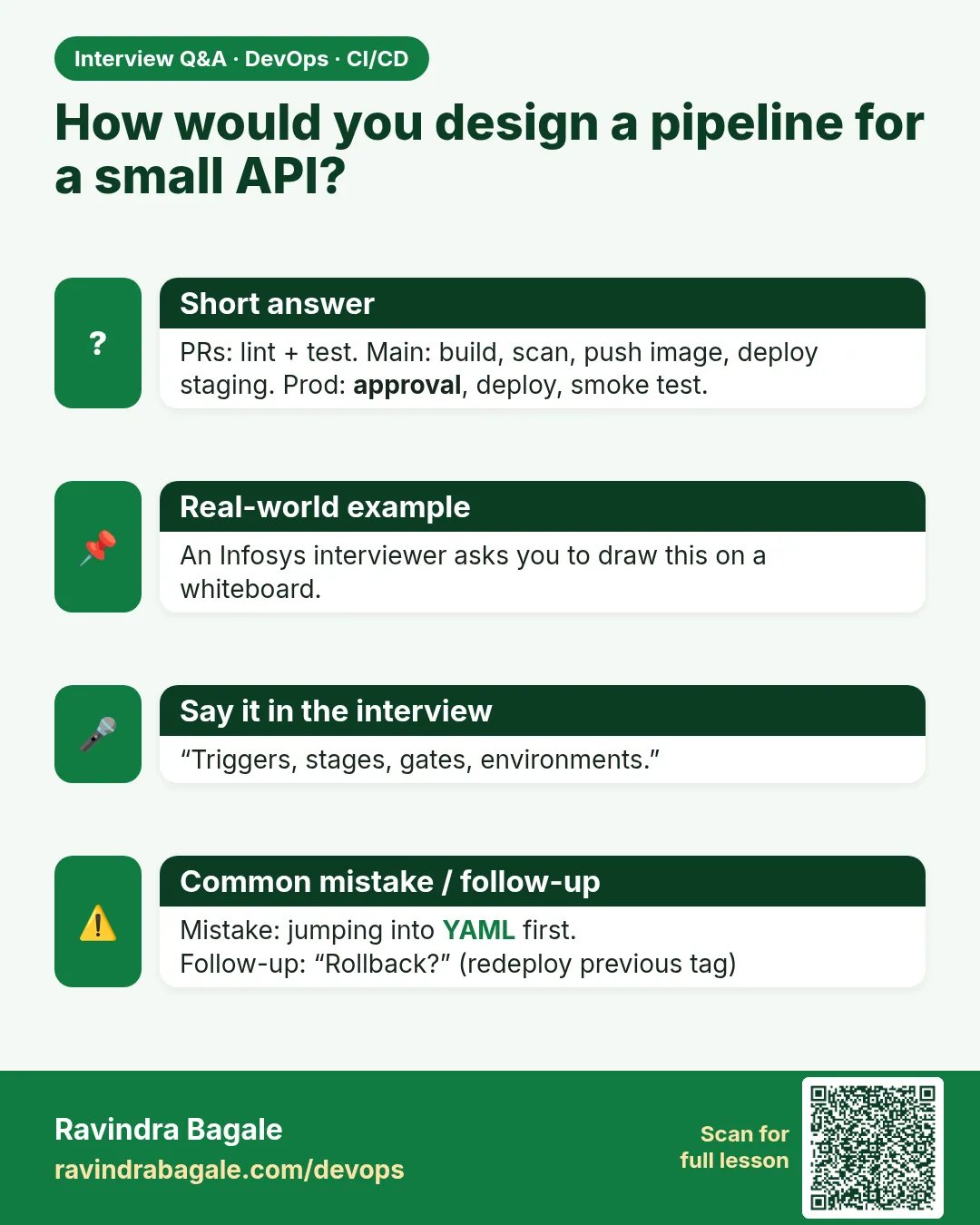
Design a CI/CD pipeline for a small API.
Lint and tests on PRs; on main build and push a sha-tagged image, deploy to staging with a smoke test, approve, deploy to prod, and a rollback to the previous tag.
-
How do you decide what runs on PRs vs main?
PRs run checks only; main also builds, pushes and deploys.
-
How do you plan secrets?
CI secret store or cloud roles; never in Git; scan for leaks.
-
How do you make rollback reliable?
Immutable tags, kept images, notes with the previous tag, and regular drills.
-
How do you keep the pipeline maintainable?
A design page, CODEOWNERS on pipeline files, and the same stage names across services.
Quick quiz
Q1. What do you design before writing YAML?
Stages, triggers, gates, artifacts, tags, secrets, approval and rollback.
Q2. Which stage should run first?
The cheapest fail-fast check, like lint.
Q3. Which stages run on PRs?
Checks only: lint, test, scan.
Q4. How is rollback done?
Redeploy the previous sha tag from the notes.
Q5. Why a drill?
To prove rollback works before a real incident.
Lab
Design (paper, whiteboard, or markdown note — no need to automate yet) a pipeline for Instagram-style badge API.
- List stages: lint, test, build, push, deploy-staging, approve, deploy-prod.
- For each stage write: trigger (PR vs main), what must be green, artifact produced (if any).
- Mark one fail-fast stage that should run first.
- Write the image tag scheme you will use (include git SHA idea).
- Write rollback: "If prod health fails, redeploy tag ____."
- Note where secrets will live later (not in Git) — one sentence.
- Keep the page — you will turn parts of it into GitHub Actions next chapter.
Practice task
Explain in five lines to a project manager: why the conveyor stops when a test fails, using badge API peak traffic as the story.
Thodkyaat sangaycha tar
- CI verifies every change; CD is delivery and/or deployment depending on company language.
- Typical stages: lint → test → build → push → deploy (staging then prod).
- Promote the same versioned artifact; avoid mystery rebuilds on the server.
- Environments separate config and risk; staging rehearses before production.
- Fail fast + quality gates; manual prod approval when risk or learning demands it.
- "CI green" is necessary but not always sufficient for a safe prod push.
Did you understand? Let us try it once more.
 Revision card
 Interview card