8.8c Who owns a red build?
Why: the problem
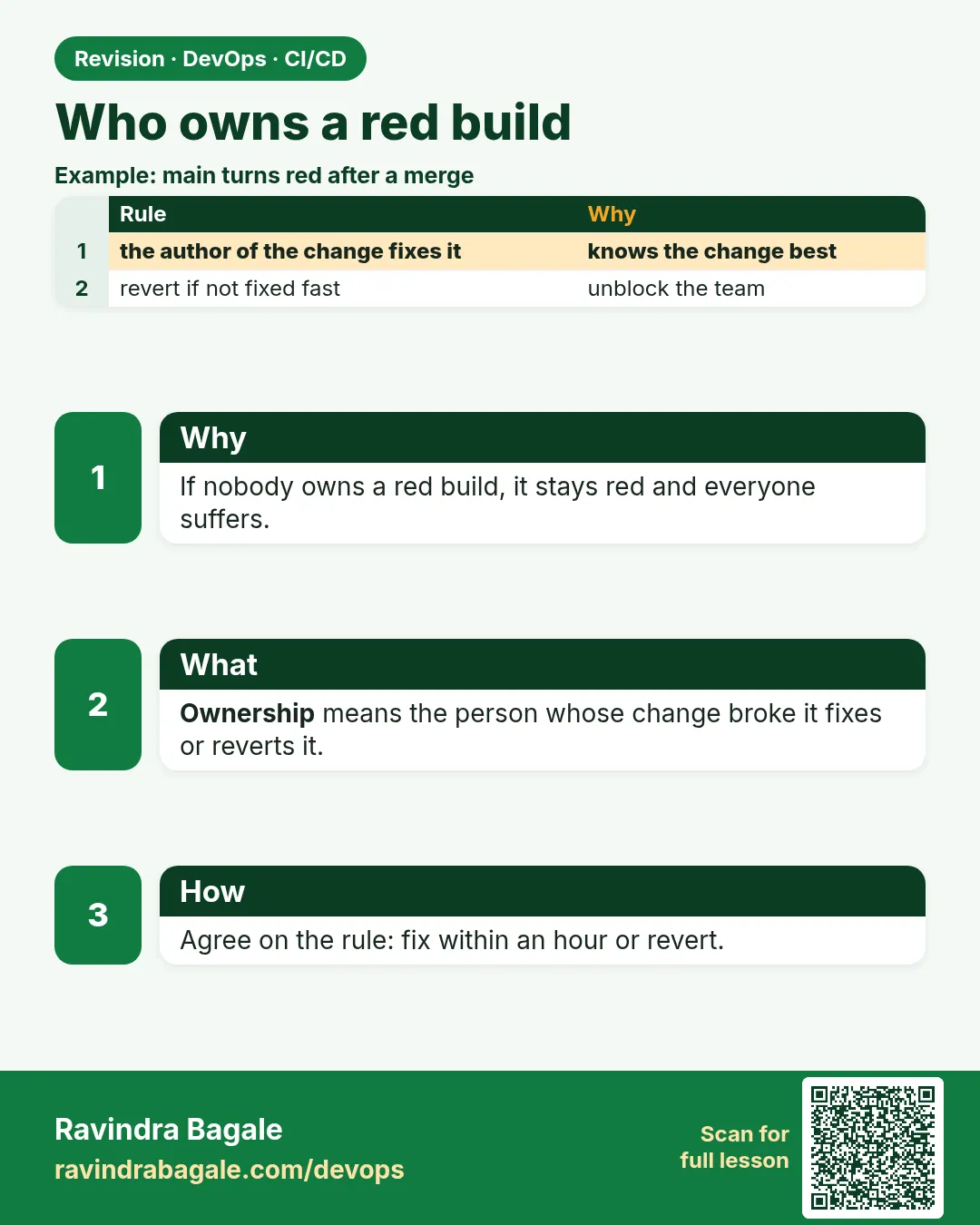
It is Tuesday morning at a Flipkart-style team. main is red. Ten developers see it. Each thinks someone else will fix it. Two hours later it is still red, and everyone's pull requests are blocked. This is called the bystander problem. Healthy teams agree on simple rules before this happens. The person whose commit turned main red owns it. They either fix it fast or revert their commit. If they are away, the on-call engineer or build cop owns it. A red main is the top priority, before new features. Nobody merges on top of red. These rules sound strict, but they keep the whole team moving. They are also kind: everyone breaks the build sometimes, and the rule says fix, not blame.
What we will build
You will set up ownership for badge-api: a CODEOWNERS file so the right people review pipeline files, an automatic message to the commit author on a red main, a "revert first" habit with one command, and a simple on-call rota file. You will do it in GitHub Actions, GitLab CI and Jenkins.
What: every term in plain English
- Owner — The person responsible for making a red build green again.
- Commit author — The person whose commit is in the red run. First owner.
- Build cop or on-call — A person on duty this week who owns red builds when the author is away.
- Revert — A new commit that undoes a bad commit. Quick and safe.
- CODEOWNERS — A file that names who must review changes to some paths.
- Blameless — Talk about what failed and how to stop it, not who to blame.
- Bystander problem — Many people see a problem and nobody acts.
How: step by step
-
Find who broke it
git log -1 --format="%h %an %s" FAILED_SHAWhat it does: The author is the first owner.
Output
91be0aa Priya bump flask -
Tell them fast
Use the notify job from Example 2What it does: The author gets a message within a minute.
Output
Slack: main red at 91be0aa by Priya -
Revert if no quick fix
git revert --no-edit 91be0aa && git pushWhat it does: main is green again. The fix can come later.
Output
[main 5d3e9f1] Revert "bump flask" -
Name the code owners
Add .github/CODEOWNERS from Example 1What it does: Pipeline file changes need a DevOps review.
Output
(file created) -
Publish the on-call rota
Add ONCALL.md with names per weekWhat it does: Everyone knows who owns red builds this week.
Output
Week 44: Ravi -
Write a short note
Add one line to notes/ci-incidents.mdWhat it does: Blameless: what failed and the fix.
Output
91be0aa flask 3.1 changed API, reverted, fix in 2b7a4c0
Example 1: CODEOWNERS and the on-call rota
Stack. Git host rules
Goal. CODEOWNERS and the on-call rota.
.github/CODEOWNERS
# path                         owners
*                              @ravi/badge-devs
.github/workflows/             @ravi/devops
.gitlab-ci.yml                 @ravi/devops
Jenkinsfile                    @ravi/devops
Dockerfile                     @ravi/devops
ONCALL.md
# Build cop rota (owns red main if author is away)
Week 44 (26 Oct - 1 Nov): Ravi
Week 45 (2 Nov - 8 Nov): Priya
Week 46 (9 Nov - 15 Nov): Amit
Rules:
1. Author owns their red main. Fix in 15 minutes or revert.
2. Nobody merges on red main.
3. Write one line in notes/ci-incidents.md.
What each line does
* @ravi/badge-devs— Every file needs a review from the dev team..github/workflows/ @ravi/devops— Pipeline files also need the DevOps team.Jenkinsfile, Dockerfile— Same rule for these files.Rule 1— 15 minutes or revert. Simple and fair.Rule 2— Merging on red hides new bugs under old ones.
Green output
Pull request #57 changes .github/workflows/cicd.yml
Review required from @ravi/devops
Priya requested changes...
Expected result. GitLab has the same CODEOWNERS file format, at the repo root or in .gitlab/. Jenkins teams use the Git host rules the same way.
Example 2: Tell the author when main turns red (GitHub Actions)
Stack. GitHub Actions, Slack webhook
Goal. Tell the author when main turns red (GitHub Actions).
.github/workflows/notify.yml
name: notify-red
on:
  workflow_run:
    workflows: [cicd]
    types: [completed]
    branches: [main]
jobs:
  tell:
    if: ${{ github.event.workflow_run.conclusion == 'failure' }}
    runs-on: ubuntu-latest
    steps:
      - run: |
          curl -fsS -X POST -H "Content-Type: application/json" \
            -d "{\"text\":\"main red at ${{ github.event.workflow_run.head_sha }} by ${{ github.event.workflow_run.actor.login }}. Fix in 15 min or revert. ${{ github.event.workflow_run.html_url }}\"}" \
            "${{ secrets.SLACK_WEBHOOK_URL }}"
What each line does
workflow_run— Runs after the cicd workflow ends.conclusion == failure— Only when it is red.actor.login— The person who pushed.html_url— A link to the red run.SLACK_WEBHOOK_URL— The webhook address is a secret. It is never written in the file.
Green output
notify-red / tell  succeeded
Slack #badge-ci: main red at 91be0aa by priya. Fix in 15 min or revert. (link)
Expected result. The author is named in the team channel in under a minute. No bystander problem.
Example 3: The same rules in GitLab CI and Jenkins
Stack. GitLab CI, Jenkins
Goal. The same rules in GitLab CI and Jenkins.
.gitlab-ci.yml (notify job)
notify-red:
  stage: .post
  when: on_failure
  rules:
    - if: $CI_COMMIT_BRANCH == "main"
  script:
    - >
      curl -fsS -X POST -H "Content-Type: application/json"
      -d "{\"text\":\"main red at $CI_COMMIT_SHORT_SHA by $GITLAB_USER_LOGIN $CI_PIPELINE_URL\"}"
      "$SLACK_WEBHOOK_URL"
Jenkinsfile (post block)
post {
    failure {
        script {
            if (env.BRANCH_NAME == 'main') {
                def who = sh(script: "git log -1 --format=%an", returnStdout: true).trim()
                slackSend channel: '#badge-ci', color: 'danger',
                    message: "main red at ${env.GIT_COMMIT.take(7)} by ${who}. ${env.BUILD_URL}"
            }
        }
    }
}
What each line does
stage: .post— A built-in GitLab stage that runs at the very end.when: on_failure— Run only if something earlier failed.post { failure { } }— Jenkins runs this block only when the build fails.slackSend— Jenkins Slack plugin step. The token is in Jenkins credentials.
Green output
GitLab: notify-red passed -> message in #badge-ci
Jenkins: [Pipeline] slackSend  -> message in #badge-ci
Finished: FAILURE
Expected result. Each tool has a "run on failure" hook. Use it to name the owner, not to shout at the team.
Verify: did it work?
-
Check the notify path
Push a failing test to a test branch named main in a forkWhat it does: A message must arrive.
Output
main red at ... by ravi -
Check CODEOWNERS works
Open a PR that edits the pipeline fileWhat it does: DevOps review must be required.
Output
Review required from @ravi/devops
When it is red 1
CODEOWNERS: Unknown owner on line 3: make sure @ravi/devops exists and has write access
Cause. The team name is wrong or has no access.
Fix, step by step
- Create the team and give it write access.
- Use the exact team slug.
When it is red 2
curl: (22) The requested URL returned error: 404 (webhook)
Cause. The Slack webhook was deleted or the secret is wrong.
Fix, step by step
- Make a new incoming webhook in Slack.
- Update the secret SLACK_WEBHOOK_URL.
When it is red 3
Two people revert the same commit
Cause. No clear owner, both acted.
Fix, step by step
- The second revert re-applies the bad commit, so check git log first.
- Follow the rule: author first, then build cop.
Cleanup
-
Close the loop
echo "2026-10-27 main red 25 min, owner priya, reverted" >> notes/ci-incidents.mdWhat it does: A short blameless record.
Output
(no output)
Ravindra Bagale's Tip
If main is red, do not think someone else will fix it. Fix in 15 minutes or revert. Keep that in mind!
Main red असेल तर कोणीतरी करेल असा विचार करू नका. १५ मिनिटांत fix करा नाहीतर revert करा. लक्षात ठेवा!
Main red हो तो कोई और करेगा ऐसा मत सोचो. १५ मिनट में fix करो नहीं तो revert करो. याद रखो!
Practice tasks
Easy Write ONCALL.md
Why: Make ownership clear.
What to do: Write a three-week rota.
- Add the three rules.
Check: Everyone knows the owner.
Medium Practice a revert
Why: Make revert normal.
What to do: Revert a commit on a practice repo.
- git revert --no-edit SHA
Check: main is green again.
Hard Measure time to green
Why: Track ownership.
What to do: Log how long main stays red for a month.
- Use run timestamps.
Check: You have a median time to green.
Easy Say ownership of red builds in two lines
Why: If you can say it simply, you understand it. Juniors and interviewers both want the short version first.
What to do: Write two short lines about ownership of red builds for a fresher who knows only Linux, Git and Docker basics.
- Write the problem it solves.
- Write the one pipeline line or command you use for it.
- Read it aloud to a friend.
Check: A fresher understands it without asking a question.
Easy Keep a throwaway lab repo
Why: Practice needs a repo you can break. If it gets messy, you delete it and start again.
What to do: Make a small practice repo called badge-api with one Python file, one test and one Dockerfile.
- mkdir badge-api and cd into it
- git init -b main
- Add app.py, test_app.py and Dockerfile from this chapter, then commit.
Check: git log shows one commit and pytest prints 1 passed.
Medium Do it in a second CI tool
Why: CI/CD is the idea. The tool is only the syntax. The same stages must work in GitHub Actions, GitLab CI and Jenkins.
What to do: Write the pipeline from this lesson in a second CI tool.
- If you used GitHub Actions, write .gitlab-ci.yml or a Jenkinsfile now.
- Keep the same stage names and the same commands.
- Only the wrapper syntax should change.
Check: Same green result, same stage names, different tool.
Medium Break it on purpose
Why: You must know the red log by face. In a real outage there is no time to read slowly.
What to do: Cause one error from the "When it is red" part of this lesson and fix it.
- Follow the error section.
- Copy the exact red line from the job log into your notes.
- Write the fix in one line.
Check: You fixed it using only the steps, without searching the web.
Medium Write a one-page runbook
Why: At 2 a.m. nobody remembers pipeline menus. A short page saves the on-call person.
What to do: Write a one-page runbook for this lesson.
- Title, when to use, exact steps or pipeline lines, how to check, how to undo.
Check: A teammate can follow it alone.
Hard Explain it like an interview
Why: Interviewers want real stories, not definitions.
What to do: Record a 60 second answer about this lesson.
- Say the problem, the pipeline lines you wrote, and one error you hit.
Check: Your answer has a real pipeline line and a real error message.
Hard Draw the flow top to bottom
Why: A drawing shows the order of work and which stage waits for which.
What to do: Draw this lesson as boxes from top to bottom.
- Start at git push, go through each stage, end at the green run or the deployed app.
Check: Each box matches a real line in your job log.
Homework: try at home
Try at home
At home, add CODEOWNERS and a notify-on-red job to your repo, break main on purpose, and see the message name you as owner. Then revert within 15 minutes.
Recap
- The author owns a red main first, then the build cop.
- Fix in 15 minutes or revert.
- Never merge on red.
- Notify the author automatically.
- Blameless notes, not blame.
FAQ
Is revert a sign of failure?
No. It is the fastest way to make main safe.
Who owns a broken pipeline file?
The DevOps team via CODEOWNERS, with the author.
What if the cause is outside, like a registry outage?
The build cop owns it and posts status.
Should we lock main when red?
Some teams block merges automatically. It works well.
How do I stay blameless?
Write what failed and how to prevent it, not names.
Interview questions
-
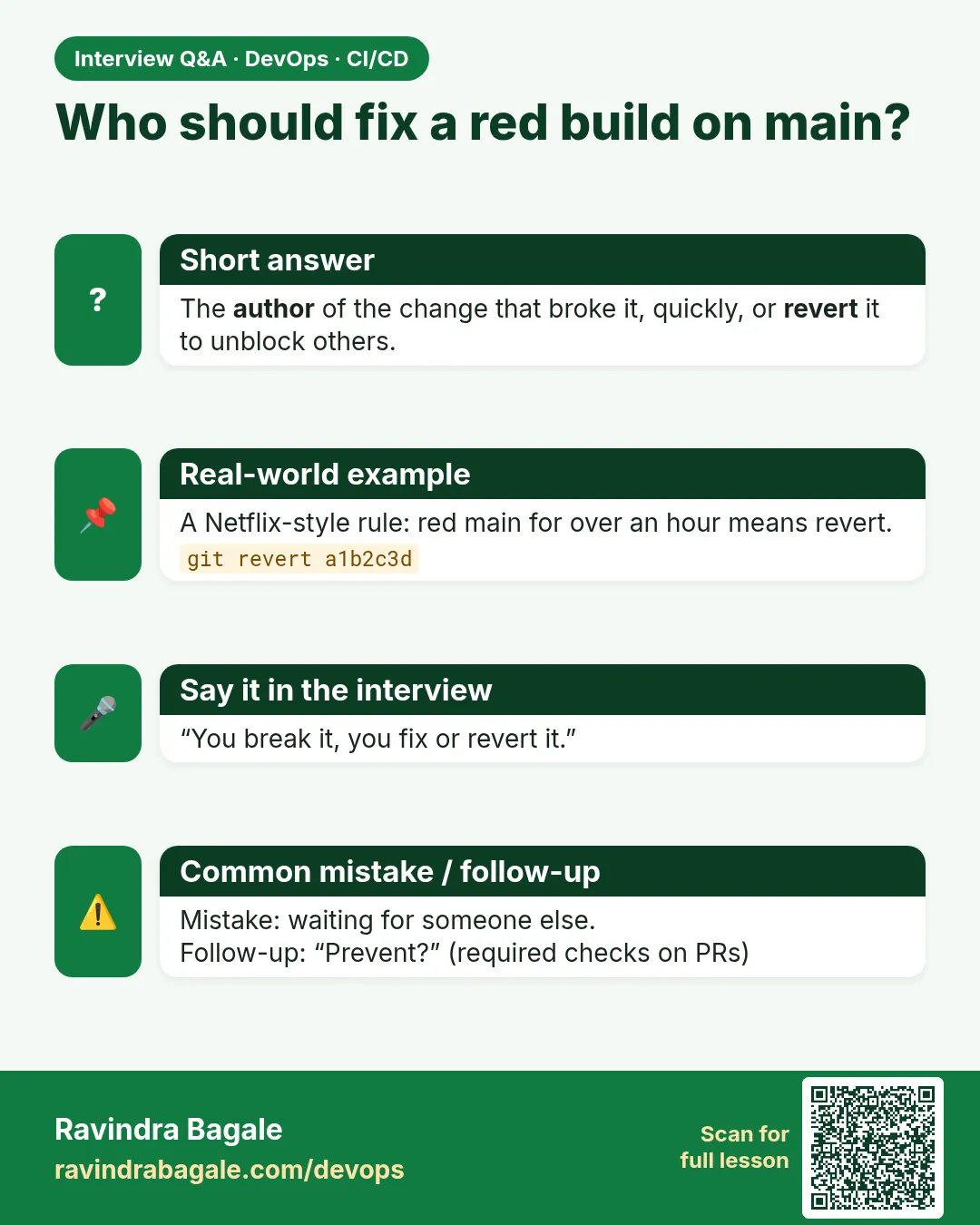
Who should fix a broken build?
The commit author first; if they are not available, the on-call or build cop. A red main is top priority.
-
Why revert instead of fixing forward?
It restores green fast with low risk; a proper fix can follow.
-
What is CODEOWNERS?
A file that maps paths to required reviewers.
-
How do you avoid the bystander problem?
Automatic notification naming the owner, clear rules and an on-call rota.
-
What is a blameless culture?
Focusing on systems and fixes, not punishing people, so people report problems early.
Quick quiz
Q1. Who owns a red main first?
The author of the commit that broke it.
Q2. What if they are away?
The build cop or on-call person.
Q3. What is the quick fix if no fix is ready?
Revert the bad commit.
Q4. Why not merge on red?
New bugs hide under the old one.
Q5. What does CODEOWNERS do?
It names required reviewers for paths.
Did you understand? Let us try it once more.
 Revision card
 Interview card