Excel → Power BI Bridge
Bridge 8. Refresh and sharing
Friends,
Friends, truth dies when refresh is nobody’s job. Excel Refresh All is fine for one desk. Shared boards need a schedule and an owner.
चला मित्रांनो
चला मित्रांनो, refresh कोणाचे काम नाही तर truth मरते. एका डेस्कसाठी Refresh All ठीक. Shared boards ला schedule आणि owner हवा.
चलो दोस्तों
चलो दोस्तों, refresh किसी का काम नहीं तो truth मरती है. एक डेस्क के लिए Refresh All ठीक. Shared boards को schedule और owner चाहिए.
At deploy, files go to s3://ravindrabagale-cards/excel/bridge/ .
What you will learn
- Contrast Refresh All with scheduled refresh.
- Name owner, cadence, and audience.
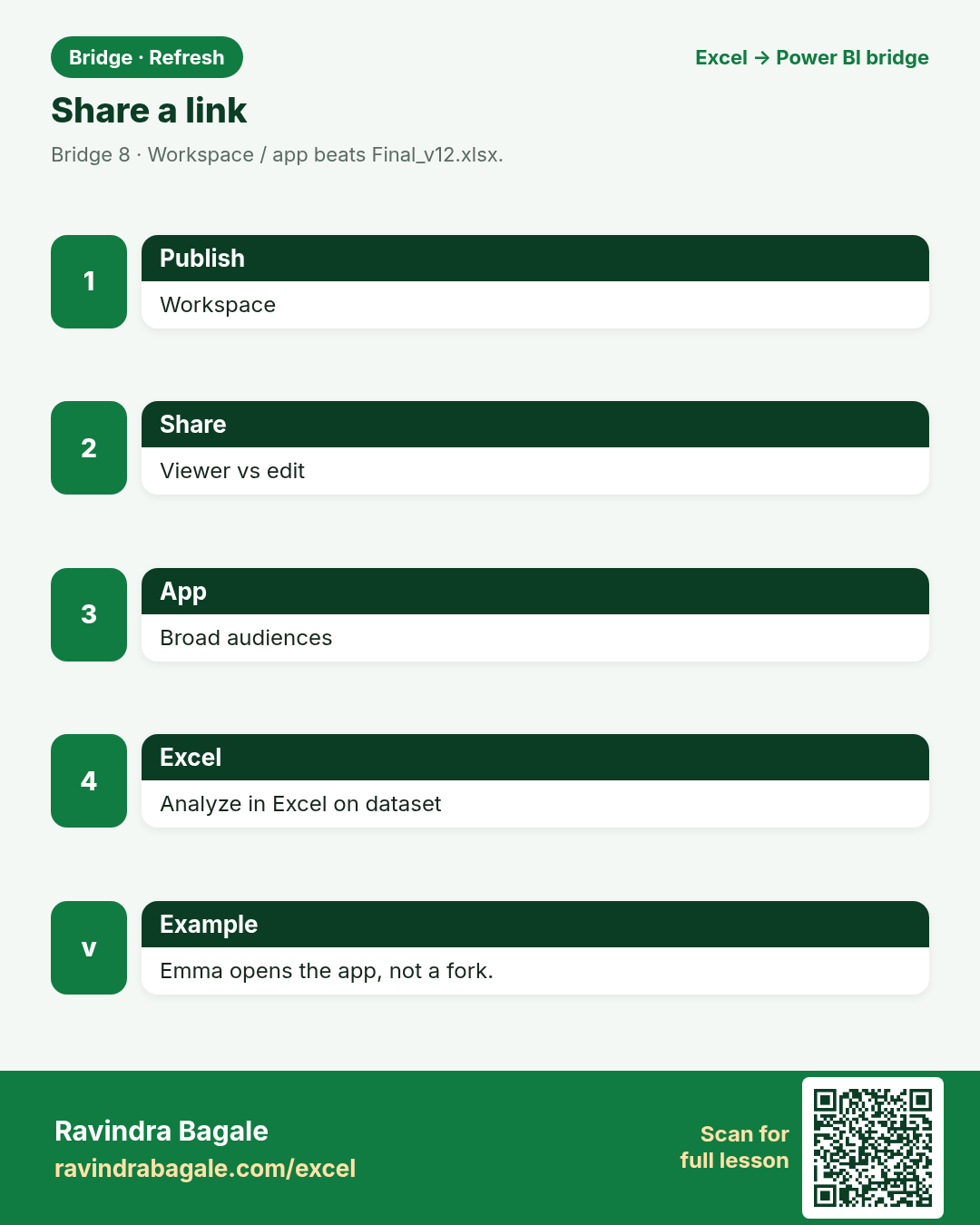
- Prefer workspace/app links over emailed xlsx forks.
- Know where Analyze in Excel fits.
A short story
Priya’s Pune board must refresh at 08:00. Omar’s Dubai fees are on demand for Finance only. Emma still wants Analyze in Excel. Sharing is a design choice — not an afterthought.
Ravindra Bagale’s Tip
Write Owner + cadence + audience before you publish. Pretty visuals cannot save an orphan dataset.
Ravindra Bagale’s Tip – मराठी
Publish आधी Owner + cadence + audience लिहा. सुंदर visuals orphan dataset वाचवत नाहीत.
Ravindra Bagale’s Tip – हिंदी
Publish से पहले Owner + cadence + audience लिखो. सुंदर visuals orphan dataset नहीं बचाते.
1. Excel Refresh All
Friends,
Local refresh is not a company schedule.
चला मित्रांनो
Local refresh = कंपनी schedule नाही.
चलो दोस्तों
Local refresh = कंपनी schedule नहीं.
Why: Local connections refresh when you open/click.
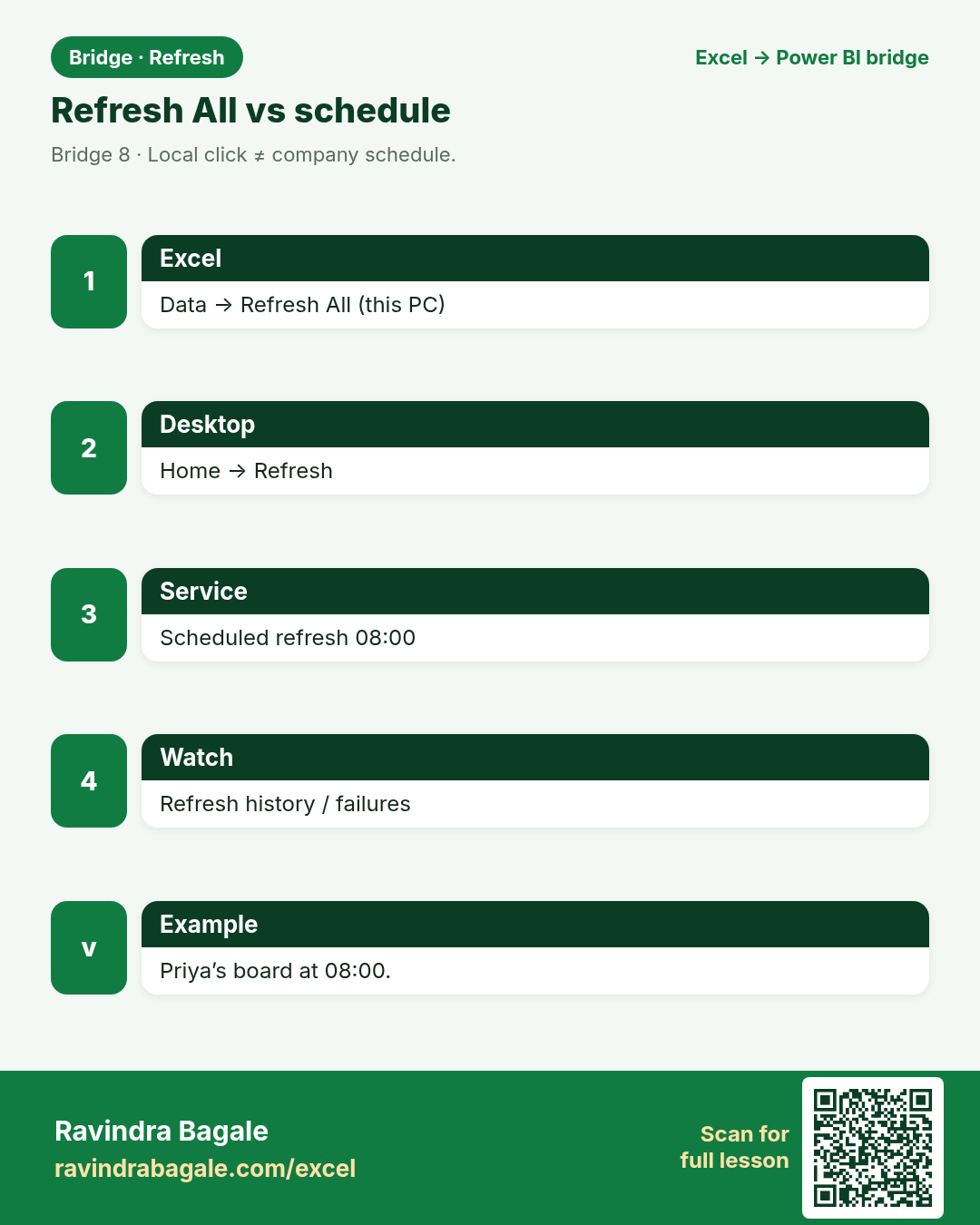
What: Data → Refresh All.
How:
- Update source CSV/xlsx.
- Data → Refresh All.
- Pivot/tables update on this PC.
- Emailing the file creates a new fork risk.
| Excel | Power BI / DAX | Result | Meaning |
|---|---|---|---|
ExcelRefresh All |
Power BI DesktopHome → Refresh |
Local fresh |
Amit refreshes Nashik fees on his laptop. |
2. Scheduled refresh in Service
Friends,
A failed refresh with no owner is a silent outage.
चला मित्रांनो
Owner नसलेले failed refresh = शांत outage.
चलो दोस्तों
Owner के बिना failed refresh = चुप outage.
Why: After publish, set a time.
What: Dataset settings → Scheduled refresh.
How:
- Publish .pbix to a workspace.
- Configure gateway if on-prem.
- Set 08:00 daily for Priya’s board.
- Monitor refresh history / failures.
| Excel | Power BI / DAX | Result | Meaning |
|---|---|---|---|
ExcelNo real org schedule |
Power BI ServiceScheduled refresh |
08:00 |
Priya’s managers see morning numbers. |
3. Who owns refresh?
Friends,
If everyone owns it, nobody owns it.
चला मित्रांनो
सगळे owner = कोणीच नाही.
चलो दोस्तों
सब owner = कोई नहीं.
Why: Name a human.
What: Owners sheet in practice file.
How:
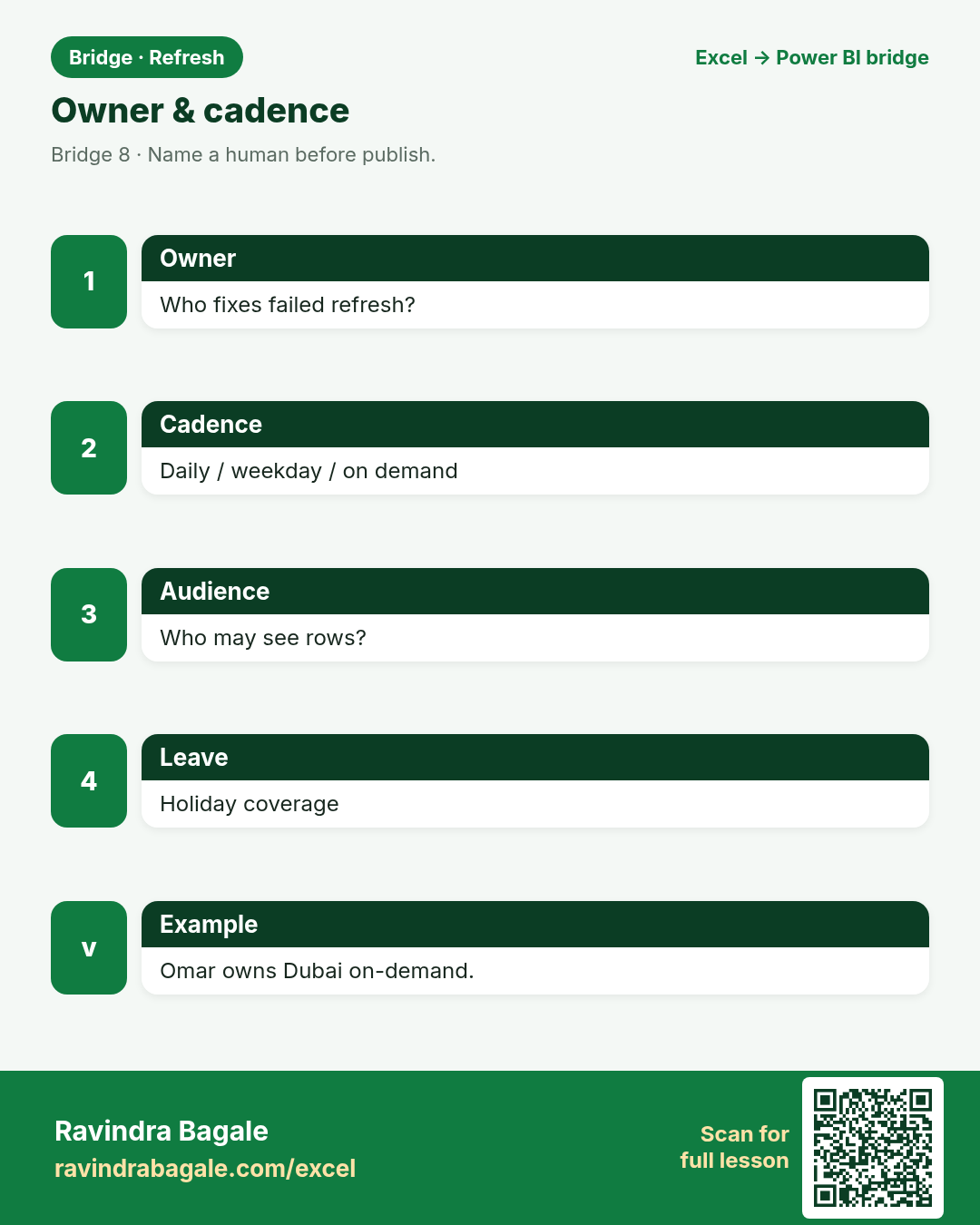
- Fill Owner, cadence, audience.
- Grant dataset permissions carefully.
- Document FX / filter rules.
- Plan holiday coverage.
| Excel | Power BI / DAX | Result | Meaning |
|---|---|---|---|
Chaos“Someone” |
BridgeNamed owner |
Clear |
Omar owns Dubai on-demand refresh. |
5. Analyze in Excel
Friends,
Analyze in Excel is a bridge lane — keep the dataset as source of truth.
चला मित्रांनो
Analyze in Excel = bridge lane — dataset truth.
चलो दोस्तों
Analyze in Excel = bridge lane — dataset truth.
Why: Power users keep Pivot on the same model.
What: Analyze in Excel from Service.
How:
- From the dataset/report, Analyze in Excel.
- Build Pivot connected to the model.
- Refresh pulls Service truth.
- Do not save a disconnected value paste as master.
| Excel | Power BI / DAX | Result | Meaning |
|---|---|---|---|
Excel onlyLocal cache risk |
Power BIAnalyze in Excel |
Connected |
Chen Wei pivots live on the dataset. |
6. Gateway awareness
Friends,
Password change Friday + no gateway update = Monday panic.
चला मित्रांनो
शुक्रवारी password + gateway नाही = सोमवार panic.
चलो दोस्तों
शुक्रवार password + gateway नहीं = सोमवार panic.
Why: On-prem files need a path.
What: On-premises data gateway.
How:
- Know if source is cloud or on-prem.
- Install/configure gateway with IT when needed.
- Map data sources.
- Test refresh after password changes.
| Excel | Power BI / DAX | Result | Meaning |
|---|---|---|---|
Desktop onlyYour PC path |
ServiceGateway |
Reachable |
Sofia’s Berlin file reaches the Service. |
7. Who may see rows?
Friends,
Convenience extracts become compliance stories.
चला मित्रांनो
Convenience extracts = compliance गोष्टी.
चलो दोस्तों
Convenience extracts = compliance कहानियाँ.
Why: Sharing ≠ everyone sees everything.
What: RLS / permissions overview.
How:
- Ask: Finance-only rows?
- Plan RLS roles when needed (later deep dive).
- Until then, separate datasets/workspaces carefully.
- Never email unrestricted extracts “for convenience”.
| Excel | Power BI / DAX | Result | Meaning |
|---|---|---|---|
ExcelSheet passwords (weak) |
Power BIWorkspace + RLS |
Scoped |
Omar’s fees stay Finance-scoped. |
8. Tiny refresh runbook
Friends,
A five-line runbook beats a heroic Slack thread.
चला मित्रांनो
पाच ओळींचा runbook > वीर Slack.
चलो दोस्तों
पाँच पंक्तियों का runbook > वीर Slack.
Why: One page teachers can print.
What: Checklist sheet.
How:
- Source updated?
- Refresh succeeded?
- Spot-check one Card number?
- Notify channel if red?
- Who covers leave?
| Excel | Power BI / DAX | Result | Meaning |
|---|---|---|---|
Ad hocHope |
BridgeRunbook |
Calm Mondays |
Neha’s clinic board has a checklist. |
Practice tasks (12)
Use bridge-refresh-practice.xlsx. LibreOffice-safe: prefer SUMIF / VLOOKUP / IF — avoid XLOOKUP, TEXTJOIN, TEXTSPLIT.
- Read About and Owners sheet.
Hint
Who/when/audience.
- Fill any blank Owner cells with a proposed name.
Hint
Human.
- On Checklist, mark which steps you can do today.
Hint
Honest.
- Write Refresh All vs Scheduled refresh in two lines.
Hint
Notes.
- SUM Amount on Sales with SUM.
Hint
Baseline.
- Draft a holiday coverage note for Priya’s board.
Hint
Who refreshes.
- List risks of emailing Final_v12.xlsx.
Hint
Forks.
- When is on-demand refresh OK?
Hint
Omar Dubai example.
- Analyze in Excel purpose in one sentence.
Hint
Connected Pivot.
- Write a 5-line refresh runbook.
Hint
Notes.
- COUNTIF Industry Retail on Sales.
Hint
Spot check.
- Who must NOT see Dubai fees in the story?
Hint
Non-Finance.
Quick quiz
Q1. Excel Refresh All mainly updates…
Q2. Scheduled refresh lives in…
Q3. Best sharing default for many readers…
Q4. Named owner for refresh is…
Q5. Analyze in Excel should stay…
Q6. On-prem file to Service often needs…
Q7. Finance-only rows imply…
Q8. Failed refresh with no owner is…
Loading practice tasks...
- Rows in the fact table (Easy): How many orders are in the Sales table?
- Total amount (Easy): Add up the Amount column of Sales.
- Total quantity (Easy): Add up the Qty column of Sales.
- Products in the dimension (Easy): How many products are in the Products table?
- Products actually sold (Medium): How many of the 5 Product IDs (P01 to P05) appear at least once in Sales?
- Amount for one city (Medium): Add up Amount where City is "London".
- Product name through the relationship (Medium): What is the Product name for Product ID "P03"?
- Sales of one product (Medium): Add up Amount where Product ID is "P03".
- Average order amount (Medium): Find the average Amount, rounded to 0 decimals.
- Category of the first order (Hard): Find the Category of the product in the first order.
- Biggest order in London (Hard): What is the largest Amount where City is "London"?
- Share of P03 (Hard): What share of the total Amount comes from Product ID "P03"? Round to 3 decimals.
Quick revision cards (3)
Approved Excel card style: standalone, no tip/photo section, QR to this lesson.