Chapter 31: Backup, Configuration as Code and Jenkins Operations
31.6 Monitoring and logs
Why: the problem
Suppose we are on the Swiggy platform team. Jenkins was down for two hours on Saturday and nobody knew until Monday. A junior asks: how would we know? Monitoring answers that. Jenkins can expose metrics for Prometheus, and its logs tell you why it broke. We want an alert before users complain.
What we will build
You will expose Jenkins metrics with the Prometheus plugin, scrape them, add two alerts, and read logs on Docker, VM and Kubernetes.
What: every term in plain English
- Metrics — Numbers over time, such as queue length or free disk.
- Prometheus — A tool that collects metrics by calling /metrics or /prometheus endpoints.
- Scrape — One collection call by Prometheus.
- Alert rule — A condition that fires a message, such as queue > 20 for 10 minutes.
- Log — Text lines Jenkins writes about what it does.
- Health check — A quick yes/no test, such as disk space ok.
How: step by step
-
Install the plugin
echo "prometheus:787.v52e8ea_f6b_6b_9" >> plugins.txtWhat it does: Adds the /prometheus endpoint.
Output
(saved) -
Check the endpoint
curl -s localhost:8080/prometheus/ | grep -E "^jenkins_(queue_size_value|executor_count_value|node_offline_value)"What it does: Key Jenkins numbers.
Output
jenkins_queue_size_value 3.0 jenkins_executor_count_value 8.0 jenkins_node_offline_value 0.0 -
Add a scrape job
nano prometheus.yml # see Example 1What it does: Prometheus calls Jenkins every 30 s.
Output
(saved) -
Start Prometheus
docker compose up -d prometheusWhat it does: Begins collecting.
Output
Container prometheus Started -
Check the target
curl -s localhost:9090/api/v1/targets | jq -r ".data.activeTargets[].health"What it does: up means scraping works.
Output
up -
Read controller logs
docker logs --since 1h jenkins 2>&1 | grep -E "SEVERE|WARNING" | tail -3What it does: Recent problems.
Output
WARNING hudson.slaves.ChannelPinger ... Ping failed. Terminating the channel agent2 -
Read one build log by API
curl -s -u ravi:$JENKINS_TOKEN localhost:8080/job/badge-api/job/main/lastBuild/consoleText | tail -2What it does: Last lines of the last build.
Output
[Pipeline] End of Pipeline
Finished: SUCCESS
Example 1: Docker: Jenkins and Prometheus side by side in Compose
Stack. Docker Compose, Prometheus 2.54, Jenkins LTS
Goal. Docker: Jenkins and Prometheus side by side in Compose.
compose.yaml
services:
  jenkins:
    image: jenkins:2026-10
    ports: ["8080:8080"]
    volumes: [jenkins_home:/var/jenkins_home]
  prometheus:
    image: prom/prometheus:v2.54.1
    ports: ["9090:9090"]
    volumes:
      - ./prometheus.yml:/etc/prometheus/prometheus.yml:ro
      - ./alerts.yml:/etc/prometheus/alerts.yml:ro
volumes:
  jenkins_home: {}
prometheus.yml
global: { scrape_interval: 30s }
rule_files: [/etc/prometheus/alerts.yml]
scrape_configs:
  - job_name: jenkins
    metrics_path: /prometheus/
    static_configs:
      - targets: ["jenkins:8080"]
alerts.yml
groups:
  - name: jenkins
    rules:
      - alert: JenkinsDown
        expr: up{job="jenkins"} == 0
        for: 5m
        labels: { severity: critical }
        annotations: { summary: "Jenkins controller is not answering" }
      - alert: JenkinsQueueStuck
        expr: jenkins_queue_size_value > 20
        for: 10m
        labels: { severity: warning }
        annotations: { summary: "More than 20 builds waiting for 10 minutes" }
What each line does
metrics_path: /prometheus/— Where the plugin serves metrics.up == 0 for 5m— Jenkins did not answer for 5 minutes.queue > 20 for 10m— Builds piling up: agents may be offline.
Green output
$ curl -s localhost:9090/api/v1/rules | jq -r ".data.groups[].rules[].name"
JenkinsDown
JenkinsQueueStuck
Expected result. Two alerts loaded; stop Jenkins for 5 minutes and JenkinsDown fires.
Example 2: VM: logs in journald and a disk check with cron
Stack. Ubuntu, systemd, cron
Goal. VM: logs in journald and a disk check with cron.
check-jenkins.sh
#!/usr/bin/env bash
# run every 5 minutes from cron
USE=$(df --output=pcent /var/lib/jenkins | tail -1 | tr -dc 0-9)
CODE=$(curl -s -o /dev/null -w "%{http_code}" localhost:8080/login)
echo "$(date +%T) disk=${USE}% http=${CODE}"
[ "$USE" -lt 85 ] && [ "$CODE" = 200 ] || logger -t jenkins-check "ALERT disk=${USE}% http=${CODE}"
commands
sudo journalctl -u jenkins --since "1 hour ago" -p warning --no-pager | tail -5
journalctl -t jenkins-check --since today --no-pager
What each line does
df --output=pcent— Disk use as a percent.logger -t jenkins-check— Writes an alert line to the system log.journalctl -p warning— Only warnings and errors.
Green output
02:10:00 disk=62% http=200
Expected result. A simple check you can hook to email or Slack later.
Example 3: Kubernetes: a ServiceMonitor so Prometheus Operator scrapes Jenkins
Stack. Kubernetes, kube-prometheus-stack
Goal. Kubernetes: a ServiceMonitor so Prometheus Operator scrapes Jenkins.
k8s/jenkins-servicemonitor.yaml
apiVersion: monitoring.coreos.com/v1
kind: ServiceMonitor
metadata:
  name: jenkins
  namespace: jenkins
  labels: { release: kube-prometheus-stack }
spec:
  selector:
    matchLabels: { app.kubernetes.io/name: jenkins }
  endpoints:
    - port: http
      path: /prometheus/
      interval: 30s
What each line does
kind: ServiceMonitor— Tells Prometheus Operator what to scrape.release label— Must match your Prometheus install so it is picked up.
Green output
$ kubectl -n jenkins logs jenkins-0 -c jenkins --since=10m | grep -c WARNING
2
Expected result. Prometheus scrapes Jenkins; kubectl logs reads the controller.
Example 4: Send Jenkins logs to a file that log tools can read
Stack. Docker, grep
Goal. Send Jenkins logs to a file that log tools can read.
commands
docker logs --since 1h jenkins 2>&1 | grep -E "SEVERE|WARNING" | tail -5
docker logs --since 1h jenkins 2>&1 | grep -c SEVERE
What each line does
--since 1h— Only the last hour.SEVERE|WARNING— Jenkins log levels worth reading.grep -c— A number you can alert on.
Green output
2026-10-25 10:41:02 WARNING hudson.model.Slave: agent linux-2 disconnected
2026-10-25 10:41:07 SEVERE  jenkins.InitReactorRunner: Failed ...
2
Expected result. Ship the same lines to Loki or CloudWatch, and alert when SEVERE is above 0 for 10 minutes.
Example 5: Check the metrics endpoint for Prometheus
Stack. Prometheus plugin
Goal. Check the metrics endpoint for Prometheus.
commands
curl -s http://localhost:8080/prometheus/ | grep -E "^jenkins_queue_size_value|^jenkins_executor_in_use_value"
What each line does
/prometheus/— Added by the Prometheus metrics plugin.queue size— Builds waiting.executors in use— Busy agents.
Green output
jenkins_queue_size_value 3.0
jenkins_executor_in_use_value 4.0
Expected result. A queue that grows while executors are full means you need more agents.
Verify: did it work?
-
Fire a test alert
docker stop jenkins && sleep 330 && curl -s localhost:9090/api/v1/alerts | jq -r ".data.alerts[].labels.alertname"What it does: JenkinsDown should fire.
Output
JenkinsDown -
Start Jenkins again
docker start jenkinsWhat it does: Alert clears.
Output
jenkins -
Check queue metric
curl -s localhost:8080/prometheus/ | grep jenkins_queue_size_valueWhat it does: Back to normal.
Output
jenkins_queue_size_value 0.0
When it is red 1
Get "http://jenkins:8080/prometheus/": 403 Forbidden
Cause. Anonymous read is off and the plugin needs auth.
Fix, step by step
- Allow the metrics path for Prometheus, or use a token in basic_auth from a file.
- Do not paste the token into prometheus.yml in Git.
When it is red 2
target health: down, context deadline exceeded
Cause. Prometheus cannot reach Jenkins, or Jenkins is slow.
Fix, step by step
- Check network name and port.
- Raise scrape_timeout.
When it is red 3
No space left on device (in Jenkins log)
Cause. JENKINS_HOME disk is full.
Fix, step by step
- Add build discarders.
- Clean workspaces.
- Add a disk alert at 85 percent.
When it is red 4
curl: (22) The requested URL returned error: 404 for /prometheus/
Cause. The metrics plugin is not installed.
Fix, step by step
- Install the Prometheus metrics plugin.
- Restart Jenkins.
Cleanup
-
Stop Prometheus
docker compose stop prometheusWhat it does: Lab only.
Output
Container prometheus Stopped
Practice tasks
Easy Read three metrics
Why: Know the numbers.
What to do: Read queue, executors and offline nodes.
- curl /prometheus/ and grep.
Check: You can say each value.
Medium Make a Grafana panel
Why: Pictures help.
What to do: Graph queue size.
- Add Grafana, add Prometheus data source.
Check: A line chart of the queue.
Hard Alert to Slack
Why: Alerts must reach people.
What to do: Add Alertmanager with a Slack receiver using a webhook from a secret file.
- Configure receivers.
- Fire a test alert.
Check: Message arrives.
Easy Say Jenkins monitoring in two lines
Why: If you can say it simply, you understand it.
What to do: Write two short lines about Jenkins monitoring for a fresher.
- Write the problem.
- Write the command or file you use.
Check: A fresher understands it.
Easy Start a fresh lab Jenkins
Why: Practice needs a throwaway Jenkins.
What to do: Run Jenkins LTS in Docker with a named volume.
- docker volume create jenkins_home
- docker run -d --name jenkins -p 8080:8080 -v jenkins_home:/var/jenkins_home jenkins/jenkins:lts-jdk17
- docker logs jenkins | grep -A2 "initialAdminPassword"
Check: The Jenkins login page opens on localhost:8080.
Medium Do it on the second setup
Why: The idea must work on VM, Docker and Kubernetes.
What to do: Repeat this lesson on a different setup than the one you used.
- Pick Docker if you used a VM, or kind if you used Docker.
- Run the same steps.
Check: Same result on the second setup.
Medium Break it on purpose
Why: You must know the red output by face.
What to do: Cause one error from "When it is red" and fix it.
- Follow the error section.
- Write down the exact message.
Check: You fixed it using the steps.
Medium Write a runbook page
Why: At 2 a.m. nobody remembers.
What to do: Write a one-page runbook for this lesson.
- Title, when to use, steps, how to check.
Check: A teammate can follow it alone.
Hard Explain it like an interview
Why: Interviewers want real stories.
What to do: Record a 60 second answer.
- Problem, command, one error you hit.
Check: Your answer has a real command and a real error.
Hard Draw the flow top to bottom
Why: A drawing shows the order.
What to do: Draw this lesson as boxes from top to bottom.
- Start at the trigger, end at the check.
Check: Each box matches a real step you ran.
Homework: try at home
Try at home
At home, add a third alert for offline agents (jenkins_node_offline_value > 0 for 10m) and test it by stopping an agent.
Recap
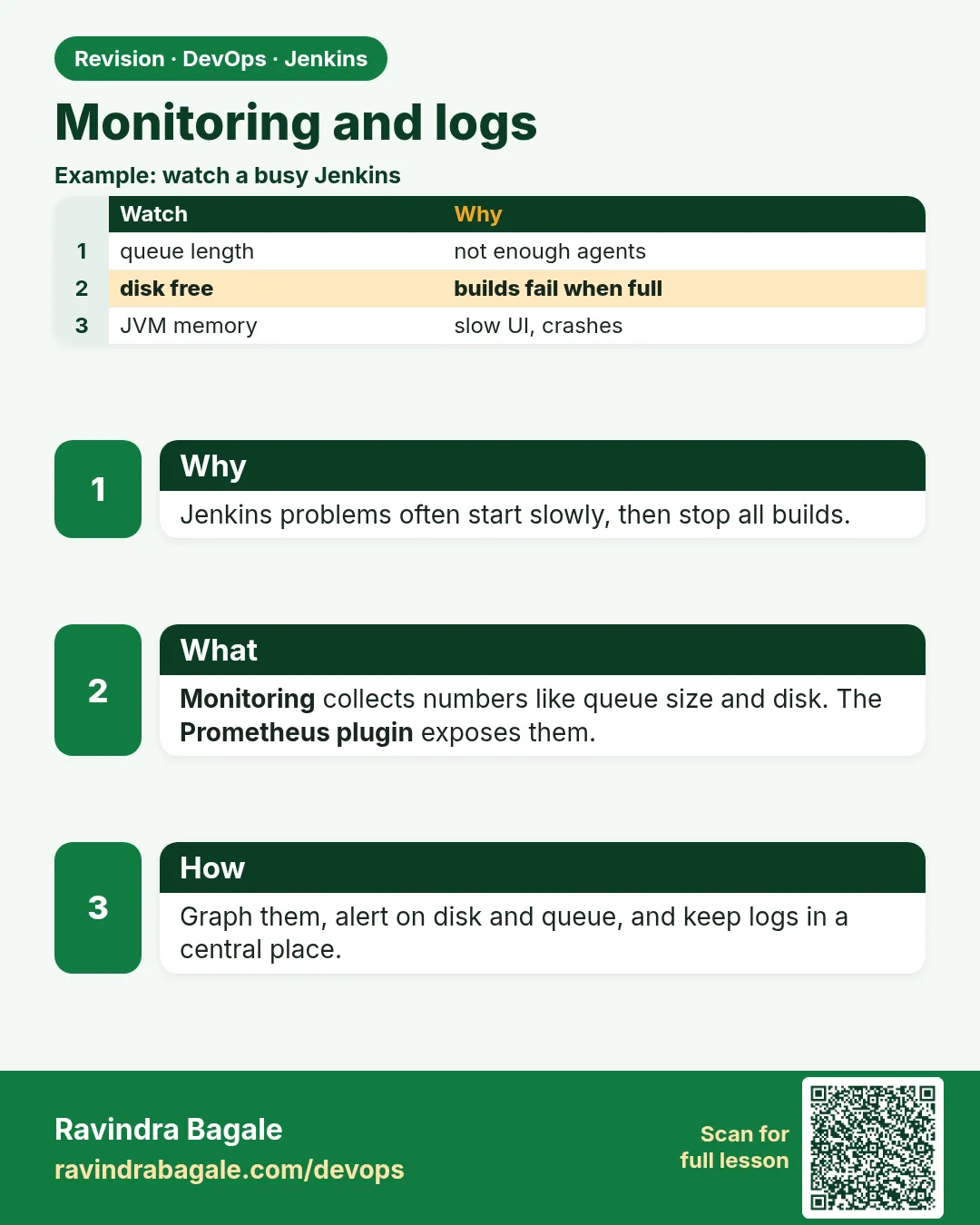
- Monitor Jenkins like any production service.
- Prometheus plugin exposes metrics at /prometheus/.
- Alert on down, queue stuck, agents offline and disk.
- Read logs with docker logs, journalctl or kubectl logs.
- Test every alert by causing it.
FAQ
Do I need Prometheus?
Any monitoring works. Prometheus is common and free.
Which metrics matter most?
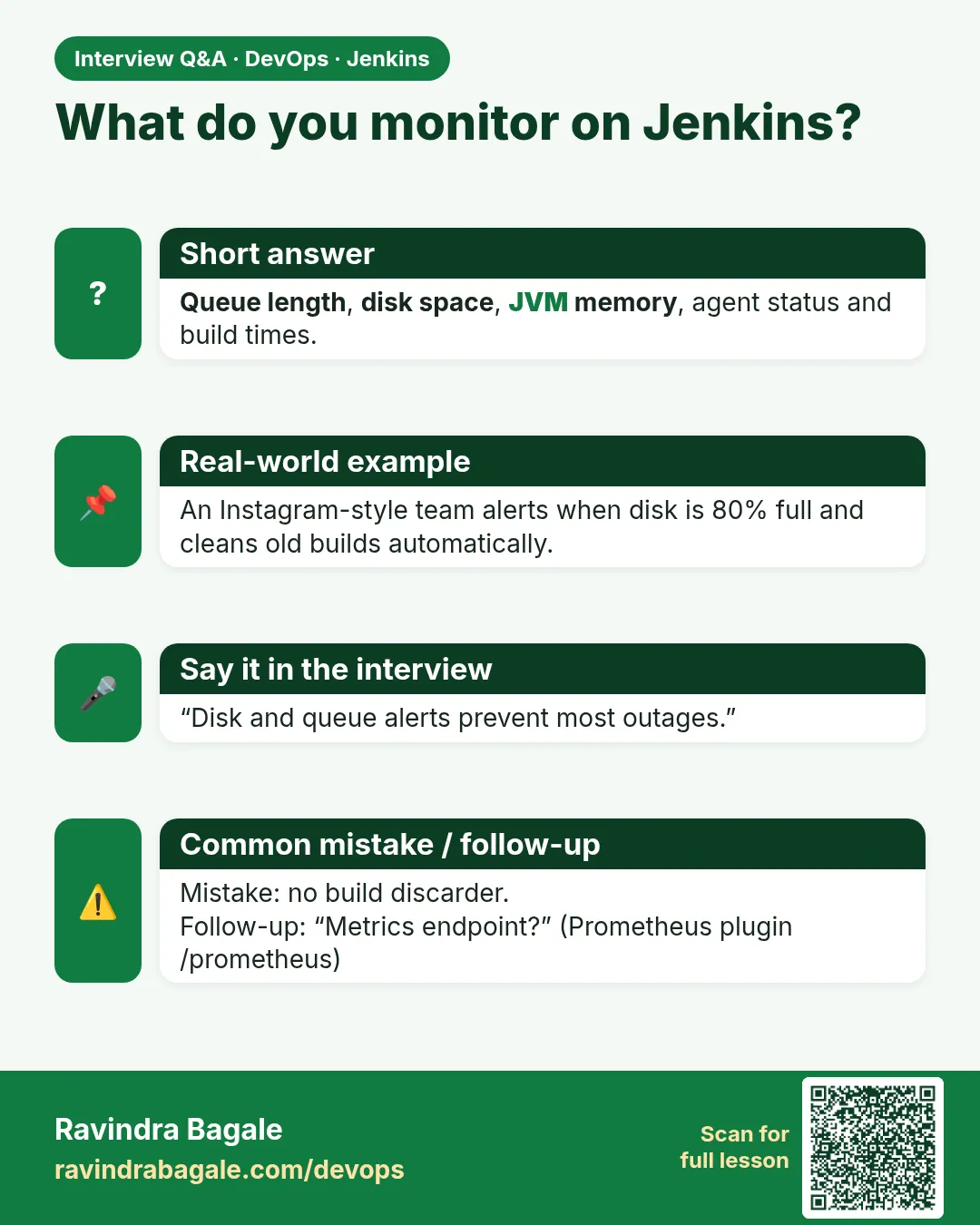
Up, queue size, offline agents, disk, heap.
Where are build logs stored?
JENKINS_HOME/jobs/NAME/builds/N/log.
Should I ship logs to a central place?
Yes, for search and history, such as Loki or CloudWatch.
How do I avoid noisy alerts?
Use for: durations and alert only on user impact.
What is the first alert to add?
Jenkins is down: the login page does not answer for 2 minutes.
Interview questions
-
How do you monitor Jenkins?
Prometheus plugin metrics, alerts on availability, queue, agents and disk, plus central logs.
-
What does a growing queue mean?
Not enough agents or agents offline.
-
Where do you find controller logs?
docker logs, journalctl or kubectl logs, and Manage Jenkins > System Log.
-
Why test alerts?
An untested alert may never fire.
-
What is a ServiceMonitor?
A Prometheus Operator object that defines scrape targets.
Quick quiz
Q1. Which plugin gives Prometheus metrics?
prometheus.
Q2. Which metric shows waiting builds?
jenkins_queue_size_value.
Q3. What does up == 0 mean?
Prometheus cannot scrape the target.
Q4. Where are VM logs?
journalctl -u jenkins.
Q5. Why for: 5m?
To avoid alerts on short blips.
Samajla ka?
 Revision card
 Interview card