Chapter 31: Backup, Configuration as Code and Jenkins Operations
31.5 Plugin upgrades and performance
Why: the problem
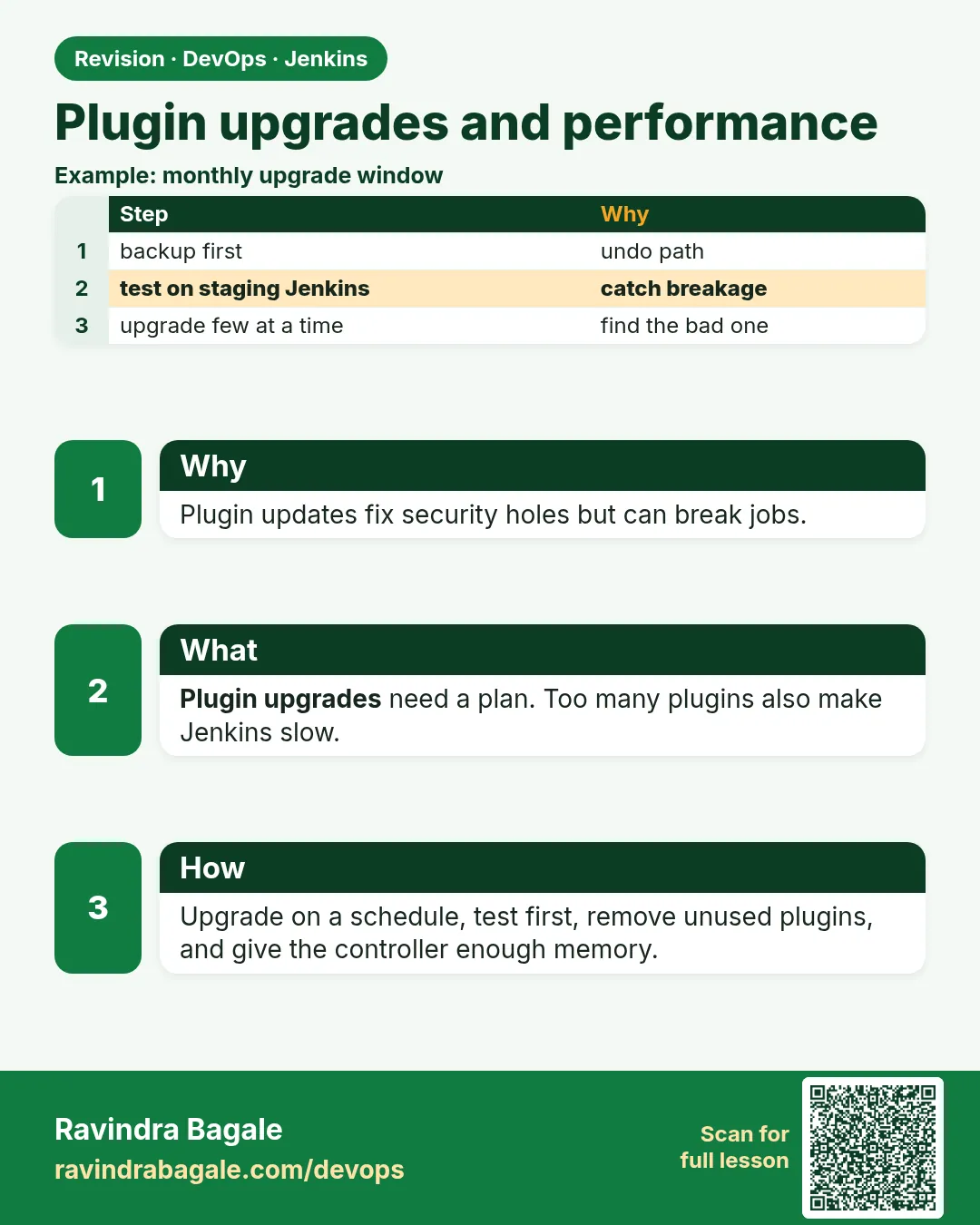
Suppose we run Jenkins at Myntra. The plugin page shows 40 updates. Someone clicks Update All on a Thursday afternoon. Jenkins restarts, three plugins need a newer core, and all pipelines fail. Plugin upgrades must be planned: test first, pin versions, upgrade in a window, and be able to roll back. Slow Jenkins has similar causes: too many plugins, too much on the controller, too little memory.
What we will build
You will pin plugin versions in plugins.txt, test an upgrade in a Docker copy, then tune Java memory and find slow parts, for Docker, VM and Kubernetes installs.
What: every term in plain English
- Plugin — An add-on that gives Jenkins features.
- Pin — Write the exact version so it does not change by itself.
- Dependency — A plugin another plugin needs.
- Heap — Memory the Java process uses for objects. Set by -Xmx.
- GC — Garbage collection: Java freeing unused memory. Long pauses make Jenkins slow.
- Build discarder — A rule that deletes old builds to keep disk and memory small.
How: step by step
-
List installed plugins with versions
curl -s -u ravi:$JENKINS_TOKEN "localhost:8080/pluginManager/api/json?depth=1&tree=plugins[shortName,version]" | jq -r ".plugins[] | \"\(.shortName):\(.version)\"" | sort > plugins.txt; wc -l plugins.txtWhat it does: Saves today as a pinned list.
Output
87 plugins.txt -
See what has updates
jenkins-plugin-cli --plugin-file plugins.txt --available-updates --output txt | head -3What it does: Lists newer versions.
Output
git:5.2.2 -> 5.3.0 workflow-job:1400.v7fd111b_ec82f -> 1436.vfa_244484591f credentials:1371.vfee6b_095f0a_3 -> 1380.va_435002fa_924 -
Write the new list on a branch
git checkout -b plugin-upgrade-2026-10 && jenkins-plugin-cli --plugin-file plugins.txt --available-updates --output txt > plugins.new && mv plugins.new plugins.txtWhat it does: The upgrade is a reviewed change.
Output
Switched to a new branch -
Test in a copy
docker build -t jenkins-test:2026-10 . && docker run -d --name jtest -p 8082:8080 -v jenkins_restore:/var/jenkins_home jenkins-test:2026-10What it does: Run the new plugins on a restored copy.
Output
8c2d... -
Check for load errors
docker logs jtest 2>&1 | grep -iE "SEVERE|failed to load" || echo "no plugin errors"What it does: Any SEVERE line means stop.
Output
no plugin errors -
Tune memory
JAVA_OPTS="-Xms2g -Xmx2g -XX:+UseG1GC -XX:+AlwaysPreTouch"What it does: Same min and max heap, G1 collector.
Output
(set in compose, systemd or Helm) -
Check memory use
curl -s -u ravi:$JENKINS_TOKEN localhost:8080/metrics/currentUser/healthcheck | jq .What it does: Metrics plugin health checks.
Output
{ "disk-space": {"healthy": true}, "thread-deadlock": {"healthy": true} }
Example 1: Docker: pinned plugins in the image, so every controller gets the same versions
Stack. Docker, Jenkins 2.462.3 LTS
Goal. Docker: pinned plugins in the image, so every controller gets the same versions.
plugins.txt
configuration-as-code:1850.va_a_8c31d3158b_
git:5.3.0
workflow-aggregator:600.vb_57cdd26fdd7
credentials:1380.va_435002fa_924
job-dsl:1.89
metrics:4.2.21-451.vd51df8df52ec
Dockerfile
FROM jenkins/jenkins:2.462.3-lts-jdk17
ENV JAVA_OPTS="-Xms2g -Xmx2g -XX:+UseG1GC"
COPY plugins.txt /usr/share/jenkins/ref/plugins.txt
RUN jenkins-plugin-cli -f /usr/share/jenkins/ref/plugins.txt
What each line does
2.462.3-lts-jdk17— A pinned core version, not just lts.git:5.3.0— Exact plugin version.-Xms2g -Xmx2g— Fixed heap, fewer resizes.
Green output
$ docker build -t jenkins:2026-10 .
Done! Installed 6 plugins and 41 dependencies
Expected result. Rollback is simply running the previous image tag.
Example 2: VM: upgrade plugins with the CLI in a maintenance window, keeping a copy of plugins/
Stack. Ubuntu, Jenkins LTS (apt)
Goal. VM: upgrade plugins with the CLI in a maintenance window, keeping a copy of plugins/.
upgrade-vm.sh
#!/usr/bin/env bash
set -euo pipefail
sudo systemctl stop jenkins
sudo cp -a /var/lib/jenkins/plugins /var/lib/jenkins/plugins.bak-$(date +%F)
sudo jenkins-plugin-cli --plugin-download-directory /var/lib/jenkins/plugins --plugin-file plugins.txt
sudo chown -R jenkins:jenkins /var/lib/jenkins/plugins
sudo systemctl start jenkins
sudo journalctl -u jenkins -n 100 --no-pager | grep -iE "SEVERE|fully up"
What each line does
cp -a plugins plugins.bak— Rollback = stop, move .bak back, start.--plugin-download-directory— Install straight into JENKINS_HOME/plugins.
Green output
Jenkins is fully up and running
Expected result. Upgrade done with a one-step rollback ready.
Example 3: Kubernetes: pinned plugins and heap in Helm values; rollback with helm rollback
Stack. Kubernetes, Helm
Goal. Kubernetes: pinned plugins and heap in Helm values; rollback with helm rollback.
values.yaml
controller:
  image: { tag: "2.462.3-lts-jdk17" }
  installPlugins:
    - git:5.3.0
    - workflow-aggregator:600.vb_57cdd26fdd7
    - configuration-as-code:1850.va_a_8c31d3158b_
  javaOpts: "-Xms2g -Xmx2g -XX:+UseG1GC"
  resources:
    requests: { cpu: "1", memory: "3Gi" }
    limits:   { memory: "3Gi" }
What each line does
installPlugins with versions— Same plugins every restart.limits memory 3Gi— Heap 2g plus room for Java overhead.
Green output
$ helm upgrade jenkins jenkins/jenkins -n jenkins -f values.yaml
$ helm rollback jenkins 7 -n jenkins
Rollback was a success! Happy Helming!
Expected result. Bad upgrade? helm rollback to the previous revision.
Example 4: Find slow builds after a plugin upgrade
Stack. Jenkins REST, jq
Goal. Find slow builds after a plugin upgrade.
slow.sh
#!/usr/bin/env bash
curl -s -u "admin:$JENKINS_TOKEN" "http://localhost:8080/job/shop-api/api/json?tree=builds[number,duration]{0,10}" \
 | jq -r '.builds[] | "\(.number) \(.duration/1000|floor)s"'
What each line does
{0,10}— Only the last 10 builds.duration/1000— Milliseconds to seconds.
Green output
418 182s
417 179s
416 64s
415 61s
Expected result. Builds 417 and 418 are three times slower, starting right after the upgrade. Check the plugin change log or roll back.
Verify: did it work?
-
Check versions after upgrade
curl -s -u ravi:$JENKINS_TOKEN "localhost:8080/pluginManager/api/json?depth=1&tree=plugins[shortName,version]" | jq -r ".plugins[] | select(.shortName==\"git\") | .version"What it does: The pinned version is running.
Output
5.3.0 -
Run the smoke pipeline
curl -s -X POST -u ravi:$JENKINS_TOKEN localhost:8080/job/smoke-test/build -w "%{http_code}\n"What it does: A real build after upgrade.
Output
201 -
Check heap
docker exec jenkins jcmd 1 GC.heap_info | head -2What it does: Heap size is as set.
Output
garbage-first heap total 2097152K, used 812345K
When it is red 1
SEVERE: Failed Loading plugin Git plugin v5.3.0 (git) ... Jenkins (2.479) or higher is required
Cause. The plugin needs a newer Jenkins core.
Fix, step by step
- Pin the older plugin version, or upgrade core first.
- Always upgrade core and plugins together in the test copy.
When it is red 2
java.lang.OutOfMemoryError: Java heap space
Cause. Heap too small for the jobs and history.
Fix, step by step
- Raise -Xmx.
- Add build discarders to keep fewer builds.
- Move builds to agents.
When it is red 3
Jenkins UI takes 20 s to load the dashboard
Cause. Too many builds in memory or a slow plugin.
Fix, step by step
- Add buildDiscarder(logRotator(numToKeepStr: "30")).
- Remove unused plugins.
- Check thread dumps at /threadDump.
When it is red 4
Failed to load: Pipeline: Groovy (workflow-cps) - Update required
Cause. One plugin needs a newer dependency.
Fix, step by step
- Upgrade the dependency too.
- Restart and check the plugin page.
Cleanup
-
Remove the test controller
docker rm -f jtestWhat it does: Lab only.
Output
jtest
Practice tasks
Easy Count plugins
Why: Fewer plugins, fewer problems.
What to do: Count installed plugins.
- wc -l plugins.txt
Check: You have a number.
Medium Add a build discarder
Why: Less disk and memory.
What to do: Add options { buildDiscarder(logRotator(numToKeepStr: "30")) }.
- Edit a Jenkinsfile.
Check: Only 30 builds kept.
Hard Take a thread dump
Why: Find what is slow.
What to do: Open /threadDump during a slow moment.
- Save it.
- Look for BLOCKED threads.
Check: You can name one busy thread.
Easy Say plugin upgrades and performance in two lines
Why: If you can say it simply, you understand it.
What to do: Write two short lines about plugin upgrades and performance for a fresher.
- Write the problem.
- Write the command or file you use.
Check: A fresher understands it.
Easy Start a fresh lab Jenkins
Why: Practice needs a throwaway Jenkins.
What to do: Run Jenkins LTS in Docker with a named volume.
- docker volume create jenkins_home
- docker run -d --name jenkins -p 8080:8080 -v jenkins_home:/var/jenkins_home jenkins/jenkins:lts-jdk17
- docker logs jenkins | grep -A2 "initialAdminPassword"
Check: The Jenkins login page opens on localhost:8080.
Medium Do it on the second setup
Why: The idea must work on VM, Docker and Kubernetes.
What to do: Repeat this lesson on a different setup than the one you used.
- Pick Docker if you used a VM, or kind if you used Docker.
- Run the same steps.
Check: Same result on the second setup.
Medium Break it on purpose
Why: You must know the red output by face.
What to do: Cause one error from "When it is red" and fix it.
- Follow the error section.
- Write down the exact message.
Check: You fixed it using the steps.
Medium Write a runbook page
Why: At 2 a.m. nobody remembers.
What to do: Write a one-page runbook for this lesson.
- Title, when to use, steps, how to check.
Check: A teammate can follow it alone.
Hard Explain it like an interview
Why: Interviewers want real stories.
What to do: Record a 60 second answer.
- Problem, command, one error you hit.
Check: Your answer has a real command and a real error.
Hard Draw the flow top to bottom
Why: A drawing shows the order.
What to do: Draw this lesson as boxes from top to bottom.
- Start at the trigger, end at the check.
Check: Each box matches a real step you ran.
Homework: try at home
Try at home
At home, list your lab plugins, remove three you do not use, rebuild the image and compare start time before and after.
Recap
- Pin core and plugin versions.
- Test upgrades on a restored copy first.
- Upgrade in a window with a rollback ready.
- Give Java a fixed heap and use G1.
- Discard old builds and remove unused plugins.
FAQ
How often should I upgrade?
Monthly for plugins, with each LTS for core, sooner for security fixes.
Is Update All safe?
Not on production without testing.
What is a security advisory?
A notice about a plugin hole. Check the Jenkins security page often.
How much heap?
Start with 2 to 4 GB and measure.
Does Kubernetes make Jenkins faster?
Agents scale better; the controller still needs tuning.
How many plugins is too many?
Keep only what you use. Every plugin adds upgrade risk.
Interview questions
-
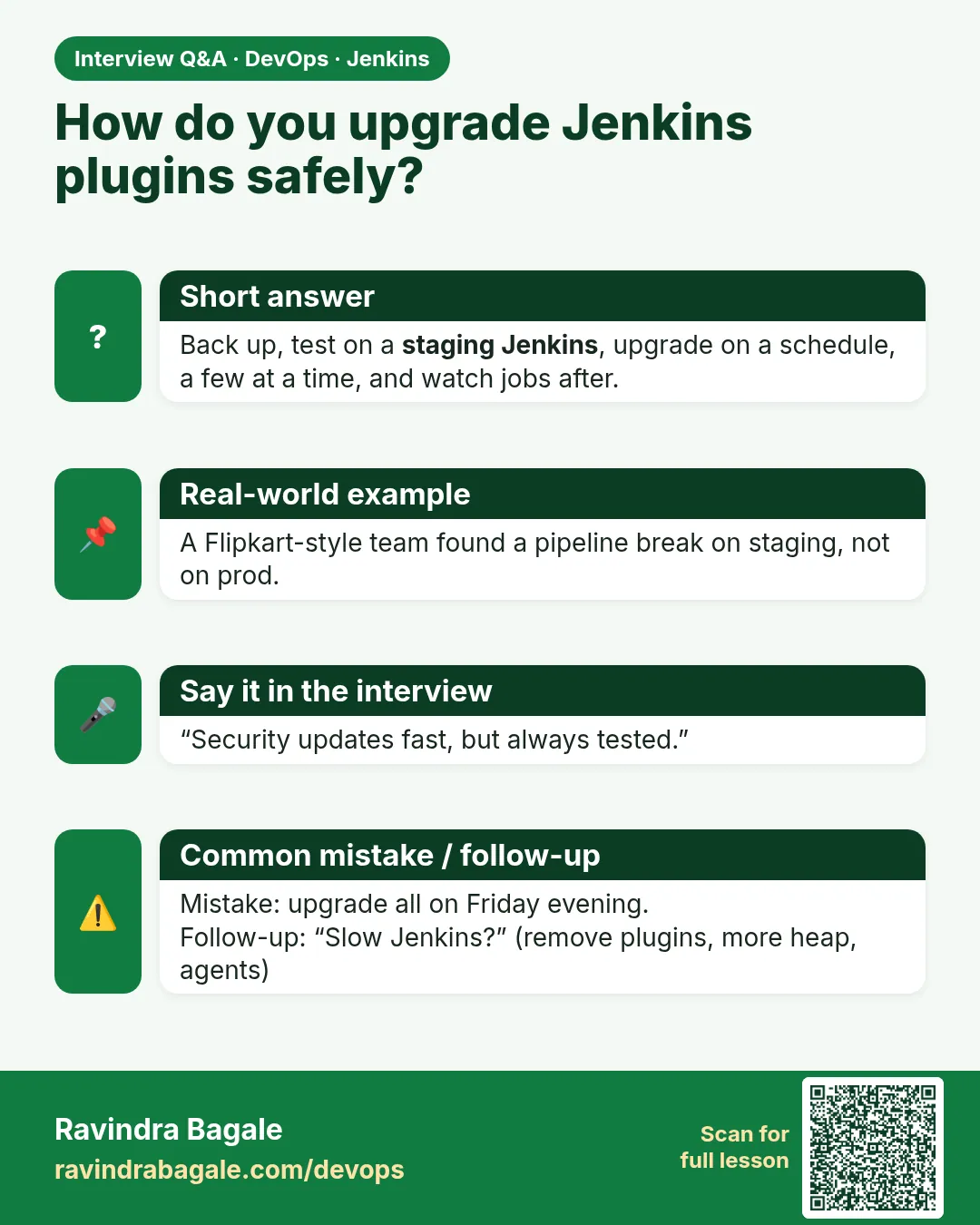
How do you upgrade Jenkins plugins safely?
Pin versions, test on a restored copy, upgrade core and plugins together in a window, keep a rollback.
-
How do you troubleshoot slow Jenkins?
Check heap and GC, thread dumps, build history size, plugins, controller executors.
-
Why fixed -Xms and -Xmx?
Avoids heap resizing pauses.
-
How do you roll back a bad plugin?
Restore the previous plugins folder or image tag.
-
What is the metrics plugin?
It exposes health checks and metrics for monitoring.
Quick quiz
Q1. Why pin plugin versions?
So they do not change by surprise.
Q2. Where do you test upgrades?
On a restored copy.
Q3. How do you roll back on Docker?
Run the previous image tag.
Q4. What causes OutOfMemoryError?
Heap too small or too much kept in memory.
Q5. What keeps old builds small?
A build discarder.
Samajla ka?
 Revision card
 Interview card