Chapter 31: Backup, Configuration as Code and Jenkins Operations
31.4 Configuration as Code
Why: the problem
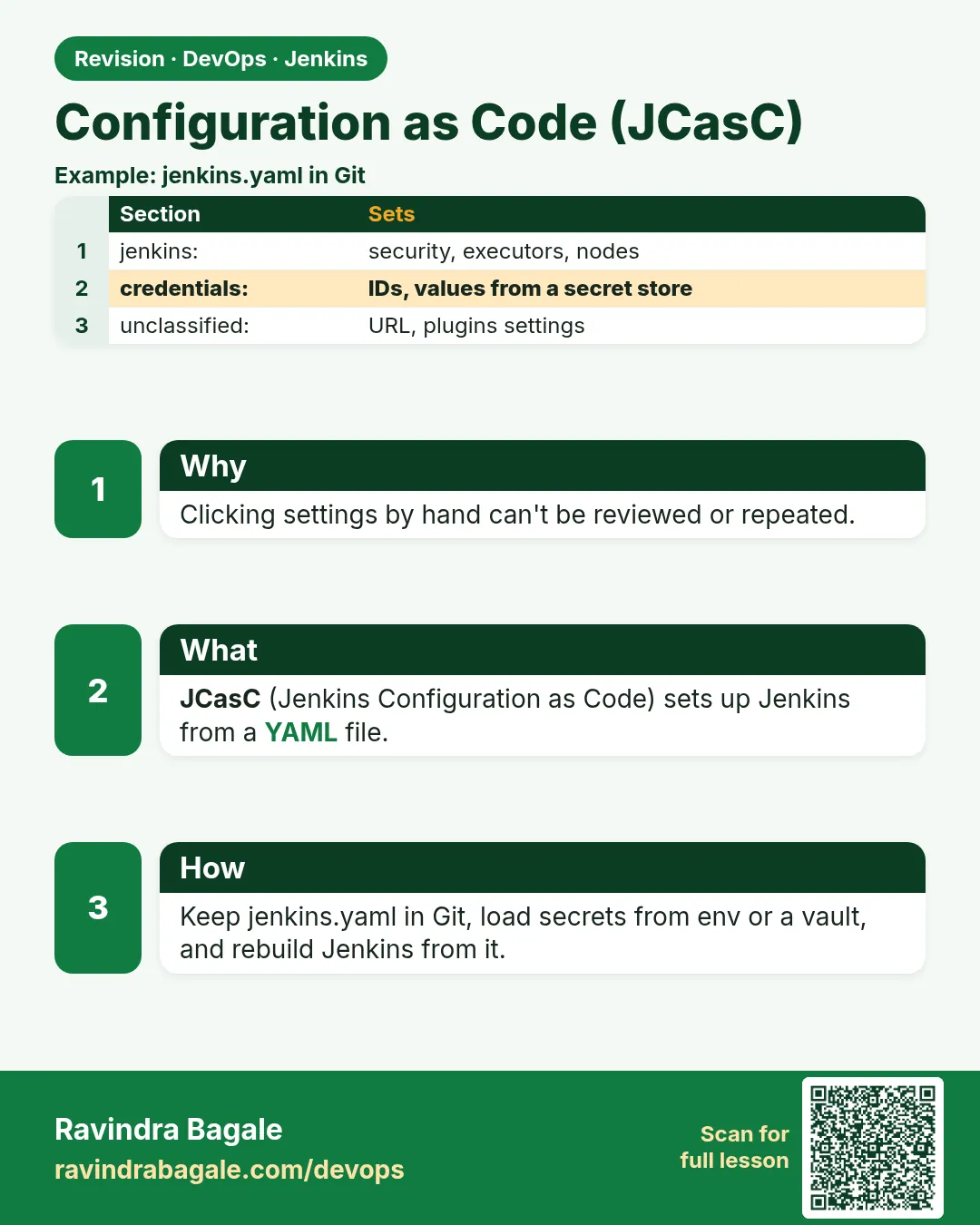
Suppose we work at Zomato and Jenkins was set up by clicking for three years. Nobody knows which checkbox does what. When a new controller is needed, it takes a week. Configuration as Code (CasC) puts Jenkins settings in one YAML file. The file lives in Git. A new controller reads it at start and looks the same in minutes.
What we will build
A jenkins.yaml with system message, security, a credential from an environment variable and one seed job. You will load it three ways: Docker, a VM, and the Kubernetes Helm chart.
What: every term in plain English
- CasC — The Configuration as Code plugin. It reads YAML and sets Jenkins up.
- jenkins.yaml — The CasC file with all settings.
- CASC_JENKINS_CONFIG — Environment variable that tells Jenkins where the YAML is.
- ${VAR} — A placeholder. The real value comes from the environment, not Git.
- Job DSL — A plugin that creates jobs from code inside CasC.
- Reload — Apply a changed YAML without a restart.
How: step by step
-
Install the plugins
echo "configuration-as-code job-dsl workflow-aggregator git" > plugins.txtWhat it does: The list of plugins the image will have.
Output
(saved) -
Export the current setup
curl -s -u ravi:$JENKINS_TOKEN localhost:8080/configuration-as-code/export > exported.yaml && wc -l exported.yamlWhat it does: Start from what you have.
Output
412 exported.yaml -
Write the clean jenkins.yaml
nano casc/jenkins.yaml # paste the file in Example 1What it does: Keep only what you need.
Output
(saved) -
Check the YAML is valid
curl -s -u ravi:$JENKINS_TOKEN -X POST --data-binary @casc/jenkins.yaml localhost:8080/configuration-as-code/checkNewSource -w " %{http_code}\n"What it does: Jenkins checks it without applying.
Output
200 -
Start Jenkins with CasC
docker compose up -dWhat it does: The container reads the YAML at start.
Output
Container jenkins Started -
See CasC applied
docker logs jenkins 2>&1 | grep -i "configuration as code"What it does: Confirms the file was read.
Output
INFO i.j.p.casc.ConfigurationAsCode#configure: Configuration as Code applied -
Reload after a change
curl -s -u ravi:$JENKINS_TOKEN -X POST localhost:8080/configuration-as-code/reload -w "%{http_code}\n"What it does: Apply edits without restart.
Output
302
Example 1: Docker: a custom image with plugins, plus jenkins
Stack. Docker Compose, Jenkins LTS, CasC, Job DSL
Goal. Docker: a custom image with plugins, plus jenkins.yaml mounted read-only.
casc/jenkins.yaml
# jenkins.yaml - Configuration as Code for the badge team controller
jenkins:
  systemMessage: "ShipIt Jenkins - managed by CasC. Do not change settings in the UI."
  numExecutors: 0
  securityRealm:
    local:
      allowsSignup: false
      users:
        - id: "admin"
          password: "${ADMIN_PASSWORD}"      # comes from an environment variable, never Git
  authorizationStrategy:
    loggedInUsersCanDoAnything:
      allowAnonymousRead: false
unclassified:
  location:
    url: "https://jenkins.shipit.internal/"
credentials:
  system:
    domainCredentials:
      - credentials:
          - string:
              id: "slack-token"
              secret: "${SLACK_TOKEN}"
jobs:
  - script: >
      multibranchPipelineJob('badge-api') {
        branchSources { git { id('badge'); remote('https://git.shipit.internal/badge-api.git') } }
      }
Dockerfile
FROM jenkins/jenkins:lts-jdk17
ENV JAVA_OPTS="-Djenkins.install.runSetupWizard=false"
ENV CASC_JENKINS_CONFIG=/var/jenkins_home/casc/jenkins.yaml
COPY plugins.txt /usr/share/jenkins/ref/plugins.txt
RUN jenkins-plugin-cli -f /usr/share/jenkins/ref/plugins.txt
compose.yaml
services:
  jenkins:
    build: .
    container_name: jenkins
    ports: ["8080:8080"]
    env_file: .env            # ADMIN_PASSWORD and SLACK_TOKEN, file not in Git
    volumes:
      - jenkins_home:/var/jenkins_home
      - ./casc:/var/jenkins_home/casc:ro
volumes:
  jenkins_home: {}
What each line does
runSetupWizard=false— Skip the click setup; CasC does it.jenkins-plugin-cli— Installs the listed plugins at build time.env_file: .env— Values for ${ADMIN_PASSWORD} come from a local file kept out of Git../casc:ro— Jenkins can read but not change the YAML.
Green output
$ docker compose up -d --build
 ✔ Container jenkins  Started
$ curl -s -o /dev/null -w "%{http_code}\n" localhost:8080/login
200
Expected result. Jenkins starts already set up: message, users, credential and the badge-api job.
Example 2: VM: point the systemd service at the YAML with an override file
Stack. Ubuntu, Jenkins LTS (apt), systemd
Goal. VM: point the systemd service at the YAML with an override file.
/etc/systemd/system/jenkins.service.d/override.conf
[Service]
Environment="CASC_JENKINS_CONFIG=/etc/jenkins/casc/jenkins.yaml"
EnvironmentFile=/etc/jenkins/casc.env
commands
sudo mkdir -p /etc/jenkins/casc
sudo cp casc/jenkins.yaml /etc/jenkins/casc/
sudo systemctl daemon-reload
sudo systemctl restart jenkins
sudo journalctl -u jenkins -n 50 --no-pager | grep -i casc
What each line does
Environment=CASC_JENKINS_CONFIG— Tells Jenkins where the file is.EnvironmentFile— Loads ADMIN_PASSWORD and SLACK_TOKEN from a root-only file.daemon-reload— systemd reads the new override.
Green output
Configuration as Code applied
Expected result. The VM Jenkins now matches the YAML.
Example 3: Kubernetes: the Helm chart puts CasC into a ConfigMap and reloads it automatically
Stack. Kubernetes, Helm, Jenkins chart
Goal. Kubernetes: the Helm chart puts CasC into a ConfigMap and reloads it automatically.
values.yaml
controller:
  installPlugins: [configuration-as-code, job-dsl, workflow-aggregator, git]
  containerEnvFrom:
    - secretRef: { name: jenkins-casc-env }   # created by your secret manager
  JCasC:
    defaultConfig: true
    configScripts:
      team: |
        jenkins:
          systemMessage: "ShipIt Jenkins on Kubernetes - managed by CasC"
          numExecutors: 0
  sidecars:
    configAutoReload: { enabled: true }
What each line does
configScripts— Each key becomes a CasC file in a ConfigMap.configAutoReload— A sidecar reloads Jenkins when the ConfigMap changes.secretRef— Values come from a Kubernetes Secret, not from values.yaml.
Green output
$ helm upgrade --install jenkins jenkins/jenkins -n jenkins -f values.yaml
Release "jenkins" has been upgraded. Happy Helming!
Expected result. A helm upgrade changes Jenkins settings without clicks.
Example 4: Check a JCasC file before it reaches the controller
Stack. JCasC
Goal. Check a JCasC file before it reaches the controller.
commands
python3 -c "import yaml,sys; yaml.safe_load(open('jenkins.yaml')); print('YAML OK')"
grep -nE "password: *[^$]" jenkins.yaml || echo "no plain passwords"
curl -s -u "admin:$JENKINS_TOKEN" -X POST "http://localhost:8080/configuration-as-code/checkNewSource?newSource=$PWD/jenkins.yaml"
What each line does
yaml.safe_load— Catches indentation errors.grep password— Plain passwords must use ${VAR} instead.checkNewSource— Jenkins validates the file without applying it.
Green output
YAML OK
no plain passwords
(empty response means valid)
Expected result. Run these three lines in the pull request pipeline for the config repo.
Verify: did it work?
-
Check the system message
curl -s -u ravi:$JENKINS_TOKEN localhost:8080/api/json | jq -r .descriptionWhat it does: Shows the message from YAML.
Output
ShipIt Jenkins - managed by CasC. Do not change settings in the UI. -
Check the seed job exists
curl -s -u ravi:$JENKINS_TOKEN "localhost:8080/api/json?tree=jobs[name]" | jq -r ".jobs[].name"What it does: The Job DSL created it.
Output
badge-api -
Check no secret is in Git
git grep -nE "password: \"[^$]" casc/ || echo "clean"What it does: Only ${...} placeholders allowed.
Output
clean
When it is red 1
io.jenkins.plugins.casc.ConfiguratorException: Invalid configuration elements for type class jenkins.model.Jenkins : systemMesage
Cause. A typo in a key.
Fix, step by step
- Check the spelling (systemMessage).
- Compare with Manage Jenkins > Configuration as Code > Documentation.
- Reload.
When it is red 2
ConfiguratorException: No configurator for the following root elements jobs
Cause. The Job DSL plugin is missing.
Fix, step by step
- Add job-dsl to plugins.txt.
- Rebuild the image.
When it is red 3
Unable to resolve ${ADMIN_PASSWORD}
Cause. The environment variable is not set.
Fix, step by step
- Check .env or the systemd EnvironmentFile.
- Restart Jenkins.
When it is red 4
ConfiguratorException: Invalid configuration elements for type
Cause. A key name is wrong for this plugin version.
Fix, step by step
- Open Manage Jenkins, Configuration as Code, Documentation.
- Fix the key.
Cleanup
-
Stop the lab
docker compose downWhat it does: Keeps the volume.
Output
Container jenkins Removed
Practice tasks
Easy Change the system message
Why: Small safe change.
What to do: Edit systemMessage and reload.
- Edit YAML.
- POST reload.
Check: New message on the home page.
Medium Add an agent with CasC
Why: Nodes as code.
What to do: Add a permanent agent in YAML.
- Use jenkins.nodes.
Check: Agent shows in Nodes.
Hard Review CasC in a PR
Why: Settings get code review.
What to do: Open a PR for a CasC change in your lab repo.
- Branch, edit, review.
Check: A reviewer approved it.
Easy Say Configuration as Code in two lines
Why: If you can say it simply, you understand it.
What to do: Write two short lines about Configuration as Code for a fresher.
- Write the problem.
- Write the command or file you use.
Check: A fresher understands it.
Easy Start a fresh lab Jenkins
Why: Practice needs a throwaway Jenkins.
What to do: Run Jenkins LTS in Docker with a named volume.
- docker volume create jenkins_home
- docker run -d --name jenkins -p 8080:8080 -v jenkins_home:/var/jenkins_home jenkins/jenkins:lts-jdk17
- docker logs jenkins | grep -A2 "initialAdminPassword"
Check: The Jenkins login page opens on localhost:8080.
Medium Do it on the second setup
Why: The idea must work on VM, Docker and Kubernetes.
What to do: Repeat this lesson on a different setup than the one you used.
- Pick Docker if you used a VM, or kind if you used Docker.
- Run the same steps.
Check: Same result on the second setup.
Medium Break it on purpose
Why: You must know the red output by face.
What to do: Cause one error from "When it is red" and fix it.
- Follow the error section.
- Write down the exact message.
Check: You fixed it using the steps.
Medium Write a runbook page
Why: At 2 a.m. nobody remembers.
What to do: Write a one-page runbook for this lesson.
- Title, when to use, steps, how to check.
Check: A teammate can follow it alone.
Hard Explain it like an interview
Why: Interviewers want real stories.
What to do: Record a 60 second answer.
- Problem, command, one error you hit.
Check: Your answer has a real command and a real error.
Hard Draw the flow top to bottom
Why: A drawing shows the order.
What to do: Draw this lesson as boxes from top to bottom.
- Start at the trigger, end at the check.
Check: Each box matches a real step you ran.
Homework: try at home
Try at home
At home, export your lab Jenkins with /configuration-as-code/export, cut it to under 60 lines and start a new container from it.
Recap
- CasC puts Jenkins settings in YAML in Git.
- Secrets stay as ${VAR} placeholders.
- Docker, VM and Helm all read the same file.
- Check and reload without restart.
- Clicking in the UI creates drift.
FAQ
Can CasC set every plugin?
Most popular ones. Check the Documentation page.
Does CasC replace backups?
No. Build history and job data still need backups.
Can I keep jobs in CasC?
Seed jobs with Job DSL; pipelines stay in Jenkinsfiles.
What if someone clicks a change?
The next reload overwrites it. Tell the team.
Is the export clean?
No, it has many defaults. Trim it.
Can JCasC create jobs?
Use it with the Job DSL plugin to seed jobs from code.
Interview questions
-
What is Jenkins CasC?
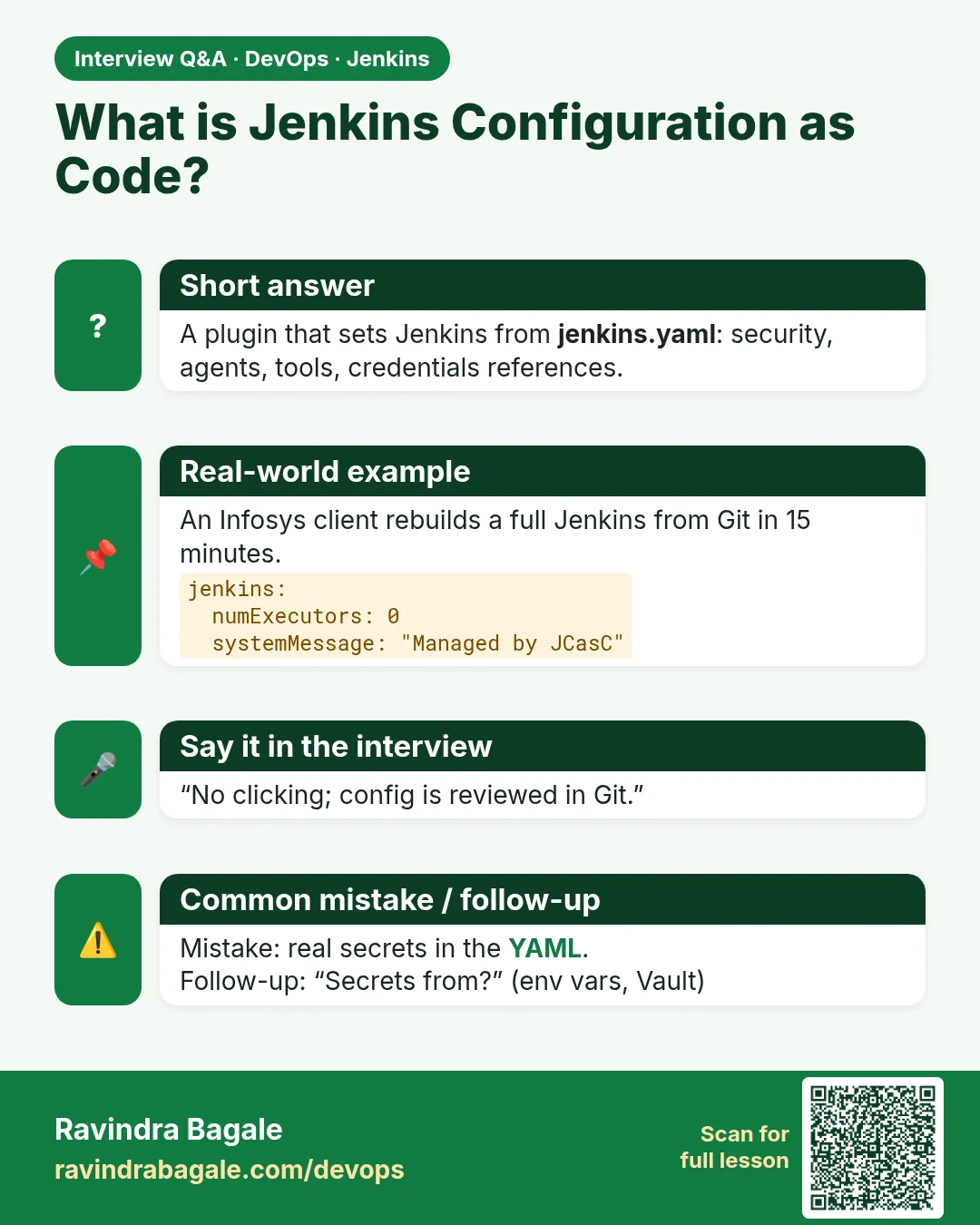
A plugin that configures Jenkins from YAML so controllers are reproducible.
-
How do you handle secrets in CasC?
Variable placeholders resolved from env, files or secret stores.
-
How do jobs get created?
Job DSL seed jobs or multibranch from CasC.
-
How do you reload CasC?
UI button, REST reload, or the Helm sidecar.
-
Why CasC?
Reviewable, repeatable, fast rebuilds, no drift.
Quick quiz
Q1. What does CasC do?
Sets up Jenkins from YAML.
Q2. Which variable points to the YAML?
CASC_JENKINS_CONFIG.
Q3. Where do passwords come from?
Environment variables or a secret store.
Q4. How do you apply edits without restart?
Reload.
Q5. Which plugin makes jobs?
Job DSL.
Samajla ka?
 Revision card
 Interview card