Chapter 30: Artifacts, Release Patterns and Quality Gates
30.7 Quality gates and database migrations
Why: the problem
Suppose we are at Razorpay. A developer's change passes all tests, but it has no tests for the new refund code and it has a SQL injection risk. Tests alone did not catch it. A quality gate is a fixed rule set the build must pass, like: coverage on new code at least 80 percent, no new critical bugs, no new security hotspots left open. If the gate fails, Jenkins stops the release. The second risk is the database. New code often needs a new column. If someone adds it by hand, staging and production drift apart. Migration tools like Flyway keep database changes as numbered files in Git and apply them in order, the same way everywhere.
What we will build
You will add a SonarQube quality gate to a Jenkins pipeline and see it fail and pass. Then you will run database migrations three ways: Flyway in Docker for a Java app, Alembic for a Python app, and the expand and contract pattern so blue-green and rollback stay safe.
What: every term in plain English
- Quality gate — A set of pass or fail rules on code quality, checked on every build.
- SonarQube — A server that scans code for bugs, code smells, security issues and coverage.
- waitForQualityGate — A Jenkins step that waits for SonarQube to say the gate passed or failed.
- Coverage on new code — The percent of new or changed lines that tests run.
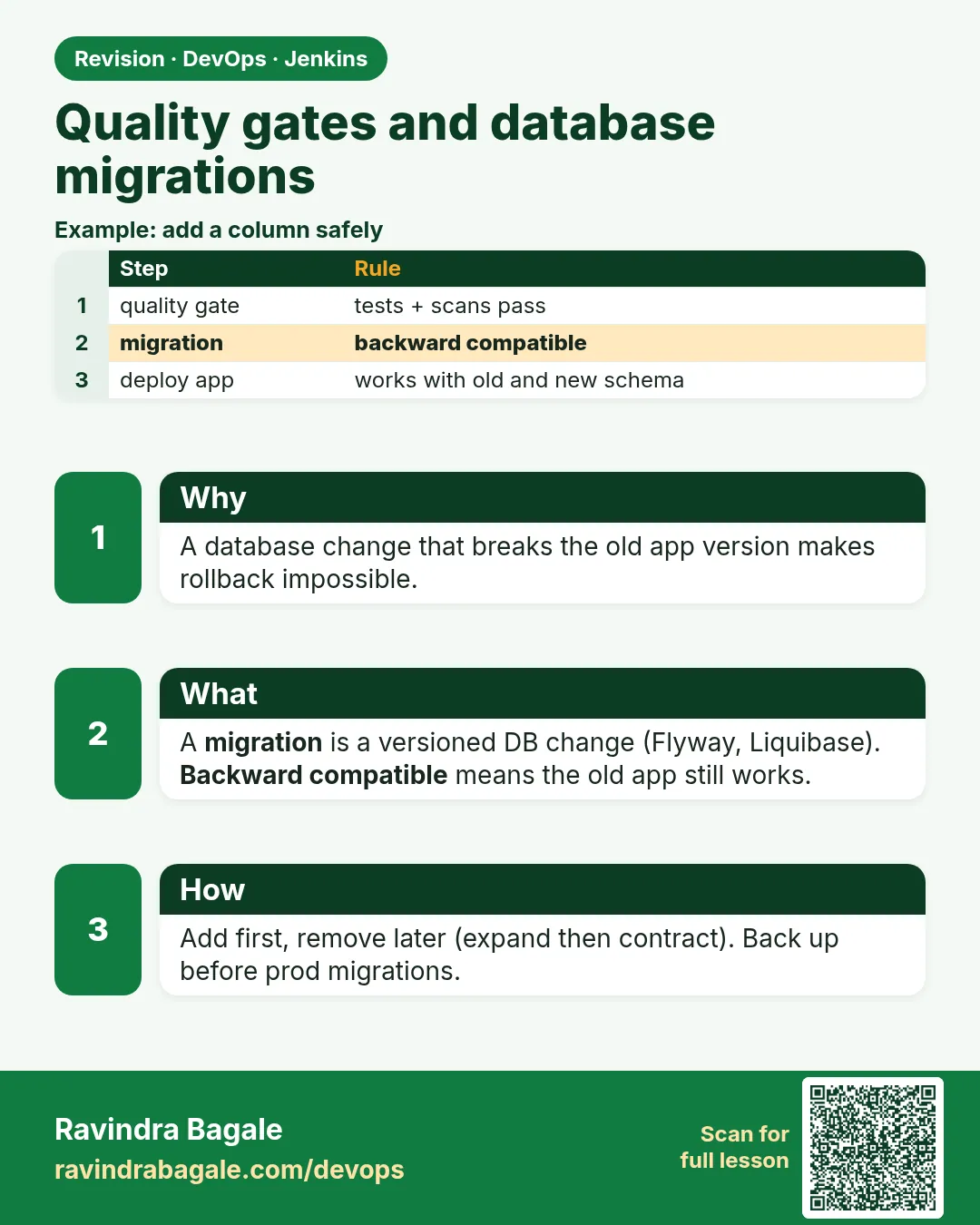
- Migration — A versioned script that changes the database, like adding a column.
- Flyway — A tool that runs SQL migrations named V1__, V2__ in order and records them in a history table.
- Expand and contract — Change the schema in safe steps: first add new things, later remove old things, so old and new code both work.
How: step by step
-
Start a lab SonarQube
docker run -d --name sonar -p 9000:9000 sonarqube:10-communityWhat it does: Lab only. Log in at localhost:9000 and change the admin password at once.
Output
3e8a1c... -
Create a token in SonarQube
My Account > Security > Generate Token, name jenkinsWhat it does: The token lets Jenkins send scans. Store it, do not paste it in files.
Output
Token generated: squ_**** -
Save the token in Jenkins
Manage Jenkins > Credentials > Secret text, ID sonar-tokenWhat it does: The pipeline uses only the ID.
Output
Credential sonar-token created -
Connect Jenkins to SonarQube
Manage Jenkins > System > SonarQube servers: name sonar-lab, URL http://sonar:9000, token sonar-tokenWhat it does: withSonarQubeEnv uses this name.
Output
Saved -
Add a webhook in SonarQube
Administration > Configuration > Webhooks > Create: http://jenkins:8080/sonarqube-webhook/What it does: SonarQube tells Jenkins when analysis is done. Without it, waitForQualityGate waits forever.
Output
Webhook jenkins created -
Set the gate rules
Quality Gates > Create "Shop Gate": coverage on new code at least 80, new bugs 0, new vulnerabilities 0What it does: Clear numbers, agreed with the team.
Output
Quality gate "Shop Gate" set as default -
Run a build and watch the gate
Build NowWhat it does: The build waits a few seconds for the result.
Output
Checking status of SonarQube task 'AYx9...' on server 'sonar-lab'
SonarQube task 'AYx9...' status is 'SUCCESS'
SonarQube task 'AYx9...' completed. Quality gate is 'OK'
Example 1: Jenkins + SonarQube: scan, then stop the pipeline if the gate fails
Stack. Java 17 Maven, JaCoCo, SonarQube Community
Goal. Jenkins + SonarQube: scan, then stop the pipeline if the gate fails.
Jenkinsfile
pipeline {
  agent { label 'linux-docker' }
  stages {
    stage('Test') { steps { sh './mvnw -B -ntp verify' } }
    stage('Scan') {
      steps {
        withSonarQubeEnv('sonar-lab') {
          sh './mvnw -B -ntp sonar:sonar -Dsonar.projectKey=refund-service -Dsonar.coverage.jacoco.xmlReportPaths=target/site/jacoco/jacoco.xml'
        }
      }
    }
    stage('Quality gate') {
      steps {
        timeout(time: 5, unit: 'MINUTES') {
          waitForQualityGate abortPipeline: true
        }
      }
    }
    stage('Deploy staging') { steps { sh './deploy.sh staging' } }
  }
}
What each line does
withSonarQubeEnv('sonar-lab')— Gives the scanner the server URL and token from Jenkins settings.sonar:sonar -Dsonar.projectKey=refund-service— Runs the scan and names the project.jacoco.xml— The coverage report from tests, so SonarQube knows covered lines.timeout(time: 5, unit: 'MINUTES')— Do not wait forever if the webhook is broken.waitForQualityGate abortPipeline: true— If the gate is red, the build stops here and Deploy never runs.
Green output
[INFO] ANALYSIS SUCCESSFUL, you can find the results at: http://sonar:9000/dashboard?id=refund-service
[Pipeline] waitForQualityGate
Checking status of SonarQube task 'AYx9k2' on server 'sonar-lab'
SonarQube task 'AYx9k2' status is 'SUCCESS'
SonarQube task 'AYx9k2' completed. Quality gate is 'ERROR'
ERROR: Pipeline aborted due to quality gate failure: ERROR
Finished: FAILURE
Expected result. The gate failed because coverage on new code was 61 percent. Deploy staging did not run. After adding tests, the gate shows OK.
Example 2: Flyway in Docker: versioned SQL files applied in order before the app deploys
Stack. PostgreSQL 16, Flyway 10 in Docker, Jenkins
Goal. Flyway in Docker: versioned SQL files applied in order before the app deploys.
db/migration/V7__add_refund_reason.sql
-- V7: expand step - add a nullable column, old code ignores it
ALTER TABLE refunds ADD COLUMN reason VARCHAR(200);
CREATE INDEX idx_refunds_reason ON refunds (reason);
Jenkinsfile (migrate stage)
stage('Migrate staging DB') {
  steps {
    withCredentials([usernamePassword(credentialsId: 'staging-db', usernameVariable: 'DB_USER', passwordVariable: 'DB_PASS')]) {
      sh '''
        docker run --rm -v "$PWD/db/migration":/flyway/sql flyway/flyway:10 \
          -url=jdbc:postgresql://staging-db.internal:5432/payments \
          -user="$DB_USER" -password="$DB_PASS" info migrate
      '''
    }
  }
}
What each line does
V7__add_refund_reason.sql— V7 is the version. Two underscores, then a description. Flyway runs files in version order.ADD COLUMN reason ... (nullable)— Adding a nullable column is safe: old code keeps working.-v "$PWD/db/migration":/flyway/sql— Mount the migration files into the Flyway container.credentialsId: 'staging-db'— Database user and password from Jenkins credentials.info migrate— First print the status, then apply pending migrations.
Green output
+-----------+---------+---------------------+---------+
| Category  | Version | Description         | State   |
+-----------+---------+---------------------+---------+
| Versioned | 6       | create refunds      | Success |
| Versioned | 7       | add refund reason   | Pending |
+-----------+---------+---------------------+---------+
Successfully validated 7 migrations (execution time 00:00.031s)
Migrating schema "public" to version "7 - add refund reason"
Successfully applied 1 migration to schema "public", now at version v7
Expected result. The database is at v7 on staging. Running it again applies nothing, because Flyway records V7 in flyway_schema_history.
Example 3: Python Alembic plus expand and contract: rename a column with zero downtime in three releases
Stack. Python 3.12, SQLAlchemy, Alembic, PostgreSQL
Goal. Python Alembic plus expand and contract: rename a column with zero downtime in three releases.
alembic/versions/0012_expand_add_full_name.py
"""expand: add full_name, keep old name column"""
from alembic import op
import sqlalchemy as sa

revision = "0012"
down_revision = "0011"

def upgrade():
    op.add_column("customers", sa.Column("full_name", sa.String(200), nullable=True))
    op.execute("UPDATE customers SET full_name = name WHERE full_name IS NULL")

def downgrade():
    op.drop_column("customers", "full_name")
release plan
Release 1 (expand):   migration 0012 adds full_name and copies data.
                      App writes BOTH name and full_name, reads name.
Release 2 (switch):   App reads full_name, still writes both.
                      Rollback to release 1 is safe: name is still filled.
Release 3 (contract): migration 0013 drops name. App uses only full_name.
Jenkinsfile (migrate stage)
stage('Migrate') {
  steps {
    withCredentials([string(credentialsId: 'crm-db-url', variable: 'DATABASE_URL')]) {
      sh 'alembic current && alembic upgrade head && alembic current'
    }
  }
}
What each line does
revision / down_revision— Each migration points to the one before it, like a chain.add_column ... nullable=True— Expand: add new, never remove in the same release.UPDATE customers SET full_name = name— Copy old data into the new column.downgrade()— How to undo this one step, if needed.Release 3 drops name— Contract happens only after no running version reads name.alembic upgrade head— Apply all pending migrations up to the newest.
Green output
+ alembic current
0011
+ alembic upgrade head
INFO  [alembic.runtime.migration] Running upgrade 0011 -> 0012, expand: add full_name, keep old name column
+ alembic current
0012 (head)
Expected result. Both old and new code work with the database during the release. Blue-green and rollback stay safe.
Verify: did it work?
-
Check gate status by API
curl -s -u "$SONAR_TOKEN:" "http://localhost:9000/api/qualitygates/project_status?projectKey=refund-service" | jq -r .projectStatus.statusWhat it does: OK or ERROR.
Output
OK -
Check database version
docker run --rm flyway/flyway:10 -url=jdbc:postgresql://staging-db.internal:5432/payments -user="$DB_USER" -password="$DB_PASS" info | tail -3What it does: Last line should say Success for the newest version.
Output
| Versioned | 7 | add refund reason | Success | -
Check the history table
psql "$DATABASE_URL" -c "select version, success from flyway_schema_history order by installed_rank desc limit 2"What it does: Flyway stores what ran and when.
Output
 version | success
---------+---------
 7       | t
 6       | t
When it is red 1
ERROR: Pipeline aborted due to quality gate failure: ERROR
Cause. The code broke a gate rule. This is the gate working.
Fix, step by step
- Open the SonarQube link in the log.
- Read which condition failed, like coverage on new code.
- Add tests or fix the issue. Do not lower the gate to pass.
When it is red 2
waitForQualityGate: Timeout has been exceeded
Cause. SonarQube never called Jenkins back. The webhook is missing or wrong.
Fix, step by step
- Create the webhook to /sonarqube-webhook/ with a trailing slash.
- Check SonarQube can reach the Jenkins URL.
- Look at Administration > Webhooks > Recent deliveries.
When it is red 3
ERROR: Validate failed: Migrations have failed validation
Detected applied migration not resolved locally: 6
Cause. Someone changed or deleted an already applied migration file.
Fix, step by step
- Never edit an applied migration.
- Restore the original file from Git.
- Put the change in a new V8 file.
When it is red 4
ERROR: Migration V7__add_refund_reason.sql failed
SQL State: 42P07 Message: relation "idx_refunds_reason" already exists
Cause. The index was created by hand earlier, so staging drifted.
Fix, step by step
- Remove the manual index in a lab, or use CREATE INDEX IF NOT EXISTS.
- Make the rule: no manual schema changes.
- Run flyway repair only after you understand the state.
Cleanup
-
Stop the lab SonarQube
docker rm -f sonarWhat it does: Frees about 2 GB of memory.
Output
sonar -
Reset a lab database
docker rm -f pg-lab && docker run -d --name pg-lab -e POSTGRES_PASSWORD=lab -p 5432:5432 postgres:16-alpineWhat it does: Start migrations again from V1 in the lab only.
Output
f0e1d2...
Ravindra Bagale's Tip
Gate fail zala tar gate kami karu naka, code sudhara. Database la haathane badal karu naka!
Practice tasks
Easy See the gate fail
Why: Know the red screen.
What to do: Add a new function with no tests and run the build.
- Push the change.
- Open the SonarQube link.
Check: Gate shows ERROR on coverage.
Medium Run Flyway twice
Why: Migrations must be repeatable.
What to do: Run migrate two times.
- docker run --rm ... flyway/flyway:10 ... migrate
- Run it again.
Check: Second run says schema is up to date.
Hard Plan a safe rename
Why: Renames break running code.
What to do: Write the three-release plan to rename a column.
- Expand, switch, contract.
- Write each migration file.
Check: Old and new versions work at every step.
Easy Say quality gates and migrations in two lines
Why: If you can say it simply, you understand it. Juniors and interviewers both want the short version first.
What to do: Write two short lines about quality gates and migrations for a fresher who knows only Linux and Git basics.
- Write the problem it solves.
- Write the one Jenkinsfile step or command you use for it.
- Read it aloud to a friend.
Check: A fresher understands it without asking a question.
Easy Start a fresh lab Jenkins
Why: Practice needs a throwaway Jenkins. If you break it, you delete it and start again.
What to do: Run Jenkins LTS in Docker with a named volume.
- docker volume create jenkins_home
- docker run -d --name jenkins -p 8080:8080 -v jenkins_home:/var/jenkins_home jenkins/jenkins:lts-jdk17
- docker logs jenkins 2>&1 | grep -A2 "initialAdminPassword"
Check: The Jenkins login page opens on localhost:8080.
Medium Do it on the second setup
Why: A release idea must work on a VM, on Docker and on Kubernetes. Only the deploy step should change.
What to do: Repeat this lesson on a different target than the one you used first.
- If you used Docker, use kind or minikube now.
- Change only the deploy commands.
- Keep the same Jenkinsfile stages.
Check: Same result, and the stage names did not change.
Medium Break it on purpose
Why: You must know the red output by face. In a real outage there is no time to read slowly.
What to do: Cause one error from the "When it is red" part of this lesson and fix it.
- Follow the error section.
- Copy the exact message into your notes.
- Write the fix in one line.
Check: You fixed it using only the steps, without searching the web.
Medium Write a release runbook page
Why: At 2 a.m. nobody remembers flags. A short page saves the on-call person.
What to do: Write a one-page runbook for this lesson.
- Title, when to use, exact commands, how to check, how to undo.
Check: A teammate can follow it alone.
Hard Explain it like an interview
Why: Interviewers want real stories, not definitions.
What to do: Record a 60 second answer about this lesson.
- Say the problem, the Jenkinsfile step, and one error you hit.
Check: Your answer has a real command and a real error message.
Hard Draw the flow top to bottom
Why: A drawing shows the order of work and who is waiting on whom.
What to do: Draw this lesson as boxes from top to bottom.
- Start at git push, go through the stages, end at the check in production.
Check: Each box matches a real step you ran.
Homework: try at home
Try at home
At home, run SonarQube in Docker, scan a small project from Jenkins, set a gate of 80 percent coverage on new code, and see it fail and then pass. Then write V1 and V2 Flyway files and run them against a PostgreSQL container twice.
Recap
- A quality gate is a fixed pass or fail rule set on every build.
- SonarQube plus waitForQualityGate stops bad code before deploy.
- Database changes are versioned files in Git, applied by Flyway, Liquibase or Alembic.
- Never edit applied migrations; add new ones.
- Expand and contract keeps blue-green and rollback safe.
FAQ
Is SonarQube free?
The Community edition is free and enough to learn. Paid editions add branch and PR analysis.
Can I use only coverage as a gate?
You can, but add new bugs and vulnerabilities too. Coverage alone can be faked.
Should migrations run in the app at startup?
For small apps it is fine. For big apps, run them as a separate pipeline step, so many Pods do not race.
Liquibase or Flyway?
Both work. Flyway uses plain SQL files; Liquibase also supports YAML and XML change sets.
Can I roll back a migration?
Sometimes, with a downgrade script. Safer is a new forward migration.
Interview questions
-
What is a quality gate and how do you use it in Jenkins?
A set of rules like coverage on new code and zero new critical issues. withSonarQubeEnv scans, then waitForQualityGate abortPipeline true stops the pipeline on failure.
-
How do you manage database changes in CI/CD?
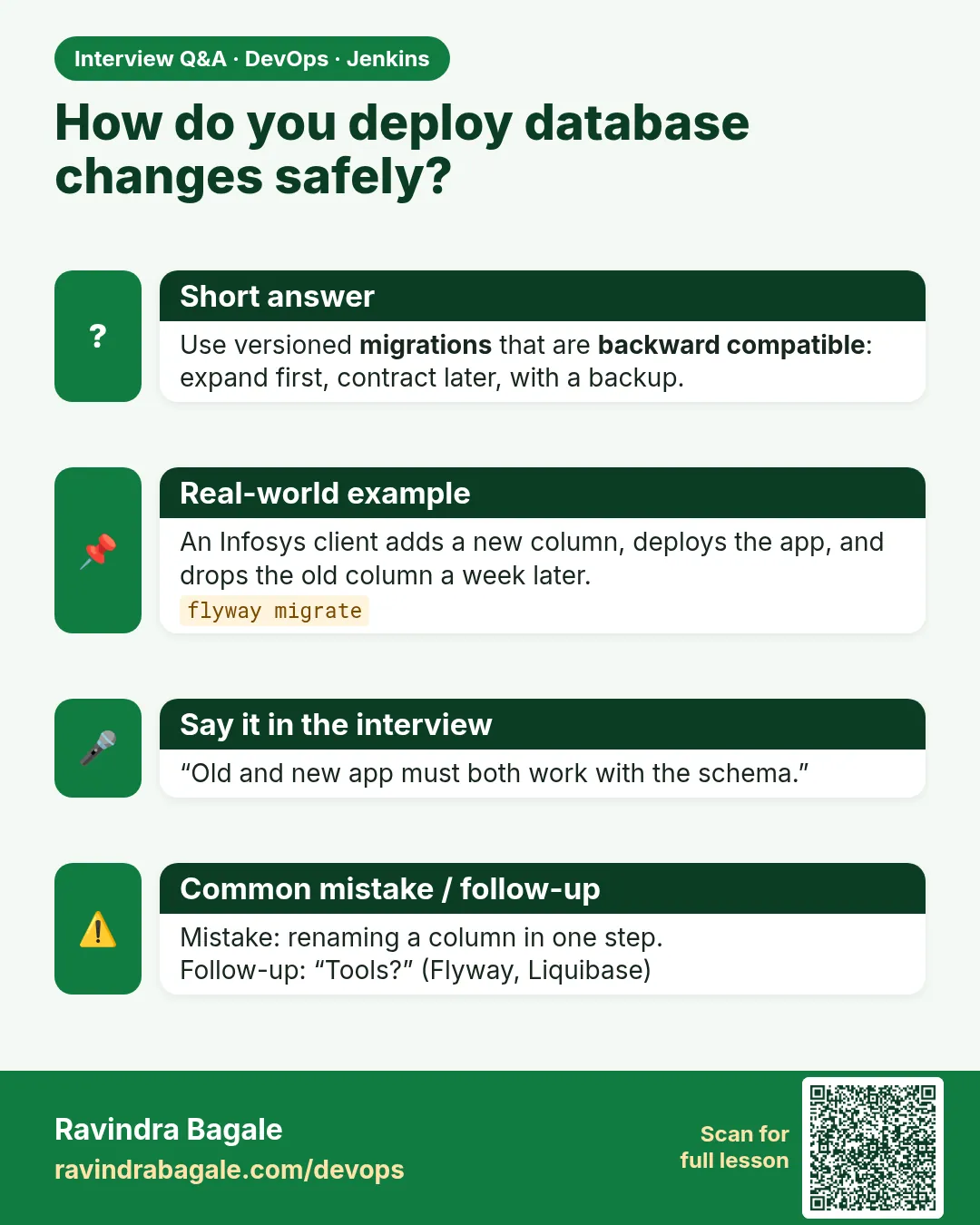
Versioned migration files in Git, applied by Flyway, Liquibase or Alembic as a pipeline stage before deploy, same files in every environment.
-
What is expand and contract?
A zero-downtime schema change: add new structures, migrate data, switch code, then drop old structures in a later release.
-
Why should you never edit an applied migration?
The checksum changes, validation fails, and environments drift.
-
What if waitForQualityGate hangs?
Check the SonarQube webhook to Jenkins and always wrap it in a timeout.
Quick quiz
Q1. What does waitForQualityGate abortPipeline true do?
Stops the pipeline if the gate fails.
Q2. Why does SonarQube need a webhook to Jenkins?
To tell Jenkins the analysis result.
Q3. Can you edit an applied Flyway migration?
No. Write a new version file.
Q4. What is expand and contract?
Add new schema first, remove old schema in a later release.
Q5. Where should the migration stage run?
Before the app deploy in each environment.
Lab
- Archive dist/** and copy it into a second job.
- Draw blue-green and canary 90/10→50/50→100 on paper.
- Practice one rollback command in lab.
Practice task
Explain blue-green vs canary in five sentences using the LB picture.
Ravindra Bagale's Tip
Artifact navane. Blue-green LB switch. Canary 90/10. Gate red = Live nahi. Dhyan rakho!
Thodkyaat sangaycha tar
- Artifacts: archive and copy by name.
- Notify only with real SMTP/Slack.
- Blue-green = LB switch; canary = percentage ramp.
- Rollback then fix main. Gates block Live. Migrations use credential ids.
Samajla ka?
 Revision card
 Interview card