Chapter 30: Artifacts, Release Patterns and Quality Gates
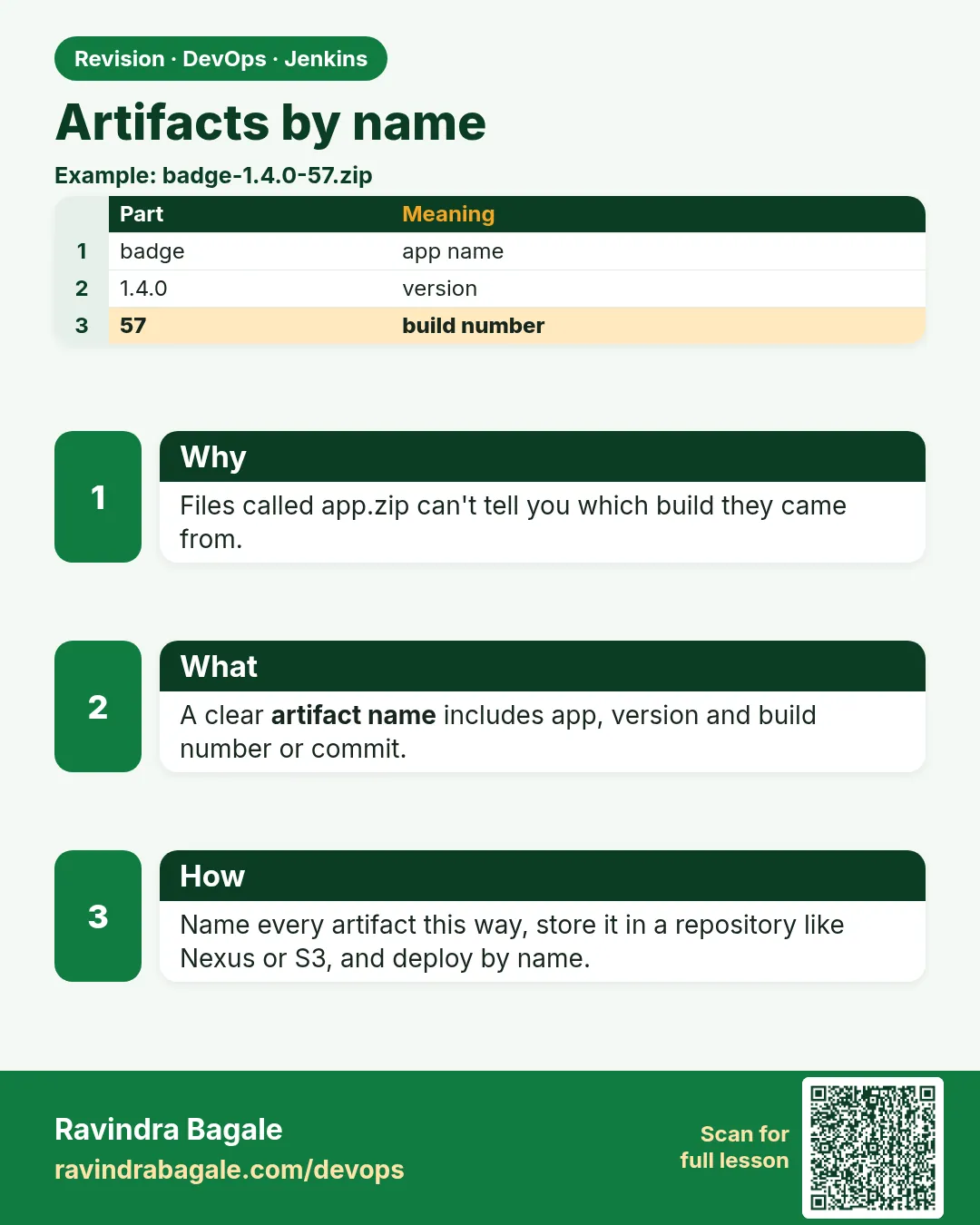
30.1 Artifacts by name
Why: the problem
Suppose we work at Zomato. On Monday the team builds the order service and tests it. On Tuesday someone rebuilds it for production. The new build pulls a newer library, and production breaks. The file you tested is not the file you shipped. An artifact solves this. An artifact is the exact output of one build: a jar, a zip, a Docker image. You build it once, give it a clear name, keep it, and move that same file from test to production. Jenkins can keep artifacts on a build, and other jobs can copy them by name.
What we will build
You will make one Jenkins build produce a named artifact, keep it with archiveArtifacts, and pick it up in a second job with copyArtifacts. Then you will do the same for three stacks: a Node.js zip, a Java jar pushed to a Maven repository, and a Docker image tagged with the Git commit.
What: every term in plain English
- Artifact — The file a build makes, like app.jar, dist.zip or a Docker image. It is what you ship.
- archiveArtifacts — A Jenkinsfile step that saves files from the workspace onto the build page, so they stay after the workspace is cleaned.
- copyArtifacts — A step from the Copy Artifact plugin. It copies saved files from another job into this job workspace.
- Fingerprint — A checksum (MD5) Jenkins records for a file, so it can show which builds made and used that exact file.
- Build once, deploy many — A rule: make the artifact one time, then deploy the same artifact to dev, staging and production.
- Artifact repository — A server that stores artifacts for a long time, like Nexus, JFrog Artifactory, Amazon S3 or Amazon ECR.
- Version name — A name that tells you exactly which build it is, such as 1.4.0+42.a3f2c1 (version, build number, commit).
How: step by step
-
Make a small Node app folder
mkdir -p order-ui && cd order-ui && npm init -yWhat it does: Creates package.json so npm can build.
Output
Wrote to /home/ravi/order-ui/package.json -
Add a build script
npm pkg set scripts.build="mkdir -p dist && echo ok > dist/ok.txt && cp package.json dist/"What it does: A tiny build that writes files into dist/.
Output
(no output) -
Run the build by hand once
npm run build && ls distWhat it does: Always run the build by hand before you put it in Jenkins.
Output
> order-ui@1.0.0 build ok.txt package.json -
Push the folder to your Git server
git init && git add . && git commit -m "first build" && git push origin mainWhat it does: Jenkins will clone it from Git.
Output
[main (root-commit) a3f2c1d] first build 2 files changed -
Create a Pipeline job in Jenkins
New Item > order-ui-build > Pipeline > Pipeline script from SCMWhat it does: The Jenkinsfile in the repo drives the job.
Output
Job order-ui-build created -
Run the job
Build NowWhat it does: Jenkins clones, builds and archives.
Output
Finished: SUCCESS -
Open the build page
http://localhost:8080/job/order-ui-build/1/What it does: You see "Build Artifacts" with dist/ok.txt and a download link.
Output
Build Artifacts
  dist/ok.txt  3 B  view
  dist/package.json  281 B  view
Example 1: Node
Stack. Node.js 20, Jenkins Docker agent
Goal. Node.js: build a zip with a clear version name and keep it on the build page.
Jenkinsfile
pipeline {
  agent { docker { image 'node:20-alpine' } }
  environment {
    VERSION = "1.4.0+${env.BUILD_NUMBER}"
  }
  stages {
    stage('Install') { steps { sh 'npm ci' } }
    stage('Test')    { steps { sh 'npm test --if-present' } }
    stage('Build')   { steps { sh 'npm run build' } }
    stage('Package') {
      steps {
        sh 'cd dist && zip -r ../order-ui-${VERSION}.zip .'
        archiveArtifacts artifacts: "order-ui-${VERSION}.zip", fingerprint: true, allowEmptyArchive: false
      }
    }
  }
}
What each line does
agent { docker { image 'node:20-alpine' } }— Run all stages inside a Node 20 container, so the laptop and Jenkins use the same Node.VERSION = "1.4.0+${env.BUILD_NUMBER}"— The artifact name carries the app version and the build number.sh 'npm ci'— Installs the exact versions from package-lock.json. Better than npm install for CI.zip -r ../order-ui-${VERSION}.zip .— Packs dist/ into one file with the version in its name.fingerprint: true— Jenkins records the checksum, so later jobs can show where this file came from.allowEmptyArchive: false— If no file matches, the build fails. You never get a green build with nothing in it.
Green output
[Pipeline] stage (Package)
+ cd dist
+ zip -r ../order-ui-1.4.0+42.zip .
  adding: ok.txt (stored 0%)
  adding: package.json (deflated 41%)
[Pipeline] archiveArtifacts
Archiving artifacts
Recording fingerprints
Finished: SUCCESS
Expected result. Build 42 shows order-ui-1.4.0+42.zip under Build Artifacts. The same zip is used by every later stage.
Example 2: Two jobs: a deploy job copies the zip from the last green build, by name, instead of building again
Stack. Copy Artifact plugin, Linux VM
Goal. Two jobs: a deploy job copies the zip from the last green build, by name, instead of building again.
Jenkinsfile.deploy
pipeline {
  agent any
  parameters {
    string(name: 'BUILD_NO', defaultValue: '', description: 'Empty means last green build')
  }
  stages {
    stage('Fetch artifact') {
      steps {
        script {
          def pick = params.BUILD_NO ? specific(params.BUILD_NO) : lastSuccessful()
          copyArtifacts projectName: 'order-ui-build', filter: 'order-ui-*.zip',
                        selector: pick, fingerprintArtifacts: true, target: 'in'
        }
        sh 'ls -l in/'
      }
    }
    stage('Deploy to staging') {
      steps {
        sh 'unzip -o in/order-ui-*.zip -d /srv/staging/order-ui'
      }
    }
  }
}
What each line does
parameters { string(name: 'BUILD_NO' ...— Lets you choose an older build number. Empty means the last green one.lastSuccessful()— Picks the newest build of order-ui-build that finished green.specific(params.BUILD_NO)— Picks one exact build, useful for rollback.filter: 'order-ui-*.zip'— Copy only the zip, not every file.target: 'in'— Put the copied files in the in/ folder of this workspace.fingerprintArtifacts: true— The zip page now shows it was used by the deploy job.
Green output
[Pipeline] copyArtifacts
Copied 1 artifact from "order-ui-build" build number 42
[Pipeline] sh
+ ls -l in/
-rw-r--r-- 1 jenkins jenkins 512 Oct 25 10:12 order-ui-1.4.0+42.zip
[Pipeline] sh
+ unzip -o in/order-ui-1.4.0+42.zip -d /srv/staging/order-ui
  inflating: /srv/staging/order-ui/ok.txt
Finished: SUCCESS
Expected result. Staging runs build 42. Nobody rebuilt anything. Fingerprint shows build 42 was used by order-ui-deploy #7.
Example 3: Java and Docker: push the jar to Nexus and the image to Amazon ECR, both named with the Git commit
Stack. Java 17 Maven, Nexus, Docker, Amazon ECR
Goal. Java and Docker: push the jar to Nexus and the image to Amazon ECR, both named with the Git commit.
Jenkinsfile
pipeline {
  agent { label 'linux-docker' }
  environment {
    SHORT_SHA = "${env.GIT_COMMIT.take(7)}"
    VERSION   = "2.3.${env.BUILD_NUMBER}"
    ECR       = '111122223333.dkr.ecr.ap-south-1.amazonaws.com/payment-api'
  }
  stages {
    stage('Build jar') {
      steps { sh './mvnw -B -ntp versions:set -DnewVersion=${VERSION} && ./mvnw -B -ntp package' }
    }
    stage('Publish jar') {
      steps {
        withCredentials([usernamePassword(credentialsId: 'nexus-deploy', usernameVariable: 'NX_USER', passwordVariable: 'NX_PASS')]) {
          sh './mvnw -B -ntp deploy -DskipTests -s ci-settings.xml'
        }
        archiveArtifacts artifacts: 'target/*.jar', fingerprint: true
      }
    }
    stage('Image') {
      steps {
        sh 'docker build -t ${ECR}:${VERSION}-${SHORT_SHA} .'
        sh 'aws ecr get-login-password --region ap-south-1 | docker login --username AWS --password-stdin ${ECR%/*}'
        sh 'docker push ${ECR}:${VERSION}-${SHORT_SHA}'
      }
    }
  }
}
What each line does
label 'linux-docker'— Run on an agent that has Docker and Java.GIT_COMMIT.take(7)— Short commit id, like a3f2c1d. It links the artifact to the exact code.versions:set -DnewVersion— Stamps the version into pom.xml before packaging.credentialsId: 'nexus-deploy'— The Nexus user and password come from the Jenkins credentials store, never from the file.mvnw deploy -s ci-settings.xml— Uploads the jar to Nexus. ci-settings.xml reads NX_USER and NX_PASS from the environment.${ECR}:${VERSION}-${SHORT_SHA}— The image tag has version and commit, for example 2.3.57-a3f2c1d. Never only latest.
Green output
[INFO] Uploading to nexus-releases: https://nexus.example.com/repository/maven-releases/com/shop/payment-api/2.3.57/payment-api-2.3.57.jar
[INFO] Uploaded (18 MB at 42 MB/s)
Archiving artifacts
+ docker push 111122223333.dkr.ecr.ap-south-1.amazonaws.com/payment-api:2.3.57-a3f2c1d
2.3.57-a3f2c1d: digest: sha256:7d1e...9b2c size: 1789
Finished: SUCCESS
Expected result. Nexus has payment-api 2.3.57 and ECR has the image 2.3.57-a3f2c1d. Both point to the same commit.
Verify: did it work?
-
List artifacts of a build with the API
curl -s -u ravi:$JENKINS_TOKEN "http://localhost:8080/job/order-ui-build/42/api/json?tree=artifacts[fileName]" | jq -r ".artifacts[].fileName"What it does: Shows what build 42 kept.
Output
order-ui-1.4.0+42.zip -
Download the artifact by URL
curl -s -O -u ravi:$JENKINS_TOKEN "http://localhost:8080/job/order-ui-build/42/artifact/order-ui-1.4.0+42.zip" && ls -l order-ui-*.zipWhat it does: Every archived file has a stable URL.
Output
-rw-r--r-- 1 ravi ravi 512 Oct 25 10:20 order-ui-1.4.0+42.zip -
Check the image tag exists in ECR
aws ecr describe-images --repository-name payment-api --image-ids imageTag=2.3.57-a3f2c1d --query "imageDetails[0].imageTags"What it does: Proves the push worked.
Output
[
    "2.3.57-a3f2c1d"
]
When it is red 1
ERROR: No artifacts found that match the file pattern "order-ui-*.zip". Configuration error?
Cause. The Package stage did not make the zip, or the name in the pattern is different.
Fix, step by step
- Open the console and look for the zip line.
- Run ls in the stage to see the real file name.
- Fix the pattern or the zip command.
When it is red 2
ERROR: Unable to find project for artifact copy: order-ui-build
Cause. The job name is wrong, or this job may not read that job.
Fix, step by step
- Copy the exact job name from the URL, including folder, like team/order-ui-build.
- In order-ui-build, add "Permission to Copy Artifact" for the deploy job.
When it is red 3
ERROR: Failed to copy artifacts from order-ui-build with filter: order-ui-*.zip
Unable to find a build for artifact copy
Cause. There is no green build yet, or old builds were deleted.
Fix, step by step
- Run order-ui-build once until it is green.
- Check the "Discard old builds" setting keeps enough builds.
- For long storage, push to Nexus, S3 or ECR, not only Jenkins.
Cleanup
-
Delete test files on staging
rm -rf /srv/staging/order-ui in/What it does: Leaves the lab server clean.
Output
(no output) -
Keep only 20 builds of artifacts
options { buildDiscarder(logRotator(numToKeepStr: "50", artifactNumToKeepStr: "20")) }What it does: Put this in the Jenkinsfile, so the controller disk does not fill up.
Output
(no output)
Ravindra Bagale's Tip
Ekda build kara, tech file sagalikade nya. Production sathi parat build karu naka. Lakshat theva!
Practice tasks
Easy Add the commit to the name
Why: A name with the commit links the file to the code.
What to do: Change the zip name to include GIT_COMMIT.take(7).
- Edit VERSION in the Jenkinsfile.
- Run the build.
Check: The zip name ends with the short commit.
Medium Push the zip to S3
Why: Jenkins is not a long-term store.
What to do: Upload the zip to an S3 bucket in a new stage.
- aws s3 cp order-ui-${VERSION}.zip s3://shop-artifacts/order-ui/
- aws s3 ls s3://shop-artifacts/order-ui/
Check: The zip is listed in S3.
Hard Deploy an older build
Why: Rollback needs old artifacts.
What to do: Use the deploy job with BUILD_NO set to an older green build.
- Set BUILD_NO.
- Check the console says that build number.
Check: Staging runs the older version.
Easy Say artifacts in two lines
Why: If you can say it simply, you understand it. Juniors and interviewers both want the short version first.
What to do: Write two short lines about artifacts for a fresher who knows only Linux and Git basics.
- Write the problem it solves.
- Write the one Jenkinsfile step or command you use for it.
- Read it aloud to a friend.
Check: A fresher understands it without asking a question.
Easy Start a fresh lab Jenkins
Why: Practice needs a throwaway Jenkins. If you break it, you delete it and start again.
What to do: Run Jenkins LTS in Docker with a named volume.
- docker volume create jenkins_home
- docker run -d --name jenkins -p 8080:8080 -v jenkins_home:/var/jenkins_home jenkins/jenkins:lts-jdk17
- docker logs jenkins 2>&1 | grep -A2 "initialAdminPassword"
Check: The Jenkins login page opens on localhost:8080.
Medium Do it on the second setup
Why: A release idea must work on a VM, on Docker and on Kubernetes. Only the deploy step should change.
What to do: Repeat this lesson on a different target than the one you used first.
- If you used Docker, use kind or minikube now.
- Change only the deploy commands.
- Keep the same Jenkinsfile stages.
Check: Same result, and the stage names did not change.
Medium Break it on purpose
Why: You must know the red output by face. In a real outage there is no time to read slowly.
What to do: Cause one error from the "When it is red" part of this lesson and fix it.
- Follow the error section.
- Copy the exact message into your notes.
- Write the fix in one line.
Check: You fixed it using only the steps, without searching the web.
Medium Write a release runbook page
Why: At 2 a.m. nobody remembers flags. A short page saves the on-call person.
What to do: Write a one-page runbook for this lesson.
- Title, when to use, exact commands, how to check, how to undo.
Check: A teammate can follow it alone.
Hard Explain it like an interview
Why: Interviewers want real stories, not definitions.
What to do: Record a 60 second answer about this lesson.
- Say the problem, the Jenkinsfile step, and one error you hit.
Check: Your answer has a real command and a real error message.
Hard Draw the flow top to bottom
Why: A drawing shows the order of work and who is waiting on whom.
What to do: Draw this lesson as boxes from top to bottom.
- Start at git push, go through the stages, end at the check in production.
Check: Each box matches a real step you ran.
Homework: try at home
Try at home
At home, make a Jenkins job that builds a zip named with the build number and archives it. Make a second job that copies the zip from the last green build and unzips it. Then run the second job again with BUILD_NO set to an older build.
Recap
- An artifact is the exact output of one build.
- Build once, then deploy the same file everywhere.
- archiveArtifacts keeps files on the build; copyArtifacts brings them to another job.
- Name artifacts with version, build number and commit.
- For long storage use Nexus, Artifactory, S3 or ECR.
FAQ
Can Jenkins be my only artifact store?
For a lab, yes. For real teams, no. Old builds get deleted and the controller disk fills up.
Should I archive node_modules?
No. Archive only what you ship, like dist/ or the jar.
What does fingerprint really give me?
A page that shows which build made the file and which jobs used it.
Is a Docker image an artifact?
Yes. Its repository is the registry, like ECR or Docker Hub.
Where do passwords for Nexus go?
In Jenkins credentials, used with withCredentials. Never in the Jenkinsfile.
Interview questions
-
What is the build once, deploy many principle?
Build one artifact, test it, then promote the same artifact to each environment. Only config changes per environment.
-
How do you pass artifacts between Jenkins jobs?
archiveArtifacts in the first job, copyArtifacts with lastSuccessful or a specific build in the second. Or push to Nexus or S3 and pull by version.
-
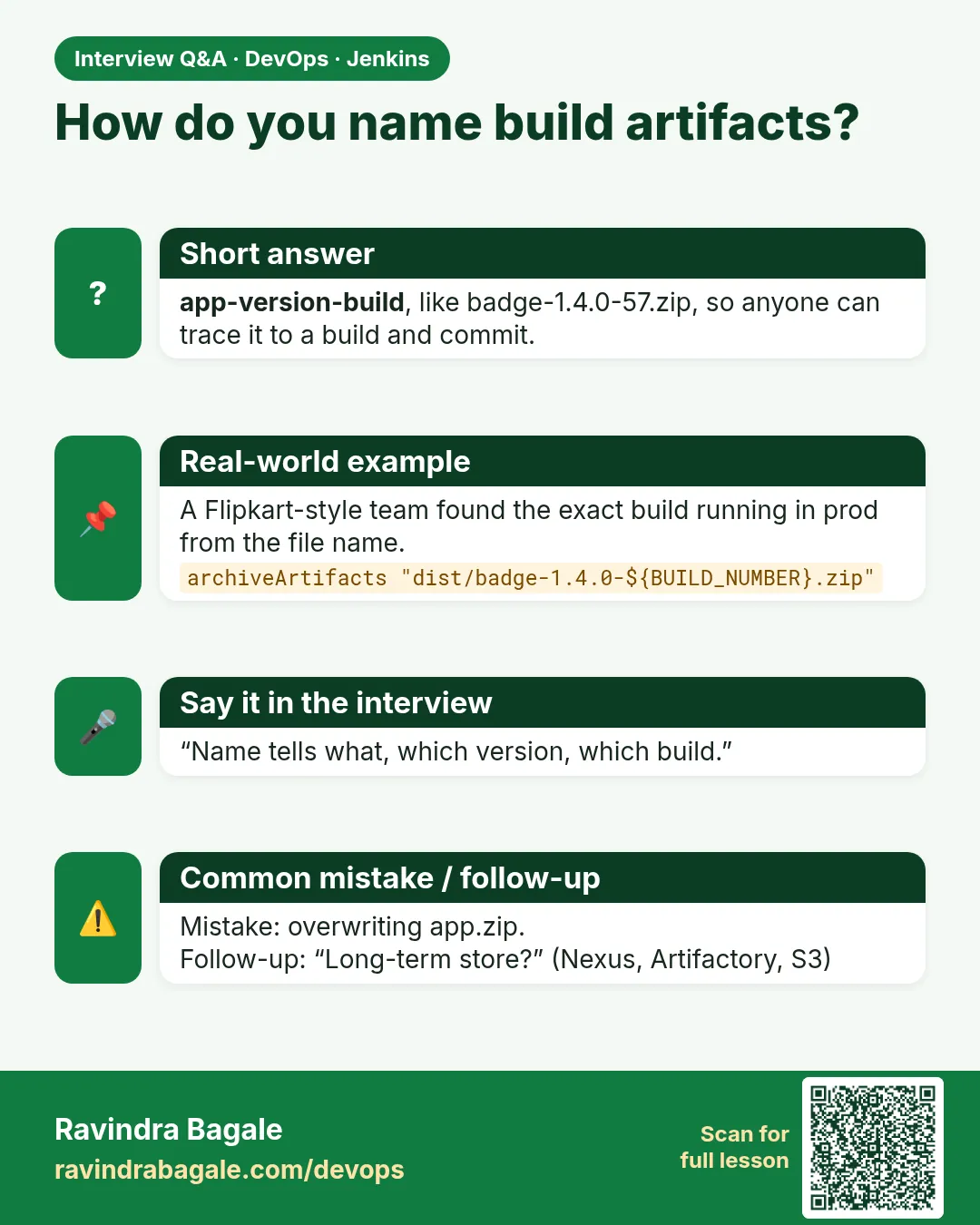
How do you name Docker images in CI?
Version plus short commit, like 2.3.57-a3f2c1d. Never deploy latest.
-
What is fingerprinting in Jenkins?
Jenkins records the file checksum and tracks which builds produced and used it.
-
Why not rebuild for production?
A rebuild may pull different dependencies, so production would run untested code.
Quick quiz
Q1. What is an artifact?
The file a build makes and you ship, like a jar, zip or image.
Q2. Why build once and deploy many?
So the file you tested is the exact file in production.
Q3. Which step keeps files on the build page?
archiveArtifacts.
Q4. Which plugin copies files from another job?
Copy Artifact, with the copyArtifacts step.
Q5. Why is a latest tag a bad image name for releases?
It moves. You cannot tell which code is running or roll back to it.
Samajla ka?
 Revision card
 Interview card