Chapter 30: Artifacts, Release Patterns and Quality Gates
30.3 Blue-green
Why: the problem
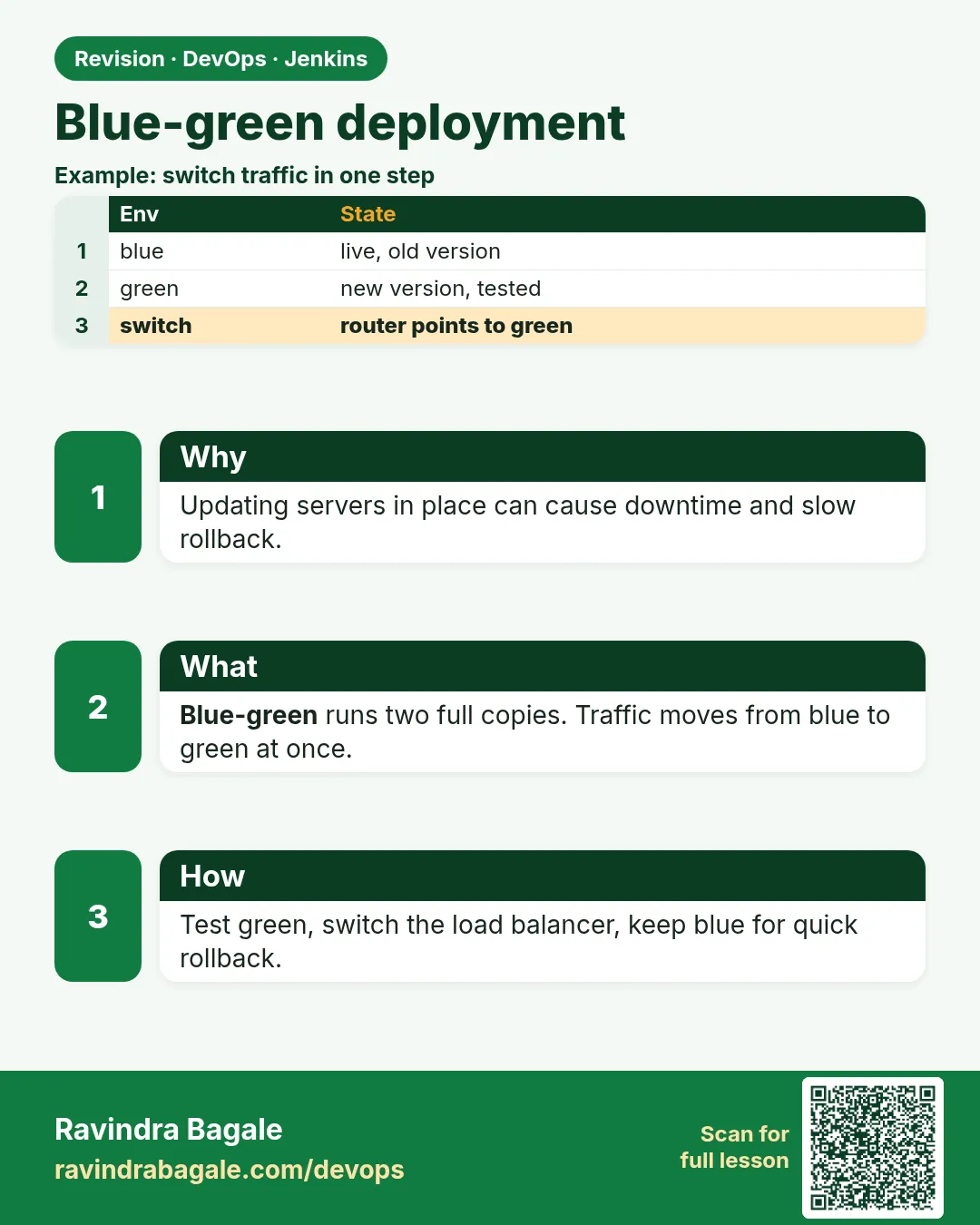
Suppose we are at BookMyShow and a new version of the ticket service goes out on Friday evening. The old way: stop the old version, start the new one. For two minutes people see errors, right when a big movie opens. If the new version is bad, you must stop it and start the old one again. Blue-green fixes both problems. You keep two full copies. Blue is live. Green gets the new version and is tested while blue still serves users. Then you move traffic from blue to green in one step. If green is bad, you move traffic back in one step.
What we will build
You will do a blue-green release three ways: two Docker containers behind nginx on one VM, two Kubernetes Deployments with one Service that switches by label, and two AWS target groups behind an Application Load Balancer. Jenkins will deploy green, test it, ask for approval, then switch.
What: every term in plain English
- Blue-green — A release method with two full copies of the app. One is live, one is idle. You switch traffic between them.
- Blue — The copy that serves users now.
- Green — The copy that gets the new version and is tested before it goes live.
- Switch — Moving all traffic from one copy to the other, in one quick step.
- Smoke test — A few quick checks, like the health URL and one real page, to prove the app is alive.
- Upstream — In nginx, the backend address that receives the requests.
- Selector — In Kubernetes, the label a Service uses to choose which Pods get traffic.
How: step by step
-
Start blue with the old version
docker run -d --name tickets-blue --network shop -e APP_VERSION=1.8.0 tickets:1.8.0What it does: Blue is live. It listens on port 3000 inside the network.
Output
b7e1f0c2a9d3 -
Point nginx at blue
echo "upstream tickets { server tickets-blue:3000; }" > /etc/nginx/conf.d/upstream.conf && nginx -s reloadWhat it does: All users go to blue.
Output
(no output) -
Start green with the new version
docker run -d --name tickets-green --network shop -e APP_VERSION=1.9.0 tickets:1.9.0What it does: Green runs next to blue, but gets no user traffic yet.
Output
c4d2a8e1f7b0 -
Smoke test green directly
docker run --rm --network shop curlimages/curl -fs http://tickets-green:3000/healthWhat it does: Test green from inside the network before users see it.
Output
{"status":"ok","version":"1.9.0"} -
Switch nginx to green
echo "upstream tickets { server tickets-green:3000; }" > /etc/nginx/conf.d/upstream.conf && nginx -t && nginx -s reloadWhat it does: nginx -t checks the config before reload. Reload has no downtime.
Output
nginx: configuration file /etc/nginx/nginx.conf test is successful -
Check users get green
curl -s https://tickets.example.com/healthWhat it does: Live traffic now hits 1.9.0.
Output
{"status":"ok","version":"1.9.0"} -
Keep blue for 30 minutes
docker ps --filter name=tickets-What it does: Do not delete blue yet. It is your instant rollback.
Output
tickets-green  Up 3 minutes
tickets-blue   Up 2 hours
Example 1: Docker and nginx on one VM: Jenkins finds the idle colour, deploys there, tests, then switches
Stack. Docker, nginx, Ubuntu VM
Goal. Docker and nginx on one VM: Jenkins finds the idle colour, deploys there, tests, then switches.
deploy-bluegreen.sh
#!/usr/bin/env bash
# deploy-bluegreen.sh VERSION - one VM, nginx in front, two app containers
set -euo pipefail
VERSION=$1
LIVE=$(grep -o 'tickets-[a-z]*' /etc/nginx/conf.d/upstream.conf)
if [ "$LIVE" = "tickets-blue" ]; then IDLE=tickets-green; else IDLE=tickets-blue; fi
echo "live=$LIVE idle=$IDLE new=$VERSION"
docker rm -f "$IDLE" 2>/dev/null || true
docker run -d --name "$IDLE" --network shop -e APP_VERSION="$VERSION" "tickets:$VERSION"
for i in $(seq 1 20); do
  docker run --rm --network shop curlimages/curl -fs "http://$IDLE:3000/health" && break
  sleep 3
done
echo "upstream tickets { server $IDLE:3000; }" > /etc/nginx/conf.d/upstream.conf
nginx -t && nginx -s reload
echo "switched to $IDLE"
What each line does
LIVE=$(grep -o ...)— Reads which colour nginx uses now.IDLE=...— The other colour gets the new version.docker rm -f "$IDLE"— Removes the old idle copy, never the live one.for i in $(seq 1 20)— Tries the health URL up to 20 times, 3 seconds apart.nginx -t && nginx -s reload— Switch only if the config is valid. Reload keeps open connections alive.
Green output
live=tickets-blue idle=tickets-green new=1.9.0
c4d2a8e1f7b0
{"status":"ok","version":"1.9.0"}
nginx: configuration file /etc/nginx/nginx.conf test is successful
switched to tickets-green
Expected result. Users moved to 1.9.0 with zero errors. Blue still runs 1.8.0 for rollback.
Example 2: Kubernetes: two Deployments, one Service
Stack. Kubernetes (EKS or kind), Jenkins input step
Goal. Kubernetes: two Deployments, one Service. The switch is one kubectl patch on the selector.
k8s/tickets-green.yaml
apiVersion: apps/v1
kind: Deployment
metadata:
  name: tickets-green
  labels: { app: tickets, color: green }
spec:
  replicas: 3
  selector:
    matchLabels: { app: tickets, color: green }
  template:
    metadata:
      labels: { app: tickets, color: green }
    spec:
      containers:
        - name: app
          image: 111122223333.dkr.ecr.ap-south-1.amazonaws.com/tickets:1.9.0-a3f2c1d
          ports: [{ containerPort: 3000 }]
          readinessProbe:
            httpGet: { path: /health, port: 3000 }
            periodSeconds: 5
k8s/tickets-svc.yaml
apiVersion: v1
kind: Service
metadata:
  name: tickets
spec:
  selector: { app: tickets, color: blue }
  ports: [{ port: 80, targetPort: 3000 }]
Jenkinsfile (deploy part)
stage('Deploy green') {
  steps {
    sh 'kubectl apply -f k8s/tickets-green.yaml'
    sh 'kubectl rollout status deploy/tickets-green --timeout=180s'
  }
}
stage('Smoke green') {
  steps {
    sh 'kubectl run smoke --rm -i --restart=Never --image=curlimages/curl -- curl -fs http://tickets-green-test/health'
  }
}
stage('Approve') {
  steps { input message: 'Switch tickets to green?', ok: 'Switch' }
}
stage('Switch') {
  steps {
    sh '''kubectl patch service tickets -p '{"spec":{"selector":{"app":"tickets","color":"green"}}}' '''
  }
}
What each line does
labels: { app: tickets, color: green }— Every green Pod has color=green.readinessProbe— A Pod gets traffic only after /health answers.selector: { app: tickets, color: blue }— The Service sends traffic only to blue Pods now.rollout status --timeout=180s— Waits until all green Pods are ready, or fails the build.tickets-green-test— A second small Service that always selects green, used only for testing.input message: 'Switch tickets to green?'— A person clicks Switch in Jenkins. Production changes need a human yes.kubectl patch service tickets— Changes the selector from blue to green. Traffic moves in about a second.
Green output
+ kubectl rollout status deploy/tickets-green --timeout=180s
deployment "tickets-green" successfully rolled out
+ kubectl run smoke --rm -i --restart=Never --image=curlimages/curl -- curl -fs http://tickets-green-test/health
{"status":"ok","version":"1.9.0"}
pod "smoke" deleted
Input requested
Approved by ravi
+ kubectl patch service tickets -p {"spec":{"selector":{"app":"tickets","color":"green"}}}
service/tickets patched
Expected result. The tickets Service now points at green Pods. Rollback is the same patch with color blue.
Example 3: AWS ALB: two target groups
Stack. AWS EC2 Auto Scaling, Application Load Balancer, AWS CLI
Goal. AWS ALB: two target groups. The switch changes the listener default action.
switch-alb.sh
#!/usr/bin/env bash
# switch-alb.sh green|blue - move the ALB listener to one target group
set -euo pipefail
COLOR=$1
LISTENER=arn:aws:elasticloadbalancing:ap-south-1:111122223333:listener/app/tickets-alb/50dc6c495c0c9188/f2f7dc8efc522ab2
TG=$(aws elbv2 describe-target-groups --names "tickets-$COLOR" --query 'TargetGroups[0].TargetGroupArn' --output text)
HEALTHY=$(aws elbv2 describe-target-health --target-group-arn "$TG" --query 'length(TargetHealthDescriptions[?TargetHealth.State==`healthy`])')
echo "tickets-$COLOR healthy targets: $HEALTHY"
[ "$HEALTHY" -ge 2 ] || { echo "not enough healthy targets"; exit 1; }
aws elbv2 modify-listener --listener-arn "$LISTENER" --default-actions Type=forward,TargetGroupArn="$TG" --query 'Listeners[0].DefaultActions[0].TargetGroupArn' --output text
What each line does
LISTENER=arn:...— The HTTPS listener of the load balancer.describe-target-groups --names— Finds the ARN of tickets-green.describe-target-health— Counts healthy instances in green.[ "$HEALTHY" -ge 2 ] ||— Refuse to switch if fewer than 2 are healthy.modify-listener --default-actions— Sends all traffic to the green target group.
Green output
$ bash switch-alb.sh green
tickets-green healthy targets: 3
arn:aws:elasticloadbalancing:ap-south-1:111122223333:targetgroup/tickets-green/73e2d6bc24d8a067
Expected result. The ALB sends every request to green. Blue instances stay running for rollback.
Verify: did it work?
-
Ask the live endpoint its version
for i in 1 2 3 4 5; do curl -s https://tickets.example.com/health; echo; doneWhat it does: Every answer must show the new version.
Output
{"status":"ok","version":"1.9.0"} {"status":"ok","version":"1.9.0"} -
Check the Service selector in Kubernetes
kubectl get svc tickets -o jsonpath="{.spec.selector.color}"What it does: Shows which colour is live.
Output
green -
Watch error rate for 10 minutes
kubectl logs deploy/tickets-green --since=10m | grep -c " 5[0-9][0-9] "What it does: The 5xx count should be near zero.
Output
0
When it is red 1
nginx: [emerg] host not found in upstream "tickets-green:3000" in /etc/nginx/conf.d/upstream.conf:1
Cause. nginx cannot find the green container. It is not on the same Docker network or it crashed.
Fix, step by step
- docker ps -a --filter name=tickets-green
- docker network connect shop tickets-green
- Run nginx -t again before reload.
When it is red 2
Error from server (NotFound): services "tickets-green-test" not found
Cause. The test Service for green was not applied.
Fix, step by step
- kubectl apply -f k8s/tickets-green-test.yaml
- Its selector must be app=tickets, color=green.
When it is red 3
After the switch: users get 502 Bad Gateway
Cause. Green Pods were not ready, or the selector has a typo, so the Service has no endpoints.
Fix, step by step
- kubectl get endpoints tickets
- If empty, patch the selector back to blue at once.
- Fix readiness, then try again.
When it is red 4
Database errors after switch: column "seat_class" does not exist
Cause. Green expects a new column, but the migration did not run, or blue and green need different schemas.
Fix, step by step
- Run additive migrations before green starts.
- Never drop columns until blue is gone. See lesson 30.7.
Cleanup
-
Remove the old blue after 30 quiet minutes
docker rm -f tickets-blueWhat it does: Frees memory. Next release, blue becomes the idle colour.
Output
tickets-blue -
Scale down old blue in Kubernetes
kubectl scale deploy/tickets-blue --replicas=0What it does: Keeps the object for next time, but costs nothing.
Output
deployment.apps/tickets-blue scaled
Ravindra Bagale's Tip
Blue la lagech delete karu naka. Toch tumcha rollback aahe. Lakshat theva!
Practice tasks
Easy Switch and switch back
Why: Rollback must be practiced.
What to do: Switch to green, then back to blue.
- bash deploy-bluegreen.sh 1.9.0
- Edit upstream back to blue and reload.
Check: curl shows the old version again.
Medium No-error proof
Why: Prove zero downtime.
What to do: Run a curl loop during the switch.
- while true; do curl -s -o /dev/null -w "%{http_code}\n" localhost; done
- Run the switch in another terminal.
Check: Only 200 codes appear.
Hard Add approval in Jenkins
Why: Production needs a human yes.
What to do: Add an input step before the switch stage.
- input message: 'Switch?', ok: 'Switch'
Check: The build waits for your click.
Easy Say blue-green release in two lines
Why: If you can say it simply, you understand it. Juniors and interviewers both want the short version first.
What to do: Write two short lines about blue-green release for a fresher who knows only Linux and Git basics.
- Write the problem it solves.
- Write the one Jenkinsfile step or command you use for it.
- Read it aloud to a friend.
Check: A fresher understands it without asking a question.
Easy Start a fresh lab Jenkins
Why: Practice needs a throwaway Jenkins. If you break it, you delete it and start again.
What to do: Run Jenkins LTS in Docker with a named volume.
- docker volume create jenkins_home
- docker run -d --name jenkins -p 8080:8080 -v jenkins_home:/var/jenkins_home jenkins/jenkins:lts-jdk17
- docker logs jenkins 2>&1 | grep -A2 "initialAdminPassword"
Check: The Jenkins login page opens on localhost:8080.
Medium Do it on the second setup
Why: A release idea must work on a VM, on Docker and on Kubernetes. Only the deploy step should change.
What to do: Repeat this lesson on a different target than the one you used first.
- If you used Docker, use kind or minikube now.
- Change only the deploy commands.
- Keep the same Jenkinsfile stages.
Check: Same result, and the stage names did not change.
Medium Break it on purpose
Why: You must know the red output by face. In a real outage there is no time to read slowly.
What to do: Cause one error from the "When it is red" part of this lesson and fix it.
- Follow the error section.
- Copy the exact message into your notes.
- Write the fix in one line.
Check: You fixed it using only the steps, without searching the web.
Medium Write a release runbook page
Why: At 2 a.m. nobody remembers flags. A short page saves the on-call person.
What to do: Write a one-page runbook for this lesson.
- Title, when to use, exact commands, how to check, how to undo.
Check: A teammate can follow it alone.
Hard Explain it like an interview
Why: Interviewers want real stories, not definitions.
What to do: Record a 60 second answer about this lesson.
- Say the problem, the Jenkinsfile step, and one error you hit.
Check: Your answer has a real command and a real error message.
Hard Draw the flow top to bottom
Why: A drawing shows the order of work and who is waiting on whom.
What to do: Draw this lesson as boxes from top to bottom.
- Start at git push, go through the stages, end at the check in production.
Check: Each box matches a real step you ran.
Homework: try at home
Try at home
At home, run two nginx containers that print "blue" and "green", put one nginx proxy in front, and write a script that switches between them. Run curl in a loop during the switch and check that no request fails.
Recap
- Blue-green keeps two full copies. One live, one idle.
- Deploy and test on the idle copy first.
- The switch is one fast step: nginx upstream, Service selector, or ALB listener.
- Keep the old copy for quick rollback.
- Database changes must work for both versions.
FAQ
Is blue-green the same as rolling update?
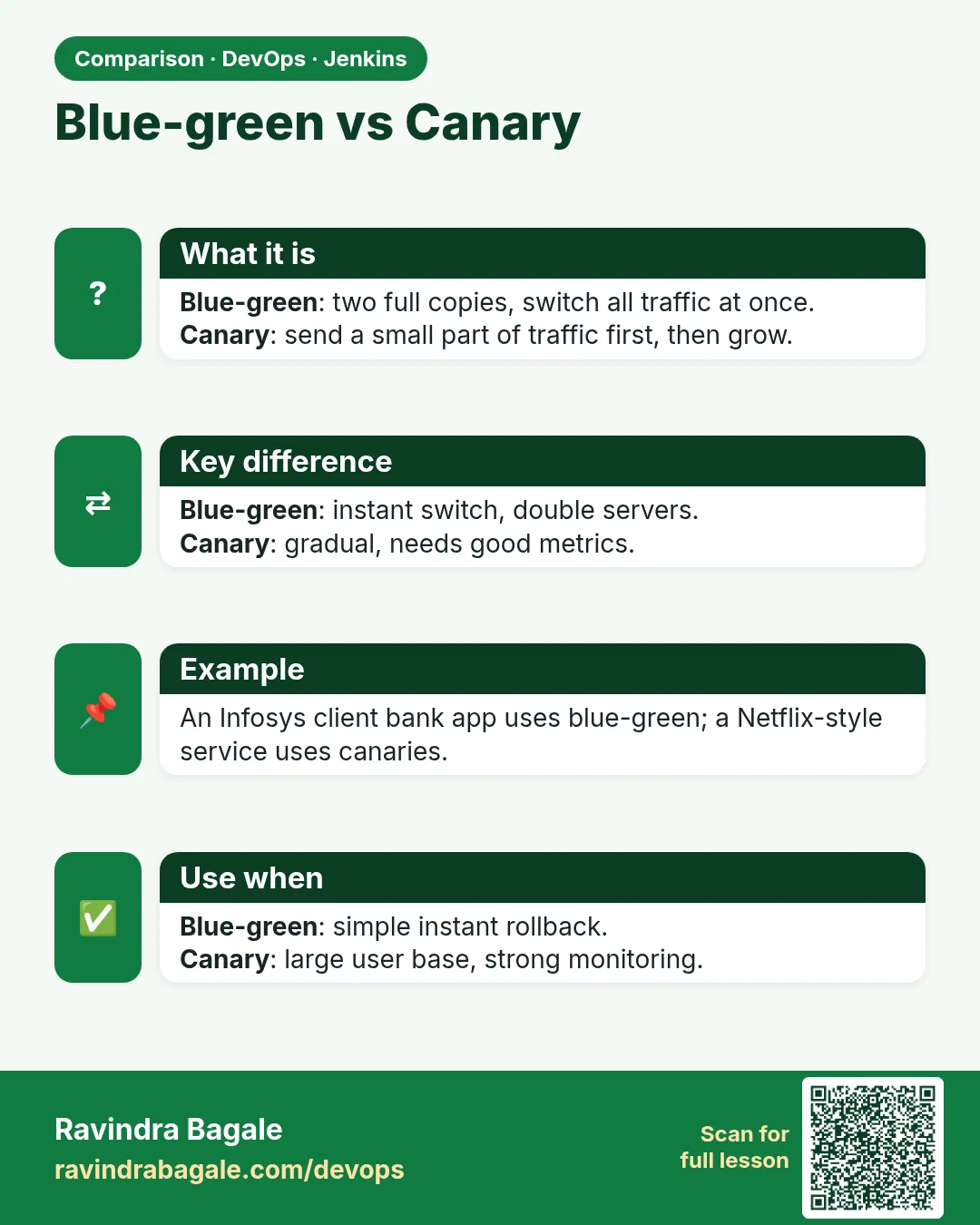
No. Rolling replaces Pods a few at a time. Blue-green switches all traffic at once.
Do I need two databases?
Usually no. Both copies share one database, so schema changes must be backward compatible.
How long should I keep blue?
Until you are sure, often 30 minutes to one day.
Does Argo Rollouts do this?
Yes. It has a BlueGreen strategy with preview and active Services.
What about user sessions?
Keep sessions in Redis or a cookie token, not in app memory, so the switch does not log people out.
Interview questions
-
Explain blue-green deployment.
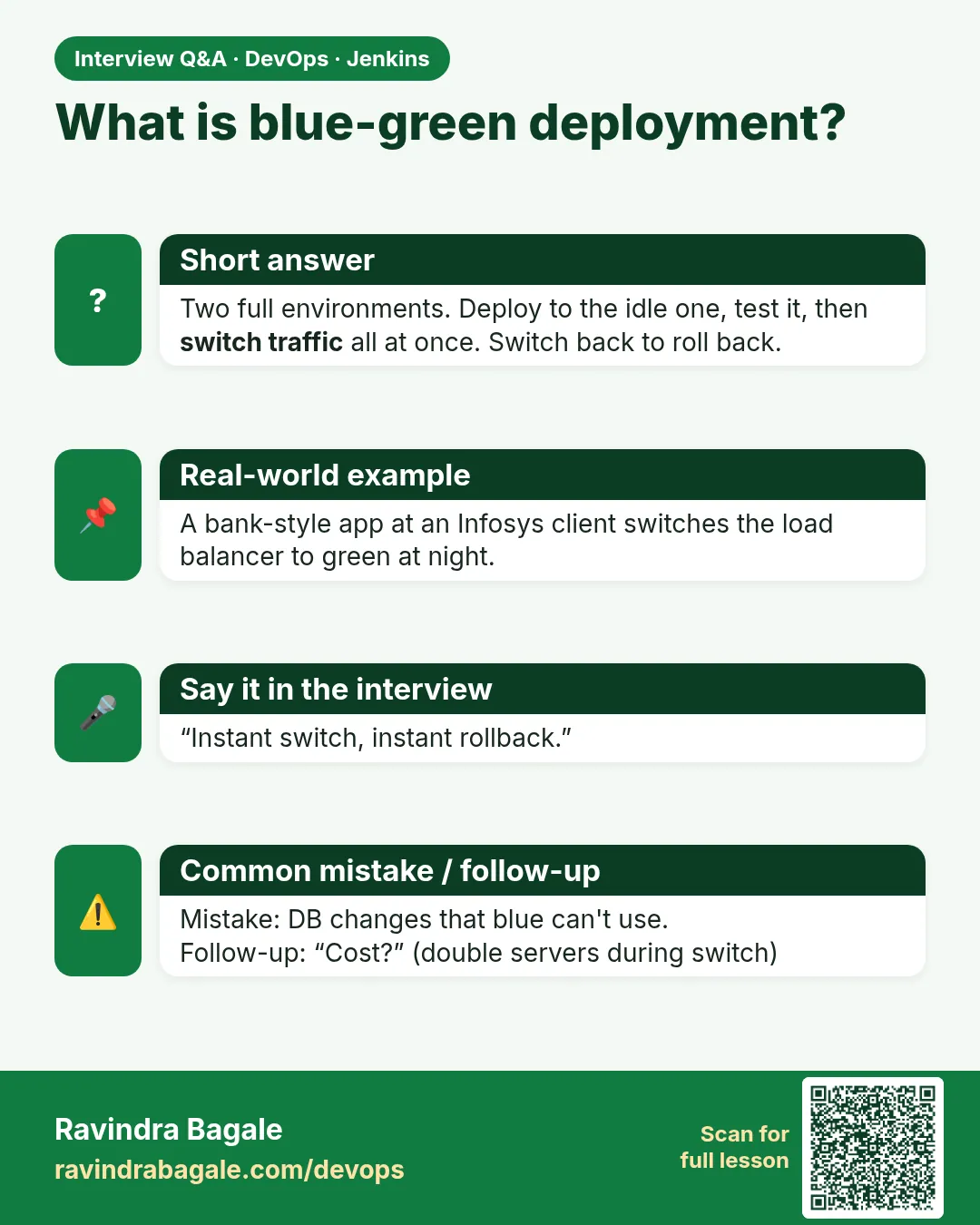
Two identical environments. Deploy to the idle one, test, switch traffic, keep the old one for instant rollback.
-
How do you do blue-green in Kubernetes?
Two Deployments with different color labels and one Service. Change the Service selector to switch.
-
What are the risks?
Double cost during release and database schema compatibility.
-
How is blue-green different from canary?
Blue-green moves 100 percent at once. Canary moves a small percent first.
-
How do you make the switch safe?
Health checks, smoke tests on the idle copy, a manual approval, and a ready rollback command.
Quick quiz
Q1. In blue-green, which copy gets the new version?
The idle one, called green here.
Q2. How do you roll back in blue-green?
Switch traffic back to the old colour.
Q3. What does nginx -t do?
Tests the config before reload.
Q4. In Kubernetes, what moves the traffic?
Changing the Service selector label.
Q5. What is the main cost of blue-green?
Two full copies run at the same time, so double the servers during release.
Samajla ka?
 Revision card
 Interview card
 Comparison card