Chapter 30: Artifacts, Release Patterns and Quality Gates
30.5 Rollback
Why: the problem
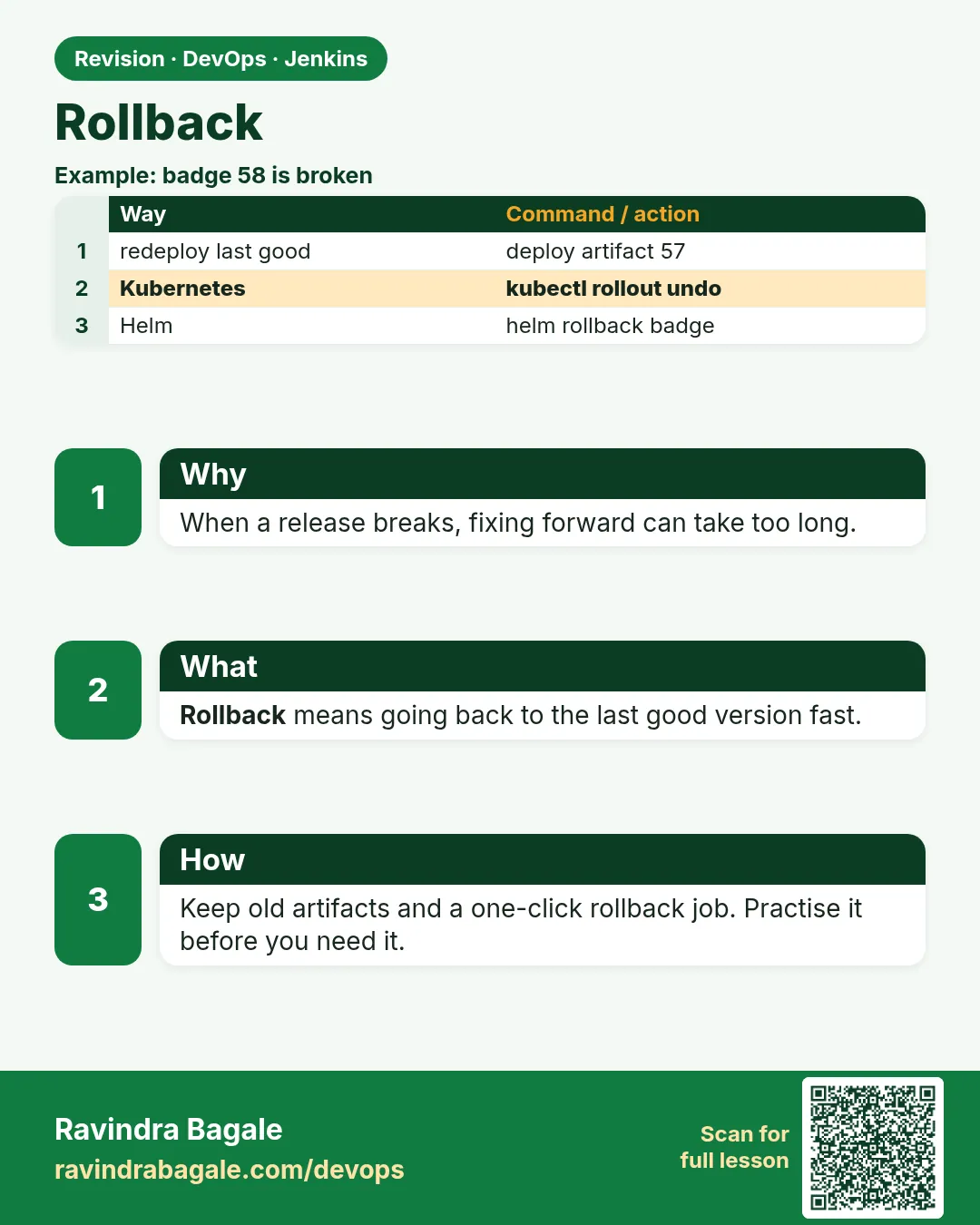
Suppose we are at PhonePe and version 4.2 goes live at 8 p.m. At 8:05, UPI payments start failing for some banks. Every minute costs real money. This is not the time to debug. First you put back the last good version. Then you find the bug calmly. That is a rollback. A good rollback is boring: one known command, practiced before, that takes less than five minutes. It works only if the old artifact still exists and the database still fits the old version.
What we will build
You will roll back in three ways: kubectl rollout undo on Kubernetes, a Jenkins rollback job that redeploys an older image tag by parameter, and a Helm rollback. You will also see when a rollback is not enough and you need a roll forward.
What: every term in plain English
- Rollback — Putting the last good version back after a bad release.
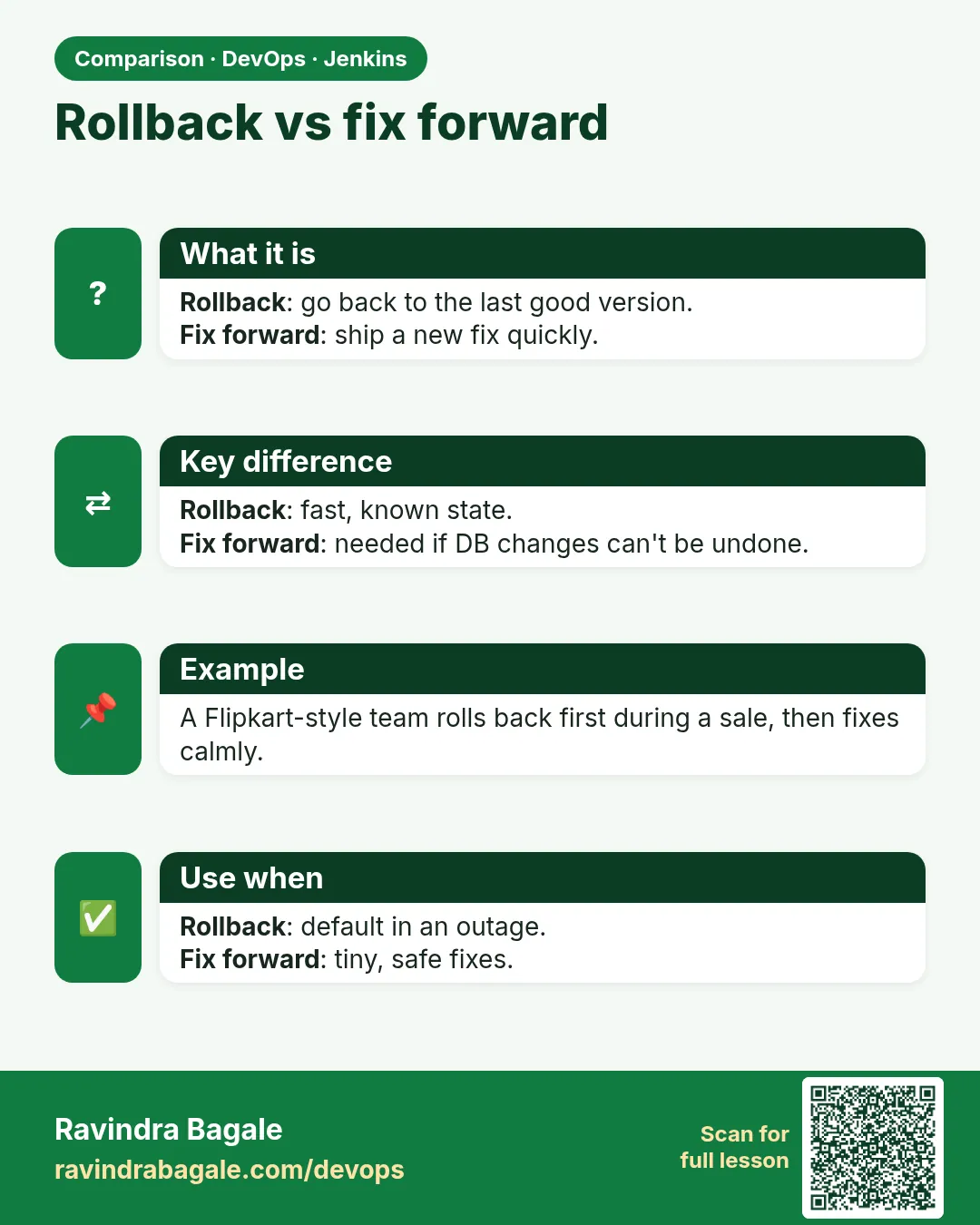
- Roll forward — Fixing fast with a new version instead of going back, used when going back is not safe.
- Revision — Kubernetes keeps a numbered history of each Deployment change. Each one is a revision.
- rollout undo — A kubectl command that goes back to the previous revision.
- Last known good — The newest version that worked in production. You must always know its tag.
- Helm release — One install of a chart. Helm keeps numbered history for it too.
- MTTR — Mean time to restore: how long, on average, until users are fine again.
How: step by step
-
See the rollout history
kubectl rollout history deploy/upi-gatewayWhat it does: Each change has a number.
Output
REVISION CHANGE-CAUSE 7 image 4.1.3-9c1d2e0 8 image 4.2.0-a3f2c1d -
See what revision 7 had
kubectl rollout history deploy/upi-gateway --revision=7 | grep ImageWhat it does: Check before you go back.
Output
Image: 111122223333.dkr.ecr.ap-south-1.amazonaws.com/upi-gateway:4.1.3-9c1d2e0 -
Roll back to the previous revision
kubectl rollout undo deploy/upi-gatewayWhat it does: Kubernetes starts old Pods and removes new ones, step by step.
Output
deployment.apps/upi-gateway rolled back -
Wait for it to finish
kubectl rollout status deploy/upi-gateway --timeout=120sWhat it does: Do not say "done" until this line.
Output
deployment "upi-gateway" successfully rolled out -
Confirm the running image
kubectl get deploy upi-gateway -o jsonpath="{.spec.template.spec.containers[0].image}"What it does: Proof that 4.1.3 is back.
Output
111122223333.dkr.ecr.ap-south-1.amazonaws.com/upi-gateway:4.1.3-9c1d2e0 -
Check health and errors
curl -s https://upi.example.com/health && kubectl logs deploy/upi-gateway --since=5m | grep -c ERRORWhat it does: Users must be fine again.
Output
{"status":"ok","version":"4.1.3"} 0 -
Tell the team
Post in #incidents: "Rolled back upi-gateway to 4.1.3 at 20:09 IST. Investigating 4.2.0."What it does: People stop guessing.
Output
(message posted)
Example 1: Kubernetes: record the cause on every deploy, so history is readable, then undo to a chosen revision
Stack. Kubernetes (EKS), Jenkins
Goal. Kubernetes: record the cause on every deploy, so history is readable, then undo to a chosen revision.
Jenkinsfile (deploy stage)
stage('Deploy') {
  steps {
    sh '''
      kubectl set image deploy/upi-gateway app=$ECR/upi-gateway:$TAG
      kubectl annotate deploy/upi-gateway kubernetes.io/change-cause="image $TAG build $BUILD_NUMBER" --overwrite
      kubectl rollout status deploy/upi-gateway --timeout=180s || {
        echo "rollout failed, undoing"
        kubectl rollout undo deploy/upi-gateway
        kubectl rollout status deploy/upi-gateway --timeout=180s
        exit 1
      }
    '''
  }
}
terminal
kubectl rollout history deploy/upi-gateway
kubectl rollout undo deploy/upi-gateway --to-revision=7
What each line does
kubectl set image— Changes the image, which makes a new revision.kubernetes.io/change-cause— A note saved with the revision, so history shows the tag and build.rollout status ... ||— If Pods do not become ready in 180 seconds, run the block after ||.rollout undo— Automatic rollback inside the pipeline.exit 1— The build still turns red, so people know.--to-revision=7— Go back to an exact revision, not only one step.
Green output
+ kubectl rollout status deploy/upi-gateway --timeout=180s
Waiting for deployment "upi-gateway" rollout to finish: 1 of 4 updated replicas are available...
error: timed out waiting for the condition
rollout failed, undoing
deployment.apps/upi-gateway rolled back
deployment "upi-gateway" successfully rolled out
Finished: FAILURE
Expected result. The bad version never fully went live. The pipeline put 4.1.3 back by itself and the build is red.
Example 2: Jenkins rollback job: pick an older tag from a list and redeploy it, the same way as a normal deploy
Stack. Jenkins parameters, Amazon ECR, Kubernetes
Goal. Jenkins rollback job: pick an older tag from a list and redeploy it, the same way as a normal deploy.
Jenkinsfile.rollback
pipeline {
  agent { label 'deployer' }
  parameters {
    string(name: 'TAG', description: 'Image tag to put back, for example 4.1.3-9c1d2e0')
    choice(name: 'ENV', choices: ['staging', 'production'])
  }
  stages {
    stage('Check tag exists') {
      steps {
        sh 'aws ecr describe-images --repository-name upi-gateway --image-ids imageTag=$TAG --query "imageDetails[0].imagePushedAt" --output text'
      }
    }
    stage('Approve') {
      when { expression { params.ENV == 'production' } }
      steps { input message: "Roll back production to ${params.TAG}?", ok: 'Roll back' }
    }
    stage('Deploy old tag') {
      steps {
        sh 'kubectl --context $ENV set image deploy/upi-gateway app=$ECR/upi-gateway:$TAG'
        sh 'kubectl --context $ENV rollout status deploy/upi-gateway --timeout=180s'
      }
    }
  }
  post { success { slackSend channel: '#incidents', message: "Rolled back upi-gateway in ${params.ENV} to ${params.TAG}" } }
}
What each line does
string(name: 'TAG' ...)— You type the last known good tag.describe-images ... imageTag=$TAG— Fails early if the tag does not exist in ECR.when { expression { params.ENV == 'production' } }— Ask for approval only for production.kubectl --context $ENV— Choose the right cluster by name.slackSend ... #incidents— Tell everyone what happened.
Green output
+ aws ecr describe-images --repository-name upi-gateway --image-ids imageTag=4.1.3-9c1d2e0 ...
2026-10-20T14:02:11+05:30
Approved by ravi
+ kubectl --context production set image deploy/upi-gateway app=.../upi-gateway:4.1.3-9c1d2e0
deployment.apps/upi-gateway image updated
deployment "upi-gateway" successfully rolled out
Finished: SUCCESS
Expected result. Production runs 4.1.3 again, the rollback is logged in Jenkins and announced in Slack.
Example 3: Helm: list release history and roll back to the last good revision
Stack. Helm 3, Kubernetes
Goal. Helm: list release history and roll back to the last good revision.
terminal
helm history upi-gateway -n payments
helm rollback upi-gateway 12 -n payments --wait --timeout 3m
helm history upi-gateway -n payments --max 3
What each line does
helm history— Shows each revision with chart version, app version and status.helm rollback upi-gateway 12— Go back to revision 12. Helm creates a new revision 14 with the old values.--wait --timeout 3m— Wait until Pods are ready, or fail.--max 3— Show only the last three lines.
Green output
REVISION  UPDATED                   STATUS      CHART               APP VERSION  DESCRIPTION
12        Mon Oct 20 14:05:00 2026  superseded  upi-gateway-1.8.3   4.1.3        Upgrade complete
13        Sun Oct 25 20:00:41 2026  superseded  upi-gateway-1.9.0   4.2.0        Upgrade complete
14        Sun Oct 25 20:08:12 2026  deployed    upi-gateway-1.8.3   4.1.3        Rollback to 12
Rollback was a success! Happy Helming!
Expected result. Revision 14 is live and equals revision 12. History keeps both, so the audit trail is clear.
Verify: did it work?
-
Check the live version from outside
curl -s https://upi.example.com/healthWhat it does: Users see the old version.
Output
{"status":"ok","version":"4.1.3"} -
Check all Pods run the same image
kubectl get pods -l app=upi-gateway -o jsonpath="{range .items[*]}{.spec.containers[0].image}{\"\\n\"}{end}" | sort | uniq -cWhat it does: No Pod should still run 4.2.0.
Output
4 .../upi-gateway:4.1.3-9c1d2e0 -
Check error count dropped
kubectl logs deploy/upi-gateway --since=5m | grep -c ERRORWhat it does: Should be near zero.
Output
0
When it is red 1
error: unable to find specified revision 7 in history
Cause. Old ReplicaSets were deleted. revisionHistoryLimit is too low.
Fix, step by step
- Set spec.revisionHistoryLimit: 10 in the Deployment.
- For now, deploy the old tag with kubectl set image.
When it is red 2
Failed to pull image ".../upi-gateway:4.1.3-9c1d2e0": not found
Cause. The old image was removed by an ECR lifecycle rule.
Fix, step by step
- Keep at least the last 20 tagged images in the lifecycle policy.
- Rebuild that commit only as a last resort.
When it is red 3
After rollback: ERROR column "upi_ref_v2" of relation "payments" does not exist
Cause. The new version changed the database and the old code does not fit it.
Fix, step by step
- Do not roll back the database blindly.
- Roll forward with a fix, or use expand and contract migrations (lesson 30.7).
When it is red 4
Error: UPGRADE FAILED: another operation (install/upgrade/rollback) is in progress
Cause. A Helm operation got stuck.
Fix, step by step
- helm history to see the pending revision.
- helm rollback to the last deployed revision, which clears the lock.
Cleanup
-
Write a short incident note
echo "20:05 errors, 20:09 rolled back to 4.1.3, cause: TBD" >> incidents/2026-10-25-upi.mdWhat it does: Facts while they are fresh.
Output
(no output) -
Mark the bad tag
aws ecr put-image-tag-mutability --repository-name upi-gateway --image-tag-mutability IMMUTABLEWhat it does: Tags cannot be overwritten, so 4.2.0 stays as evidence.
Output
{"imageTagMutability": "IMMUTABLE"}
Ravindra Bagale's Tip
Aadhi rollback, nantar debug. Production var raatri prayog karu naka!
Practice tasks
Easy Undo once on kind
Why: Practice before the real day.
What to do: Deploy two versions and undo.
- kubectl create deploy web --image=nginx:1.25
- kubectl set image deploy/web nginx=nginx:1.27
- kubectl rollout undo deploy/web
Check: Image is nginx:1.25 again.
Medium Time your rollback
Why: MTTR is measured.
What to do: Time the full undo and check.
- time kubectl rollout undo deploy/web && kubectl rollout status deploy/web
Check: You have a real number in seconds.
Hard Auto undo on failed rollout
Why: The pipeline should save you.
What to do: Add the || undo block to your deploy stage.
- Use a bad image tag.
- Run the pipeline.
Check: Pipeline undoes and goes red.
Easy Say rollback in two lines
Why: If you can say it simply, you understand it. Juniors and interviewers both want the short version first.
What to do: Write two short lines about rollback for a fresher who knows only Linux and Git basics.
- Write the problem it solves.
- Write the one Jenkinsfile step or command you use for it.
- Read it aloud to a friend.
Check: A fresher understands it without asking a question.
Easy Start a fresh lab Jenkins
Why: Practice needs a throwaway Jenkins. If you break it, you delete it and start again.
What to do: Run Jenkins LTS in Docker with a named volume.
- docker volume create jenkins_home
- docker run -d --name jenkins -p 8080:8080 -v jenkins_home:/var/jenkins_home jenkins/jenkins:lts-jdk17
- docker logs jenkins 2>&1 | grep -A2 "initialAdminPassword"
Check: The Jenkins login page opens on localhost:8080.
Medium Do it on the second setup
Why: A release idea must work on a VM, on Docker and on Kubernetes. Only the deploy step should change.
What to do: Repeat this lesson on a different target than the one you used first.
- If you used Docker, use kind or minikube now.
- Change only the deploy commands.
- Keep the same Jenkinsfile stages.
Check: Same result, and the stage names did not change.
Medium Break it on purpose
Why: You must know the red output by face. In a real outage there is no time to read slowly.
What to do: Cause one error from the "When it is red" part of this lesson and fix it.
- Follow the error section.
- Copy the exact message into your notes.
- Write the fix in one line.
Check: You fixed it using only the steps, without searching the web.
Medium Write a release runbook page
Why: At 2 a.m. nobody remembers flags. A short page saves the on-call person.
What to do: Write a one-page runbook for this lesson.
- Title, when to use, exact commands, how to check, how to undo.
Check: A teammate can follow it alone.
Hard Explain it like an interview
Why: Interviewers want real stories, not definitions.
What to do: Record a 60 second answer about this lesson.
- Say the problem, the Jenkinsfile step, and one error you hit.
Check: Your answer has a real command and a real error message.
Hard Draw the flow top to bottom
Why: A drawing shows the order of work and who is waiting on whom.
What to do: Draw this lesson as boxes from top to bottom.
- Start at git push, go through the stages, end at the check in production.
Check: Each box matches a real step you ran.
Homework: try at home
Try at home
At home, deploy nginx:1.25 to kind, then nginx:1.27, then roll back with kubectl rollout undo. Time it. Then make a broken image tag and see the pipeline undo by itself.
Recap
- Roll back first, debug later.
- Keep old artifacts and enough revision history.
- kubectl rollout undo, Helm rollback, or redeploy an old tag.
- Practice the rollback before you need it.
- Database changes can block a rollback; then roll forward.
FAQ
Does rollout undo touch ConfigMaps?
No. Only the Deployment Pod template. Roll back ConfigMap changes separately, or version them in Helm.
Is rollback a failure?
No. It is the safe choice. The failure is a long outage.
Who can roll back production?
On-call engineers, through a Jenkins job with approval and an audit log.
How many revisions to keep?
revisionHistoryLimit 10 is a good default.
Can Argo CD roll back?
Yes, but the Git way is to revert the commit so Git and cluster agree.
Interview questions
-
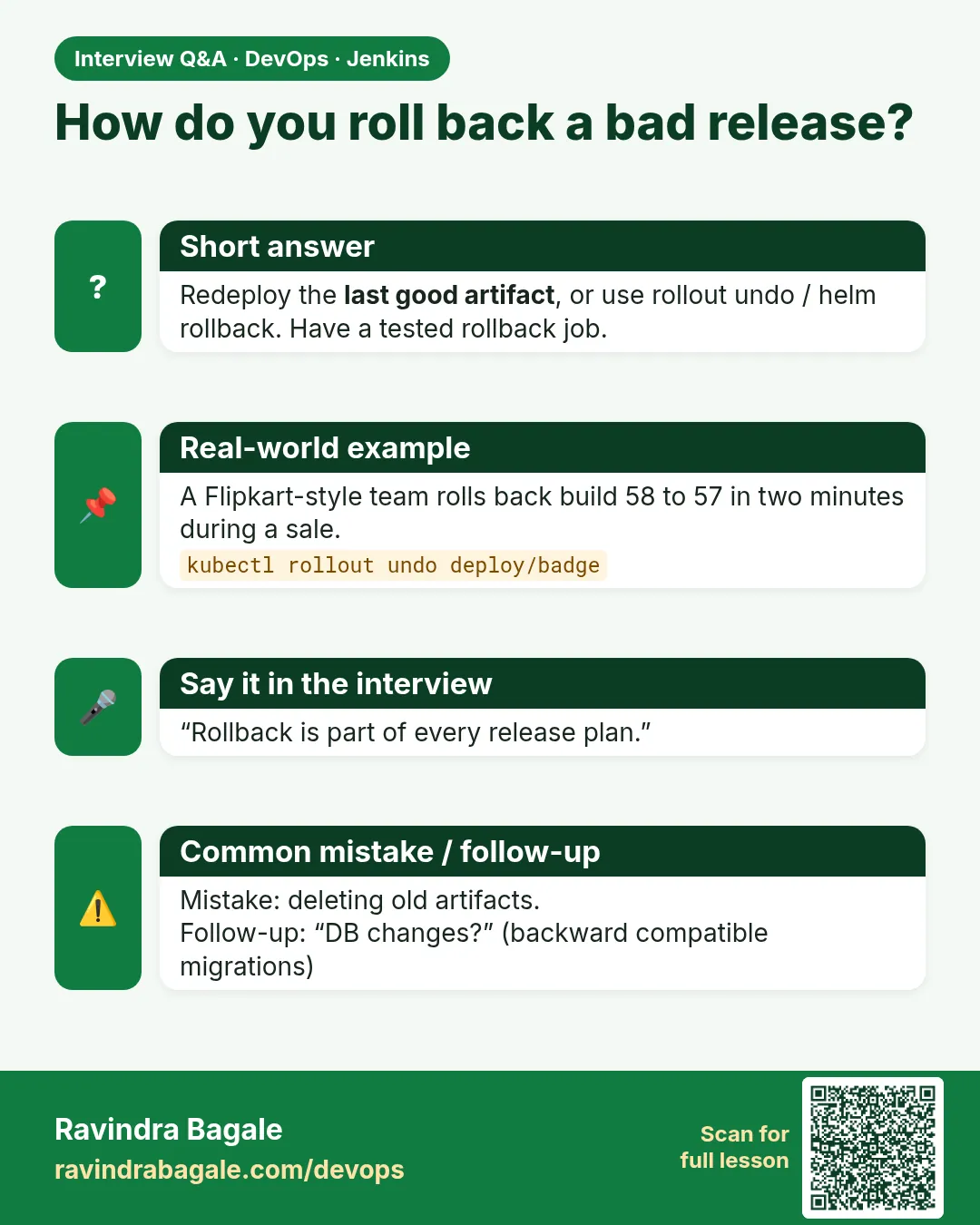
How do you roll back a Kubernetes deployment?
kubectl rollout history, then kubectl rollout undo or --to-revision, then rollout status and a health check.
-
How do you roll back with Helm?
helm history, then helm rollback RELEASE REVISION --wait.
-
When would you roll forward instead?
When a database migration or external change makes the old version unsafe.
-
How do you make rollbacks fast?
Immutable tagged images, a ready rollback job, auto undo on failed rollout, and practice.
-
What is MTTR?
Mean time to restore service. Fast rollback keeps it low.
Quick quiz
Q1. What does kubectl rollout undo do?
Goes back to the previous Deployment revision.
Q2. What must still exist for a rollback?
The old image or artifact.
Q3. When is rollback not safe?
When the database changed in a way the old code cannot read.
Q4. What is roll forward?
Fixing with a new version instead of going back.
Q5. Where do you see Helm revisions?
helm history RELEASE.
Samajla ka?
 Revision card
 Interview card
 Comparison card