Chapter 30: Artifacts, Release Patterns and Quality Gates
30.4 Canary
Why: the problem
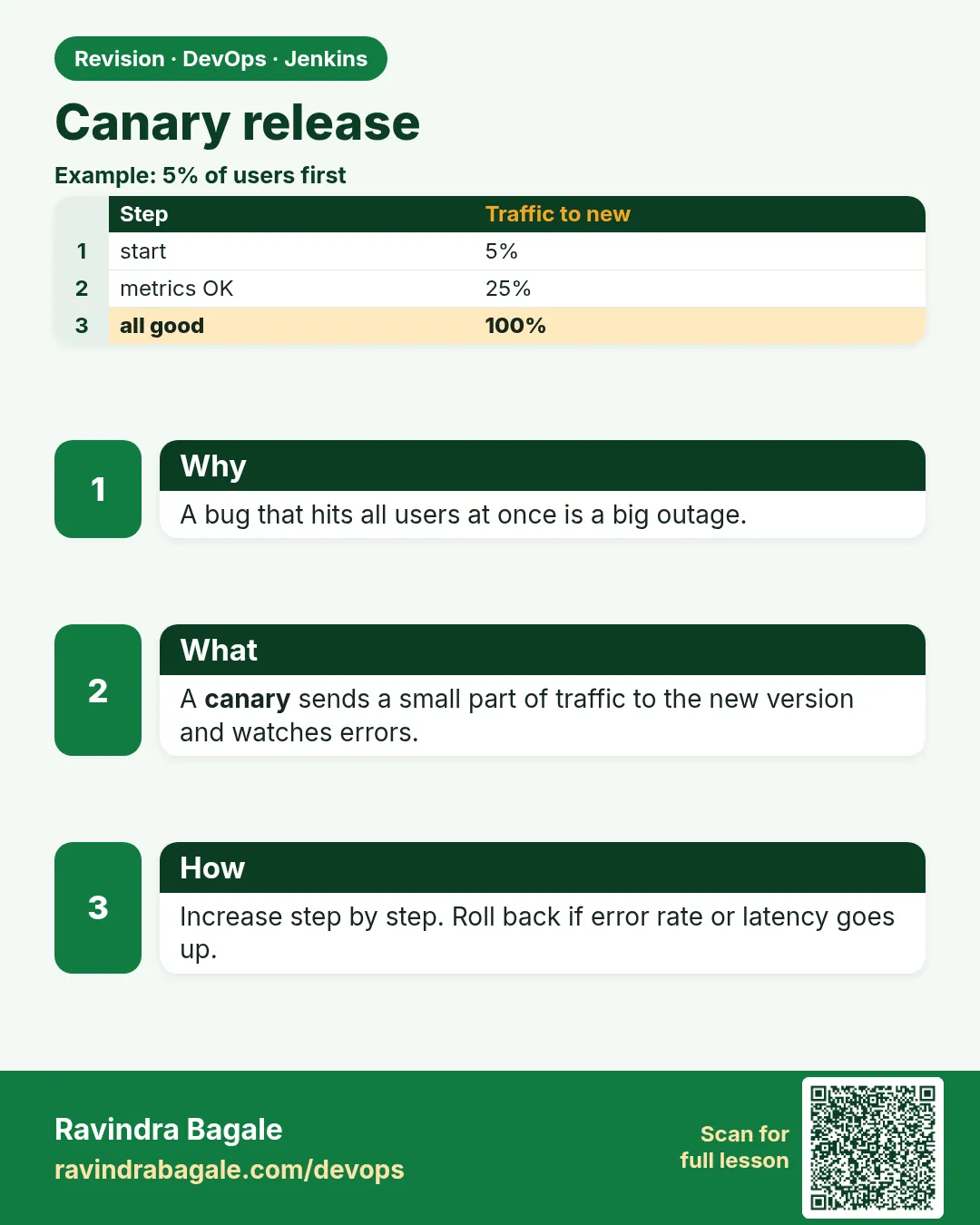
Suppose we are at Netflix and a new recommendation service goes out. In tests it looked fine. But real users do strange things that tests never try. If you send all users to the new version and it fails, millions see errors. A canary release sends only a small part of users, like 5 percent, to the new version first. You watch errors and speed. If the numbers are good, you go to 25, 50 and then 100 percent. If they are bad, you send everyone back. Only a few users ever saw the problem.
What we will build
You will do a canary release three ways: nginx weights on one VM, a Kubernetes canary with replica counts and with ingress-nginx canary annotations, and an AWS ALB weighted forward. Jenkins moves the weight step by step and checks the error rate between steps.
What: every term in plain English
- Canary — A small slice of traffic that goes to the new version first, to find problems early.
- Weight — The share of traffic each version gets, like 95 and 5.
- Stable — The current version that serves most users.
- Error rate — Failed requests divided by all requests, for example 0.3 percent.
- Promote — Move the canary to more traffic, and finally to 100 percent.
- Abort — Send all traffic back to stable and stop the canary.
- Bake time — How long you wait and watch at each step, like 10 minutes.
How: step by step
-
Start stable and canary containers
docker run -d --name reco-stable --network shop reco:3.1.0 && docker run -d --name reco-canary --network shop reco:3.2.0What it does: Both versions run side by side.
Output
5a1c... 9e4f... -
Give nginx weights 95 and 5
printf "upstream reco {\n server reco-stable:8080 weight=95;\n server reco-canary:8080 weight=5;\n}\n" > /etc/nginx/conf.d/reco.confWhat it does: nginx sends about 5 of every 100 requests to the canary.
Output
(no output) -
Reload nginx
nginx -t && nginx -s reloadWhat it does: No downtime.
Output
nginx: configuration file /etc/nginx/nginx.conf test is successful -
Count which version answers
for i in $(seq 100); do curl -s localhost/version; echo; done | sort | uniq -cWhat it does: Proves the split.
Output
95 3.1.0 5 3.2.0 -
Read the canary error rate
docker logs reco-canary --since 10m 2>&1 | grep -c "status=5"What it does: Look at errors only from the canary.
Output
0 -
Move to 25 percent
sed -i "s/weight=95/weight=75/; s/weight=5/weight=25/" /etc/nginx/conf.d/reco.conf && nginx -s reloadWhat it does: Next step after a good bake time.
Output
(no output) -
Promote to 100 percent
printf "upstream reco { server reco-canary:8080; }\n" > /etc/nginx/conf.d/reco.conf && nginx -s reloadWhat it does: The canary is now the stable version.
Output
(no output)
Example 1: Jenkins drives nginx weights 5, 25, 50, 100 and checks errors between steps
Stack. Docker, nginx, Jenkins scripted loop
Goal. Jenkins drives nginx weights 5, 25, 50, 100 and checks errors between steps.
Jenkinsfile
def setWeight(int canary) {
  sh """printf 'upstream reco {\\n  server reco-stable:8080 weight=%d;\\n  server reco-canary:8080 weight=%d;\\n}\\n' ${100 - canary} ${canary} > /etc/nginx/conf.d/reco.conf
        nginx -t && nginx -s reload"""
}
pipeline {
  agent { label 'web-vm' }
  stages {
    stage('Start canary') { steps { sh 'docker run -d --name reco-canary --network shop reco:${VERSION}' } }
    stage('Canary steps') {
      steps {
        script {
          for (w in [5, 25, 50]) {
            setWeight(w)
            sleep time: 10, unit: 'MINUTES'
            def errors = sh(script: 'docker logs reco-canary --since 10m 2>&1 | grep -c "status=5" || true', returnStdout: true).trim() as int
            echo "weight=${w} canary 5xx in 10m: ${errors}"
            if (errors > 5) { setWeight(0); error("Canary aborted at ${w} percent") }
          }
        }
      }
    }
    stage('Promote') { steps { sh 'docker rm -f reco-stable && docker rename reco-canary reco-stable' ; script { setWeight(100) } } }
  }
}
What each line does
def setWeight(int canary)— A small function that writes weights and reloads nginx.for (w in [5, 25, 50])— Three steps, each with more traffic.sleep time: 10, unit: 'MINUTES'— Bake time. Real users hit the canary for 10 minutes.grep -c "status=5" || true— Counts 5xx lines. || true stops grep from failing the build when the count is 0.if (errors > 5)— Your limit. Too many errors means abort.setWeight(0); error(...)— Send everyone back to stable, then mark the build failed.docker rename reco-canary reco-stable— After promotion, the new version becomes the stable one.
Green output
weight=5 canary 5xx in 10m: 0
weight=25 canary 5xx in 10m: 1
weight=50 canary 5xx in 10m: 0
+ docker rm -f reco-stable
+ docker rename reco-canary reco-stable
Finished: SUCCESS
Expected result. 3.2.0 now serves all users. If errors had crossed 5, the build would stop at that step and send everyone back.
Example 2: Kubernetes with ingress-nginx: a canary Ingress with a weight annotation
Stack. Kubernetes, ingress-nginx
Goal. Kubernetes with ingress-nginx: a canary Ingress with a weight annotation.
k8s/reco-canary-ingress.yaml
apiVersion: networking.k8s.io/v1
kind: Ingress
metadata:
  name: reco-canary
  annotations:
    nginx.ingress.kubernetes.io/canary: "true"
    nginx.ingress.kubernetes.io/canary-weight: "10"
spec:
  ingressClassName: nginx
  rules:
    - host: reco.example.com
      http:
        paths:
          - path: /
            pathType: Prefix
            backend:
              service: { name: reco-canary, port: { number: 80 } }
terminal
kubectl apply -f k8s/reco-canary-deploy.yaml -f k8s/reco-canary-svc.yaml -f k8s/reco-canary-ingress.yaml
kubectl rollout status deploy/reco-canary
# go from 10 to 50 percent
kubectl annotate ingress reco-canary nginx.ingress.kubernetes.io/canary-weight="50" --overwrite
# promote: set the main Deployment image, then delete the canary
kubectl set image deploy/reco app=111122223333.dkr.ecr.ap-south-1.amazonaws.com/reco:3.2.0
kubectl delete ingress reco-canary && kubectl delete deploy reco-canary
What each line does
canary: "true"— This Ingress is the canary for the same host as the main Ingress.canary-weight: "10"— 10 percent of requests go to reco-canary.host: reco.example.com— Must match the main Ingress host exactly.annotate ... --overwrite— Changes the weight without editing the file.kubectl set image deploy/reco— Promote: the main Deployment gets the new image.delete ingress reco-canary— Removes the split after promotion.
Green output
ingress.networking.k8s.io/reco-canary created
deployment "reco-canary" successfully rolled out
ingress.networking.k8s.io/reco-canary annotated
deployment.apps/reco image updated
ingress.networking.k8s.io "reco-canary" deleted
deployment.apps "reco-canary" deleted
Expected result. Traffic went 10, then 50 percent to 3.2.0, then the main Deployment took 3.2.0 and the canary objects were removed.
Example 3: AWS ALB weighted target groups: 90 stable, 10 canary, then watch CloudWatch 5xx
Stack. AWS ALB weighted forward, CloudWatch
Goal. AWS ALB weighted target groups: 90 stable, 10 canary, then watch CloudWatch 5xx.
canary-alb.sh
#!/usr/bin/env bash
# canary-alb.sh CANARY_PERCENT
set -euo pipefail
P=$1; S=$((100 - P))
L=arn:aws:elasticloadbalancing:ap-south-1:111122223333:listener/app/reco-alb/6d0ecf831eec9f09/9a1b2c3d4e5f6a7b
STABLE=arn:aws:elasticloadbalancing:ap-south-1:111122223333:targetgroup/reco-stable/1a2b3c4d5e6f7a8b
CANARY=arn:aws:elasticloadbalancing:ap-south-1:111122223333:targetgroup/reco-canary/8b7a6f5e4d3c2b1a
aws elbv2 modify-listener --listener-arn "$L" --default-actions \
  "Type=forward,ForwardConfig={TargetGroups=[{TargetGroupArn=$STABLE,Weight=$S},{TargetGroupArn=$CANARY,Weight=$P}]}" > /dev/null
echo "stable=$S canary=$P"
aws cloudwatch get-metric-statistics --namespace AWS/ApplicationELB --metric-name HTTPCode_Target_5XX_Count \
  --dimensions Name=TargetGroup,Value=targetgroup/reco-canary/8b7a6f5e4d3c2b1a Name=LoadBalancer,Value=app/reco-alb/6d0ecf831eec9f09 \
  --start-time "$(date -u -d '-10 min' +%FT%TZ)" --end-time "$(date -u +%FT%TZ)" --period 600 --statistics Sum \
  --query 'Datapoints[0].Sum' --output text
What each line does
S=$((100 - P))— Stable gets the rest of the traffic.ForwardConfig={TargetGroups=[...]}— One listener, two target groups with weights.HTTPCode_Target_5XX_Count— Errors returned by the canary targets.--period 600 --statistics Sum— Total errors in the last 10 minutes.
Green output
$ bash canary-alb.sh 10
stable=90 canary=10
None
$ bash canary-alb.sh 50
stable=50 canary=50
2.0
Expected result. None means zero errors in that window. 2 errors at 50 percent is under the limit, so go on to 100.
Verify: did it work?
-
Measure the real split
for i in $(seq 200); do curl -s https://reco.example.com/version; echo; done | sort | uniq -cWhat it does: Numbers should be close to your weights.
Output
181 3.1.0 19 3.2.0 -
Check canary Pods are ready
kubectl get pods -l app=reco,track=canaryWhat it does: All must be Running and READY 1/1.
Output
reco-canary-7f9c-x2kq 1/1 Running 0 6m -
Compare latency
kubectl logs deploy/reco-canary --since=10m | awk "{s+=\$NF; n++} END {print s/n \" ms\"}"What it does: Canary must not be much slower than stable.
Output
84.2 ms
When it is red 1
Canary Ingress ignored: all traffic still goes to stable
Cause. Host or ingressClassName on the canary Ingress does not match the main Ingress.
Fix, step by step
- kubectl get ingress -o wide
- Copy host and ingressClassName from the main Ingress.
- Apply again and measure.
When it is red 2
ValidationError: Target group weights must add up to a positive number
Cause. Both weights are 0, or the script got an empty value.
Fix, step by step
- Echo P and S before the call.
- Use numbers between 0 and 999.
When it is red 3
Canary aborted at 5 percent
Finished: FAILURE
Cause. The canary had more errors than the limit. This is the canary doing its job.
Fix, step by step
- Read the canary logs for the error.
- Fix and release a new version.
- Do not raise the limit just to pass.
When it is red 4
Weights look wrong: 50 of 100 on canary with weight=5
Cause. Few requests and keep-alive connections stick to one backend.
Fix, step by step
- Measure with more requests, like 1000.
- Look at real traffic counts in logs, not 20 test curls.
Cleanup
-
Remove canary objects after promotion
kubectl delete ingress reco-canary; kubectl delete deploy reco-canary svc reco-canaryWhat it does: Nothing extra stays in the cluster.
Output
deployment.apps "reco-canary" deleted -
Reset ALB to one target group
bash canary-alb.sh 0What it does: All traffic on stable.
Output
stable=100 canary=0
Ravindra Bagale's Tip
Canary madhye aakde bagha, feeling nahi. Error rate vadhla tar lagech abort kara!
Practice tasks
Easy Count the split
Why: See the weights work.
What to do: Send 1000 requests and count versions.
- for i in $(seq 1000); do curl -s localhost/version; echo; done | sort | uniq -c
Check: Counts match the weights within a few percent.
Medium Auto abort
Why: The pipeline should stop by itself.
What to do: Make the canary return 500 and see Jenkins abort.
- Start a canary image that fails /.
- Run the pipeline.
Check: Build fails and weight goes back to 0.
Hard Header canary for testers
Why: Testers want to hit the canary on purpose.
What to do: Add canary-by-header: X-Canary to the Ingress.
- kubectl annotate ingress reco-canary nginx.ingress.kubernetes.io/canary-by-header=X-Canary
- curl -H "X-Canary: always" https://reco.example.com/version
Check: With the header you always get the new version.
Easy Say canary release in two lines
Why: If you can say it simply, you understand it. Juniors and interviewers both want the short version first.
What to do: Write two short lines about canary release for a fresher who knows only Linux and Git basics.
- Write the problem it solves.
- Write the one Jenkinsfile step or command you use for it.
- Read it aloud to a friend.
Check: A fresher understands it without asking a question.
Easy Start a fresh lab Jenkins
Why: Practice needs a throwaway Jenkins. If you break it, you delete it and start again.
What to do: Run Jenkins LTS in Docker with a named volume.
- docker volume create jenkins_home
- docker run -d --name jenkins -p 8080:8080 -v jenkins_home:/var/jenkins_home jenkins/jenkins:lts-jdk17
- docker logs jenkins 2>&1 | grep -A2 "initialAdminPassword"
Check: The Jenkins login page opens on localhost:8080.
Medium Do it on the second setup
Why: A release idea must work on a VM, on Docker and on Kubernetes. Only the deploy step should change.
What to do: Repeat this lesson on a different target than the one you used first.
- If you used Docker, use kind or minikube now.
- Change only the deploy commands.
- Keep the same Jenkinsfile stages.
Check: Same result, and the stage names did not change.
Medium Break it on purpose
Why: You must know the red output by face. In a real outage there is no time to read slowly.
What to do: Cause one error from the "When it is red" part of this lesson and fix it.
- Follow the error section.
- Copy the exact message into your notes.
- Write the fix in one line.
Check: You fixed it using only the steps, without searching the web.
Medium Write a release runbook page
Why: At 2 a.m. nobody remembers flags. A short page saves the on-call person.
What to do: Write a one-page runbook for this lesson.
- Title, when to use, exact commands, how to check, how to undo.
Check: A teammate can follow it alone.
Hard Explain it like an interview
Why: Interviewers want real stories, not definitions.
What to do: Record a 60 second answer about this lesson.
- Say the problem, the Jenkinsfile step, and one error you hit.
Check: Your answer has a real command and a real error message.
Hard Draw the flow top to bottom
Why: A drawing shows the order of work and who is waiting on whom.
What to do: Draw this lesson as boxes from top to bottom.
- Start at git push, go through the stages, end at the check in production.
Check: Each box matches a real step you ran.
Homework: try at home
Try at home
At home, run two small containers that answer "v1" and "v2", put nginx in front with weights 90 and 10, count 1000 answers, then change to 50 and 50 and count again.
Recap
- Canary sends a small share of users to the new version first.
- Increase the weight in steps, with bake time between.
- Watch error rate and latency, and abort on bad numbers.
- Tools: nginx weight, ingress-nginx canary, ALB weights, Argo Rollouts.
- Only a few users ever see a bad release.
FAQ
Canary or blue-green, which is better?
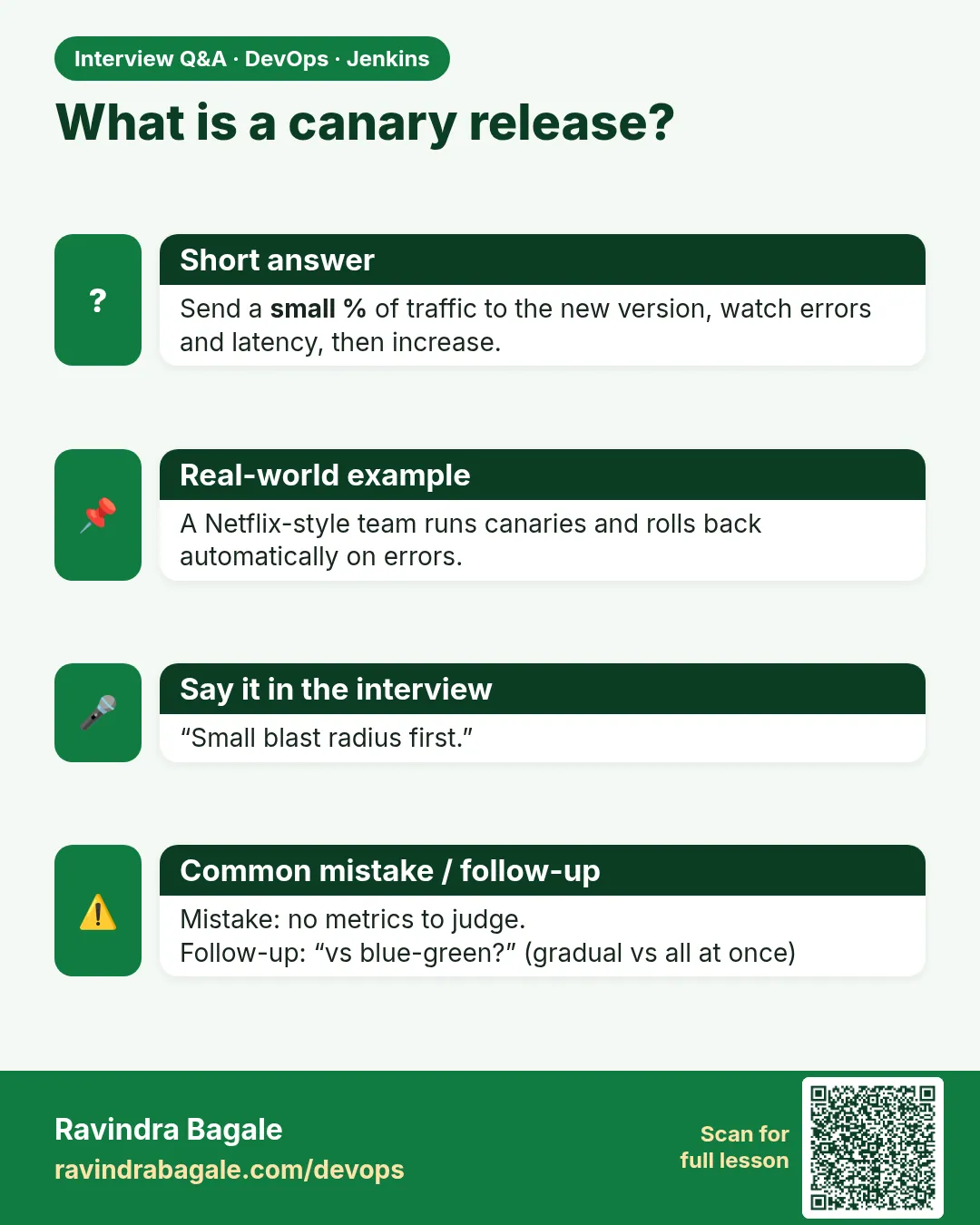
Canary finds problems with fewer users. Blue-green is simpler and switches at once. Big apps often use canary.
Do I need a service mesh?
No. nginx, ingress-nginx or ALB weights are enough to start. Istio and Linkerd give finer control.
How small should the first step be?
1 to 5 percent, enough requests to see errors.
Can I choose which users see the canary?
Yes, with a header or cookie rule, for example staff only.
What tool automates canary steps in Kubernetes?
Argo Rollouts or Flagger, with automatic metric checks.
Interview questions
-
What is a canary deployment?
Release to a small share of traffic first, watch metrics, then increase step by step or roll back.
-
How do you decide to promote?
Compare canary error rate and latency with stable over the bake time against fixed limits.
-
How do you implement canary in Kubernetes without a mesh?
ingress-nginx canary annotations, or replica ratios between two Deployments with the same Service label.
-
What tools automate canary analysis?
Argo Rollouts with AnalysisTemplates, Flagger, Spinnaker Kayenta.
-
Why can test traffic show wrong weights?
Keep-alive connections and too few requests. Measure with real traffic counts.
Quick quiz
Q1. What is a canary release?
Sending a small share of traffic to the new version first.
Q2. What do you watch during a canary?
Error rate and latency of the canary versus stable.
Q3. What is bake time?
How long you wait at each weight before the next step.
Q4. What happens on abort?
All traffic goes back to stable.
Q5. Which annotation sets the canary share in ingress-nginx?
nginx.ingress.kubernetes.io/canary-weight.
Samajla ka?
 Revision card
 Interview card