Chapter 30: Artifacts, Release Patterns and Quality Gates
30.2 Email and Slack
Why: the problem
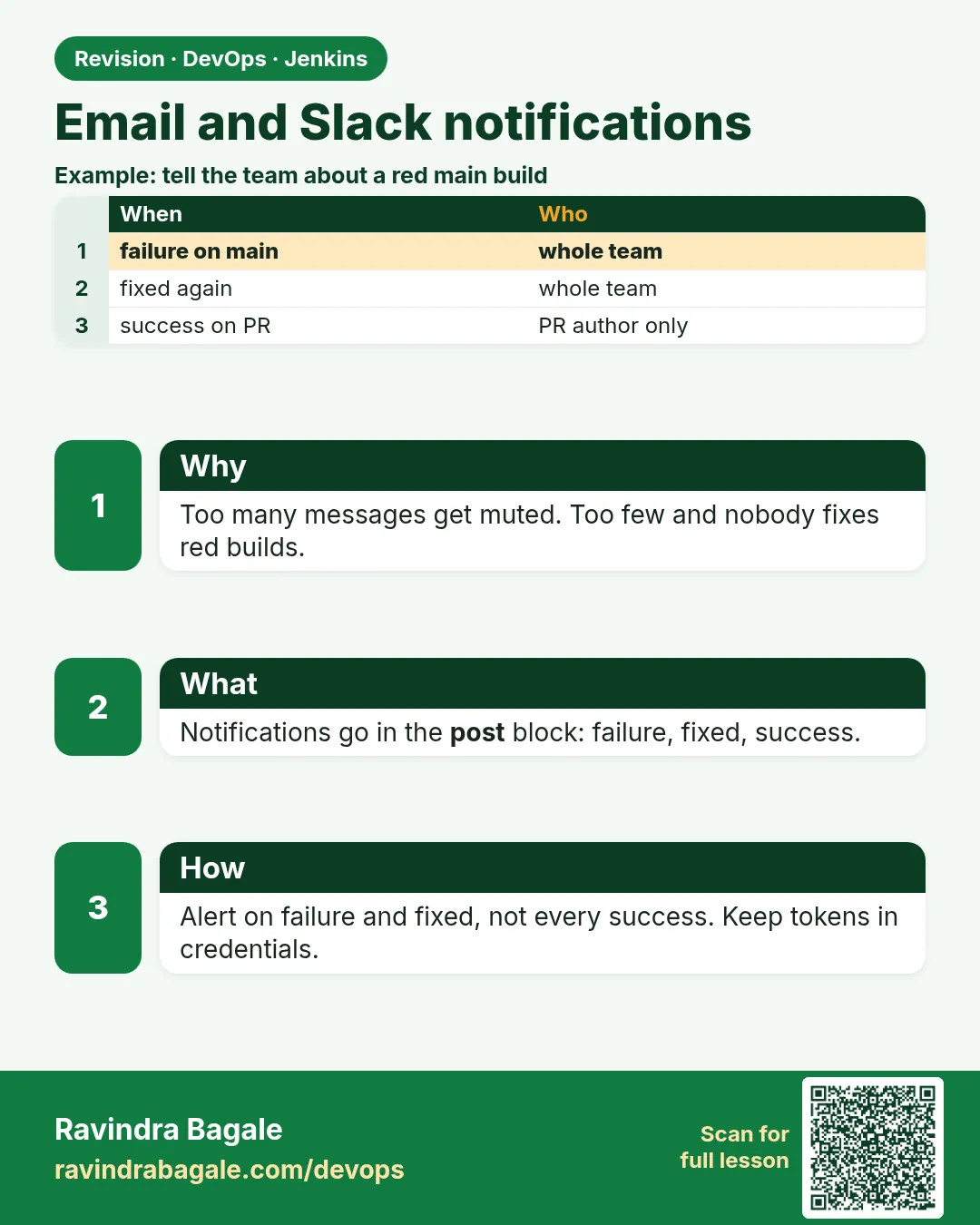
Suppose we are at Swiggy and the payment build fails at 6 p.m. Nobody opens Jenkins at that time. The bug reaches the release the next morning. A silent pipeline is a useless pipeline. Jenkins can tell people when a build breaks and when it is fixed. Email is good for the person who made the change. Slack is good for the whole team channel. The trick is to send few, useful messages: only on failure and on fix, with the job name, build number, who changed it, and a link.
What we will build
You will send a Slack message and an email from a Jenkinsfile post block. You will do it three ways: the Slack Notification plugin with a bot token, a plain Slack incoming webhook with curl, and the Email Extension plugin that mails the person who broke the build.
What: every term in plain English
- post block — The part of a Jenkinsfile that runs after the stages, for example only on failure or always.
- failure / fixed / always — post conditions: failure runs when the build is red; fixed runs when it was red and is now green; always runs every time.
- Slack Notification plugin — A Jenkins plugin that gives the slackSend step.
- Incoming webhook — A secret URL from Slack. Anything you POST to it shows up in one channel.
- Email Extension plugin — A Jenkins plugin that gives the emailext step, with templates and recipient lists.
- Culprits — The people whose commits are in the broken build. Jenkins can mail them directly.
- Secret text credential — A Jenkins credential type that holds one secret string, like a token or webhook URL.
How: step by step
-
Install the plugins
Manage Jenkins > Plugins > Available > "Slack Notification" and "Email Extension" > InstallWhat it does: Both are common and well kept.
Output
Slack Notification: Success Email Extension: Success -
Create a Slack app and bot token
api.slack.com/apps > Create App > OAuth > add chat:write > Install to workspaceWhat it does: You get a bot token that starts with xoxb-. Treat it like a password.
Output
Bot User OAuth Token: xoxb-**** -
Invite the bot to the channel
In Slack, in #ci-alerts type: /invite @jenkins-botWhat it does: The bot can post only in channels it is in.
Output
jenkins-bot was added to #ci-alerts -
Save the token in Jenkins
Manage Jenkins > Credentials > System > Global > Add > Secret text, ID slack-bot-tokenWhat it does: The Jenkinsfile uses only the ID.
Output
Credential slack-bot-token created -
Set Slack defaults
Manage Jenkins > System > Slack: workspace = shopteam, credential = slack-bot-token, channel = #ci-alerts > Test ConnectionWhat it does: Test Connection posts a test message.
Output
Success -
Set the mail server
Manage Jenkins > System > Extended E-mail Notification: SMTP server = email-smtp.ap-south-1.amazonaws.com, port 587, use TLS, credentials = ses-smtpWhat it does: Amazon SES works well. Use your company SMTP if you have one.
Output
Test e-mail sent successfully -
Run a build that fails
Add sh "exit 1" in a stage and Build NowWhat it does: You should get the red message in Slack and email.
Output
Finished: FAILURE
Example 1: Slack plugin: one red message on failure and one green message when fixed
Stack. Node.js, Slack Notification plugin
Goal. Slack plugin: one red message on failure and one green message when fixed.
Jenkinsfile
pipeline {
  agent any
  stages {
    stage('Test') { steps { sh 'npm ci && npm test' } }
  }
  post {
    failure {
      slackSend channel: '#ci-alerts', color: 'danger',
        message: "FAILED ${env.JOB_NAME} #${env.BUILD_NUMBER} by ${currentBuild.getBuildCauses()[0]?.userId ?: 'git push'} - ${env.BUILD_URL}console"
    }
    fixed {
      slackSend channel: '#ci-alerts', color: 'good',
        message: "FIXED ${env.JOB_NAME} #${env.BUILD_NUMBER} - ${env.BUILD_URL}"
    }
  }
}
What each line does
post { failure { ... } }— Runs only when the build is red.color: 'danger'— Red bar in Slack. good is green, warning is yellow.${env.JOB_NAME} #${env.BUILD_NUMBER}— Job and build number, so people know what broke.getBuildCauses()[0]?.userId— Who started the build, if a person did. Otherwise it says git push.${env.BUILD_URL}console— A direct link to the log. One click to the error.fixed { ... }— Runs only once, when a red job turns green again. No spam on every green build.
Green output
[Pipeline] slackSend
Slack Send Pipeline step running, values are - baseUrl: (empty), teamDomain: shopteam, channel: #ci-alerts, color: danger, botUser: true
Finished: FAILURE

Slack #ci-alerts:
  jenkins-bot  FAILED order-api/main #88 by git push - https://ci.example.com/job/order-api/job/main/88/console
Expected result. Red message in #ci-alerts with a link. After the fix, one green FIXED message.
Example 2: Plain webhook with curl: no plugin, works from any job or script
Stack. Java Gradle, Slack incoming webhook, curl
Goal. Plain webhook with curl: no plugin, works from any job or script.
Jenkinsfile
pipeline {
  agent any
  stages {
    stage('Build') { steps { sh './gradlew build' } }
  }
  post {
    failure {
      withCredentials([string(credentialsId: 'slack-webhook-ci', variable: 'HOOK')]) {
        sh '''
          printf '{"text": ":red_circle: %s #%s failed. Log: %sconsole"}' "$JOB_NAME" "$BUILD_NUMBER" "$BUILD_URL" > msg.json
          curl -sS -X POST -H "Content-Type: application/json" --data @msg.json "$HOOK"
        '''
      }
    }
  }
}
What each line does
string(credentialsId: 'slack-webhook-ci', variable: 'HOOK')— Loads the webhook URL into HOOK only inside this block. Jenkins hides it in the log as ****.sh \'\'\' ... \'\'\'— Single quotes, so the shell expands $HOOK, not Groovy. This stops the secret leaking into the build log.printf ... > msg.json— Writes the message as a small JSON file, with job, build and link filled in.--data @msg.json— Sends the file as the body."$HOOK"— The webhook URL in quotes.
Green output
+ curl -sS -X POST -H Content-Type: application/json --data @msg.json ****
ok
Finished: FAILURE
Expected result. Slack answers ok and the message appears in the channel bound to that webhook.
Example 3: Email the person who broke it, with the last 50 log lines inside the mail
Stack. Python pytest, Email Extension plugin, Amazon SES SMTP
Goal. Email the person who broke it, with the last 50 log lines inside the mail.
Jenkinsfile
pipeline {
  agent any
  stages {
    stage('Test') { steps { sh 'pytest -q' } }
  }
  post {
    failure {
      emailext(
        subject: "FAILED: ${env.JOB_NAME} #${env.BUILD_NUMBER}",
        body: '''Build ${BUILD_NUMBER} of ${JOB_NAME} failed.

Changes:
${CHANGES}

Last log lines:
${BUILD_LOG, maxLines=50}

Open: ${BUILD_URL}''',
        recipientProviders: [culprits(), developers(), requestor()],
        to: 'payments-team@example.com'
      )
    }
  }
}
What each line does
emailext(...)— The Email Extension step.${CHANGES}— The commit messages in this build.${BUILD_LOG, maxLines=50}— The last 50 log lines inside the email, so many people do not need to open Jenkins.culprits()— Everyone whose commits are in the build since the last green one.developers()— Authors of the changes in this build.to: 'payments-team@example.com'— A team list that always gets a copy.
Green output
[Pipeline] emailext
Sending email to: payments-team@example.com asha@example.com ravi@example.com
Finished: FAILURE
Expected result. Asha and Ravi, who pushed the commits, get the mail with the failing test lines inside.
Verify: did it work?
-
Send a test Slack message from the Script Console
slackSend channel: "#ci-alerts", message: "test from Jenkins"What it does: Manage Jenkins > Script Console is not for pipeline steps, so instead run a tiny pipeline job with only this line.
Output
Slack #ci-alerts: test from Jenkins -
Check the webhook outside Jenkins
curl -sS -X POST -H "Content-Type: application/json" --data "{\"text\":\"hello\"}" "$HOOK"What it does: If this fails, Jenkins will fail too.
Output
ok -
Check mail logs in the build
Open the build console and search "Sending email to"What it does: Shows the real recipient list.
Output
Sending email to: payments-team@example.com asha@example.com
When it is red 1
ERROR: Slack notification failed. See Jenkins logs for details.
slack response: not_in_channel
Cause. The bot is not a member of the channel.
Fix, step by step
- In Slack, open the channel.
- Type /invite @jenkins-bot.
- Run the build again.
When it is red 2
invalid_token or invalid_auth
Cause. The token is wrong, expired or pasted with a space.
Fix, step by step
- Copy the xoxb- token again from the Slack app page.
- Update the slack-bot-token credential.
- Press Test Connection in Manage Jenkins > System.
When it is red 3
An attempt to send an e-mail to empty list of recipients, ignored.
Cause. No recipient found. Culprits need a Jenkins user with an email that matches the Git author.
Fix, step by step
- Add a fixed to: address.
- Make Git author emails match Jenkins user emails.
- Check the Email Extension default recipients.
When it is red 4
javax.mail.AuthenticationFailedException: 535 Authentication Credentials Invalid
Cause. Wrong SMTP user or password, or port 25 is blocked.
Fix, step by step
- Use port 587 with TLS.
- Use SES SMTP credentials, not your AWS console password.
- Test again with Test configuration.
Cleanup
-
Remove the test failure line
Delete sh "exit 1" from the Jenkinsfile and pushWhat it does: The job goes green and sends one FIXED message.
Output
FIXED order-api/main #89 -
Rotate a leaked webhook
Slack app > Incoming Webhooks > Remove, then add a new one and update the credentialWhat it does: If a webhook URL leaks, anyone can post to your channel.
Output
Webhook removed
Ravindra Bagale's Tip
Pratyek green build la message pathavu naka. Fakta failure ani fixed. Nahi tar lok channel mute kartat!
Practice tasks
Easy Add a link to the failed stage
Why: A direct link saves time.
What to do: Add ${env.BUILD_URL}console to your message.
- Edit the message.
- Make the build fail.
Check: One click opens the log.
Medium Send to a different channel per branch
Why: main failures are urgent, feature branches are not.
What to do: Use #ci-alerts for main and #ci-dev for others.
- def ch = env.BRANCH_NAME == "main" ? "#ci-alerts" : "#ci-dev"
- slackSend channel: ch, message: "..."
Check: Feature branch failures go to #ci-dev.
Hard Add a thread reply
Why: Long logs in a channel are noise.
What to do: Post the first message, then post the test summary in a thread.
- def r = slackSend(...)
- slackSend(channel: r.threadId, message: "summary")
Check: Details sit in a thread.
Easy Say notifications in two lines
Why: If you can say it simply, you understand it. Juniors and interviewers both want the short version first.
What to do: Write two short lines about notifications for a fresher who knows only Linux and Git basics.
- Write the problem it solves.
- Write the one Jenkinsfile step or command you use for it.
- Read it aloud to a friend.
Check: A fresher understands it without asking a question.
Easy Start a fresh lab Jenkins
Why: Practice needs a throwaway Jenkins. If you break it, you delete it and start again.
What to do: Run Jenkins LTS in Docker with a named volume.
- docker volume create jenkins_home
- docker run -d --name jenkins -p 8080:8080 -v jenkins_home:/var/jenkins_home jenkins/jenkins:lts-jdk17
- docker logs jenkins 2>&1 | grep -A2 "initialAdminPassword"
Check: The Jenkins login page opens on localhost:8080.
Medium Do it on the second setup
Why: A release idea must work on a VM, on Docker and on Kubernetes. Only the deploy step should change.
What to do: Repeat this lesson on a different target than the one you used first.
- If you used Docker, use kind or minikube now.
- Change only the deploy commands.
- Keep the same Jenkinsfile stages.
Check: Same result, and the stage names did not change.
Medium Break it on purpose
Why: You must know the red output by face. In a real outage there is no time to read slowly.
What to do: Cause one error from the "When it is red" part of this lesson and fix it.
- Follow the error section.
- Copy the exact message into your notes.
- Write the fix in one line.
Check: You fixed it using only the steps, without searching the web.
Medium Write a release runbook page
Why: At 2 a.m. nobody remembers flags. A short page saves the on-call person.
What to do: Write a one-page runbook for this lesson.
- Title, when to use, exact commands, how to check, how to undo.
Check: A teammate can follow it alone.
Hard Explain it like an interview
Why: Interviewers want real stories, not definitions.
What to do: Record a 60 second answer about this lesson.
- Say the problem, the Jenkinsfile step, and one error you hit.
Check: Your answer has a real command and a real error message.
Hard Draw the flow top to bottom
Why: A drawing shows the order of work and who is waiting on whom.
What to do: Draw this lesson as boxes from top to bottom.
- Start at git push, go through the stages, end at the check in production.
Check: Each box matches a real step you ran.
Homework: try at home
Try at home
At home, make a free Slack workspace, add a webhook for #ci-lab, save it as a secret text credential and send a red message from a failing pipeline. Then fix the pipeline and see only one green message.
Recap
- A silent pipeline is useless. Tell people on failure and on fix.
- Use post failure and fixed, not always.
- Tokens and webhooks live in Jenkins credentials.
- Slack for the team channel, email for the people who broke it.
- Every message has job, build number, and a link to the log.
FAQ
Can I use Microsoft Teams instead?
Yes. Use the Office 365 Connector plugin or a Teams workflow webhook with curl. The idea is the same.
Why did my email go to spam?
Your sender domain has no SPF or DKIM. Use SES or company SMTP with a verified domain.
Can I tag a person in Slack?
Yes, with their Slack member id, written as @U012AB3CD inside angle brackets. Map Git emails to Slack ids.
Will the secret show in the log?
No, withCredentials masks it as ****, if you use single-quoted sh.
Can I notify on unstable tests?
Yes, use the unstable post condition.
Interview questions
-
How do you notify teams about Jenkins build failures?
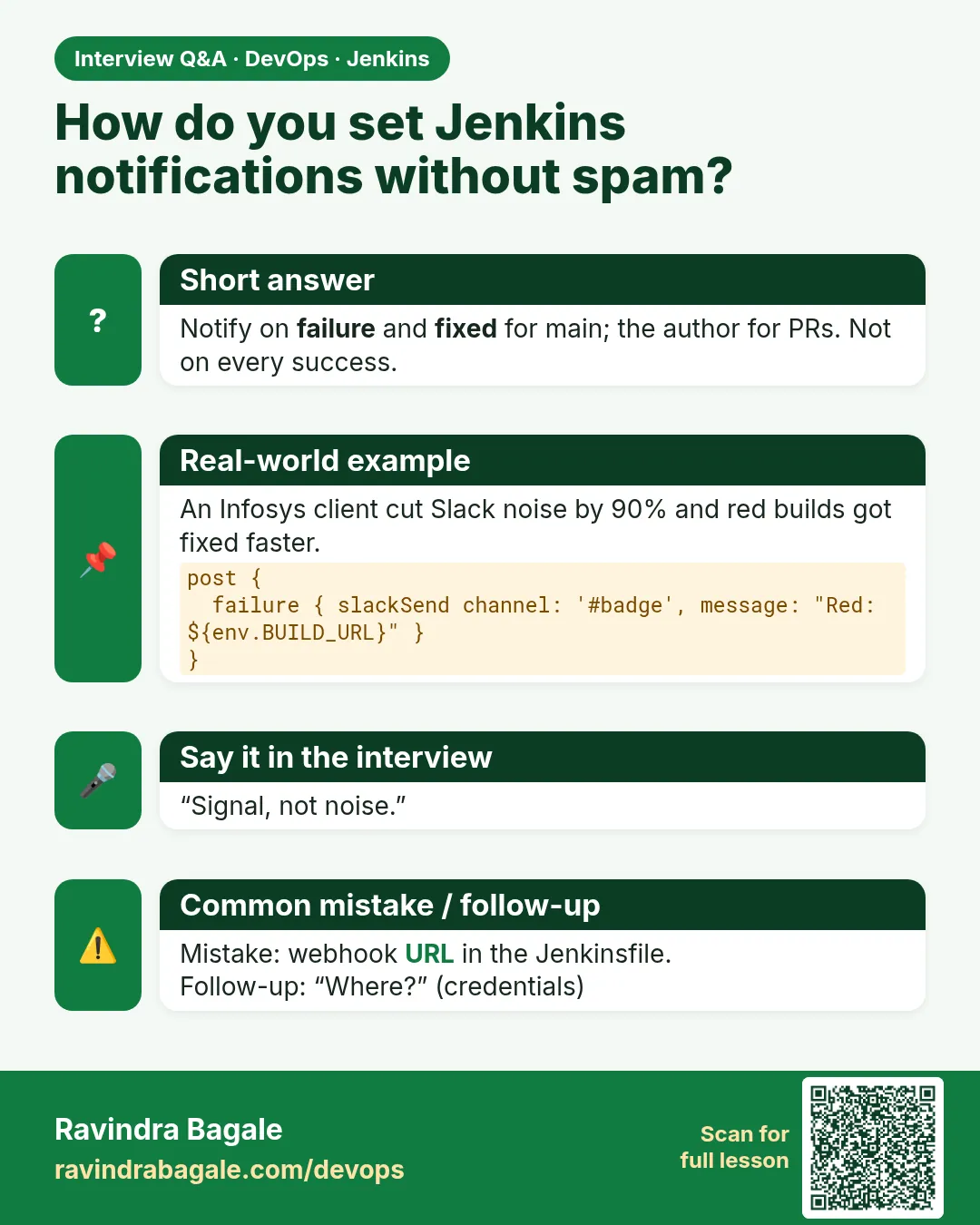
post failure and fixed blocks with slackSend and emailext, with job, build number, culprits and a log link. Tokens are in the credentials store.
-
What is the difference between post always, failure and fixed?
always runs every time, failure only on red, fixed only on the first green after red.
-
How do you avoid alert fatigue?
Send only on failure and fixed, route by branch, and put details in threads.
-
How do you keep a webhook URL secret?
Store it as secret text and use withCredentials with single-quoted shell, so it is masked.
-
Who are culprits in Jenkins?
The commit authors since the last successful build.
Quick quiz
Q1. Which post condition runs once when a red job turns green?
fixed.
Q2. Where should the Slack token live?
In Jenkins credentials, as secret text.
Q3. Why single quotes around sh with a secret?
So the shell expands it and Groovy does not print it.
Q4. What does culprits() mean in emailext?
The authors of commits since the last green build.
Q5. Why not send a message for every green build?
People start ignoring the channel.
Samajla ka?
 Revision card
 Interview card