50.5 Backup and restore a volume
Friends, a volume saves data from the container. But what if the server itself breaks? That is why we back up. Today we take a volume backup, restore it on another server and test it, all by hand. Three examples each.
मित्रांनो, volume मुळे data container पासून वाचला. पण server च खराब झाला तर? म्हणून backup. आज volume चा backup घेणं, दुसऱ्या server वर restore करणं आणि ते test करणं हे सगळं हाताने करू. प्रत्येकाला तीन उदाहरणं.
दोस्तों, volume से data container से बच गया. पर server ही खराब हो जाए तो? इसलिए backup. आज volume का backup लेना, दूसरे server पर restore करना और test करना, सब खुद करेंगे. हर एक के तीन उदाहरण.
1. Start from a story
At a Bengaluru startup that builds on AWS, the orders database runs in Docker with a named volume. One night an engineer runs docker volume prune -a on the wrong server. The volume is gone, and so are three days of orders.
They had a backup script, but nobody had ever tried to restore from it. The backup file was empty. That night the team learned two rules: take backups every day, and test the restore every week.
Think of a photocopy of your passport. Keeping a copy is good. But if the copy is blank, it does not help at the airport. A backup you have never restored is like an unchecked photocopy.
In this lesson we use two methods. The first copies the raw files of a volume into a tar file using a helper container. The second uses the database's own dump tool while it runs. Then we restore both and prove the data is back.
2. Get ready
Step 1: Make data to protect
Why: We need real data so the test means something.
What: Start Postgres with a named volume and add a few rows.
Example 1: Start the database
Type this:
docker run -d --name odb -e POSTGRES_PASSWORD=example -v orders:/var/lib/postgresql/data postgres:16
You will see:
2b7f...
What it means: Practice password only.
Example 2: Add rows
Type this:
sleep 5; docker exec odb psql -U postgres -c "CREATE TABLE o(id int, item text); INSERT INTO o VALUES (1,'Biryani'),(2,'Dosa'),(3,'Thali');"
You will see:
CREATE TABLE
INSERT 0 3
What it means: Three orders.
Example 3: Count them
Type this:
docker exec odb psql -U postgres -tAc 'SELECT count(*) FROM o'
You will see:
3
What it means: Remember this number. After restore it must be 3 again.
Step 2: Make a backup folder
Why: Backups need a safe place on the host first.
What: Create a folder with tight permissions so only you can read the backups.
Example 4: Create it
Type this:
mkdir -p ~/backups && chmod 0700 ~/backups
You will see:
(no output)
What it means: Only your user can enter.
Example 5: Check
Type this:
stat -c '%a %U' ~/backups
You will see:
700 ravi
What it means: Correct.
Example 6: Date in names
Type this:
date +%F
You will see:
2026-10-25
What it means: We will put the date in every file name.
3. Method 1: tar the volume
Step 3: Stop the app first
Why: Copying files while a database writes can give a broken copy.
What: For a raw file copy, stop the container so the files are quiet. The volume stays.
Example 7: Stop
Type this:
docker stop odb
You will see:
odb
What it means: Writes have stopped.
Example 8: Check it is stopped
Type this:
docker ps -a --filter name=odb --format '{{.Status}}'
You will see:
Exited (0) 2 seconds ago
What it means: Clean stop, exit 0.
Example 9: Volume still exists
Type this:
docker volume ls -q | grep orders
You will see:
orders
What it means: Stopping never touches the volume.
Step 4: tar with a helper container
Why: The volume folder is owned by root inside Docker's area; a helper container reaches it easily.
What: Run a small container that mounts the volume read-only and a host folder, then tar one into the other.
Example 10: Back up
Type this:
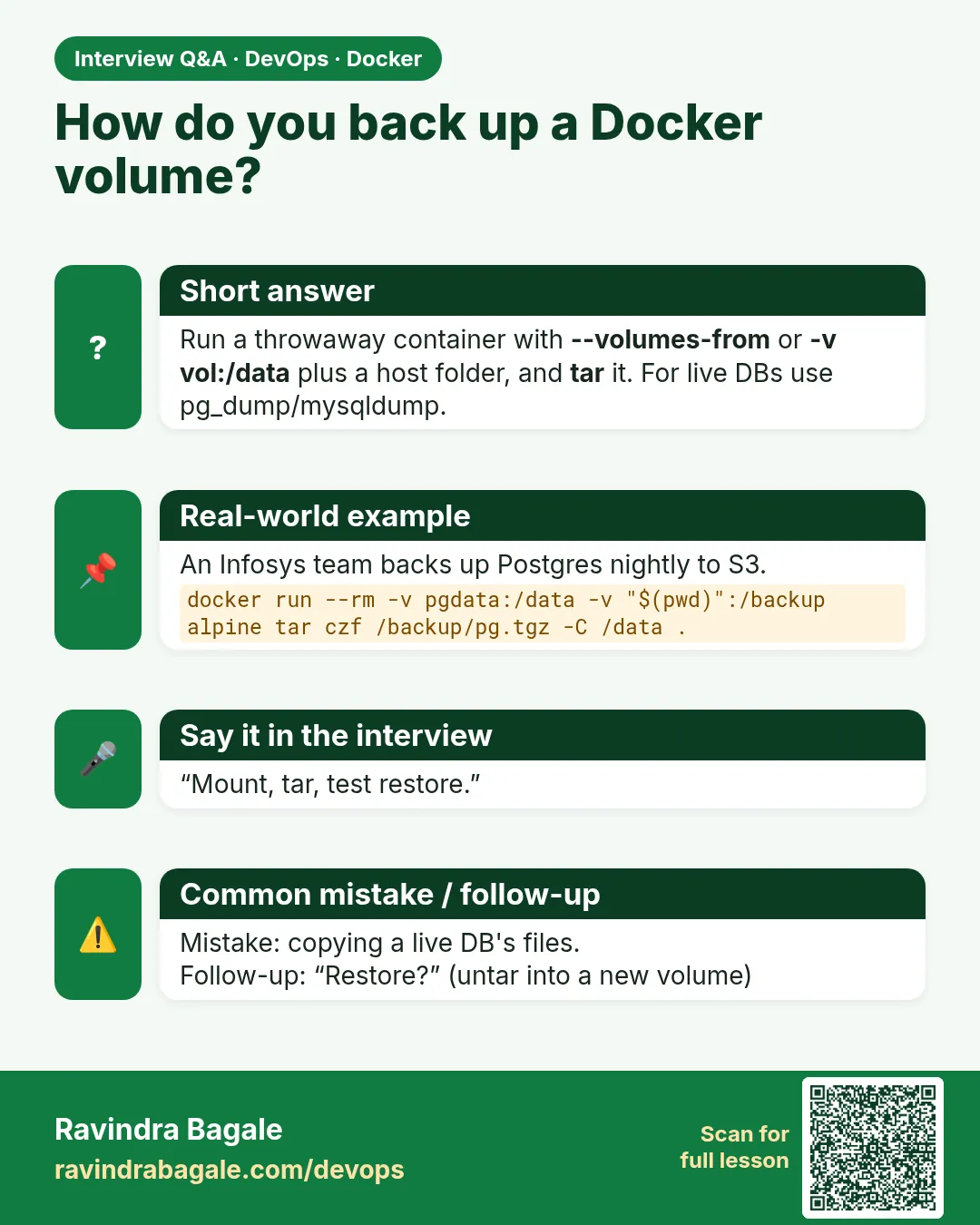
docker run --rm -v orders:/from:ro -v ~/backups:/to alpine:3.20 tar czf /to/orders-$(date +%F).tar.gz -C /from .
You will see:
(no output)
What it means: The volume is packed into one file.
Example 11: Check size
Type this:
ls -lh ~/backups
You will see:
-rw-r--r-- 1 root root 6.1M Oct 25 06:10 orders-2026-10-25.tar.gz
What it means: Not empty. That was the startup's mistake.
Example 12: Peek inside
Type this:
tar tzf ~/backups/orders-2026-10-25.tar.gz | head -3
You will see:
./
./PG_VERSION
./base/
What it means: Real Postgres files.
Step 5: Start the app again
Why: Downtime should be short.
What: Start the same container after the backup finishes.
Example 13: Start
Type this:
docker start odb
You will see:
odb
What it means: Back online.
Example 14: Measure downtime
Type this:
docker inspect odb --format '{{.State.StartedAt}}'
You will see:
2026-10-25T00:40:31Z
What it means: Compare with the stop time; here about 10 seconds.
Example 15: Data is fine
Type this:
docker exec odb psql -U postgres -tAc 'SELECT count(*) FROM o'
You will see:
3
What it means: Nothing changed.
Step 6: Restore into a new volume
Why: The real test: can we rebuild from the file alone?
What: Create an empty volume, untar the file into it, and start a fresh container on it.
Example 16: New volume
Type this:
docker volume create orders_restored
You will see:
orders_restored
What it means: Empty.
Example 17: Untar
Type this:
docker run --rm -v orders_restored:/to -v ~/backups:/from:ro alpine:3.20 tar xzf /from/orders-2026-10-25.tar.gz -C /to
You will see:
(no output)
What it means: Files are back in a volume.
Example 18: Prove it
Type this:
docker run -d --name odb2 -e POSTGRES_PASSWORD=example -v orders_restored:/var/lib/postgresql/data postgres:16
sleep 5; docker exec odb2 psql -U postgres -tAc 'SELECT count(*) FROM o'
You will see:
...
3
What it means: 3 rows. The backup works.
4. Method 2: database dump
Step 7: pg_dump while running
Why: Customers cannot wait while we stop the database.
What: Each database has a dump tool that makes a consistent copy while it runs. For Postgres it is pg_dump.
Example 19: Dump
Type this:
docker exec odb pg_dump -U postgres postgres > ~/backups/orders-$(date +%F).sql
You will see:
(no output)
What it means: SQL text in a host file.
Example 20: Look inside
Type this:
grep -A3 'COPY public.o' ~/backups/orders-2026-10-25.sql
You will see:
COPY public.o (id, item) FROM stdin;
1   Biryani
2   Dosa
3   Thali
What it means: Readable rows.
Example 21: Compressed
Type this:
docker exec odb pg_dump -U postgres -Fc postgres > ~/backups/orders.dump; ls -lh ~/backups/orders.dump
You will see:
-rw-r--r-- 1 ravi ravi 1.9K Oct 25 06:14 /home/ravi/backups/orders.dump
What it means: Custom format: small and restorable with pg_restore.
Step 8: Restore a dump
Why: Prove the dump is good.
What: Start an empty Postgres and feed it the SQL file with psql, or the .dump file with pg_restore.
Example 22: Empty database
Type this:
docker run -d --name odb3 -e POSTGRES_PASSWORD=example postgres:16
You will see:
9a0c...
What it means: No volume needed for the test.
Example 23: Load SQL
Type this:
sleep 5; docker exec -i odb3 psql -U postgres -q < ~/backups/orders-2026-10-25.sql
You will see:
(no output)
What it means: -i passes the file through standard input.
Example 24: Check
Type this:
docker exec odb3 psql -U postgres -tAc 'SELECT item FROM o ORDER BY id'
You will see:
Biryani
Dosa
Thali
What it means: All three orders.
Step 9: MySQL version
Why: Many Indian companies run MySQL, so learn its tool too.
What: mysqldump makes the SQL copy; mysql loads it back.
Example 25: Start MySQL
Type this:
docker run -d --name my -e MYSQL_ROOT_PASSWORD=example -v mydata:/var/lib/mysql mysql:8.4
sleep 20; docker exec my mysql -uroot -pexample -e "CREATE DATABASE shop; CREATE TABLE shop.p(n varchar(20)); INSERT INTO shop.p VALUES ('Kurta');"
You will see:
mysql: [Warning] Using a password on the command line interface can be insecure.
What it means: Practice password only.
Example 26: Dump
Type this:
docker exec my mysqldump -uroot -pexample --single-transaction shop > ~/backups/shop.sql; grep -c INSERT ~/backups/shop.sql
You will see:
1
What it means: --single-transaction gives a consistent copy without locking.
Example 27: Restore
Type this:
docker exec my mysql -uroot -pexample -e 'DROP DATABASE shop; CREATE DATABASE shop'
docker exec -i my mysql -uroot -pexample shop < ~/backups/shop.sql
docker exec my mysql -uroot -pexample -N -e 'SELECT n FROM shop.p'
You will see:
Kurta
What it means: Back.
5. Make it a habit
Step 10: Copy backups off the server
Why: If the server dies, backups on it die too.
What: Copy each file to S3 or another machine. Encrypt it on the way.
Example 28: Upload to S3
Type this:
aws s3 cp ~/backups/orders-2026-10-25.tar.gz s3://acme-db-backups/orders/ --sse AES256
You will see:
upload: backups/orders-2026-10-25.tar.gz to s3://acme-db-backups/orders/orders-2026-10-25.tar.gz
What it means: acme-db-backups is an example bucket name; use your own.
Example 29: List
Type this:
aws s3 ls s3://acme-db-backups/orders/
You will see:
2026-10-25 06:20:11 6395021 orders-2026-10-25.tar.gz
What it means: It is safe off the server.
Example 30: Keep 30 days
Type this:
find ~/backups -name 'orders-*' -mtime +30 -delete
You will see:
(no output)
What it means: Old local copies are cleaned; set an S3 lifecycle rule for the bucket too.
Step 11: A daily script with cron
Why: People forget. Machines do not.
What: Write a small script, make it executable with mode 0755, and run it from cron every night.
Example 31: Write the script
Type this:
printf '#!/bin/sh\nset -e\nd=$(date +%%F)\ndocker exec odb pg_dump -U postgres -Fc postgres > $HOME/backups/orders-$d.dump\naws s3 cp $HOME/backups/orders-$d.dump s3://acme-db-backups/orders/\n' > ~/pgbackup.sh && chmod 0755 ~/pgbackup.sh
You will see:
(no output)
What it means: printf writes the file; %% gives a literal percent sign.
Example 32: Run it once
Type this:
~/pgbackup.sh
You will see:
upload: ... to s3://acme-db-backups/orders/orders-2026-10-25.dump
What it means: Works by hand first.
Example 33: Schedule at 2 AM
Type this:
(crontab -l 2>/dev/null; echo '0 2 * * * $HOME/pgbackup.sh') | crontab -
crontab -l
You will see:
0 2 * * * $HOME/pgbackup.sh
What it means: Runs every night.
Step 12: Move a volume to another server
Why: The startup buys a bigger server and must move the database there.
What: Back up on the old server, copy the file with scp, and restore on the new one. The same tar file works on any Linux host with Docker.
Example 34: Copy the file
Type this:
scp ~/backups/orders-2026-10-25.tar.gz ubuntu@new-server:/home/ubuntu/
You will see:
orders-2026-10-25.tar.gz 100% 6245KB 41.2MB/s 00:00
What it means: Now it is on the new server.
Example 35: Restore there
Type this:
ssh ubuntu@new-server 'docker volume create orders && docker run --rm -v orders:/to -v /home/ubuntu:/from:ro alpine:3.20 tar xzf /from/orders-2026-10-25.tar.gz -C /to'
You will see:
orders
What it means: Same command as before.
Example 36: Start and check
Type this:
ssh ubuntu@new-server "docker run -d --name odb -e POSTGRES_PASSWORD=example -v orders:/var/lib/postgresql/data postgres:16; sleep 5; docker exec odb psql -U postgres -tAc 'SELECT count(*) FROM o'"
You will see:
...
3
What it means: The database moved with all three orders. Use the same Postgres major version on both sides.
Step 13: Clean up the lab
Why: Leave the machine tidy.
What: Remove the test containers and volumes; keep the backup files.
Example 37: Remove containers
Type this:
docker rm -f odb odb2 odb3 my
You will see:
odb
odb2
odb3
my
What it means: Gone.
Example 38: Remove volumes
Type this:
docker volume rm orders orders_restored mydata
You will see:
orders
orders_restored
mydata
What it means: Gone.
Example 39: Backups remain
Type this:
ls ~/backups
You will see:
orders-2026-10-25.sql
orders-2026-10-25.tar.gz
orders.dump
shop.sql
What it means: You could rebuild everything from these.
Check yourself
Q1. Why stop the database before a tar backup?
So the files are not changing during the copy.
Q2. Which method avoids downtime?
The database dump tool, like pg_dump.
Q3. How do you know a backup is good?
Restore it into a new volume or database and check the data.
Q4. Why copy backups to S3?
If the server dies, local backups die with it.
Q5. What makes mysqldump consistent without locks?
--single-transaction.
Friends, if you took a backup but never tested a restore, it is not a backup. Did you understand? Let us try it once more. Do one restore every week.
मित्रांनो, backup घेतला पण restore test केला नाही तर तो backup नाहीच. समजलं का? चला, पुन्हा एकदा करून पाहू. दर आठवड्याला एक restore करून बघा.
दोस्तों, backup लिया पर restore test नहीं किया तो वह backup है ही नहीं. समझ आया? चलिए, एक बार फिर करके देखते हैं। हर हफ़्ते एक restore करके देखिए.
Ravindra Bagale's Tip
Always check the size of the backup file. A 0-byte file means danger.
Backup file ची size नेहमी check करा. 0 byte file म्हणजे धोका.
Backup file का size हमेशा check कीजिए. 0 byte file मतलब ख़तरा.
Lab: try at home
- Back up a Postgres volume with tar and restore it into a new volume.
- Dump it with pg_dump and restore into a fresh container.
- Do the same with mysqldump.
- Upload a backup to your own S3 bucket.
- Schedule the script with cron and check the next morning.
Recap
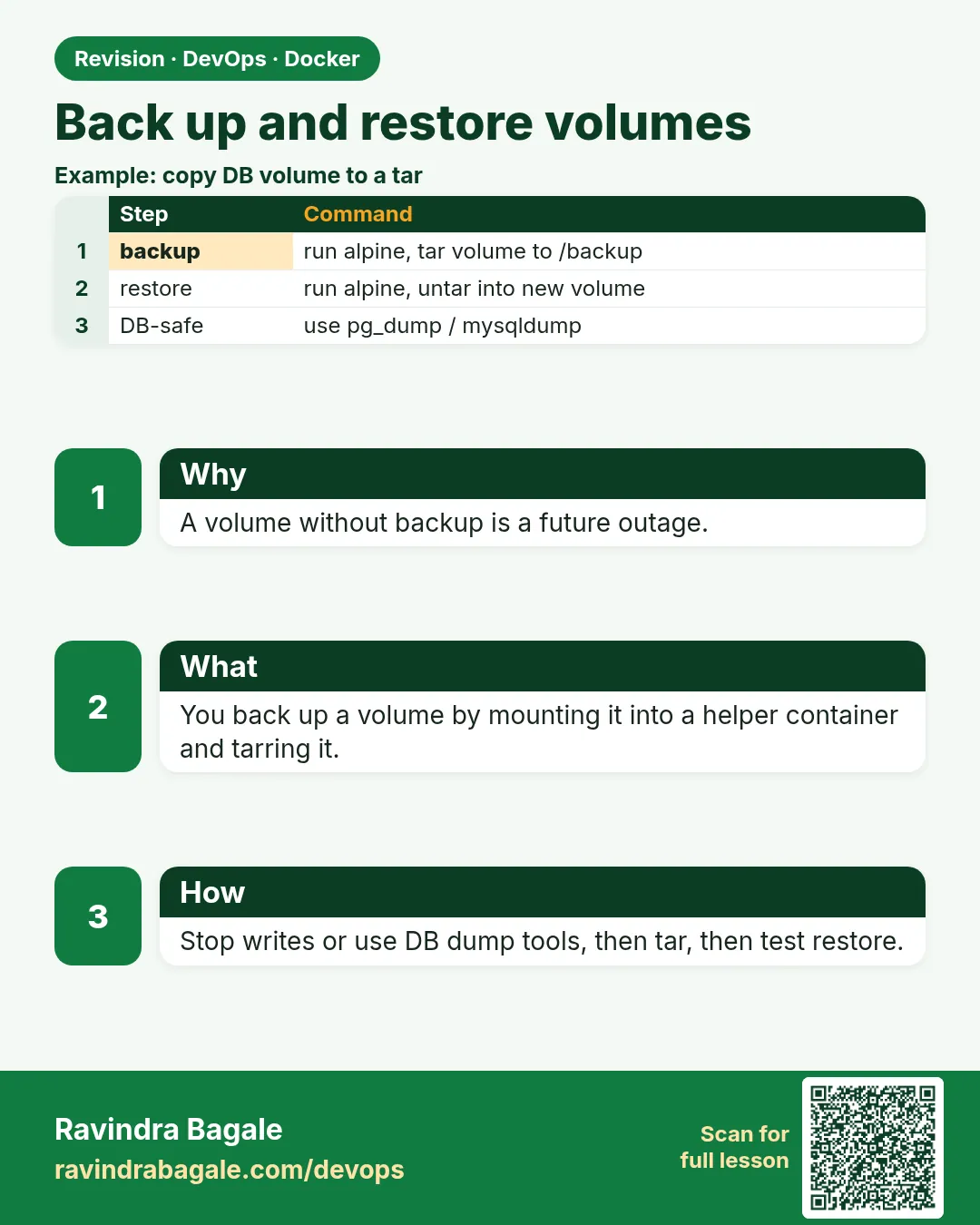
- tar via a helper container copies raw volume files; stop the app first.
- Dump tools copy a running database safely.
- Always restore to prove a backup.
- Keep copies off the server, encrypted.
- Automate with a script and cron.
 Revision card
 Interview card