Chapter 33: Terraform Providers Resources Variables Outputs Locals and Data Sources
33.6 Data sources — read what already exists
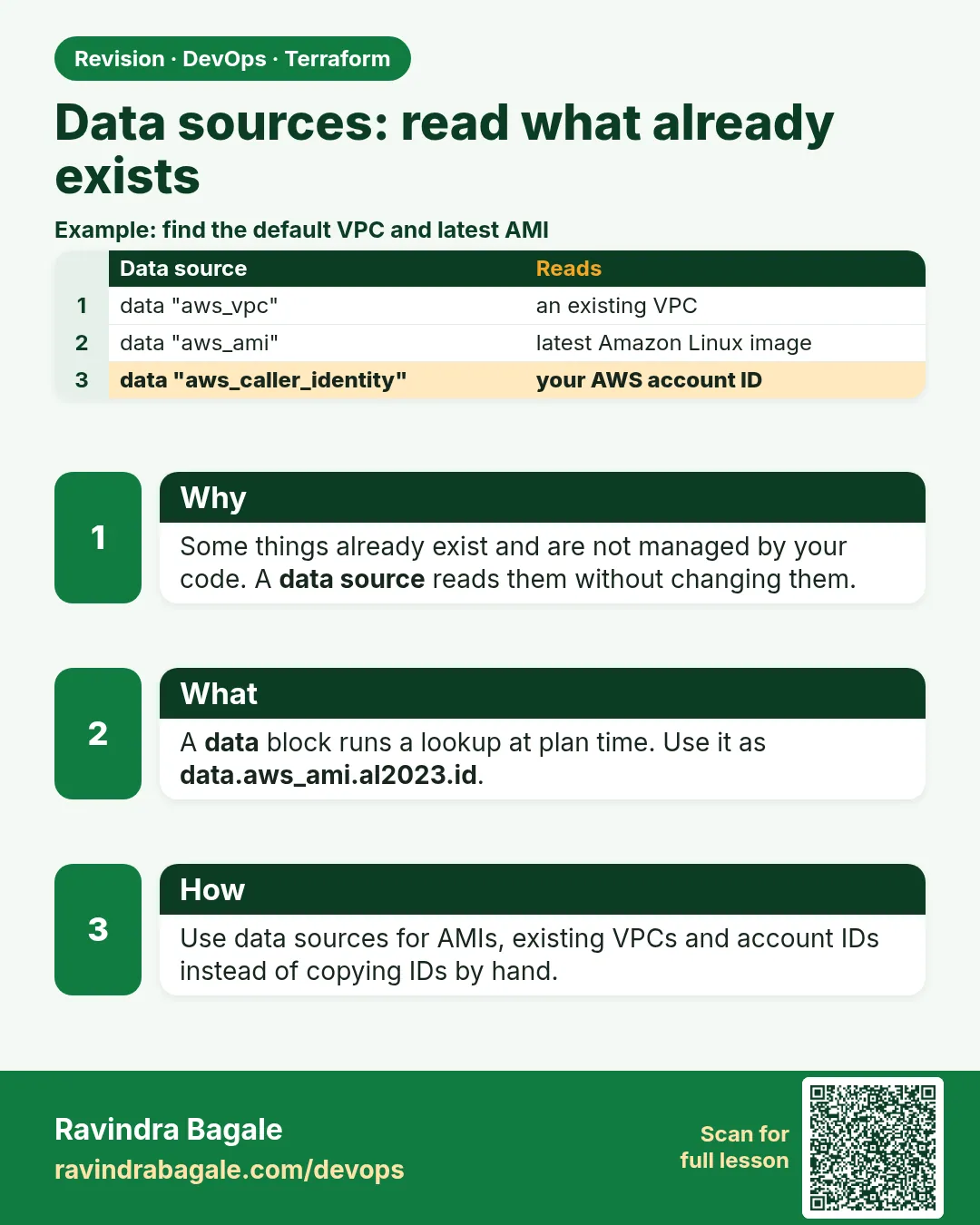
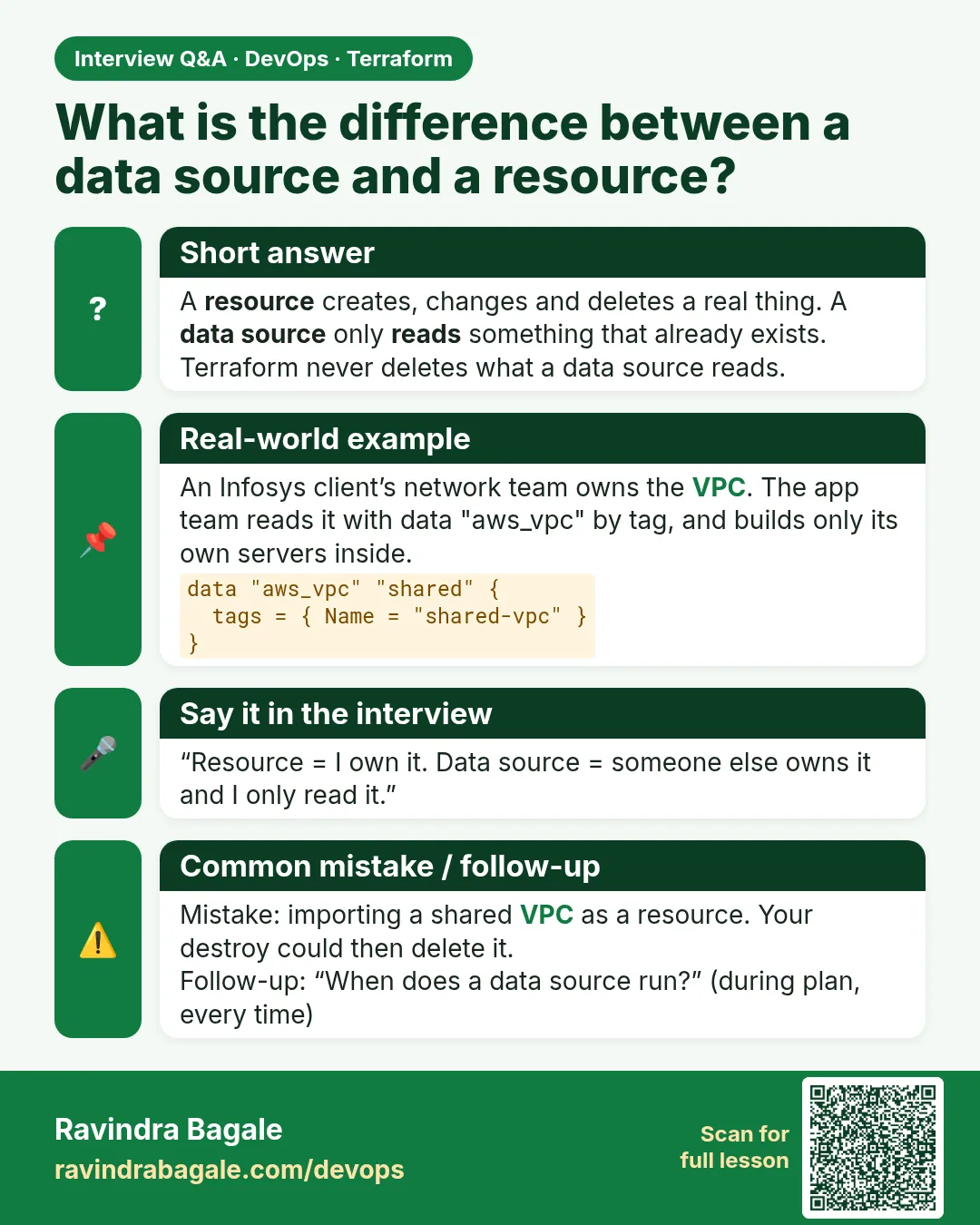
Story. An Infosys client already had a VPC built by the network team, and the application team was not allowed to touch it. They still needed its id and the latest Amazon Linux AMI. A data block reads existing infrastructure without managing it. Terraform will never create or delete what a data source returns.
data "aws_ami" "al2023" {
  most_recent = true
  owners      = ["amazon"]
  filter {
    name   = "name"
    values = ["al2023-ami-*-x86_64"]
  }
}

data "aws_vpc" "shared" {
  tags = { Name = "shared-vpc" }
}

data "aws_caller_identity" "me" {}

resource "aws_instance" "web" {
  ami           = data.aws_ami.al2023.id
  instance_type = var.instance_type
}

output "account_id" {
  value = data.aws_caller_identity.me.account_id
}
What each line does
data "aws_ami" "al2023" {— Asks AWS for an AMI matching the filters below.most_recent = true— If many match, take the newest.owners = ["amazon"]— Only trust images published by Amazon.filter { name = "name" ... }— Filters on the image name.values = ["al2023-ami-*-x86_64"]— Matches Amazon Linux 2023 64-bit Intel images.data "aws_vpc" "shared" {— Finds the existing VPC by its Name tag.data "aws_caller_identity" "me" {}— Reads the account and role you are running as.ami = data.aws_ami.al2023.id— Uses the looked-up AMI id instead of a hard-coded one.value = data.aws_caller_identity.me.account_id— Prints the account id so you know which account you are in.
When it is green.
data.aws_ami.al2023: Reading...
data.aws_ami.al2023: Read complete after 1s [id=ami-0abc...]
Plan: 1 to add, 0 to change, 0 to destroy.
When it is red.
Error: Your query returned no results. Please change your search criteria and try again.
  with data.aws_vpc.shared
Fix. The filter matched nothing in this region or account. Check the tag value and the provider region.
What: every term in plain English
- data block — data "TYPE" "NAME" { ... }. Reads something that exists. Never creates or deletes it.
- data.TYPE.NAME.attr — How you read a data source value.
- filter — A way to narrow a search, such as by tag or name.
- aws_ami — Finds an AMI id, such as the latest Amazon Linux.
- aws_vpc / aws_subnets — Find an existing network.
- aws_caller_identity — Tells you the account id Terraform is using.
- aws_ssm_parameter — Reads a value from Parameter Store.
Example 1: Latest Amazon Linux AMI
AMI ids differ per region and change every few weeks. Hard-coding them broke a Wipro pipeline in Hyderabad.
data "aws_ami" "al2023" {
  most_recent = true
  owners      = ["amazon"]
  filter {
    name   = "name"
    values = ["al2023-ami-2023.*-x86_64"]
  }
}

output "ami" {
  value = "${data.aws_ami.al2023.id} ${data.aws_ami.al2023.name}"
}
terraform apply -auto-approve
terraform output -raw ami
Output
data.aws_ami.al2023: Reading...
data.aws_ami.al2023: Read complete after 1s [id=ami-0abcdef1234567890]
Apply complete! Resources: 0 added, 0 changed, 0 destroyed.
ami-0abcdef1234567890 al2023-ami-2023.6.20261010.0-kernel-6.1-x86_64
What it shows: The id and name are samples. Note: when a new AMI comes out, servers using it will show a replace. Add ignore_changes = [ami] if you do not want that.
Example 2: Use a VPC made by another team
At an Infosys client the network team owns the VPC. The app team must only read it, by tag.
data "aws_vpc" "shared" {
  tags = {
    Name = "shared-vpc"
  }
}

data "aws_subnets" "private" {
  filter {
    name   = "vpc-id"
    values = [data.aws_vpc.shared.id]
  }
  tags = {
    Tier = "private"
  }
}

resource "aws_security_group" "app" {
  name   = "app-sg"
  vpc_id = data.aws_vpc.shared.id
}

output "private_subnets" {
  value = data.aws_subnets.private.ids
}
terraform plan
Output
data.aws_vpc.shared: Read complete after 1s [id=vpc-0123abcd4567ef890]
data.aws_subnets.private: Read complete after 0s [id=ap-south-1]

  + resource "aws_security_group" "app" {
      + vpc_id = "vpc-0123abcd4567ef890"
    }
Plan: 1 to add, 0 to change, 0 to destroy.
What it shows: The VPC is not in your state. You cannot break it by mistake.
Example 3: Account id for unique names
Bucket names are global. A Paytm-style team adds the account id so names never clash.
data "aws_caller_identity" "me" {}
data "aws_region" "now" {}

resource "aws_s3_bucket" "logs" {
  bucket = "logs-${data.aws_caller_identity.me.account_id}-${data.aws_region.now.name}"
}
terraform plan | grep bucket
Output
+ bucket = "logs-111122223333-ap-south-1"
What it shows: Same code works in every account with no name clash.
Example 4: Read a value from Parameter Store
A Zerodha-style platform team writes the shared ALB listener ARN to SSM. App stacks read it.
aws ssm put-parameter --name /platform/dev/alb_listener_arn --type String \
  --value arn:aws:elasticloadbalancing:ap-south-1:111122223333:listener/app/dev-alb/abc/def
data "aws_ssm_parameter" "listener" {
  name = "/platform/dev/alb_listener_arn"
}

output "listener" {
  value = nonsensitive(data.aws_ssm_parameter.listener.value)
}
terraform apply -auto-approve
Output
{
    "Version": 1,
    "Tier": "Standard"
}
data.aws_ssm_parameter.listener: Read complete after 0s [id=/platform/dev/alb_listener_arn]
Outputs:
listener = "arn:aws:elasticloadbalancing:ap-south-1:111122223333:listener/app/dev-alb/abc/def"
What it shows: SSM values are sensitive by default. nonsensitive() is fine here because an ARN is not a secret. Never use it on passwords.
Command cheat sheet
| Command | What it does | When to use it |
|---|---|---|
data "aws_ami" |
Find an AMI | Every EC2 |
data "aws_vpc" |
Find a VPC | Shared networks |
data "aws_subnets" |
List subnet ids | Placing servers |
data "aws_caller_identity" |
Account id | Unique names, ARNs |
data "aws_ssm_parameter" |
Read a parameter | Share values between stacks |
terraform plan -refresh-only |
Re-read data and state | See latest values |
Verify: did it work?
-
Data read works
terraform plan | grep "Read complete"Output
data.aws_ami.al2023: Read complete after 1s [id=ami-0abcdef1234567890] -
Not in managed resources
terraform state list | grep "^data"Output
data.aws_ami.al2023 -
Account id right
echo data.aws_caller_identity.me.account_id | terraform consoleOutput
"111122223333"
When it is red 1
Error: no matching EC2 VPC found
  with data.aws_vpc.shared
Cause. The tag or region is wrong, or you are in another account.
Fix, step by step
- Check tags in the console.
- Check region and aws sts get-caller-identity.
When it is red 2
Error: Your query returned more than one result. Please try a more specific search criteria, or set `most_recent` attribute to true.
Cause. The AMI filter matched many images.
Fix, step by step
- Add most_recent = true and owners.
When it is red 3
Error: reading SSM Parameter (/platform/dev/alb_listener_arn): ParameterNotFound
Cause. The parameter does not exist in this region or account.
Fix, step by step
- Run aws ssm get-parameter --name ... to check.
- Create it or fix the name.
Cleanup
terraform destroy -auto-approve
aws ssm delete-parameter --name /platform/dev/alb_listener_arn
Ravindra Bagale's Tip
Use data sources for things you do not own. If you are allowed to change it, it should be a resource, not data.
Practice tasks
Easy Latest AMI
Why: No hard-coded ids.
What to do: Find the latest Amazon Linux AMI.
- Output id and name.
Check: Output prints.
Medium Shared VPC
Why: Read, do not own.
What to do: Find the default VPC and its subnets.
- aws_vpc default = true.
Check: Subnet ids print.
Medium Unique bucket
Why: No clashes.
What to do: Name a bucket with account id and region.
- aws_caller_identity.
Check: Name has your account id.
Hard SSM share
Why: Stack to stack.
What to do: Write a value to SSM in one stack and read it in another.
- aws_ssm_parameter.
Check: Second stack prints it.
Easy Say it in two lines
Why: If you can say it simply, you understand it.
What to do: Write two short lines about this lesson for a fresher.
- Write the problem it solves.
- Write the one command or file you use.
- Read it aloud.
Check: A fresher understands it without a question.
Easy Start a safe lab folder
Why: Practice needs a throwaway place.
What to do: Make a new folder with versions.tf and a random_pet resource, so no AWS cost.
- mkdir tf-lab and cd into it.
- Add the hashicorp/random provider and one random_pet.
- Run terraform init and terraform apply.
Check: Apply complete! with 1 added.
Medium Break it on purpose
Why: You must know the red output by face.
What to do: Cause one error from the red part of this lesson and fix it.
- Follow one red section.
- Copy the exact message to your notes.
- Write the fix in one line.
Check: You fixed it without searching the web.
Medium Run it twice
Why: A second run must be quiet.
What to do: Run the same plan two times with no edits.
- Run terraform plan.
- Run it again.
- Explain any change it still shows.
Check: The second plan says No changes, or you can explain each line.
Medium Write a runbook page
Why: At 2 a.m. nobody remembers flags.
What to do: Write a one-page runbook for this lesson.
- Title, when to use, exact commands, how to check, how to undo.
Check: A teammate can follow it alone.
Medium Run it from a pipeline
Why: Real teams run Terraform from CI, not from laptops.
What to do: Run the main command of this lesson inside a GitHub Actions or Jenkins job.
- Add a job with hashicorp/setup-terraform or a Terraform Docker image.
- Give it AWS access through an IAM role, never a key in the file.
- Run init, then the command from this lesson.
Check: The job log shows the same output you saw on your laptop.
Medium Check the cost
Why: Labs left running cost real money.
What to do: Find what this lesson would cost per day if you forgot to destroy it.
- Open the AWS Pricing Calculator.
- Add each resource from your plan.
- Write the daily cost in your notes.
Check: You know the daily cost and you ran terraform destroy.
Hard Draw the flow top to bottom
Why: A drawing shows the order of work.
What to do: Draw this lesson as boxes from top to bottom.
- Start at your code, go through plan and state, end at AWS.
- Mark where each command reads or writes.
Check: Each box matches a real step you ran.
Hard Explain it like an interview
Why: Interviewers want real stories.
What to do: Record a 60 second answer about this lesson.
- Say the problem, the command, and one error you hit.
Check: Your answer has a real command and a real error message.
Homework: try at home
Try at home
List five things your app needs that another team owns. For each, write the data source you would use.
Recap
- data blocks read, never create or delete.
- Read as data.TYPE.NAME.attr.
- Use filters and tags to find the right object.
- aws_caller_identity makes unique names.
- SSM parameters share values across stacks.
FAQ
Does a data source cost money?
No. It only reads.
Is data in state?
Yes, as a read result, but destroy never deletes it.
When is data read?
During plan, unless it depends on something unknown.
Data or remote state?
Data sources and SSM are looser and safer. Remote state needs read access to the whole state.
Can data find many objects?
Yes, plural ones like aws_subnets return lists.
Interview questions
-
What is a data source?
A read-only lookup of existing infrastructure, read as data.TYPE.NAME.
-
How do you avoid hard-coded AMI ids?
data aws_ami with owners, filters and most_recent.
-
How do you use a VPC owned by another team?
data aws_vpc by tag, and data aws_subnets with filters.
-
How do you make bucket names unique?
Add the account id from aws_caller_identity.
-
How do stacks share values safely?
Write them to SSM Parameter Store and read them with a data source.
Quick quiz
Q1. Does data create resources?
No.
Q2. Data for account id?
aws_caller_identity
Q3. Fix for many AMI matches?
most_recent = true
Q4. How to read data?
data.TYPE.NAME.attr
Q5. Share values between stacks?
SSM parameters
Lab
- Create versions.tf with the provider block from 33.1.
- Create variables.tf and dev.tfvars from 33.3.
- Add the locals block and the S3 bucket from 33.5.
- Add the aws_ami data source and an output for its id.
- Run terraform init and terraform plan -var-file=dev.tfvars.
- Run terraform apply, then terraform output.
- Run terraform destroy -var-file=dev.tfvars to avoid cost.
Practice task
Write a variable named env that only accepts dev, stage or prod, with a clear error message.
Ravindra Bagale's Tip
Inputs are variables, computed names are locals, and lookups are data sources. Keep them in separate files so reviewers find them fast.
In short
- Providers are pinned with ~> 5.0 and the lock file is committed.
- Resources are type plus name; references set the build order.
- Variables plus tfvars give one codebase many environments.
- Outputs hand values to people and tools; sensitive hides display only.
- Locals name repeated expressions; data sources read without managing.
Samajla ka?
 Revision card
 Interview card