Chapter 33: Terraform Providers Resources Variables Outputs Locals and Data Sources
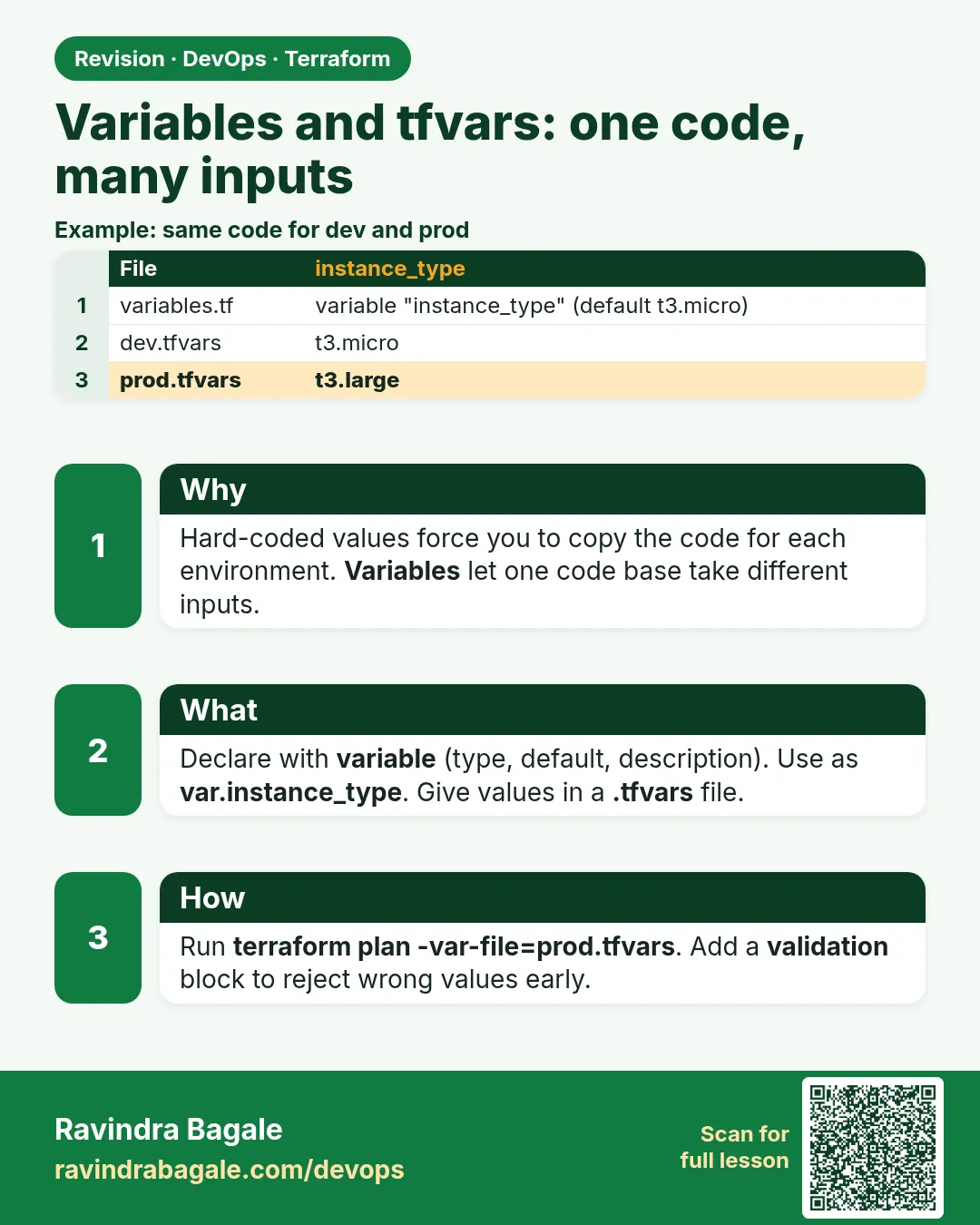
33.3 Variables and tfvars — one code, many inputs
Story. An Instagram-style feature team wants the same web server in dev and prod, but with a smaller instance type in dev. Copying the file and editing it creates two codebases that drift apart. Variables let one codebase take inputs. The values come from a .tfvars file, a -var flag or a TF_VAR_ environment variable, and validation blocks reject bad input before AWS is ever called.
# variables.tf
variable "region" {
  type        = string
  default     = "ap-south-1"
  description = "AWS region for the lab"
}

variable "instance_type" {
  type = string
  validation {
    condition     = contains(["t3.micro", "t3.small"], var.instance_type)
    error_message = "Use t3.micro or t3.small in this course."
  }
}

variable "allowed_cidrs" {
  type    = list(string)
  default = []
}

# dev.tfvars
instance_type = "t3.micro"
allowed_cidrs = ["203.0.113.0/24"]

# command
terraform plan -var-file=dev.tfvars
What each line does
variable "region" {— Declares an input named region.type = string— Only text values are accepted.default = "ap-south-1"— Used when nobody supplies a value.description = "..."— Shown in docs and prompts so readers know what the input is for.variable "instance_type" {— Declares a required input because it has no default.validation {— Adds a rule that is checked before any API call.condition = contains([...], var.instance_type)— The rule passes only for the two small instance types.error_message = "..."— The message shown when the rule fails.type = list(string)— allowed_cidrs must be a list of text values.instance_type = "t3.micro"— In dev.tfvars, sets the value for this environment.allowed_cidrs = ["203.0.113.0/24"]— The network ranges allowed to reach the server; use your own office range.terraform plan -var-file=dev.tfvars— Loads the dev values for this plan.
When it is green.
var.instance_type = "t3.micro"
Plan: 1 to add, 0 to change, 0 to destroy.
When it is red.
Error: Invalid value for variable
  on variables.tf line 8:
Use t3.micro or t3.small in this course.
This was checked by the validation rule at variables.tf:10,3-13.
Fix. Someone passed a large type such as m5.4xlarge. Correct the tfvars value. Files named terraform.tfvars or *.auto.tfvars load automatically; any other name needs -var-file.
What: every term in plain English
- variable — An input to your code. Read it as var.NAME.
- type — string, number, bool, list, map, object. Wrong types fail early.
- default — The value used if nobody sets one.
- .tfvars — A file of name = value lines, such as dev.tfvars.
- terraform.tfvars — Loaded automatically. So is any *.auto.tfvars file.
- -var-file — Loads a tfvars file you name.
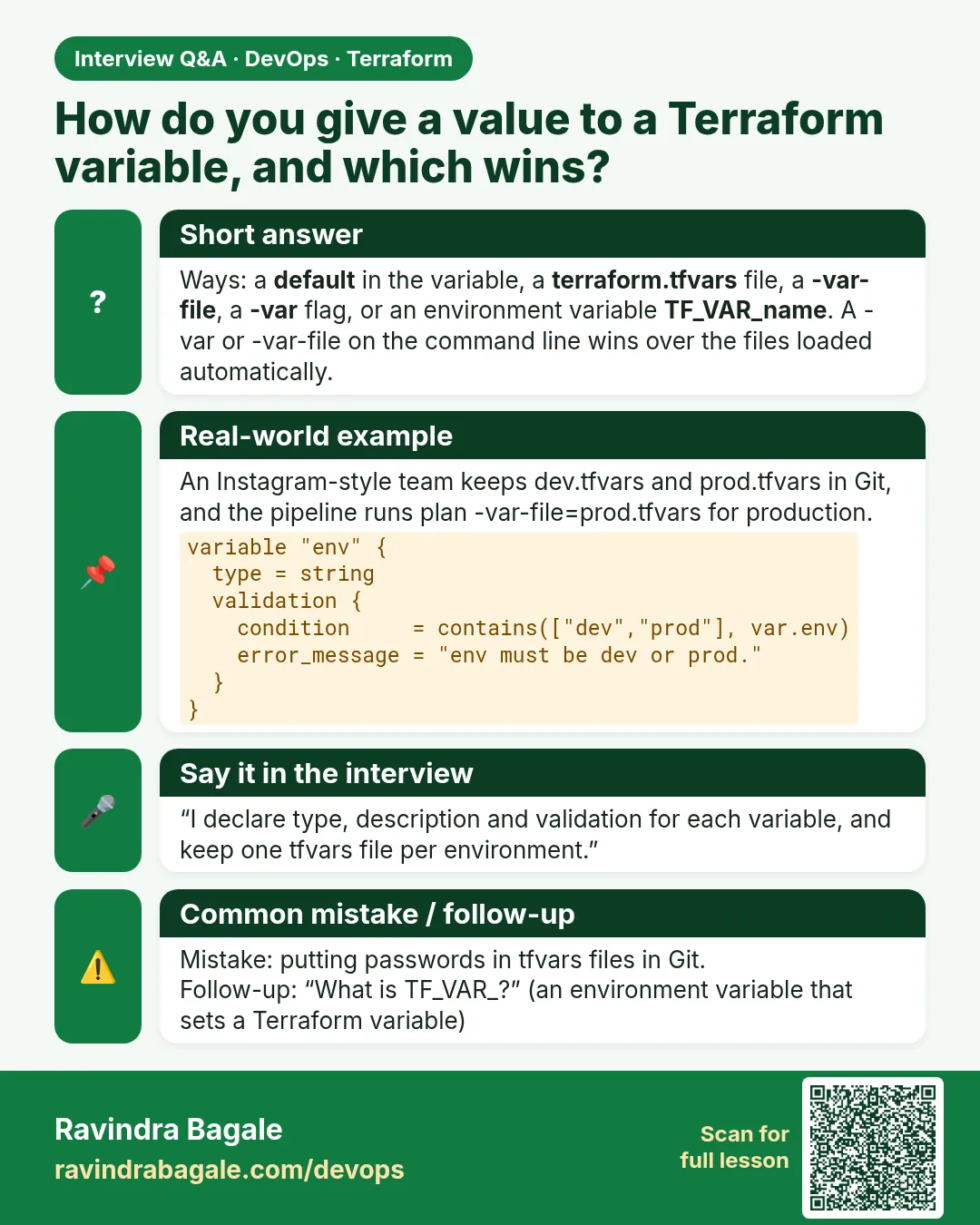
- TF_VAR_name — An env variable that sets var.name.
- precedence — The order that decides which value wins.
Example 1: One code, dev and prod
An Instagram-style team runs the same server code in dev with t3.micro and prod with t3.medium.
# variables.tf
variable "env" {
  type = string
}
variable "instance_type" {
  type    = string
  default = "t3.micro"
}
variable "instance_count" {
  type    = number
  default = 1
}

# main.tf (uses the AMI data source from 33.2)
resource "aws_instance" "web" {
  count         = var.instance_count
  ami           = data.aws_ami.al2023.id
  instance_type = var.instance_type
  tags = {
    Name = "${var.env}-web-${count.index}"
  }
}
# dev.tfvars
env = "dev"

# prod.tfvars
env            = "prod"
instance_type  = "t3.medium"
instance_count = 2
terraform plan -var-file=dev.tfvars  | grep -E "instance_type|Plan:"
terraform plan -var-file=prod.tfvars | grep -E "instance_type|Plan:"
Output
      + instance_type = "t3.micro"
Plan: 1 to add, 0 to change, 0 to destroy.
      + instance_type = "t3.medium"
      + instance_type = "t3.medium"
Plan: 2 to add, 0 to change, 0 to destroy.
What it shows: In real projects, dev and prod also use separate state, as in chapter 34.
Example 2: Which value wins
A Flipkart engineer set the type in three places and got a surprise. Let us prove the order.
echo 'instance_type = "t3.small"' > terraform.tfvars
export TF_VAR_instance_type=t3.nano
terraform plan -var-file=dev.tfvars -var instance_type=t3.large | grep instance_type
unset TF_VAR_instance_type
rm terraform.tfvars
Output
+ instance_type = "t3.large"
What it shows: Lowest to highest: default, TF_VAR_, terraform.tfvars, *.auto.tfvars, -var-file and -var in the order given. The last one on the command line wins.
Example 3: Types and validation
A Paytm-style team wanted only Mumbai or Hyderabad regions. A typo like ap-south1 must fail at plan.
variable "region" {
  type    = string
  default = "ap-south-1"
  validation {
    condition     = contains(["ap-south-1", "ap-south-2"], var.region)
    error_message = "Region must be ap-south-1 (Mumbai) or ap-south-2 (Hyderabad)."
  }
}

variable "allowed_cidrs" {
  type    = list(string)
  default = ["10.0.0.0/8"]
  validation {
    condition     = alltrue([for c in var.allowed_cidrs : can(cidrhost(c, 0))])
    error_message = "Every item must be a valid CIDR like 10.0.0.0/16."
  }
}
terraform plan -var region=ap-south1
terraform plan -var 'allowed_cidrs=["10.0.0.0/33"]'
Output
Error: Invalid value for variable
Region must be ap-south-1 (Mumbai) or ap-south-2 (Hyderabad).

Error: Invalid value for variable
Every item must be a valid CIDR like 10.0.0.0/16.
What it shows: The plan stops before calling AWS. The message is yours.
Example 4: Sensitive input without a secret in Git
A database password must never be in a tfvars file in Git. A Razorpay-style team passes it through an env variable from a secret store.
variable "db_password" {
  type      = string
  sensitive = true
}

resource "aws_db_instance" "main" {
  identifier          = "demo-db"
  engine              = "mysql"
  instance_class      = "db.t3.micro"
  allocated_storage   = 20
  username            = "app"
  password            = var.db_password
  skip_final_snapshot = true
}
export TF_VAR_db_password="$(aws secretsmanager get-secret-value --secret-id demo/db --query SecretString --output text)"
terraform plan | grep password
Output
+ password = (sensitive value)
What it shows: The value is hidden in plan, but it is still stored in state. Encrypt state and limit who can read it. Even better: manage_master_user_password = true lets RDS keep the password in Secrets Manager.
Command cheat sheet
| Command | What it does | When to use it |
|---|---|---|
-var-file=dev.tfvars |
Load one env file | Each environment |
-var name=value |
Set one value | Quick tests |
export TF_VAR_name=value |
Set from env | CI and secrets |
terraform console |
Try var. values and functions | Debugging |
sensitive = true |
Hide in output | Passwords, tokens |
validation { } |
Reject bad values | Regions, sizes, CIDRs |
Verify: did it work?
-
See a value
echo "var.instance_type" | terraform console -var-file=prod.tfvarsOutput
"t3.medium" -
Secret is hidden
terraform plan | grep passwordOutput
+ password = (sensitive value) -
tfvars not leaking secrets
git grep -n password -- "*.tfvars"Output
(no output)
When it is red 1
Error: No value for required variable
  on variables.tf line 1: variable "env"
The root module input variable "env" is not set, and has no default value.
Cause. A required variable was not set.
Fix, step by step
- Pass -var-file=dev.tfvars, or set TF_VAR_env.
When it is red 2
Error: Invalid value for input variable
  The given value is not suitable for var.instance_count: a number is required.
Cause. Wrong type, such as "two".
Fix, step by step
- Use 2 with no quotes.
When it is red 3
Error: Reference to undeclared input variable
  on main.tf line 4: instance_type = var.instance_typ
Cause. Typo in the name.
Fix, step by step
- Fix the spelling to match variables.tf.
Cleanup
terraform destroy -var-file=dev.tfvars -auto-approve
Ravindra Bagale's Tip
Never commit a tfvars file with a password. Secrets come from a secret store through TF_VAR_ at run time.
Practice tasks
Easy Two tfvars
Why: One code, two envs.
What to do: Make dev.tfvars and prod.tfvars.
- Plan both.
Check: Different instance types.
Medium Prove precedence
Why: Know who wins.
What to do: Set one variable in three places.
- Plan and read.
Check: You can say the order.
Medium Validation
Why: Fail early.
What to do: Allow only t3.micro and t3.small.
- Pass t3.large.
Check: Your message shows.
Hard Secret input
Why: No secrets in Git.
What to do: Pass a DB password from Secrets Manager.
- TF_VAR_db_password.
Check: Plan shows (sensitive value).
Easy Say it in two lines
Why: If you can say it simply, you understand it.
What to do: Write two short lines about this lesson for a fresher.
- Write the problem it solves.
- Write the one command or file you use.
- Read it aloud.
Check: A fresher understands it without a question.
Easy Start a safe lab folder
Why: Practice needs a throwaway place.
What to do: Make a new folder with versions.tf and a random_pet resource, so no AWS cost.
- mkdir tf-lab and cd into it.
- Add the hashicorp/random provider and one random_pet.
- Run terraform init and terraform apply.
Check: Apply complete! with 1 added.
Medium Break it on purpose
Why: You must know the red output by face.
What to do: Cause one error from the red part of this lesson and fix it.
- Follow one red section.
- Copy the exact message to your notes.
- Write the fix in one line.
Check: You fixed it without searching the web.
Medium Run it twice
Why: A second run must be quiet.
What to do: Run the same plan two times with no edits.
- Run terraform plan.
- Run it again.
- Explain any change it still shows.
Check: The second plan says No changes, or you can explain each line.
Medium Write a runbook page
Why: At 2 a.m. nobody remembers flags.
What to do: Write a one-page runbook for this lesson.
- Title, when to use, exact commands, how to check, how to undo.
Check: A teammate can follow it alone.
Medium Run it from a pipeline
Why: Real teams run Terraform from CI, not from laptops.
What to do: Run the main command of this lesson inside a GitHub Actions or Jenkins job.
- Add a job with hashicorp/setup-terraform or a Terraform Docker image.
- Give it AWS access through an IAM role, never a key in the file.
- Run init, then the command from this lesson.
Check: The job log shows the same output you saw on your laptop.
Medium Check the cost
Why: Labs left running cost real money.
What to do: Find what this lesson would cost per day if you forgot to destroy it.
- Open the AWS Pricing Calculator.
- Add each resource from your plan.
- Write the daily cost in your notes.
Check: You know the daily cost and you ran terraform destroy.
Hard Draw the flow top to bottom
Why: A drawing shows the order of work.
What to do: Draw this lesson as boxes from top to bottom.
- Start at your code, go through plan and state, end at AWS.
- Mark where each command reads or writes.
Check: Each box matches a real step you ran.
Hard Explain it like an interview
Why: Interviewers want real stories.
What to do: Record a 60 second answer about this lesson.
- Say the problem, the command, and one error you hit.
Check: Your answer has a real command and a real error message.
Homework: try at home
Try at home
Take one of your old .tf files. Find three hard-coded values. Turn them into variables with types, defaults and one validation.
Recap
- Variables are inputs: var.NAME.
- tfvars files hold values per environment.
- -var on the command line wins.
- Types and validation stop bad input early.
- Secrets come from env at run time, marked sensitive.
FAQ
Is terraform.tfvars loaded automatically?
Yes, and so is *.auto.tfvars.
Can a variable use another variable in its default?
No. Use a local for that.
Does sensitive encrypt the value?
No. It only hides it in output. State still holds it.
Where do I put defaults?
In variables.tf, only when a safe default exists.
Should prod.tfvars be in Git?
Yes, if it holds no secrets.
Interview questions
-
How do you use the same code for dev and prod?
Variables with per-env tfvars files and separate state.
-
Variable precedence order?
default, env TF_VAR_, terraform.tfvars, *.auto.tfvars, then -var-file and -var in command order.
-
How do you pass secrets?
TF_VAR_ from a secret store at run time, sensitive = true, and encrypted state.
-
What does validation do?
Checks the value at plan and fails with your message.
-
Variable vs local?
A variable is an input from outside; a local is a named expression inside.
Quick quiz
Q1. How do you read a variable?
var.NAME
Q2. Env var form?
TF_VAR_NAME
Q3. Which wins: tfvars or -var?
-var
Q4. Does sensitive keep it out of state?
No.
Q5. Auto-loaded file?
terraform.tfvars
Samajla ka?
 Revision card
 Interview card