Chapter 33: Terraform Providers Resources Variables Outputs Locals and Data Sources
33.2 Resources — the things Terraform creates
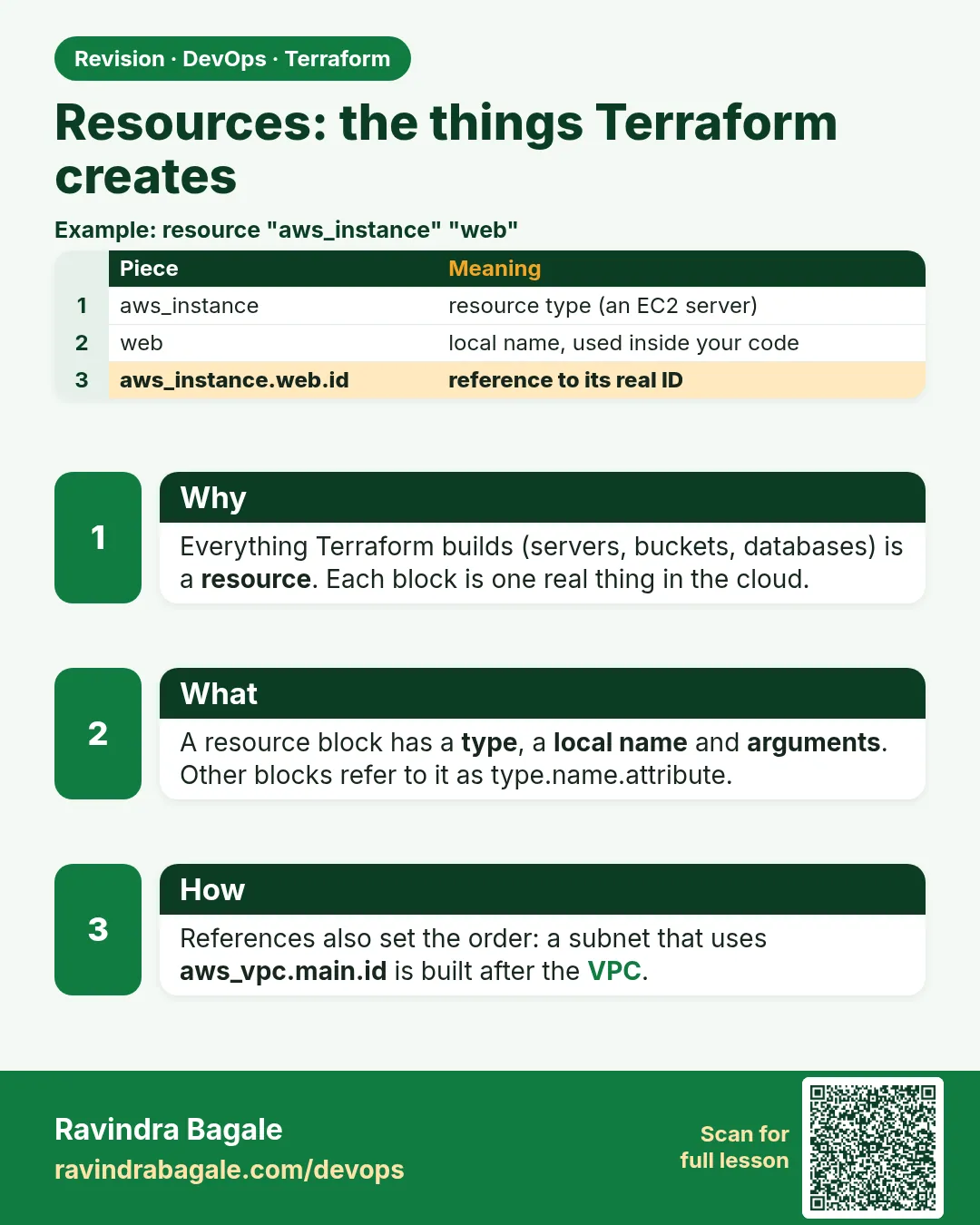
Story. An Infosys client asked for an S3 bucket for build logs, and the junior engineer created it in the console. Three months later nobody knew who owned it or whether it was safe to delete. A resource block is the fix: it is a typed, named object that Terraform creates, tracks in state, updates and deletes. Other resources refer to it by type.name.attribute, which is how Terraform learns the order to build things.
resource "aws_s3_bucket" "logs" {
  bucket = "badge-build-logs-<your-account-id>"
}

resource "aws_s3_bucket_versioning" "logs" {
  bucket = aws_s3_bucket.logs.id
  versioning_configuration {
    status = "Enabled"
  }
}
What each line does
resource "aws_s3_bucket" "logs" {— Declares an S3 bucket; aws_s3_bucket is the type and logs is the name inside this code.bucket = "badge-build-logs-<your-account-id>"— The globally unique bucket name; replace the placeholder with your own suffix.resource "aws_s3_bucket_versioning" "logs" {— A separate resource that controls versioning for a bucket.bucket = aws_s3_bucket.logs.id— Refers to the first bucket, which also tells Terraform to create the bucket first.status = "Enabled"— Turns on versioning so overwritten objects can be recovered.
When it is green.
  # aws_s3_bucket.logs will be created
  + resource "aws_s3_bucket" "logs" { + bucket = "badge-build-logs-..." }
  # aws_s3_bucket_versioning.logs will be created
  + resource "aws_s3_bucket_versioning" "logs" { ... }

Plan: 2 to add, 0 to change, 0 to destroy.
When it is red.
Error: creating S3 Bucket (badge-build-logs): BucketAlreadyExists:
The requested bucket name is not available.
Fix. Bucket names are global across all AWS accounts. Add your account id or a random suffix to the name and plan again.
What: every term in plain English
- resource block — resource "TYPE" "NAME" { ... }. One real object Terraform creates and manages.
- type — What kind of object, such as aws_s3_bucket. It starts with the provider name.
- name — Your label inside the code, such as logs. Not the AWS name.
- argument — A setting you write, such as bucket = "...".
- attribute — A value you can read after create, such as .arn or .id.
- address — TYPE.NAME, such as aws_s3_bucket.logs. Used in state and plans.
- reference — Using one resource value in another, such as aws_s3_bucket.logs.id.
Example 1: A bucket for build logs
An Infosys team made a log bucket in the console and nobody knew who owned it. In code, the owner, tags and settings are in Git.
resource "aws_s3_bucket" "build_logs" {
  bucket = "infy-build-logs-1234"
  tags = {
    Owner = "ci-team"
  }
}

resource "aws_s3_bucket_versioning" "build_logs" {
  bucket = aws_s3_bucket.build_logs.id
  versioning_configuration {
    status = "Enabled"
  }
}

resource "aws_s3_bucket_public_access_block" "build_logs" {
  bucket                  = aws_s3_bucket.build_logs.id
  block_public_acls       = true
  block_public_policy     = true
  ignore_public_acls      = true
  restrict_public_buckets = true
}
terraform apply -auto-approve
terraform state list
Output
aws_s3_bucket.build_logs: Creation complete after 2s [id=infy-build-logs-1234]
aws_s3_bucket_versioning.build_logs: Creation complete after 1s
aws_s3_bucket_public_access_block.build_logs: Creation complete after 1s
Apply complete! Resources: 3 added, 0 changed, 0 destroyed.

aws_s3_bucket.build_logs
aws_s3_bucket_public_access_block.build_logs
aws_s3_bucket_versioning.build_logs
What it shows: The reference aws_s3_bucket.build_logs.id makes Terraform create the bucket first.
Example 2: EC2 server that uses a security group
A Zomato-style team needs a web server. The server reads the group id, so order is automatic.
data "aws_ami" "al2023" {
  most_recent = true
  owners      = ["amazon"]
  filter {
    name   = "name"
    values = ["al2023-ami-2023.*-x86_64"]
  }
}

resource "aws_security_group" "web" {
  name = "demo-web-sg"
  ingress {
    from_port   = 80
    to_port     = 80
    protocol    = "tcp"
    cidr_blocks = ["0.0.0.0/0"]
  }
  egress {
    from_port   = 0
    to_port     = 0
    protocol    = "-1"
    cidr_blocks = ["0.0.0.0/0"]
  }
}

resource "aws_instance" "web" {
  ami                    = data.aws_ami.al2023.id
  instance_type          = "t3.micro"
  vpc_security_group_ids = [aws_security_group.web.id]
  tags = {
    Name = "demo-web"
  }
}
terraform apply -auto-approve
terraform state show aws_instance.web | grep -E "public_ip |instance_type|id  "
Output
aws_security_group.web: Creation complete after 2s [id=sg-0abc1234def567890]
aws_instance.web: Creation complete after 13s [id=i-0123456789abcdef0]
Apply complete! Resources: 2 added, 0 changed, 0 destroyed.

    id                     = "i-0123456789abcdef0"
    instance_type          = "t3.micro"
    public_ip              = "13.233.10.20"
What it shows: The IP is a sample. state show lists every attribute you can reference.
Example 3: Change in place vs replace
Know which edits are safe. A tag change is in place. An AMI change replaces the server.
# edit 1: change tag Name to demo-web-1
terraform plan | grep -E "~|-/\+|Plan:"
# edit 2: change ami to another id
terraform plan | grep -E "forces replacement|Plan:"
Output
  ~ resource "aws_instance" "web" {
      ~ tags = { ~ "Name" = "demo-web" -> "demo-web-1" }
Plan: 0 to add, 1 to change, 0 to destroy.

      ~ ami = "ami-0aaa..." -> "ami-0bbb..." # forces replacement
Plan: 1 to add, 0 to change, 1 to destroy.
What it shows: Read every plan for -/+ and forces replacement before you apply in prod.
Example 4: Find the right arguments in the docs
Freshers at TCS often guess argument names. The provider docs list them, and validate catches typos.
- Open registry.terraform.io, search aws_s3_bucket_lifecycle_configuration.
- Copy the Example Usage.
- Run validate.
resource "aws_s3_bucket_lifecycle_configuration" "build_logs" {
  bucket = aws_s3_bucket.build_logs.id
  rule {
    id     = "expire-old-logs"
    status = "Enabled"
    filter {}
    expiration {
      days = 30
    }
  }
}
terraform validate
terraform apply -auto-approve
Output
Success! The configuration is valid.
aws_s3_bucket_lifecycle_configuration.build_logs: Creation complete after 31s
Apply complete! Resources: 1 added, 0 changed, 0 destroyed.
What it shows: Logs older than 30 days are deleted. This saves money with no script.
Command cheat sheet
| Command | What it does | When to use it |
|---|---|---|
terraform validate |
Catch wrong arguments | Before every plan |
terraform state list |
List resource addresses | After apply |
terraform state show ADDR |
Show all attributes | Finding values to reference |
terraform plan |
See add, change, replace | Every edit |
terraform apply -replace=ADDR |
Force a rebuild | Broken server |
terraform destroy -target=ADDR |
Delete one thing | Emergency only |
Verify: did it work?
-
Resource exists
terraform state list | grep build_logsOutput
aws_s3_bucket.build_logs -
Versioning on
aws s3api get-bucket-versioning --bucket infy-build-logs-1234 --query Status --output textOutput
Enabled -
Code matches
terraform planOutput
No changes. Your infrastructure matches the configuration.
When it is red 1
Error: Unsupported argument
  on main.tf line 3, in resource "aws_s3_bucket" "build_logs":
   3:   versioning = true
An argument named "versioning" is not expected here.
Cause. In AWS provider 5, versioning is its own resource.
Fix, step by step
- Remove the line.
- Add aws_s3_bucket_versioning.
When it is red 2
Error: creating S3 Bucket (infy-build-logs-1234): BucketAlreadyExists
Cause. The name is taken globally.
Fix, step by step
- Add a unique suffix such as your account id.
When it is red 3
Error: Reference to undeclared resource
  on main.tf line 12: bucket = aws_s3_bucket.logs.id
Cause. The name in the reference does not match the block label.
Fix, step by step
- Use aws_s3_bucket.build_logs.id.
Cleanup
terraform destroy -auto-approve
Ravindra Bagale's Tip
Before apply, search the plan for -/+ and forces replacement. That one habit saves servers and databases.
Practice tasks
Easy Safe bucket
Why: Good defaults.
What to do: Make a bucket with versioning and public access block.
- Three resources.
Check: 3 added.
Medium Server with group
Why: References.
What to do: Make a group and a server that uses it.
- Use .id.
Check: Group created first.
Medium Spot replace
Why: Read plans.
What to do: Change a tag, then an AMI, and compare plans.
- grep forces replacement.
Check: You can tell which is which.
Hard Lifecycle rule
Why: Save money.
What to do: Expire objects after 30 days.
- Copy docs example, validate.
Check: Rule shows in console.
Easy Say it in two lines
Why: If you can say it simply, you understand it.
What to do: Write two short lines about this lesson for a fresher.
- Write the problem it solves.
- Write the one command or file you use.
- Read it aloud.
Check: A fresher understands it without a question.
Easy Start a safe lab folder
Why: Practice needs a throwaway place.
What to do: Make a new folder with versions.tf and a random_pet resource, so no AWS cost.
- mkdir tf-lab and cd into it.
- Add the hashicorp/random provider and one random_pet.
- Run terraform init and terraform apply.
Check: Apply complete! with 1 added.
Medium Break it on purpose
Why: You must know the red output by face.
What to do: Cause one error from the red part of this lesson and fix it.
- Follow one red section.
- Copy the exact message to your notes.
- Write the fix in one line.
Check: You fixed it without searching the web.
Medium Run it twice
Why: A second run must be quiet.
What to do: Run the same plan two times with no edits.
- Run terraform plan.
- Run it again.
- Explain any change it still shows.
Check: The second plan says No changes, or you can explain each line.
Medium Write a runbook page
Why: At 2 a.m. nobody remembers flags.
What to do: Write a one-page runbook for this lesson.
- Title, when to use, exact commands, how to check, how to undo.
Check: A teammate can follow it alone.
Medium Run it from a pipeline
Why: Real teams run Terraform from CI, not from laptops.
What to do: Run the main command of this lesson inside a GitHub Actions or Jenkins job.
- Add a job with hashicorp/setup-terraform or a Terraform Docker image.
- Give it AWS access through an IAM role, never a key in the file.
- Run init, then the command from this lesson.
Check: The job log shows the same output you saw on your laptop.
Medium Check the cost
Why: Labs left running cost real money.
What to do: Find what this lesson would cost per day if you forgot to destroy it.
- Open the AWS Pricing Calculator.
- Add each resource from your plan.
- Write the daily cost in your notes.
Check: You know the daily cost and you ran terraform destroy.
Hard Draw the flow top to bottom
Why: A drawing shows the order of work.
What to do: Draw this lesson as boxes from top to bottom.
- Start at your code, go through plan and state, end at AWS.
- Mark where each command reads or writes.
Check: Each box matches a real step you ran.
Hard Explain it like an interview
Why: Interviewers want real stories.
What to do: Record a 60 second answer about this lesson.
- Say the problem, the command, and one error you hit.
Check: Your answer has a real command and a real error message.
Homework: try at home
Try at home
Pick three resources from the AWS provider docs. For each, write two arguments and two attributes you would use.
Recap
- A resource is one real object: TYPE.NAME.
- Arguments go in, attributes come out.
- References set the order for you.
- Watch plans for forces replacement.
- Use the docs and validate, never guess.
FAQ
Is the resource name the AWS name?
No. The label is for code. The AWS name is an argument like bucket.
Can I rename the label?
Yes, with a moved block, or the plan will destroy and create.
Why is versioning a separate resource?
AWS provider 5 split bucket settings into their own resources.
What is .id?
The main id of the object, such as the bucket name or i-....
How do I see all attributes?
terraform state show ADDRESS.
Interview questions
-
Parts of a resource block?
Type, local name, and arguments in the body.
-
Argument vs attribute?
Arguments are what you set. Attributes are what you can read after creation.
-
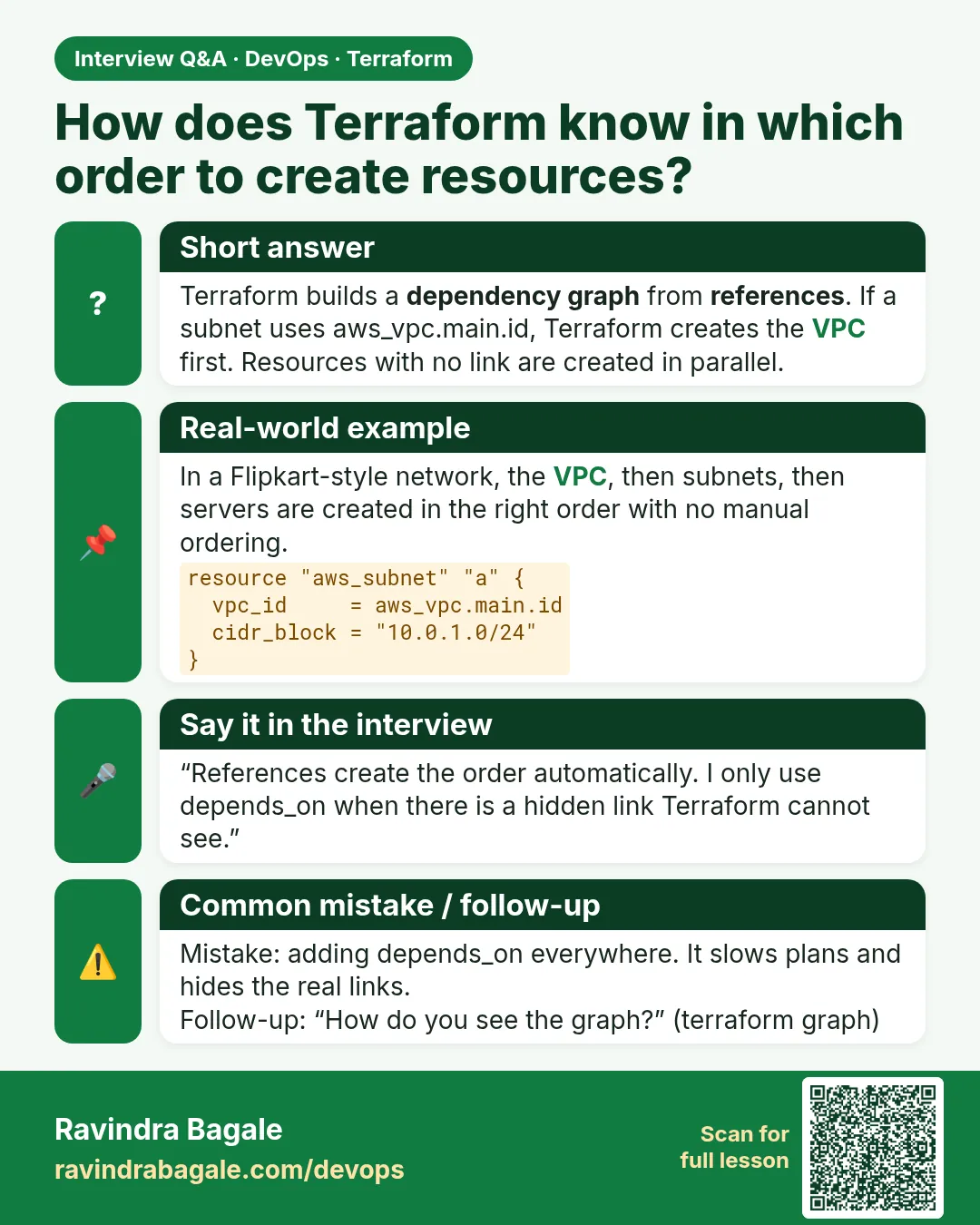
How does Terraform know the order?
From references between resources; it builds a graph.
-
What does forces replacement mean?
That argument cannot change in place; the object will be destroyed and created again.
-
How do you rebuild one broken resource?
terraform apply -replace=ADDRESS.
Quick quiz
Q1. Address form?
TYPE.NAME
Q2. Command to list all attributes?
terraform state show
Q3. Versioning in AWS provider 5?
A separate resource.
Q4. Symbol for replace in plan?
-/+
Q5. Command to check arguments?
terraform validate
Samajla ka?
 Revision card
 Interview card