Chapter 33: Terraform Providers Resources Variables Outputs Locals and Data Sources
33.1 Providers — the plugin that talks to AWS
Story. A Netflix-style team runs Terraform against several AWS regions, and every run must use the same provider version so plans match on every laptop and in CI. The provider is the plugin that turns HCL into AWS API calls. You declare which provider and which version range in a terraform block, then configure the region in a provider block. Credentials never go in this file; the provider reads them from your role or SSO session.
terraform {
  required_version = ">= 1.6"
  required_providers {
    aws = {
      source  = "hashicorp/aws"
      version = "~> 5.0"
    }
  }
}

provider "aws" {
  region = var.region
  default_tags {
    tags = {
      Project   = "badge-api"
      ManagedBy = "terraform"
    }
  }
}

provider "aws" {
  alias  = "dr"
  region = "us-west-2"
}
What each line does
terraform {— Opens settings for Terraform itself, not for AWS.required_version = ">= 1.6"— Refuses to run on an older Terraform that lacks features this code uses.required_providers {— Lists every provider plugin this folder needs.source = "hashicorp/aws"— Says to download the AWS provider published by HashiCorp in the public registry.version = "~> 5.0"— Allows any 5.x release but never 6.0, so a major upgrade cannot surprise you.provider "aws" {— Configures the default AWS provider.region = var.region— Reads the region from a variable instead of hard-coding it.default_tags { tags = {...} }— Adds these tags to every AWS resource this provider creates.alias = "dr"— Creates a second, named AWS provider for disaster-recovery resources.region = "us-west-2"— The second provider works in a different region.
When it is green.
Initializing provider plugins...
- Finding hashicorp/aws versions matching "~> 5.0"...
- Installing hashicorp/aws v5.x.x...
Terraform has created a lock file .terraform.lock.hcl
Terraform has been successfully initialized!
When it is red.
Error: Failed to query available provider packages
Could not retrieve the list of available versions for provider hashicorp/aws:
no available releases match the given constraints ~> 5.0, ~> 4.0
Fix. Two files or a module ask for incompatible ranges. Align the version constraints, then run terraform init -upgrade. Commit .terraform.lock.hcl so every machine uses the same build.
What: every term in plain English
- provider — A plugin that turns your HCL into API calls for one platform, such as AWS.
- required_providers — The block that says which provider and which versions you allow.
- source — Where the provider comes from, such as hashicorp/aws.
- version constraint — A rule such as ~> 5.0. It allows 5.x but not 6.0.
- .terraform.lock.hcl — A file that records the exact provider version and its hashes. Commit it.
- alias — A second copy of the same provider with other settings, such as another region.
- default_tags — Tags the AWS provider adds to every resource it creates.
Example 1: First provider and init
A Wipro fresher had one rule: run init in an empty folder and see what it downloads.
# versions.tf
terraform {
  required_version = ">= 1.6"
  required_providers {
    aws = {
      source  = "hashicorp/aws"
      version = "~> 5.0"
    }
  }
}

provider "aws" {
  region = "ap-south-1"
}
terraform init
ls -a
terraform providers
Output
Initializing provider plugins...
- Finding hashicorp/aws versions matching "~> 5.0"...
- Installing hashicorp/aws v5.x.x...
- Installed hashicorp/aws v5.x.x (signed by HashiCorp)
Terraform has created a lock file .terraform.lock.hcl
Terraform has been successfully initialized!

.  ..  .terraform  .terraform.lock.hcl  versions.tf

Providers required by configuration:
.
└── provider[registry.terraform.io/hashicorp/aws] ~> 5.0
What it shows: Commit versions.tf and .terraform.lock.hcl. Never commit the .terraform folder.
Example 2: Two regions with alias
A Netflix-style team keeps backups in Singapore while the app runs in Mumbai. One provider per region, named with alias.
provider "aws" {
  region = "ap-south-1"
}

provider "aws" {
  alias  = "sg"
  region = "ap-southeast-1"
}

resource "aws_s3_bucket" "app" {
  bucket = "demo-app-mumbai-1234"
}

resource "aws_s3_bucket" "backup" {
  provider = aws.sg
  bucket   = "demo-backup-singapore-1234"
}
terraform apply -auto-approve
aws s3api get-bucket-location --bucket demo-backup-singapore-1234
Output
aws_s3_bucket.app: Creation complete after 2s [id=demo-app-mumbai-1234]
aws_s3_bucket.backup: Creation complete after 3s [id=demo-backup-singapore-1234]
Apply complete! Resources: 2 added, 0 changed, 0 destroyed.
{
    "LocationConstraint": "ap-southeast-1"
}
What it shows: Resources with no provider line use the default (no alias) provider.
Example 3: default_tags on every resource
The finance team at a Myntra-style company needs Team and Env tags on every bill line. default_tags does it in one place.
provider "aws" {
  region = "ap-south-1"
  default_tags {
    tags = {
      Team      = "checkout"
      Env       = "dev"
      ManagedBy = "terraform"
    }
  }
}

resource "aws_s3_bucket" "logs" {
  bucket = "demo-checkout-logs-1234"
}
terraform apply -auto-approve
aws s3api get-bucket-tagging --bucket demo-checkout-logs-1234 --output text
Output
TAGSET  Env        dev
TAGSET  ManagedBy  terraform
TAGSET  Team       checkout
What it shows: No tag lines in the resource, yet all three tags are there.
Example 4: Credentials the safe way
At HDFC-style banks, keys in code are a firing matter. The provider reads credentials from your SSO session or a role, never from the file.
aws configure sso --profile dev
aws sso login --profile dev
export AWS_PROFILE=dev
aws sts get-caller-identity
terraform plan
Output
{
    "UserId": "AROAEXAMPLE:ravi",
    "Account": "111122223333",
    "Arn": "arn:aws:sts::111122223333:assumed-role/AWSReservedSSO_Dev/ravi"
}
No changes. Your infrastructure matches the configuration.
What it shows: The provider block has only region. The identity comes from AWS_PROFILE. On EC2 or in CI, it comes from a role.
Command cheat sheet
| Command | What it does | When to use it |
|---|---|---|
terraform init |
Download providers, write lock file | New folder or new provider |
terraform init -upgrade |
Move to newer allowed versions | Planned upgrade |
terraform providers |
List providers needed | Debugging versions |
terraform version |
Show Terraform and provider versions | Bug reports |
terraform providers lock -platform=linux_amd64 -platform=darwin_arm64 |
Add hashes for other OS | Mac laptops plus Linux CI |
provider = aws.sg |
Use an aliased provider | Second region or account |
Verify: did it work?
-
Lock file exists
ls .terraform.lock.hclOutput
.terraform.lock.hcl -
Right version
terraform versionOutput
Terraform v1.x.x on linux_amd64 + provider registry.terraform.io/hashicorp/aws v5.x.x -
Right account
aws sts get-caller-identity --query Account --output textOutput
111122223333
When it is red 1
Error: Failed to query available provider packages
Could not retrieve the list of available versions for provider hashicorp/aws: no available releases match the given constraints ~> 4.0, ~> 5.0
Cause. Two files or modules ask for versions that cannot both be true.
Fix, step by step
- Run terraform providers to see who asks for what.
- Make the constraints agree.
When it is red 2
Error: Inconsistent dependency lock file
Cause. The lock file does not match the constraint.
Fix, step by step
- Run terraform init -upgrade.
- Commit the new lock file.
When it is red 3
Error: No valid credential sources found
Cause. No SSO session, profile or role.
Fix, step by step
- Run aws sso login.
- Or run on EC2 or CI with a role. Never paste keys in the provider block.
Cleanup
terraform destroy -auto-approve
Ravindra Bagale's Tip
Pin ~> on the major version, commit the lock file, and keep keys out of every .tf file. Those three habits stop most provider pain.
Practice tasks
Easy First init
Why: See what init makes.
What to do: Run init in an empty folder with the AWS provider.
- ls -a after.
Check: Lock file exists.
Medium Two regions
Why: Use alias.
What to do: Make one bucket in Mumbai and one in Singapore.
- provider = aws.sg.
Check: get-bucket-location shows ap-southeast-1.
Medium default_tags
Why: Tags for free.
What to do: Add three default tags.
- Check with get-bucket-tagging.
Check: All three show.
Hard Multi-OS lock
Why: Mac and Linux.
What to do: Add hashes for linux_amd64 and darwin_arm64.
- terraform providers lock.
Check: Lock file lists more hashes.
Easy Say it in two lines
Why: If you can say it simply, you understand it.
What to do: Write two short lines about this lesson for a fresher.
- Write the problem it solves.
- Write the one command or file you use.
- Read it aloud.
Check: A fresher understands it without a question.
Easy Start a safe lab folder
Why: Practice needs a throwaway place.
What to do: Make a new folder with versions.tf and a random_pet resource, so no AWS cost.
- mkdir tf-lab and cd into it.
- Add the hashicorp/random provider and one random_pet.
- Run terraform init and terraform apply.
Check: Apply complete! with 1 added.
Medium Break it on purpose
Why: You must know the red output by face.
What to do: Cause one error from the red part of this lesson and fix it.
- Follow one red section.
- Copy the exact message to your notes.
- Write the fix in one line.
Check: You fixed it without searching the web.
Medium Run it twice
Why: A second run must be quiet.
What to do: Run the same plan two times with no edits.
- Run terraform plan.
- Run it again.
- Explain any change it still shows.
Check: The second plan says No changes, or you can explain each line.
Medium Write a runbook page
Why: At 2 a.m. nobody remembers flags.
What to do: Write a one-page runbook for this lesson.
- Title, when to use, exact commands, how to check, how to undo.
Check: A teammate can follow it alone.
Medium Run it from a pipeline
Why: Real teams run Terraform from CI, not from laptops.
What to do: Run the main command of this lesson inside a GitHub Actions or Jenkins job.
- Add a job with hashicorp/setup-terraform or a Terraform Docker image.
- Give it AWS access through an IAM role, never a key in the file.
- Run init, then the command from this lesson.
Check: The job log shows the same output you saw on your laptop.
Medium Check the cost
Why: Labs left running cost real money.
What to do: Find what this lesson would cost per day if you forgot to destroy it.
- Open the AWS Pricing Calculator.
- Add each resource from your plan.
- Write the daily cost in your notes.
Check: You know the daily cost and you ran terraform destroy.
Hard Draw the flow top to bottom
Why: A drawing shows the order of work.
What to do: Draw this lesson as boxes from top to bottom.
- Start at your code, go through plan and state, end at AWS.
- Mark where each command reads or writes.
Check: Each box matches a real step you ran.
Hard Explain it like an interview
Why: Interviewers want real stories.
What to do: Record a 60 second answer about this lesson.
- Say the problem, the command, and one error you hit.
Check: Your answer has a real command and a real error message.
Homework: try at home
Try at home
Open .terraform.lock.hcl and explain each line to a friend: provider, version, constraints, hashes.
Recap
- A provider is a plugin that calls one platform API.
- Pin with ~> and commit .terraform.lock.hcl.
- Use alias for a second region or account.
- default_tags tags everything.
- Credentials come from SSO or a role, never the file.
FAQ
Should I commit .terraform?
No. Add it to .gitignore. Commit the lock file.
Do I need a provider block?
For AWS, yes, at least for region.
What does ~> 5.0 allow?
5.1, 5.60 and so on, but not 6.0.
Can one config use AWS and Azure?
Yes. Declare both providers.
Where does the provider binary live?
In .terraform/providers after init.
Interview questions
-
What is a Terraform provider?
A plugin that maps resources to a platform API, downloaded by init.
-
Why commit the lock file?
So every laptop and CI use the same provider version and hashes.
-
How do you deploy to two regions?
Two provider blocks, one with alias, and provider = aws.alias on resources.
-
How should the provider get credentials?
From SSO, an instance role, or CI OIDC. Never from keys in code.
-
What is default_tags?
An AWS provider setting that adds the same tags to every resource.
Quick quiz
Q1. File that locks providers?
.terraform.lock.hcl
Q2. Command to download providers?
terraform init
Q3. How do you pick an aliased provider?
provider = aws.ALIAS
Q4. Does ~> 5.0 allow 6.0?
No.
Q5. Commit .terraform folder?
No.
Samajla ka?
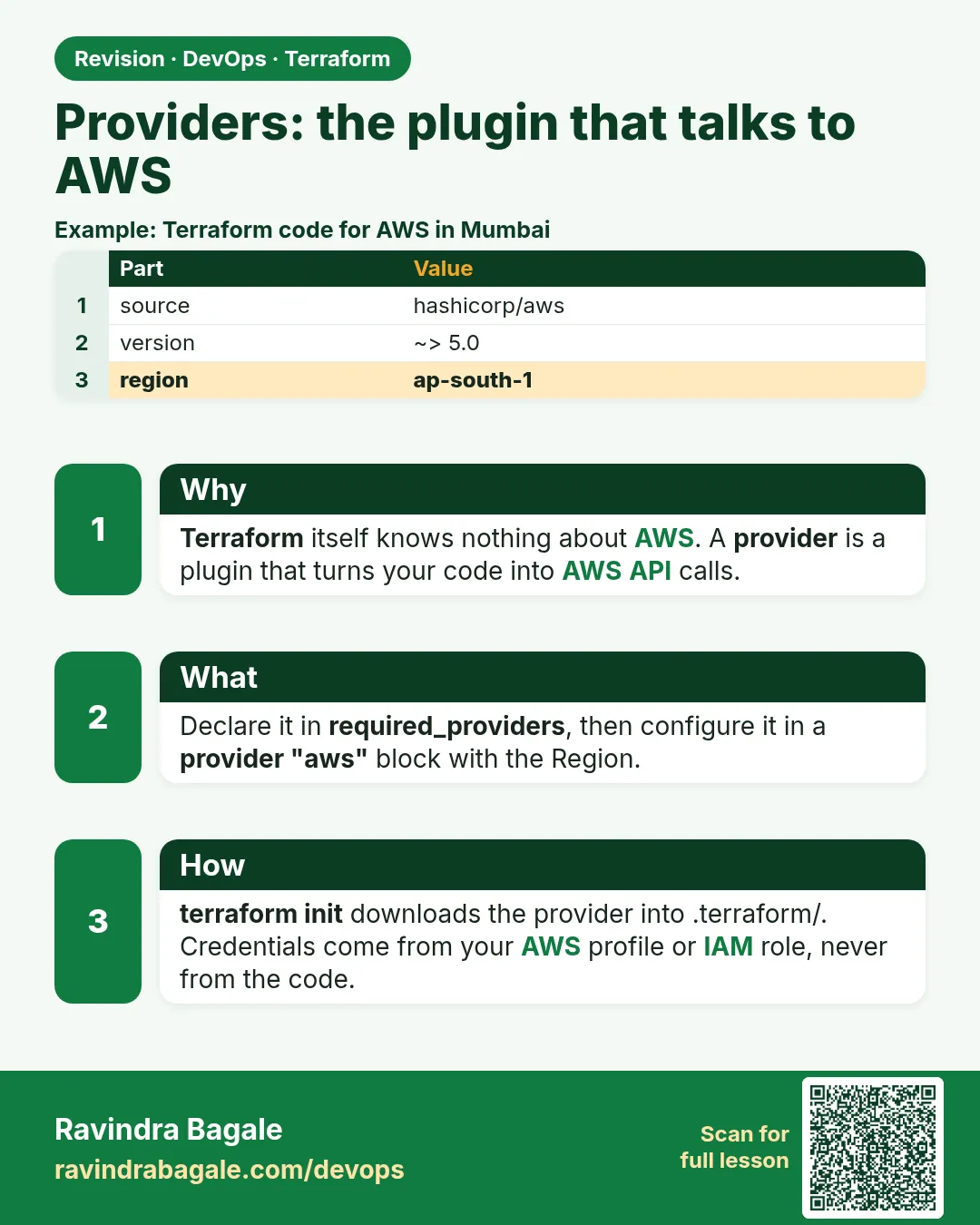 Revision card
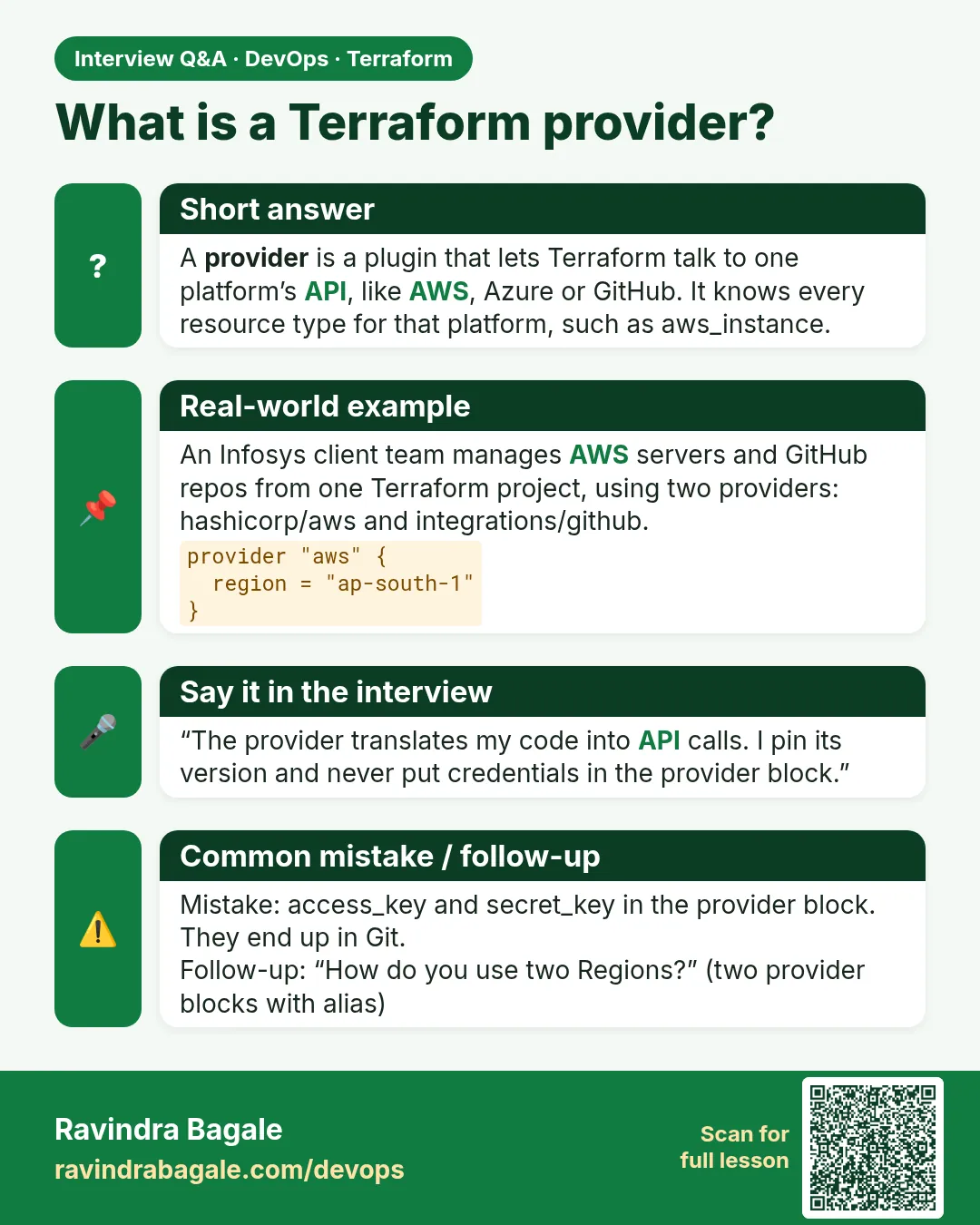 Interview card