Chapter 32: Jenkins Governance, Troubleshooting and Expert Projects
32.6 Queue stuck
Why: the problem
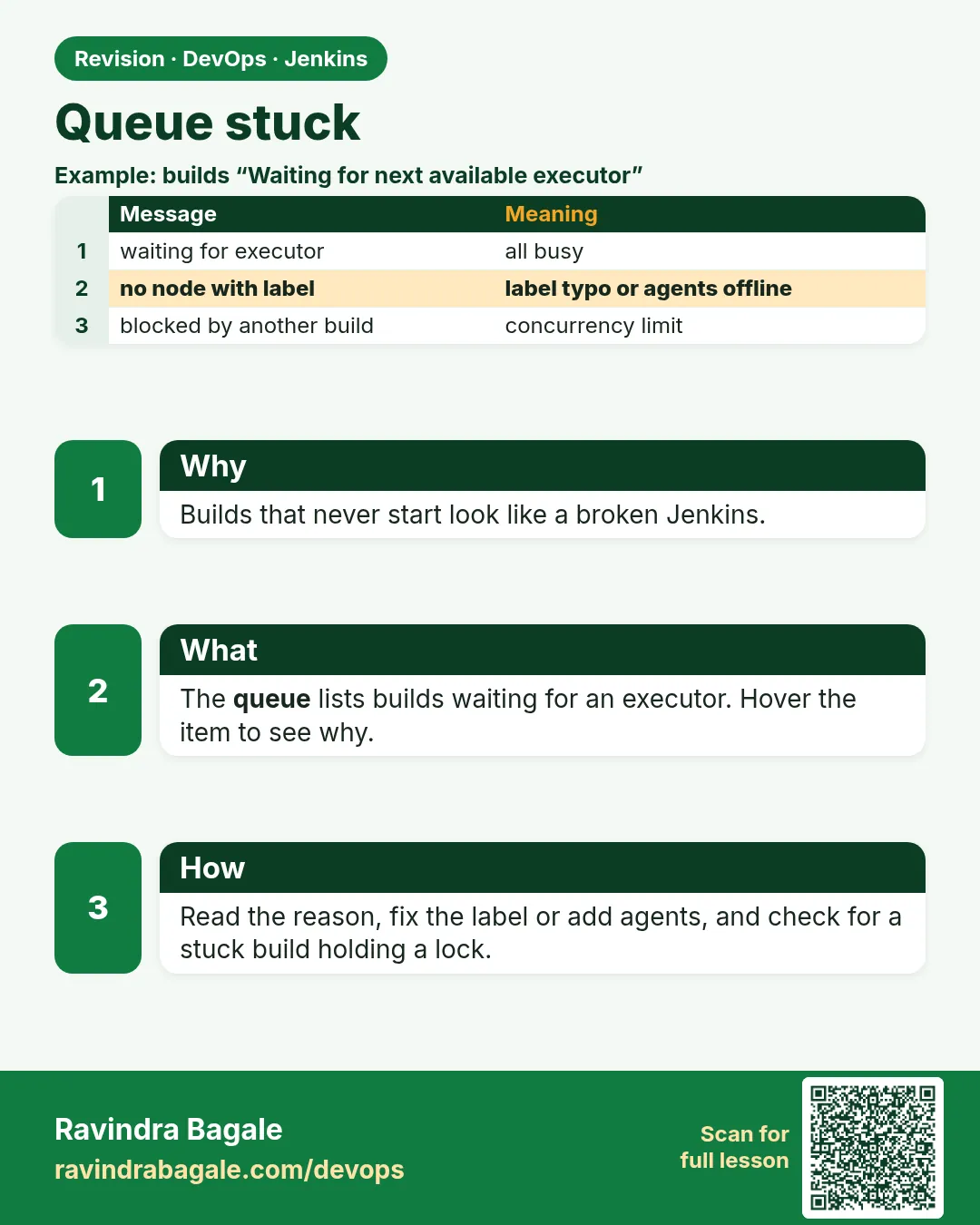
Suppose we are at Flipkart before a big sale. 60 builds sit in the Jenkins queue, agents look idle, and developers keep pressing Build Now, which makes it worse. A stuck queue has a few usual causes: no agent has the label the job asks for, a job waits for a lock or input, the executors are all busy with hung builds, or the Kubernetes cloud cannot create Pods. Jenkins tells you the reason if you hover on the queue item. This lesson teaches you to read that reason and clear the queue safely.
What we will build
You will read the queue reason for each item, fix a label mismatch, kill a hung build, release a lock, and add timeouts so builds can never hang forever again.
What: every term in plain English
- Build queue — Builds waiting for a free executor.
- Queue reason — The text Jenkins shows for why an item waits.
- Label expression — What agents a job may use, like linux && docker.
- Hung build — A build that runs forever, holding an executor.
- timeout step — Stops a stage or build after a set time.
- lock step — From the Lockable Resources plugin. Only one build may hold a resource at a time.
- input step — Pauses a build until a person clicks Proceed.
How: step by step
-
Look at the queue reasons
Hover each item in Build Queue on the dashboardWhat it does: The reason tells you the cause.
Output
Waiting for next available executor on 'linux && gpu' There are no nodes with the label 'linux && gpu' -
List queue items by API
curl -s -u ravi:$JENKINS_TOKEN "http://localhost:8080/queue/api/json?tree=items[id,why,task[name]]" | jq -r ".items[] | \"\(.id) \(.task.name): \(.why)\""What it does: Good when the queue is long.
Output
812 ml-train: There are no nodes with the label linux && gpu 813 orders-api: Waiting for next available executor -
Find hung builds
Manage Jenkins > Nodes: look at builds running for hoursWhat it does: A 9-hour build of a 5-minute job is hung.
Output
orders-api #4410 running 9 hr -
Read the hung build console
Open the build > Console Output, scroll to the endWhat it does: Usually waits for a network or a prompt.
Output
+ npm ci (no new lines for 9 hours) -
Abort it
Build page > the red X, or POST /job/orders-api/4410/stopWhat it does: Frees the executor.
Output
Aborted by ravi Finished: ABORTED -
Fix the label or add an agent
Job config: change label, or add an agent with that labelWhat it does: Removes the "no nodes" reason.
Output
Label linux && docker matches 4 nodes -
Watch the queue drain
Refresh the dashboardWhat it does: Count goes down.
Output
Build Queue (3)
Example 1: Add timeouts and safe retries so builds cannot hang forever
Stack. Node.js, Declarative Pipeline
Goal. Add timeouts and safe retries so builds cannot hang forever.
Jenkinsfile
pipeline {
  agent { label 'linux && docker' }
  options {
    timeout(time: 30, unit: 'MINUTES')
    disableConcurrentBuilds(abortPrevious: true)
    buildDiscarder(logRotator(numToKeepStr: '30'))
  }
  stages {
    stage('Install') {
      steps {
        timeout(time: 5, unit: 'MINUTES') {
          retry(2) { sh 'npm ci --no-audit --fetch-timeout=60000' }
        }
      }
    }
    stage('Test') { steps { sh 'npm test -- --ci' } }
  }
}
What each line does
label 'linux && docker'— Only agents with both labels. Check real agents have both.timeout(time: 30, ...)— The whole build stops after 30 minutes.disableConcurrentBuilds(abortPrevious: true)— A new push on the same branch aborts the old build, so the queue does not pile up.timeout 5 minutes around npm ci— Network hangs end fast.retry(2)— Tries once more if the network blips.
Green output
[Pipeline] timeout
Timeout set to expire in 30 min
[Pipeline] retry
+ npm ci --no-audit --fetch-timeout=60000
added 812 packages in 41s
Finished: SUCCESS
Expected result. No build can hold an executor for hours again.
Example 2: Lock a shared staging environment, so builds queue in order instead of breaking each other
Stack. Lockable Resources plugin, shell deploy
Goal. Lock a shared staging environment, so builds queue in order instead of breaking each other.
Jenkinsfile
pipeline {
  agent { label 'linux && docker' }
  stages {
    stage('Deploy to staging') {
      options { lock(resource: 'staging-env', inversePrecedence: true) }
      steps {
        sh './deploy.sh staging'
        sh './smoke.sh https://staging.example.com'
      }
    }
  }
}
Script Console (stuck lock)
def lrm = org.jenkins.plugins.lockableresources.LockableResourcesManager.get()
def r = lrm.fromName('staging-env')
println "locked by: ${r.buildName}"
// only after you confirm that build is dead:
r.reset()
lrm.save()
What each line does
lock(resource: 'staging-env')— One build at a time deploys to staging.inversePrecedence: true— The newest waiting build goes next, older ones are less useful.r.buildName— Who holds the lock now.r.reset()— Releases a lock left by a dead build. Use it only after checking.
Green output
[Pipeline] lock
Trying to acquire lock on [Resource: staging-env]
Resource [staging-env] is locked by build payments-api #233 and 2 builds are waiting
...
Lock acquired on [Resource: staging-env]
Expected result. Staging deploys run one by one, and you can free a lock left by a crashed build.
Example 3: Kubernetes cloud cannot create Pods: read the cloud log and set limits
Stack. Kubernetes plugin, EKS or AKS
Goal. Kubernetes cloud cannot create Pods: read the cloud log and set limits.
terminal
kubectl -n jenkins get pods --field-selector=status.phase=Pending
kubectl -n jenkins get resourcequota
kubectl -n jenkins describe pod build-orders-12-abcde | tail -3
Jenkins cloud settings
Manage Jenkins > Clouds > kubernetes
  Concurrency Limit: 20
  Pod Retention: Never
  Seconds to wait for pod to be running: 300
Manage Jenkins > System Log > add logger org.csanchez.jenkins.plugins.kubernetes, level FINE
What each line does
status.phase=Pending— Pods that cannot start.resourcequota— The namespace may have a limit on pods or CPU.Concurrency Limit— Max agent Pods at once. Match it to the quota.Seconds to wait— Jenkins gives up on a Pod after this and tries again.logger FINE— Shows why Jenkins cannot create Pods.
Green output
NAME                     READY  STATUS
build-orders-12-abcde    0/2    Pending
NAME          AGE  REQUEST                         LIMIT
jenkins-quota 90d  pods: 20/20, requests.cpu: 18/20
Warning  FailedCreate  exceeded quota: jenkins-quota, requested: pods=1, used: pods=20, limited: pods=20
Expected result. You see the quota is full. Raise the quota or lower Concurrency Limit to 20 so Jenkins stops trying, and the queue drains as Pods finish.
Verify: did it work?
-
Queue length
curl -s -u ravi:$JENKINS_TOKEN "http://localhost:8080/queue/api/json" | jq ".items | length"What it does: Should drop toward 0.
Output
2 -
Executors busy
Dashboard > Build Executor StatusWhat it does: Builds running normal times.
Output
All builds under 20 min -
Locks free
Manage Jenkins > Lockable ResourcesWhat it does: Nothing stuck.
Output
staging-env FREE
When it is red 1
There are no nodes with the label 'linux && gpu'
Cause. No agent has that label, or the label was typed wrong.
Fix, step by step
- Check agent labels on the node pages.
- Fix the job label, or add the label to an agent.
When it is red 2
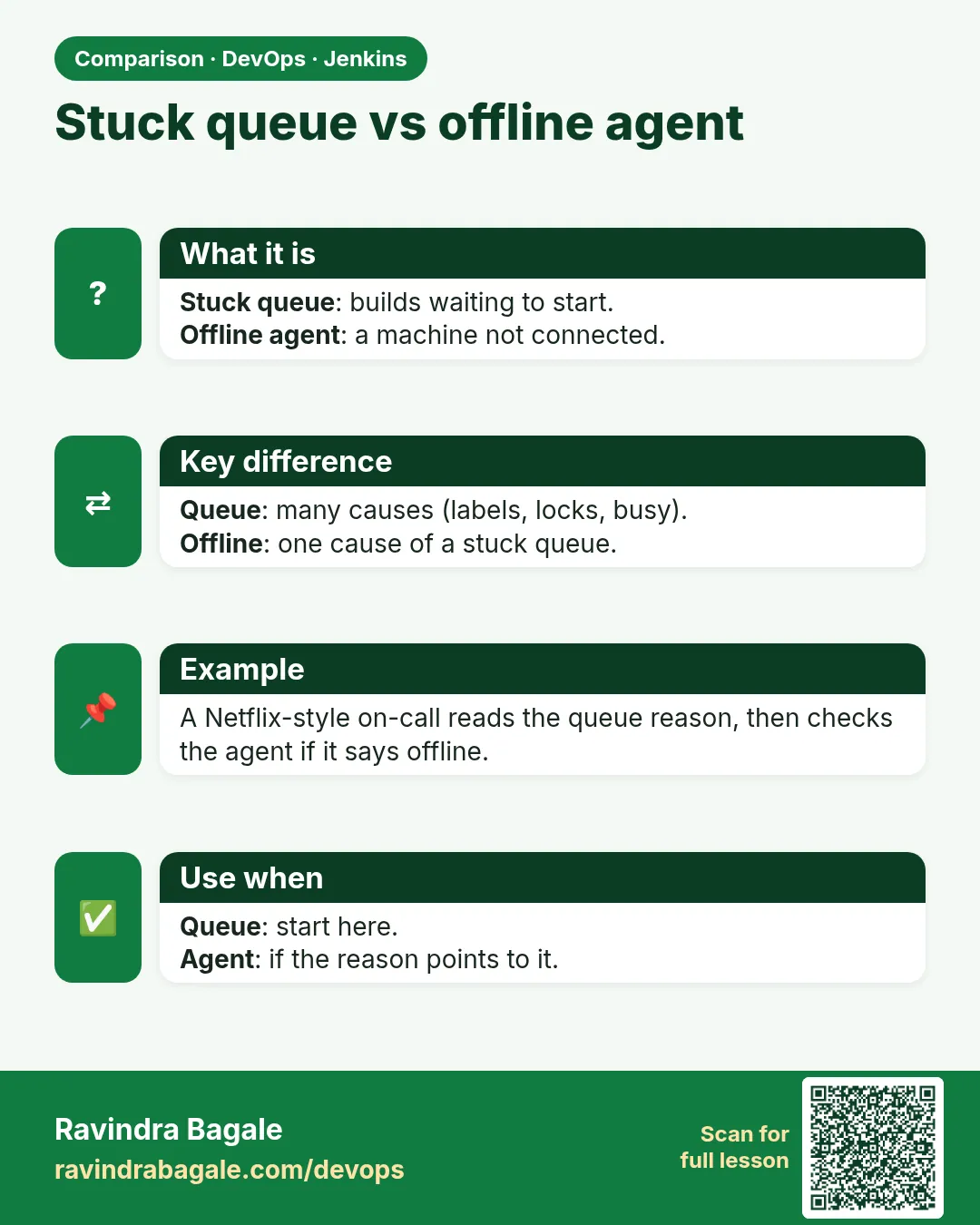
All nodes of label linux are offline
Cause. Every agent with the label is down.
Fix, step by step
- Follow the agent offline lesson.
- Bring at least one back.
When it is red 3
Waiting for next available executor on 'linux'
Cause. All executors busy, maybe with hung builds.
Fix, step by step
- Abort hung builds.
- Add timeouts.
- Add agents or Pod capacity.
When it is red 4
Build is waiting for input: Deploy to prod? Proceed or Abort
Cause. An input step is holding the build. With agent any at top, it also holds an executor.
Fix, step by step
- Click Proceed or Abort.
- Move input outside the agent block, with agent none at the top, so it does not hold an executor.
Cleanup
-
Clear the whole queue (careful)
Script Console: Jenkins.instance.queue.clear()What it does: Only when everything is junk, like after an accident.
Output
(queue empty) -
Remove a test lock
Manage Jenkins > Lockable Resources > staging-test > DeleteWhat it does: Lab only.
Output
Resource deleted
Ravindra Bagale's Tip
Queue stuck asel tar item var mouse theva. Jenkins swata kaaran sangto!
Practice tasks
Easy Read every queue reason
Why: Learn the messages.
What to do: Make three waiting builds for different reasons.
- Wrong label, busy executor, input.
Check: You can name each reason.
Medium Add timeouts to all pipelines
Why: Stop hangs.
What to do: Put timeout in the shared library default.
- options { timeout(time: 60, unit: "MINUTES") }
Check: No build runs more than 60 minutes.
Hard Queue alert
Why: Know before developers shout.
What to do: A small script that alerts when the queue is over 20 for 10 minutes.
- Poll queue API every minute.
- Send to the team channel.
Check: Alert fires in a test.
Easy Say Jenkins build queue in two lines
Why: If you can say it simply, you understand it. Juniors and interviewers both want the short version first.
What to do: Write two short lines about Jenkins build queue for a fresher who knows only Linux and Git basics.
- Write the problem it solves.
- Write the one Jenkinsfile step or command you use for it.
- Read it aloud to a friend.
Check: A fresher understands it without asking a question.
Easy Start a fresh lab Jenkins
Why: Practice needs a throwaway Jenkins. If you break it, you delete it and start again.
What to do: Run Jenkins LTS in Docker with a named volume.
- docker volume create jenkins_home
- docker run -d --name jenkins -p 8080:8080 -v jenkins_home:/var/jenkins_home jenkins/jenkins:lts-jdk17
- docker logs jenkins 2>&1 | grep -A2 "initialAdminPassword"
Check: The Jenkins login page opens on localhost:8080.
Medium Do it on the second setup
Why: A release idea must work on a VM, on Docker and on Kubernetes. Only the deploy step should change.
What to do: Repeat this lesson on a different target than the one you used first.
- If you used Docker, use kind or minikube now.
- Change only the deploy commands.
- Keep the same Jenkinsfile stages.
Check: Same result, and the stage names did not change.
Medium Break it on purpose
Why: You must know the red output by face. In a real outage there is no time to read slowly.
What to do: Cause one error from the "When it is red" part of this lesson and fix it.
- Follow the error section.
- Copy the exact message into your notes.
- Write the fix in one line.
Check: You fixed it using only the steps, without searching the web.
Medium Write a release runbook page
Why: At 2 a.m. nobody remembers flags. A short page saves the on-call person.
What to do: Write a one-page runbook for this lesson.
- Title, when to use, exact commands, how to check, how to undo.
Check: A teammate can follow it alone.
Hard Explain it like an interview
Why: Interviewers want real stories, not definitions.
What to do: Record a 60 second answer about this lesson.
- Say the problem, the Jenkinsfile step, and one error you hit.
Check: Your answer has a real command and a real error message.
Hard Draw the flow top to bottom
Why: A drawing shows the order of work and who is waiting on whom.
What to do: Draw this lesson as boxes from top to bottom.
- Start at git push, go through the stages, end at the check in production.
Check: Each box matches a real step you ran.
Homework: try at home
Try at home
At home, make a job with label nothing-has-this, start it, read the queue reason, then fix the label and watch it run.
Recap
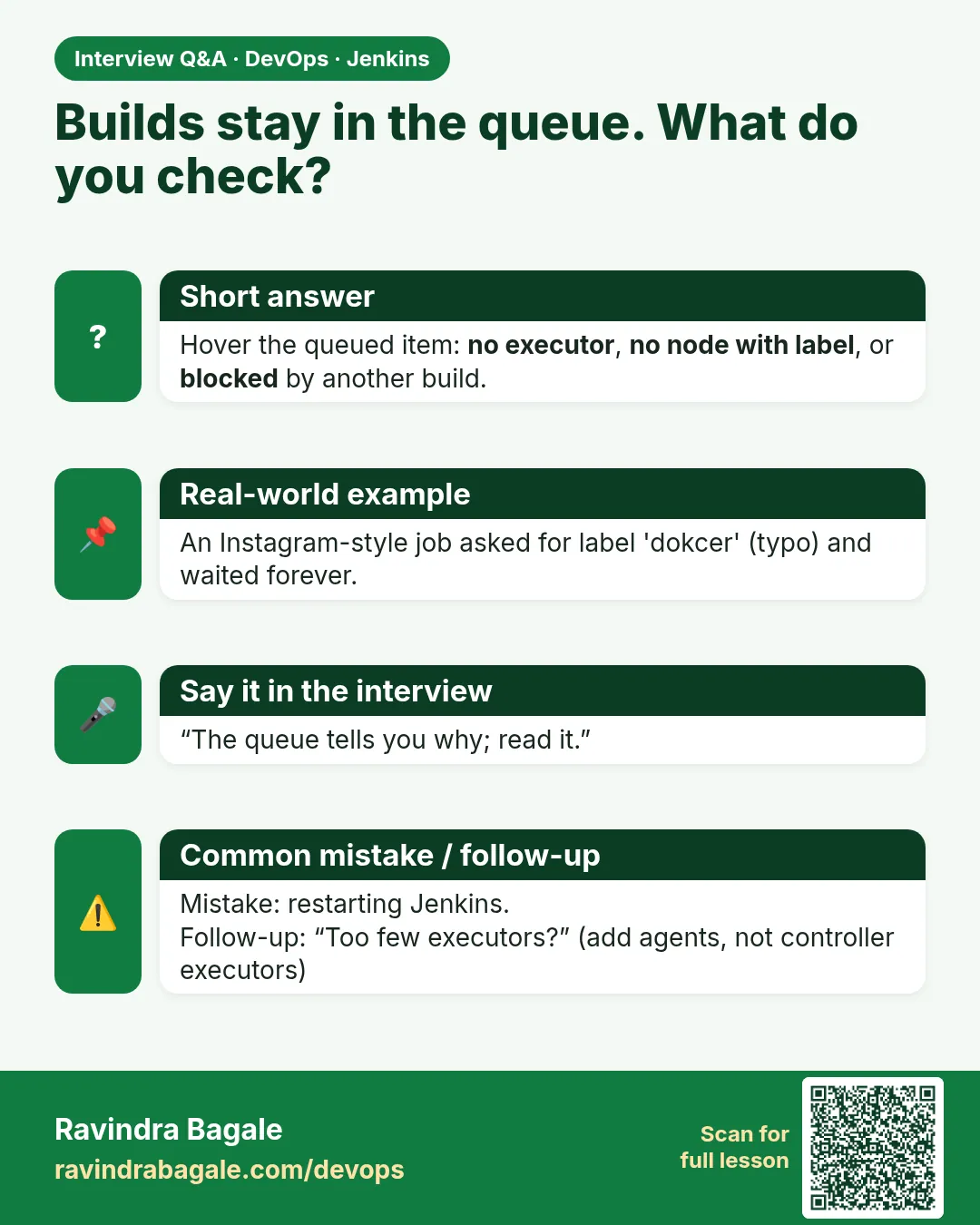
- Hover a queue item to see the reason.
- No nodes with label means a label mismatch.
- Busy executors often mean hung builds: add timeouts.
- Use lock for shared environments and know how to free it.
- Kubernetes queues often mean a quota or capacity limit.
FAQ
Is Queue.clear() safe?
It removes all waiting builds. Use it only after an accident, and tell the team.
Can I give one job priority?
Yes, with the Priority Sorter plugin.
How do I stop the same branch from piling up?
disableConcurrentBuilds(abortPrevious: true).
Why do builds wait even though agents look idle?
Usually labels do not match, or the agent is temporarily offline.
Does input use an executor?
Only when it is inside an agent. Put it at agent none level.
How many builds should queue at most?
There is no rule. Watch trends: if it grows every day, add capacity.
Interview questions
-
Jenkins queue is stuck. How do you troubleshoot?
Read the queue reason, check labels and offline agents, find hung builds and abort them, check locks and cloud capacity, then add timeouts.
-
How do you prevent hung builds?
Pipeline and stage timeouts, retries with limits, abortPrevious on branches.
-
What does the Lockable Resources plugin do?
Makes builds wait for a named shared resource so they do not collide.
-
Why should input not run inside an agent?
It holds the executor while waiting for a person.
-
How do you scale build capacity?
More agents or Kubernetes Pod agents with autoscaling, matched to quotas.
Quick quiz
Q1. Where do you see why an item waits?
Hover the item in the build queue, or the queue API why field.
Q2. What stops a build from hanging forever?
The timeout option.
Q3. What does abortPrevious do?
Aborts the older build on the same branch when a new one starts.
Q4. Why use lock?
So only one build uses a shared environment at a time.
Q5. Why can input hold an executor?
If it runs inside an agent block.
Samajla ka?
 Revision card
 Interview card
 Comparison card