Chapter 32: Jenkins Governance, Troubleshooting and Expert Projects
32.2 Will not start
Why: the problem
Suppose we are at TCS and it is Monday 9 a.m. Over the weekend someone updated plugins and restarted Jenkins. Now the page shows "Jenkins is starting" forever, or the service died. 200 developers cannot build. Panic makes people reinstall Jenkins, which can lose jobs. A calm engineer reads the log first. Jenkins almost always says why it will not start: a wrong Java version, a broken plugin, a port already used, or a full disk.
What we will build
You will make Jenkins fail to start in a lab in four common ways, read the exact log line, and fix each one. You will do it on a VM with systemd, in Docker, and on Kubernetes with the Helm chart.
What: every term in plain English
- systemd — The Linux service manager. systemctl starts and stops services; journalctl shows their logs.
- jenkins.log / journal — Where Jenkins writes start-up messages. On systemd hosts, use journalctl -u jenkins.
- Port in use — Another program already listens on 8080, so Jenkins cannot.
- Java version — Jenkins LTS 2.463 and newer need Java 17 or 21.
- Plugin dependency — A plugin needs another plugin or a newer Jenkins core.
- Safe restart — Restart after running builds finish: http://jenkins/safeRestart.
- CrashLoopBackOff — Kubernetes status when a container keeps failing at start.
How: step by step
-
Check the service state
sudo systemctl status jenkins --no-pagerWhat it does: Is it running, failed, or starting?
Output
● jenkins.service - Jenkins Continuous Integration Server Active: failed (Result: exit-code) since Mon 2026-10-26 08:52:10 IST -
Read the last log lines
sudo journalctl -u jenkins -n 50 --no-pagerWhat it does: The real reason is near the end.
Output
jenkins[1422]: Running with Java 11 from /usr/lib/jvm/java-11-openjdk-amd64, which is older than the minimum required version (Java 17). -
Check Java
java -version 2>&1 | head -1What it does: Which Java runs Jenkins.
Output
openjdk version "11.0.24" 2024-07-16 -
Check the port
sudo ss -ltnp | grep 8080What it does: Who holds 8080?
Output
LISTEN 0 100 *:8080 *:* users:(("java",pid=981,fd=7)) -
Check disk
df -h /var/lib/jenkinsWhat it does: A full disk stops start-up.
Output
/dev/nvme1n1 50G 50G 0 100% /var/lib/jenkins -
Start again after the fix
sudo systemctl restart jenkins && sudo journalctl -u jenkins -f | grep -m1 "fully up"What it does: Wait for the ready line.
Output
Jenkins is fully up and running -
Open the UI
curl -s -o /dev/null -w "%{http_code}\n" http://localhost:8080/loginWhat it does: 200 means the login page works.
Output
200
Example 1: VM: wrong Java after an OS update
Stack. Ubuntu 22.04, Jenkins LTS apt package
Goal. VM: wrong Java after an OS update. Install Java 17 and point Jenkins at it.
terminal
sudo apt-get install -y openjdk-17-jre-headless
sudo update-alternatives --list java
sudo systemctl edit jenkins
# in the editor add:
# [Service]
# Environment="JAVA_HOME=/usr/lib/jvm/java-17-openjdk-amd64"
sudo systemctl daemon-reload
sudo systemctl restart jenkins
sudo journalctl -u jenkins -n 5 --no-pager
What each line does
openjdk-17-jre-headless— Java 17 without desktop parts.update-alternatives --list java— Shows all installed Java versions.systemctl edit jenkins— Creates an override file, so package updates do not undo your change.Environment="JAVA_HOME=..."— Tells the Jenkins service which Java to use.daemon-reload— systemd reads the new override.
Green output
/usr/lib/jvm/java-11-openjdk-amd64/bin/java
/usr/lib/jvm/java-17-openjdk-amd64/bin/java
Oct 26 09:04:12 ci-vm jenkins[2210]: Running from: /usr/share/java/jenkins.war
Oct 26 09:04:41 ci-vm jenkins[2210]: Jenkins is fully up and running
Expected result. Jenkins starts with Java 17.
Example 2: Docker: a broken plugin after an update
Stack. Docker, Jenkins LTS
Goal. Docker: a broken plugin after an update. Start Jenkins with that plugin disabled, then fix it.
terminal
docker logs jenkins 2>&1 | grep -m3 -E "SEVERE|Failed Loading"
# disable the bad plugin by adding a .disabled file in the volume
docker run --rm -v jenkins_home:/data alpine:3.20 touch /data/plugins/blueocean-pipeline-api-impl.jpi.disabled
docker restart jenkins
docker logs -f jenkins 2>&1 | grep -m1 "fully up"
What each line does
grep -E "SEVERE|Failed Loading"— The lines that name the broken plugin.touch ... .jpi.disabled— Jenkins skips any plugin with a .disabled file next to it.alpine with -v jenkins_home:/data— Edit the volume without starting Jenkins.docker restart jenkins— Try again with the plugin off.
Green output
SEVERE jenkins.InitReactorRunner$1#onTaskFailed: Failed Loading plugin Blue Ocean Pipeline implementation v1.27.16 (blueocean-pipeline-api-impl)
java.io.IOException: Failed to load: Blue Ocean Pipeline implementation (blueocean-pipeline-api-impl 1.27.16)
 - Update required: Pipeline: Graph Analysis Plugin (pipeline-graph-analysis 202.va_d268e64deb_3) to be updated to 216.vfd8b_ece330ca_ or higher
blueocean-pipeline-api-impl
Jenkins is fully up and running
Expected result. Jenkins starts. Then in Plugins > Updates, update pipeline-graph-analysis, remove the .disabled file and restart.
Example 3: Kubernetes: the Jenkins Pod is in CrashLoopBackOff because the PVC is full
Stack. Kubernetes EKS, Jenkins Helm chart, gp3
Goal. Kubernetes: the Jenkins Pod is in CrashLoopBackOff because the PVC is full.
terminal
kubectl -n jenkins get pods
kubectl -n jenkins logs jenkins-0 -c jenkins --previous | tail -3
kubectl -n jenkins get pvc jenkins
kubectl -n jenkins patch pvc jenkins -p '{"spec":{"resources":{"requests":{"storage":"100Gi"}}}}'
kubectl -n jenkins delete pod jenkins-0
kubectl -n jenkins get pods -w
What each line does
logs --previous— Logs of the last crashed container, not the new one.-c jenkins— The main container. The chart also has init and sidecar containers.patch pvc ... 100Gi— Grow the disk. The StorageClass must allow volume expansion, like gp3 on EKS.delete pod jenkins-0— The StatefulSet makes a new Pod that mounts the bigger disk.
Green output
NAME        READY   STATUS             RESTARTS   AGE
jenkins-0   1/2     CrashLoopBackOff   6          9m
java.io.IOException: No space left on device
NAME      STATUS   VOLUME     CAPACITY   STORAGECLASS
jenkins   Bound    pvc-7c1e   50Gi       gp3
persistentvolumeclaim/jenkins patched
jenkins-0   2/2     Running            0          58s
Expected result. The Pod runs on a 100 Gi disk. Next lesson shows how to stop the disk filling up again.
Verify: did it work?
-
Service is active
systemctl is-active jenkinsWhat it does: One word answer.
Output
active -
Login page answers
curl -s -o /dev/null -w "%{http_code}\n" http://localhost:8080/loginWhat it does: 200 is good.
Output
200 -
No SEVERE lines since start
sudo journalctl -u jenkins --since "10 min ago" | grep -c SEVEREWhat it does: Should be 0.
Output
0
When it is red 1
java.net.BindException: Address already in use
Cause. Another process uses port 8080, often an old Jenkins or Tomcat.
Fix, step by step
- sudo ss -ltnp | grep 8080 to find the pid.
- Stop that program, or change JENKINS_PORT in systemctl edit jenkins.
When it is red 2
Running with Java 11 ... older than the minimum required version (Java 17)
Cause. The OS default Java is too old.
Fix, step by step
- Install Java 17 or 21.
- Set JAVA_HOME in a systemd override.
When it is red 3
java.io.IOException: No space left on device
Cause. JENKINS_HOME disk is 100 percent full.
Fix, step by step
- df -h to confirm.
- Delete old builds and workspaces (next lesson).
- Grow the disk.
When it is red 4
AccessDeniedException: /var/lib/jenkins/config.xml
Cause. Files are owned by root after a manual copy.
Fix, step by step
- sudo chown -R jenkins:jenkins /var/lib/jenkins
- Restart.
Cleanup
-
Remove the systemd override if you set a test port
sudo systemctl revert jenkinsWhat it does: Back to package defaults.
Output
Removed /etc/systemd/system/jenkins.service.d/override.conf. -
Delete .disabled files after fixing plugins
find /var/lib/jenkins/plugins -name "*.disabled" -deleteWhat it does: Turn plugins back on.
Output
(no output)
Ravindra Bagale's Tip
Reinstall karnyaadhi log vacha. Uttar log madhech asta!
Practice tasks
Easy Read a real start log
Why: Know the normal lines.
What to do: Start Jenkins and save the log.
- journalctl -u jenkins -n 100 > start-ok.log
Check: You can point to the fully up line.
Medium Port clash on purpose
Why: See the error by face.
What to do: Run a second Jenkins on 8080.
- docker run -d -p 8080:8080 jenkins/jenkins:lts-jdk17
- Read docker logs.
Check: You see the bind error.
Hard Plugin pin list
Why: Upgrades must be repeatable.
What to do: Export plugins with versions to plugins.txt.
- jenkins-plugin-cli --list > plugins.txt
Check: You can rebuild the same plugin set.
Easy Say Jenkins start-up failures in two lines
Why: If you can say it simply, you understand it. Juniors and interviewers both want the short version first.
What to do: Write two short lines about Jenkins start-up failures for a fresher who knows only Linux and Git basics.
- Write the problem it solves.
- Write the one Jenkinsfile step or command you use for it.
- Read it aloud to a friend.
Check: A fresher understands it without asking a question.
Easy Start a fresh lab Jenkins
Why: Practice needs a throwaway Jenkins. If you break it, you delete it and start again.
What to do: Run Jenkins LTS in Docker with a named volume.
- docker volume create jenkins_home
- docker run -d --name jenkins -p 8080:8080 -v jenkins_home:/var/jenkins_home jenkins/jenkins:lts-jdk17
- docker logs jenkins 2>&1 | grep -A2 "initialAdminPassword"
Check: The Jenkins login page opens on localhost:8080.
Medium Do it on the second setup
Why: A release idea must work on a VM, on Docker and on Kubernetes. Only the deploy step should change.
What to do: Repeat this lesson on a different target than the one you used first.
- If you used Docker, use kind or minikube now.
- Change only the deploy commands.
- Keep the same Jenkinsfile stages.
Check: Same result, and the stage names did not change.
Medium Break it on purpose
Why: You must know the red output by face. In a real outage there is no time to read slowly.
What to do: Cause one error from the "When it is red" part of this lesson and fix it.
- Follow the error section.
- Copy the exact message into your notes.
- Write the fix in one line.
Check: You fixed it using only the steps, without searching the web.
Medium Write a release runbook page
Why: At 2 a.m. nobody remembers flags. A short page saves the on-call person.
What to do: Write a one-page runbook for this lesson.
- Title, when to use, exact commands, how to check, how to undo.
Check: A teammate can follow it alone.
Hard Explain it like an interview
Why: Interviewers want real stories, not definitions.
What to do: Record a 60 second answer about this lesson.
- Say the problem, the Jenkinsfile step, and one error you hit.
Check: Your answer has a real command and a real error message.
Hard Draw the flow top to bottom
Why: A drawing shows the order of work and who is waiting on whom.
What to do: Draw this lesson as boxes from top to bottom.
- Start at git push, go through the stages, end at the check in production.
Check: Each box matches a real step you ran.
Homework: try at home
Try at home
At home, run Jenkins in Docker, then start a second container on the same port and read the error. Then disable a plugin with a .disabled file and see it greyed out in the plugin page.
Recap
- Read the log before you touch anything.
- Common causes: Java version, plugin, port, disk, ownership.
- Disable a bad plugin with a .disabled file.
- On Kubernetes use logs --previous and check the PVC.
- Never reinstall Jenkins as a first step.
FAQ
Should I update all plugins at once?
No. Update in a test Jenkins first, a few at a time, and back up JENKINS_HOME.
Where is the log on Docker?
docker logs jenkins.
Is there a safe mode for plugins?
Not a full one. Disable suspect plugins with .disabled files, start, then turn them back on one by one.
Why stuck on "Jenkins is getting ready to work"?
Usually slow plugin loading or a full disk. Read the log, it moves on or shows SEVERE.
Does a restart lose builds?
Running builds stop. Use safeRestart to wait for them.
Interview questions
-
Jenkins does not start after a plugin update. What do you do?
Read journalctl or docker logs, find the SEVERE plugin line, disable it with .disabled, start, then update its dependency.
-
How do you troubleshoot a Jenkins Pod in CrashLoopBackOff?
kubectl describe pod, kubectl logs --previous, check PVC space and probes.
-
How do you change Java for the Jenkins service?
Install the right JDK and set JAVA_HOME in a systemd override.
-
How do you avoid broken upgrades?
Pin plugins in plugins.txt, test in a staging controller, back up first.
-
What does safeRestart do?
Waits for running builds, then restarts.
Quick quiz
Q1. First command when Jenkins will not start?
journalctl -u jenkins -n 50 (or docker logs).
Q2. Which Java does current Jenkins LTS need?
Java 17 or 21.
Q3. How do you disable a plugin without the UI?
Create PLUGIN.jpi.disabled in the plugins folder.
Q4. How do you see logs of a crashed Pod?
kubectl logs POD --previous.
Q5. Why use systemctl edit?
Overrides survive package updates.
Samajla ka?
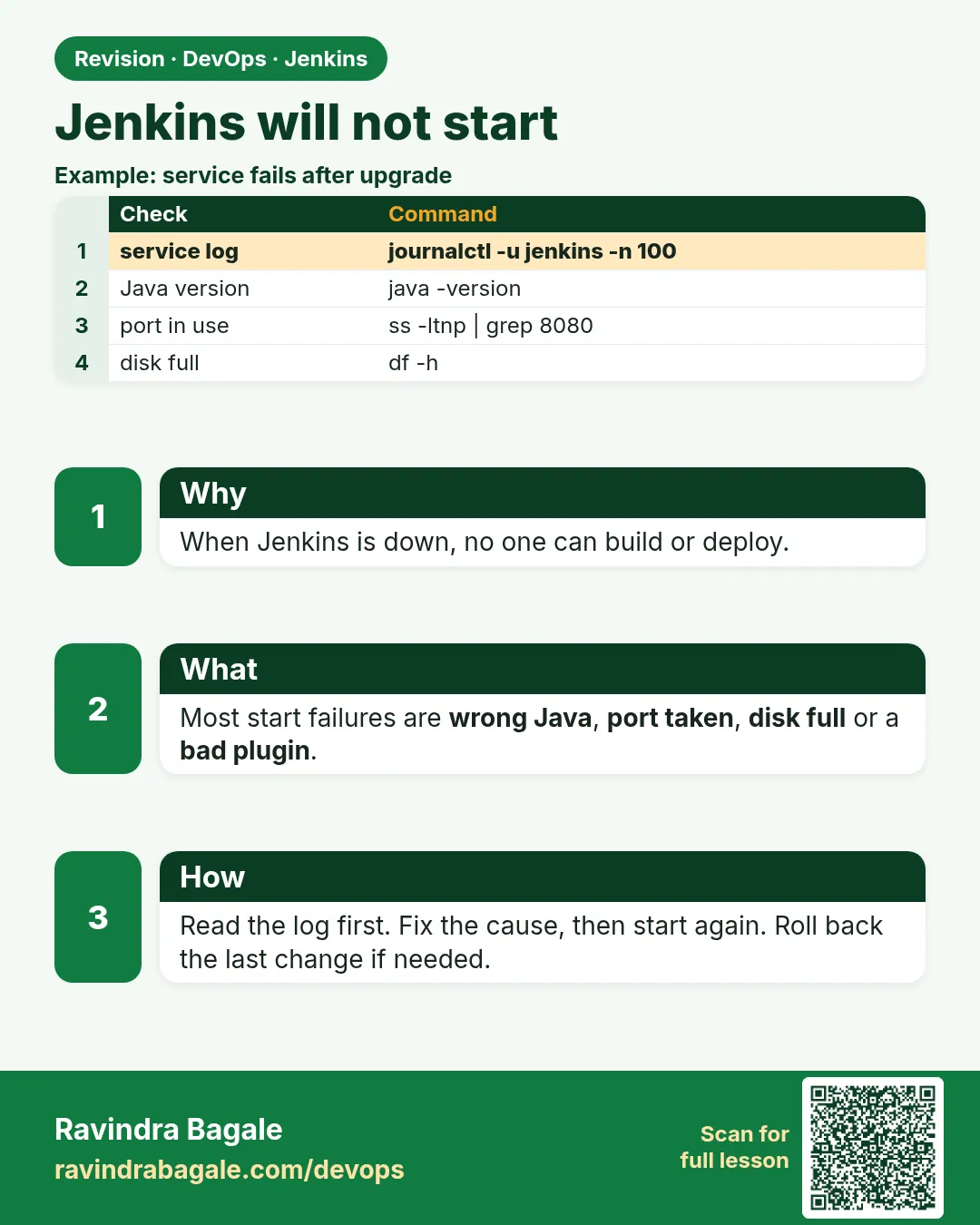 Revision card
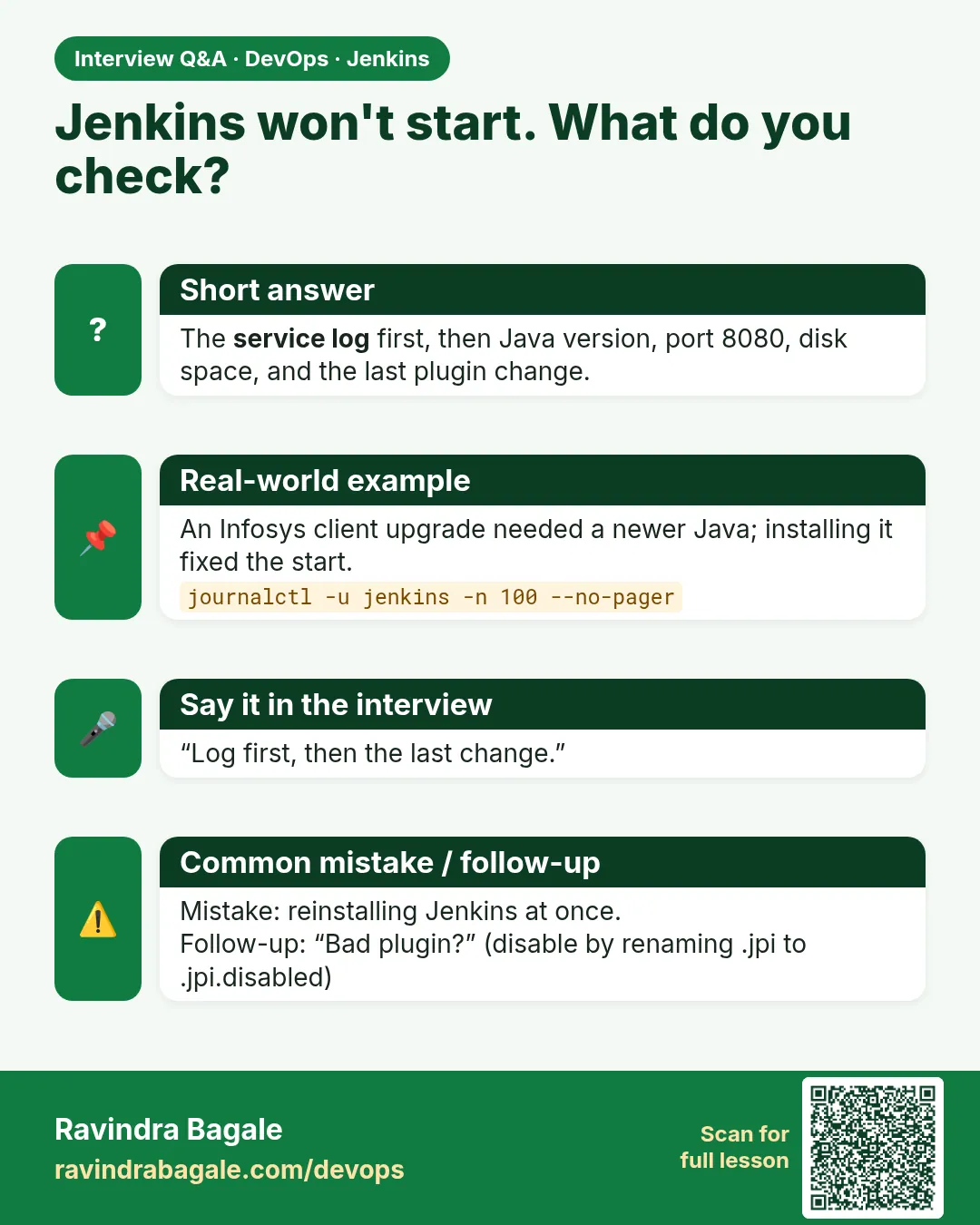 Interview card
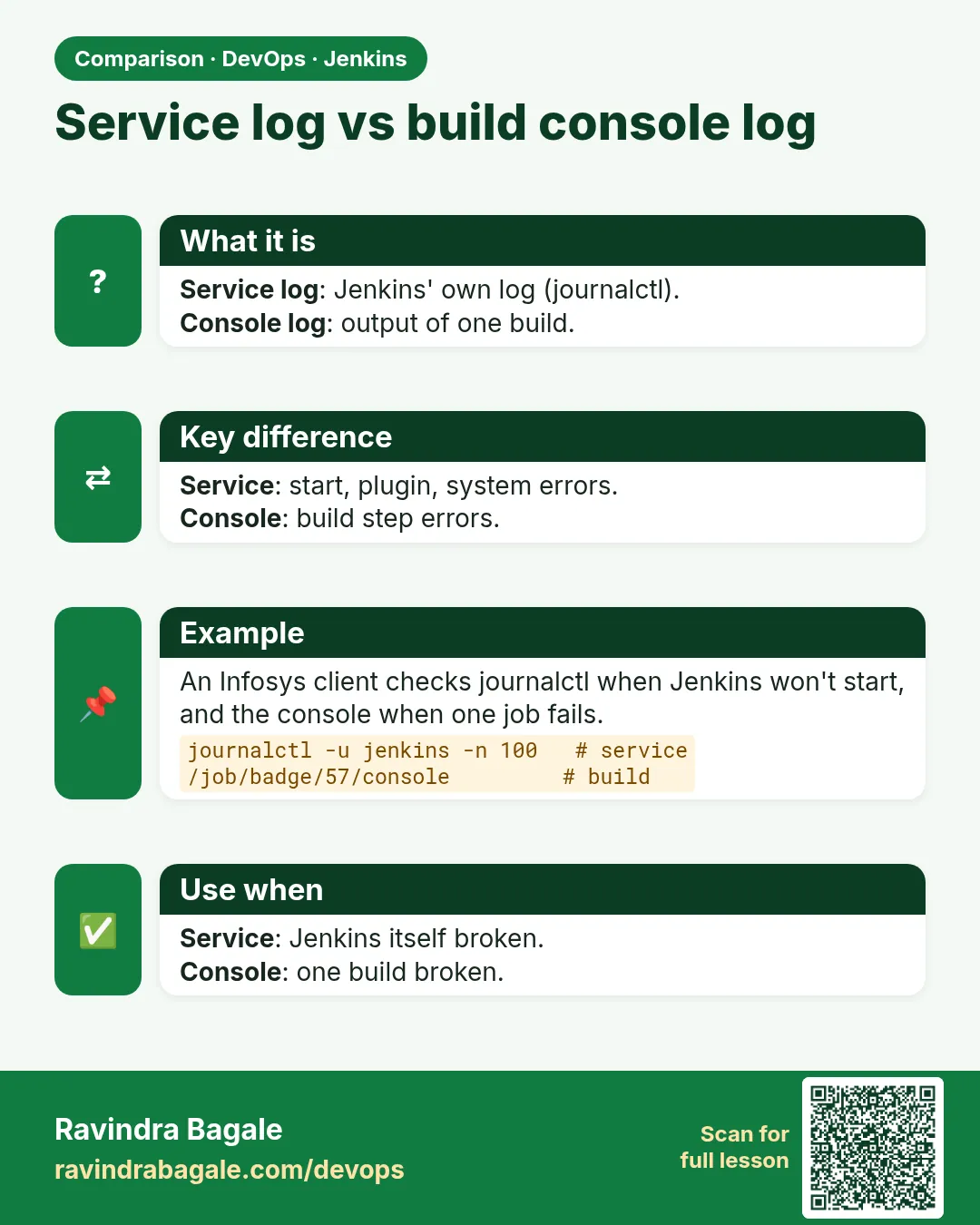 Comparison card