Chapter 32: Jenkins Governance, Troubleshooting and Expert Projects
32.1 Governance: the scan is not optional
Why: the problem
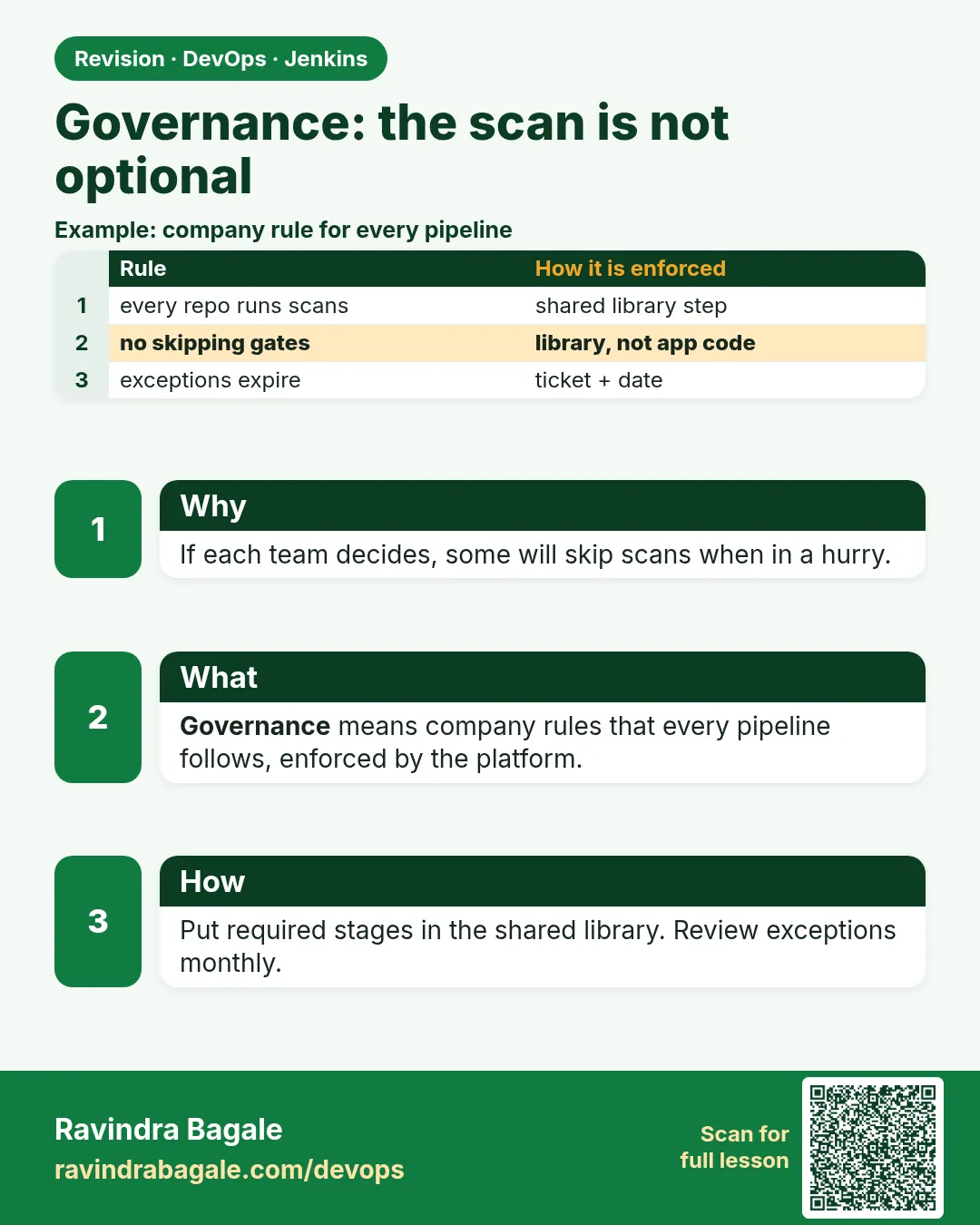
Suppose we are at HDFC Bank and there are 300 app teams on one Jenkins. Each team writes its own Jenkinsfile. One team, in a hurry, deletes the security scan stage to make the build faster. A leaked password and an old library with a known hole go to production. The auditor asks: how do you make sure every app is scanned? "We trust the teams" is not an answer. Governance means the platform team owns the required stages in a shared library. App teams call one function. They can add steps, but they cannot remove the scan.
What we will build
You will build a Jenkins shared library with a standard pipeline that always runs secret scanning (Gitleaks), dependency and image scanning (Trivy) and a quality gate. App teams use it with two lines. You will do it for a Node.js app, a Java app and a Docker image, and block pipelines that do not use the library.
What: every term in plain English
- Governance — Rules that every team must follow, checked by the system, not by trust.
- Shared library — A Git repo of Groovy code that many Jenkinsfiles can load with @Library.
- vars/ folder — Files here become steps. vars/shopPipeline.groovy gives the step shopPipeline().
- Gitleaks — A tool that finds passwords, keys and tokens committed in code.
- Trivy — A tool that finds known security holes (CVEs) in packages, files and Docker images.
- CVE — A public ID for a known security hole, like CVE-2024-3094.
- Pinned version — Using a fixed tag of the library, like @v3.2, so changes are reviewed.
How: step by step
-
Create the library repo
mkdir -p shop-pipeline-lib/vars && cd shop-pipeline-lib && git initWhat it does: vars/ holds the steps teams call.
Output
Initialized empty Git repository in /home/ravi/shop-pipeline-lib/.git/ -
Write the standard pipeline step
vim vars/shopPipeline.groovyWhat it does: Paste the file from example 1.
Output
(file saved) -
Tag a release of the library
git add . && git commit -m "standard pipeline v3.2" && git tag v3.2 && git push origin main --tagsWhat it does: Teams pin v3.2.
Output
* [new tag] v3.2 -> v3.2 -
Register it in Jenkins
Manage Jenkins > System > Global Trusted Pipeline Libraries > Name shop-lib, Default version v3.2, Source: Git, URL https://git.example.com/platform/shop-pipeline-lib.gitWhat it does: Global trusted libraries run without sandbox limits, so only the platform team may edit them.
Output
Saved -
Test the scanners by hand
docker run --rm -v "$PWD":/src zricethezav/gitleaks:v8.18.4 detect --source /src --no-bannerWhat it does: Know what a clean result looks like.
Output
INF no leaks found -
Scan files for CVEs
docker run --rm -v "$PWD":/src aquasec/trivy:0.56.2 fs --severity HIGH,CRITICAL --exit-code 1 /srcWhat it does: Exit code 1 means a HIGH or CRITICAL hole was found.
Output
Total: 0 (HIGH: 0, CRITICAL: 0) -
Use it from an app
printf "@Library('shop-lib@v3.2') _\nshopPipeline(lang: 'node')\n" > JenkinsfileWhat it does: The whole app Jenkinsfile is two lines.
Output
(no output)
Example 1: The library step: scans are inside, teams only choose the language and add extra steps
Stack. Jenkins shared library, Gitleaks, Trivy, Node.js
Goal. The library step: scans are inside, teams only choose the language and add extra steps.
vars/shopPipeline.groovy
def call(Map cfg = [:]) {
  def lang = cfg.lang ?: 'node'
  def build = [node: 'npm ci && npm test', java: './mvnw -B -ntp verify', python: 'pip install -r requirements.txt && pytest -q']
  pipeline {
    agent { label 'linux-docker' }
    options { timeout(time: 45, unit: 'MINUTES'); buildDiscarder(logRotator(numToKeepStr: '30')) }
    stages {
      stage('Secret scan') {
        steps { sh 'docker run --rm -v "$PWD":/src zricethezav/gitleaks:v8.18.4 detect --source /src --no-banner --redact' }
      }
      stage('Build and test') { steps { sh build[lang] } }
      stage('Dependency scan') {
        steps { sh 'docker run --rm -v "$PWD":/src aquasec/trivy:0.56.2 fs --severity HIGH,CRITICAL --exit-code 1 --ignore-unfixed /src' }
      }
      stage('Team steps') {
        when { expression { cfg.extra } }
        steps { script { cfg.extra.call() } }
      }
    }
    post { failure { echo "Required checks failed for ${env.JOB_NAME}" } }
  }
}
What each line does
def call(Map cfg = [:])— The step takes settings like lang and extra.build[lang]— Picks the build command for the language.Secret scan stage first— No time is wasted building code that has a leaked key.--redact— Gitleaks hides the secret value in the log.--exit-code 1 --ignore-unfixed— Fail on HIGH or CRITICAL holes that have a fix available.cfg.extra.call()— Teams can add their own steps, but never skip the scans above.
Green output
[Pipeline] stage (Secret scan)
INF 142 commits scanned.
INF no leaks found
[Pipeline] stage (Build and test)
Tests: 88 passed, 88 total
[Pipeline] stage (Dependency scan)
package-lock.json (npm)
Total: 0 (HIGH: 0, CRITICAL: 0)
Finished: SUCCESS
Expected result. Every app that calls shopPipeline gets the same scans in the same order.
Example 2: Java app and Docker image: two-line Jenkinsfile, plus an image scan as a team step
Stack. Java 17, Docker, Trivy image scan
Goal. Java app and Docker image: two-line Jenkinsfile, plus an image scan as a team step.
Jenkinsfile
@Library('shop-lib@v3.2') _
shopPipeline(lang: 'java', extra: {
  sh 'docker build -t loans-api:${GIT_COMMIT} .'
  sh 'docker run --rm -v /var/run/docker.sock:/var/run/docker.sock aquasec/trivy:0.56.2 image --severity CRITICAL --exit-code 1 loans-api:${GIT_COMMIT}'
})
What each line does
@Library('shop-lib@v3.2') _— Load the pinned library. The underscore is needed when nothing is imported.lang: 'java'— Use the Maven build.extra: { ... }— A block the library runs after its required stages.trivy image --severity CRITICAL— Scans the built image, including the base OS packages.
Green output
[Pipeline] stage (Team steps)
+ trivy image --severity CRITICAL --exit-code 1 loans-api:a3f2c1d...
loans-api:a3f2c1d (debian 12.7)
Total: 1 (CRITICAL: 1)
| openssl | CVE-2024-5535 | CRITICAL | 3.0.13-1~deb12u1 | 3.0.14-1~deb12u1 |
ERROR: script returned exit code 1
Finished: FAILURE
Expected result. The image has a critical openssl hole. Fix: update the base image tag and rebuild. The gate did its job.
Example 3: Catch the leaked key: Gitleaks fails the build before anything is built
Stack. Gitleaks, Jenkins
Goal. Catch the leaked key: Gitleaks fails the build before anything is built.
config/app.env (a bad commit, fake value)
DB_HOST=loans-db.internal
AWS_ACCESS_KEY_ID=AKIAIOSFODNN7EXAMPLE
AWS_SECRET_ACCESS_KEY=wJalrXUtnFEMI/K7MDENG/bPxRfiCYEXAMPLEKEY
.gitleaks.toml
[extend]
useDefault = true

[allowlist]
description = "test fixtures with fake keys"
paths = ["tests/fixtures/.*"]
What each line does
AKIAIOSFODNN7EXAMPLE— The AWS documentation example key. Gitleaks still flags it, which proves the rule works.useDefault = true— Use all built-in Gitleaks rules.[allowlist] paths— Ignore known fake keys in test fixtures only. The platform team reviews this file.
Green output
Finding:     AWS_ACCESS_KEY_ID=REDACTED
Secret:      REDACTED
RuleID:      aws-access-token
File:        config/app.env
Line:        2
Commit:      7c1e9a2
WRN leaks found: 2
ERROR: script returned exit code 1
Expected result. The build stops at the first stage. Fix: remove the file, rotate the key in AWS at once, and use Jenkins credentials or AWS Secrets Manager.
Verify: did it work?
-
List jobs that do not use the library
grep -L "@Library(.shop-lib" $(find /var/lib/jenkins/jobs -name config.xml) | headWhat it does: Finds pipelines written outside the standard.
Output
/var/lib/jenkins/jobs/old-batch/config.xml -
Check which library version a build used
Open the build > "Libraries" section in the console startWhat it does: Shows name, version and commit.
Output
Loading library shop-lib@v3.2 Attempting to resolve v3.2 from remote references... Found match: refs/tags/v3.2 revision 5d1f0c2 -
Count scan failures this month
curl -s -u ravi:$JENKINS_TOKEN "http://localhost:8080/api/json?tree=jobs[name,color]" | jq -r ".jobs[] | select(.color==\"red\") | .name" | wc -lWhat it does: A number for the monthly report.
Output
7
When it is red 1
ERROR: Library shop-lib expected to contain at least one of src or vars directories
Cause. The library repo is empty at that version, or the folder is named var.
Fix, step by step
- Check the tag has a vars/ folder.
- Push and retag.
When it is red 2
Scripts not permitted to use method groovy.lang.GroovyObject invokeMethod
Cause. The library is loaded as untrusted (folder level), so the sandbox blocks it.
Fix, step by step
- Use Global Trusted Pipeline Libraries for platform code.
- Or approve only the exact signature in In-process Script Approval after review.
When it is red 3
docker: permission denied while trying to connect to the Docker daemon socket
Cause. The jenkins user on the agent is not in the docker group.
Fix, step by step
- sudo usermod -aG docker jenkins
- Restart the agent service.
When it is red 4
FATAL: Database download error: TOOMANYREQUESTS
Cause. Trivy hit the rate limit downloading its vulnerability database.
Fix, step by step
- Cache the DB on agents with --cache-dir.
- Mirror the DB to your own registry with --db-repository.
Cleanup
-
Remove test images
docker image rm loans-api:$(git rev-parse HEAD)What it does: Saves agent disk.
Output
Untagged: loans-api:a3f2c1d... -
Rotate any key found
aws iam update-access-key --access-key-id AKIA... --status Inactive --user-name ci-botWhat it does: A leaked key is burned, even if you delete the commit.
Output
(no output)
Ravindra Bagale's Tip
Scan stage team chya haati deu naka. Library madhe theva, mag koni kadhu shakat nahi!
Practice tasks
Easy Two-line Jenkinsfile
Why: See how small app files get.
What to do: Convert one app to call shopPipeline.
- @Library('shop-lib@v3.2') _
- shopPipeline(lang: 'node')
Check: The app Jenkinsfile is two lines.
Medium Bump the library
Why: Changes go out by version.
What to do: Change Trivy version, tag v3.3, move one app to it.
- git tag v3.3
- Edit the @Library line in one app.
Check: Only that app uses v3.3.
Hard Block non-library jobs
Why: Governance needs checks.
What to do: Write a script that lists jobs without @Library.
- grep -L over config.xml files.
- Send the list to the platform channel.
Check: You have a list of jobs to fix.
Easy Say pipeline governance in two lines
Why: If you can say it simply, you understand it. Juniors and interviewers both want the short version first.
What to do: Write two short lines about pipeline governance for a fresher who knows only Linux and Git basics.
- Write the problem it solves.
- Write the one Jenkinsfile step or command you use for it.
- Read it aloud to a friend.
Check: A fresher understands it without asking a question.
Easy Start a fresh lab Jenkins
Why: Practice needs a throwaway Jenkins. If you break it, you delete it and start again.
What to do: Run Jenkins LTS in Docker with a named volume.
- docker volume create jenkins_home
- docker run -d --name jenkins -p 8080:8080 -v jenkins_home:/var/jenkins_home jenkins/jenkins:lts-jdk17
- docker logs jenkins 2>&1 | grep -A2 "initialAdminPassword"
Check: The Jenkins login page opens on localhost:8080.
Medium Do it on the second setup
Why: A release idea must work on a VM, on Docker and on Kubernetes. Only the deploy step should change.
What to do: Repeat this lesson on a different target than the one you used first.
- If you used Docker, use kind or minikube now.
- Change only the deploy commands.
- Keep the same Jenkinsfile stages.
Check: Same result, and the stage names did not change.
Medium Break it on purpose
Why: You must know the red output by face. In a real outage there is no time to read slowly.
What to do: Cause one error from the "When it is red" part of this lesson and fix it.
- Follow the error section.
- Copy the exact message into your notes.
- Write the fix in one line.
Check: You fixed it using only the steps, without searching the web.
Medium Write a release runbook page
Why: At 2 a.m. nobody remembers flags. A short page saves the on-call person.
What to do: Write a one-page runbook for this lesson.
- Title, when to use, exact commands, how to check, how to undo.
Check: A teammate can follow it alone.
Hard Explain it like an interview
Why: Interviewers want real stories, not definitions.
What to do: Record a 60 second answer about this lesson.
- Say the problem, the Jenkinsfile step, and one error you hit.
Check: Your answer has a real command and a real error message.
Hard Draw the flow top to bottom
Why: A drawing shows the order of work and who is waiting on whom.
What to do: Draw this lesson as boxes from top to bottom.
- Start at git push, go through the stages, end at the check in production.
Check: Each box matches a real step you ran.
Homework: try at home
Try at home
At home, make a shared library with one step that runs Gitleaks and Trivy, load it from a two-line Jenkinsfile, then commit the AWS example key and watch the build fail at the first stage.
Recap
- Required stages belong in a shared library, owned by the platform team.
- Apps call one step and can only add steps.
- Gitleaks finds secrets; Trivy finds CVEs in files and images.
- Pin library versions with Git tags.
- A leaked key must be rotated, not only deleted.
FAQ
Can a team still write its own pipeline?
Technically yes, so you also scan configs and use folder permissions to stop it.
Is the library code in the sandbox?
Global trusted libraries are not. That is why only platform engineers can merge to it.
Can I use other scanners?
Yes, like Snyk, SonarQube or Grype. The library pattern is the same.
What about false positives?
Use an allowlist file that the security team reviews.
How do teams get a new scan version?
You release a new tag and teams move to it, or you move the default version.
Interview questions
-
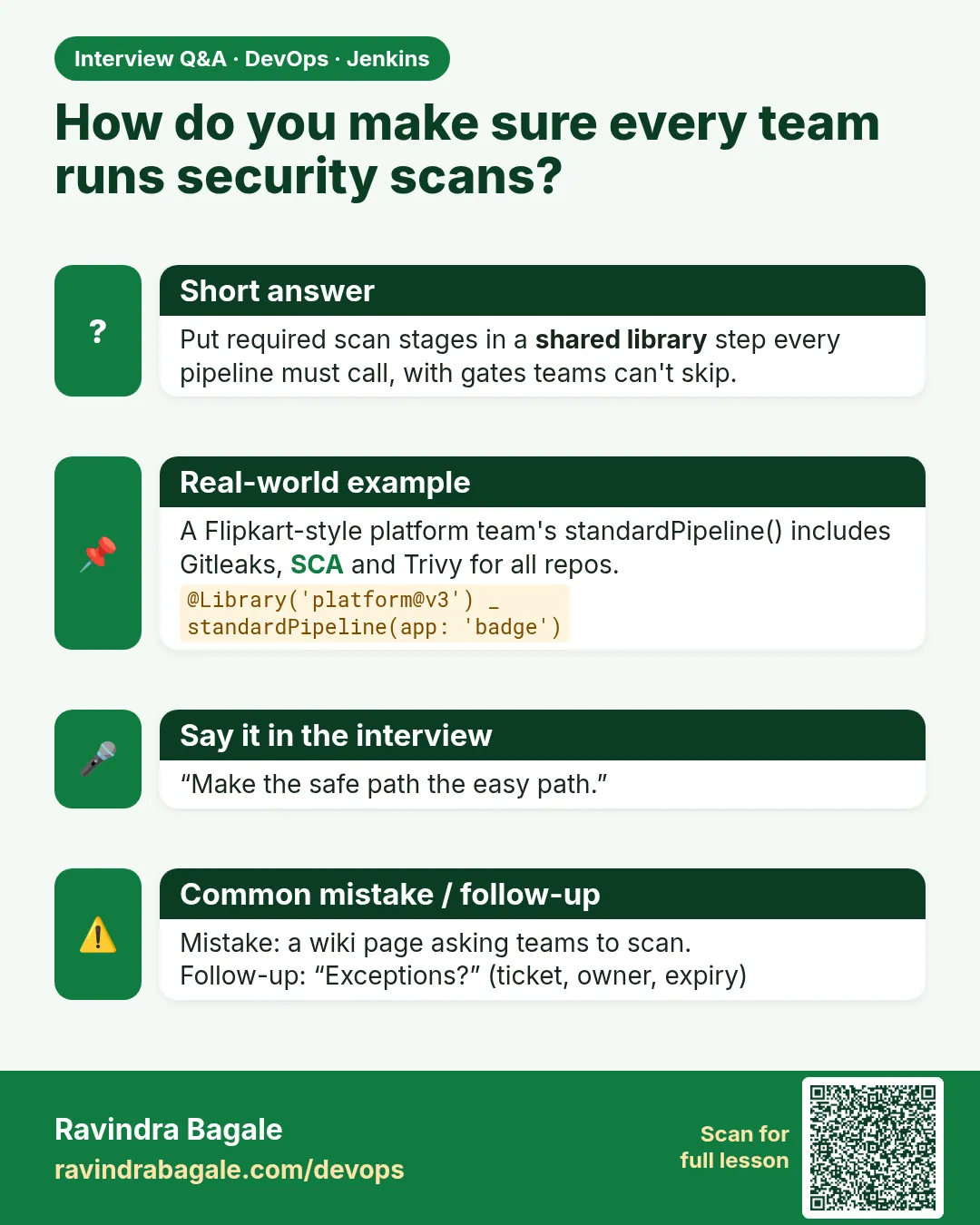
How do you enforce security scans for all teams in Jenkins?
Put required stages in a trusted shared library, make apps call one step, pin versions, and audit jobs that do not use it.
-
What is the difference between a trusted and untrusted library?
Trusted global libraries run outside the Groovy sandbox; folder libraries run inside it.
-
How do you detect secrets in CI?
Run Gitleaks or a similar tool first, with redaction, fail on findings, and rotate leaked keys.
-
How do you scan Docker images?
Trivy image with a severity limit and exit code, after build and before push.
-
What does @Library with underscore mean?
Load the library without importing classes; the underscore is a placeholder.
Quick quiz
Q1. What is a shared library in Jenkins?
A Git repo of Groovy steps loaded with @Library.
Q2. Why pin the library version?
So changes are reviewed and every build is repeatable.
Q3. What does Gitleaks find?
Secrets in code and Git history.
Q4. What does Trivy --exit-code 1 do?
Fails the step when holes at the chosen level are found.
Q5. What must you do after a key leaks?
Rotate or disable the key, not just delete the commit.
Samajla ka?
 Revision card
 Interview card