Chapter 32: Jenkins Governance, Troubleshooting and Expert Projects
32.5 Git auth
Why: the problem
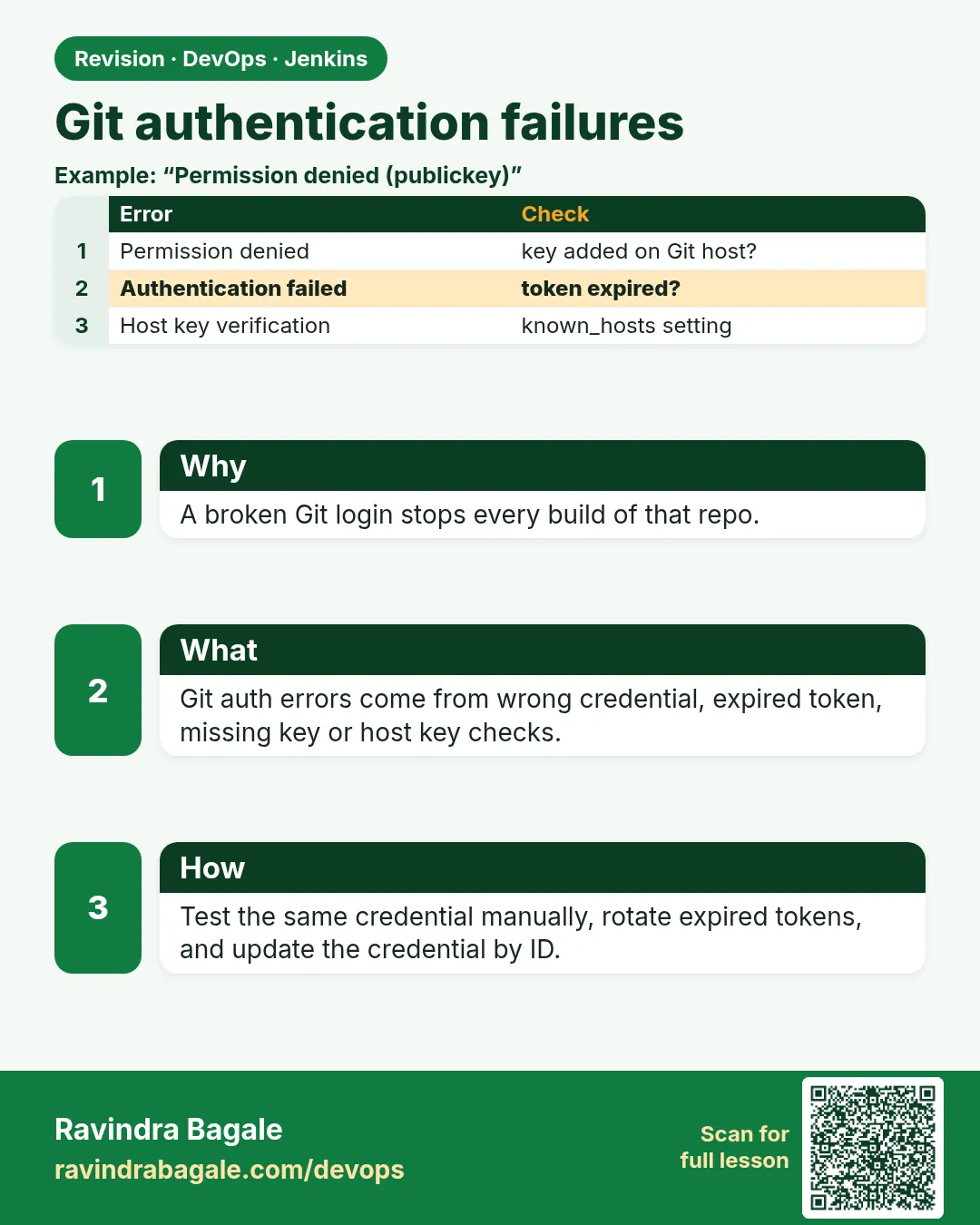
Suppose we are at Infosys and every pipeline turns red on Monday with "Authentication failed". Nobody changed code. The cause: the Git access token expired over the weekend, or someone left the company and their personal token was used by Jenkins. Git authentication is the first thing every build does, so when it breaks, everything breaks. The fix is to use a dedicated bot account or a deploy key, store it in Jenkins credentials with a clear ID, and know how to test it by hand.
What we will build
You will set up Git access for Jenkins three ways: an HTTPS token for a bot user, an SSH deploy key with known hosts, and a GitLab project access token. For each one you will see the real error when it breaks and fix it.
What: every term in plain English
- Credential ID — The name you use in the Jenkinsfile, like git-bot-https. The value stays hidden.
- Access token — A long random password made for tools, with a limited scope and expiry.
- Bot account — A Git user only for automation, not tied to a person who may leave.
- Deploy key — An SSH public key added to one repository, often read-only.
- known_hosts — A file of trusted server SSH keys. It stops fake servers in the middle.
- Host key verification — Jenkins checks the Git server key before it sends anything.
- Scope — What a token may do, like read_repository only.
How: step by step
-
Test the remote by hand
git ls-remote https://git.example.com/shop/orders-api.git HEADWhat it does: Without credentials, a private repo asks for a login.
Output
fatal: Authentication failed for 'https://git.example.com/shop/orders-api.git/' -
Make a token for the bot user
In the Git server: bot user > Access tokens > name jenkins, scope read_repository, expiry 90 daysWhat it does: A bot token survives people leaving.
Output
Token created: glpat-**** -
Save it in Jenkins
Credentials > Global > Add > Username with password: username ci-bot, password the token, ID git-bot-httpsWhat it does: The Jenkinsfile only sees the ID.
Output
Credential git-bot-https created -
Test from the Jenkins host
git ls-remote https://ci-bot:$TOKEN@git.example.com/shop/orders-api.git HEADWhat it does: Proves the token works. Do not keep it in shell history: run unset TOKEN after.
Output
a3f2c1d9e8b7... HEAD -
Use the ID in the job
Pipeline job > SCM Git > Credentials: ci-bot (git-bot-https)What it does: Checkout now uses the bot.
Output
Fetching upstream changes from https://git.example.com/shop/orders-api.git using credential git-bot-https -
Set a reminder before expiry
Calendar: rotate git-bot-https on 2027-01-20What it does: Tokens expire on purpose.
Output
(reminder saved) -
Run the build
Build NowWhat it does: Green checkout.
Output
Checking out Revision a3f2c1d9e8b7 (refs/remotes/origin/main)
Finished: SUCCESS
Example 1: HTTPS token: checkout and a tag push with the same credential
Stack. Git over HTTPS, Jenkins Git plugin
Goal. HTTPS token: checkout and a tag push with the same credential.
Jenkinsfile
pipeline {
  agent any
  stages {
    stage('Checkout') {
      steps {
        git url: 'https://git.example.com/shop/orders-api.git', branch: 'main', credentialsId: 'git-bot-https'
      }
    }
    stage('Tag release') {
      steps {
        withCredentials([gitUsernamePassword(credentialsId: 'git-bot-https', gitToolName: 'Default')]) {
          sh 'git tag v1.4.${BUILD_NUMBER} && git push origin v1.4.${BUILD_NUMBER}'
        }
      }
    }
  }
}
What each line does
git url: ..., credentialsId: 'git-bot-https'— Checkout with the bot token.gitUsernamePassword(...)— Makes plain git commands in sh use the credential, without writing it in the URL.git tag v1.4.${BUILD_NUMBER}— Tag this build in Git.git push origin TAG— Needs write scope on the token.
Green output
Cloning repository https://git.example.com/shop/orders-api.git
using credential git-bot-https
Checking out Revision a3f2c1d9e8b7 (refs/remotes/origin/main)
+ git tag v1.4.57
+ git push origin v1.4.57
To https://git.example.com/shop/orders-api.git
 * [new tag]         v1.4.57 -> v1.4.57
Expected result. Checkout and tag push both work with one bot credential.
Example 2: SSH deploy key with strict host key checking
Stack. SSH, deploy key, Jenkins host key verification
Goal. SSH deploy key with strict host key checking.
terminal
ssh-keygen -t ed25519 -f orders-deploy -N "" -C "jenkins-orders-api"
cat orders-deploy.pub
# add it in the repo: Settings > Repository > Deploy keys (read-only)
ssh-keyscan git.example.com 2>/dev/null | tee known_hosts.txt
ssh -i orders-deploy -o UserKnownHostsFile=known_hosts.txt git@git.example.com
Jenkins settings
Credentials > Add > SSH Username with private key
  ID: orders-deploy-key, Username: git, Private key: paste orders-deploy
Manage Jenkins > Security > Git Host Key Verification Configuration
  Strategy: Manually provided keys, paste known_hosts.txt
Then shred the local copy: shred -u orders-deploy
What each line does
-C "jenkins-orders-api"— A comment that says what this key is for.Deploy keys (read-only)— The key opens only this repo and cannot push.ssh-keyscan— Reads the server key. Check its fingerprint with your Git admin once.Manually provided keys— Jenkins refuses servers whose key is not in this list.shred -u— Delete the local private key after saving it in Jenkins.
Green output
ssh-ed25519 AAAAC3NzaC1lZDI1NTE5AAAAI... jenkins-orders-api
git.example.com ssh-ed25519 AAAAC3NzaC1lZDI1NTE5AAAAI...
Welcome to GitLab, @orders-api-deploy-key!
Expected result. Jenkins can read orders-api over SSH and will refuse a fake server.
Example 3: Rotate a token without downtime: add new, test, switch, remove old
Stack. Jenkins credentials, any Git server
Goal. Rotate a token without downtime: add new, test, switch, remove old.
rotate-steps.txt
1. Create token jenkins-2027Q1 for ci-bot with the same scope.
2. In Jenkins, Credentials > git-bot-https > Update: paste the new token. The ID stays the same.
3. Run one build of a small job. Checkout must be green.
4. Run a sweep: trigger 5 important jobs and watch them.
5. Revoke the old token jenkins-2026Q4 in the Git server.
6. Write the next expiry date in the team calendar.
terminal
curl -s -u ravi:$JENKINS_TOKEN -X POST "https://ci.example.com/job/smoke-checkout/build" -w "%{http_code}\n"
curl -s -u ravi:$JENKINS_TOKEN "https://ci.example.com/job/smoke-checkout/lastBuild/api/json?tree=result" | jq -r .result
What each line does
Same ID— No Jenkinsfile change is needed, because jobs use the ID.Test before revoke— The old token still works if the new one is wrong.smoke-checkout job— A tiny job that only checks out code, perfect for testing credentials.
Green output
201
SUCCESS
Expected result. The token is rotated, all jobs keep working, and the old token is revoked.
Verify: did it work?
-
Which credential did a build use?
Search the console for "using credential"What it does: Confirms the ID.
Output
using credential git-bot-https -
Token expiry date
Git server > ci-bot > Access tokensWhat it does: Know the date before it bites.
Output
jenkins expires 2027-01-24 -
Host keys configured
Manage Jenkins > Security > Git Host Key VerificationWhat it does: Should not be "No verification".
Output
Manually provided keys
When it is red 1
remote: HTTP Basic: Access denied
fatal: Authentication failed for 'https://git.example.com/shop/orders-api.git/'
Cause. Token expired, revoked or wrong username.
Fix, step by step
- Test with git ls-remote by hand.
- Create a new token and update the credential with the same ID.
When it is red 2
No ED25519 host key is known for git.example.com and you have requested strict checking.
Host key verification failed.
Cause. Jenkins does not know the server key yet.
Fix, step by step
- Add the server key in Git Host Key Verification settings.
- Do not switch to No verification.
When it is red 3
ERROR: Permission to shop/orders-api.git denied to deploy key
Cause. The deploy key is read-only, but the job pushes a tag.
Fix, step by step
- Allow write on that deploy key, or
- push tags with a bot token that has write scope.
When it is red 4
ERROR: Couldn't find any revision to build. Verify the repository and branch configuration for this job.
Cause. Wrong branch name, like master instead of main.
Fix, step by step
- git ls-remote --heads URL to see real branches.
- Fix the branch in the job.
Cleanup
-
Remove test keys
shred -u orders-deploy && rm orders-deploy.pub known_hosts.txtWhat it does: No key files left on disk.
Output
(no output) -
Revoke lab tokens
Git server > ci-bot > Access tokens > RevokeWhat it does: Lab only.
Output
Token revoked
Ravindra Bagale's Tip
Personal token Jenkins madhe vaparu naka. Bot account vapra, ani expiry date calendar madhe liha!
Practice tasks
Easy Find all credential IDs in use
Why: Know what to rotate.
What to do: Search jobs for credentialsId.
- grep -rho "credentialsId: .[a-z0-9-]*" --include=Jenkinsfile . | sort | uniq -c
Check: A list of IDs with counts.
Medium Make a smoke-checkout job
Why: Fast credential tests.
What to do: A job that only checks out the repo.
- One stage with git url and credentialsId.
Check: Green in under 30 seconds.
Hard Rotate a token live
Why: Practice rotation.
What to do: Follow the six rotation steps.
- Create, update, test, revoke.
Check: No job failed during rotation.
Easy Say Git authentication in two lines
Why: If you can say it simply, you understand it. Juniors and interviewers both want the short version first.
What to do: Write two short lines about Git authentication for a fresher who knows only Linux and Git basics.
- Write the problem it solves.
- Write the one Jenkinsfile step or command you use for it.
- Read it aloud to a friend.
Check: A fresher understands it without asking a question.
Easy Start a fresh lab Jenkins
Why: Practice needs a throwaway Jenkins. If you break it, you delete it and start again.
What to do: Run Jenkins LTS in Docker with a named volume.
- docker volume create jenkins_home
- docker run -d --name jenkins -p 8080:8080 -v jenkins_home:/var/jenkins_home jenkins/jenkins:lts-jdk17
- docker logs jenkins 2>&1 | grep -A2 "initialAdminPassword"
Check: The Jenkins login page opens on localhost:8080.
Medium Do it on the second setup
Why: A release idea must work on a VM, on Docker and on Kubernetes. Only the deploy step should change.
What to do: Repeat this lesson on a different target than the one you used first.
- If you used Docker, use kind or minikube now.
- Change only the deploy commands.
- Keep the same Jenkinsfile stages.
Check: Same result, and the stage names did not change.
Medium Break it on purpose
Why: You must know the red output by face. In a real outage there is no time to read slowly.
What to do: Cause one error from the "When it is red" part of this lesson and fix it.
- Follow the error section.
- Copy the exact message into your notes.
- Write the fix in one line.
Check: You fixed it using only the steps, without searching the web.
Medium Write a release runbook page
Why: At 2 a.m. nobody remembers flags. A short page saves the on-call person.
What to do: Write a one-page runbook for this lesson.
- Title, when to use, exact commands, how to check, how to undo.
Check: A teammate can follow it alone.
Hard Explain it like an interview
Why: Interviewers want real stories, not definitions.
What to do: Record a 60 second answer about this lesson.
- Say the problem, the Jenkinsfile step, and one error you hit.
Check: Your answer has a real command and a real error message.
Hard Draw the flow top to bottom
Why: A drawing shows the order of work and who is waiting on whom.
What to do: Draw this lesson as boxes from top to bottom.
- Start at git push, go through the stages, end at the check in production.
Check: Each box matches a real step you ran.
Homework: try at home
Try at home
At home, create a private repo on your Git server, make a read-only token, save it in Jenkins, run a checkout job, then revoke the token and read the exact red message.
Recap
- Git auth breaks every build at once.
- Use a bot account or deploy key, never a personal token.
- Save it in Jenkins credentials and use the ID.
- Keep host key verification on.
- Rotate before expiry and test with a small job.
FAQ
Token or SSH key?
Both are fine. Tokens are easier through proxies; SSH keys are easy to make read-only per repo.
Can I put the token in the URL?
No. It shows in logs and process lists. Use credentials.
What about GitLab or Bitbucket?
Same pattern: project or repository access tokens with small scopes.
How long should tokens live?
90 days is common. Shorter is safer if rotation is automated.
Can Jenkins use a Git App instead of a token?
Some Git servers offer app-based short-lived tokens with Jenkins plugins. They expire every hour, which is safer.
Interview questions
-
All Jenkins builds fail with Authentication failed. What do you check?
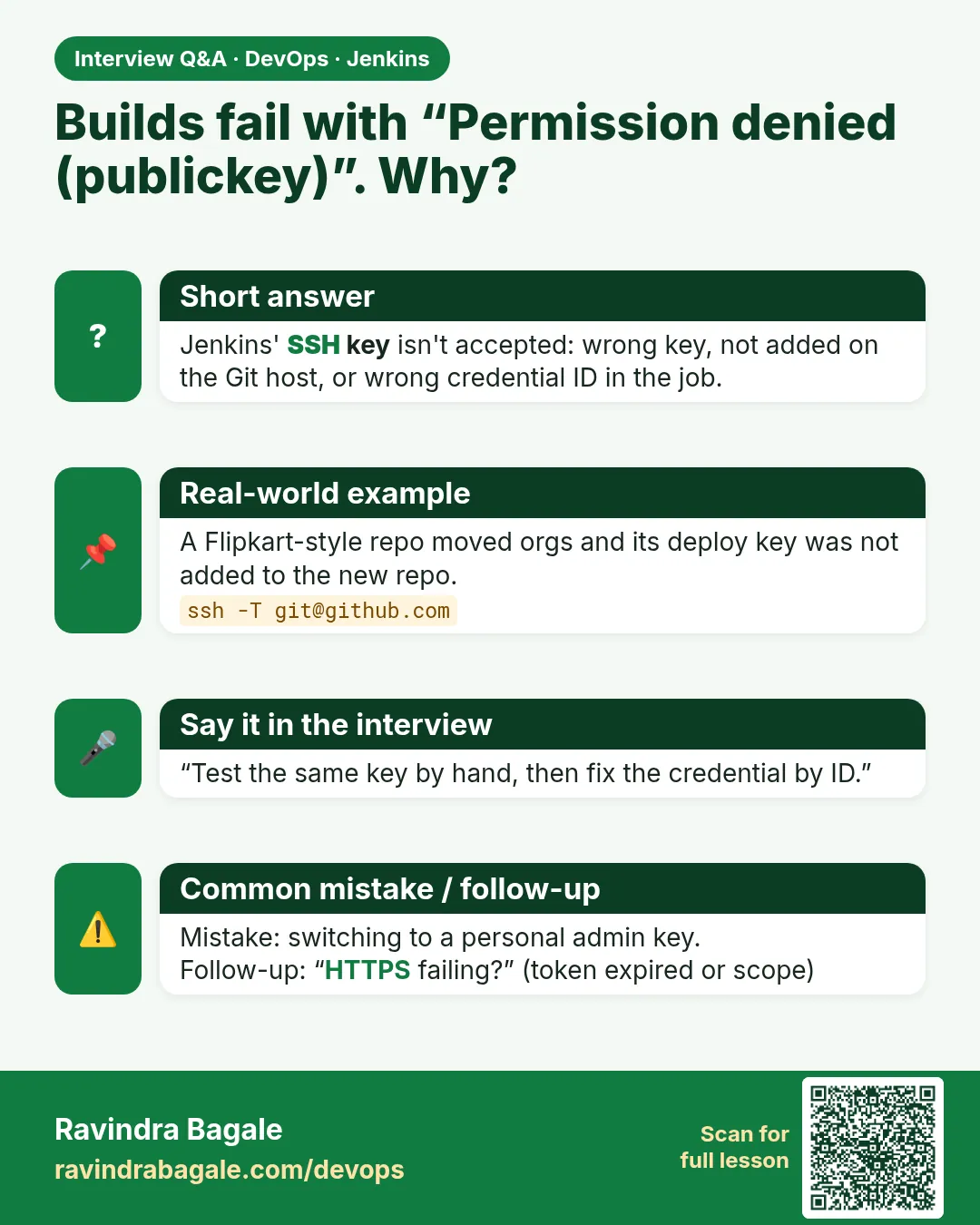
Test git ls-remote with the same credential, check token expiry or revocation, update the credential with the same ID, run a smoke job.
-
How do you manage Git credentials in Jenkins?
Bot account tokens or deploy keys stored as credentials, used by ID, smallest scope, rotated on a schedule.
-
What is host key verification and why keep it?
Jenkins checks the Git server SSH key, which prevents man-in-the-middle attacks.
-
Deploy key vs personal token?
Deploy key is per repo and not tied to a person; personal tokens break when people leave.
-
How do you rotate without downtime?
Create new, update credential keeping the ID, test, then revoke the old.
Quick quiz
Q1. Why use a bot account for Jenkins?
It does not break when a person leaves.
Q2. What is a deploy key?
An SSH key for one repo, often read-only.
Q3. Why keep the same credential ID when rotating?
Jobs need no change.
Q4. What does host key verification stop?
Fake Git servers in the middle.
Q5. First test when checkout fails?
git ls-remote by hand with the same credential.
Samajla ka?
 Revision card
 Interview card