Chapter 28: Registries, Kubernetes, Terraform and Ansible from Jenkins
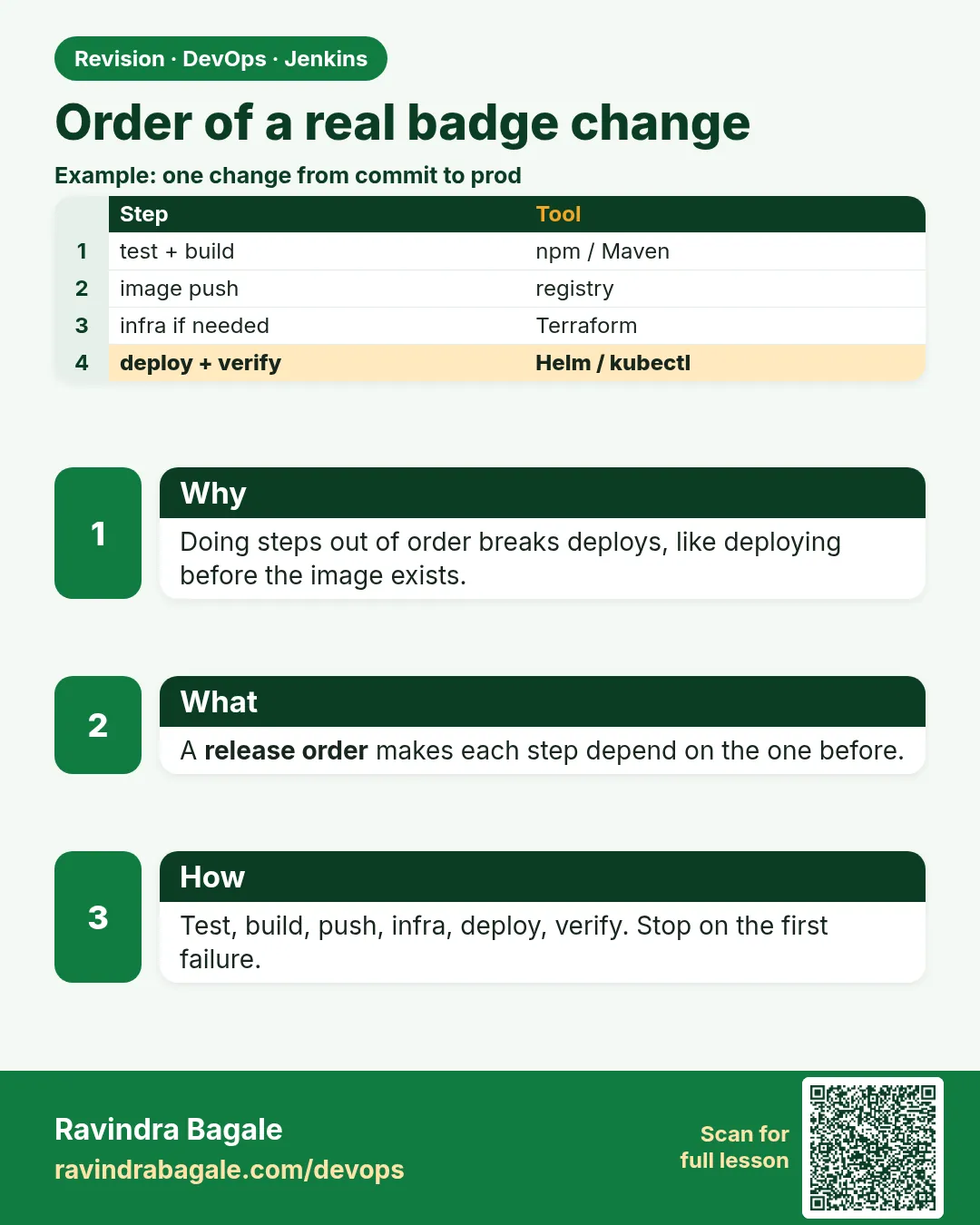
28.7 Order on a real badge change
Why: the problem
Think of a real change at a company like Swiggy: the team adds a new "order badge" feature to the order service. The code is small, but the release touches everything in this chapter. Tests must pass. A security scan must check the code and the image. A Docker image must be built and pushed with a traceable tag. Staging must get it first. Infrastructure changes, like a new S3 bucket for badge images, must be planned and approved. Servers need a config update. Prod must be deployed with a way back in one command. If these steps run in the wrong order, bad things happen: you deploy an image that was never scanned, or you deploy code that needs a bucket that does not exist yet. In this lesson you will put all the parts in the right order in one Jenkinsfile.
What we will build
You will write one end-to-end Jenkinsfile for the badge change. The order is: checkout, unit tests, code scan, image build, image scan, push, infrastructure plan and apply with approval, deploy to staging with Helm, smoke test, approval, deploy to prod, and automatic rollback on failure. You will also write a one-page release checklist and a rollback runbook.
What: every term in plain English
- End-to-end pipeline — One pipeline that takes a commit all the way to production.
- Shift left — Run checks like tests and scans early, when fixes are cheap.
- Quality gate — A check that must pass before the pipeline continues, like no HIGH vulnerabilities.
- Image scan — Checking the image for known vulnerable packages, for example with Trivy.
- Promotion — Moving the same tested artifact from staging to prod, never rebuilding it.
- Smoke test — A few quick checks that the main pages and APIs work after deploy.
- Rollback runbook — Exact steps to go back to the last good version.
- Release checklist — A short list to confirm before and after a release.
How: step by step
-
Agree the order
test > scan code > build image > scan image > push > infra plan/apply > staging > smoke > approve > prodWhat it does: Each step needs the one before it.
Output
(written in the release checklist) -
Create credentials
dockerhub or ECR role, kubeconfig-staging, kubeconfig-prod, sonar-tokenWhat it does: Every secret is a Jenkins credential ID.
Output
4 credentials created -
Create a multibranch job
New Item > order-service > Multibranch Pipeline > Git sourceWhat it does: Each branch gets its own pipeline; only main deploys.
Output
Scan complete: branch main found -
Run on a feature branch
git push origin feature/badgeWhat it does: Tests and scans run; deploy stages are skipped.
Output
Stage "Deploy staging" skipped due to when conditional -
Merge to main
Merge request approved and mergedWhat it does: Full pipeline runs to staging, then waits.
Output
Waiting for approval: Promote 52-a1b2c3d to prod? -
Approve prod
Click PromoteWhat it does: Same image goes to prod.
Output
Release "order-service" has been upgraded -
Check the release
helm history order-service -n prod --max 2What it does: New revision deployed.
Output
REVISION  STATUS    DESCRIPTION
12        deployed  jenkins 52 tag 52-a1b2c3d
Example 1: The full release pipeline in the right order
Stack. Jenkins multibranch, Node 20, SonarQube, Trivy, ECR, Terraform job, Helm
Goal. The full release pipeline in the right order.
Jenkinsfile
pipeline {
  agent { label 'linux-docker' }
  options { disableConcurrentBuilds(); timeout(time: 60, unit: 'MINUTES'); buildDiscarder(logRotator(numToKeepStr: '30')) }
  environment { REG = '123456789012.dkr.ecr.ap-south-1.amazonaws.com'; APP = 'order-service' }
  stages {
    stage('Checkout') {
      steps { checkout scm
        script { env.TAG = "${BUILD_NUMBER}-" + sh(script: 'git rev-parse --short HEAD', returnStdout: true).trim() } }
    }
    stage('Unit tests') {
      agent { docker { image 'node:20-alpine'; reuseNode true } }
      steps { sh 'npm ci && npm test -- --ci --reporters=default --reporters=jest-junit' }
      post { always { junit 'junit.xml' } }
    }
    stage('Code scan') {
      steps { withCredentials([string(credentialsId: 'sonar-token', variable: 'SONAR_TOKEN')]) {
        sh 'docker run --rm -e SONAR_TOKEN -v "$PWD":/usr/src sonarsource/sonar-scanner-cli -Dsonar.projectKey=$APP -Dsonar.host.url=https://sonar.shop-lab.in -Dsonar.qualitygate.wait=true' } }
    }
    stage('Build image') { steps { sh 'docker build -t $REG/$APP:$TAG .' } }
    stage('Scan image') {
      steps { sh 'docker run --rm -v /var/run/docker.sock:/var/run/docker.sock aquasec/trivy:0.56.2 image --exit-code 1 --severity HIGH,CRITICAL --ignore-unfixed $REG/$APP:$TAG' }
    }
    stage('Push') {
      steps { sh 'aws ecr get-login-password --region ap-south-1 | docker login --username AWS --password-stdin $REG && docker push $REG/$APP:$TAG' }
    }
    stage('Infra') {
      when { branch 'main'; changeset 'infra/**' }
      steps { build job: 'order-infra-terraform', parameters: [string(name: 'ENV', value: 'prod')], wait: true }
    }
    stage('Deploy staging') {
      when { branch 'main' }
      steps { withCredentials([file(credentialsId: 'kubeconfig-staging', variable: 'KUBECONFIG')]) {
        sh 'helm upgrade --install $APP ./chart -n staging -f chart/values-staging.yaml --set image.tag=$TAG --atomic --timeout 3m --description "jenkins $BUILD_NUMBER"' } }
    }
    stage('Smoke staging') {
      when { branch 'main' }
      steps { retry(5) { sleep 5; sh 'curl -fsS https://staging-orders.shop-lab.in/health && curl -fsS https://staging-orders.shop-lab.in/api/orders/badge/demo' } }
    }
    stage('Promote') {
      when { branch 'main' }
      steps { timeout(time: 2, unit: 'HOURS') { input message: "Promote ${env.TAG} to prod?", ok: 'Promote', submitter: 'release-managers' } }
    }
    stage('Deploy prod') {
      when { branch 'main' }
      steps { withCredentials([file(credentialsId: 'kubeconfig-prod', variable: 'KUBECONFIG')]) {
        sh 'helm upgrade --install $APP ./chart -n prod -f chart/values-prod.yaml --set image.tag=$TAG --atomic --timeout 5m --description "jenkins $BUILD_NUMBER"'
        sh 'curl -fsS https://orders.shop-lab.in/health' } }
    }
  }
  post {
    failure { echo "Release ${env.TAG} failed. See the rollback runbook." }
    always  { sh 'docker image prune -f || true' }
  }
}
What each line does
disableConcurrentBuilds / timeout / buildDiscarder— One release at a time, never stuck forever, limited history.TAG = BUILD-commit— Same tag for staging and prod: promotion, not rebuild.reuseNode true— The Node container uses the same workspace, so later stages see the files.sonar.qualitygate.wait=true— The scan step fails if the SonarQube quality gate fails.trivy --exit-code 1 --severity HIGH,CRITICAL— Image scan gate: stop on serious fixable problems. Mounting docker.sock is for trusted agents only.when { branch 'main'; changeset 'infra/**' }— Run the Terraform job only on main and only when infra files changed.build job: ... wait: true— Calls the Terraform pipeline from lesson 28.5 and waits for it.helm --atomic— Self-rollback if pods are not ready.Promote input with submitter— Only release managers can send to prod.
Green output
[Pipeline] stage (Unit tests)
Tests: 64 passed, 64 total
[Pipeline] stage (Code scan)
QUALITY GATE STATUS: PASSED
[Pipeline] stage (Scan image)
Total: 0 (HIGH: 0, CRITICAL: 0)
[Pipeline] stage (Push)
52-a1b2c3d: digest: sha256:8e7d... size: 2201
[Pipeline] stage (Infra)
Starting building: order-infra-terraform #19
Apply complete! Resources: 1 added, 0 changed, 0 destroyed.
[Pipeline] stage (Deploy staging)
Release "order-service" has been upgraded. Happy Helming!
[Pipeline] stage (Smoke staging)
{"status":"ok"}
{"orderId":"demo","badge":"Fast Delivery"}
[Pipeline] stage (Promote)
Promote 52-a1b2c3d to prod?
Approved by asha
[Pipeline] stage (Deploy prod)
Release "order-service" has been upgraded. Happy Helming!
{"status":"ok"}
Finished: SUCCESS
Expected result. Every stage ran in the right order. The prod image is the exact image that was tested, scanned and smoke tested in staging.
Example 2: The rollback runbook as a script
Stack. Helm, kubectl, jq
Goal. The rollback runbook as a script.
rollback.sh
#!/usr/bin/env bash
# Usage: KUBECONFIG=~/.kube/prod bash rollback.sh order-service prod
set -euo pipefail
APP="$1"; NS="$2"
echo "Current:"
helm history "$APP" -n "$NS" --max 3
PREV=$(helm history "$APP" -n "$NS" -o json | jq -r '[.[] | select(.status=="superseded")] | last | .revision')
echo "Rolling back to revision $PREV"
helm rollback "$APP" "$PREV" -n "$NS" --wait --timeout 5m
kubectl -n "$NS" rollout status deployment/"$APP" --timeout=120s
curl -fsS "https://orders.shop-lab.in/health" && echo " health OK"
helm history "$APP" -n "$NS" --max 2
What each line does
helm history -o json | jq— Finds the last superseded revision, the previous good one.helm rollback ... --wait— Goes back and waits for pods.rollout status— Double checks the Deployment is ready.curl /health— Confirms the app answers.set -euo pipefail— Stops at the first error so you notice it.KUBECONFIG=...— Uses the prod kubeconfig only for this command.
Green output
Current:
REVISION  STATUS      DESCRIPTION
11        superseded  jenkins 50
12        deployed    jenkins 52
Rolling back to revision 11
Rollback was a success! Happy Helming!
deployment "order-service" successfully rolled out
{"status":"ok"} health OK
REVISION  STATUS      DESCRIPTION
12        superseded  jenkins 52
13        deployed    Rollback to 11
Expected result. One command, about a minute, and prod is back on the last good release.
Example 3: A short release checklist kept next to the Jenkinsfile
Stack. Markdown in the app repo
Goal. A short release checklist kept next to the Jenkinsfile.
RELEASE_CHECKLIST.md
# Order service release checklist

## Before you click Promote
- [ ] Unit tests green, test count did not drop
- [ ] SonarQube quality gate PASSED
- [ ] Trivy: 0 HIGH, 0 CRITICAL
- [ ] Image tag is BUILD-commit (no latest)
- [ ] Terraform plan read; no destroy in prod
- [ ] Staging smoke tests green
- [ ] Database migration is backward compatible

## After prod deploy
- [ ] /health OK
- [ ] Error rate in Grafana normal for 15 minutes
- [ ] Note the revision number in the release note

## If something is wrong
- [ ] Run rollback.sh order-service prod
- [ ] Tell the team channel: what, when, revision
- [ ] Open an incident note
What each line does
Before Promote— Things the approver must confirm, in pipeline order.Trivy and Sonar lines— The quality gates from the pipeline, checked by a human too.Backward compatible migration— The old version must still work with the new database, or rollback breaks.After deploy— Watch real metrics, not only the green build.If something is wrong— Rollback first, discuss later.Kept in Git— Changes to the checklist get reviewed like code.
Green output
$ cat RELEASE_CHECKLIST.md | grep -c "\[ \]"
13
Expected result. Thirteen checks, each matching a pipeline stage or a watch step. New team members can release safely on day one.
Verify: did it work?
-
Last prod build result
curl -s -u "$(cat ~/.jenkins-auth)" "https://jenkins.shop-lab.in/job/order-service/job/main/lastBuild/api/json?tree=number,result"What it does: The newest main build.
Output
{"number":52,"result":"SUCCESS"} -
Prod runs the tested tag
kubectl -n prod get deploy order-service -o jsonpath="{.spec.template.spec.containers[0].image}"What it does: Matches the staging tag.
Output
123456789012.dkr.ecr.ap-south-1.amazonaws.com/order-service:52-a1b2c3d
When it is red 1
Total: 3 (HIGH: 2, CRITICAL: 1)
script returned exit code 1
Cause. The image has serious vulnerable packages.
Fix, step by step
- Update the base image (for example node:20-alpine to the latest patch).
- Rebuild and rescan.
- Only if a fix does not exist, add a reviewed .trivyignore entry with an expiry.
When it is red 2
ERROR: QUALITY GATE STATUS: FAILED
Cause. New code has bugs, low coverage or security hotspots.
Fix, step by step
- Open the SonarQube project page.
- Fix the new issues.
- Push again.
When it is red 3
Stage "Promote" timed out
Cause. Nobody approved within 2 hours.
Fix, step by step
- Start the release again when the approver is free.
- Do not raise the timeout to days; old releases should not go live.
Cleanup
-
Clean feature images
aws ecr list-images --repository-name order-service --filter tagStatus=UNTAGGED --query "imageIds[*]" --output jsonWhat it does: Find untagged images to delete or let a lifecycle policy expire them.
Output
[]
Ravindra Bagale's Tip
Kram mahatvacha: test, scan, image, staging, mag prod. Prod la tech image pathva jo staging madhe test zala. Lakshat theva!
Practice tasks
Easy Order the stages
Why: Order matters more than tools.
What to do: Put 10 stage names in the right order on paper.
- Write each stage on a card.
- Order them.
- Compare with the Jenkinsfile.
Check: Your order matches.
Medium Feature branch run
Why: Branches should test, not deploy.
What to do: Push a feature branch and confirm deploy stages skip.
- git push a branch.
- Open Stage View.
Check: Deploy stages show skipped.
Hard Time a rollback
Why: Recovery speed is a key metric (MTTR).
What to do: Deploy a bad tag to a lab and roll back with rollback.sh.
- Start a timer.
- Run the script.
- Stop when health is OK.
Check: Rollback done in under 2 minutes.
Easy Say a real release order in two lines
Why: If you can say it simply, you understand it. Juniors and interviewers want the short version first.
What to do: Write two short lines about a real release order for a fresher who knows only Linux basics.
- Write what problem it solves.
- Write the one command or menu you use for it.
- Read it aloud to a friend.
Check: A fresher understands it without asking a question.
Easy Start a fresh lab Jenkins
Why: Practice needs a throwaway Jenkins. If you break it, you delete it and start again.
What to do: Run Jenkins LTS in Docker with a named volume.
- docker volume create jenkins_home
- docker run -d --name jenkins -p 8080:8080 -v jenkins_home:/var/jenkins_home jenkins/jenkins:lts-jdk17
- docker exec jenkins cat /var/jenkins_home/secrets/initialAdminPassword
Check: The Jenkins unlock page opens on localhost:8080.
Medium Break it on purpose
Why: You must know the red message by face. During an outage there is no time to read slowly.
What to do: Cause one error from the "When it is red" part of this lesson and fix it.
- Follow the error section.
- Copy the exact message into your notes.
- Write the fix in one line.
Check: You fixed it using only the steps, without searching the web.
Medium Write a one-page runbook
Why: At 2 a.m. nobody remembers where a file lives. A short page saves the on-call person.
What to do: Write a runbook page for this lesson.
- Title, when to use, exact command, how to check, how to undo.
Check: A teammate can follow it alone.
Medium Repeat it on a cloud VM
Why: A laptop is not a server. Real Jenkins runs on EC2 or a company VM.
What to do: Do the main steps of this lesson again on a small Ubuntu 22.04 EC2 instance.
- Launch t3.small with 20 GB disk.
- Open port 22 only to your IP.
- Repeat the steps and compare the output.
Check: Same green output on the VM as on your laptop.
Hard Explain it like an interview
Why: Interviewers want real stories, not definitions.
What to do: Record a 60 second answer about this lesson.
- Say the problem, the command you ran, and one error you hit.
Check: Your answer has a real command and a real error message.
Hard Draw the flow top to bottom
Why: A drawing shows who talks to whom and in what order.
What to do: Draw this lesson as boxes from top to bottom.
- Start at the developer push, go through the controller and agent, end at the result.
Check: Each box matches a real thing you saw on screen.
Homework: try at home
Try at home
At home, draw your own release order for one app, top to bottom, and mark which stage blocks the next. Then run rollback.sh on a lab release and time it.
Recap
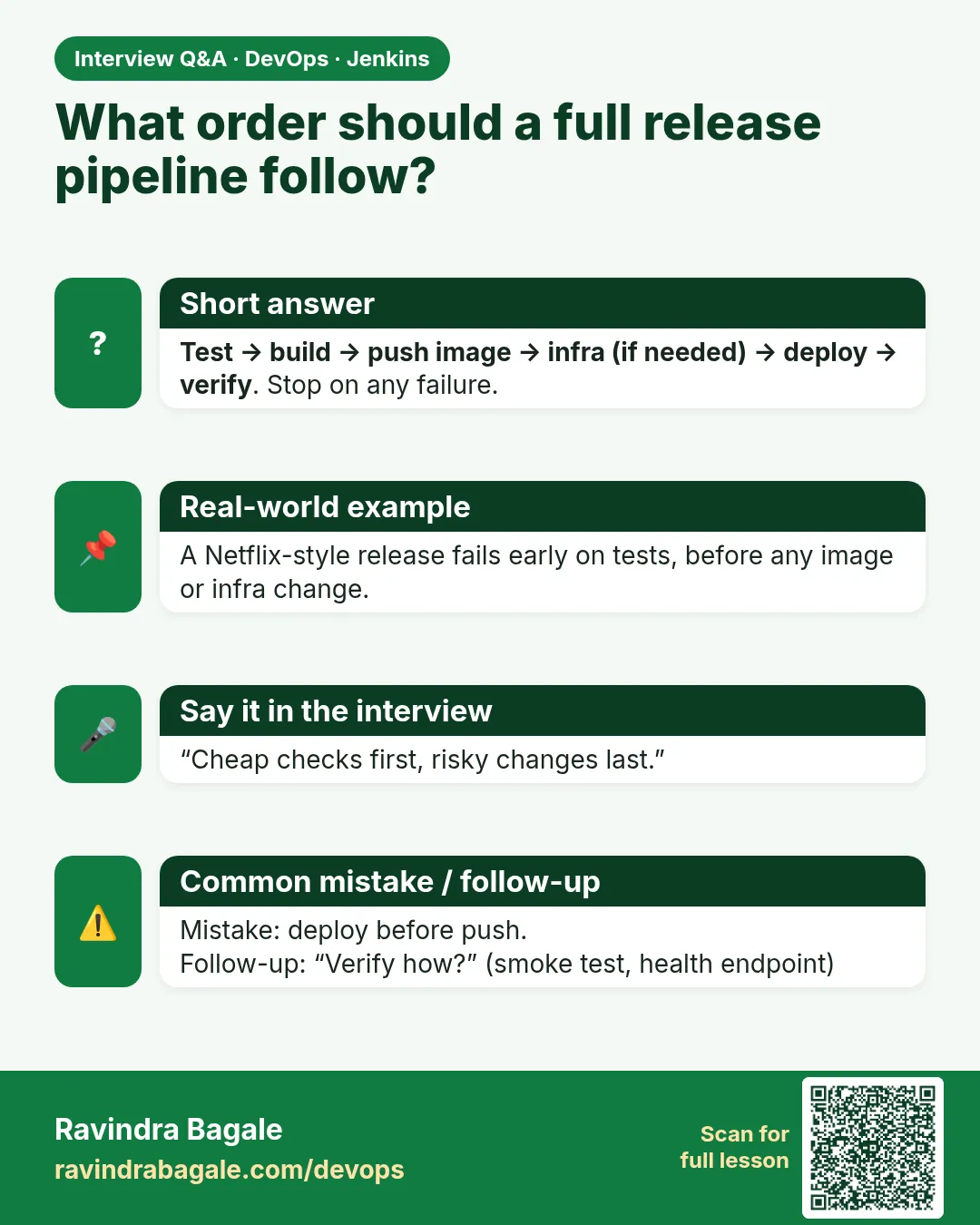
- Order: test, code scan, build, image scan, push, infra, staging, smoke, approve, prod.
- Promote the same image tag; never rebuild for prod.
- Quality gates stop bad code and images early.
- Infra changes run through the Terraform pipeline with approval.
- Keep a rollback script and a short checklist next to the code.
FAQ
Should infra apply run before or after app deploy?
Before, when the app needs the new resource. Make app changes work with both old and new infra if you can.
Is one big Jenkinsfile OK?
Yes for one service. Share common steps with a shared library when many services repeat them.
Do I need SonarQube and Trivy both?
They check different things: code quality and security vs image packages.
Who should approve prod?
A release manager or on-call lead, set with submitter.
Where do I watch after release?
Grafana or CloudWatch dashboards for errors, latency and traffic.
Interview questions
-
Describe a full CI/CD pipeline you built.
Checkout, unit tests with JUnit reports, SonarQube gate, Docker build, Trivy scan, push to ECR with build-commit tag, Terraform via a separate approved job, Helm deploy to staging, smoke tests, manual promotion, Helm deploy to prod with --atomic, and a rollback runbook.
-
Why build once and promote?
To guarantee the same artifact is tested and released, and save time.
-
Where do security checks go in the pipeline?
Early: dependency and code scans before build, image scan before push, and policy checks on infra plans.
-
How do you roll back a bad prod release quickly?
helm rollback to the previous revision or kubectl rollout undo, verify health, then investigate.
-
How do you stop feature branches deploying?
when { branch "main" } on deploy stages in a multibranch pipeline.
Quick quiz
Q1. Why scan the image after building and before pushing?
So vulnerable images never reach the registry or servers.
Q2. Why promote the same tag instead of rebuilding?
Prod must run exactly what was tested.
Q3. When does the Infra stage run?
On main, only when infra files changed.
Q4. What does --atomic give the deploy?
Automatic rollback if pods are not ready.
Q5. What do you do first when prod breaks after a release?
Roll back, then investigate.
Lab
- Build and push a lab tag using a credential id.
- Apply a lab manifest; wait on rollout status.
- Practice undo once.
- Run terraform plan with input before apply on a tiny lab root.
- Confirm Jenkinsfile has no access key.
Practice task
Write the six-step order and the exact rollback command you would type first.
Ravindra Bagale's Tip
AWS key Jenkinsfile madhe nako. Plan nantar input, mag apply. Rollback aadhi mahiti. Lakshat theva!
In short
- Registry: build, login by id, push.
- AWS: role or short-lived, never permanent key in Git.
- kubectl/Helm with status and rollback.
- Terraform: init validate plan input apply.
- Order: test → scan → image → deploy → infra with approval.
Samajla ka?
 Revision card
 Interview card