Chapter 28: Registries, Kubernetes, Terraform and Ansible from Jenkins
28.1 Registries
Why: the problem
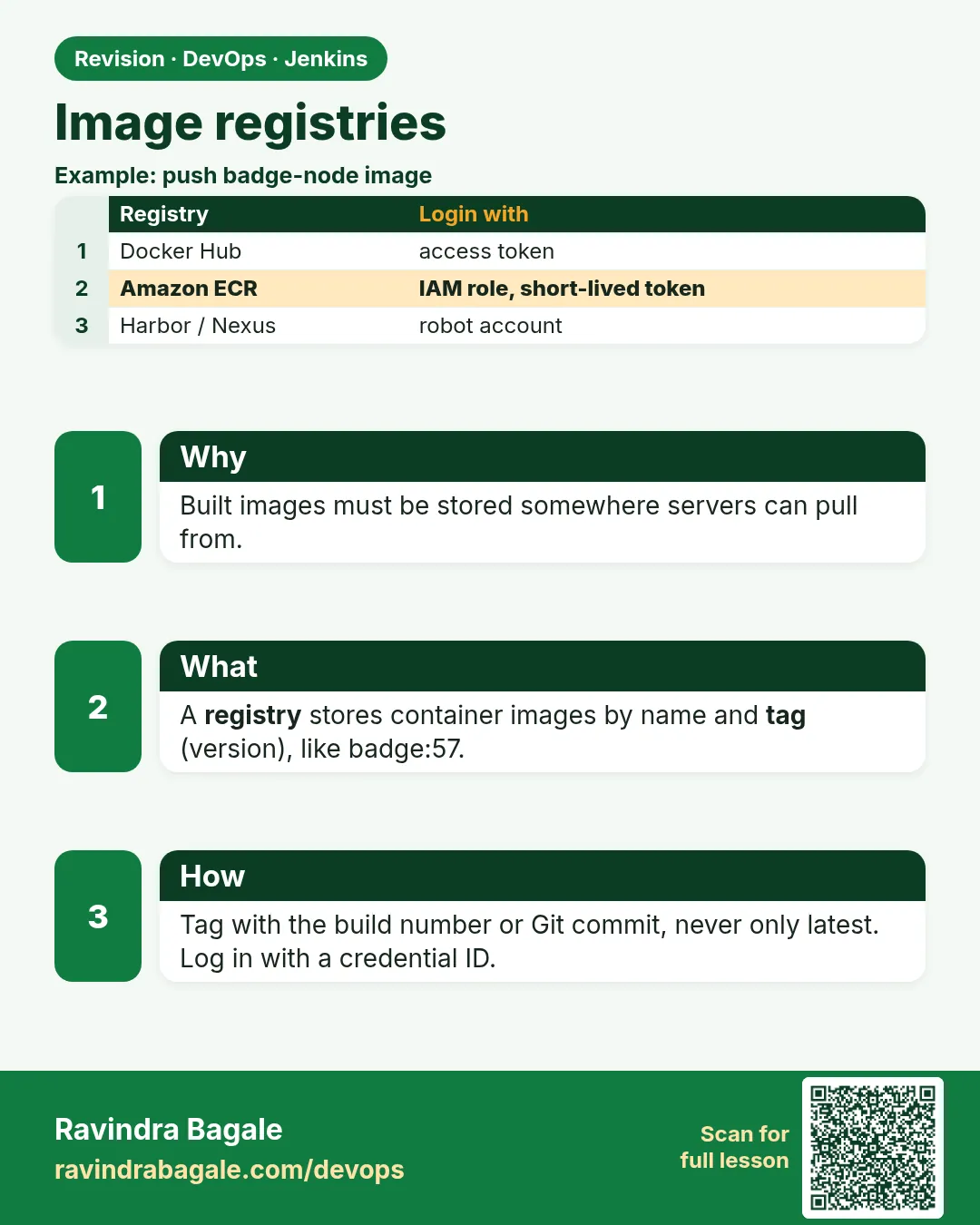
Think of Myntra. Its Jenkins builds a new Docker image for the catalog service twenty times a day. Where do those images go? Not on the Jenkins disk. They go to a registry: a store for images, like Docker Hub, Amazon ECR, GitHub Container Registry, or a private Harbor or Nexus server. Kubernetes and servers pull images from the registry when they deploy. If Jenkins pushes a tag called latest every time, nobody knows which code is running. If Jenkins puts the registry password inside the Jenkinsfile, it leaks to everyone who can read Git. So pushing images looks simple but has three rules: log in with a saved credential, tag every image with something traceable like the build number or Git commit, and never overwrite a release tag. In this lesson you will push the same image to Docker Hub, Amazon ECR and a private registry from Jenkins.
What we will build
You will build a small Node.js image in Jenkins. You will tag it with the Git short commit and the build number. You will push it to Docker Hub using docker.withRegistry, to Amazon ECR using the AWS CLI login, and to a self-hosted registry. Then you will check the tags with the registry API and clean up dangling images on the agent.
What: every term in plain English
- Registry — A server that stores Docker images, like Docker Hub, Amazon ECR, Harbor or Nexus.
- Repository — One image name inside a registry, like ravilab/shop-api. It holds many tags.
- Tag — A label on an image version, like 1.4.0 or 42-a1b2c3d.
- Digest — A sha256 ID of the exact image content. It never changes for the same content.
- docker login — Gives Docker a token to push or pull from a registry.
- ECR — Amazon Elastic Container Registry. AWS private registry, login with the AWS CLI.
- Immutable tag — A setting that blocks pushing the same tag twice. Protects releases.
- Dangling image — An old image with no tag left, taking disk space on the agent.
How: step by step
-
Add Docker Hub token
Manage Jenkins > Credentials > Global > Add > Username with password > ID dockerhub > password: a Docker Hub access tokenWhat it does: Token, not your Docker Hub password.
Output
Credential dockerhub created -
Get the short commit
git rev-parse --short HEADWhat it does: A 7 letter ID of the code version.
Output
a1b2c3d -
Build with two tags
docker build -t ravilab/shop-api:42-a1b2c3d -t ravilab/shop-api:42 .What it does: One image, two names.
Output
Successfully tagged ravilab/shop-api:42-a1b2c3d -
Create an ECR repository
aws ecr create-repository --repository-name shop-api --image-tag-mutability IMMUTABLE --region ap-south-1What it does: A private repo in Mumbai region that refuses tag overwrite.
Output
"repositoryUri": "123456789012.dkr.ecr.ap-south-1.amazonaws.com/shop-api" -
Log in to ECR
aws ecr get-login-password --region ap-south-1 | docker login --username AWS --password-stdin 123456789012.dkr.ecr.ap-south-1.amazonaws.comWhat it does: A 12 hour login token from AWS.
Output
Login Succeeded -
Push
docker push 123456789012.dkr.ecr.ap-south-1.amazonaws.com/shop-api:42-a1b2c3dWhat it does: Uploads the layers.
Output
42-a1b2c3d: digest: sha256:9f8e... size: 1784 -
Check tags
aws ecr list-images --repository-name shop-api --region ap-south-1What it does: Lists the image tags in ECR.
Output
"imageTag": "42-a1b2c3d"
Example 1: Push to Docker Hub with docker
Stack. Jenkins, Docker Pipeline plugin, Docker Hub
Goal. Push to Docker Hub with docker.withRegistry.
Jenkinsfile
pipeline {
  agent { label 'linux-docker' }
  environment { REPO = 'ravilab/shop-api' }
  stages {
    stage('Checkout') { steps { checkout scm } }
    stage('Build') {
      steps {
        script {
          env.SHORT = sh(script: 'git rev-parse --short HEAD', returnStdout: true).trim()
          env.TAG = "${BUILD_NUMBER}-${env.SHORT}"
          img = docker.build("${REPO}:${env.TAG}")
        }
      }
    }
    stage('Push') {
      steps {
        script {
          docker.withRegistry('https://index.docker.io/v1/', 'dockerhub') {
            img.push()
            img.push("${BUILD_NUMBER}")
          }
        }
      }
    }
  }
  post { always { sh 'docker image prune -f' } }
}
What each line does
checkout scm— Checks out the same commit the job was started for.sh(script: ..., returnStdout: true).trim()— Runs a command and keeps its output in a variable.env.TAG = "${BUILD_NUMBER}-${env.SHORT}"— Tag like 42-a1b2c3d: build number plus commit.docker.build(...)— Docker Pipeline plugin step that runs docker build and returns an image object.docker.withRegistry(url, 'dockerhub')— Logs in with the saved credential only inside the block, and logs out after.img.push()— Pushes the main tag. push("42") adds a second tag.docker image prune -f— Deletes dangling images so the agent disk stays healthy.
Green output
[Pipeline] stage (Build)
+ git rev-parse --short HEAD
+ docker build -t ravilab/shop-api:42-a1b2c3d .
Successfully tagged ravilab/shop-api:42-a1b2c3d
[Pipeline] stage (Push)
+ docker login -u ravilab -p ******** https://index.docker.io/v1/
Login Succeeded
+ docker push ravilab/shop-api:42-a1b2c3d
42-a1b2c3d: digest: sha256:4c5d... size: 1784
+ docker push ravilab/shop-api:42
Total reclaimed space: 211MB
Expected result. Docker Hub shows two tags for the same digest. From any tag you can find the build and the commit.
Example 2: Push to Amazon ECR with the agent IAM role
Stack. Jenkins agent on EC2 with IAM role, AWS CLI v2, ECR
Goal. Push to Amazon ECR with the agent IAM role.
Jenkinsfile
pipeline {
  agent { label 'linux-docker' }
  environment {
    AWS_REGION = 'ap-south-1'
    REGISTRY   = '123456789012.dkr.ecr.ap-south-1.amazonaws.com'
    REPO       = 'shop-api'
  }
  stages {
    stage('Build') {
      steps { sh 'docker build -t $REGISTRY/$REPO:$BUILD_NUMBER .' }
    }
    stage('Login and push') {
      steps {
        sh 'aws sts get-caller-identity --query Arn --output text'
        sh 'aws ecr get-login-password --region $AWS_REGION | docker login --username AWS --password-stdin $REGISTRY'
        sh 'docker push $REGISTRY/$REPO:$BUILD_NUMBER'
      }
    }
    stage('Scan result') {
      steps {
        sh 'sleep 20; aws ecr describe-image-scan-findings --repository-name $REPO --image-id imageTag=$BUILD_NUMBER --region $AWS_REGION --query imageScanFindings.findingSeverityCounts || true'
      }
    }
  }
}
What each line does
REGISTRY = 123456789012.dkr.ecr...— Your account ID and region. 123456789012 is the standard AWS example number.aws sts get-caller-identity— Prints which IAM role Jenkins uses. Here the agent EC2 instance role, no keys stored.get-login-password | docker login— Gets a temporary password and pipes it to docker login.docker push $REGISTRY/$REPO:$BUILD_NUMBER— Pushes to the private ECR repo.describe-image-scan-findings— If scan on push is on, shows counts of HIGH and CRITICAL problems.|| true— Do not fail the build if the scan is not ready yet.
Green output
+ aws sts get-caller-identity --query Arn --output text
arn:aws:sts::123456789012:assumed-role/jenkins-agent-role/i-0abc123def4567890
+ docker login --username AWS --password-stdin 123456789012.dkr.ecr.ap-south-1.amazonaws.com
Login Succeeded
+ docker push 123456789012.dkr.ecr.ap-south-1.amazonaws.com/shop-api:43
43: digest: sha256:7a6b... size: 1784
{
    "HIGH": 1,
    "MEDIUM": 4
}
Expected result. The image is in ECR, pushed with a role, not a key. Lesson 28.2 explains the role.
Example 3: Push to a private self-hosted registry and read tags by API
Stack. Docker registry:2, Jenkins
Goal. Push to a private self-hosted registry and read tags by API.
run-registry.sh
docker run -d --name registry -p 5000:5000 --restart unless-stopped -v registry-data:/var/lib/registry registry:2
curl -s http://localhost:5000/v2/
Jenkinsfile stage
stage('Push to lab registry') {
  steps {
    sh 'docker tag ravilab/shop-api:$BUILD_NUMBER localhost:5000/shop-api:$BUILD_NUMBER'
    sh 'docker push localhost:5000/shop-api:$BUILD_NUMBER'
    sh 'curl -s http://localhost:5000/v2/shop-api/tags/list'
  }
}
What each line does
registry:2— The official open source registry image.-v registry-data:/var/lib/registry— Images stay after the container restarts./v2/— The registry API root. It answers {} when healthy.localhost:5000/shop-api— Image names start with the registry host to push there./v2/shop-api/tags/list— Lists tags of one repository.Lab only— Without TLS and login, use this only on localhost. For teams use Harbor or Nexus with HTTPS.
Green output
{}
+ docker push localhost:5000/shop-api:44
44: digest: sha256:1b2c... size: 1784
+ curl -s http://localhost:5000/v2/shop-api/tags/list
{"name":"shop-api","tags":["44"]}
Expected result. Your own registry holds the image. Companies use Harbor, Nexus or JFrog Artifactory the same way, with HTTPS and users.
Verify: did it work?
-
Pull by tag on another machine
docker pull ravilab/shop-api:42-a1b2c3d && docker inspect --format "{{index .RepoDigests 0}}" ravilab/shop-api:42-a1b2c3dWhat it does: Same digest as the push log.
Output
ravilab/shop-api@sha256:4c5d... -
ECR tag is immutable
docker push 123456789012.dkr.ecr.ap-south-1.amazonaws.com/shop-api:43What it does: Push the same tag again; it must be refused.
Output
tag invalid: The image tag 43 already exists ... cannot be overwritten because the repository is immutable.
When it is red 1
denied: requested access to the resource is denied
Cause. Wrong repo name, or the token has no write right.
Fix, step by step
- Name must be yourname/repo on Docker Hub.
- Give the access token Read and Write scope.
- Check the credential ID.
When it is red 2
no basic auth credentials
Cause. Docker was not logged in to ECR, or the 12 hour token expired.
Fix, step by step
- Run the get-login-password step in the same stage, right before push.
- Check the IAM role has ecr:GetAuthorizationToken and ecr push actions.
When it is red 3
http: server gave HTTP response to HTTPS client
Cause. Docker wants HTTPS for any registry that is not localhost.
Fix, step by step
- Use HTTPS with a real certificate.
- For a lab only, add the host to insecure-registries in /etc/docker/daemon.json and restart Docker.
Cleanup
-
Remove lab registry
docker rm -f registry && docker volume rm registry-dataWhat it does: Deletes the lab registry and its images.
Output
registry registry-data -
Delete an ECR test image
aws ecr batch-delete-image --repository-name shop-api --image-ids imageTag=43 --region ap-south-1What it does: Removes one tag from ECR.
Output
"imageDigest": "sha256:7a6b..."
Ravindra Bagale's Tip
Fakt latest tag nako; build number ani commit vapra. Password Jenkinsfile madhe kadhich nako. Lakshat theva!
Practice tasks
Easy Tag with commit
Why: Traceability starts with the tag.
What to do: Add the short commit to your image tag.
- git rev-parse --short HEAD.
- Use it in docker build -t.
Check: The tag shows the commit.
Medium Lifecycle policy
Why: Registries cost money.
What to do: Keep only 30 images in ECR.
- ECR > Lifecycle policy > rule.
Check: Old images expire.
Hard Sign images
Why: Prove who built an image.
What to do: Sign the image with cosign after push.
- Install cosign.
- cosign sign the digest.
- cosign verify.
Check: Verify passes.
Easy Say pushing images to a registry in two lines
Why: If you can say it simply, you understand it. Juniors and interviewers want the short version first.
What to do: Write two short lines about pushing images to a registry for a fresher who knows only Linux basics.
- Write what problem it solves.
- Write the one command or menu you use for it.
- Read it aloud to a friend.
Check: A fresher understands it without asking a question.
Easy Start a fresh lab Jenkins
Why: Practice needs a throwaway Jenkins. If you break it, you delete it and start again.
What to do: Run Jenkins LTS in Docker with a named volume.
- docker volume create jenkins_home
- docker run -d --name jenkins -p 8080:8080 -v jenkins_home:/var/jenkins_home jenkins/jenkins:lts-jdk17
- docker exec jenkins cat /var/jenkins_home/secrets/initialAdminPassword
Check: The Jenkins unlock page opens on localhost:8080.
Medium Break it on purpose
Why: You must know the red message by face. During an outage there is no time to read slowly.
What to do: Cause one error from the "When it is red" part of this lesson and fix it.
- Follow the error section.
- Copy the exact message into your notes.
- Write the fix in one line.
Check: You fixed it using only the steps, without searching the web.
Medium Write a one-page runbook
Why: At 2 a.m. nobody remembers where a file lives. A short page saves the on-call person.
What to do: Write a runbook page for this lesson.
- Title, when to use, exact command, how to check, how to undo.
Check: A teammate can follow it alone.
Medium Repeat it on a cloud VM
Why: A laptop is not a server. Real Jenkins runs on EC2 or a company VM.
What to do: Do the main steps of this lesson again on a small Ubuntu 22.04 EC2 instance.
- Launch t3.small with 20 GB disk.
- Open port 22 only to your IP.
- Repeat the steps and compare the output.
Check: Same green output on the VM as on your laptop.
Hard Explain it like an interview
Why: Interviewers want real stories, not definitions.
What to do: Record a 60 second answer about this lesson.
- Say the problem, the command you ran, and one error you hit.
Check: Your answer has a real command and a real error message.
Hard Draw the flow top to bottom
Why: A drawing shows who talks to whom and in what order.
What to do: Draw this lesson as boxes from top to bottom.
- Start at the developer push, go through the controller and agent, end at the result.
Check: Each box matches a real thing you saw on screen.
Homework: try at home
Try at home
At home, push one image to Docker Hub from Jenkins with tag BUILD-COMMIT. Then add an ECR lifecycle policy that keeps only the last 30 images, and check it in the ECR console.
Recap
- Images go to a registry, not the Jenkins disk.
- Tag with build number and commit; avoid only latest.
- Log in with saved credentials or an IAM role, never a password in the Jenkinsfile.
- Use immutable tags for releases.
- Prune dangling images on agents.
FAQ
Docker Hub or ECR?
Docker Hub for public images; ECR for private images on AWS, with IAM and scanning.
Does Docker Hub limit pulls?
Yes, anonymous and free accounts have pull limits. Log in or use a mirror.
Should Jenkins push to production registry directly?
Usually it pushes to one registry; deploys use the digest or tag from it.
What is Harbor?
A free self-hosted registry with users, scanning and replication.
Do I need to log out?
withRegistry logs out after the block. For plain sh, run docker logout in post.
Interview questions
-
How do you push Docker images from Jenkins?
Build with docker.build or sh, then push inside docker.withRegistry with a credential ID, or log in to ECR with the AWS CLI using an IAM role.
-
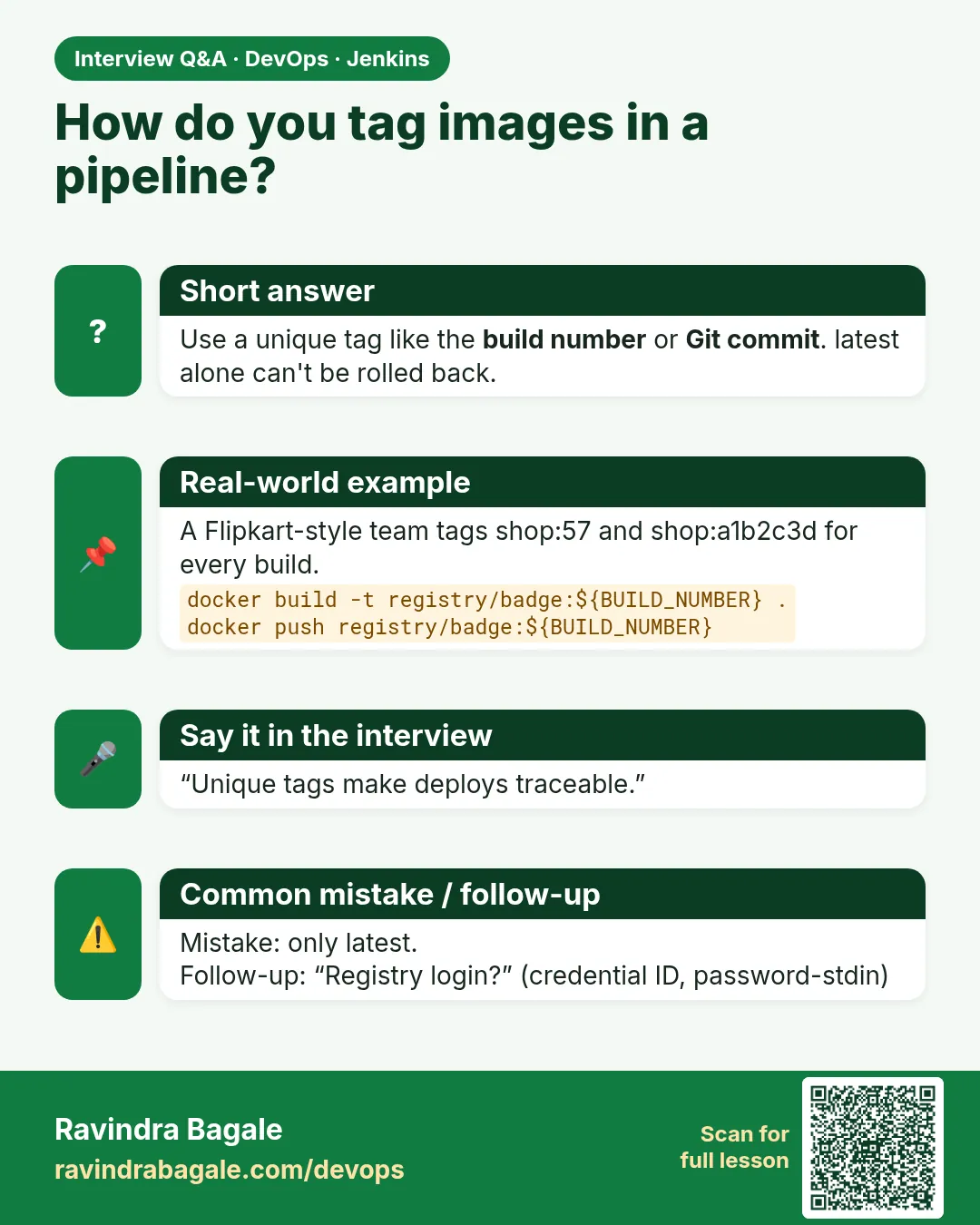
How do you tag images in CI?
With build number and short Git commit, plus a semantic version for releases. Avoid relying on latest.
-
How do you avoid storing registry passwords?
Jenkins credentials with masking, or IAM roles for ECR with temporary tokens.
-
What is the difference between a tag and a digest?
A tag is a movable label; a digest is the content hash. Deploy by digest for exact versions.
-
How do you stop agent disks filling with images?
docker image prune in post, scheduled docker system prune, and ephemeral agents.
Quick quiz
Q1. Why not use only the latest tag?
You cannot tell which code runs, and rollbacks become guesswork.
Q2. Which step logs in with a credential ID?
docker.withRegistry.
Q3. How long is an ECR login valid?
12 hours.
Q4. What blocks overwriting a tag in ECR?
Tag immutability.
Q5. What is a digest?
The sha256 ID of the exact image content.
Samajla ka?
 Revision card
 Interview card