Chapter 28: Registries, Kubernetes, Terraform and Ansible from Jenkins
28.6 Ansible from Jenkins
Why: the problem
Think of a company like Wipro managing 200 Linux servers for a client. Every month there are security patches. Sometimes nginx config must change on all web servers. Doing it by SSH, one server at a time, takes days and every server ends up a little different. Ansible solves this: you write a playbook once, and it runs the same steps on all servers, over SSH, with no agent software on them. Running Ansible from Jenkins adds the missing parts: the playbook comes from Git, it is checked with lint first, it runs in check mode to show what would change, a person approves, and the logs are saved for every run. In this lesson you will run Ansible from Jenkins to configure web servers, safely and repeatably.
What we will build
You will write an inventory with two web servers and a playbook that installs nginx, deploys a site config, and restarts nginx only if the config changed. You will save the SSH key in Jenkins. Then a Jenkinsfile will run ansible-lint, a syntax check, a dry run with --check --diff, wait for approval, and run the real playbook with limited parallel servers (serial). You will finish with a rolling update across servers.
What: every term in plain English
- Ansible — A tool that configures servers over SSH using YAML playbooks. No agent needed on servers.
- Inventory — A file listing servers and groups, like web and db.
- Playbook — A YAML file with plays and tasks to run on hosts.
- Task — One action, like install a package or copy a file.
- Module — The code behind a task, like apt, template or service.
- Handler — A task that runs only when notified, like restart nginx after config change.
- Idempotent — Running it again changes nothing if everything is already right.
- --check --diff — Dry run that shows what would change, without changing anything.
How: step by step
-
Install Ansible on the agent
python3 -m pip install --user ansible-core==2.17.5 ansible-lint && ansible --version | head -1What it does: Ansible and its lint tool.
Output
ansible [core 2.17.5] -
Write the inventory
nano inventory/staging.iniWhat it does: Lists web servers.
Output
(file saved) -
Test SSH with ping module
ansible -i inventory/staging.ini web -m pingWhat it does: Checks Ansible can log in and run Python.
Output
web1 | SUCCESS => {"ping": "pong"} web2 | SUCCESS => {"ping": "pong"} -
Save the SSH key in Jenkins
Manage Jenkins > Credentials > SSH Username with private key > ID ansible-ssh > user ubuntuWhat it does: The key Jenkins uses for Ansible.
Output
Credential ansible-ssh created -
Lint
ansible-lint site.ymlWhat it does: Finds bad practices.
Output
Passed: 0 failure(s), 0 warning(s) -
Dry run
ansible-playbook -i inventory/staging.ini site.yml --check --diffWhat it does: Shows changes without making them.
Output
changed=2 -
Real run
ansible-playbook -i inventory/staging.ini site.ymlWhat it does: Applies the changes.
Output
web1 : ok=5 changed=2 failed=0
Example 1: An inventory and an idempotent nginx playbook
Stack. Ansible core 2.17, Ubuntu 22.04 servers
Goal. An inventory and an idempotent nginx playbook.
inventory/staging.ini
[web]
web1 ansible_host=10.0.2.11
web2 ansible_host=10.0.2.12

[web:vars]
ansible_user=ubuntu
ansible_python_interpreter=/usr/bin/python3
site.yml
- name: Configure web servers
  hosts: web
  become: true
  serial: 1
  vars:
    site_name: shop
    app_port: 3000
  tasks:
    - name: Install nginx
      ansible.builtin.apt:
        name: nginx
        state: present
        update_cache: true
        cache_valid_time: 3600
    - name: Deploy site config
      ansible.builtin.template:
        src: templates/site.conf.j2
        dest: /etc/nginx/sites-available/{{ site_name }}
        owner: root
        group: root
        validate: nginx -t -c /etc/nginx/nginx.conf
      notify: Reload nginx
    - name: Enable site
      ansible.builtin.file:
        src: /etc/nginx/sites-available/{{ site_name }}
        dest: /etc/nginx/sites-enabled/{{ site_name }}
        state: link
      notify: Reload nginx
    - name: Nginx is running
      ansible.builtin.service:
        name: nginx
        state: started
        enabled: true
  handlers:
    - name: Reload nginx
      ansible.builtin.service:
        name: nginx
        state: reloaded
templates/site.conf.j2
server {
  listen 80;
  server_name {{ site_name }}.shop-lab.in;
  location / {
    proxy_pass http://127.0.0.1:{{ app_port }};
    proxy_set_header Host $host;
  }
}
What each line does
[web] and ansible_host— A group called web with two servers and their IPs.become: true— Run tasks with sudo.serial: 1— Change one server at a time, so the other keeps serving users.apt state: present— Install nginx only if missing. Idempotent.template ... validate— Writes the config from a template, but only if nginx -t accepts it.notify: Reload nginx— Reload only when the config really changed.file state: link— Makes the sites-enabled link.
Green output
$ ansible-playbook -i inventory/staging.ini site.yml
PLAY [Configure web servers] ****************************
TASK [Install nginx] ok: [web1]
TASK [Deploy site config] changed: [web1]
TASK [Enable site] changed: [web1]
RUNNING HANDLER [Reload nginx] changed: [web1]
... same for web2 ...
PLAY RECAP **********************************************
web1 : ok=5  changed=3  unreachable=0  failed=0
web2 : ok=5  changed=3  unreachable=0  failed=0
Expected result. Run it a second time: changed=0 on both. That is idempotency, and it proves the servers match the code.
Example 2: Jenkins pipeline: lint, check mode, approve, apply
Stack. Jenkins, Ansible, SSH Agent and AnsiColor plugins
Goal. Jenkins pipeline: lint, check mode, approve, apply.
Jenkinsfile
pipeline {
  agent { label 'linux-docker' }
  options { disableConcurrentBuilds(); ansiColor('xterm') }
  parameters {
    choice(name: 'INV', choices: ['staging', 'prod'])
    string(name: 'LIMIT', defaultValue: 'all', description: 'Hosts or group to run on')
  }
  environment { ANSIBLE_HOST_KEY_CHECKING = 'False'; ANSIBLE_FORCE_COLOR = '1' }
  stages {
    stage('Lint')   { steps { sh 'ansible-lint site.yml' } }
    stage('Syntax') { steps { sh 'ansible-playbook -i inventory/${INV}.ini site.yml --syntax-check' } }
    stage('Dry run') {
      steps {
        sshagent(['ansible-ssh']) {
          sh 'ansible-playbook -i inventory/${INV}.ini site.yml --limit "${LIMIT}" --check --diff | tee dryrun.txt'
        }
        archiveArtifacts 'dryrun.txt'
      }
    }
    stage('Approve') {
      when { expression { params.INV == 'prod' } }
      steps { input message: "Apply to prod (${params.LIMIT})?", submitter: 'ops-leads' }
    }
    stage('Apply') {
      steps {
        sshagent(['ansible-ssh']) {
          sh 'ansible-playbook -i inventory/${INV}.ini site.yml --limit "${LIMIT}"'
        }
      }
    }
  }
}
What each line does
ansiColor('xterm')— Shows Ansible colours in the Jenkins log. Needs the AnsiColor plugin.ANSIBLE_HOST_KEY_CHECKING False— Lab shortcut. In real use, keep checking on and put host keys in known_hosts on the agent.--syntax-check— Catches YAML and playbook errors fast.sshagent(['ansible-ssh'])— Loads the private key for this block only.--check --diff | tee dryrun.txt— Dry run and save the output as an artifact.when INV == prod— Approval only for prod; staging goes straight through.--limit— Run on some hosts only, like web1, for a careful start.
Green output
[Pipeline] stage (Lint)
Passed: 0 failure(s), 0 warning(s) on 2 files.
[Pipeline] stage (Dry run)
TASK [Deploy site config]
--- before: /etc/nginx/sites-available/shop
+++ after: /home/jenkins/.ansible/tmp/site.conf.j2
-    proxy_pass http://127.0.0.1:3000;
+    proxy_pass http://127.0.0.1:3001;
changed: [web1]
[Pipeline] stage (Approve)
Apply to prod (all)?
Approved by ravi
[Pipeline] stage (Apply)
web1 : ok=5 changed=2 failed=0
web2 : ok=5 changed=2 failed=0
Finished: SUCCESS
Expected result. The approver saw the exact line that would change before clicking. All logs stay with the build.
Example 3: A rolling app update across servers with health checks
Stack. Ansible, Docker on Ubuntu servers
Goal. A rolling app update across servers with health checks.
deploy-app.yml
- name: Rolling update of shop app
  hosts: web
  become: true
  serial: 1
  max_fail_percentage: 0
  vars:
    image_tag: "{{ tag | default('45') }}"
  tasks:
    - name: Pull new image
      ansible.builtin.command: docker pull ravilab/shop-api:{{ image_tag }}
      changed_when: false
    - name: Replace container
      ansible.builtin.shell: |
        docker rm -f shop || true
        docker run -d --name shop -p 3000:3000 --restart unless-stopped ravilab/shop-api:{{ image_tag }}
    - name: Wait for health
      ansible.builtin.uri:
        url: http://127.0.0.1:3000/health
        status_code: 200
      register: health
      retries: 10
      delay: 3
      until: health.status == 200
What each line does
serial: 1— One server at a time.max_fail_percentage: 0— If any server fails, stop. The rest keep the old version.tag | default('45')— Jenkins passes -e tag=46; otherwise 45.changed_when: false— A pull is not reported as a change.shell with |— Several commands in one task.uri ... until status 200— Waits until the app is healthy before moving to the next server.
Green output
$ ansible-playbook -i inventory/prod.ini deploy-app.yml -e tag=46
PLAY [Rolling update of shop app] [web1]
TASK [Wait for health] FAILED - RETRYING: (10 retries left).
ok: [web1]
PLAY [Rolling update of shop app] [web2]
ok: [web2]
PLAY RECAP
web1 : ok=3 changed=1 failed=0
web2 : ok=3 changed=1 failed=0
Expected result. Servers updated one by one, each checked healthy before the next. If web1 failed, web2 would still run the old version.
Verify: did it work?
-
Second run changes nothing
ansible-playbook -i inventory/staging.ini site.yml | tail -3What it does: Idempotency check.
Output
web1 : ok=5 changed=0 failed=0 web2 : ok=5 changed=0 failed=0 -
Site works
curl -s -o /dev/null -w "%{http_code}\n" -H "Host: shop.shop-lab.in" http://10.0.2.11/What it does: nginx answers through the new config.
Output
200
When it is red 1
web1 | UNREACHABLE! => {"msg": "Failed to connect to the host via ssh: Permission denied (publickey)."}
Cause. Wrong key, wrong user, or the key is not loaded.
Fix, step by step
- Check the credential user is ubuntu.
- Wrap the step in sshagent.
- Test with ssh -i from the agent.
When it is red 2
fatal: [web1]: FAILED! => {"msg": "Missing sudo password"}
Cause. The user needs a password for sudo.
Fix, step by step
- Give the deploy user passwordless sudo for needed commands.
- Or pass become password from a Jenkins credential with --ask-become-pass alternatives like ansible_become_password from vault.
When it is red 3
ERROR! the role or module was not found
Cause. A collection or role is not installed on the agent.
Fix, step by step
- Add a requirements.yml.
- Run ansible-galaxy collection install -r requirements.yml in a stage before lint.
Cleanup
-
Remove lab site
ansible -i inventory/staging.ini web -b -m file -a "path=/etc/nginx/sites-enabled/shop state=absent"What it does: Disables the lab site config.
Output
web1 | CHANGED
Ravindra Bagale's Tip
Aadhi --check --diff, mag kharokhar run. serial: 1 theva mhanje ek server nehmi chalu rahto. Dhyan dya!
Practice tasks
Easy Ping all hosts
Why: First check access.
What to do: Run the ping module from Jenkins.
- Wrap in sshagent.
Check: All hosts pong.
Medium Use Ansible Vault
Why: Secrets in playbooks must be encrypted.
What to do: Encrypt a vars file and pass the vault password from a Jenkins secret file.
- ansible-vault encrypt.
- --vault-password-file.
Check: Playbook runs, secret never shown.
Hard Dynamic inventory
Why: Servers come and go in the cloud.
What to do: Use the aws_ec2 inventory plugin by tag.
- Install amazon.aws.
- Write aws_ec2.yml.
Check: ansible-inventory --graph lists EC2 hosts.
Easy Say Ansible from Jenkins in two lines
Why: If you can say it simply, you understand it. Juniors and interviewers want the short version first.
What to do: Write two short lines about Ansible from Jenkins for a fresher who knows only Linux basics.
- Write what problem it solves.
- Write the one command or menu you use for it.
- Read it aloud to a friend.
Check: A fresher understands it without asking a question.
Easy Start a fresh lab Jenkins
Why: Practice needs a throwaway Jenkins. If you break it, you delete it and start again.
What to do: Run Jenkins LTS in Docker with a named volume.
- docker volume create jenkins_home
- docker run -d --name jenkins -p 8080:8080 -v jenkins_home:/var/jenkins_home jenkins/jenkins:lts-jdk17
- docker exec jenkins cat /var/jenkins_home/secrets/initialAdminPassword
Check: The Jenkins unlock page opens on localhost:8080.
Medium Break it on purpose
Why: You must know the red message by face. During an outage there is no time to read slowly.
What to do: Cause one error from the "When it is red" part of this lesson and fix it.
- Follow the error section.
- Copy the exact message into your notes.
- Write the fix in one line.
Check: You fixed it using only the steps, without searching the web.
Medium Write a one-page runbook
Why: At 2 a.m. nobody remembers where a file lives. A short page saves the on-call person.
What to do: Write a runbook page for this lesson.
- Title, when to use, exact command, how to check, how to undo.
Check: A teammate can follow it alone.
Medium Repeat it on a cloud VM
Why: A laptop is not a server. Real Jenkins runs on EC2 or a company VM.
What to do: Do the main steps of this lesson again on a small Ubuntu 22.04 EC2 instance.
- Launch t3.small with 20 GB disk.
- Open port 22 only to your IP.
- Repeat the steps and compare the output.
Check: Same green output on the VM as on your laptop.
Hard Explain it like an interview
Why: Interviewers want real stories, not definitions.
What to do: Record a 60 second answer about this lesson.
- Say the problem, the command you ran, and one error you hit.
Check: Your answer has a real command and a real error message.
Hard Draw the flow top to bottom
Why: A drawing shows who talks to whom and in what order.
What to do: Draw this lesson as boxes from top to bottom.
- Start at the developer push, go through the controller and agent, end at the result.
Check: Each box matches a real thing you saw on screen.
Homework: try at home
Try at home
At home, make two Ubuntu VMs (or containers with SSH), run site.yml from Jenkins with --check first, then for real. Run it again and confirm changed=0.
Recap
- Ansible configures many servers the same way over SSH.
- Run it from Jenkins: lint, syntax check, --check --diff, approval for prod, then apply.
- Use sshagent for the key; never store keys in Git.
- serial and health checks give safe rolling updates.
- Playbooks should be idempotent: second run changed=0.
FAQ
Ansible or Terraform?
Terraform creates cloud resources; Ansible configures what runs inside servers. Many teams use both.
Can Ansible run on Windows hosts?
Yes, using WinRM or SSH with Windows modules.
Is there an Ansible Jenkins plugin?
Yes, but plain sh steps are simpler and clearer.
How do I pass Jenkins parameters to Ansible?
With -e name=value.
How do I keep secrets?
Ansible Vault or a secrets manager lookup; vault password as a Jenkins secret file.
Interview questions
-
How do you run Ansible from Jenkins?
Playbooks in Git, ansible-lint and syntax check, dry run with --check --diff saved as an artifact, approval for prod, then ansible-playbook inside sshagent.
-
What is idempotency in Ansible?
Tasks describe the wanted state, so re-running makes no changes when the state is already correct.
-
How do you do a rolling update with Ansible?
serial to limit hosts per batch, health checks with uri and until, and max_fail_percentage to stop on failure.
-
What are handlers?
Tasks run once at the end of a play when notified, usually to restart or reload a service after a config change.
-
How do you protect secrets in Ansible pipelines?
Ansible Vault with the password in a Jenkins credential, or lookups from AWS Secrets Manager or HashiCorp Vault.
Quick quiz
Q1. Does Ansible need an agent on servers?
No. It uses SSH and Python.
Q2. What does --check --diff do?
Shows what would change without changing it.
Q3. Why serial: 1?
Update one server at a time to keep the service up.
Q4. When does a handler run?
Only when a task notifies it because something changed.
Q5. What is idempotent?
Running again makes no new changes if all is right.
Samajla ka?
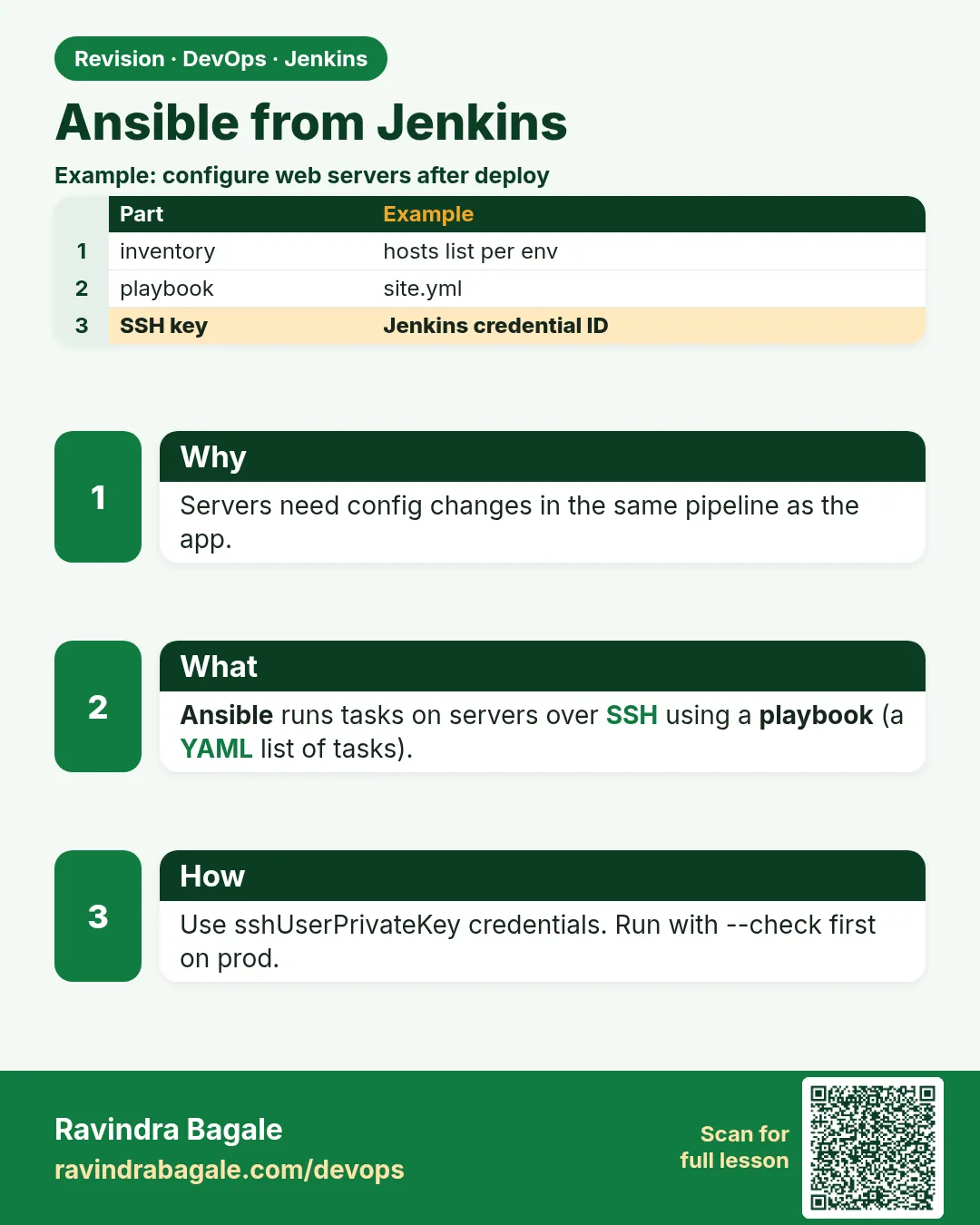 Revision card
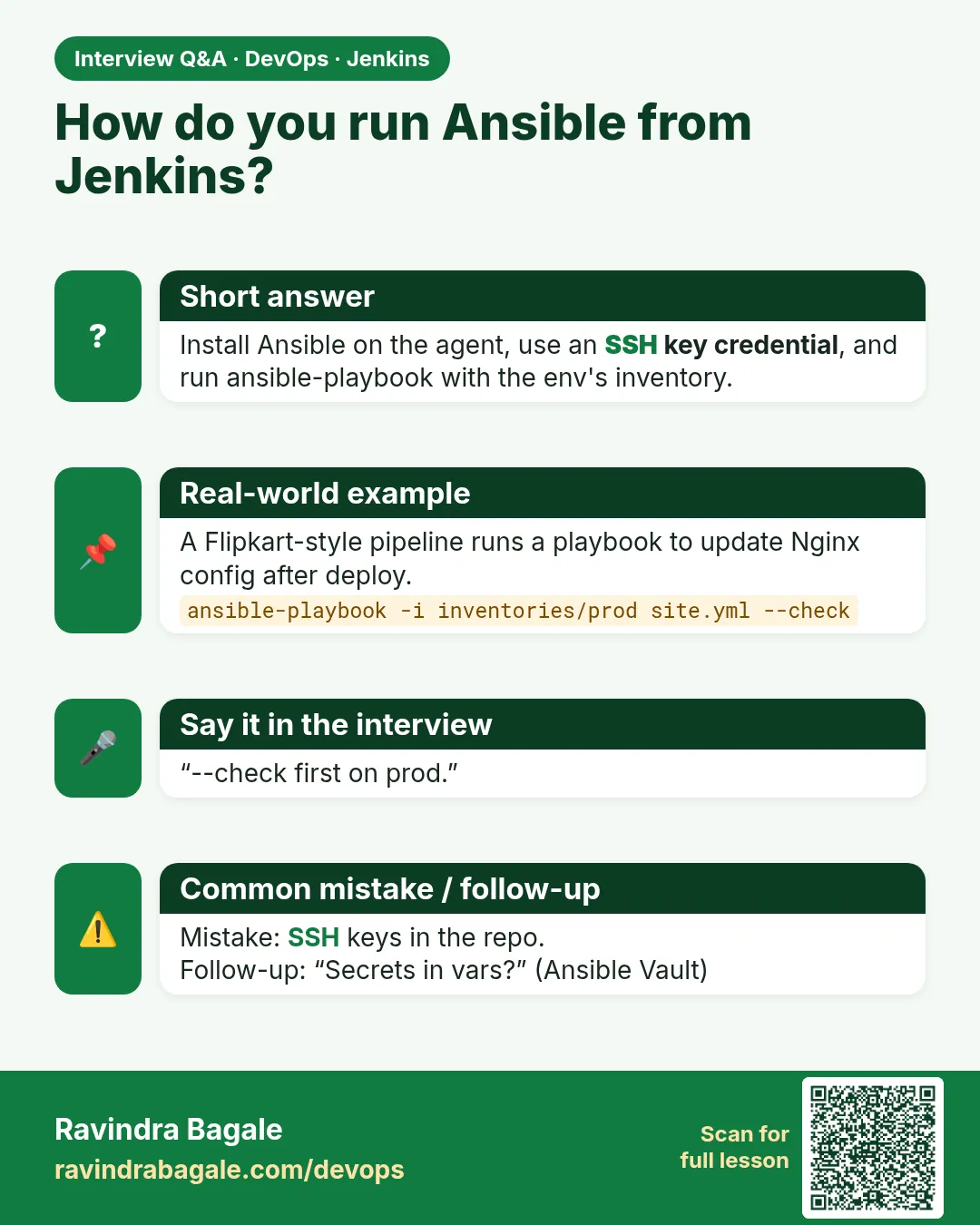 Interview card