Chapter 28: Registries, Kubernetes, Terraform and Ansible from Jenkins
28.3 Kubernetes deploy and rollback
Why: the problem
Think of Ola during the evening rush. The team pushes a new version of the booking service to Kubernetes. Five minutes later, error rates jump. Riders cannot book cabs. Every minute costs money and trust. The team needs two things. First, a deploy that changes pods slowly and stops by itself if new pods are not healthy. Second, a rollback that takes one command and thirty seconds, not a meeting. Kubernetes gives both: rolling updates with readiness probes, kubectl rollout status to wait and check, and kubectl rollout undo to go back. Jenkins ties them together: set the new image, wait for the rollout, run a smoke test, and roll back automatically if anything fails. In this lesson you will build that pipeline on a lab cluster.
What we will build
You will write a Deployment with a readiness probe and a safe rolling update strategy. You will give Jenkins a kubeconfig credential for a service account that can only change one namespace. Then you will write a Jenkinsfile that sets the new image, waits with rollout status, runs a smoke test, and calls rollout undo on failure. You will break a release on purpose and watch the automatic rollback.
What: every term in plain English
- Deployment — A Kubernetes object that keeps a set of identical pods running and manages updates.
- Rolling update — Replacing old pods with new ones a few at a time, so the app stays up.
- maxUnavailable / maxSurge — How many pods may be down, and how many extra may start, during an update.
- Readiness probe — A check Kubernetes runs on each pod. Traffic goes only to ready pods.
- rollout status — A kubectl command that waits until the update finishes or fails.
- rollout undo — Goes back to the previous ReplicaSet, the old version.
- kubeconfig — A file with the cluster address and login. Jenkins keeps it as a secret file credential.
- Service account — A Kubernetes identity for programs like Jenkins, with limited rights through RBAC.
How: step by step
-
Create the namespace and app
kubectl create namespace shop && kubectl -n shop apply -f deploy.yamlWhat it does: Starts version 1 with 3 pods.
Output
deployment.apps/shop-api created service/shop-api created -
Create a deploy service account
kubectl -n shop apply -f jenkins-rbac.yamlWhat it does: Jenkins may only touch deployments in shop.
Output
serviceaccount/jenkins-deployer created rolebinding.rbac.authorization.k8s.io/jenkins-deployer created -
Make a token-based kubeconfig
bash make-kubeconfig.shWhat it does: A small kubeconfig for that account.
Output
kubeconfig-jenkins written -
Save it in Jenkins
Manage Jenkins > Credentials > Add > Secret file > ID kubeconfig-shop > upload kubeconfig-jenkinsWhat it does: Jenkins can use it, nobody can read it in Git.
Output
Credential kubeconfig-shop created -
Test access
KUBECONFIG=kubeconfig-jenkins kubectl -n shop get deployWhat it does: Allowed in shop.
Output
NAME READY UP-TO-DATE AVAILABLE shop-api 3/3 3 3 -
Test the limit
KUBECONFIG=kubeconfig-jenkins kubectl -n kube-system get podsWhat it does: Not allowed outside shop.
Output
Error from server (Forbidden): pods is forbidden -
Run the pipeline
Build with Parameters > TAG=45What it does: Deploys tag 45 and waits.
Output
deployment "shop-api" successfully rolled out
Example 1: A Deployment that updates safely
Stack. Kubernetes (kind or EKS), kubectl
Goal. A Deployment that updates safely.
deploy.yaml
apiVersion: apps/v1
kind: Deployment
metadata:
  name: shop-api
  labels: { app: shop-api }
spec:
  replicas: 3
  revisionHistoryLimit: 5
  strategy:
    type: RollingUpdate
    rollingUpdate: { maxUnavailable: 0, maxSurge: 1 }
  selector:
    matchLabels: { app: shop-api }
  template:
    metadata:
      labels: { app: shop-api }
    spec:
      containers:
        - name: api
          image: ravilab/shop-api:44
          ports: [{ containerPort: 3000 }]
          readinessProbe:
            httpGet: { path: /health, port: 3000 }
            initialDelaySeconds: 5
            periodSeconds: 5
            failureThreshold: 3
          resources:
            requests: { cpu: 100m, memory: 128Mi }
            limits: { memory: 256Mi }
---
apiVersion: v1
kind: Service
metadata:
  name: shop-api
spec:
  selector: { app: shop-api }
  ports: [{ port: 80, targetPort: 3000 }]
What each line does
replicas: 3— Three copies of the app.revisionHistoryLimit: 5— Keeps 5 old versions for rollback.maxUnavailable: 0, maxSurge: 1— Never go below 3 ready pods; add one new pod at a time.readinessProbe httpGet /health— A new pod gets traffic only when /health answers 200.failureThreshold: 3— Three failed checks in a row mark the pod not ready.resources— Requests help scheduling; the memory limit stops one pod eating the node.Service selector app: shop-api— The Service sends traffic to all ready pods with this label.
Green output
$ kubectl -n shop apply -f deploy.yaml
deployment.apps/shop-api created
service/shop-api created
$ kubectl -n shop get pods
NAME                        READY   STATUS    RESTARTS   AGE
shop-api-6d9f7c8b4d-2kx8p   1/1     Running   0          40s
shop-api-6d9f7c8b4d-9qwer   1/1     Running   0          40s
shop-api-6d9f7c8b4d-zt5mn   1/1     Running   0          40s
Expected result. Three ready pods on version 44. Any update will keep all three serving until new pods are ready.
Example 2: Give Jenkins rights to one namespace only
Stack. Kubernetes RBAC
Goal. Give Jenkins rights to one namespace only.
jenkins-rbac.yaml
apiVersion: v1
kind: ServiceAccount
metadata: { name: jenkins-deployer, namespace: shop }
---
apiVersion: rbac.authorization.k8s.io/v1
kind: Role
metadata: { name: deployer, namespace: shop }
rules:
  - apiGroups: ["apps"]
    resources: ["deployments", "replicasets"]
    verbs: ["get", "list", "watch", "patch", "update"]
  - apiGroups: [""]
    resources: ["pods", "services"]
    verbs: ["get", "list", "watch"]
---
apiVersion: rbac.authorization.k8s.io/v1
kind: RoleBinding
metadata: { name: jenkins-deployer, namespace: shop }
subjects: [{ kind: ServiceAccount, name: jenkins-deployer, namespace: shop }]
roleRef: { kind: Role, name: deployer, apiGroup: rbac.authorization.k8s.io }
make-kubeconfig.sh
set -euo pipefail
SERVER=$(kubectl config view --minify -o jsonpath='{.clusters[0].cluster.server}')
CA=$(kubectl config view --raw --minify -o jsonpath='{.clusters[0].cluster.certificate-authority-data}')
TOKEN=$(kubectl -n shop create token jenkins-deployer --duration=720h)
kubectl config --kubeconfig=kubeconfig-jenkins set-cluster lab --server="$SERVER"
kubectl config --kubeconfig=kubeconfig-jenkins set clusters.lab.certificate-authority-data "$CA"
kubectl config --kubeconfig=kubeconfig-jenkins set-credentials jenkins --token="$TOKEN"
kubectl config --kubeconfig=kubeconfig-jenkins set-context shop --cluster=lab --user=jenkins --namespace=shop
kubectl config --kubeconfig=kubeconfig-jenkins use-context shop
echo "kubeconfig-jenkins written"
What each line does
Role in namespace shop— Rights apply only inside shop.verbs get list watch patch update— Enough to change the image and watch the rollout. No delete, no secrets.RoleBinding— Gives the Role to the jenkins-deployer service account.kubectl create token --duration=720h— A token for 30 days. Rotate it monthly. On EKS, prefer IAM roles instead.set-cluster / set-credentials / set-context— Builds a kubeconfig file step by step.certificate-authority-data— Lets kubectl trust the cluster HTTPS certificate.
Green output
serviceaccount/jenkins-deployer created
role.rbac.authorization.k8s.io/deployer created
rolebinding.rbac.authorization.k8s.io/jenkins-deployer created
Cluster "lab" set.
Property "clusters.lab.certificate-authority-data" set.
User "jenkins" set.
Context "shop" created.
Switched to context "shop".
kubeconfig-jenkins written
Expected result. Jenkins gets a kubeconfig that can update shop-api but cannot read secrets or touch other namespaces.
Example 3: Deploy, wait, smoke test, and roll back automatically
Stack. Jenkins, kubectl, Kubernetes
Goal. Deploy, wait, smoke test, and roll back automatically.
Jenkinsfile
pipeline {
  agent { label 'linux-docker' }
  parameters { string(name: 'TAG', defaultValue: '45', description: 'Image tag to deploy') }
  environment { NS = 'shop'; APP = 'shop-api' }
  stages {
    stage('Deploy') {
      steps {
        withCredentials([file(credentialsId: 'kubeconfig-shop', variable: 'KUBECONFIG')]) {
          sh 'kubectl -n $NS set image deployment/$APP api=ravilab/shop-api:$TAG'
          sh 'kubectl -n $NS annotate deployment/$APP kubernetes.io/change-cause="jenkins $BUILD_NUMBER tag $TAG" --overwrite'
          sh 'kubectl -n $NS rollout status deployment/$APP --timeout=120s'
        }
      }
    }
    stage('Smoke test') {
      steps {
        withCredentials([file(credentialsId: 'kubeconfig-shop', variable: 'KUBECONFIG')]) {
          sh 'kubectl -n $NS run smoke-$BUILD_NUMBER --rm -i --restart=Never --image=curlimages/curl -- curl -fsS http://shop-api/health'
        }
      }
    }
  }
  post {
    failure {
      withCredentials([file(credentialsId: 'kubeconfig-shop', variable: 'KUBECONFIG')]) {
        sh 'kubectl -n $NS rollout undo deployment/$APP'
        sh 'kubectl -n $NS rollout status deployment/$APP --timeout=120s'
        sh 'kubectl -n $NS rollout history deployment/$APP | tail -4'
      }
    }
  }
}
What each line does
file(credentialsId: 'kubeconfig-shop', variable: 'KUBECONFIG')— Writes the secret file to a temp path and sets KUBECONFIG to it, only inside the block.set image deployment/shop-api api=...:$TAG— Changes the image of the api container. This starts a rolling update.annotate ... change-cause— Writes the reason into rollout history, so you see which build did it.rollout status --timeout=120s— Waits up to 2 minutes. Fails if new pods never become ready.kubectl run smoke ... curl— A one-time pod calls the Service from inside the cluster. Needs pods create right; add it to the Role or run curl from the agent through an Ingress.post { failure { rollout undo } }— If any stage fails, go back to the previous version and wait for it.
Green output
(good tag 45)
deployment.apps/shop-api image updated
Waiting for deployment "shop-api" rollout to finish: 1 out of 3 new replicas have been updated...
deployment "shop-api" successfully rolled out
{"status":"ok","version":"45"}
Finished: SUCCESS

(broken tag 46, /health returns 500)
Waiting for deployment "shop-api" rollout to finish: 1 out of 3 new replicas have been updated...
error: timed out waiting for the condition
+ kubectl -n shop rollout undo deployment/shop-api
deployment.apps/shop-api rolled back
deployment "shop-api" successfully rolled out
REVISION  CHANGE-CAUSE
3         jenkins 61 tag 46
4         jenkins 60 tag 45
Finished: FAILURE
Expected result. With tag 46 the new pod never got ready, so users never saw it: maxUnavailable 0 kept the old 3 pods serving. Jenkins rolled back and marked the build red.
Verify: did it work?
-
Image now running
kubectl -n shop get deploy shop-api -o jsonpath="{.spec.template.spec.containers[0].image}"What it does: Shows the current image.
Output
ravilab/shop-api:45 -
History has reasons
kubectl -n shop rollout history deployment/shop-apiWhat it does: Each revision has a Jenkins build number.
Output
REVISION  CHANGE-CAUSE
2         jenkins 59 tag 44
4         jenkins 60 tag 45
When it is red 1
error: timed out waiting for the condition
Cause. New pods did not become ready in time: bad image, failing probe, or not enough CPU.
Fix, step by step
- kubectl -n shop get pods and describe the new pod.
- kubectl logs the new pod.
- Fix the app or raise the timeout if it just starts slowly.
When it is red 2
Error from server (Forbidden): deployments.apps "shop-api" is forbidden: User "system:serviceaccount:shop:jenkins-deployer" cannot patch resource
Cause. The Role is missing a verb.
Fix, step by step
- Add patch to the Role verbs.
- kubectl apply the RBAC file again.
When it is red 3
Failed to pull image "ravilab/shop-api:46": manifest unknown
Cause. The tag does not exist in the registry.
Fix, step by step
- Check the push stage succeeded.
- Check spelling of the tag.
- Rollback happens automatically in post failure.
Cleanup
-
Remove the lab app
kubectl delete namespace shopWhat it does: Deletes everything in the namespace.
Output
namespace "shop" deleted
Ravindra Bagale's Tip
Deploy nantar rollout status nakki chalva. Fail zala tar rollout undo aapoaap hoil asa post block theva. Lakshat theva!
Practice tasks
Easy Read rollout history
Why: History is your rollback menu.
What to do: Print history after three deploys.
- kubectl rollout history.
Check: Three revisions with causes.
Medium Undo to a revision
Why: Sometimes you need two steps back.
What to do: Roll back to revision 2.
- kubectl rollout undo --to-revision=2.
Check: The image matches revision 2.
Hard Canary with Argo Rollouts
Why: Big companies test on 10% first.
What to do: Replace the Deployment with an Argo Rollouts canary.
- Install Argo Rollouts.
- Set steps 10%, pause, 100%.
Check: Only some pods get the new version first.
Easy Say Kubernetes deploy and rollback in two lines
Why: If you can say it simply, you understand it. Juniors and interviewers want the short version first.
What to do: Write two short lines about Kubernetes deploy and rollback for a fresher who knows only Linux basics.
- Write what problem it solves.
- Write the one command or menu you use for it.
- Read it aloud to a friend.
Check: A fresher understands it without asking a question.
Easy Start a fresh lab Jenkins
Why: Practice needs a throwaway Jenkins. If you break it, you delete it and start again.
What to do: Run Jenkins LTS in Docker with a named volume.
- docker volume create jenkins_home
- docker run -d --name jenkins -p 8080:8080 -v jenkins_home:/var/jenkins_home jenkins/jenkins:lts-jdk17
- docker exec jenkins cat /var/jenkins_home/secrets/initialAdminPassword
Check: The Jenkins unlock page opens on localhost:8080.
Medium Break it on purpose
Why: You must know the red message by face. During an outage there is no time to read slowly.
What to do: Cause one error from the "When it is red" part of this lesson and fix it.
- Follow the error section.
- Copy the exact message into your notes.
- Write the fix in one line.
Check: You fixed it using only the steps, without searching the web.
Medium Write a one-page runbook
Why: At 2 a.m. nobody remembers where a file lives. A short page saves the on-call person.
What to do: Write a runbook page for this lesson.
- Title, when to use, exact command, how to check, how to undo.
Check: A teammate can follow it alone.
Medium Repeat it on a cloud VM
Why: A laptop is not a server. Real Jenkins runs on EC2 or a company VM.
What to do: Do the main steps of this lesson again on a small Ubuntu 22.04 EC2 instance.
- Launch t3.small with 20 GB disk.
- Open port 22 only to your IP.
- Repeat the steps and compare the output.
Check: Same green output on the VM as on your laptop.
Hard Explain it like an interview
Why: Interviewers want real stories, not definitions.
What to do: Record a 60 second answer about this lesson.
- Say the problem, the command you ran, and one error you hit.
Check: Your answer has a real command and a real error message.
Hard Draw the flow top to bottom
Why: A drawing shows who talks to whom and in what order.
What to do: Draw this lesson as boxes from top to bottom.
- Start at the developer push, go through the controller and agent, end at the result.
Check: Each box matches a real thing you saw on screen.
Homework: try at home
Try at home
At home, deploy a good tag, then a tag with a broken /health, and watch the automatic rollback. Then rollback by hand to a specific revision with kubectl rollout undo --to-revision=2.
Recap
- Use readiness probes and maxUnavailable 0 for safe rolling updates.
- Jenkins uses a kubeconfig secret file for a namespace-limited service account.
- set image, then rollout status with a timeout.
- Smoke test after deploy.
- rollout undo in post failure gives automatic rollback.
FAQ
Should Jenkins use kubectl apply or set image?
apply with full manifests from Git is better for teams; set image is simple for labs. Helm (next lesson) is common too.
Is rollback always safe?
For stateless apps yes. Database changes need backward compatible migrations.
What about GitOps?
Tools like Argo CD deploy from Git; Jenkins only updates the image tag in Git.
How long should rollout timeout be?
A bit more than your slowest normal startup, often 2 to 5 minutes.
Can Jenkins use EKS without a token?
Yes, with an IAM role mapped through EKS access entries.
Interview questions
-
How do you deploy to Kubernetes from Jenkins?
Use a limited kubeconfig credential, update the image with kubectl set image or apply manifests, wait with rollout status, run smoke tests.
-
How do you roll back a Kubernetes deployment?
kubectl rollout undo, optionally --to-revision. Automate it in the pipeline post failure block.
-
How do you make rolling updates zero downtime?
Readiness probes, maxUnavailable 0, enough replicas, graceful shutdown and preStop hooks.
-
How do you limit what Jenkins can do in a cluster?
RBAC Role and RoleBinding for a service account in one namespace with only needed verbs.
-
What does change-cause give you?
A readable reason in rollout history that links each revision to a build.
Quick quiz
Q1. Which command waits for a rollout?
kubectl rollout status.
Q2. Which command goes back one version?
kubectl rollout undo.
Q3. Why maxUnavailable 0?
So the app never has fewer ready pods than wanted during an update.
Q4. What does a readiness probe protect?
Traffic only goes to pods that are ready.
Q5. How does Jenkins get kubectl access safely?
A secret file kubeconfig credential for a limited service account.
Samajla ka?
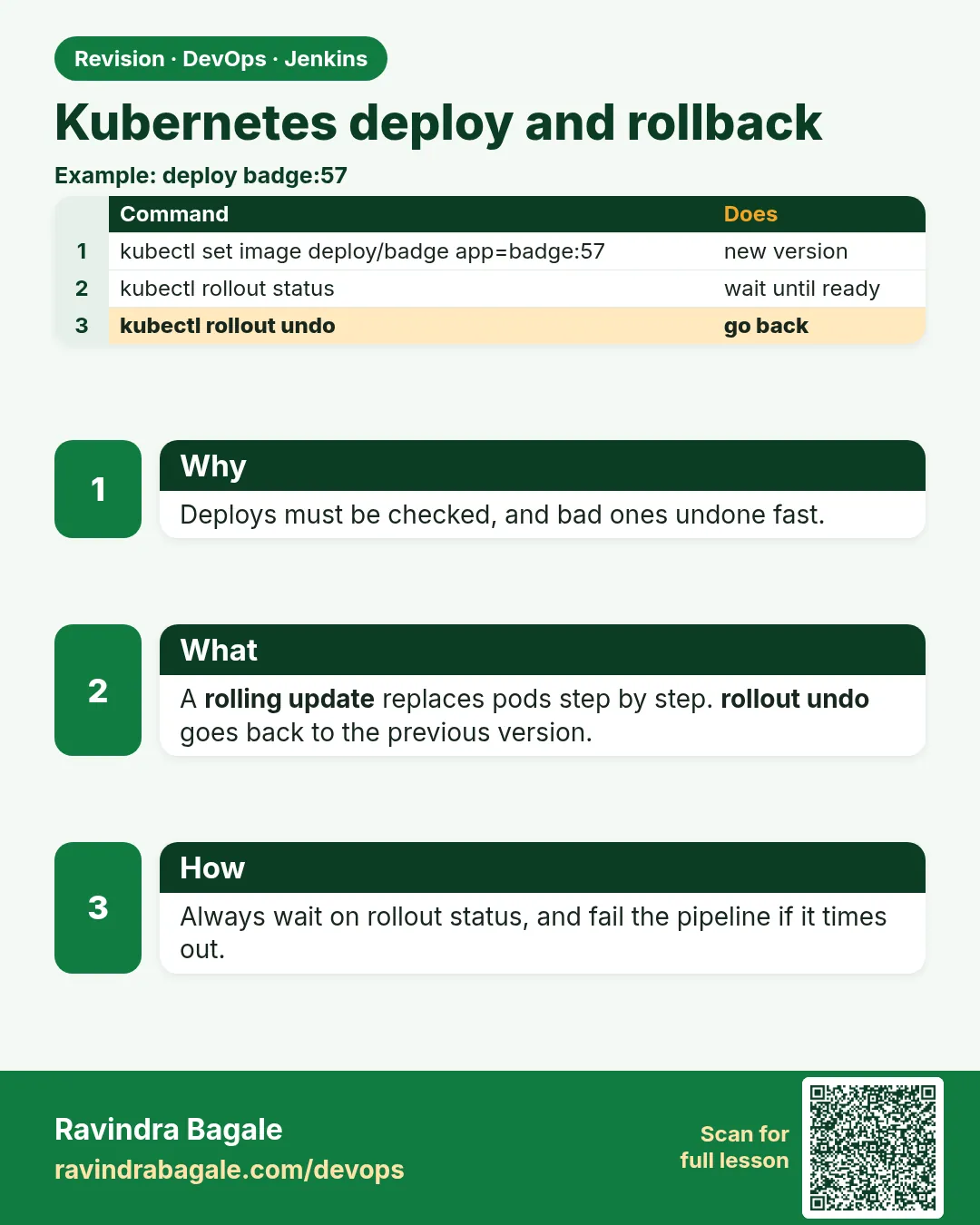 Revision card
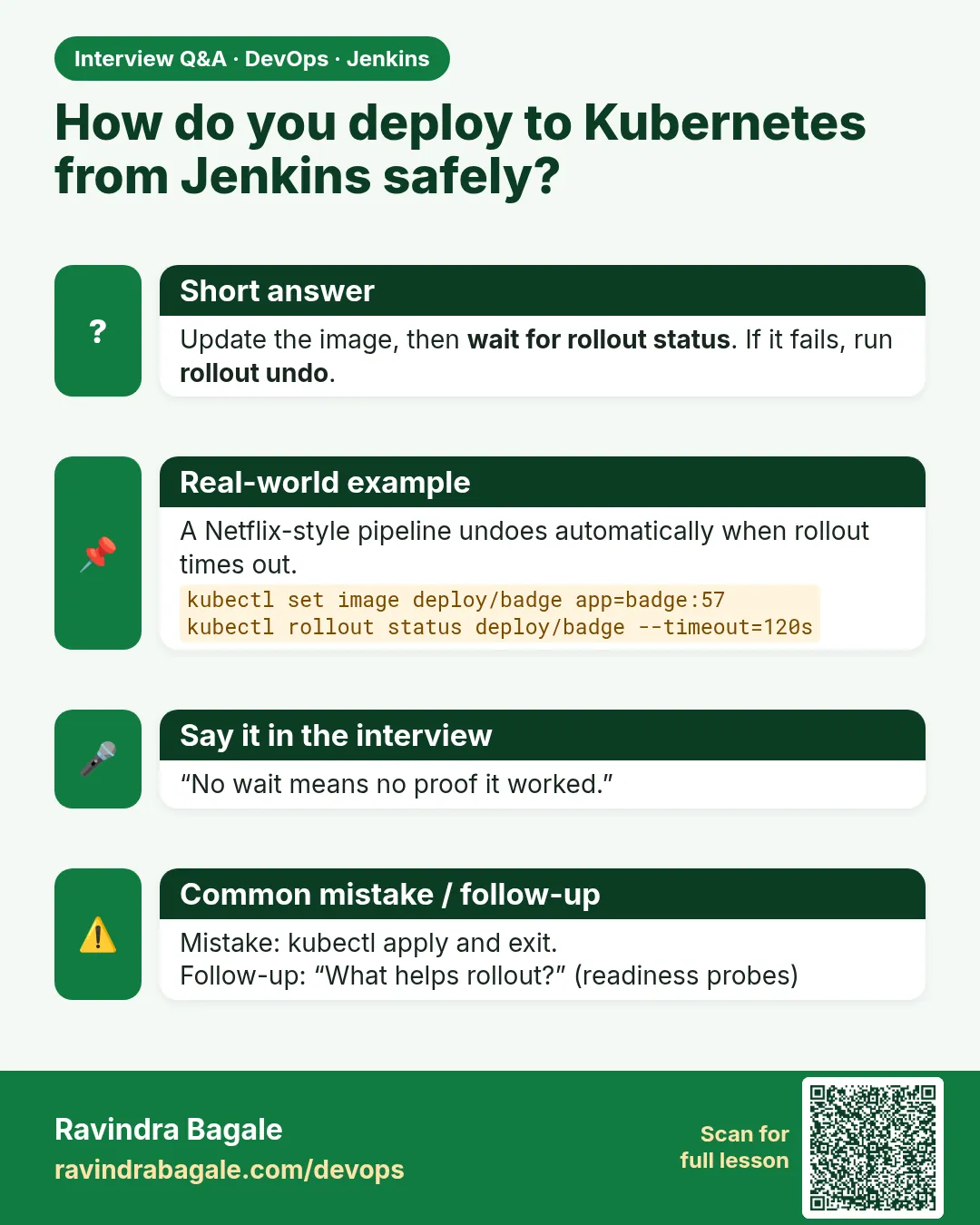 Interview card
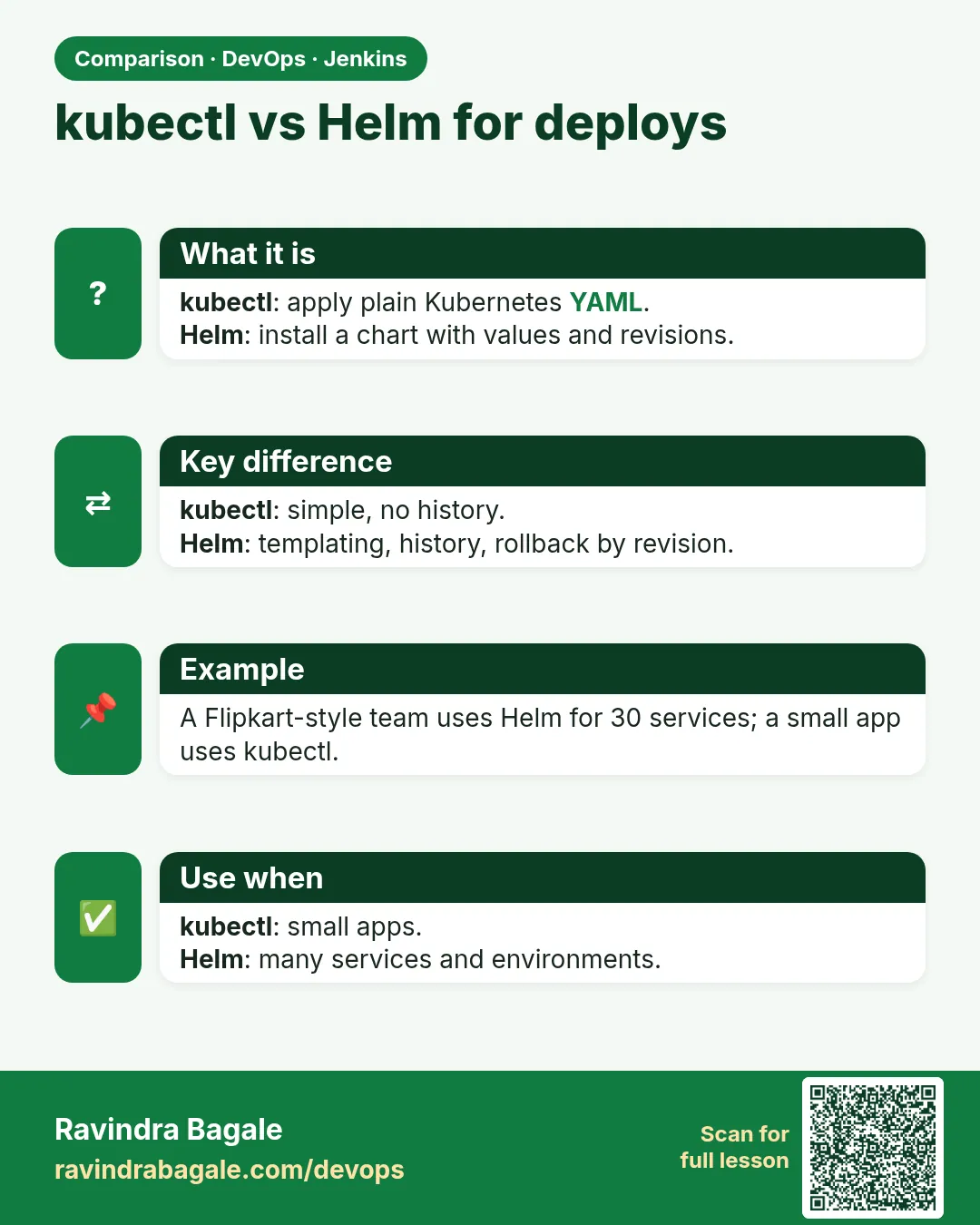 Comparison card