Chapter 28: Registries, Kubernetes, Terraform and Ansible from Jenkins
28.2 AWS without a permanent key in Jenkins
Why: the problem
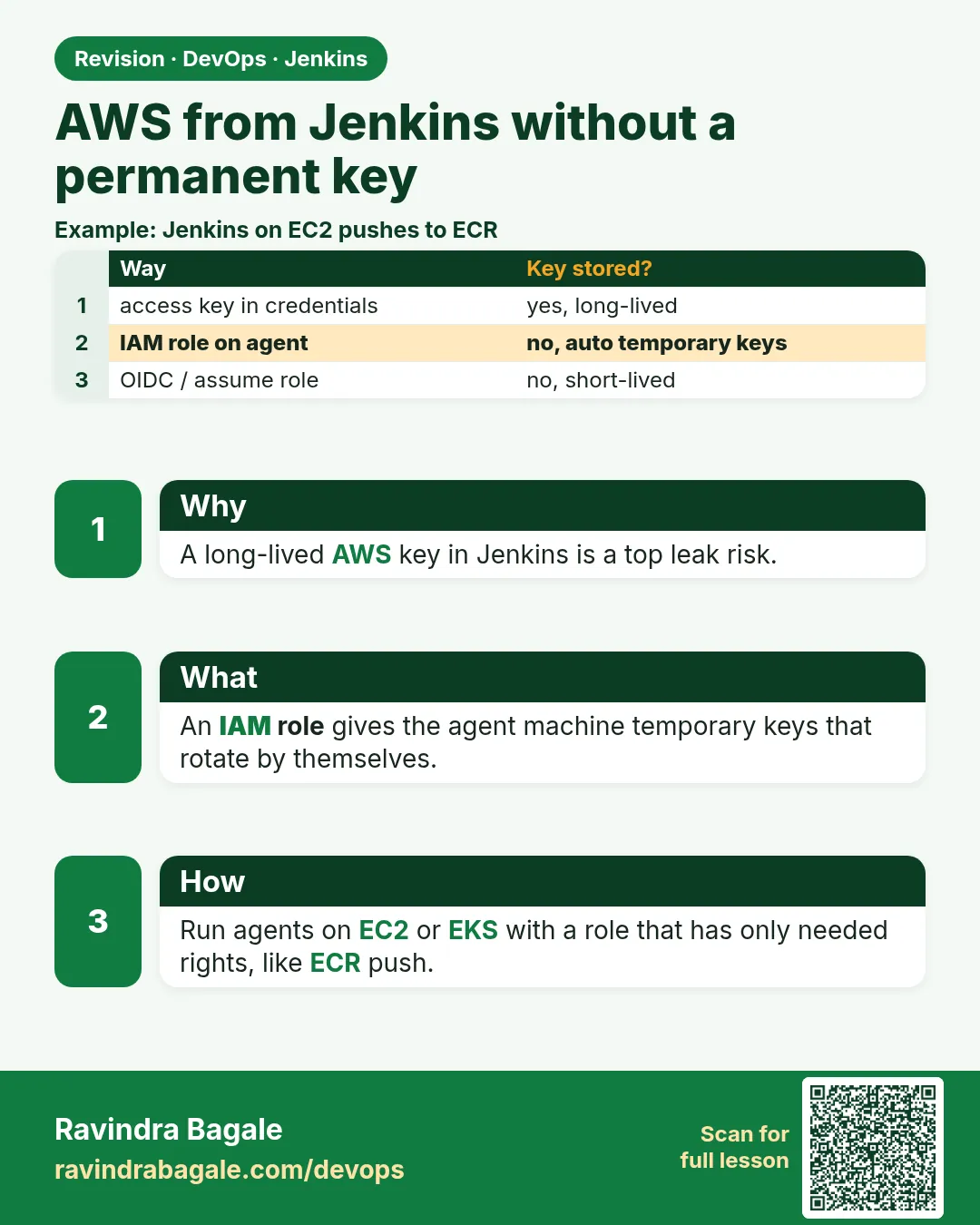
Think of a startup that stored one AWS access key in its Jenkins job as plain text. A contractor copied the job config to show a friend. Two days later the key was used to start 80 GPU servers for crypto mining. The AWS bill was more than the company earned that month. This happens every week somewhere in the world. A permanent access key is like a house key that never expires: if it leaks once, it works forever. AWS gives better options. If Jenkins agents run on EC2, attach an IAM role to the instance; AWS gives short tokens that change every hour. If Jenkins must work in another account, assume a role with STS. If Jenkins runs outside AWS, use OpenID Connect so the cloud trusts Jenkins without any stored key. In this lesson you will remove keys from Jenkins and use roles instead.
What we will build
You will create an IAM role for a Jenkins agent EC2 instance with only ECR push and one S3 bucket. You will attach it and prove the agent gets temporary credentials. Then you will assume a deploy role in a second account from a pipeline, with a session name that shows the build. Finally you will see the shape of the AWS Credentials plugin, for the case where a key is unavoidable, with tight limits.
What: every term in plain English
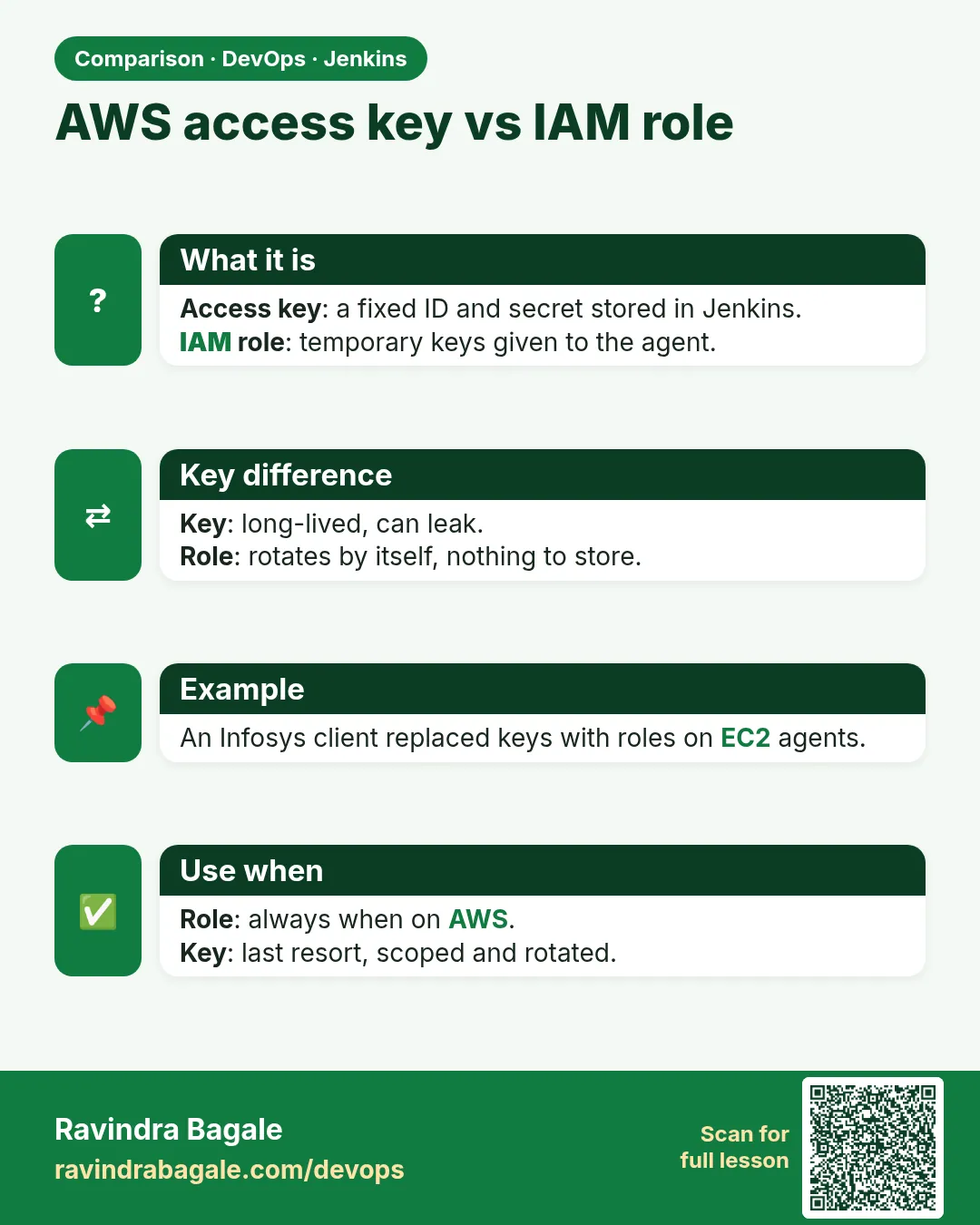
- Access key — A permanent AWS key ID and secret. Dangerous if leaked. Avoid in CI.
- IAM role — A set of permissions that a machine or person can wear for a short time.
- Instance profile — The wrapper that attaches a role to an EC2 instance.
- STS — AWS Security Token Service. It gives temporary credentials.
- AssumeRole — Asking STS for short credentials of another role, maybe in another account.
- Session name — A label on temporary credentials. Shows in CloudTrail who did what.
- Least privilege — Only the actions and resources needed, nothing more.
- CloudTrail — AWS log of every API call. You use it to see what Jenkins did.
How: step by step
-
Write the trust policy
nano trust-ec2.jsonWhat it does: Says EC2 may wear this role.
Output
(file saved) -
Create the role
aws iam create-role --role-name jenkins-agent-role --assume-role-policy-document file://trust-ec2.jsonWhat it does: The role exists, no permissions yet.
Output
"Arn": "arn:aws:iam::123456789012:role/jenkins-agent-role" -
Attach a small policy
aws iam put-role-policy --role-name jenkins-agent-role --policy-name ci-push --policy-document file://ci-push.jsonWhat it does: Only ECR push and one S3 bucket.
Output
(no output) -
Make an instance profile
aws iam create-instance-profile --instance-profile-name jenkins-agent && aws iam add-role-to-instance-profile --instance-profile-name jenkins-agent --role-name jenkins-agent-roleWhat it does: The wrapper EC2 needs.
Output
"InstanceProfileName": "jenkins-agent" -
Attach to the agent
aws ec2 associate-iam-instance-profile --instance-id i-0abc123def4567890 --iam-instance-profile Name=jenkins-agentWhat it does: The running agent now has the role.
Output
"State": "associating" -
Check from the agent
aws sts get-caller-identityWhat it does: No keys on disk, still works.
Output
"Arn": "arn:aws:sts::123456789012:assumed-role/jenkins-agent-role/i-0abc123def4567890" -
Delete old keys
aws iam list-access-keys --user-name jenkins-old && aws iam delete-access-key --user-name jenkins-old --access-key-id AKIAEXAMPLEOLDKEY01What it does: Remove the permanent key forever.
Output
(no output)
Example 1: A least-privilege role for a Jenkins agent
Stack. AWS IAM, EC2 Jenkins agent
Goal. A least-privilege role for a Jenkins agent.
trust-ec2.json
{
  "Version": "2012-10-17",
  "Statement": [{
    "Effect": "Allow",
    "Principal": { "Service": "ec2.amazonaws.com" },
    "Action": "sts:AssumeRole"
  }]
}
ci-push.json
{
  "Version": "2012-10-17",
  "Statement": [
    { "Effect": "Allow", "Action": "ecr:GetAuthorizationToken", "Resource": "*" },
    { "Effect": "Allow",
      "Action": ["ecr:BatchCheckLayerAvailability","ecr:InitiateLayerUpload","ecr:UploadLayerPart","ecr:CompleteLayerUpload","ecr:PutImage","ecr:BatchGetImage"],
      "Resource": "arn:aws:ecr:ap-south-1:123456789012:repository/shop-*" },
    { "Effect": "Allow", "Action": ["s3:PutObject","s3:GetObject"],
      "Resource": "arn:aws:s3:::shop-ci-artifacts/*" }
  ]
}
What each line does
Principal Service ec2.amazonaws.com— Only EC2 instances can wear this role.ecr:GetAuthorizationToken on *— Needed for docker login. AWS does not allow limiting it to one repo.ECR upload actions— Exactly what docker push needs, nothing like delete.repository/shop-*— Only repos whose names start with shop-.s3:PutObject on one bucket— Jenkins can upload artifacts to one bucket only.No iam:* or ec2:*— Even if Jenkins is hacked, it cannot make users or start servers.
Green output
$ aws iam get-role-policy --role-name jenkins-agent-role --policy-name ci-push --query PolicyName
"ci-push"
(on the agent)
$ ls ~/.aws/credentials
ls: cannot access '/home/jenkins/.aws/credentials': No such file or directory
$ aws ecr describe-repositories --query "repositories[].repositoryName"
["shop-api","shop-web"]
Expected result. No key file anywhere, yet the agent can push to shop repos. Try aws ec2 run-instances: it fails with AccessDenied, as it should.
Example 2: Assume a deploy role in another account from the pipeline
Stack. AWS STS, ECS, Pipeline Utility Steps plugin
Goal. Assume a deploy role in another account from the pipeline.
Jenkinsfile
pipeline {
  agent { label 'linux-docker' }
  environment { DEPLOY_ROLE = 'arn:aws:iam::210987654321:role/jenkins-deploy-prod' }
  stages {
    stage('Assume role') {
      steps {
        script {
          def out = sh(returnStdout: true, script: """aws sts assume-role --role-arn ${DEPLOY_ROLE} --role-session-name jenkins-${env.JOB_BASE_NAME}-${env.BUILD_NUMBER} --duration-seconds 900 --query Credentials --output json""").trim()
          def c = readJSON text: out
          env.AWS_ACCESS_KEY_ID = c.AccessKeyId
          env.AWS_SECRET_ACCESS_KEY = c.SecretAccessKey
          env.AWS_SESSION_TOKEN = c.SessionToken
        }
        sh 'aws sts get-caller-identity --query Arn --output text'
      }
    }
    stage('Deploy') {
      steps { sh 'aws ecs update-service --cluster prod --service shop-api --force-new-deployment --region ap-south-1 --query service.serviceName' }
    }
  }
}
trust in prod account (jenkins-deploy-prod)
{
  "Version": "2012-10-17",
  "Statement": [{
    "Effect": "Allow",
    "Principal": { "AWS": "arn:aws:iam::123456789012:role/jenkins-agent-role" },
    "Action": "sts:AssumeRole"
  }]
}
What each line does
assume-role --role-arn— Asks STS for credentials of the prod deploy role.--role-session-name jenkins-JOB-BUILD— CloudTrail will show exactly which build did each action.--duration-seconds 900— Credentials die after 15 minutes.readJSON— Pipeline Utility Steps plugin step that reads JSON text.env.AWS_SESSION_TOKEN— Temporary credentials need all three values.Principal AWS jenkins-agent-role— Prod trusts only the Jenkins agent role, not anyone else.
Green output
+ aws sts get-caller-identity --query Arn --output text
arn:aws:sts::210987654321:assumed-role/jenkins-deploy-prod/jenkins-shop-api-57
+ aws ecs update-service --cluster prod --service shop-api --force-new-deployment
"shop-api"
Finished: SUCCESS
Expected result. Jenkins acted in the prod account for 15 minutes only. CloudTrail shows session jenkins-shop-api-57.
Example 3: When a key is unavoidable: AWS Credentials plugin with limits
Stack. Jenkins AWS Credentials plugin, S3
Goal. When a key is unavoidable: AWS Credentials plugin with limits.
Jenkinsfile
pipeline {
  agent any
  stages {
    stage('Upload report') {
      steps {
        withCredentials([[$class: 'AmazonWebServicesCredentialsBinding', credentialsId: 'aws-report-uploader']]) {
          sh 'aws s3 cp report.html s3://shop-ci-reports/$JOB_NAME/$BUILD_NUMBER/report.html --region ap-south-1'
        }
      }
    }
  }
}
limit-key-policy.json
{
  "Version": "2012-10-17",
  "Statement": [{
    "Effect": "Allow",
    "Action": "s3:PutObject",
    "Resource": "arn:aws:s3:::shop-ci-reports/*",
    "Condition": { "IpAddress": { "aws:SourceIp": "203.0.113.10/32" } }
  }]
}
What each line does
$class: 'AmazonWebServicesCredentialsBinding'— Binds a saved AWS key pair into the standard AWS env vars only inside the block.credentialsId: 'aws-report-uploader'— The key is stored encrypted in Jenkins, not in Git.s3:PutObject only— The key can only upload to one bucket.aws:SourceIp 203.0.113.10/32— Works only from the Jenkins public IP. A leaked key is useless elsewhere.Rotate— Make a new key every 90 days and delete the old one.
Green output
+ aws s3 cp report.html s3://shop-ci-reports/shop-api/58/report.html --region ap-south-1
upload: ./report.html to s3://shop-ci-reports/shop-api/58/report.html
Expected result. Even this last option limits damage: one action, one bucket, one IP. Prefer roles whenever you can.
Verify: did it work?
-
No key files on agents
sudo find / -name credentials -path "*.aws*" 2>/dev/nullWhat it does: Should print nothing on role-based agents.
Output
(no output) -
See what Jenkins did
aws cloudtrail lookup-events --lookup-attributes AttributeKey=Username,AttributeValue=jenkins-shop-api-57 --max-results 5 --query "Events[].EventName"What it does: Lists the API calls made by that build session.
Output
["UpdateService","AssumeRole"]
When it is red 1
Unable to locate credentials. You can configure credentials by running "aws configure".
Cause. The agent has no role attached, or it runs outside EC2.
Fix, step by step
- Attach the instance profile to the agent.
- For containers on EC2, allow IMDS hop limit 2.
- Outside AWS, use OIDC or assume role from a base identity.
When it is red 2
An error occurred (AccessDenied) when calling the AssumeRole operation
Cause. The target role does not trust the Jenkins role, or the Jenkins role cannot call sts:AssumeRole.
Fix, step by step
- Check the trust policy Principal ARN.
- Add sts:AssumeRole on that role ARN to the Jenkins role.
When it is red 3
ExpiredToken: The security token included in the request is expired
Cause. The deploy took longer than the session duration.
Fix, step by step
- Raise --duration-seconds (up to the role max).
- Assume the role again right before long steps.
Cleanup
-
Detach the lab role
aws ec2 disassociate-iam-instance-profile --association-id iip-assoc-0123456789abcdef0What it does: Removes the role from the lab agent.
Output
"State": "disassociating"
Ravindra Bagale's Tip
Kayamchi AWS key mhanje kadhi na sampnari chavi. Role vapra, session lahan theva. Lakshat theva!
Practice tasks
Easy Find keys
Why: You cannot fix what you cannot see.
What to do: List AWS credentials in Jenkins.
- Manage Jenkins > Credentials.
- Write each ID.
Check: A full list.
Medium Attach a role
Why: Roles replace keys.
What to do: Attach jenkins-agent-role to a lab agent.
- Create the profile.
- Associate it.
- get-caller-identity.
Check: The ARN shows assumed-role.
Hard OIDC for Jenkins
Why: Even agents outside AWS can go keyless.
What to do: Set up the OIDC Provider plugin and an IAM OIDC identity provider.
- Install the plugin.
- Create the IAM provider.
- AssumeRoleWithWebIdentity.
Check: A build gets credentials with no stored key.
Easy Say AWS access without permanent keys in two lines
Why: If you can say it simply, you understand it. Juniors and interviewers want the short version first.
What to do: Write two short lines about AWS access without permanent keys for a fresher who knows only Linux basics.
- Write what problem it solves.
- Write the one command or menu you use for it.
- Read it aloud to a friend.
Check: A fresher understands it without asking a question.
Easy Start a fresh lab Jenkins
Why: Practice needs a throwaway Jenkins. If you break it, you delete it and start again.
What to do: Run Jenkins LTS in Docker with a named volume.
- docker volume create jenkins_home
- docker run -d --name jenkins -p 8080:8080 -v jenkins_home:/var/jenkins_home jenkins/jenkins:lts-jdk17
- docker exec jenkins cat /var/jenkins_home/secrets/initialAdminPassword
Check: The Jenkins unlock page opens on localhost:8080.
Medium Break it on purpose
Why: You must know the red message by face. During an outage there is no time to read slowly.
What to do: Cause one error from the "When it is red" part of this lesson and fix it.
- Follow the error section.
- Copy the exact message into your notes.
- Write the fix in one line.
Check: You fixed it using only the steps, without searching the web.
Medium Write a one-page runbook
Why: At 2 a.m. nobody remembers where a file lives. A short page saves the on-call person.
What to do: Write a runbook page for this lesson.
- Title, when to use, exact command, how to check, how to undo.
Check: A teammate can follow it alone.
Medium Repeat it on a cloud VM
Why: A laptop is not a server. Real Jenkins runs on EC2 or a company VM.
What to do: Do the main steps of this lesson again on a small Ubuntu 22.04 EC2 instance.
- Launch t3.small with 20 GB disk.
- Open port 22 only to your IP.
- Repeat the steps and compare the output.
Check: Same green output on the VM as on your laptop.
Hard Explain it like an interview
Why: Interviewers want real stories, not definitions.
What to do: Record a 60 second answer about this lesson.
- Say the problem, the command you ran, and one error you hit.
Check: Your answer has a real command and a real error message.
Hard Draw the flow top to bottom
Why: A drawing shows who talks to whom and in what order.
What to do: Draw this lesson as boxes from top to bottom.
- Start at the developer push, go through the controller and agent, end at the result.
Check: Each box matches a real thing you saw on screen.
Homework: try at home
Try at home
At home, list every AWS key stored in your Jenkins credentials. For each one, write where it is used and whether an instance role or assume-role can replace it. Replace one.
Recap
- Never store permanent AWS keys in Jenkinsfiles or plain job config.
- EC2 agents should use an IAM role through an instance profile.
- Use STS assume-role for other accounts, with short duration and a session name.
- Keep policies least privilege.
- If a key is unavoidable, limit it by action, resource and IP, and rotate it.
FAQ
Is a key in Jenkins credentials safe?
Safer than Git, but still permanent. Prefer roles.
Do Kubernetes agents need keys?
No. On EKS use IRSA or EKS Pod Identity.
Can I see which build used AWS?
Yes, with session names in CloudTrail.
What about Azure and GCP?
Same idea: managed identity on Azure, workload identity on GCP.
How long can an assumed role session last?
15 minutes to 12 hours, up to the role maximum.
Interview questions
-
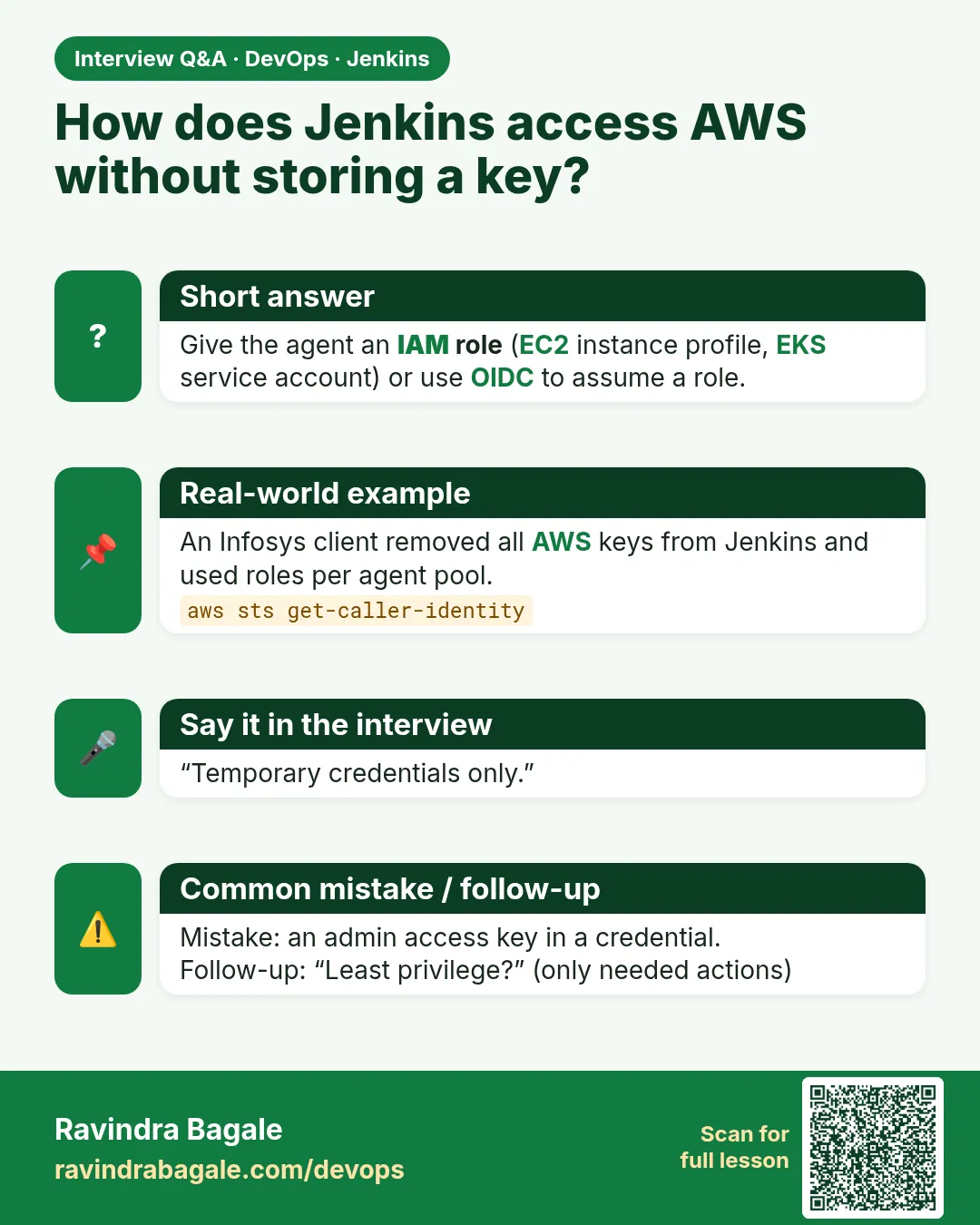
How do you give Jenkins AWS access securely?
IAM roles on agents, STS assume-role for other accounts, or OIDC federation. No long-lived keys in Jenkins or Git.
-
What is an instance profile?
The container that attaches an IAM role to an EC2 instance so it gets temporary credentials from the metadata service.
-
How do you deploy to multiple AWS accounts from one Jenkins?
A base role on the agent assumes a deploy role in each target account; each target trusts only that base role.
-
How do you audit actions done by Jenkins?
CloudTrail, filtered by role session names that include the job and build number.
-
What would you do if a key leaked?
Deactivate and delete it at once, check CloudTrail for misuse, rotate other secrets, and move to roles.
Quick quiz
Q1. Why are permanent keys risky in CI?
A leak works forever until someone deletes the key.
Q2. How does an EC2 agent get AWS access without keys?
An IAM role via an instance profile.
Q3. Which service gives temporary credentials?
STS.
Q4. Why set a role session name?
CloudTrail shows which build did each action.
Q5. What three env vars hold temporary credentials?
AWS_ACCESS_KEY_ID, AWS_SECRET_ACCESS_KEY, AWS_SESSION_TOKEN.
Samajla ka?
 Revision card
 Interview card
 Comparison card