Chapter 26: Jenkins Security, RBAC and Hardening
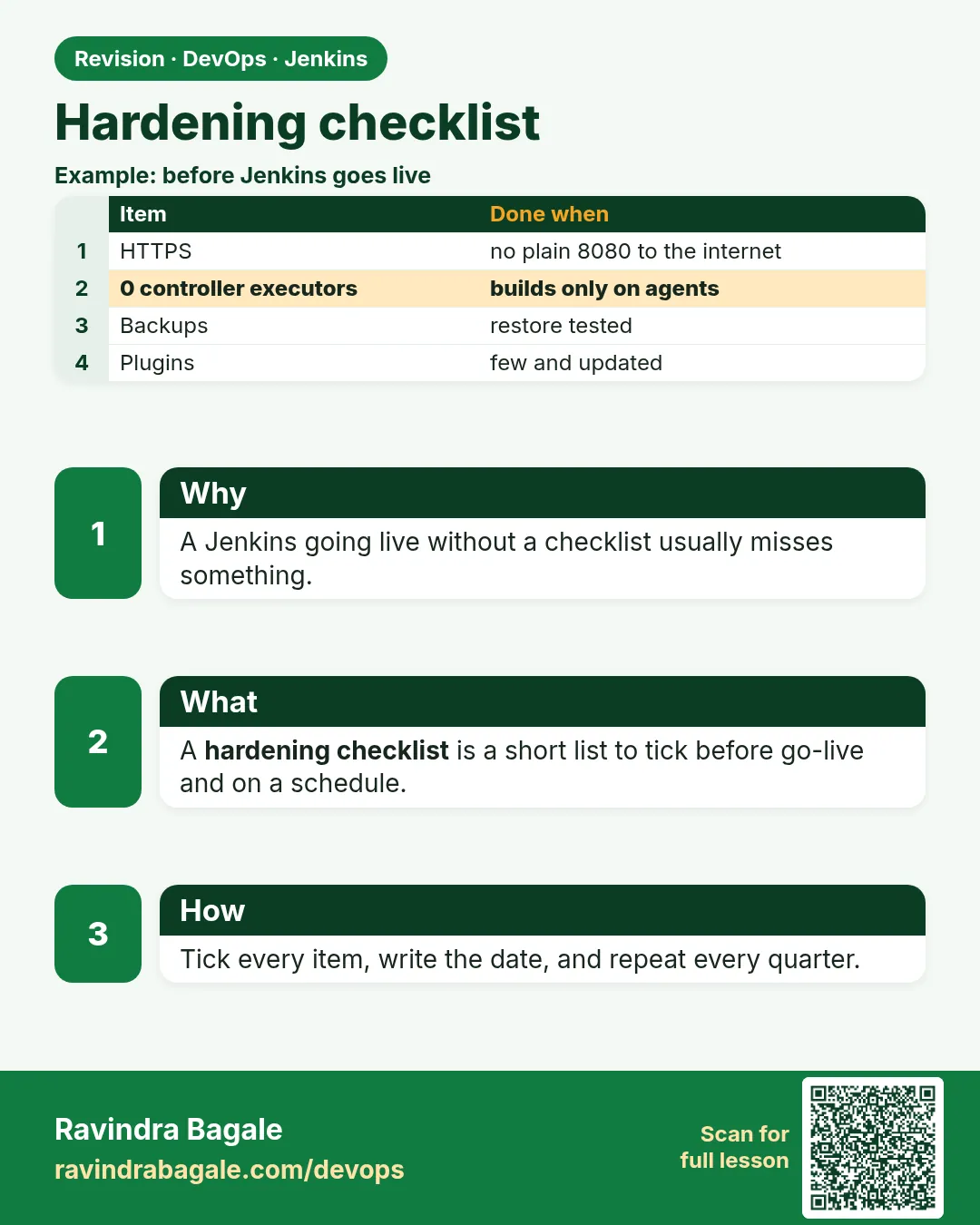
26.7 Hardening checklist
Why: the problem
Think of HDFC Bank. Before an auditor or a customer demo, the team does not want to say "I think Jenkins is safe". They want a list with ticks and proof. This lesson joins all the earlier lessons into one hardening checklist. Each line has a check you can run, a good result, and a fix. You will also turn the main settings into Configuration as Code, so a new Jenkins starts hardened from minute one, and a weekly job checks that nothing drifted. Hardening is not a one-day task. Plugins change, people join and leave, and someone always clicks something at midnight. A checklist plus an automatic check is how real teams stay safe.
What we will build
You will build checklist.md with twelve lines. You will write harden-check.sh that tests most lines with curl and prints PASS or FAIL. You will put the security settings in jenkins.yaml and start a new Jenkins from it. Finally you will add a weekly Jenkins job that runs the check and fails if anything drifted.
What: every term in plain English
- Hardening checklist — A short list of security checks with a clear pass rule for each.
- Configuration as Code (JCasC) — A YAML file that sets Jenkins settings. Kept in Git and applied at start.
- Drift — When real settings slowly move away from the agreed settings.
- Break-glass account — One emergency admin account kept in a vault, used only when SSO is down.
- Audit log — A record of who changed what. The Audit Trail plugin writes it.
- Backup — A copy of jenkins_home to restore from after a mistake or attack.
- Markup formatter — How Jenkins shows text in descriptions. Safe HTML or plain text stops script injection.
- Disabled CLI over remoting — The old CLI protocol is removed in modern Jenkins; use the HTTP or SSH CLI with tokens.
How: step by step
-
Write the checklist
nano checklist.mdWhat it does: Twelve lines, each with check, good result, fix.
Output
(file saved) -
Write the checker
nano harden-check.shWhat it does: curl checks for the lines that can be tested from outside.
Output
(file saved) -
Run it on the lab
bash harden-check.sh http://localhost:8080What it does: Shows PASS and FAIL lines.
Output
PASS anonymous blocked FAIL markup formatter is raw HTML -
Fix the FAIL lines
Manage Jenkins > Security > Markup Formatter: Safe HTMLWhat it does: Each FAIL gets the fix from the checklist.
Output
Saved -
Export the settings
Manage Jenkins > Configuration as Code > View ConfigurationWhat it does: Copy the security parts into jenkins.yaml in Git.
Output
jenkins: securityRealm: ... -
Start a new Jenkins from YAML
docker run -d --name j26b -p 8082:8080 -e CASC_JENKINS_CONFIG=/casc/jenkins.yaml -v $PWD/casc:/casc:ro jenkins-hardened:ltsWhat it does: The new Jenkins is hardened from the first start.
Output
Configuration as Code: configuration applied -
Add the weekly check job
New Item > harden-check > Pipeline > Build periodically H 6 * * 1What it does: Runs every Monday morning and fails on drift.
Output
Saved
Example 1: The twelve-line hardening checklist
Stack. Markdown
Goal. The twelve-line hardening checklist.
checklist.md
#  Check                                   Good result                         Fix
1  Login page before dashboard              /api/json gives 403 anonymous       Security realm on, anonymous read off
2  Self signup off                          /signup gives 404                   Untick Allow users to sign up
3  HTTPS only                               http redirects to https             nginx 301 + certificate
4  Port 8080 private                        no answer from outside              Bind 127.0.0.1, security group
5  SSO or LDAP with groups                  whoAmI shows groups                 Realm LDAP or OIDC
6  Role-based access                        access report matches plan          Role Strategy + JCasC
7  Admins two or three only                 admin role lists 2-3 groups/users   Remove extra admins
8  Built-in executors 0                     numExecutors 0                      Configure Built-In Node
9  CSRF on                                  crumbIssuer answers                 Default Crumb Issuer
10 Plugins current, no warnings             Updates page has no red             Monthly patch after backup
11 Script approvals reviewed                no risky signatures                 Remove, use steps or library
12 Backup tested                            restore drill done this quarter     Nightly backup + restore test
What each line does
Check— What you look at.Good result— The exact thing that means PASS.Fix— The one action that turns FAIL into PASS.Lines 1-4— Network and login.Lines 5-7— Who has access.Lines 8-12— Builds, plugins, scripts and recovery.
Green output
Checklist reviewed on 2026-10-25 by ravi
PASS 11 / 12
FAIL 12 Backup tested -> restore drill booked for Friday
Expected result. One page anyone can read. Print it before every demo and audit.
Example 2: An automatic checker for the lines you can test from outside
Stack. bash, curl, jq
Goal. An automatic checker for the lines you can test from outside.
harden-check.sh
#!/usr/bin/env bash
set -uo pipefail
J="${1:-http://localhost:8080}"
fails=0
ok()  { echo "PASS $1"; }
bad() { echo "FAIL $1"; fails=$((fails+1)); }
code() { curl -s -o /dev/null -w "%{http_code}" "$@"; }
[ "$(code "$J/api/json")" = "403" ] && ok "anonymous blocked" || bad "anonymous blocked"
[ "$(code "$J/signup")" = "404" ]   && ok "signup off"        || bad "signup off"
[ "$(code "$J/script")" = "403" ]   && ok "script console closed" || bad "script console closed"
n=$(curl -s -u "$ADMIN" "$J/computer/(built-in)/api/json" | jq .numExecutors)
[ "$n" = "0" ] && ok "built-in executors 0" || bad "built-in executors $n"
c=$(code -u "$ADMIN" "$J/crumbIssuer/api/json")
[ "$c" = "200" ] && ok "csrf on" || bad "csrf on ($c)"
w=$(curl -s -u "$ADMIN" "$J/pluginManager/api/json?depth=1&tree=plugins[hasUpdate]" | jq "[.plugins[]|select(.hasUpdate)]|length")
[ "$w" = "0" ] && ok "plugins current" || bad "plugins with updates: $w"
echo "fails=$fails"
exit $fails
What each line does
fails=0 ... exit $fails— Exit code is the number of FAIL lines. Zero means all good, so Jenkins marks the job green.code "$J/api/json"— Anonymous call. Must be 403.$ADMIN— Admin user:token for the checks that need login. Read from a credential in Jenkins.numExecutors— Must be 0 on the built-in node.crumbIssuer 200— CSRF protection is on.hasUpdate— Counts plugins with a newer version.
Green output
PASS anonymous blocked
PASS signup off
PASS script console closed
PASS built-in executors 0
PASS csrf on
FAIL plugins with updates: 2
fails=1
Expected result. One FAIL tells you exactly what to patch this week.
Example 3: Run the checker every week as a Jenkins job, with the admin token from credentials
Stack. Jenkins Pipeline, Mailer plugin
Goal. Run the checker every week as a Jenkins job, with the admin token from credentials.
Jenkinsfile (harden-check job)
pipeline {
  agent { label 'linux' }
  triggers { cron('H 6 * * 1') }
  options { timeout(time: 10, unit: 'MINUTES') }
  stages {
    stage('Check') {
      steps {
        withCredentials([usernameColonPassword(credentialsId: 'audit-bot', variable: 'ADMIN')]) {
          sh 'bash harden-check.sh https://jenkins.shop-lab.in'
        }
      }
    }
  }
  post {
    failure { mail to: 'platform@shoplab.in', subject: 'Jenkins hardening drift', body: "See ${env.BUILD_URL}console" }
  }
}
What each line does
cron('H 6 * * 1')— Every Monday around 6 a.m.usernameColonPassword audit-bot— A read-mostly service user with a token, stored as a Jenkins credential.sh 'bash harden-check.sh ...'— Runs the checker on an agent.timeout 10 minutes— Stops the job if a call hangs.post failure mail— Emails the platform team when any line fails.
Green output
Started by timer
Running on linux-1
+ bash harden-check.sh https://jenkins.shop-lab.in
PASS anonymous blocked
PASS signup off
PASS script console closed
PASS built-in executors 0
PASS csrf on
PASS plugins current
fails=0
Finished: SUCCESS
Expected result. A green job every Monday is your proof for the auditor. A red one means drift, and the team gets an email.
Verify: did it work?
-
Run the checker
bash harden-check.sh http://localhost:8080; echo "exit=$?"What it does: Exit 0 means all PASS.
Output
fails=0 exit=0 -
New Jenkins from YAML
bash harden-check.sh http://localhost:8082What it does: The fresh Jenkins from JCasC should pass too.
Output
fails=0
When it is red 1
Configuration as Code: Invalid configuration elements for type class hudson.model.Hudson
Cause. A key in jenkins.yaml is wrong or the plugin is missing.
Fix, step by step
- Read the key name in the error.
- Install the plugin that owns it.
- Compare with View Configuration output.
When it is red 2
harden-check job: jq: command not found
Cause. The agent image has no jq.
Fix, step by step
- Use an agent image with jq, or install it in the Dockerfile.
When it is red 3
Weekly job red: plugins with updates
Cause. A new plugin version came out.
Fix, step by step
- Read the changelog and advisories.
- Back up, update on a test Jenkins, then production.
- Rerun the job.
Cleanup
-
Stop the second Jenkins
docker rm -f j26bWhat it does: Lab cleanup.
Output
j26b -
Keep checklist in Git
git add checklist.md harden-check.sh casc/jenkins.yaml && git commit -qm "jenkins hardening"What it does: Your hardening is now reviewed and versioned.
Output
(committed)
Ravindra Bagale's Tip
Checklist roj nahi, pan har athavdyala auto check chalva. Proof theva. Lakshat theva!
Practice tasks
Easy Fill the checklist
Why: A filled list shows gaps.
What to do: Fill all twelve lines for your lab.
- Write PASS or FAIL.
Check: Every line has a result.
Medium Automate checks
Why: Manual checks get skipped.
What to do: Run harden-check.sh and fix every FAIL.
- Rerun until fails=0.
Check: Exit code 0.
Hard Start hardened
Why: New servers should start safe.
What to do: Start a new Jenkins only from jenkins.yaml.
- Run the checker on it.
Check: fails=0 on the new Jenkins.
Easy Say the Jenkins hardening checklist in two lines
Why: If you can say it simply, you understand it. Juniors, auditors and interviewers all want the short version first.
What to do: Write two short lines about the Jenkins hardening checklist for a fresher who knows only Linux and basic Jenkins.
- Write the risk it removes.
- Write the one setting or command you use for it.
- Read it aloud to a friend.
Check: A fresher understands it without asking a question.
Easy Start a fresh lab Jenkins
Why: Security practice needs a throwaway Jenkins. If you lock yourself out, you delete it and start again.
What to do: Run Jenkins LTS in Docker with a named volume.
- docker volume create jenkins_home
- docker run -d --name jenkins -p 8080:8080 -v jenkins_home:/var/jenkins_home jenkins/jenkins:lts-jdk17
- docker exec jenkins cat /var/jenkins_home/secrets/initialAdminPassword
Check: The Jenkins login page opens on localhost:8080 and asks for a password.
Medium Test with a second user
Why: Admins see everything, so they never notice a missing permission. Always test as a normal user.
What to do: Log in as a non-admin user in a private browser window and repeat this lesson.
- Create the user dev1.
- Open a private window.
- Do the lesson steps as dev1 and note what you can and cannot see.
Check: You can list exactly which menus dev1 sees.
Medium Break it on purpose
Why: You must know the red message by face. During an audit or an outage there is no time to read slowly.
What to do: Cause one error from the "When it is red" part of this lesson and fix it.
- Follow the error section.
- Copy the exact message into your notes.
- Write the fix in one line.
Check: You fixed it using only the steps, without searching the web.
Medium Write a security runbook page
Why: At 2 a.m. nobody remembers where a setting lives. A short page saves the on-call person.
What to do: Write a one-page runbook for this lesson.
- Title, when to use, exact menu path or command, how to check, how to undo.
Check: A teammate can follow it alone.
Hard Explain it like an interview
Why: Interviewers want real stories, not definitions.
What to do: Record a 60 second answer about this lesson.
- Say the risk, the setting you changed, and one error you hit.
Check: Your answer has a real menu path or command and a real error message.
Hard Draw the flow top to bottom
Why: A drawing shows who is checked, where, and in what order.
What to do: Draw this lesson as boxes from top to bottom.
- Start at the user in the browser, go through login and permission checks, end at the job or agent.
Check: Each box matches a real check you saw.
Homework: try at home
Try at home
At home, fill the twelve-line checklist for your lab Jenkins, run harden-check.sh, fix every FAIL and save the final PASS output with the date.
Recap
- Join every lesson into one twelve-line checklist.
- Automate the checks with curl and run them weekly.
- Keep settings in JCasC in Git.
- Keep two or three admins and a break-glass account in a vault.
- Test backups with a real restore.
FAQ
Is twelve lines enough?
It is a strong start. Add lines for your company, like audit logs or network rules.
Does JCasC store secrets?
Only references like ${VAR}. Real values come from a secret store.
Who owns the checklist?
The platform team, with reviews from security.
Should developers see the report?
Yes, it builds trust. Hide only secret values.
What about Kubernetes Jenkins?
Same checklist, plus pod security and network policies for agents.
Interview questions
-
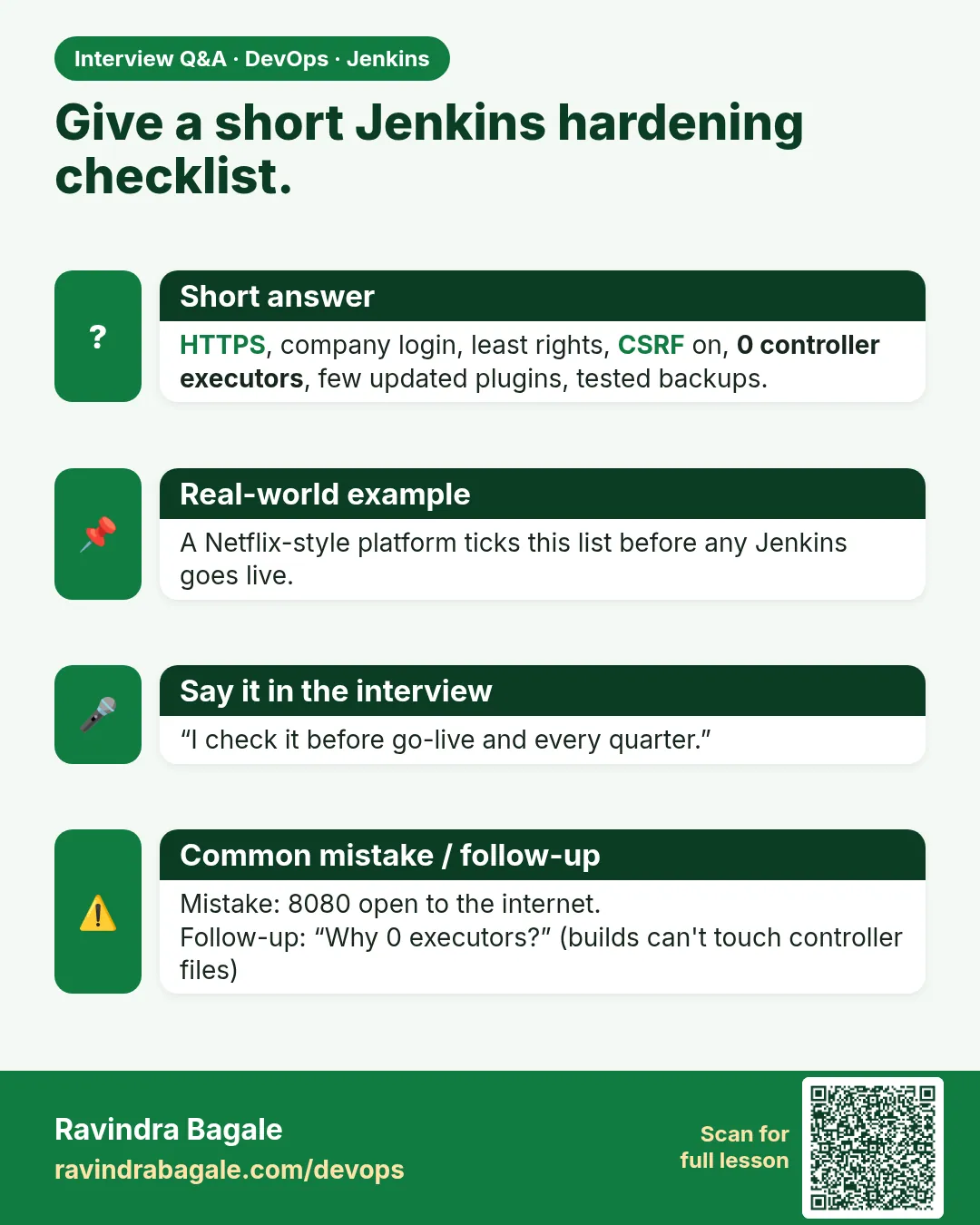
How do you harden Jenkins?
Login with SSO, no anonymous access, RBAC with folders, HTTPS, builds on agents, CSRF on, sandbox and reviewed approvals, plugin updates, JCasC, backups, and a weekly automatic check.
-
How do you prove Jenkins is secure to an auditor?
A checklist with automatic checks, job history showing green runs, and JCasC in Git with review history.
-
What is configuration drift?
Real settings changing away from the agreed settings over time.
-
Why use JCasC for security settings?
Repeatable, reviewed and quick to restore.
-
What is in your Jenkins backup?
jenkins_home without workspaces, including config, jobs, credentials and secrets keys, with a tested restore.
Quick quiz
Q1. Why keep a checklist?
So security is checked the same way every time, with proof.
Q2. What does JCasC give you?
Settings in Git, applied on start, no drift.
Q3. What does exit $fails do?
Makes the job red when any check fails.
Q4. How often should drift be checked?
At least weekly, and after every change.
Q5. What is a break-glass account?
An emergency admin kept in a vault for when SSO is down.
Lab
- Confirm anonymous cannot open the dashboard.
- Create developer, tester, release, viewer users.
- Install Role Strategy; apply roles; folder-scope badge jobs.
- Set built-in executors 0 only after an agent exists.
Practice task
Five roles: one sentence each — what they may open, one thing they must not.
Ravindra Bagale's Tip
Anonymous band. Controller var executor 0. PROD approval release role kade. Dhyan rakho!
In short
- Auth on, signup off, anonymous cannot read/build.
- Roles: admin, developer, tester, release, viewer.
- Sandbox on; CSRF on; tokens are secrets.
- Hardening checklist before every demo.
Samajla ka?
 Revision card
 Interview card