Chapter 26: Jenkins Security, RBAC and Hardening
26.6 What a wrong role looks like
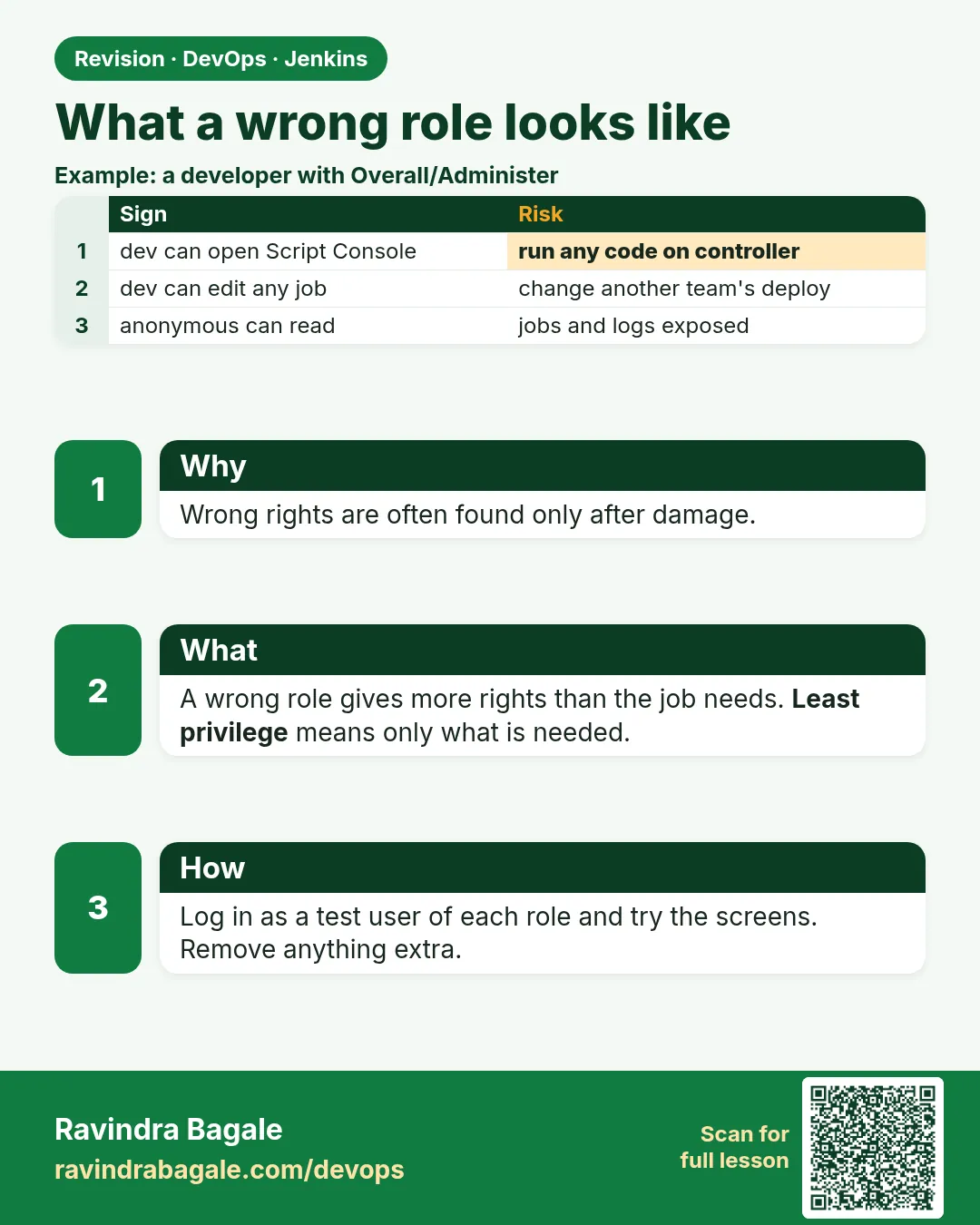
Why: the problem
Think of Zomato on a Friday evening. A developer says: "I cannot see the Build button on my job." Another says: "My build fails with credentials not found." A tester says: "I can see the deploy job and I could even start it. Is that correct?" All three are role problems. The first two are too little access. The third is too much access, which is more dangerous because nobody complains about it. A DevOps engineer must read these signs fast and fix them without giving everybody admin. In this lesson you will cause each of these problems on purpose in your lab, read the exact message Jenkins shows, find the cause with whoAmI and the role pages, and fix it with the smallest change.
What we will build
You will use the roles from 26.3. You will break them in four ways: a missing global read, a wrong item pattern, a credential in the wrong folder, and a role that is too wide. For each one you will collect the symptom, the evidence and the fix in a small incident note. You will also write a script that lists, for every group, which jobs it can build, so too-wide roles show up before anyone uses them.
What: every term in plain English
- Symptom — What the user sees, like a missing button or a 403 page.
- Evidence — Facts that prove the cause, like whoAmI groups or a role pattern.
- Too little access — The user cannot do their work. They complain at once.
- Too much access — The user can do more than they should. Nobody complains, so it hides.
- Regex — The pattern language Role Strategy uses for job names. .* means anything.
- Impersonation check — Admins can test what a user would see. In Role Strategy, use the Permission check or log in as a test user.
- Credential scope — Where a credential lives: global, folder, or user. Jobs only see credentials in their scope.
- Incident note — A short write-up: symptom, cause, fix, how to stop it again.
How: step by step
-
Break 1: remove viewer from dev group
Manage and Assign Roles > Assign Roles > untick viewer for jenkins-devsWhat it does: Developers lose Overall/Read.
Output
Saved -
Log in as rohan
Private window > login rohanWhat it does: Read the message.
Output
rohan is missing the Overall/Read permission -
Break 2: wrong pattern
Edit developer pattern to pay-.* (no folder)What it does: Folder jobs no longer match.
Output
Saved -
Check rohan again
Open payments/pay-api-build as rohanWhat it does: The job is not listed or shows no Build button.
Output
(no Build Now link) -
Break 3: move a credential
Move pay-db from payments folder to search folderWhat it does: The payments job loses its secret.
Output
Moved -
Break 4: too wide
Edit tester pattern to .*What it does: Testers now match deploy jobs too.
Output
Saved -
Run the access report
bash access-report.shWhat it does: Shows who can build what.
Output
tester payments/pay-api-deploy BUILD (unexpected)
Example 1: Debug "missing the Overall/Read permission" in three steps
Stack. Role Strategy, whoAmI
Goal. Debug "missing the Overall/Read permission" in three steps.
debug-steps.txt
Symptom : rohan sees "rohan is missing the Overall/Read permission"
Step 1  : /whoAmI as rohan
          Authorities: authenticated, jenkins-devs
Step 2  : Manage and Assign Roles > Assign Roles (global)
          jenkins-devs: admin [ ] viewer [ ]
          authenticated: viewer [ ]   (was ticked before, now empty)
Step 3  : Fix: tick viewer for authenticated (or jenkins-devs) > Save
Check   : rohan reloads dashboard -> job list visible
What each line does
whoAmI first— Confirms the login and groups are right, so the problem is in roles.Global roles— Overall/Read must come from a global role. Item roles alone are not enough.authenticated group— A built-in group for every logged-in user. Good for viewer.Smallest fix— Give back only viewer, not admin.Check— Always confirm as the user, not as admin.
Green output
Before: HTTP 403  rohan is missing the Overall/Read permission
After : HTTP 200  Dashboard [payments] [search]
Expected result. Rohan sees the dashboard again. Total time: two minutes, no extra rights given.
Example 2: List who can build what, to find too-wide roles
Stack. bash, curl, jq
Goal. List who can build what, to find too-wide roles.
access-report.sh
#!/usr/bin/env bash
# Run as admin. PAIRS="rohan:TOKEN meera:TOKEN tara:TOKEN"
set -uo pipefail
J=http://localhost:8080
jobs=$(curl -s -u "$ADMIN" "$J/api/json?tree=jobs[name,jobs[name]]" \
  | jq -r '.jobs[] | .name as $f | .jobs[]? | "\($f)/job/\(.name)"')
for pair in $PAIRS; do
  u=${pair%%:*}
  for j in $jobs; do
    perm=$(curl -s -u "$pair" "$J/job/$j/api/json?tree=buildable" -o /dev/null -w "%{http_code}")
    can=$(curl -s -u "$pair" "$J/job/$j/" | grep -c "Build Now")
    [ "$perm" = "200" ] && [ "$can" -gt 0 ] && echo "$u  $j  BUILD"
  done
done | sort
What each line does
$ADMIN— An admin user:token pair from your lab environment.tree=jobs[name,jobs[name]]— Lists folders and the jobs inside them.jq ... "\($f)/job/\(.name)"— Builds the URL path folder/job/name.grep -c "Build Now"— Counts the Build Now link on the job page. It shows only with Job/Build.sort— Groups lines by user for easy reading.Compare with your plan— Any line not in the 26.3 table is a too-wide role.
Green output
meera  payments/job/pay-api-deploy  BUILD
meera  search/job/search-deploy     BUILD
rohan  payments/job/pay-api-build   BUILD
rohan  search/job/search-build      BUILD
tara   payments/job/pay-api-build   BUILD
tara   payments/job/pay-api-deploy  BUILD
tara   search/job/search-deploy     BUILD
Expected result. Tara is a tester but can build deploy jobs. The tester pattern . is too wide. Change it back to ./.*-test and run the report again.
Example 3: Fix "Could not find credentials entry" from a moved credential
Stack. Jenkins Folders, Credentials plugin
Goal. Fix "Could not find credentials entry" from a moved credential.
Console
[Pipeline] withCredentials
ERROR: Could not find credentials entry with ID 'pay-db'
Finished: FAILURE
Find it
curl -s -u "$ADMIN" "http://localhost:8080/job/search/credentials/store/folder/domain/_/api/json?tree=credentials[id]" | jq -r ".credentials[].id"
curl -s -u "$ADMIN" "http://localhost:8080/job/payments/credentials/store/folder/domain/_/api/json?tree=credentials[id]" | jq -r ".credentials[].id"
What each line does
Could not find credentials entry— The id is not in any scope the job can see.search folder store— Lists credential ids in the search folder.payments folder store— Lists ids in the payments folder.Fix— Move pay-db back to the payments folder. Do not make it global just to be quick.Global is wider— A global credential is visible to every job. That is too much access.
Green output
search folder ids:
pay-db
search-api-key
payments folder ids:
(empty)
--- after moving back ---
[Pipeline] withCredentials
Masking supported pattern matches of $DB_PASS
Finished: SUCCESS
Expected result. The secret is back in the right folder. The search team cannot use it.
Verify: did it work?
-
Re-run the access report
bash access-report.sh | grep taraWhat it does: Tara should match only test jobs.
Output
tara payments/job/pay-api-test BUILD -
Confirm rohan view
curl -s -u rohan:$ROHAN_TOKEN -o /dev/null -w "%{http_code}\n" http://localhost:8080/api/jsonWhat it does: Must be 200 again.
Output
200
When it is red 1
Access Denied: rohan is missing the Job/Build permission
Cause. Item role pattern does not match the job full name.
Fix, step by step
- Open the role and use the pattern test.
- Change pay-. to payments/.-build.
When it is red 2
User sees the job but no Configure link and asks for it
Cause. Developer role has no Job/Configure, by design.
Fix, step by step
- Explain that Jenkinsfile changes go through a merge request.
- Do not add Configure for one person.
When it is red 3
Everyone can see credentials list
Cause. Credentials/View given to authenticated in a global role.
Fix, step by step
- Remove Credentials/View from viewer.
- Keep it only for admin.
Cleanup
-
Restore roles
Re-apply jenkins.yaml with JCasC: Manage Jenkins > Configuration as Code > Reload existing configurationWhat it does: Puts every role back to the reviewed version.
Output
Configuration reloaded -
Save the notes
Store the four incident notes in your runbookWhat it does: Reuse them in on-call.
Output
(saved)
Ravindra Bagale's Tip
Kami access la lok tracar kartat, jasta access la koni nahi. Report chalva. Dhyan rakho!
Practice tasks
Easy Collect evidence
Why: Guesses waste time.
What to do: For one broken user, save whoAmI and the role page.
- Screenshot both.
Check: You can point to the cause.
Medium Run the access report
Why: Too-wide roles hide.
What to do: Run access-report.sh on your lab.
- Compare with the plan.
Check: Every unexpected line is explained.
Hard Write four incident notes
Why: Notes speed up the next on-call.
What to do: Write symptom, cause, fix, prevention for each break.
- Keep each under 10 lines.
Check: A teammate can fix it from your note.
Easy Say debugging wrong roles in two lines
Why: If you can say it simply, you understand it. Juniors, auditors and interviewers all want the short version first.
What to do: Write two short lines about debugging wrong roles for a fresher who knows only Linux and basic Jenkins.
- Write the risk it removes.
- Write the one setting or command you use for it.
- Read it aloud to a friend.
Check: A fresher understands it without asking a question.
Easy Start a fresh lab Jenkins
Why: Security practice needs a throwaway Jenkins. If you lock yourself out, you delete it and start again.
What to do: Run Jenkins LTS in Docker with a named volume.
- docker volume create jenkins_home
- docker run -d --name jenkins -p 8080:8080 -v jenkins_home:/var/jenkins_home jenkins/jenkins:lts-jdk17
- docker exec jenkins cat /var/jenkins_home/secrets/initialAdminPassword
Check: The Jenkins login page opens on localhost:8080 and asks for a password.
Medium Test with a second user
Why: Admins see everything, so they never notice a missing permission. Always test as a normal user.
What to do: Log in as a non-admin user in a private browser window and repeat this lesson.
- Create the user dev1.
- Open a private window.
- Do the lesson steps as dev1 and note what you can and cannot see.
Check: You can list exactly which menus dev1 sees.
Medium Break it on purpose
Why: You must know the red message by face. During an audit or an outage there is no time to read slowly.
What to do: Cause one error from the "When it is red" part of this lesson and fix it.
- Follow the error section.
- Copy the exact message into your notes.
- Write the fix in one line.
Check: You fixed it using only the steps, without searching the web.
Medium Write a security runbook page
Why: At 2 a.m. nobody remembers where a setting lives. A short page saves the on-call person.
What to do: Write a one-page runbook for this lesson.
- Title, when to use, exact menu path or command, how to check, how to undo.
Check: A teammate can follow it alone.
Hard Explain it like an interview
Why: Interviewers want real stories, not definitions.
What to do: Record a 60 second answer about this lesson.
- Say the risk, the setting you changed, and one error you hit.
Check: Your answer has a real menu path or command and a real error message.
Hard Draw the flow top to bottom
Why: A drawing shows who is checked, where, and in what order.
What to do: Draw this lesson as boxes from top to bottom.
- Start at the user in the browser, go through login and permission checks, end at the job or agent.
Check: Each box matches a real check you saw.
Homework: try at home
Try at home
At home, ask a friend to break one role in your lab without telling you which. Find and fix it using only whoAmI, the role pages and access-report.sh.
Recap
- Check login and groups with whoAmI first.
- Overall/Read must come from a global role.
- Item patterns match folder/job full names.
- Keep credentials in the right folder; avoid global.
- Hunt too-wide access with a report; nobody will report it for you.
FAQ
Should I give admin to unblock someone quickly?
No. Find the missing permission and add only that.
Can I see what another user sees?
Log in as a test user in the same groups, or use a permission check plugin.
Why did my change not apply?
JCasC reload may have overwritten UI changes. Change the YAML instead.
How often run the access report?
Monthly and after every role change.
Who approves role changes?
The platform owner, through a merge request on jenkins.yaml.
Interview questions
-
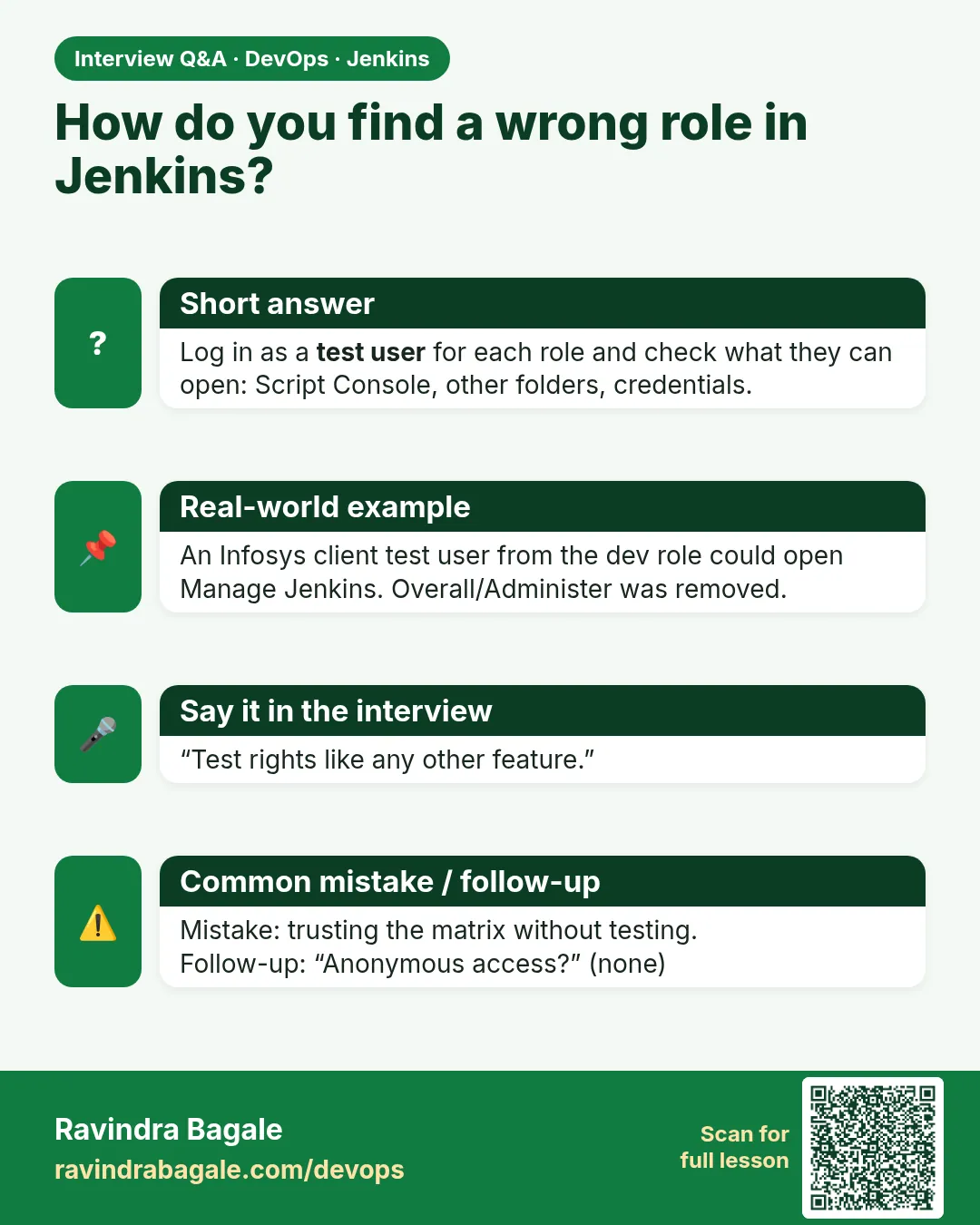
A developer cannot see the Build button. How do you debug?
Check whoAmI groups, then the item role patterns and permissions for that group, then fix the smallest thing and test as the user.
-
How do you find users with too much access?
Run an access report of who can build or configure which jobs and compare with the plan.
-
What causes "Could not find credentials entry"?
The id is wrong, or the credential is in a scope the job cannot see.
-
Why prefer folder credentials?
They limit who can use a secret to one team jobs.
-
How do you stop RBAC drift?
Keep roles in JCasC in Git, review changes, and reload regularly.
Quick quiz
Q1. Which page confirms a user groups?
/whoAmI.
Q2. Which kind of access problem hides better?
Too much access, because nobody complains.
Q3. Where does Overall/Read come from?
A global role.
Q4. Why not make a credential global to fix a job?
Every job could then read it.
Q5. How do you put roles back fast?
Reload the JCasC file.
Samajla ka?
 Revision card
 Interview card