Chapter 26: Jenkins Security, RBAC and Hardening
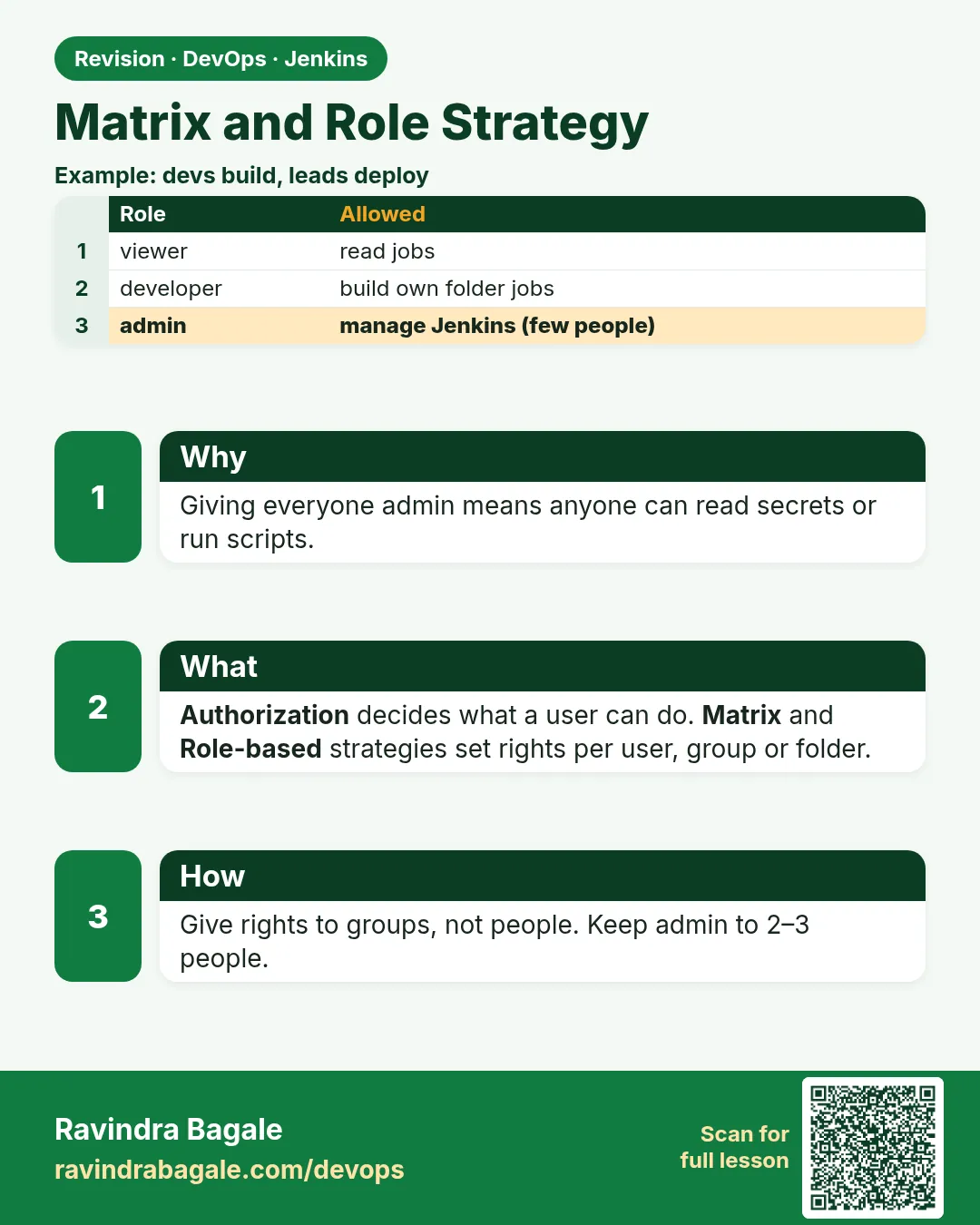
26.3 Matrix and role strategy
Why: the problem
Think of Flipkart. One Jenkins serves the payments team, the search team and the mobile team. A search developer should build search jobs. She should not change the payments release job. A tester should run test jobs and read logs, but not deploy. The release manager should approve production. A manager just wants to see green or red. By default, Jenkins has only "Logged-in users can do anything". That means every developer is an admin. One wrong click on Configure, and the payments release job is broken, or worse, it now prints a secret. Jenkins gives two better choices. Matrix-based security is a big table: rows are users or groups, columns are permissions. Role-based strategy, from the Role Strategy plugin, lets you define roles like developer or viewer once, and limit them to job names with a pattern like payments-.*. In this lesson you will build five roles and test each one as a real user.
What we will build
You will create folders named payments and search, each with two jobs. You will first try the Matrix strategy for global rights. Then you will install Role Strategy and make five roles: admin, developer, tester, release and viewer. You will put the release role on deploy jobs only. You will map the LDAP groups from lesson 26.2 to these roles. Then you will log in as each user and fill a table of what they can and cannot do.
What: every term in plain English
- Permission — One allowed action, like Job/Build, Job/Configure or Credentials/View.
- Matrix-based security — A table of users or groups against permissions. Tick a box to allow.
- Project-based matrix — The same table, but you can add extra rights on one job or folder.
- Role Strategy plugin — A plugin to define named roles and give them to users or groups.
- Global role — A role that applies to the whole Jenkins, like viewer with Overall/Read.
- Item role — A role that applies only to jobs whose names match a pattern, like payments/.*.
- Folder — A box for jobs. Folders keep teams apart and can hold their own credentials.
- Overall/Administer — The top permission. It means full control, including script console. Give it to very few people.
How: step by step
-
Make two folders
New Item > payments > Folder > OK. Repeat for search.What it does: Each team gets its own space.
Output
Folder payments created -
Add jobs in each folder
payments/pay-api-build, payments/pay-api-deploy, search/search-build, search/search-deployWhat it does: Two kinds of job: build and deploy.
Output
4 jobs created -
Try project matrix first
Manage Jenkins > Security > Authorization: Project-based Matrix > add group jenkins-devs > tick Overall/Read onlyWhat it does: Developers can log in and see the dashboard.
Output
Saved -
Install Role Strategy
docker exec j26 jenkins-plugin-cli --plugins role-strategy && docker restart j26What it does: Adds Role-Based Strategy.
Output
Done -
Switch to Role-Based Strategy
Manage Jenkins > Security > Authorization: Role-Based Strategy > SaveWhat it does: Now Manage and Assign Roles appears.
Output
Saved -
Create roles
Manage Jenkins > Manage and Assign Roles > Manage RolesWhat it does: Global: admin, viewer. Item: dev-payments payments/(?!.deploy)., release-payments payments/.deploy.
Output
Roles saved -
Assign roles to groups
Manage and Assign Roles > Assign Roles > add group jenkins-devs > tick viewer and dev-paymentsWhat it does: Group, not single user.
Output
Assignments saved
Example 1: All five roles as code with JCasC, so they survive a rebuild
Stack. Role Strategy plugin, JCasC
Goal. All five roles as code with JCasC, so they survive a rebuild.
jenkins.yaml (authorization)
jenkins:
  authorizationStrategy:
    roleBased:
      roles:
        global:
          - name: "admin"
            permissions: ["Overall/Administer"]
            entries: [{group: "jenkins-admins"}]
          - name: "viewer"
            permissions: ["Overall/Read", "Job/Read"]
            entries: [{group: "authenticated"}]
        items:
          - name: "developer"
            pattern: "(payments|search)/.*-build"
            permissions: ["Job/Read", "Job/Build", "Job/Cancel", "Job/Workspace", "Run/Replay"]
            entries: [{group: "jenkins-devs"}]
          - name: "tester"
            pattern: ".*/.*-test"
            permissions: ["Job/Read", "Job/Build", "Job/Cancel"]
            entries: [{group: "jenkins-testers"}]
          - name: "release"
            pattern: ".*/.*-deploy"
            permissions: ["Job/Read", "Job/Build", "Job/Cancel"]
            entries: [{group: "jenkins-release"}]
What each line does
roleBased:— Use the Role Strategy plugin.global admin Overall/Administer— Only jenkins-admins get full control.viewer to group authenticated— Every logged-in person can see job status.pattern: "(payments|search)/.*-build"— A regular expression on the full job name. Developers act only on build jobs.Run/Replay— Lets a developer re-run a build with a changed script. Give it only where safe.release pattern ".*/.*-deploy"— Only the release group can start deploy jobs.
Green output
Configuration as Code: configuration applied
$ curl -s -u rohan:$ROHAN_TOKEN -o /dev/null -w "%{http_code}\n" -X POST http://localhost:8080/job/payments/job/pay-api-build/build
201
$ curl -s -u rohan:$ROHAN_TOKEN -o /dev/null -w "%{http_code}\n" -X POST http://localhost:8080/job/payments/job/pay-api-deploy/build
403
Expected result. Rohan (developer) can start the build job (201 Created) but gets 403 on the deploy job. That is least privilege working.
Example 2: Test every role from the command line and print a table
Stack. bash, curl, Jenkins REST API
Goal. Test every role from the command line and print a table.
role-test.sh
#!/usr/bin/env bash
# Needs: USERS like "rohan:TOKEN asha:TOKEN" in env var PAIRS
set -uo pipefail
J=http://localhost:8080
JOBS="payments/job/pay-api-build payments/job/pay-api-deploy search/job/search-build"
printf "%-8s %-28s %s\n" USER JOB BUILD
for pair in $PAIRS; do
  u=${pair%%:*}
  for j in $JOBS; do
    c=$(curl -s -u "$pair" -o /dev/null -w "%{http_code}" -X POST "$J/job/$j/build")
    printf "%-8s %-28s %s\n" "$u" "$j" "$c"
  done
done
What each line does
PAIRS— A list of user:token pairs from your lab, read from the environment. Never commit it.${pair%%:*}— Takes the part before the colon, the username.-X POST .../build— Asks Jenkins to start a build. API tokens do not need a crumb.201— Build queued. The user has Job/Build.403— Forbidden. The user lacks the right on that job.printf "%-8s ..."— Prints neat columns.
Green output
USER     JOB                          BUILD
rohan    payments/job/pay-api-build   201
rohan    payments/job/pay-api-deploy  403
rohan    search/job/search-build      201
meera    payments/job/pay-api-build   403
meera    payments/job/pay-api-deploy  201
meera    search/job/search-build      403
Expected result. Rohan is a developer. Meera is in jenkins-release. Each one can do only their own part. Save this table as proof for audits.
Example 3: Keep team secrets apart with folder credentials
Stack. Jenkins Folders, Credentials Binding plugin
Goal. Keep team secrets apart with folder credentials.
Folder credential steps
payments (folder) > Credentials > Folder domain > Add Credentials
  Kind: Username with password
  ID: pay-db
  Username: payapp
  Password: (from the team vault)
search (folder) > Credentials > Add Credentials
  Kind: Secret text
  ID: search-api-key
payments/pay-api-build Jenkinsfile
pipeline {
  agent any
  stages {
    stage('DB check') {
      steps {
        withCredentials([usernamePassword(credentialsId: 'pay-db',
                          usernameVariable: 'DB_USER', passwordVariable: 'DB_PASS')]) {
          sh 'echo "connecting as $DB_USER"'
        }
      }
    }
  }
}
What each line does
Folder credential— Stored inside the folder. Only jobs in that folder can use it.credentialsId: 'pay-db'— The Jenkinsfile uses the id only, not the password.usernameVariable / passwordVariable— Jenkins puts the values in environment variables during this block only.sh 'echo "connecting as $DB_USER"'— Single quotes: the shell reads the variable, Groovy does not put the secret into the script text.search-api-key in search folder— A search job asking for pay-db fails. Teams cannot borrow each other secrets.
Green output
[Pipeline] withCredentials
Masking supported pattern matches of $DB_PASS
[Pipeline] sh
+ echo connecting as payapp
connecting as payapp
Finished: SUCCESS
--- same credentialsId in search/search-build ---
ERROR: Could not find credentials entry with ID 'pay-db'
Finished: FAILURE
Expected result. The payments job can use pay-db. The search job cannot even find it. Folder scope plus roles keep teams apart.
Verify: did it work?
-
Check a user permission
curl -s -u rohan:$ROHAN_TOKEN "http://localhost:8080/job/payments/job/pay-api-deploy/api/json" -o /dev/null -w "%{http_code}\n"What it does: Rohan can read the job but not build it.
Output
200 -
List roles
curl -s -u asha:$ASHA_TOKEN "http://localhost:8080/role-strategy/strategy/getAllRoles?type=projectRoles" | jq "keys"What it does: Shows the item roles.
Output
[
  "developer",
  "release",
  "tester"
]
When it is red 1
rohan is missing the Overall/Read permission
Cause. The user has item roles but no global role with Overall/Read.
Fix, step by step
- Add a global viewer role with Overall/Read.
- Assign it to authenticated or to the group.
When it is red 2
Pattern does not match: developer sees no jobs
Cause. Item pattern is matched against the full name, with folder, like payments/pay-api-build.
Fix, step by step
- Use payments/. not pay-..
- Click "Pattern" test link on the role to see matching jobs.
When it is red 3
Admin locked out after switching strategy
Cause. You saved Role-Based Strategy before giving yourself the admin role.
Fix, step by step
- On a lab: edit config.xml in jenkins_home, set useSecurity to false, restart, then fix roles.
- On real servers: always add your admin group before clicking Save.
Cleanup
-
Remove test tokens
User > Security > API Token > Revoke for each test tokenWhat it does: Old tokens are open doors.
Output
Token revoked -
Keep roles
Leave the roles for 26.6What it does: You will debug wrong roles there.
Output
(no output)
Ravindra Bagale's Tip
Permission user la nako, group la dya. Deploy job fakt release role la. Lakshat theva!
Practice tasks
Easy Draw the role table
Why: A table makes gaps visible.
What to do: Make a table of five roles and ten permissions.
- Rows roles, columns permissions.
- Tick what each needs.
Check: No role except admin has Overall/Administer.
Medium Build roles with JCasC
Why: Clicked settings get lost.
What to do: Put the five roles in jenkins.yaml.
- Apply.
- Restart and check they stay.
Check: Roles survive restart.
Hard Prove it with a table
Why: Auditors want proof.
What to do: Run role-test.sh for three users.
- Save the output with date.
Check: Every 403 and 201 matches your plan.
Easy Say Jenkins roles and permissions in two lines
Why: If you can say it simply, you understand it. Juniors, auditors and interviewers all want the short version first.
What to do: Write two short lines about Jenkins roles and permissions for a fresher who knows only Linux and basic Jenkins.
- Write the risk it removes.
- Write the one setting or command you use for it.
- Read it aloud to a friend.
Check: A fresher understands it without asking a question.
Easy Start a fresh lab Jenkins
Why: Security practice needs a throwaway Jenkins. If you lock yourself out, you delete it and start again.
What to do: Run Jenkins LTS in Docker with a named volume.
- docker volume create jenkins_home
- docker run -d --name jenkins -p 8080:8080 -v jenkins_home:/var/jenkins_home jenkins/jenkins:lts-jdk17
- docker exec jenkins cat /var/jenkins_home/secrets/initialAdminPassword
Check: The Jenkins login page opens on localhost:8080 and asks for a password.
Medium Test with a second user
Why: Admins see everything, so they never notice a missing permission. Always test as a normal user.
What to do: Log in as a non-admin user in a private browser window and repeat this lesson.
- Create the user dev1.
- Open a private window.
- Do the lesson steps as dev1 and note what you can and cannot see.
Check: You can list exactly which menus dev1 sees.
Medium Break it on purpose
Why: You must know the red message by face. During an audit or an outage there is no time to read slowly.
What to do: Cause one error from the "When it is red" part of this lesson and fix it.
- Follow the error section.
- Copy the exact message into your notes.
- Write the fix in one line.
Check: You fixed it using only the steps, without searching the web.
Medium Write a security runbook page
Why: At 2 a.m. nobody remembers where a setting lives. A short page saves the on-call person.
What to do: Write a one-page runbook for this lesson.
- Title, when to use, exact menu path or command, how to check, how to undo.
Check: A teammate can follow it alone.
Hard Explain it like an interview
Why: Interviewers want real stories, not definitions.
What to do: Record a 60 second answer about this lesson.
- Say the risk, the setting you changed, and one error you hit.
Check: Your answer has a real menu path or command and a real error message.
Hard Draw the flow top to bottom
Why: A drawing shows who is checked, where, and in what order.
What to do: Draw this lesson as boxes from top to bottom.
- Start at the user in the browser, go through login and permission checks, end at the job or agent.
Check: Each box matches a real check you saw.
Homework: try at home
Try at home
At home, create five roles and three users. Run role-test.sh and save the table. Then change one pattern on purpose and watch which line changes.
Recap
- Never leave "Logged-in users can do anything" on a shared Jenkins.
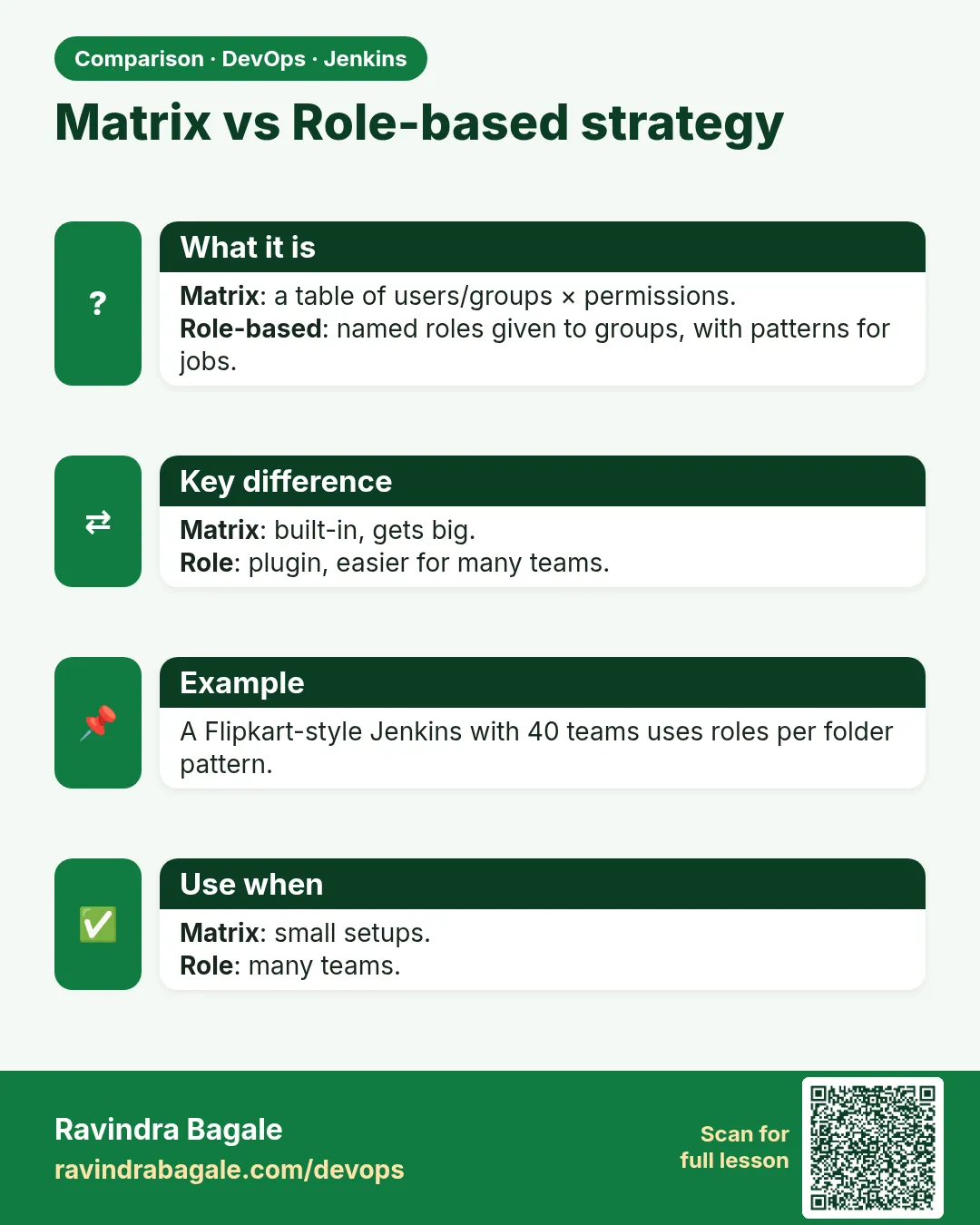
- Matrix is a table; Role Strategy adds named roles and job name patterns.
- Map directory groups to roles.
- Use folders and folder credentials to keep teams apart.
- Test roles as real users and keep the result table.
FAQ
Matrix or Role Strategy?
Small teams: matrix is fine. Many teams: Role Strategy or folder-based matrix is easier.
Can a developer configure jobs?
Better not on shared jobs. Use Jenkinsfiles in Git so changes go through pull requests.
Why is Run/Replay risky?
It runs a changed script without a review. Limit it.
What is Job/Workspace?
Permission to browse files in the workspace. It may show build files.
Do roles control agents too?
Yes, Agent permissions exist. Usually only admins get them.
Interview questions
-
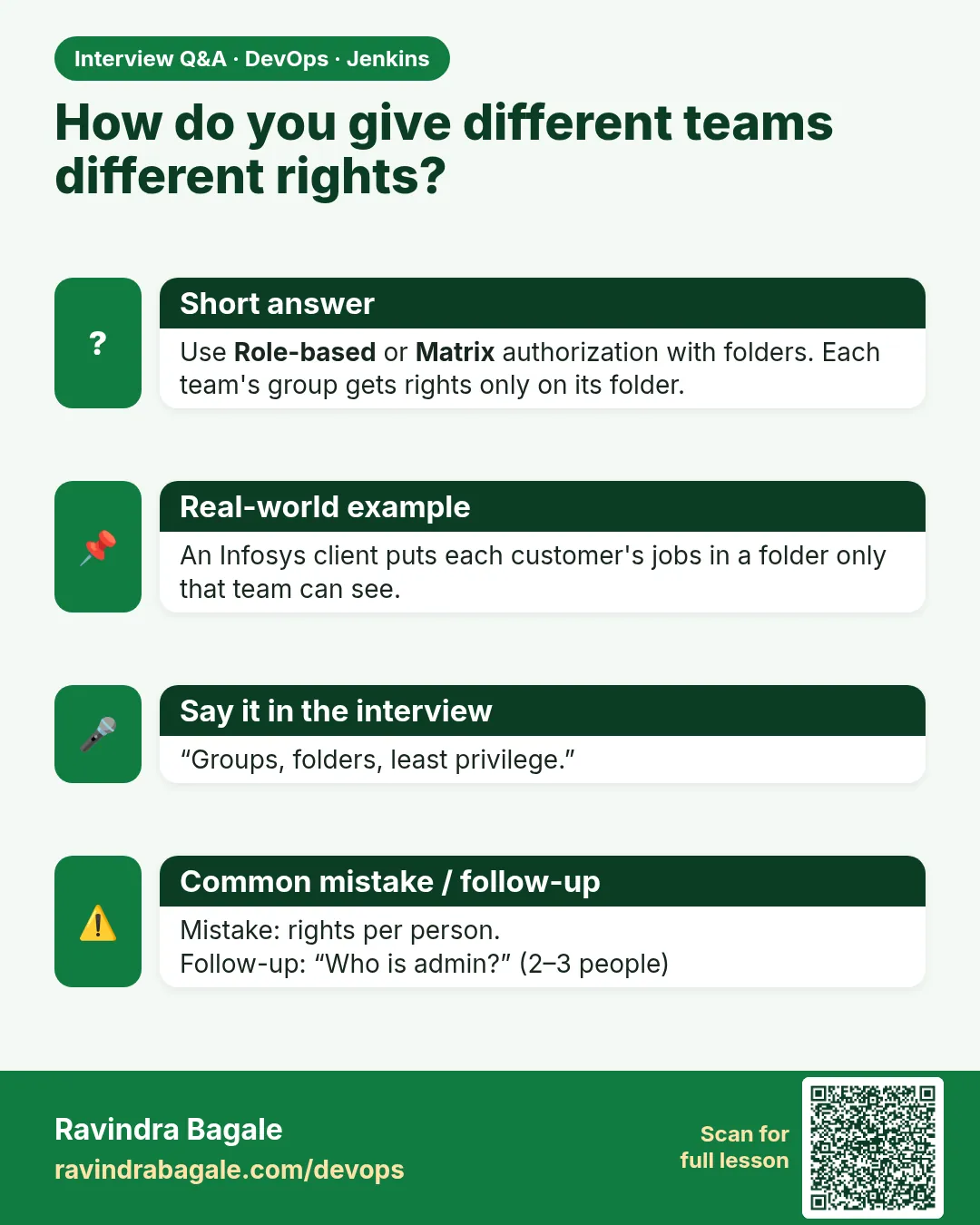
How do you design Jenkins RBAC for many teams?
Folders per team, Role Strategy item roles with folder patterns, groups from LDAP or SSO, folder credentials, and a small admin group.
-
What is the difference between global and item roles?
Global roles apply everywhere; item roles apply only to jobs matching a regex.
-
How do you stop a developer from deploying to production?
Put deploy jobs under a pattern only the release role can build, and add an input step with submitter.
-
How do you keep RBAC from drifting?
Manage it with JCasC in Git and review changes.
-
Why should developers not have Configure on jobs?
Configure allows running any shell on agents and changing what the job does without review.
Quick quiz
Q1. Which permission lets a user see Jenkins at all?
Overall/Read.
Q2. What does an item role pattern match?
The full job name including the folder.
Q3. Why give roles to groups?
So access changes in one place, the directory.
Q4. Who should have Overall/Administer?
Two or three platform admins only.
Q5. How do folder credentials help?
Only jobs in that folder can use them.
Samajla ka?
 Revision card
 Interview card
 Comparison card