Chapter 10: Jenkins Introduction
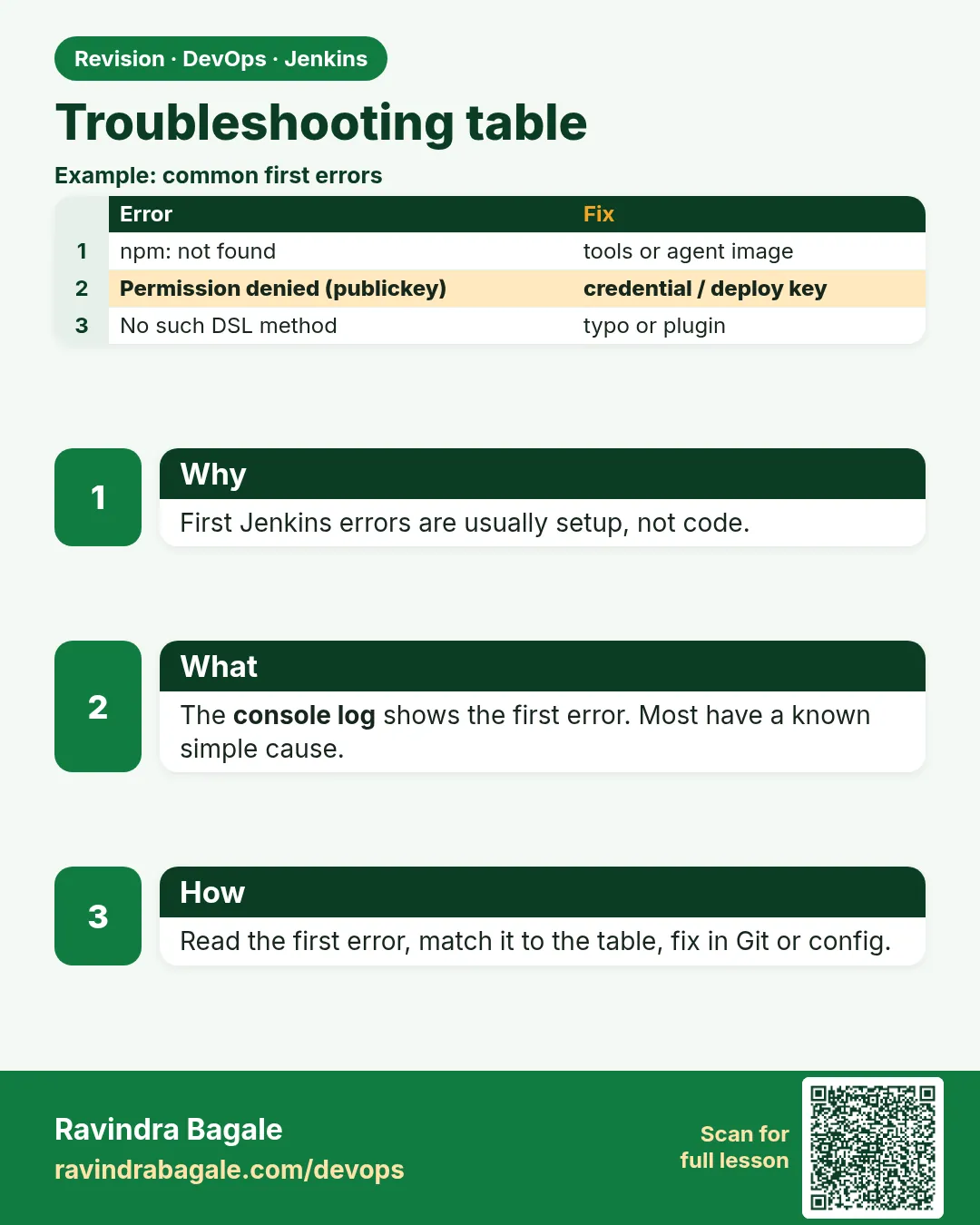
10.9 Troubleshooting table
Why: the problem
Suppose it is Friday night at Ola. The release pipeline is red. The on-call engineer opens Jenkins and sees a wall of log lines. He does not know where to look. He restarts Jenkins, which makes things worse. Most Jenkins failures come from a short list of causes: the agent is offline, a tool is missing, the disk is full, a credential id is wrong, the Jenkinsfile has a syntax mistake, or a plugin broke after an update. If you learn to read the log from the bottom up and match it to this table, you fix most problems in minutes.
What we will build
You will build a troubleshooting table, cause six real failures in the lab, read each Console Output from the bottom up, and fix them. You will also check Jenkins system logs and disk.
What: every term in plain English
- Console Output — The full log of one build.
- Bottom-up reading — Start at the last error line, then go up to the first real cause.
- Exit code — The number a command returns. 0 is success; anything else fails the step.
- System Log — Jenkins own log: Manage Jenkins > System Log.
- Thread dump — A snapshot of what Jenkins is doing. Used for hangs.
- Replay — Rerun a build with an edited Jenkinsfile, without a commit.
- Unstable — Yellow result: build ran but tests failed or a quality gate warned.
- Aborted — Grey result: someone stopped it or a timeout hit.
How: step by step
-
Open the failed build
Job > red build > Console OutputWhat it does: Always start here.
Output
Finished: FAILURE -
Read from the bottom
Scroll to the end, then find the first ERROR or exit code line aboveWhat it does: The last lines are often only cleanup.
Output
script returned exit code 127 -
Match the table
Use the table in Example 1What it does: Most errors match one row.
Output
127 = command not found -
Check the agent
Manage Jenkins > NodesWhat it does: Offline or low disk shows here.
Output
Free Disk Space: 412 MB (warning) -
Check Jenkins logs
docker logs --tail 50 jenkinsWhat it does: Startup and plugin errors appear here.
Output
SEVERE: Failed Loading plugin ...
Example 1: The troubleshooting table
Stack. Reference
Goal. The troubleshooting table.
jenkins-troubleshooting.txt
Symptom in log                                   Likely cause                   First fix
-----------------------------------------------  -----------------------------  -----------------------------------
script returned exit code 127                    command not installed          use a docker agent or install tool
script returned exit code 1 (after tests)        tests failed                   read test output above, fix code
There are no nodes with the label 'x'            label typo or agent offline    fix label, bring agent online
Could not find credentials entry with ID         id typo or folder scope        copy exact id, check folder
WorkflowScript: N: Expected a step               Jenkinsfile syntax             validate the Jenkinsfile
No space left on device                          agent disk full                cleanWs, prune images, logRotator
Timeout has been exceeded                        stuck command                  find the slow step, raise timeout
Failed Loading plugin                            plugin update broke deps       update dependencies or roll back
Couldn't find any revision to build              wrong branch                   fix Branch Specifier (*/main)
Permission denied (publickey)                    SSH key not on server          add public key, check user
What each line does
Symptom— Copy the exact words from the log.Likely cause— Most common reason.First fix— What to try before asking for help.
Green output
On-call note:
Build #212 badge-api: "script returned exit code 127"
Cause: npm not on agent linux-02. Fix: agent { docker { image 'node:20' } }. Green in 6 min.
Expected result. Print this table and keep it next to your on-call notes.
Example 2: Cause and fix exit code 127 and a full disk
Stack. Node.js, yarn
Goal. Cause and fix exit code 127 and a full disk.
Jenkinsfile (broken)
pipeline {
    agent any
    stages {
        stage('Test') { steps { sh 'yarn test' } }
    }
}
Jenkinsfile (fixed)
pipeline {
    agent { docker { image 'node:20' } }
    options { buildDiscarder(logRotator(numToKeepStr: '15')) }
    stages {
        stage('Test') { steps { sh 'corepack enable && yarn install --immutable && yarn test' } }
    }
    post { always { cleanWs() } }
}
What each line does
sh 'yarn test'— yarn is not installed on the agent: exit 127.agent { docker { image 'node:20' } }— Node image brings the tools.corepack enable— Turns on yarn that ships with Node.logRotator(numToKeepStr: 15)— Keeps only 15 builds to save disk.cleanWs()— Empties the workspace after each build.
Green output
Broken:
+ yarn test
/var/jenkins_home/workspace/badge-api@tmp/durable-1a2b/script.sh: 1: yarn: not found
ERROR: script returned exit code 127
Finished: FAILURE

Fixed:
+ yarn test
Tests: 4 passed, 4 total
Finished: SUCCESS
Expected result. 127 always means the command was not found. Fix the tool, not the code.
Example 3: Read Jenkins health from the terminal
Stack. bash, curl, Jenkins JSON API
Goal. Read Jenkins health from the terminal.
jenkins-health.sh
#!/usr/bin/env bash
set -u
J=http://localhost:8080
echo "== container"; docker ps --filter name=jenkins --format '{{.Names}} {{.Status}}'
echo "== disk"; docker exec jenkins df -h /var/jenkins_home | tail -1
echo "== biggest jobs"; docker exec jenkins sh -c 'du -sh /var/jenkins_home/jobs/* 2>/dev/null | sort -h | tail -3'
echo "== queue"; curl -s -u ravi:$JENKINS_TOKEN $J/queue/api/json | python3 -c 'import sys,json; print(len(json.load(sys.stdin)["items"]), "waiting")'
echo "== last errors"; docker logs --since 1h jenkins 2>&1 | grep -E "SEVERE|WARNING" | tail -5
What each line does
docker ps --filter— Is the controller up?df -h /var/jenkins_home— How full is the Jenkins disk?du -sh .../jobs/*— Which jobs use the most space.queue/api/json— How many builds are waiting.grep SEVERE|WARNING— Recent serious log lines.
Green output
== container
jenkins Up 3 days
== disk
/dev/sda1   50G   46G  4.0G  92% /var/jenkins_home
== biggest jobs
2.1G /var/jenkins_home/jobs/android-app
== queue
3 waiting
== last errors
WARNING hudson.node_monitors.DiskSpaceMonitorDescriptor: Making built-in offline temporarily due to the lack of disk space
Expected result. 92 percent disk and a warning: add logRotator to android-app and clean old builds.
Verify: did it work?
-
Confirm the fix
Build Now after the fixWhat it does: Green with the same stages.
Output
Finished: SUCCESS -
Confirm disk is back
docker exec jenkins df -h /var/jenkins_homeWhat it does: Below 80 percent is healthy.
Output
61% /var/jenkins_home
When it is red 1
java.io.IOException: No space left on device
Cause. Agent or controller disk full.
Fix, step by step
- Run the health script.
- Add logRotator and cleanWs.
- docker image prune -af on agents.
When it is red 2
Timeout has been exceeded
Sending interrupt signal to process
Cause. A step hung, like a test waiting for a database.
Fix, step by step
- Find the last line before the timeout.
- Add a health check or wait-for step.
- Raise the timeout only if the step is truly slow.
When it is red 3
SEVERE: Failed Loading plugin Pipeline: Groovy
java.io.IOException: Failed to load: Pipeline: Groovy - Plugin is missing: script-security
Cause. A plugin update needs a newer dependency.
Fix, step by step
- Manage Jenkins > Plugins > Updates: update dependencies.
- Or restore jenkins_home backup and pin versions.
- Restart Jenkins.
Cleanup
-
Delete the broken test job
Delete the test job you broke on purposeWhat it does: Keeps the lab tidy.
Output
(deleted)
Ravindra Bagale's Tip
Read the log from bottom to top. Find the first ERROR, match the table. Restart is the last fix, not the first!
Log खालून वर वाचा. पहिला ERROR शोधा, table शी match करा. Restart हा शेवटचा उपाय, पहिला नाही!
Log नीचे से ऊपर पढ़ो. पहला ERROR खोजो, table से match करो. Restart आखिरी उपाय है, पहला नहीं!
Practice tasks
Easy Cause a label error
Why: Learn the message.
What to do: Use agent { label 'nope' }.
- Read the queue message.
Check: You quote the message.
Medium Fill a disk safely
Why: See the warning.
What to do: In a lab VM, create a big file and watch Jenkins mark the node offline.
- fallocate -l 5G big.img
Check: Node shows disk warning.
Hard Plugin rollback
Why: Real outages.
What to do: Downgrade a plugin from the plugin page and restore.
- Use the Downgrade button.
Check: Jenkins starts cleanly.
Easy Say Jenkins troubleshooting in two lines
Why: If you can say it simply, you understand it. Juniors and interviewers both want the short version first.
What to do: Write two short lines about Jenkins troubleshooting for a fresher who knows only Linux, Git and Docker basics.
- Write the problem it solves.
- Write the one Jenkins screen, Jenkinsfile line or command you use for it.
- Read it aloud to a friend.
Check: A fresher understands it without asking a question.
Easy Keep a throwaway lab Jenkins
Why: Practice needs a Jenkins you can break. If the lab gets messy, you delete the container and volume and start again.
What to do: Run a lab Jenkins in Docker on your laptop with a named volume jenkins_home.
- docker volume create jenkins_home
- docker run -d --name jenkins -p 8080:8080 -v jenkins_home:/var/jenkins_home jenkins/jenkins:lts-jdk17
- Open http://localhost:8080 and finish the setup wizard.
Check: The Jenkins dashboard opens and shows "Welcome to Jenkins!".
Medium Do it on a second stack
Why: A pipeline idea must work for Node.js, Python and Java. Only the build and test lines should change.
What to do: Repeat this lesson with a different language than the one you used first.
- If you used Python, use Node.js or Maven now.
- Change only the sh lines for build and test.
- Keep the same stage names.
Check: Same green result, and the stage names did not change.
Medium Break it on purpose
Why: You must know the red console log by face. In a real outage there is no time to read slowly.
What to do: Cause one error from the "When it is red" part of this lesson and fix it.
- Follow the error section.
- Copy the exact message from Console Output into your notes.
- Write the fix in one line.
Check: You fixed it using only the steps, without searching the web.
Medium Write a one-page runbook
Why: At 2 a.m. nobody remembers Jenkins menus. A short page saves the on-call person.
What to do: Write a one-page runbook for this lesson.
- Title, when to use, exact clicks or Jenkinsfile lines, how to check, how to undo.
Check: A teammate can follow it alone.
Hard Explain it like an interview
Why: Interviewers want real stories, not definitions.
What to do: Record a 60 second answer about this lesson.
- Say the problem, the Jenkinsfile lines you wrote, and one error you hit.
Check: Your answer has a real Jenkinsfile line and a real error message.
Hard Draw the flow top to bottom
Why: A drawing shows the order of work and which stage waits for which.
What to do: Draw this lesson as boxes from top to bottom.
- Start at git push or Build Now, go through each stage, end at the green build or the deployed app.
Check: Each box matches a real line in your Console Output.
Homework: try at home
Try at home
At home, break a pipeline with yarn test on a plain agent, fix it with a docker agent, and run the health script.
Recap
- Read Console Output from the bottom up.
- Most failures match a short table.
- 127 means a missing command.
- Disk full is common: logRotator, cleanWs, prune.
- Check docker logs and System Log for plugin errors.
FAQ
Should I restart Jenkins when a build fails?
No. Read the log first. Restarts rarely fix build errors.
How do I see a hang?
Thread dump at /threadDump, and the last log line.
Can I rerun only one stage?
Restart from Stage works for Declarative pipelines.
Why did it work yesterday?
Check tool versions, plugin updates and agent changes.
Where are old logs stored?
In jobs/NAME/builds/N/log inside JENKINS_HOME.
Interview questions
-
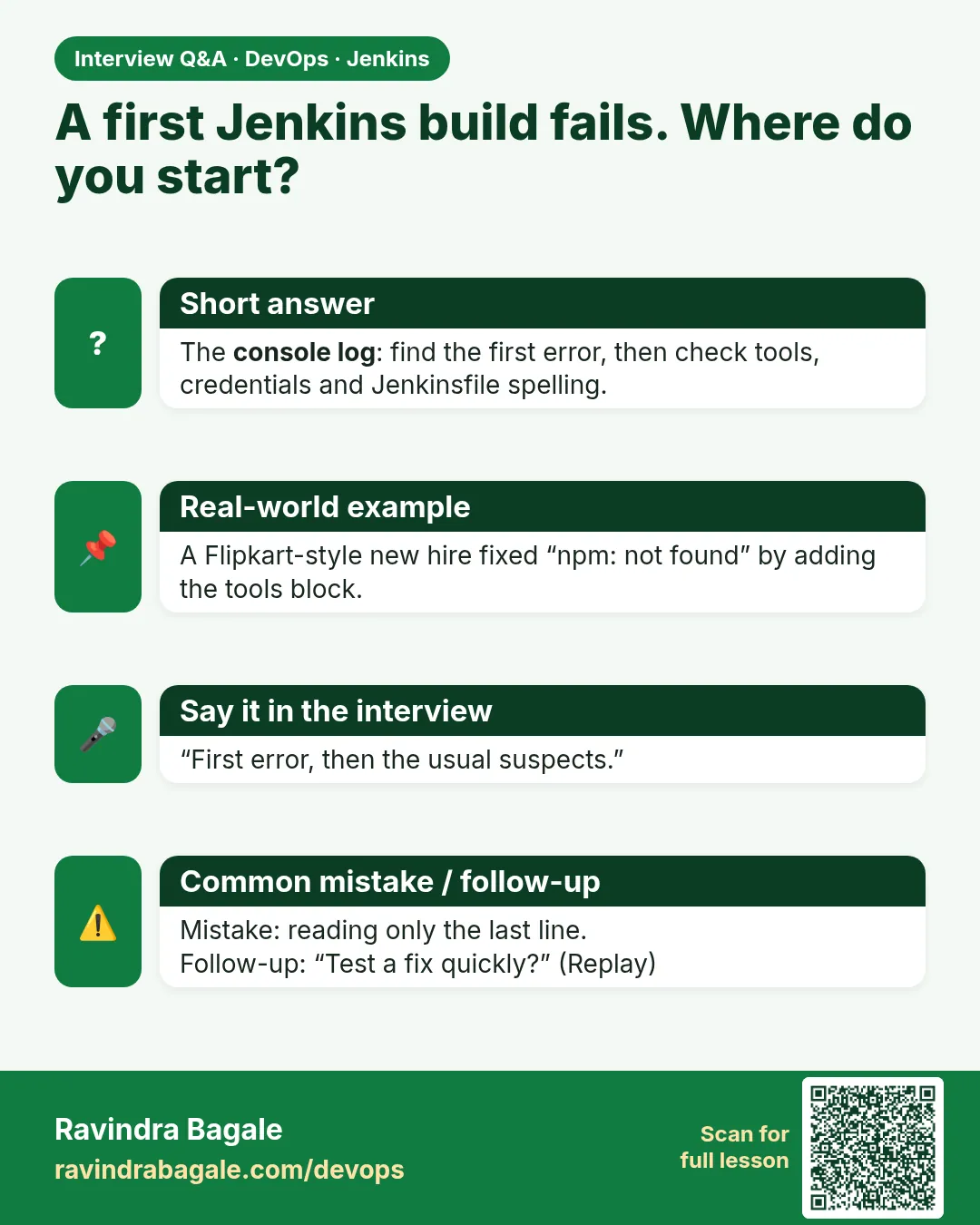
How do you troubleshoot a failed Jenkins build?
Read the Console Output from the bottom, find the first real error, check agent, tools, credentials and syntax, fix, rebuild.
-
What does exit code 127 mean?
The command was not found on the agent.
-
How do you prevent disk issues?
Build discarders, cleanWs, artifact limits and pruning images on agents.
-
Jenkins is slow. What do you check?
Executors on the controller, queue, heap, disk, plugin count and thread dump.
-
How do you recover from a bad plugin update?
Update dependencies or downgrade, or restore JENKINS_HOME from backup.
Quick quiz
Q1. What does exit code 127 mean?
Command not found.
Q2. Where do you read first?
The bottom of Console Output.
Q3. What keeps old builds from filling disk?
logRotator / buildDiscarder.
Q4. What is a yellow build?
Unstable: tests failed or a warning gate.
Q5. Where are plugin load errors?
Jenkins system log or docker logs.
Did you understand? Let us try it once more.
 Revision card
 Interview card