Chapter 10: Jenkins Introduction
10.8 Agents and Docker-in-Docker awareness
Why: the problem
Suppose a Paytm team has one Jenkins agent. A Java project needs JDK 11. A new project needs JDK 21. A Python project needs Python 3.12. Installing all of these on one machine makes a mess, and versions fight each other. Docker agents fix this. Each stage says which image it needs, like maven:3.9-eclipse-temurin-21 or python:3.12. Jenkins starts that container, runs the steps inside, and throws it away. Every build gets a clean, exact toolbox. But building Docker images from inside a container is a special case. You must understand the Docker socket and Docker-in-Docker, and their safety risks.
What we will build
You will run stages inside Docker images, run two stages with two different images, connect a separate agent container over SSH, and build a Docker image from Jenkins safely.
What: every term in plain English
- Docker agent — A container started by Jenkins for one stage or pipeline, then removed.
- agent { docker { image ... } } — The Jenkinsfile line that asks for a Docker agent.
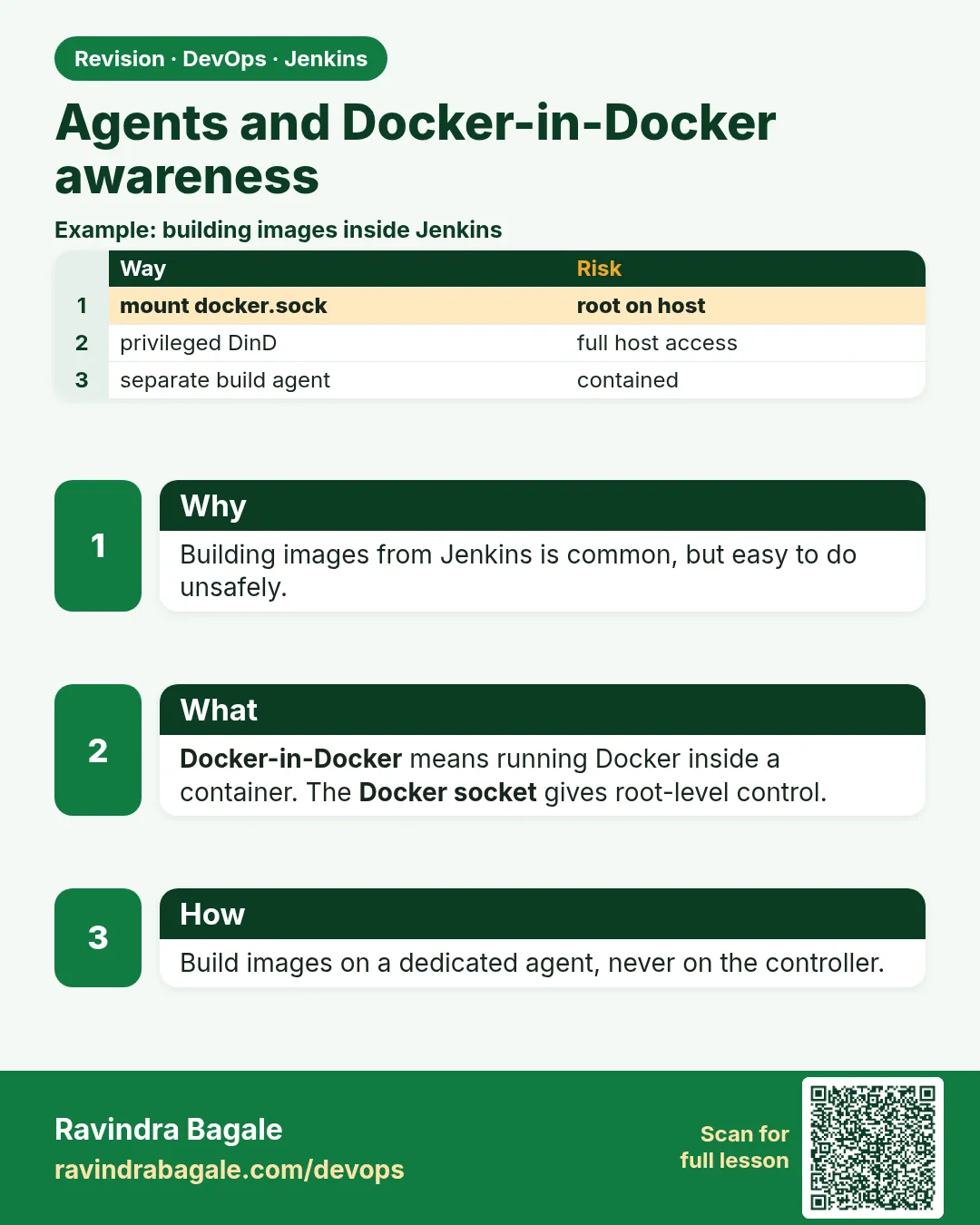
- Docker socket — /var/run/docker.sock. The door to the Docker engine on the host.
- Socket mount — Giving a container the host socket. The container can then control all containers on the host.
- Docker-in-Docker (DinD) — Running a full Docker engine inside a container. Needs privileged mode.
- Privileged — A container with almost full host power. Avoid unless you must.
- SSH agent — A separate machine or container Jenkins connects to over SSH.
- reuseNode — Run the Docker agent on the same node and workspace as the outer agent.
How: step by step
-
Install the plugin
Manage Jenkins > Plugins > Available > Docker Pipeline > InstallWhat it does: Adds agent { docker } support.
Output
Docker Pipeline: Success -
Give the lab Jenkins the Docker CLI and socket
docker run -d --name jenkins -p 8080:8080 -v jenkins_home:/var/jenkins_home -v /var/run/docker.sock:/var/run/docker.sock --group-add $(stat -c %g /var/run/docker.sock) ravi/jenkins-docker:1.0What it does: The custom image adds docker-ce-cli. Lab only; see the safety note.
Output
c0ffee... -
Check Jenkins can talk to Docker
docker exec jenkins docker psWhat it does: Lists host containers from inside Jenkins.
Output
CONTAINER ID IMAGE ... jenkins -
Run a pipeline with a Docker agent
Build the Example 1 jobWhat it does: Jenkins pulls the image and runs steps inside it.
Output
Pulling python:3.12-slim -
Watch the containers come and go
docker ps (during the build)What it does: A short-lived container appears and then disappears.
Output
python:3.12-slim "cat" Up 3 seconds
Example 1: Python stage inside python:3
Stack. Docker Pipeline plugin, python:3.12-slim
Goal. Python stage inside python:3.12.
Jenkinsfile
pipeline {
    agent { docker { image 'python:3.12-slim' } }
    stages {
        stage('Test') {
            steps {
                sh 'python --version'
                sh 'pip install -q --user pytest && python -m pytest -q'
            }
        }
    }
}
What each line does
agent { docker { image 'python:3.12-slim' } }— Run the whole pipeline in this image.python --version— Proves the stage runs in the container.pip install --user— Installs into the user folder; no root needed.
Green output
$ docker pull python:3.12-slim
$ docker run -t -d -u 1000:1000 -w /var/jenkins_home/workspace/py-test ... python:3.12-slim cat
+ python --version
Python 3.12.7
+ python -m pytest -q
1 passed in 0.02s
$ docker stop --time=1 3a2b... && docker rm -f 3a2b...
Finished: SUCCESS
Expected result. No Python was installed on the agent. The container brought it and then left.
Example 2: Two stages, two images
Stack. Maven, Node.js, Docker agents
Goal. Two stages, two images.
Jenkinsfile
pipeline {
    agent none
    stages {
        stage('Backend test') {
            agent { docker { image 'maven:3.9-eclipse-temurin-21' } }
            steps { sh 'mvn -B -q test' }
        }
        stage('Frontend test') {
            agent { docker { image 'node:20-alpine' } }
            steps { sh 'npm ci && npm test' }
        }
    }
}
What each line does
agent none— No default agent. Each stage picks its own.maven:3.9-eclipse-temurin-21— Java 21 and Maven, ready.node:20-alpine— Small Node 20 image for the frontend.
Green output
[Pipeline] { (Backend test)
Pulling maven:3.9-eclipse-temurin-21
[INFO] Tests run: 12, Failures: 0
[Pipeline] { (Frontend test)
Pulling node:20-alpine
# pass 6
Finished: SUCCESS
Expected result. Java and Node never touched each other. Each stage got its own toolbox.
Example 3: Build and push an image from Jenkins
Stack. Docker Pipeline plugin, private registry
Goal. Build and push an image from Jenkins.
Jenkinsfile
pipeline {
    agent { label 'docker' }
    environment { IMAGE = 'registry.example.com/ravi/badge-api' }
    stages {
        stage('Build image') {
            steps {
                script {
                    def img = docker.build("${IMAGE}:${env.BUILD_NUMBER}")
                    docker.withRegistry('https://registry.example.com', 'registry-creds') {
                        img.push()
                        img.push('latest')
                    }
                }
            }
        }
    }
    post { always { sh 'docker image prune -f' } }
}
What each line does
agent { label 'docker' }— Use an agent that has Docker.docker.build(...)— Builds the Dockerfile in the workspace and returns an image object.docker.withRegistry(url, credId)— Logs in with the saved credential.img.push()— Pushes the build number tag, then latest.docker image prune -f— Removes dangling images so the agent disk does not fill.
Green output
+ docker build -t registry.example.com/ravi/badge-api:31 .
 => naming to registry.example.com/ravi/badge-api:31
+ docker login -u ravi -p ******** https://registry.example.com
Login Succeeded
+ docker push registry.example.com/ravi/badge-api:31
+ docker push registry.example.com/ravi/badge-api:latest
Total reclaimed space: 0B
Finished: SUCCESS
Expected result. Two tags are in the registry: 31 and latest.
Verify: did it work?
-
Check no build containers are left
docker ps -a --filter "status=exited"What it does: Jenkins should remove its agent containers.
Output
(empty) -
Check agent disk
docker system dfWhat it does: Images and build cache use disk; prune often.
Output
Images 24 3.1GB
When it is red 1
docker: permission denied while trying to connect to the Docker daemon socket at unix:///var/run/docker.sock
Cause. The jenkins user is not in the socket group.
Fix, step by step
- Start the container with --group-add and the socket group id.
- On a VM agent: sudo usermod -aG docker jenkins, then reconnect the agent.
- Never fix this by opening the socket to everybody.
When it is red 2
Invalid agent type "docker" specified. Must be one of [any, label, none]
Cause. The Docker Pipeline plugin is missing.
Fix, step by step
- Install Docker Pipeline.
- Restart Jenkins if asked.
- Build again.
When it is red 3
npm ERR! EACCES: permission denied, mkdir '/.npm'
Cause. The container runs as the Jenkins user id with no home folder.
Fix, step by step
- Set HOME: environment { HOME = "${WORKSPACE}" }.
- Or pass args: '-e HOME=/tmp' in the docker agent block.
Cleanup
-
Prune old images on the agent
docker image prune -af --filter "until=72h"What it does: Deletes images older than 3 days.
Output
Total reclaimed space: 2.4GB
Ravindra Bagale's Tip
Mounting docker.sock is giving away the host key. Fine in the lab; in production use a separate trusted agent.
docker.sock mount करणे म्हणजे host ची चावी देणे. Lab मध्ये चालेल, production मध्ये वेगळा trusted agent वापरा.
docker.sock mount करना यानी host की चाबी देना. Lab में चलेगा, production में अलग trusted agent इस्तेमाल करो.
Practice tasks
Easy Pin an image digest
Why: Exact builds.
What to do: Use image@sha256 instead of a tag.
- docker inspect --format "{{index .RepoDigests 0}}" python:3.12-slim
Check: The pipeline uses the digest.
Medium Add an SSH agent
Why: Real agents are separate machines.
What to do: Run jenkins/ssh-agent and connect it as a node.
- docker run -d --name agent1 -e JENKINS_AGENT_SSH_PUBKEY="ssh-ed25519 AAAA..." jenkins/ssh-agent:latest-jdk17
Check: The node shows In sync.
Hard Try rootless builds
Why: Safer image builds.
What to do: Build an image with Kaniko or BuildKit rootless instead of the socket.
- Read the tool docs.
Check: Image built without the host socket.
Easy Say Docker agents in two lines
Why: If you can say it simply, you understand it. Juniors and interviewers both want the short version first.
What to do: Write two short lines about Docker agents for a fresher who knows only Linux, Git and Docker basics.
- Write the problem it solves.
- Write the one Jenkins screen, Jenkinsfile line or command you use for it.
- Read it aloud to a friend.
Check: A fresher understands it without asking a question.
Easy Keep a throwaway lab Jenkins
Why: Practice needs a Jenkins you can break. If the lab gets messy, you delete the container and volume and start again.
What to do: Run a lab Jenkins in Docker on your laptop with a named volume jenkins_home.
- docker volume create jenkins_home
- docker run -d --name jenkins -p 8080:8080 -v jenkins_home:/var/jenkins_home jenkins/jenkins:lts-jdk17
- Open http://localhost:8080 and finish the setup wizard.
Check: The Jenkins dashboard opens and shows "Welcome to Jenkins!".
Medium Do it on a second stack
Why: A pipeline idea must work for Node.js, Python and Java. Only the build and test lines should change.
What to do: Repeat this lesson with a different language than the one you used first.
- If you used Python, use Node.js or Maven now.
- Change only the sh lines for build and test.
- Keep the same stage names.
Check: Same green result, and the stage names did not change.
Medium Break it on purpose
Why: You must know the red console log by face. In a real outage there is no time to read slowly.
What to do: Cause one error from the "When it is red" part of this lesson and fix it.
- Follow the error section.
- Copy the exact message from Console Output into your notes.
- Write the fix in one line.
Check: You fixed it using only the steps, without searching the web.
Medium Write a one-page runbook
Why: At 2 a.m. nobody remembers Jenkins menus. A short page saves the on-call person.
What to do: Write a one-page runbook for this lesson.
- Title, when to use, exact clicks or Jenkinsfile lines, how to check, how to undo.
Check: A teammate can follow it alone.
Hard Explain it like an interview
Why: Interviewers want real stories, not definitions.
What to do: Record a 60 second answer about this lesson.
- Say the problem, the Jenkinsfile lines you wrote, and one error you hit.
Check: Your answer has a real Jenkinsfile line and a real error message.
Hard Draw the flow top to bottom
Why: A drawing shows the order of work and which stage waits for which.
What to do: Draw this lesson as boxes from top to bottom.
- Start at git push or Build Now, go through each stage, end at the green build or the deployed app.
Check: Each box matches a real line in your Console Output.
Homework: try at home
Try at home
At home, run the Python test inside python:3.12-slim, then the two-image pipeline, and watch docker ps while it runs.
Recap
- Docker agents give each stage a clean, exact toolbox.
- agent none plus per-stage agents mixes languages.
- Building images needs the Docker CLI and an engine.
- Socket mounts and privileged DinD are powerful and risky; use trusted agents.
- Prune images so agent disks do not fill.
FAQ
Socket mount or DinD?
Socket mount is simpler; DinD isolates more but needs privileged. Both trust the build. Rootless tools are safer.
Can Kubernetes run agents?
Yes, the Kubernetes plugin starts a pod per build.
Why does the container run as user 1000?
Jenkins matches the agent user so files in the workspace keep the right owner.
Does the workspace survive?
Yes. The workspace is mounted into the container.
Should the controller run Docker builds?
No. Use separate agents.
Interview questions
-
How do you use Docker agents in Jenkins?
agent { docker { image 'node:20' } } with the Docker Pipeline plugin on an agent that has Docker.
-
What are the risks of mounting docker.sock?
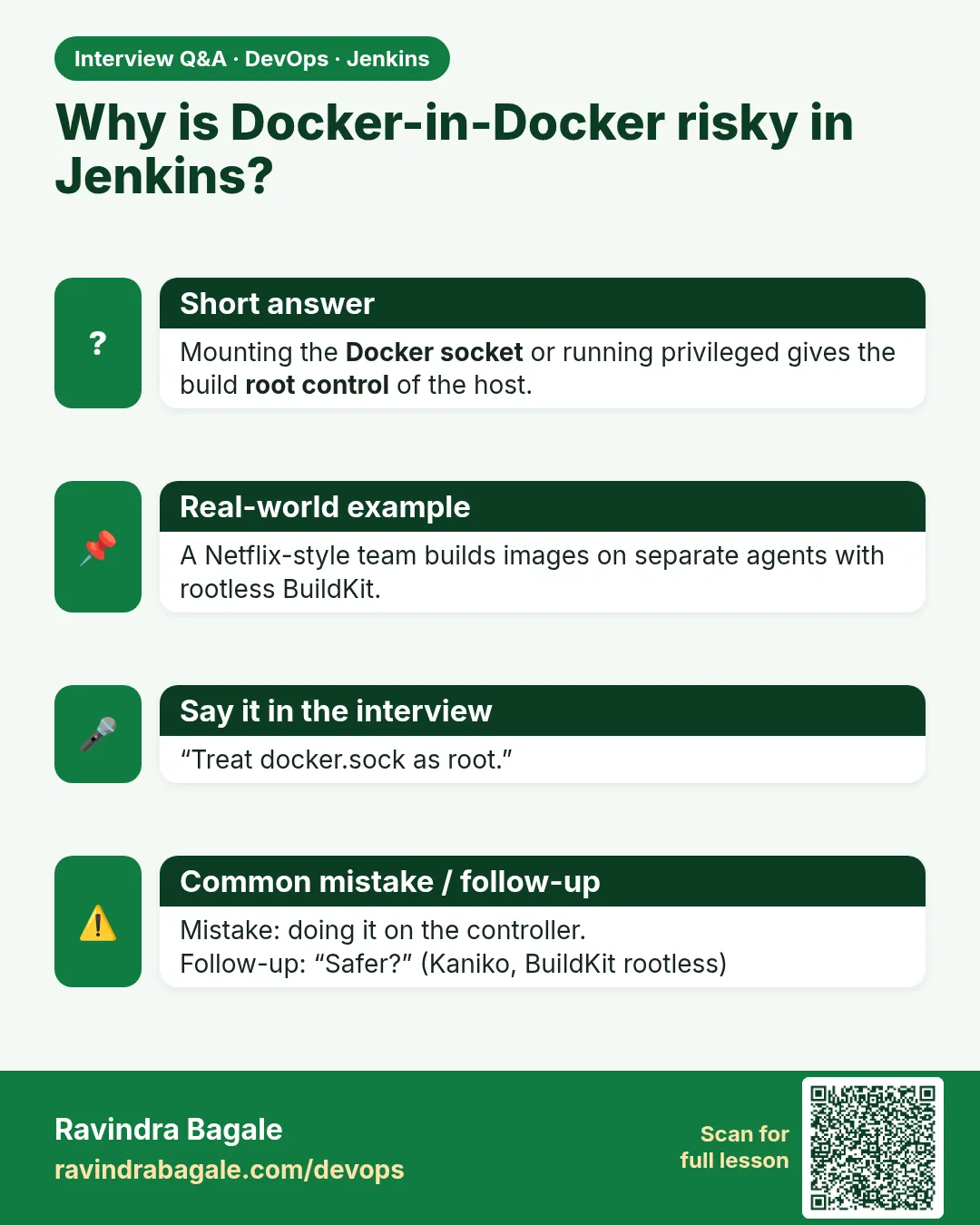
Anyone who controls the build can control the host Docker and gain root on the host.
-
Docker-in-Docker vs socket mount?
DinD runs a separate engine in a privileged container; socket mount reuses the host engine.
-
How do you build images without Docker daemon access?
Use Kaniko, Buildah or BuildKit rootless.
-
How do you keep agent disks healthy?
Prune images and workspaces, and use cleanWs.
Quick quiz
Q1. What does agent none do?
No default agent; each stage chooses.
Q2. What is the Docker socket?
The door to the host Docker engine.
Q3. Why is mounting it risky?
The container can control every container on the host, almost like root.
Q4. Which plugin adds docker agents?
Docker Pipeline.
Q5. What cleans old images?
docker image prune.
Did you understand? Let us try it once more.
 Revision card
 Interview card