Excel ERROR.TYPE Function
Chala mitrano — today ERROR.TYPE. Which error is this — divide-by-zero, name, N/A…?
चला मित्रांनो — आज ERROR.TYPE. ही कुठली error आहे — divide-by-zero, name, N/A…?
चलो दोस्तों — आज ERROR.TYPE. यह कौन-सी error है — divide-by-zero, name, N/A…?
Purpose
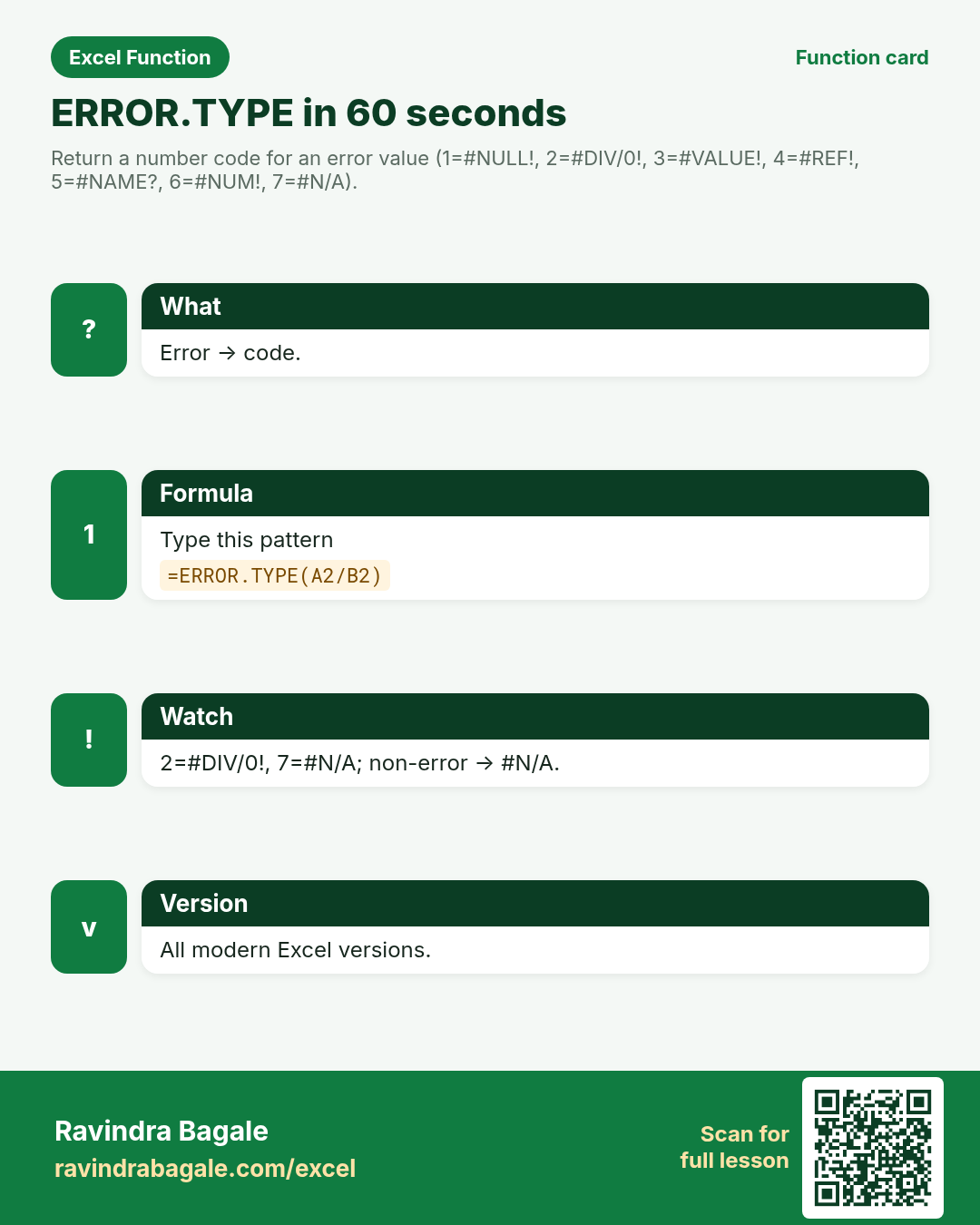
Return a number code for an error value (1=#NULL!, 2=#DIV/0!, 3=#VALUE!, 4=#REF!, 5=#NAME?, 6=#NUM!, 7=#N/A).
Return value
An error-type code, or #N/A if the value is not an error.
Syntax
Arguments
| Argument | Required? | Description |
|---|---|---|
error_val | Required | The error (or expression) to classify. |
Version
All modern Excel versions. LibreOffice Calc and Google Sheets have matching or close equivalents.
How to use — Why → What → How
Why: Support sheets need to count #DIV/0! separately from #N/A. ERROR.TYPE gives the code. Error triage for Rajahmundry model audits and Berlin finance reviews.
What: Codes: 1 #NULL!, 2 #DIV/0!, 3 #VALUE!, 4 #REF!, 5 #NAME?, 6 #NUM!, 7 #N/A. Non-errors return #N/A from ERROR.TYPE itself. Info functions are the seatbelts of messy imports: they tell you what kind of value you have before you compute. Prefer the narrow test (ISNA, ISBLANK) when you need precision; use ISERROR or TYPE when you need a broad gate. Always verify blanks versus empty strings versus zeros — they look alike on screen and fail differently in formulas. For CELL and INFO, treat format/environment codes as build-specific and document ‘verify on your Excel’ in class notes.
How — numbered steps:
- Type =ERROR.TYPE(A2/B2).
- Map codes with SWITCH.
- Wrap non-errors so ERROR.TYPE’s own #N/A does not confuse.
Ravindra Bagale's Tip
Friends, after ERROR.TYPE, find one column or range in a real workbook this week where this lesson saves time.
Ravindra Bagale's Tip – मराठी
मित्रांनो, ERROR.TYPE नंतर या आठवड्यात खरी workbook मधील एक संख्या column सुधारा.
Ravindra Bagale's Tip – हिंदी
दोस्तों, ERROR.TYPE के बाद इस हफ़्ते असली workbook का एक संख्या column सुधारो.
Ravindra Bagale's Tip
Friends, sleep on ERROR.TYPE; rebuild example 1 tomorrow without looking.
Ravindra Bagale's Tip – मराठी
मित्रांनो, ERROR.TYPE वर झोपा; उद्या उदाहरण 1 न पाहता लिहा.
Ravindra Bagale's Tip – हिंदी
दोस्तों, ERROR.TYPE पर सोकर कल उदाहरण 1 बिना देखे लिखो.
Ravindra Bagale's Tip
Friends, say the business question in plain words before =ERROR.TYPE.
Ravindra Bagale's Tip – मराठी
मित्रांनो, =ERROR.TYPE आधी व्यवसाय प्रश्न साध्या शब्दांत सांगा.
Ravindra Bagale's Tip – हिंदी
दोस्तों, =ERROR.TYPE से पहले व्यवसाय प्रश्न सादे शब्दों में बोलो.
Ravindra Bagale's Tip
Friends, check a known case with a calculator before you trust a long ERROR.TYPE chain.
Ravindra Bagale's Tip – मराठी
मित्रांनो, लांब ERROR.TYPE chain वर विश्वास ठेवण्यापूर्वी कॅल्क्युलेटरने एक ज्ञात case तपासा.
Ravindra Bagale's Tip – हिंदी
दोस्तों, लंबी ERROR.TYPE chain पर भरोसा करने से पहले कैलकुलेटर से एक जाना हुआ case जाँचो.
Ravindra Bagale's Tip
Friends, after you finish ERROR.TYPE, open yesterday’s real workbook and find one place this function would have saved ten minutes.
Ravindra Bagale's Tip – मराठी
मित्रांनो, ERROR.TYPE नंतर कालची खरी वर्कबुक उघडा आणि शोधा जिथे हे फंक्शन दहा मिनिटे वाचवू शकले असते.
Ravindra Bagale's Tip – हिंदी
दोस्तों, ERROR.TYPE के बाद कल की असली वर्कबुक खोलो और ढूँढो जहाँ यह फ़ंक्शन दस मिनट बचा सकता था.
Ravindra Bagale's Tip
Friends, treat blank, zero, and empty text as three different animals when you use ERROR.TYPE.
Ravindra Bagale's Tip – मराठी
मित्रांनो, ERROR.TYPE वापरताना blank, zero आणि रिकाम्या मजकूराला तीन वेगळे प्राणी समजा.
Ravindra Bagale's Tip – हिंदी
दोस्तों, ERROR.TYPE इस्तेमाल करते समय blank, zero और खाली टेक्स्ट को तीन अलग जानवर समझो.
Download practice file: practice-error-type.xlsx (includes sheet About this data, practice sheets, and Answers).
Worked examples
1) Div zero
Rajahmundry.
| A | B |
|---|---|
| 1 | 0 |
Result: 2
What it means: #DIV/0! → 2.
2) NA
Miss.
| # |
|---|
Result: 7
What it means: #N/A → 7.
3) NAME?
Typo.
| # |
|---|
Result: 5
What it means: #NAME? → 5 (approx classroom).
4) Berlin map
Label.
| A | B |
|---|---|
| 1 | 0 |
Result: div0
What it means: Human label.
5) Non-error
Ok.
| X |
|---|
| 10 |
Result: #N/A
What it means: Not an error → #N/A.
6) VALUE!
Text math.
| # |
|---|
Result: 3
What it means: #VALUE! → 3.
Common errors and fixes
Notes and tips
- Revisit the ERROR.TYPE errors table after the quiz.
- Build example 1 from memory on a blank sheet.
- Check number vs text if a result looks wrong.
- Teach one tip in Marathi or Hindi this week.
- Keep currency symbols consistent inside one report column (practice mixes ₹ $ £ €).
- Drill: map #DIV/0! and #N/A to labels from memory.
- ERROR.TYPE vs ISERROR: which error versus whether any error.
- Fictional sample data only — names and amounts are for learning.
- Print the ERROR.TYPE revision card for one week of real worksheets.
- Ask juniors to predict before they press Enter.
- Track your top mistake with this function monthly.
- Error triage for Rajahmundry model audits and Berlin finance reviews.
- Interview tip: explain the business question before the formula.
- Classroom drill: invent three brand-new formulas from your city without the page open.
- If a result looks wrong, check blanks vs zeros before rewriting.
- When Excel versions differ, note the LibreOffice / Sheets fallback in a cell comment.
- Prefer clear ranges over whole-column refs on huge sheets if speed matters.
- Document units (₹, kg, days) in the header so totals stay honest.
- Distinguish blank, "", 0, and text "0" before you trust any IS* result.
- Prefer IFNA for lookup misses and IFERROR for broad display substitutes.
- TYPE codes: 1 number, 2 text, 4 logical, 16 error, 64 array — card them.
- ERROR.TYPE: 2=#DIV/0!, 7=#N/A — card the rest for audits.
- Always pass a reference to CELL; omitting it is volatile and confusing in shared books.
- INFO and some CELL format codes vary by host — flag uncertain in lesson notes.
- SHEETS includes hidden sheets; unhide before trusting a QA count.
- Fictional sample data only — never paste real customer sheets into class files.
- Teach one junior blank-vs-zero in Marathi or Hindi this week.
- Print the revision card and stick it near the monitor for one week of real worksheets.
In real work
Drill: map #DIV/0! and #N/A to labels from memory. Error triage for Rajahmundry model audits and Berlin finance reviews. Classroom drill: write three brand-new ERROR.TYPE formulas on a blank sheet using names from your own city — if you can invent them without the page open, you own the skill. Then break one formula on purpose and watch the error; recovering from that break is half of interview readiness. Always verify with a known case before trusting a long chain. Keep a personal notebook of the one mistake you make most often with this function; review it monthly. The IS* family returns booleans you can nest in IF; IFERROR/IFNA are the modern display wrappers when you only need a substitute value. TYPE collapses several tests into codes 1/2/4/16/64. N coerces logicals for SUMPRODUCT-era maths but does not parse digit-text — that is VALUE. NA() forces chart gaps; ERROR.TYPE triage codes let support count #DIV/0! separately from #N/A. SHEET/SHEETS index and count tabs including hidden ones — QA asserts love SHEETS()=n gates.
How it compares
ERROR.TYPE vs ISERROR: which error versus whether any error.
Interview corner
- Div0?
- 2.
- NA?
- 7.
- Non-error?
- #N/A from ERROR.TYPE.
Related functions
Practice tasks (10)
- Task 1. Code for 1/0.2.
- Task 2. Code for NA().7.
- Task 3. Label with CHOOSE.Map.
- Task 4. Non-error case.Trap.
- Task 5. Berlin triage.Use.
- Task 6. Interview.Talk.
- Task 7. Teach.Teach.
- Task 8. Card codes.Mem.
- Task 9. Fill.Fill.
- Task 10. Document.Note.
Quick quiz
Answers: Q1=2, Q2=7, Q3=#N/A, Q4=3, Q5=5 (check after you try).
Revision card
Standalone card (no tip or photo strip). QR opens this lesson. Download the PNG and revise offline.