Excel CONCAT Function
Chala mitrano — cONCAT sticks pieces together. Ranges are allowed — but it cannot put a comma between them (that is TEXTJOIN).
चला मित्रांनो — CONCAT तुकडे चिकटवते. Range चालतात — पण मध्ये स्वतः comma टाकत नाही (ते TEXTJOIN).
चलो दोस्तों — CONCAT टुकड़े चिपकाता है. Range चलते हैं — पर बीच में खुद comma नहीं डालता (वह TEXTJOIN).
Purpose
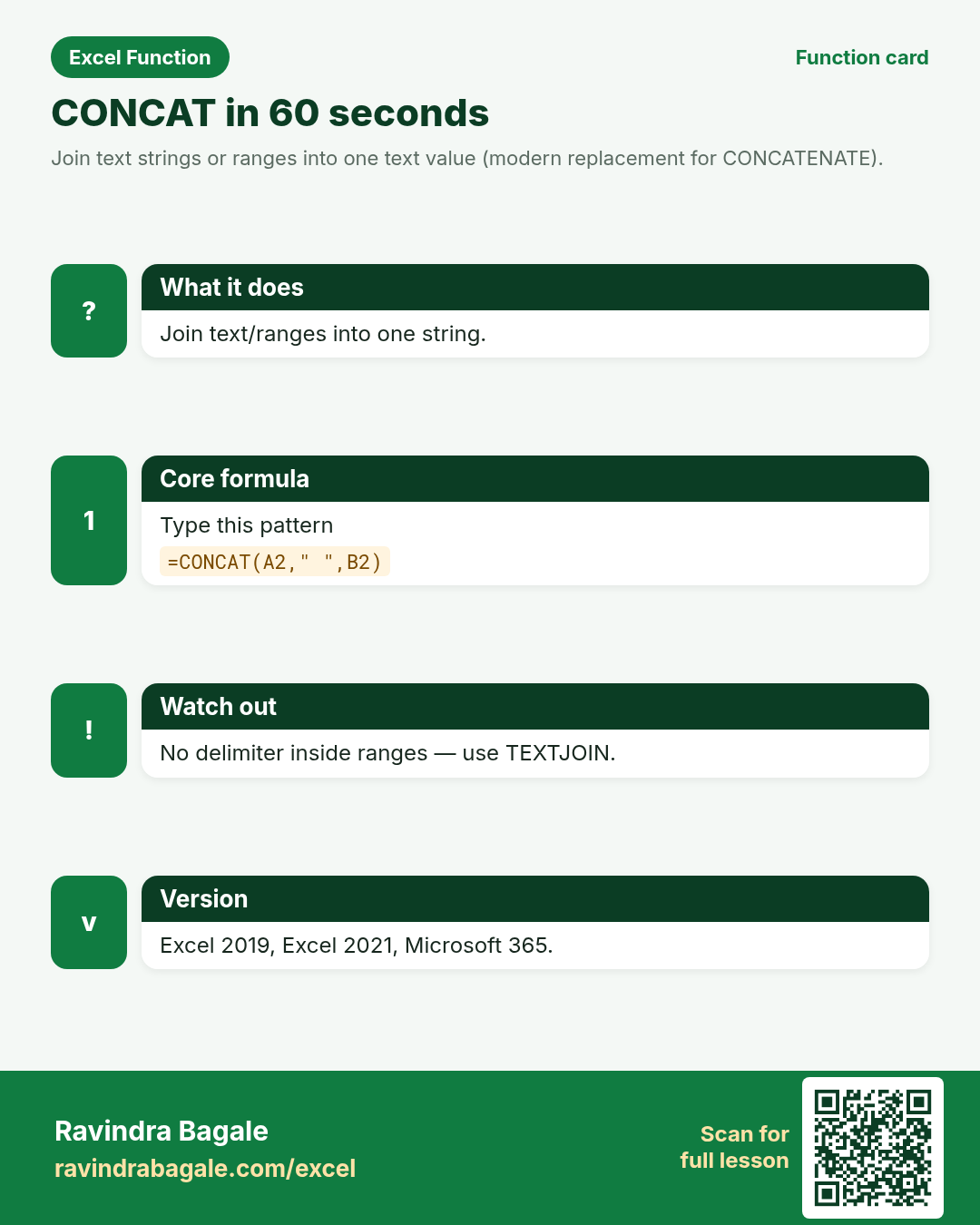
Join text strings or ranges into one text value (modern replacement for CONCATENATE).
Return value
One combined text string.
Syntax
Arguments
| Argument | Required? | Description |
|---|---|---|
text1 | Required | First text, number, or range. |
text2,... | Optional | More texts or ranges to append. |
Version
Excel 2019, Excel 2021, Microsoft 365. Not in Excel 2016 and older (use CONCATENATE or &). LibreOffice: use CONCATENATE or &.
How to use — Why → What → How
Why: Thane HR wants Full Name from First + Last. San Diego ops builds warehouse labels from Zone + Aisle. CONCAT (or &) does it without helper typing. Teach & for compatibility, CONCAT for modern Excel, TEXTJOIN for delimited lists. One slide with all three prevents tool confusion.
What: CONCAT appends its arguments in order. If you pass a range, values are joined with no delimiter. Read every argument in the table once before you type; each one changes the answer on purpose.
How — numbered steps:
- Type =CONCAT(A2," ",B2).
- Or =CONCAT(A2:B2) carefully — no space between.
- Prefer TEXTJOIN when you need delimiters on a range.
- On older Excel use =A2&" "&B2.
Ravindra Bagale's Tip
Friends, for lists with commas between items use TEXTJOIN. CONCAT just glues.
Ravindra Bagale's Tip – मराठी
मित्रांनो, items मध्ये commas हवे असतील तर TEXTJOIN. CONCAT फक्त चिकटवते.
Ravindra Bagale's Tip – हिंदी
दोस्तों, items के बीच commas हों तो TEXTJOIN. CONCAT सिर्फ़ चिपकाता है.
Ravindra Bagale's Tip
Friends, sleep on CONCAT and rebuild example 1 tomorrow without looking. That five-minute test beats rereading the whole page.
Ravindra Bagale's Tip – मराठी
मित्रांनो, CONCAT वर एक रात्र झोपा आणि उद्या उदाहरण 1 न पाहता पुन्हा लिहा. पाच मिनिटांची ही चाचणी पूरे पृष्ठ वाचण्यापेक्षा जास्त मदत करते.
Ravindra Bagale's Tip – हिंदी
दोस्तों, CONCAT पर एक रात सोकर कल उदाहरण 1 बिना देखे फिर लिखो. पाँच मिनट का यह टेस्ट पूरा पेज पढ़ने से ज़्यादा मदद करता है.
Ravindra Bagale's Tip
Friends, after you finish CONCAT, open yesterday’s real workbook and find one place this function would have saved ten minutes. That habit turns lessons into salary skills.
Ravindra Bagale's Tip – मराठी
मित्रांनो, CONCAT शिकून झाल्यावर कालची खरी वर्कबुक उघडा आणि शोधा जिथे हे फंक्शन दहा मिनिटे वाचवू शकले असते. ही सवय धड्यांना पगाराची कौशल्ये बनवते.
Ravindra Bagale's Tip – हिंदी
दोस्तों, CONCAT सीखने के बाद कल की असली वर्कबुक खोलो और ढूँढो जहाँ यह फ़ंक्शन दस मिनट बचा सकता था. यही आदत पाठ को सैलरी स्किल बनाती है.
Download practice file: practice-concat.xlsx (includes sheet About this data, practice sheets, and Answers).
Worked examples
1) Full name
Thane HR.
| First | Last |
|---|---|
| Neha | Shah |
| Omar | Khan |
Result: Neha Shah
What it means: Full name with space.
2) Ampersand same
Compatible style.
| First | Last |
|---|---|
| Neha | Shah |
Result: Neha Shah
What it means: & works on all Excel versions.
3) Zone label
San Diego.
| Zone | Aisle | Bin |
|---|---|---|
| W | 12 | A |
| E | 03 | C |
Result: W-12-A
What it means: Warehouse label.
4) Range glue
No delimiter.
| A | B | C |
|---|---|---|
| X | Y | Z |
Result: XYZ
What it means: Glued without separators.
5) With TEXT for ₹
Amount label.
| Name | Amt |
|---|---|
| Neha | 1250 |
Result: Neha — ₹1,250
What it means: Formatted amount in text.
6) Empty piece
Missing middle.
| A | B | C |
|---|---|---|
| Ravi | Bagale |
Result: Ravi Bagale
What it means: Double space — TRIM if needed.
Common errors and fixes
Notes and tips
- CONCAT cannot insert delimiters inside a range.
- & operator is universal.
- TEXTJOIN for lists with separators.
- Name-building is universal — Thane HR and San Diego ops teach the same pattern. Show & for compatibility, CONCAT for modern Excel, TEXTJOIN for lists.
- CONCAT vs TEXTJOIN: TEXTJOIN adds delimiters and can skip blanks. CONCAT vs CONCATENATE: CONCATENATE is legacy and cannot take a range the same way.
- Fictional sample data only — practice amounts and names are made for learning.
- After the 10 tasks, re-read the errors table once.
- Say the business question in plain words before you type equals.
- Keep a scrap sheet for experiments so you do not overwrite class files.
- Fill formulas down only after the first row looks correct.
- When two answers look possible, write both on paper then test in Excel.
- Teach & for compatibility, CONCAT for modern Excel, TEXTJOIN for delimited lists. One slide with all three prevents tool confusion.
- Revisit the CONCAT errors table after the quiz — most classroom mistakes are listed there.
- Build one brand-new example on a blank sheet from memory before you close the laptop.
- If a result looks wrong, check spaces with LEN and case with exact equals before changing the formula.
- Share one tip from this page with a classmate in Marathi or Hindi — teaching locks the idea.
- Keep currency symbols consistent inside a single report column even when practice mixes ₹ $ £ € across examples.
- When Excel versions differ at home and in class, write the fallback formula under the modern one in a comment cell.
- Print the revision card for CONCAT and stick it near your monitor for one week of real worksheets.
- When helping a junior, ask them to predict the result before pressing Enter — prediction builds judgement.
- Keep a personal notebook of the one mistake you make most often with this function; review it monthly.
In real work
Name-building is universal — Thane HR and San Diego ops teach the same pattern. Show & for compatibility, CONCAT for modern Excel, TEXTJOIN for lists. Teach & for compatibility, CONCAT for modern Excel, TEXTJOIN for delimited lists. One slide with all three prevents tool confusion. Classroom drill: write three brand-new CONCAT formulas on a blank sheet using names from your own city — if you can invent them without the page open, you own the skill. Then break one formula on purpose (wrong case, wrong start, extra space) and watch the error; recovering from that break is half of interview readiness.
How it compares
CONCAT vs TEXTJOIN: TEXTJOIN adds delimiters and can skip blanks. CONCAT vs CONCATENATE: CONCATENATE is legacy and cannot take a range the same way.
Interview corner
- Delimiter inside a range?
- TEXTJOIN.
- Old Excel?
- Use &.
- CONCAT vs &?
- Same idea; & is older-compatible.
Related functions
Practice tasks (10)
- Task 1. Full name Neha Shah with CONCAT.Hint: space argument.
- Task 2. Same with & operator.Hint: quotes around space.
- Task 3. Warehouse W-12-A label.Hint: three pieces.
- Task 4. CONCAT of A2:C2 without spaces.Hint: range.
- Task 5. ₹ amount label with TEXT.Hint: nest TEXT.
- Task 6. Note double space when middle empty.Hint: example 6.
- Task 7. Fill names for two rows.Hint: fill down.
- Task 8. When to pick TEXTJOIN.Hint: delimiters.
- Task 9. Explain #NAME? on Excel 2016.Hint: version.
- Task 10. Interview: range delimiters?Hint: TEXTJOIN.
Quick quiz
Answers: Q1=Neha Shah, Q2=Values glued, Q3=TEXTJOIN, Q4=Use &, Q5=Text (check after you try).
Revision card
Standalone card (no tip or photo strip). QR opens this lesson. Download the PNG and revise offline.