Chapter 94: HashiCorp Vault and Secrets Management
94.8 Policies — capabilities, default deny and least privilege
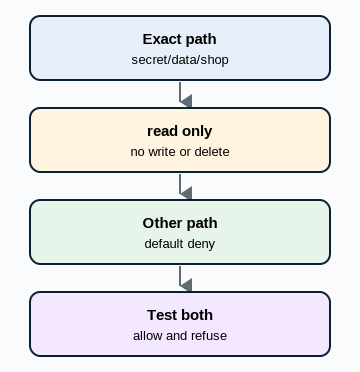
Story (fictional teaching scenario). At a fictional Jaipur shop, Elena from Berlin wants a web app to read one path but not edit prices or inspect other teams.
Why
A small path rule is easier to review than a broad wildcard permission.
What
- Policy declares allowed or denied operations on paths, in HCL or JSON.
- Capability is an operation such as read, create, update, patch, delete or list.
- Default deny means an unmatched protected path is not allowed.
- Explicit deny overrides grants on the matching rule.
- Path matching has specificity rules; a glob is not a general regular expression.
How
-
Start from the exact API path.
-
Grant only the required capabilities.
-
Test an allowed and a denied operation.
-
Do not assume read on data also grants list on metadata.
Example 1: One read rule
- Read the command or request.
path "secret/data/shop" {
  capabilities = ["read"]
}
- Read the result.
Output (illustrative; NOT executed against Vault)
Read shop: permitted by this rule.
Update shop: not granted.
Read other: not granted.
- Line by line:
pathnames the v2 data endpoint without /v1/.capabilitiesis a list even for one operation. The token’s complete policy set and Vault matching rules determine the final result; the local model later supports exact paths only.
Example 2: List is separate
- Read the command or request.
path "secret/metadata/team/" {
  capabilities = ["list"]
}
- Read the result.
Output (illustrative; NOT executed against Vault)
List response can include key names, not their values.
- Line by line: KV v2 listing uses the metadata prefix. Returned names are not individually filtered by secret-read permissions. Do not put personal information or secret values in key names.
Example 3: Check policy requirements without granting more
- Read the command or request.
vault kv get -mount=secret -output-policy shop
- Read the result.
Output (illustrative; NOT executed against Vault)
Policy requirement includes read on secret/data/shop.
- Line by line:
-output-policyasks the CLI to display the required policy rather than perform the normal operation, where supported. Consult the installed CLI help. No permission is changed by reading a requirement.
Ravindra Bagale's Tip
Do not fix permission denied with a root token in the application.
App मध्ये root token टाकून permission denied सोडवू नका.
App में root token डालकर permission denied मत सुलझाओ.
Did you understand? Let us try it once more.