56.6 Docker interview questions with answers
Why: the problem
Suppose we have a DevOps interview at Razorpay next week. Interviewers rarely ask us to recite flags. They ask why, and then they ask us to prove it. What is the difference between an image and a container? Show me. Why is your build slow? Show me the cache. Your container died with 137. What happened? A good answer has three parts: a one-line definition, a real example from work or a lab, and a trade-off or gotcha. In this lesson we practise the most common Docker questions in that shape, from fresher to senior level. For the key ones we run a small live demo so we can say: I have done this, here is the output. Read the questions aloud, answer in under a minute, then check the model answer.
What: every term in plain English
- Image — Read-only layered template: filesystem plus metadata.
- Container — A running process from an image, with a thin writable layer, namespaces and cgroups.
- Namespaces — Kernel isolation for PID, network, mount, user, UTS, IPC.
- cgroups — Kernel limits for CPU, memory and IO.
- Union filesystem — overlay2 stacks layers into one view.
- Build cache — Reuse of unchanged layers; invalidated from the first changed step.
- Volume — Docker-managed persistent storage outside the container layer.
- Bridge network — Default local network with NAT; user-defined bridges add DNS.
- OCI — Open standards for image format and runtime.
How: step by step
- Define in one line. Short and correct.
- Give a real example. A lab, a project, numbers.
- Name a trade-off. Shows depth.
- Demo when possible. Proof beats words.
- Admit what you do not know. Then say how you would find out.
Command reference table
| Command | Common flags | Example | Expected output | Meaning |
|---|---|---|---|---|
docker run |
-d -it --name -p -v -e --rm --network | docker run -d --name web -p 8080:80 nginx:1.27 |
3f9a1c... | Create and start a container. |
docker ps |
-a -q -s --filter --format | docker ps -a |
CONTAINER ID IMAGE STATUS | List containers. |
docker exec |
-it -u -w -e | docker exec -it web sh |
/ # | Run a command in a running container. |
docker logs |
-f --tail --since -t | docker logs -f --tail 50 web |
GET / 200 | Container output. |
docker start/stop/restart |
-t -a | docker stop -t 20 web |
web | Lifecycle. |
docker rm |
-f -v | docker rm -f web |
web | Remove containers. |
docker inspect |
-f --type | docker inspect -f '{{.State.Status}}' web |
running | Low-level JSON. |
docker stats / top |
--no-stream | docker stats --no-stream |
NAME CPU % MEM | Live usage / processes. |
docker cp |
-a | docker cp web:/etc/nginx/nginx.conf . |
Successfully copied | Copy files. |
docker build |
-t -f --target --build-arg --no-cache --pull --secret | docker build -t api:1 . |
naming to docker.io/library/api:1 | Build an image. |
docker buildx |
build --platform --push, create, ls, imagetools | docker buildx build --platform linux/amd64,linux/arm64 -t r/api:1 --push . |
pushing manifest list | Advanced/multi-arch builds. |
docker builder |
prune -a, ls, du | docker builder prune -f |
Total reclaimed space: 1.2GB | Build cache management. |
docker images / image ls |
-a -q --filter --digests | docker images |
REPOSITORY TAG SIZE | List images. |
docker pull / push |
--platform -a | docker push r/api:1 |
digest: sha256:... | Download / upload images. |
docker tag |
SOURCE TARGET | docker tag api:1 r/api:1 |
(no output) | Add a name to an image. |
docker rmi / image prune |
-f / -a | docker image prune -a -f |
Total reclaimed space | Remove images. |
docker save / load |
-o / -i | docker save -o api.tar api:1 |
(file api.tar) | Images to and from tar. |
docker export / import |
-o | docker export web -o web.tar |
(file web.tar) | Container filesystem to tar / tar to image. |
docker volume |
create ls inspect rm prune | docker volume create pgdata |
pgdata | Manage volumes. |
docker network |
create ls inspect connect disconnect rm prune | docker network create appnet |
9c1e... | Manage networks. |
docker system |
df prune info events | docker system df |
TYPE TOTAL SIZE RECLAIMABLE | Disk use and cleanup. |
docker events |
--since --filter --format | docker events --filter event=die |
container die ... | Live daemon events. |
docker context |
create ls use inspect rm | docker context use prod |
prod | Switch target daemon. |
docker login / logout |
-u --password-stdin | aws ecr get-login-password | docker login -u AWS --password-stdin $REG |
Login Succeeded | Registry auth. |
docker search |
--limit --filter | docker search --limit 3 redis |
NAME STARS OFFICIAL | Search Docker Hub. |
docker compose |
up down ps logs exec … | docker compose up -d |
✔ Started | Multi-container apps (chapter 53). |
docker version / info |
--format | docker version --format '{{.Server.Version}}' |
27.3.1 | Client, server and host details. |
Example 1: Demo: image vs container, and the writable layer
Goal. Demo: image vs container, and the writable layer.
Commands
docker pull nginx:1.27
docker run -d --name c1 nginx:1.27
docker run -d --name c2 nginx:1.27
docker exec c1 sh -c 'echo hi-from-c1 > /usr/share/nginx/html/x.txt'
docker exec c2 ls /usr/share/nginx/html
docker diff c1
docker ps -s --format '{{.Names}} {{.Size}}'
What each line does
one image, two containers— Same read-only layers shared.write in c1— Goes to c1's own writable layer.ls in c2— c2 does not see it.docker diff— Shows A (added) and C (changed) files.ps -s— Writable layer size per container, plus virtual size.
Green output
50x.html
index.html
C /usr/share/nginx/html
A /usr/share/nginx/html/x.txt
c1 1.09kB (virtual 192MB)
c2 1.09kB (virtual 192MB)
Expected result. Answer: an image is a read-only template; a container is a process plus a thin writable layer. Two containers share 192 MB of image and use about 1 KB each.
Example 2: Demo: containers are processes with namespaces and cgroups
Goal. Demo: containers are processes with namespaces and cgroups.
Commands
docker run -d --name lim --memory 128m --cpus 0.5 nginx:1.27
docker top lim
ps -eo pid,comm | grep nginx | head -2
docker exec lim sh -c 'echo $$; cat /proc/1/cmdline | tr "\0" " "'
docker inspect -f '{{.HostConfig.Memory}} {{.HostConfig.NanoCpus}}' lim
cat /sys/fs/cgroup/system.slice/docker-$(docker inspect -f '{{.Id}}' lim).scope/memory.max
What each line does
docker top— The container's processes, seen from the host.ps on host— Same nginx processes, with host PIDs.PID 1 inside— PID namespace: inside, nginx is PID 1.Memory / NanoCpus— The limits we set.memory.max— The real cgroup v2 file the kernel enforces.
Green output
UID   PID    CMD
root  41231  nginx: master process nginx -g daemon off;
41231 nginx
1 nginx: master process nginx -g daemon off;
134217728 500000000
134217728
Expected result. Answer: a container is not a VM. It is a normal Linux process isolated by namespaces and limited by cgroups, sharing the host kernel.
Example 3: Demo: build cache and why order matters
Goal. Demo: build cache and why order matters.
Dockerfile
FROM python:3.12-slim
WORKDIR /app
COPY requirements.txt .
RUN pip install --no-cache-dir -r requirements.txt
COPY . .
CMD ["python", "app.py"]
Commands
echo 'requests==2.32.3' > requirements.txt
echo 'print("v1")' > app.py
docker build -t cachedemo . 2>&1 | grep -E 'CACHED|DONE' | tail -3
echo 'print("v2")' > app.py
docker build -t cachedemo . 2>&1 | grep -E 'CACHED|DONE' | tail -4
What each line does
requirements first— Dependencies layer depends only on requirements.txt.change app.py— Only COPY . . and later steps rebuild.CACHED— pip install was reused.Wrong order— COPY . . first would reinstall packages on every code change.
Green output
#9 DONE 6.8s
#8 [4/5] RUN pip install --no-cache-dir -r requirements.txt CACHED
#9 [5/5] COPY . .
#9 DONE 0.1s
Expected result. Answer: each step is cached by its inputs; the first changed step and all after it rebuild. Put rarely changing steps first.
Every command, step by step (plain docker and Compose)
-
Fresher: image vs container
docker images; docker psWhat it does: Template vs running process.
nginx 1.27 ... / c1 Up -
Fresher: CMD vs ENTRYPOINT
docker run IMAGE extra-argWhat it does: CMD is replaced by args; ENTRYPOINT is kept and gets args.
ENTRYPOINT ["curl"] + args -
Mid: volume vs bind mount
docker volume ls; docker run -v $PWD:/app ...What it does: Docker-managed vs host path.
local pgdata -
Mid: container networking
docker network create app; docker run --network app ...What it does: User-defined bridge gives DNS by name.
db resolves to 172.19.0.2 -
Mid: exit 137
docker inspect -f '{{.State.OOMKilled}}' cWhat it does: SIGKILL, often OOM.
true -
Senior: secrets
docker secret create / BuildKit --mount=type=secretWhat it does: Never ENV or layers.
secret mounted at /run/secrets -
Senior: supply chain
trivy image; cosign verifyWhat it does: Scan, SBOM, sign, verify.
Verified OK
When it is red 1
Interviewer: 'Is a container a lightweight VM?'
Cause. A common trap.
Fix, step by step
- No: containers share the host kernel; VMs have their own kernel on a hypervisor.
- Mention the trade-off: faster and smaller, weaker isolation than a VM.
When it is red 2
Interviewer: 'Your image is 2 GB. What do you do?'
Cause. Tests practical optimisation.
Fix, step by step
- Measure with docker history, then slim base, .dockerignore, multi-stage, clean layers.
- Give a real number from lesson 56-4.
When it is red 3
Interviewer: 'Containers cannot reach each other by name.'
Cause. Tests networking.
Fix, step by step
- They are on the default bridge or different networks.
- Use a user-defined network or Compose.
Practice tasks
Easy Task 1: Image vs container
Why: Basics.
What to do: Run the c1/c2 demo.
- Open a terminal with Docker.
- Answer each question aloud first, in under one minute.
- Then run the demo and compare with the model answer.
Solution
docker diff c1Easy Task 2: Diff
Why: Layers.
What to do: Explain docker diff output.
- Open a terminal with Docker.
- Answer each question aloud first, in under one minute.
- Then run the demo and compare with the model answer.
Solution
docker diff c1Medium Task 3: Namespaces
Why: Linux.
What to do: Show PID 1 inside.
- Open a terminal with Docker.
- Answer each question aloud first, in under one minute.
- Then run the demo and compare with the model answer.
Solution
docker exec lim cat /proc/1/cmdlineMedium Task 4: cgroups
Why: Limits.
What to do: Read memory.max.
- Open a terminal with Docker.
- Answer each question aloud first, in under one minute.
- Then run the demo and compare with the model answer.
Solution
cat /sys/fs/cgroup/.../memory.maxMedium Task 5: Cache
Why: Build.
What to do: Show CACHED after a code change.
- Open a terminal with Docker.
- Answer each question aloud first, in under one minute.
- Then run the demo and compare with the model answer.
Solution
docker build -t cachedemo .Medium Task 6: CMD vs ENTRYPOINT
Why: Classic.
What to do: Build a curl image and pass args.
- Open a terminal with Docker.
- Answer each question aloud first, in under one minute.
- Then run the demo and compare with the model answer.
Solution
docker run curlimg -I https://example.comHard Task 7: 137
Why: Ops.
What to do: Trigger and explain OOM.
- Open a terminal with Docker.
- Answer each question aloud first, in under one minute.
- Then run the demo and compare with the model answer.
Solution
docker run --memory 50m ...Hard Task 8: Supply chain
Why: Senior.
What to do: Explain scan, sign and verify.
- Open a terminal with Docker.
- Answer each question aloud first, in under one minute.
- Then run the demo and compare with the model answer.
Solution
cosign verify --key cosign.pub IMAGEMedium Task 9: Networks
Why: DNS.
What to do: Show name resolution on a user network.
- Open a terminal with Docker.
- Answer each question aloud first, in under one minute.
- Then run the demo and compare with the model answer.
Solution
docker run --network app alpine nslookup dbEasy Task 10: Mock
Why: Practice.
What to do: Answer 5 questions aloud.
- Open a terminal with Docker.
- Answer each question aloud first, in under one minute.
- Then run the demo and compare with the model answer.
Solution
Define, example, trade-off.Homework: try at home
At home, record yourself answering ten questions from this page in under a minute each, with one demo. Replay and improve the weakest three.
Recap
- Answer in three parts: definition, example, trade-off.
- Containers are processes with namespaces and cgroups.
- Images are read-only layers; containers add a writable layer.
- Know exit codes, networking, volumes and cache cold.
- Senior answers cover security and supply chain.
- Demos make answers believable.
FAQ
Q. How many questions should I prepare?
The 40 in this lesson and the earlier chapter quizzes cover most interviews.
Q. What if I don't know an answer?
Say so, then explain how you would find out: docs, docker inspect, a quick test.
Q. Do they ask about Kubernetes in Docker interviews?
Often yes: pods vs containers, why Kubernetes, and how images get to a cluster.
Q. Should I mention Podman?
Yes, briefly: daemonless, rootless, Docker-compatible CLI.
Q. How deep on internals?
Namespaces, cgroups, overlay2 and OCI at one-line level is enough for most roles.
Q. What about Docker Swarm?
Know what it is and when it fits; most companies use Kubernetes or ECS.
Q. How do I show hands-on experience?
Talk about one project end to end: Dockerfile, Compose, CI build and scan, registry, deploy, and one incident you fixed.
Q. Is Docker Desktop paid?
Free for personal use, education and small companies; larger companies need a paid subscription. Docker Engine on Linux stays free.
Interview questions
-
What happens when you run docker run nginx?
Model answer: The CLI calls the daemon API; the daemon pulls the image if missing, containerd and runc create namespaces and cgroups, overlay2 mounts the layers, a network interface is attached, and nginx starts as PID 1.
-
How do you pass config to containers?
Model answer: Environment variables for simple values, mounted config files or Swarm configs for files, and secrets for passwords, never baked into the image.
-
What is the difference between docker stop and docker kill?
Model answer: stop sends SIGTERM, waits 10 seconds, then SIGKILL; kill sends SIGKILL at once (or the signal you choose).
-
How do you roll back a bad image?
Model answer: Redeploy the previous immutable commit tag or digest; that is why we never overwrite tags.
-
Image vs container?
Model answer: Image is a read-only layered template; container is a running instance with a writable layer.
-
Container vs VM?
Model answer: Container shares the host kernel and isolates with namespaces and cgroups; a VM runs its own kernel on a hypervisor.
-
CMD vs ENTRYPOINT?
Model answer: ENTRYPOINT is the fixed executable; CMD gives default args that docker run args replace.
-
COPY vs ADD?
Model answer: COPY copies files; ADD also extracts local tars and fetches URLs. Prefer COPY.
-
Volume vs bind mount vs tmpfs?
Model answer: Volume is Docker-managed, bind mount is a host path, tmpfs is memory only.
-
How do containers talk to each other?
Model answer: On a user-defined network by container or service name using Docker's embedded DNS.
-
What is a multi-stage build?
Model answer: Multiple FROM stages; copy only artifacts into the final small image.
-
How do you make builds faster?
Model answer: Layer order, .dockerignore, BuildKit cache mounts, remote cache in CI.
-
How do you secure containers?
Model answer: Non-root, read-only, drop caps, no-new-privileges, limits, scanning, signing, secrets at runtime.
-
What does exit code 137 mean?
Model answer: SIGKILL, often the OOM killer; check OOMKilled.
-
What is Docker Compose for?
Model answer: Defining and running multi-container apps on one host with one YAML file.
-
What is OCI?
Model answer: Open Container Initiative: standards for image format, runtime and distribution, so images work in Docker, containerd and Podman.
Quick quiz
Q1. Containers share what with the host?
The kernel.
Q2. What isolates a container?
Namespaces.
Q3. What limits a container?
cgroups.
Q4. Where do container writes go?
The writable layer.
Q5. Why requirements before code?
Build cache.
Samajla ka?
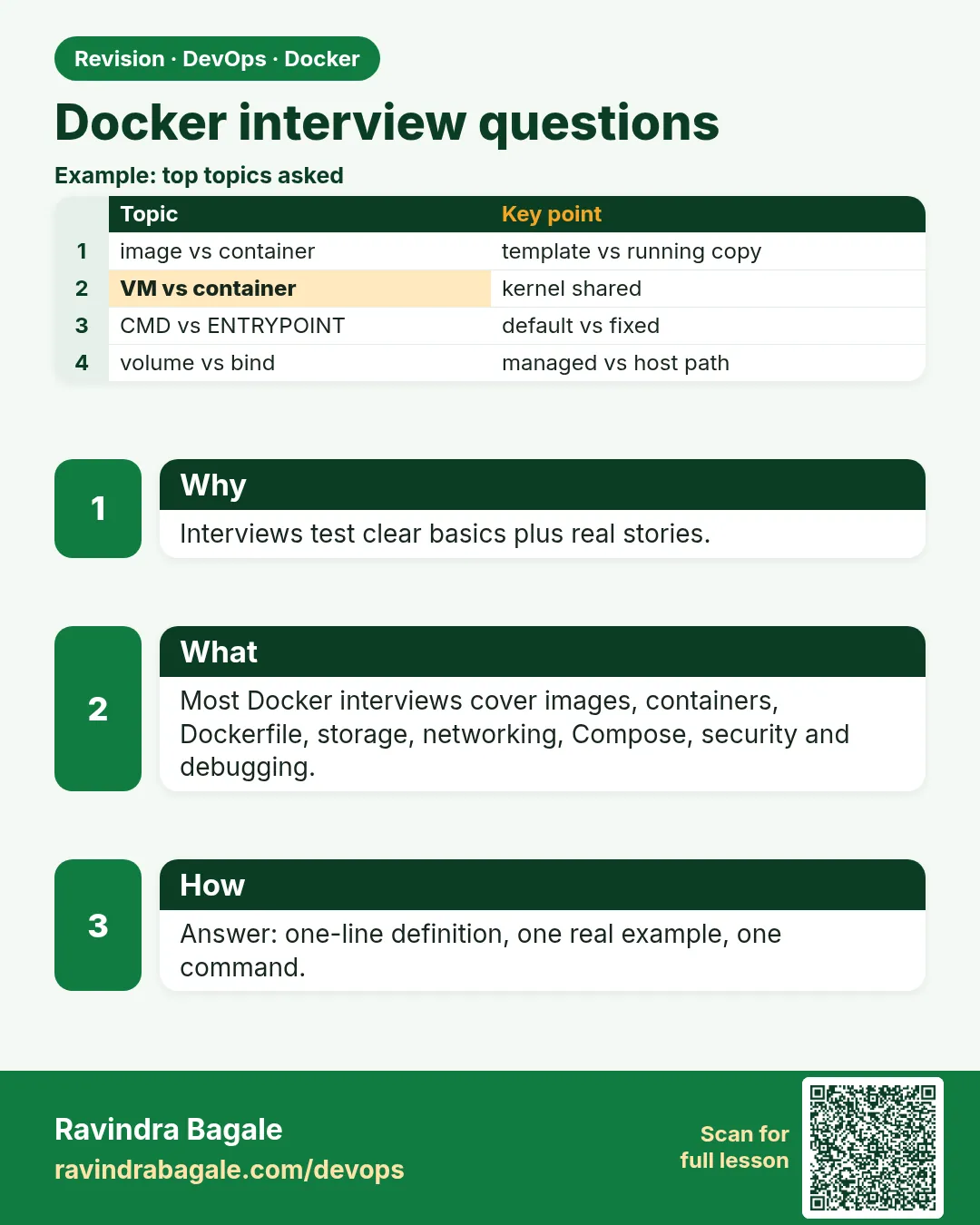 Revision card
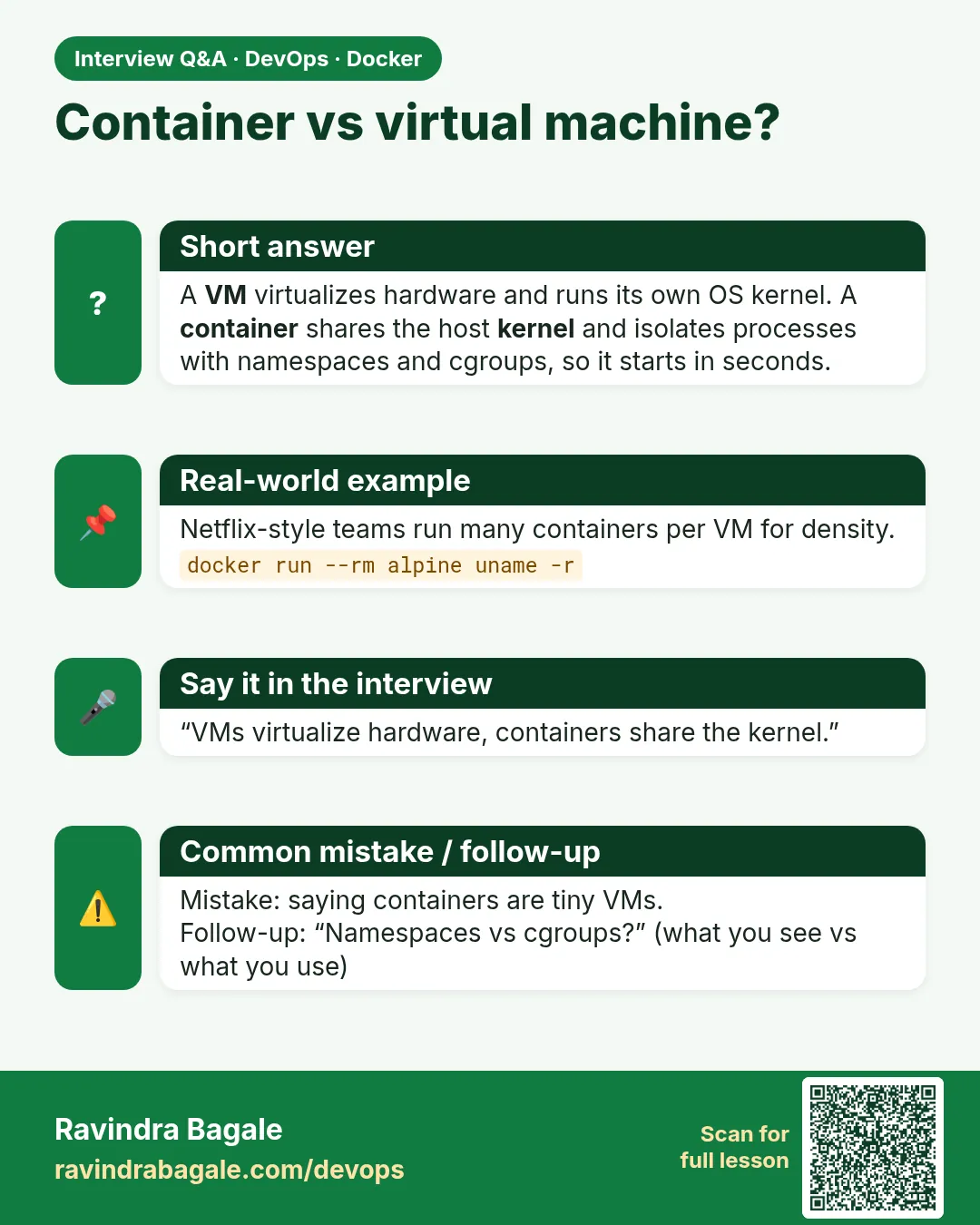 Interview card
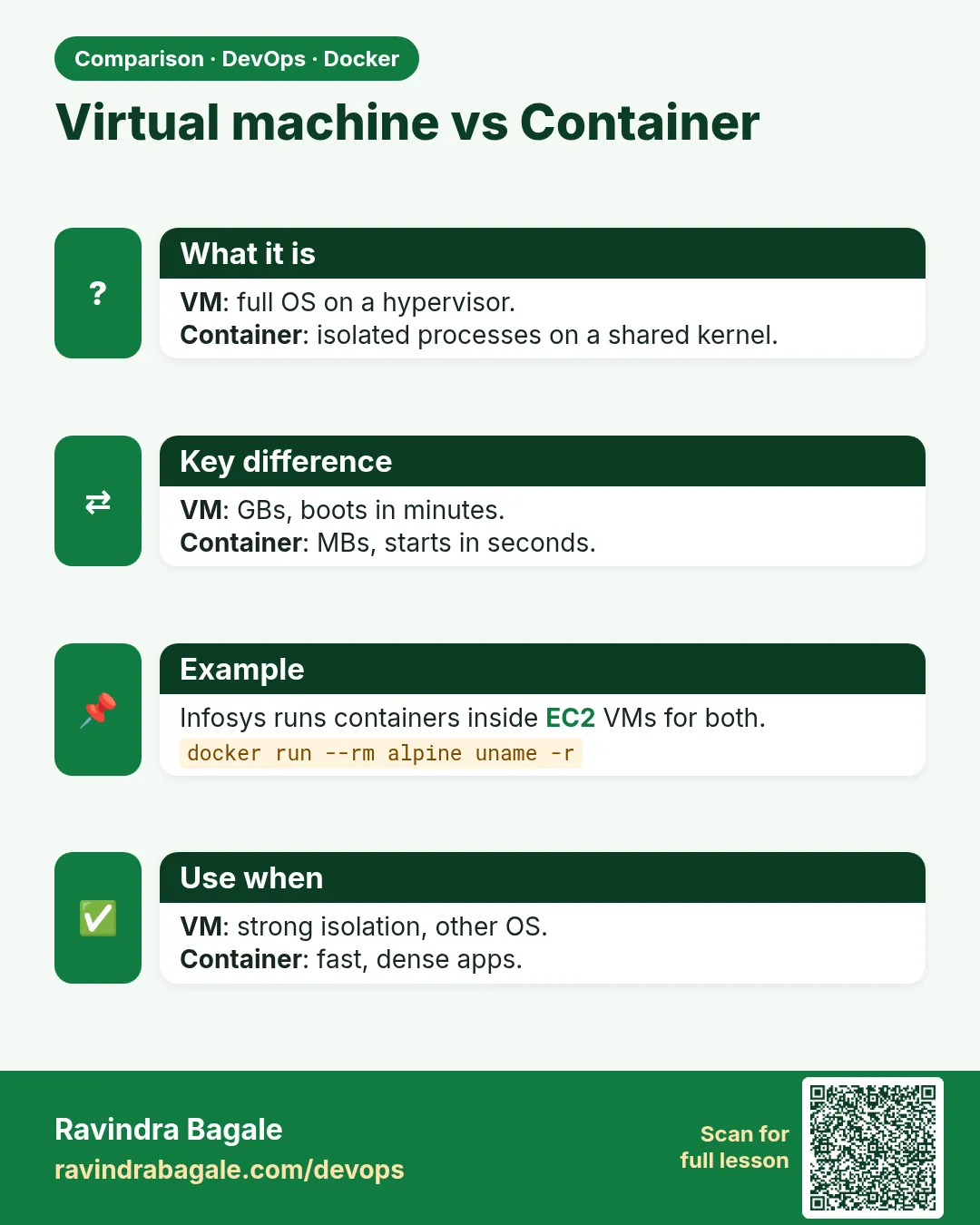 Comparison card