56.1 CI/CD: Jenkins pipeline that builds, scans and pushes to ECR
Why: the problem
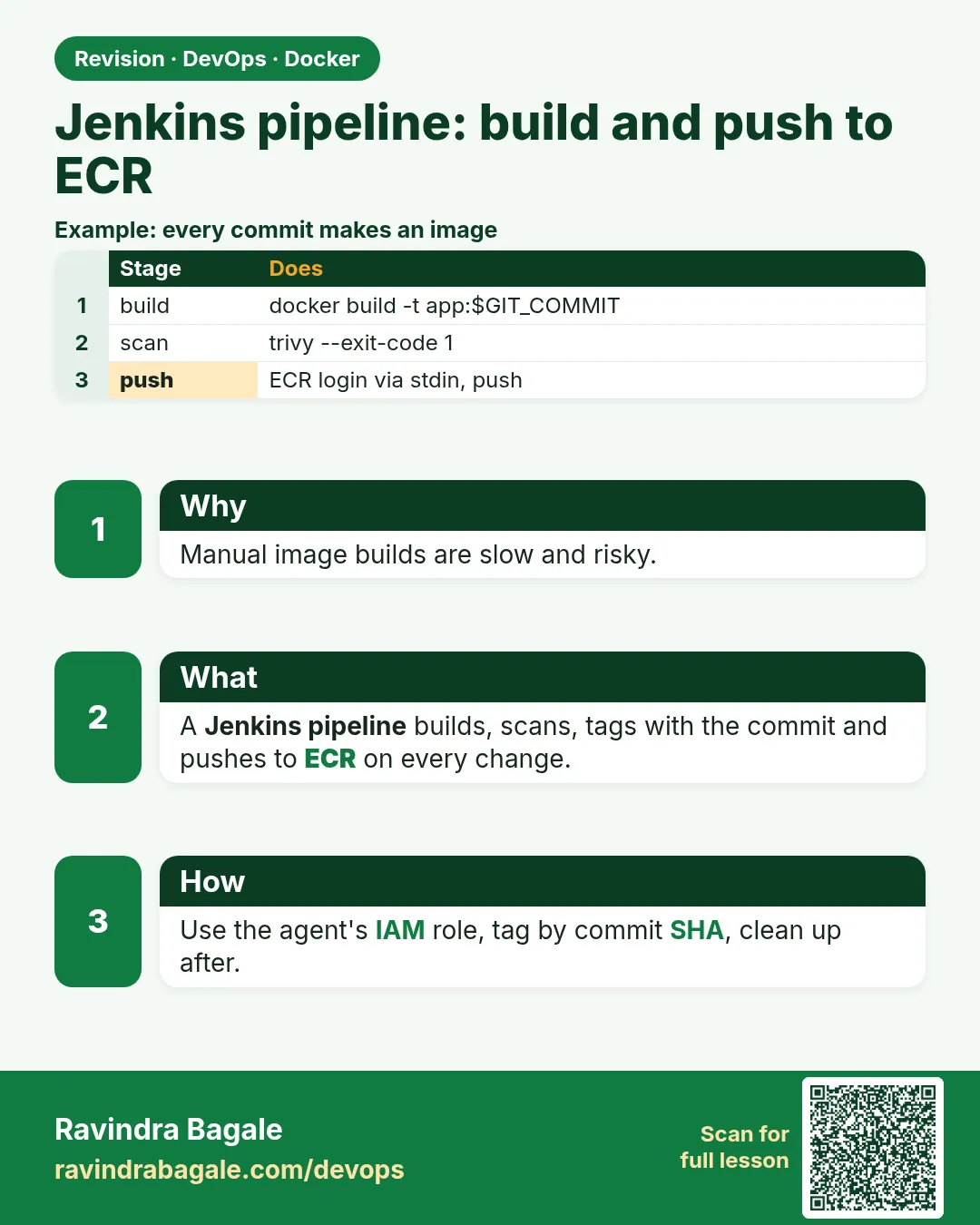
Suppose we are at an Infosys team that ships an order API for a retail client. Today a developer builds the image on their laptop and pushes it with a tag like latest. Nobody knows which commit is inside. Sometimes it has a CRITICAL CVE. Sometimes it was built from code that never passed tests. We want every merge to main to do the same steps, the same way, every time. Run tests. Build the image. Tag it with the Git commit. Scan it. Push it to Amazon ECR only if the scan passes. Jenkins runs these steps from a Jenkinsfile kept in the repo. The agent has an IAM role, so no AWS keys are stored anywhere. In this lesson we create the ECR repository, write the Jenkinsfile stage by stage, and see a red build when the scan finds a CRITICAL.
What: every term in plain English
- ECR — Amazon Elastic Container Registry. A private image registry in your AWS account.
- Repository URI — ACCOUNT.dkr.ecr.REGION.amazonaws.com/NAME.
- aws ecr get-login-password — Prints a 12-hour registry token for docker login.
- --password-stdin — Reads the password from a pipe, so it is not in shell history or process list.
- IAM role on agent — EC2 instance profile that gives the Jenkins agent ECR permissions without keys.
- GIT_COMMIT — Jenkins variable with the commit id. We use its short form as the image tag.
- Immutable tags — ECR setting that stops overwriting an existing tag.
- Lifecycle policy — ECR rule that deletes old images automatically.
- Scan on push — ECR's own scan after each push.
How: step by step
- Create the ECR repo. Immutable tags and scan on push.
- Give the agent a role. ECR push permissions.
- Checkout and test. Fail early if tests fail.
- Build with the commit tag. No latest.
- Scan with Trivy. Fail on CRITICAL.
- Log in and push. get-login-password piped to docker login.
- Clean the agent. Remove local images.
Example 1: Create the ECR repository and the agent permissions
Goal. Create the ECR repository and the agent permissions.
Commands (AWS CLI)
aws ecr create-repository --repository-name orders-api \
  --image-tag-mutability IMMUTABLE \
  --image-scanning-configuration scanOnPush=true \
  --region ap-south-1 --query 'repository.repositoryUri' --output text

aws ecr put-lifecycle-policy --repository-name orders-api --region ap-south-1 \
  --lifecycle-policy-text '{"rules":[{"rulePriority":1,"description":"keep 30","selection":{"tagStatus":"any","countType":"imageCountMoreThan","countNumber":30},"action":{"type":"expire"}}]}'
IAM policy for the agent role (JSON)
{
  "Version": "2012-10-17",
  "Statement": [
    { "Effect": "Allow", "Action": "ecr:GetAuthorizationToken", "Resource": "*" },
    { "Effect": "Allow",
      "Action": ["ecr:BatchCheckLayerAvailability","ecr:InitiateLayerUpload","ecr:UploadLayerPart",
                 "ecr:CompleteLayerUpload","ecr:PutImage","ecr:BatchGetImage"],
      "Resource": "arn:aws:ecr:ap-south-1:123456789012:repository/orders-api" }
  ]
}
Check from the agent
aws sts get-caller-identity --query Arn --output text
What each line does
IMMUTABLE— A tag like a1b2c3d can never be overwritten.scanOnPush=true— ECR also scans each image.lifecycle keep 30— Old images are deleted, saving storage cost.GetAuthorizationToken on *— Needed for login; it has no resource.Push actions on one repo— Least privilege: only this repository.sts get-caller-identity— Shows the agent uses the role, not a user key.
Green output
123456789012.dkr.ecr.ap-south-1.amazonaws.com/orders-api
{ "registryId": "123456789012", "repositoryName": "orders-api", ... }
arn:aws:sts::123456789012:assumed-role/jenkins-agent-role/i-0abc123
Expected result. The repository exists, old images expire automatically, and the agent has a role that can push only to it.
Example 2: The full Jenkinsfile: test, build, scan, push
Goal. The full Jenkinsfile: test, build, scan, push.
Jenkinsfile
pipeline {
  agent { label 'docker' }
  environment {
    REGION = 'ap-south-1'
    REGISTRY = '123456789012.dkr.ecr.ap-south-1.amazonaws.com'
    IMAGE = "${REGISTRY}/orders-api"
  }
  options { timestamps(); disableConcurrentBuilds() }
  stages {
    stage('Test') {
      steps { sh 'docker run --rm -v "$PWD":/app -w /app node:20-slim sh -c "npm ci && npm test"' }
    }
    stage('Build') {
      steps {
        script { env.TAG = sh(script: 'git rev-parse --short HEAD', returnStdout: true).trim() }
        sh 'docker build --pull -t $IMAGE:$TAG --label git.commit=$TAG .'
      }
    }
    stage('Scan') {
      steps {
        sh '''docker run --rm -v /var/run/docker.sock:/var/run/docker.sock aquasec/trivy:0.56.2 \
              image --severity CRITICAL --ignore-unfixed --exit-code 1 $IMAGE:$TAG'''
      }
    }
    stage('Push') {
      when { branch 'main' }
      steps {
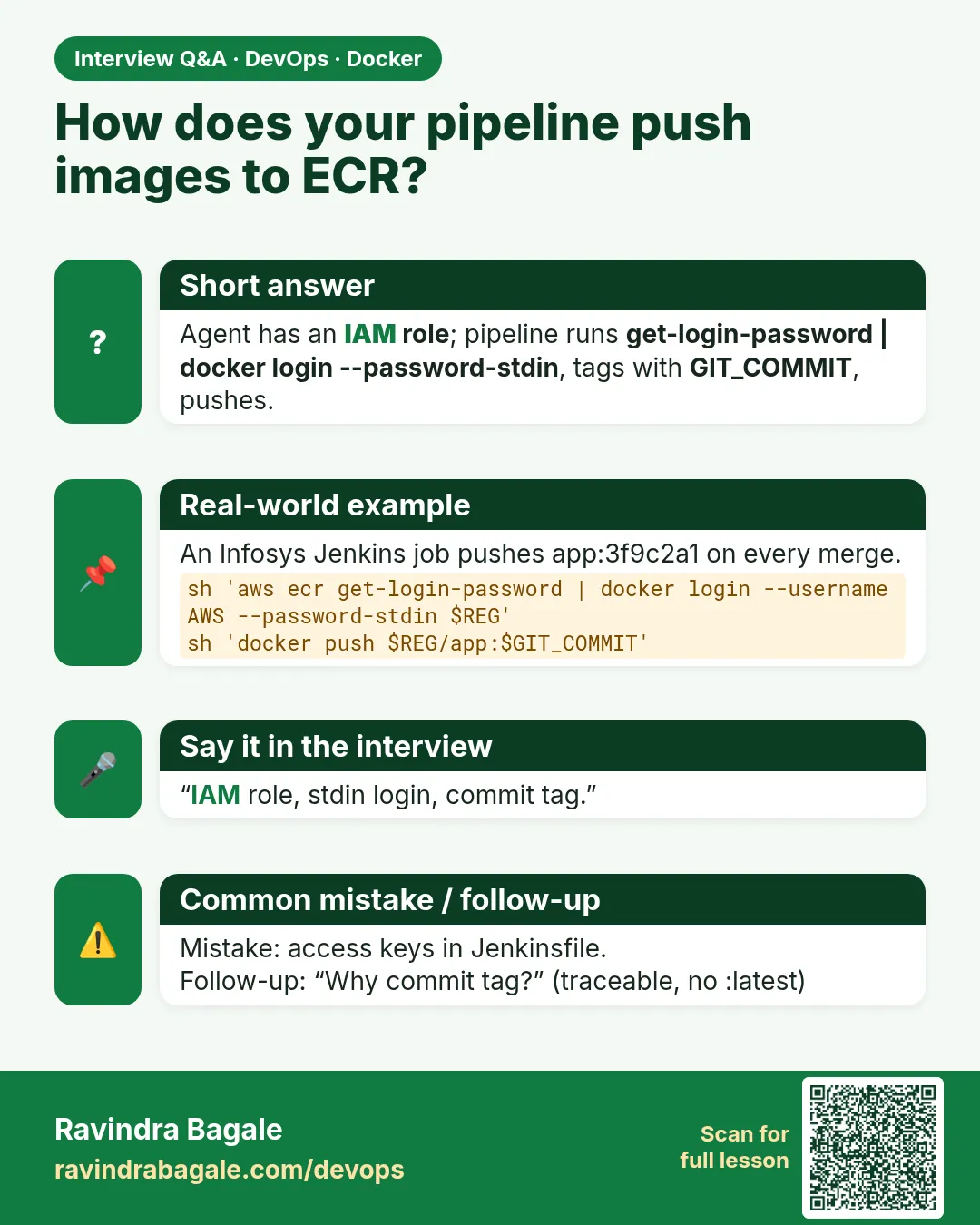
        sh 'aws ecr get-login-password --region $REGION | docker login --username AWS --password-stdin $REGISTRY'
        sh 'docker push $IMAGE:$TAG'
      }
    }
  }
  post {
    always { sh 'docker rmi $IMAGE:$TAG || true'; sh 'docker logout $REGISTRY || true' }
  }
}
What each line does
agent { label 'docker' }— Runs on an agent that has Docker.Test stage in node:20-slim— Tests run in a clean container, same Node version every time.git rev-parse --short HEAD— Short commit id becomes the tag.--pull— Always fetch the newest base image.--label git.commit— The commit is stored inside the image too.Trivy --exit-code 1— Stops the pipeline on CRITICAL.when { branch 'main' }— Only main pushes. Feature branches only build and scan.post always rmi + logout— Keeps agent disk clean and removes the token.
Green output
[Test]  Tests: 42 passed, 42 total
[Build] => naming to 123456789012.dkr.ecr.ap-south-1.amazonaws.com/orders-api:a1b2c3d
[Scan]  Total: 0 (CRITICAL: 0)
[Push]  Login Succeeded
[Push]  a1b2c3d: digest: sha256:4f9e... size: 1789
Finished: SUCCESS
Expected result. Each merge produces orders-api:a1b2c3d in ECR, tested and scanned. Anyone can trace the image back to its commit.
Example 3: A red build: the scan blocks a bad image
Goal. A red build: the scan blocks a bad image.
Change that breaks it
FROM node:14-slim
Console output (Scan stage)
node:14-slim (debian 10.13)
Total: 27 (CRITICAL: 27)
script returned exit code 1
Fix and verify
git revert HEAD --no-edit
git push origin main
aws ecr describe-images --repository-name orders-api --region ap-south-1 \
  --query 'sort_by(imageDetails,&imagePushedAt)[-3:].[imageTags[0],imagePushedAt]' --output table
What each line does
FROM node:14-slim— An old base, end of life.CRITICAL: 27— Trivy finds 27 critical CVEs.exit code 1— The Scan stage fails, so Push never runs.git revert— Go back to the good base.describe-images— Lists the latest tags. The bad image is not there.
Green output
-------------------------------------------------
|               DescribeImages                  |
+-----------+-----------------------------------+
|  9f8e7d6  |  2026-10-24T15:02:11+05:30         |
|  a1b2c3d  |  2026-10-25T10:14:40+05:30         |
|  c4d5e6f  |  2026-10-25T10:31:05+05:30         |
+-----------+-----------------------------------+
Expected result. The bad image never reached ECR. The gate worked, and the revert produced a clean image c4d5e6f.
Every command, step by step (plain docker and Compose)
-
Login to ECR
aws ecr get-login-password --region ap-south-1 | docker login --username AWS --password-stdin 123456789012.dkr.ecr.ap-south-1.amazonaws.comWhat it does: 12-hour token, piped safely.
Login Succeeded -
Tag for ECR
docker tag orders-api:dev 123456789012.dkr.ecr.ap-south-1.amazonaws.com/orders-api:a1b2c3dWhat it does: Adds the registry name.
(no output) -
Push
docker push 123456789012.dkr.ecr.ap-south-1.amazonaws.com/orders-api:a1b2c3dWhat it does: Uploads layers.
a1b2c3d: digest: sha256:... -
List images
aws ecr list-images --repository-name orders-api --region ap-south-1What it does: Tags and digests in the repo.
imageTag: a1b2c3d -
ECR scan results
aws ecr describe-image-scan-findings --repository-name orders-api --image-id imageTag=a1b2c3d --region ap-south-1What it does: ECR's own scan.
findingSeverityCounts: {} -
Pull on a server
docker pull 123456789012.dkr.ecr.ap-south-1.amazonaws.com/orders-api:a1b2c3dWhat it does: Servers with a pull role fetch it.
Status: Downloaded -
Agent cleanup
docker image prune -af --filter until=24hWhat it does: Keeps the agent disk free.
Total reclaimed space: 3.2GB
When it is red 1
no basic auth credentials
Cause. Push without docker login, or the token expired after 12 hours.
Fix, step by step
- Run the get-login-password step right before push in the same stage.
- Check the region in the registry URL.
When it is red 2
tag invalid: The image tag 'a1b2c3d' already exists in the 'orders-api' repository and cannot be overwritten because the repository is immutable.
Cause. The same commit was built twice.
Fix, step by step
- Do not rebuild the same commit; reuse the existing image.
- Or add the build number: a1b2c3d-57.
When it is red 3
AccessDeniedException: ... is not authorized to perform: ecr:InitiateLayerUpload
Cause. The agent role lacks push actions or targets the wrong repo ARN.
Fix, step by step
- Add the push actions for the repository ARN.
- Check aws sts get-caller-identity shows the expected role.
Practice tasks
Easy Task 1: Create repo
Why: Registry.
What to do: Create orders-api in ECR.
- Have a Jenkins server with Docker on its agent, and an AWS account.
- Use an IAM role on the agent, not access keys in Jenkins.
- Run the steps and compare with the solution.
Solution
aws ecr create-repository --repository-name orders-api --region ap-south-1Easy Task 2: Login
Why: Auth.
What to do: Log in with get-login-password.
- Have a Jenkins server with Docker on its agent, and an AWS account.
- Use an IAM role on the agent, not access keys in Jenkins.
- Run the steps and compare with the solution.
Solution
aws ecr get-login-password --region ap-south-1 | docker login --username AWS --password-stdin REGISTRYEasy Task 3: Manual push
Why: Basics.
What to do: Tag and push one image by hand.
- Have a Jenkins server with Docker on its agent, and an AWS account.
- Use an IAM role on the agent, not access keys in Jenkins.
- Run the steps and compare with the solution.
Solution
docker push REGISTRY/orders-api:test1Medium Task 4: Role
Why: No keys.
What to do: Attach a push-only role to the agent.
- Have a Jenkins server with Docker on its agent, and an AWS account.
- Use an IAM role on the agent, not access keys in Jenkins.
- Run the steps and compare with the solution.
Solution
aws sts get-caller-identityMedium Task 5: Jenkinsfile
Why: Pipeline.
What to do: Add Test and Build stages.
- Have a Jenkins server with Docker on its agent, and an AWS account.
- Use an IAM role on the agent, not access keys in Jenkins.
- Run the steps and compare with the solution.
Solution
git add Jenkinsfile && git commit -m ciMedium Task 6: Commit tag
Why: Trace.
What to do: Tag with git rev-parse --short HEAD.
- Have a Jenkins server with Docker on its agent, and an AWS account.
- Use an IAM role on the agent, not access keys in Jenkins.
- Run the steps and compare with the solution.
Solution
git rev-parse --short HEADMedium Task 7: Scan gate
Why: Security.
What to do: Add Trivy with --exit-code 1.
- Have a Jenkins server with Docker on its agent, and an AWS account.
- Use an IAM role on the agent, not access keys in Jenkins.
- Run the steps and compare with the solution.
Solution
trivy image --severity CRITICAL --exit-code 1 IMAGEHard Task 8: Red build
Why: Prove gate.
What to do: Use node:14-slim and watch Scan fail.
- Have a Jenkins server with Docker on its agent, and an AWS account.
- Use an IAM role on the agent, not access keys in Jenkins.
- Run the steps and compare with the solution.
Solution
git commit -am 'old base' && git pushHard Task 9: Lifecycle
Why: Cost.
What to do: Keep only 30 images.
- Have a Jenkins server with Docker on its agent, and an AWS account.
- Use an IAM role on the agent, not access keys in Jenkins.
- Run the steps and compare with the solution.
Solution
aws ecr put-lifecycle-policy --repository-name orders-api --lifecycle-policy-text file://policy.jsonEasy Task 10: Cleanup
Why: Disk.
What to do: Prune old images on the agent.
- Have a Jenkins server with Docker on its agent, and an AWS account.
- Use an IAM role on the agent, not access keys in Jenkins.
- Run the steps and compare with the solution.
Solution
docker image prune -af --filter until=24hHomework: try at home
At home, create an ECR repo with immutable tags, give a Jenkins agent a push-only role, and run the Jenkinsfile. Then break the base image on purpose and confirm the scan stops the push.
Recap
- Every merge: test, build, scan, push, same steps.
- Tag with the commit id; avoid latest.
- Use an IAM role on the agent, not keys.
- Pipe get-login-password into docker login --password-stdin.
- Gate on CRITICAL before push.
- Immutable tags and lifecycle policies keep ECR clean.
FAQ
Q. Can I use GitHub Actions instead?
Yes. Use aws-actions/configure-aws-credentials with OIDC and docker/build-push-action. See the GitHub Actions chapter.
Q. Should I also tag latest?
Not for deploys. If you add it, never deploy by it.
Q. Where does Jenkins get AWS rights on Kubernetes agents?
IRSA or EKS Pod Identity on the agent pod's service account.
Q. Is mounting docker.sock on the agent safe?
It is root on that agent. Use dedicated build agents, or rootless builders like BuildKit or Kaniko (see 52-12).
Q. How do I cache layers in CI?
docker buildx build with --cache-from and --cache-to type=registry.
Q. ECR scan or Trivy?
Use both if you like: Trivy blocks in CI; ECR scans and Inspector watch stored images.
Interview questions
-
Describe a CI pipeline for Docker images.
Model answer: Checkout, test in a container, build with commit tag, scan with Trivy failing on CRITICAL, login with get-login-password and push to ECR, clean up.
-
How do you authenticate Jenkins to ECR securely?
Model answer: An IAM role on the agent and get-login-password piped to docker login --password-stdin; no stored keys.
-
Why are immutable tags useful?
Model answer: A deployed tag always means the same image; no silent overwrite.
-
How do you keep ECR costs down?
Model answer: Lifecycle policies that expire old or untagged images.
-
How do you trace a running container to source?
Model answer: Commit tag plus a git.commit label, and the pipeline log.
-
What permissions does a push need?
Model answer: GetAuthorizationToken plus layer upload and PutImage on the repository.
Quick quiz
Q1. Why tag with the commit id?
Traceability: every image maps to exact code.
Q2. Why --password-stdin?
Keeps the token out of history and process list.
Q3. How long is an ECR token valid?
12 hours.
Q4. What does IMMUTABLE do?
Stops tags from being overwritten.
Q5. Which stage blocks bad images?
Scan with --exit-code 1.
Samajla ka?
 Revision card
 Interview card