56.5 Docker best practices checklist
Why: the problem
Suppose we join the platform team at Swiggy. There are 300 services and 300 Dockerfiles written by 40 teams over six years. Some run as root, some use latest, some bake passwords into layers, some have no health check, and some take 20 minutes to build. We cannot review each one by hand every week. We need a short checklist everyone agrees on, and tools that check it automatically in CI. This lesson is that checklist, grouped into five areas: build, image content, security, runtime and operations. For each rule we say why it matters in one line. Then we lint a bad Dockerfile with hadolint, fix it, and add a CI gate with hadolint, Trivy and a size budget so the rules hold without a human reviewer. Use this page as the final review before any image goes to production.
What: every term in plain English
- hadolint — Dockerfile linter. Flags latest tags, missing --no-install-recommends, sudo and more.
- Pinning — Fixed versions for base images and packages: python:3.12.7-slim or a digest.
- Digest — sha256 of an image. The only truly immutable reference.
- Non-root — USER with a numeric UID; never run apps as root.
- Health check — HEALTHCHECK or orchestrator probe that proves the app works.
- Exec form — CMD ["app"] JSON form so signals reach the app.
- Immutable tag — Tag by git commit; never overwrite a tag.
- Labels — OCI labels: source, revision, created, for traceability.
- Budget — A maximum image size or CVE count enforced in CI.
How: step by step
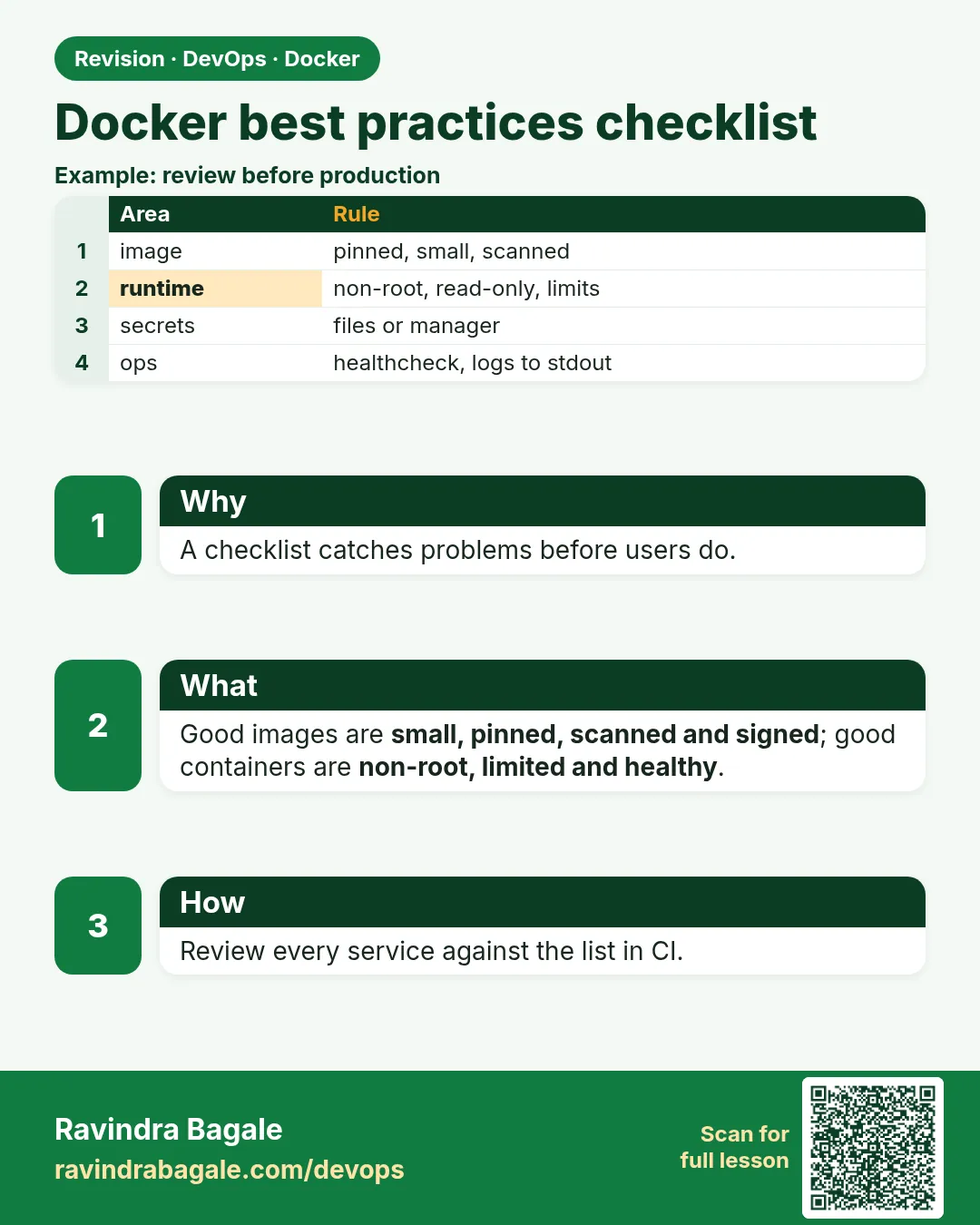
- Build Pin base, order layers for cache, use .dockerignore, multi-stage, BuildKit.
- Content slim or distroless, one process, only runtime files, no secrets.
- Security Non-root, read-only, drop caps, scan, sign.
- Runtime Health check, limits, restart policy, exec form, log to stdout.
- Operations Commit tags, OCI labels, CI gates, prune, document.
Example 1: Lint a bad Dockerfile with hadolint
Goal. Lint a bad Dockerfile with hadolint.
Dockerfile.bad
FROM node:latest
RUN apt-get update
RUN apt-get install -y curl
ENV API_KEY=sk_live_example_not_real
ADD . /app
WORKDIR /app
RUN npm install
EXPOSE 3000
CMD npm start
Commands
docker run --rm -v $PWD:/w -w /w hadolint/hadolint:v2.12.0 hadolint Dockerfile.bad
What each line does
node:latest— Not reproducible: changes without warning (DL3007).apt-get update alone— Cache bug and no clean-up (DL3009, DL3015).ENV API_KEY— Secret baked into the image forever.ADD . /app— Use COPY; ADD has URL and tar surprises (DL3020).npm install— Use npm ci for exact lockfile installs (DL3016).CMD npm start (shell form)— Signals do not reach node (DL3025).
Green output
-:1 DL3007 warning: Using latest is prone to errors. Pin the version explicitly.
-:2 DL3009 info: Delete the apt-get lists after installing something
-:3 DL3015 info: Avoid additional packages by specifying --no-install-recommends
-:3 DL3008 warning: Pin versions in apt get install.
-:5 DL3020 error: Use COPY instead of ADD for files and folders
-:9 DL3025 warning: Use arguments JSON notation for CMD and ENTRYPOINT arguments
Expected result. hadolint found six problems in seconds. The secret is not a lint rule, which is why we also scan with Trivy.
Example 2: Fix it to follow the checklist
Goal. Fix it to follow the checklist.
Dockerfile
# syntax=docker/dockerfile:1
FROM node:22.11-slim AS deps
WORKDIR /app
COPY package.json package-lock.json ./
RUN --mount=type=cache,target=/root/.npm npm ci --omit=dev

FROM node:22.11-slim
ARG GIT_SHA=unknown
LABEL org.opencontainers.image.source="https://gitlab.example.com/swiggy/menu-api" \
      org.opencontainers.image.revision=$GIT_SHA
ENV NODE_ENV=production
WORKDIR /app
COPY --from=deps /app/node_modules ./node_modules
COPY src ./src
USER node
EXPOSE 3000
HEALTHCHECK --interval=15s --timeout=3s --retries=3 CMD ["node", "src/health.js"]
CMD ["node", "src/server.js"]
compose.yaml
services:
  menu-api:
    image: registry.example.com/menu-api:${GIT_SHA}
    read_only: true
    tmpfs: [/tmp]
    cap_drop: [ALL]
    security_opt: ["no-new-privileges:true"]
    environment:
      API_KEY_FILE: /run/secrets/api_key
    secrets: [api_key]
    deploy:
      resources:
        limits: { cpus: "0.5", memory: 256M }
    restart: unless-stopped
    init: true
secrets:
  api_key:
    file: ./api_key.txt
What each line does
node:22.11-slim— Pinned, slim base.package files first— Dependency layer is cached until the lockfile changes.npm ci --omit=dev— Exact, production-only install.LABEL revision— Trace any running image back to its commit.USER node— Non-root user that exists in the node image.HEALTHCHECK, exec CMD— Health is visible and signals reach node.read_only, cap_drop, limits, secrets file— Runtime hardening from chapter 55.
Green output
$ docker run --rm -v $PWD:/w -w /w hadolint/hadolint:v2.12.0 hadolint Dockerfile
(no output = passed)
Expected result. Every checklist area is now covered: build, content, security, runtime and operations.
Example 3: Gate the rules in CI: lint, scan and size budget
Goal. Gate the rules in CI: lint, scan and size budget.
ci-gate.sh
set -euo pipefail
IMAGE=registry.example.com/menu-api:${GIT_SHA}
BUDGET_MB=250

docker run --rm -v $PWD:/w -w /w hadolint/hadolint:v2.12.0 hadolint --failure-threshold warning Dockerfile
docker build --build-arg GIT_SHA=$GIT_SHA -t $IMAGE .

docker run --rm -v /var/run/docker.sock:/var/run/docker.sock aquasec/trivy:0.56.2 \
  image --exit-code 1 --severity CRITICAL,HIGH --ignore-unfixed --scanners vuln,secret $IMAGE

SIZE=$(docker image inspect -f '{{.Size}}' $IMAGE)
SIZE_MB=$((SIZE / 1024 / 1024))
echo "size: ${SIZE_MB} MB (budget ${BUDGET_MB})"
[ "$SIZE_MB" -le "$BUDGET_MB" ] || { echo "image over budget"; exit 1; }

USER_ID=$(docker image inspect -f '{{.Config.User}}' $IMAGE)
[ -n "$USER_ID" ] && [ "$USER_ID" != "root" ] || { echo "image runs as root"; exit 1; }
echo "all gates passed"
What each line does
set -euo pipefail— Stop at the first failure.--failure-threshold warning— Lint warnings fail the build.trivy --scanners vuln,secret— Finds CVEs and baked-in secrets.size budget— Stops images quietly growing.Config.User check— Blocks root images.Run as bash ci-gate.sh— No extra file permissions needed.
Green output
size: 182 MB (budget 250)
all gates passed
Expected result. Now the checklist enforces itself on every commit, for all 300 services.
Every command, step by step (plain docker and Compose)
-
Lint
docker run --rm -v $PWD:/w -w /w hadolint/hadolint:v2.12.0 hadolint DockerfileWhat it does: Dockerfile rules.
DL3007 warning ... -
Who runs it
docker image inspect -f '{{.Config.User}}' IMAGEWhat it does: Empty means root.
node -
Labels
docker image inspect -f '{{json .Config.Labels}}' IMAGEWhat it does: Traceability.
{"org.opencontainers.image.revision":"a1b2c3d"} -
Digest
docker image inspect -f '{{index .RepoDigests 0}}' IMAGEWhat it does: Immutable reference.
registry/menu-api@sha256:... -
Health
docker inspect -f '{{.State.Health.Status}}' menu-apiWhat it does: healthy or unhealthy.
healthy -
Limits
docker inspect -f '{{.HostConfig.Memory}}' menu-apiWhat it does: 0 means no limit.
268435456 -
Run the gate
bash ci-gate.shWhat it does: All checks.
all gates passed
When it is red 1
DL3008 warning: Pin versions in apt get install
Cause. Packages are not pinned.
Fix, step by step
- Pin with pkg=version, or accept it with a hadolint ignore comment and a reason.
- Rebuild often so patches arrive.
When it is red 2
image runs as root
Cause. No USER instruction.
Fix, step by step
- Add USER with a numeric UID or the base image's user.
- Fix file ownership with COPY --chown.
When it is red 3
image over budget
Cause. The image grew past the size budget.
Fix, step by step
- Run docker history to find the new big layer.
- Apply lesson 56-4.
Practice tasks
Easy Task 1: Lint
Why: Rules.
What to do: Lint Dockerfile.bad.
- Open a terminal with Docker.
- Take one of your own Dockerfiles or the sample in this lesson.
- Score it with the checklist, fix the misses, and score it again.
Solution
hadolint Dockerfile.badEasy Task 2: Pin
Why: Reproducible.
What to do: Pin the base image.
- Open a terminal with Docker.
- Take one of your own Dockerfiles or the sample in this lesson.
- Score it with the checklist, fix the misses, and score it again.
Solution
FROM node:22.11-slimMedium Task 3: Cache order
Why: Speed.
What to do: Copy lockfile before src.
- Open a terminal with Docker.
- Take one of your own Dockerfiles or the sample in this lesson.
- Score it with the checklist, fix the misses, and score it again.
Solution
COPY package.json package-lock.json ./Medium Task 4: Non-root
Why: Security.
What to do: Add USER node.
- Open a terminal with Docker.
- Take one of your own Dockerfiles or the sample in this lesson.
- Score it with the checklist, fix the misses, and score it again.
Solution
USER nodeMedium Task 5: Health
Why: Runtime.
What to do: Add HEALTHCHECK.
- Open a terminal with Docker.
- Take one of your own Dockerfiles or the sample in this lesson.
- Score it with the checklist, fix the misses, and score it again.
Solution
HEALTHCHECK CMD ["node","src/health.js"]Medium Task 6: Labels
Why: Trace.
What to do: Add OCI revision label.
- Open a terminal with Docker.
- Take one of your own Dockerfiles or the sample in this lesson.
- Score it with the checklist, fix the misses, and score it again.
Solution
docker build --build-arg GIT_SHA=$(git rev-parse --short HEAD) .Hard Task 7: Gate
Why: CI.
What to do: Write ci-gate.sh.
- Open a terminal with Docker.
- Take one of your own Dockerfiles or the sample in this lesson.
- Score it with the checklist, fix the misses, and score it again.
Solution
bash ci-gate.shHard Task 8: Secret scan
Why: Leaks.
What to do: Find the API_KEY with trivy secret scanner.
- Open a terminal with Docker.
- Take one of your own Dockerfiles or the sample in this lesson.
- Score it with the checklist, fix the misses, and score it again.
Solution
trivy image --scanners secret IMAGEMedium Task 9: Hardening
Why: Runtime.
What to do: Add read_only and cap_drop.
- Open a terminal with Docker.
- Take one of your own Dockerfiles or the sample in this lesson.
- Score it with the checklist, fix the misses, and score it again.
Solution
read_only: trueEasy Task 10: Digest
Why: Immutable.
What to do: Print the digest.
- Open a terminal with Docker.
- Take one of your own Dockerfiles or the sample in this lesson.
- Score it with the checklist, fix the misses, and score it again.
Solution
docker image inspect -f '{{index .RepoDigests 0}}' IMAGEHomework: try at home
At home, run hadolint on three of your Dockerfiles, fix all warnings, and add ci-gate.sh to one pipeline.
Recap
- Pin bases; tag images by commit.
- Order layers for cache and use .dockerignore.
- Multi-stage with slim or distroless.
- Non-root, read-only, no secrets in layers.
- Health check, limits, exec-form CMD, logs to stdout.
- Enforce it all in CI with hadolint, Trivy and a size budget.
FAQ
Q. How do I handle a hadolint rule we disagree with?
Add an ignore comment in the Dockerfile with a short reason, for example # hadolint ignore=DL3008, or list it in a .hadolint.yaml file in the repo, so the exception is reviewed like code.
Q. What about multi-arch images?
Build with docker buildx build --platform linux/amd64,linux/arm64 so the same tag runs on Intel servers, Graviton servers and Apple laptops.
Q. Should base images come from Docker Hub directly?
Large teams mirror approved bases into their own registry (ECR, Harbor or Artifactory) and allow only those in CI. This avoids rate limits and unknown images.
Q. Is pinning apt packages worth it?
For strict reproducibility yes; many teams pin the base by digest and rebuild weekly instead.
Q. One process per container?
One main concern. Helpers like tini are fine.
Q. Should I use Docker Bench?
Yes, docker-bench-security checks host and daemon settings against CIS.
Q. How often should images rebuild?
At least weekly, to pick up base patches.
Q. Where to keep the checklist?
In the repo template and as CI gates, not only in a wiki.
Q. Does Docker Scout help?
Yes, it gives policy checks for base freshness, CVEs and non-root.
Q. Should every image have a HEALTHCHECK?
In Compose and Swarm yes. On Kubernetes, use liveness and readiness probes instead; they ignore HEALTHCHECK.
Interview questions
-
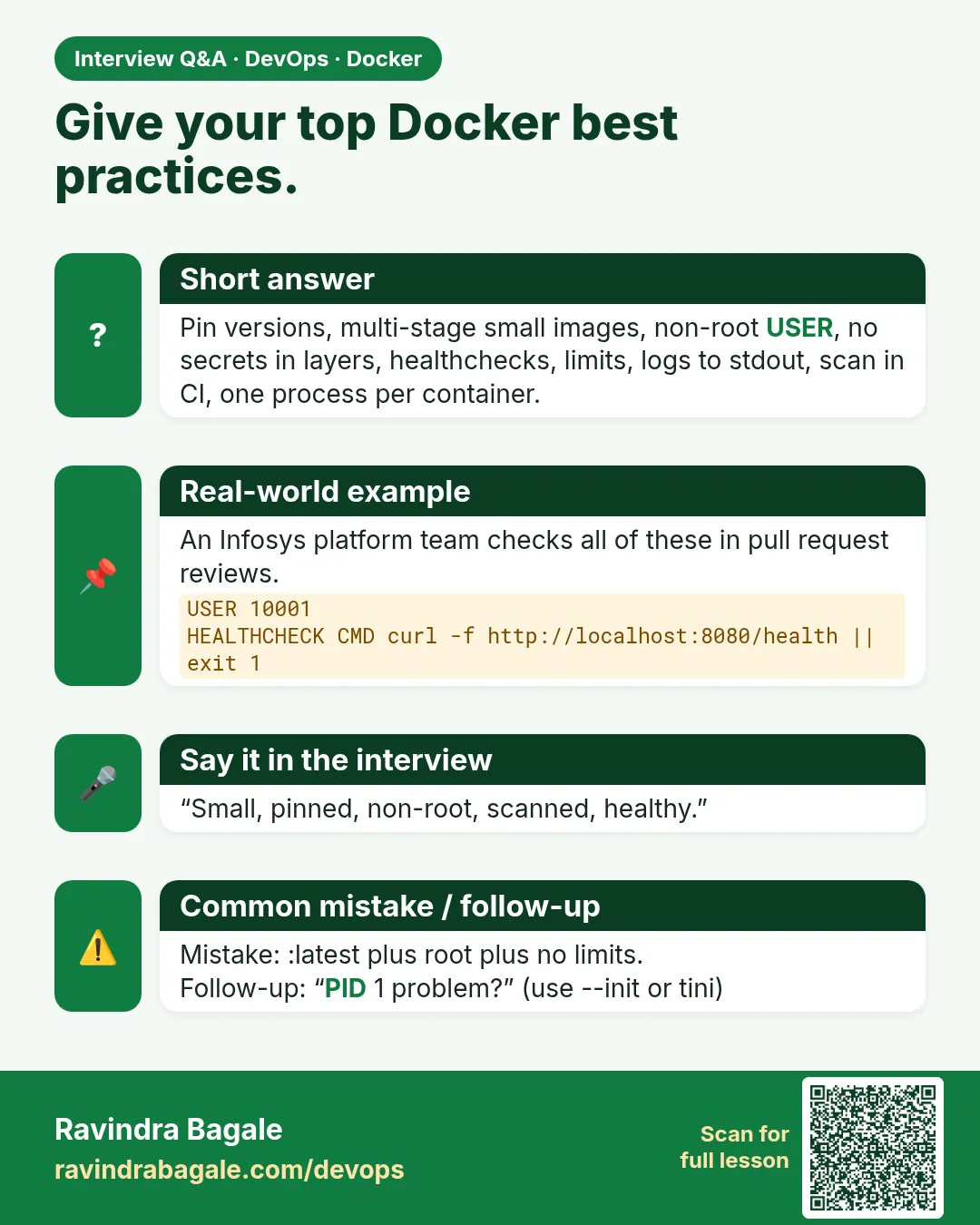
List your top Docker best practices.
Model answer: Pinned slim base, multi-stage, .dockerignore, non-root, no secrets in layers, health checks, limits, exec form, commit tags, scanning in CI.
-
How do you enforce best practices across many teams?
Model answer: Templates plus CI gates: hadolint, Trivy, size budget, non-root check, signing.
-
Why tag by commit?
Model answer: Immutable, traceable, safe rollbacks.
-
Why log to stdout?
Model answer: The runtime collects it; no log files to rotate inside containers.
-
COPY vs ADD?
Model answer: COPY for files; ADD only for auto-extracting a local tar.
-
What is a digest and why pin to it?
Model answer: The sha256 content hash; a tag can move, a digest cannot.
Quick quiz
Q1. Why not latest?
Not reproducible.
Q2. Which tool lints Dockerfiles?
hadolint.
Q3. Why exec form CMD?
Signals reach the app.
Q4. Where do secrets go?
Runtime secrets, never ENV or layers.
Q5. How to trace an image to code?
Commit tag and OCI revision label.
Samajla ka?
 Revision card
 Interview card