Chapter 39: Terraform Provisioners Secrets and Sensitive Values
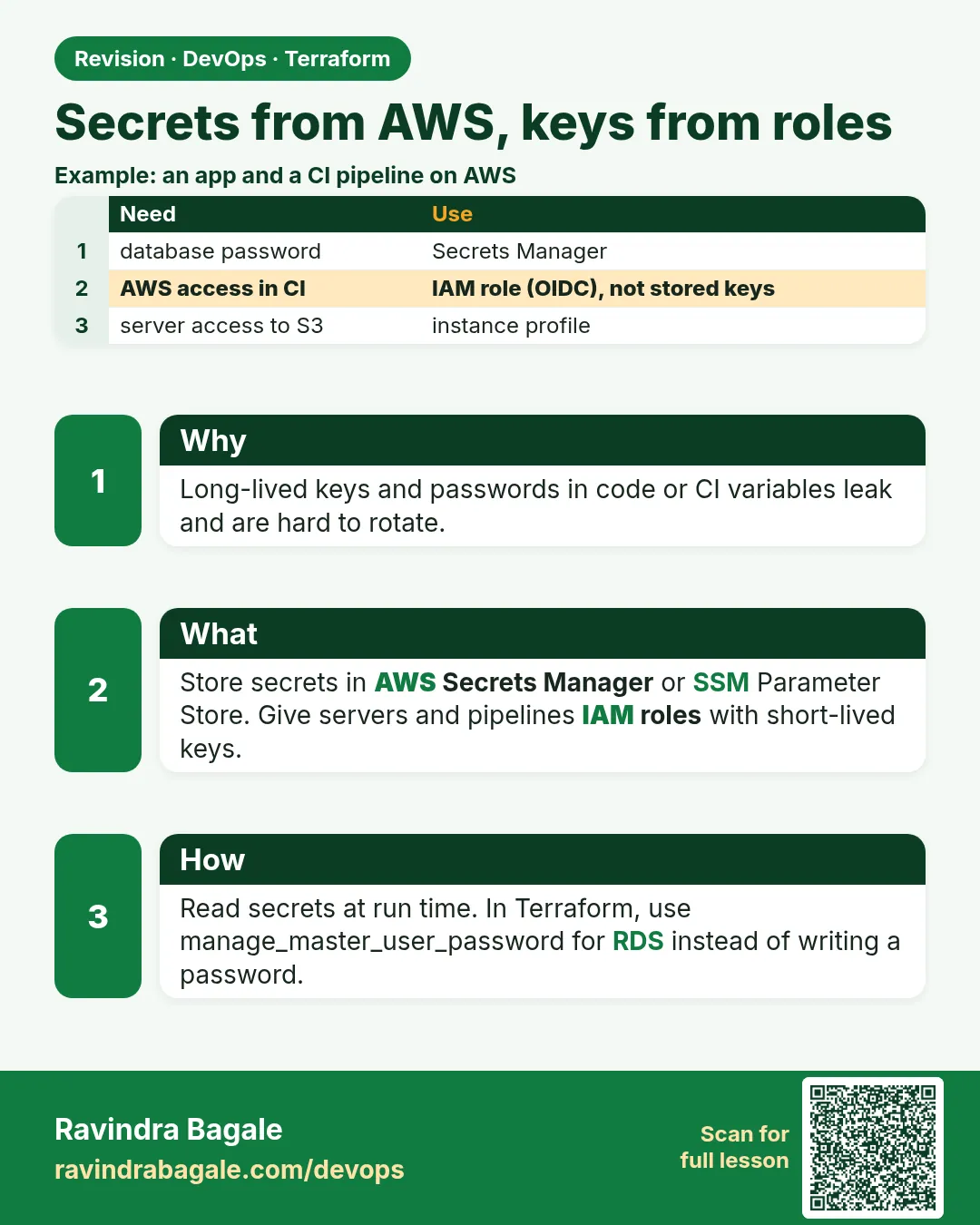
39.3 Secrets from AWS, keys from roles
Story. An Infosys client security audit failed a project because an access key was hard-coded in provider "aws". The fix had two parts. Terraform itself authenticates with an IAM role, SSO or the instance profile of the Jenkins agent, never with keys in code. And application secrets are generated or stored in AWS Secrets Manager, so no human ever types them.
provider "aws" {
  region = "ap-south-1"
  assume_role {
    role_arn = "arn:aws:iam::<your-account-id>:role/TerraformDeploy"
  }
}

resource "random_password" "db" {
  length  = 24
  special = true
}

resource "aws_secretsmanager_secret" "db" {
  name = "badge/dev/db-password"
}

resource "aws_secretsmanager_secret_version" "db" {
  secret_id     = aws_secretsmanager_secret.db.id
  secret_string = random_password.db.result
}

resource "aws_db_instance" "app" {
  identifier                  = "badge-dev-db"
  engine                      = "mysql"
  instance_class              = "db.t3.micro"
  allocated_storage           = 20
  username                    = "badgeadmin"
  manage_master_user_password = true
  skip_final_snapshot         = true
}
What each line does
assume_role { role_arn = ... }— Terraform switches into a deploy role; your base identity comes from SSO or an instance profile.role_arn = "arn:aws:iam::<your-account-id>:role/TerraformDeploy"— A placeholder role ARN; there are no keys anywhere in the file.resource "random_password" "db" {— Generates a strong password inside Terraform.length = 24— Twenty-four characters long.resource "aws_secretsmanager_secret" "db" {— Creates a named secret container.secret_string = random_password.db.result— Stores the generated password in Secrets Manager.manage_master_user_password = true— Alternative for RDS: AWS creates and rotates the master password in Secrets Manager itself, and Terraform never sees it.
When it is green.
random_password.db: Creation complete after 0s
aws_secretsmanager_secret.db: Creation complete after 1s
Apply complete! Resources: 4 added, 0 changed, 0 destroyed.
When it is red.
Error: configuring Terraform AWS Provider: IAM Role (arn:aws:iam::...:role/TerraformDeploy)
cannot be assumed. AccessDenied: User ... is not authorized to perform: sts:AssumeRole
Fix. The role trust policy does not allow your identity. Ask the account admin to add your SSO role or Jenkins agent role as a trusted principal. Run terraform destroy after the lab, since Secrets Manager and RDS cost money while they exist.
What: every term in plain English
- credential chain — The order the AWS provider looks for credentials: environment, shared config and SSO, then the instance or container role.
- assume_role — A provider block setting that switches to another role before any call, often in another account.
- AWS IAM Identity Center (SSO) — Human login that gives short-lived credentials through aws sso login. No long-term keys on laptops.
- Secrets Manager — An AWS service that stores secrets, encrypts them with KMS, and can rotate them.
- random_password — A resource that generates a strong password inside Terraform so no human types it.
- GetSecretValue — The API call an application makes at runtime to read the secret.
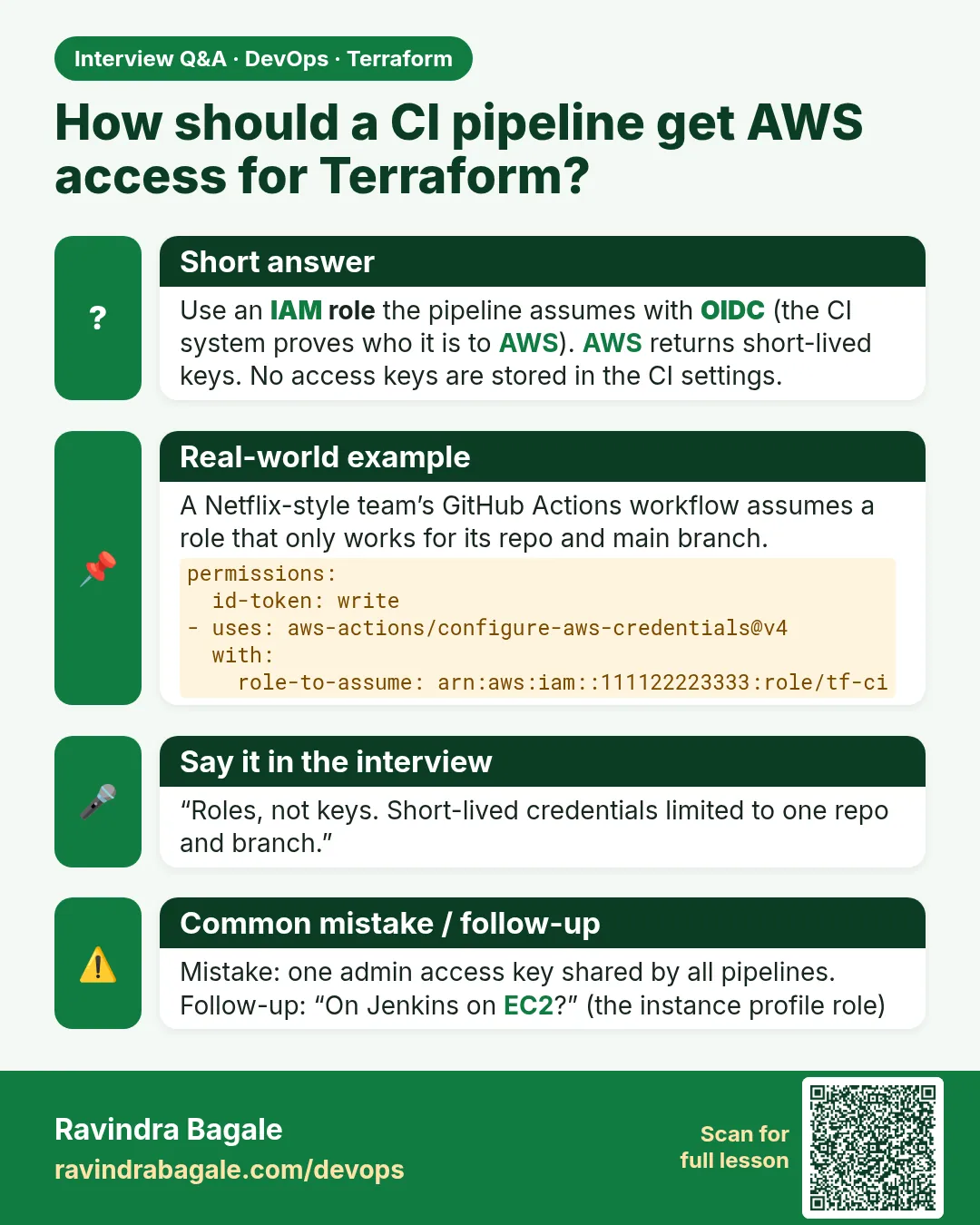
- OIDC for CI — A way for a pipeline to get a role without any stored key, by proving its identity to AWS.
Example 1: Log in with SSO, not access keys
Since moving to Identity Center, engineers at a Mindtree-style company have no access keys at all. Terraform picks up the SSO session automatically.
- Configure an SSO profile once.
- Log in.
- Run Terraform with AWS_PROFILE.
aws configure sso --profile badge-dev
aws sso login --profile badge-dev
export AWS_PROFILE=badge-dev
aws sts get-caller-identity --query Arn --output text
terraform plan | tail -1
Output
Successfully logged into Start URL: https://badge.awsapps.com/start
arn:aws:sts::123456789012:assumed-role/AWSReservedSSO_DevOpsEngineer_4f2a/ravi
No changes. Your infrastructure matches the configuration.
What it shows: The provider block has no keys. The session expires in hours and you log in again. A leaked laptop file is worthless after that.
Example 2: Deploy into another account with assume_role
At a Tata Digital-style setup, Jenkins lives in a tools account and deploys into dev and prod accounts by assuming a role in each.
- Create TerraformDeploy in the target account with a trust policy for the Jenkins role.
- Add assume_role to the provider.
- Plan and check the identity.
provider "aws" {
  region = "ap-south-1"
  assume_role {
    role_arn     = "arn:aws:iam::210987654321:role/TerraformDeploy"
    session_name = "jenkins-badge-api"
  }
}

data "aws_caller_identity" "now" {}

output "deploying_as" {
  value = data.aws_caller_identity.now.arn
}
terraform apply -auto-approve | tail -2
Output
Outputs:
deploying_as = "arn:aws:sts::210987654321:assumed-role/TerraformDeploy/jenkins-badge-api"
What it shows: session_name shows up in CloudTrail, so every change can be traced to the pipeline.
Example 3: Generate a password and store it in Secrets Manager
The second half of the Infosys audit fix: nobody knows the database password. Terraform makes it and puts it in Secrets Manager.
- Apply the lesson code.
- Describe the secret.
- Read the value once as an admin to prove it exists.
terraform apply -auto-approve | tail -1
aws secretsmanager describe-secret --secret-id badge/dev/db-password --query "[Name,KmsKeyId]" --output text
aws secretsmanager get-secret-value --secret-id badge/dev/db-password --query SecretString --output text | wc -c
Output
Apply complete! Resources: 3 added, 0 changed, 0 destroyed.
badge/dev/db-password   None
25
What it shows: KmsKeyId None means the AWS managed key. wc -c counts 24 characters plus a newline, so you proved it without printing it.
Example 4: Let the app read the secret through its role
The app on EC2 reads the secret at start-up. Its role allows GetSecretValue on that one secret only.
- Add the policy to the instance role from Chapter 40.
- From the server, read the secret.
- Try another secret and see it fail.
data "aws_iam_policy_document" "read_db_secret" {
  statement {
    actions   = ["secretsmanager:GetSecretValue"]
    resources = [aws_secretsmanager_secret.db.arn]
  }
}

resource "aws_iam_role_policy" "read_db_secret" {
  role   = aws_iam_role.web.id
  policy = data.aws_iam_policy_document.read_db_secret.json
}
aws secretsmanager get-secret-value --secret-id badge/dev/db-password --query SecretString --output text | wc -c
aws secretsmanager get-secret-value --secret-id badge/prod/db-password
Output
25
An error occurred (AccessDeniedException) when calling the GetSecretValue operation: ... is not authorized to perform: secretsmanager:GetSecretValue on resource: badge/prod/db-password
What it shows: Dev server reads dev secret only. Prod stays closed, which is exactly what auditors want.
Example 5: Scan your code for hard-coded keys before commit
One leaked key can cost lakhs within hours. Teams at Paytm run a secret scanner as a pre-commit hook and in Jenkins.
- Install gitleaks.
- Scan the folder.
- Read the result.
gitleaks detect --source . --no-banner
Output
INF scan completed in 120ms
INF no leaks found
What it shows: If it finds a key, rotate the key first, then remove it from code and history.
Command cheat sheet
| Command | What it does | When to use it |
|---|---|---|
aws sso login --profile P |
Gets a short-lived session | Start of the day |
export AWS_PROFILE=P |
Picks the profile for Terraform | Before plan |
aws sts get-caller-identity |
Shows who you are | Before every apply |
aws secretsmanager describe-secret --secret-id S |
Shows secret metadata | Check it exists |
aws secretsmanager get-secret-value --secret-id S |
Reads the secret | App or admin only |
gitleaks detect --source . |
Finds hard-coded secrets | Pre-commit and CI |
Verify: did it work?
-
No keys in code
grep -rnE "AKIA[0-9A-Z]{16}" . | wc -lOutput
0 -
Secret exists
aws secretsmanager describe-secret --secret-id badge/dev/db-password --query Name --output textOutput
badge/dev/db-password
When it is red 1
Error: No valid credential sources found
Cause. No SSO session, no profile and no role.
Fix, step by step
- Run aws sso login --profile badge-dev.
- export AWS_PROFILE=badge-dev.
- Plan again.
When it is red 2
Error: operation error STS: AssumeRole, AccessDenied: User ... is not authorized to perform: sts:AssumeRole
Cause. The target role trust policy does not allow your role.
Fix, step by step
- Open TerraformDeploy in the target account.
- Add your Jenkins role ARN as a trusted principal.
- Plan again.
When it is red 3
Error: creating Secrets Manager Secret: InvalidRequestException: You can't create this secret because a secret with this name is already scheduled for deletion.
Cause. You destroyed the secret recently; it waits 7 to 30 days.
Fix, step by step
- Restore it with aws secretsmanager restore-secret, or
- set recovery_window_in_days = 0 in labs only, or
- use a new name.
Cleanup
terraform destroy -auto-approve
Ravindra Bagale's Tip
In labs set recovery_window_in_days = 0 on secrets so you can recreate them at once. In prod keep the default recovery window.
Practice tasks
Easy SSO
Why: No keys on the laptop.
What to do: Log in with SSO and plan.
- Use AWS_PROFILE.
Check: SSO role in the ARN.
Easy Store
Why: Generate a secret.
What to do: Apply random_password and Secrets Manager.
- Use the lesson code.
Check: 3 added.
Medium Read via role
Why: Runtime access.
What to do: Read the secret from EC2.
- Add the policy.
Check: 25 characters.
Medium Scan
Why: Catch leaks.
What to do: Run gitleaks on your lab folder.
- Install it first.
Check: no leaks found.
Easy Say it in two lines
Why: If you can say it simply, you understand it.
What to do: Write two short lines about this lesson for a fresher.
- Write the problem it solves.
- Write the one command or file you use.
- Read it aloud.
Check: A fresher understands it without a question.
Easy Start a safe lab folder
Why: Practice needs a throwaway place.
What to do: Make a new folder with versions.tf and a random_pet resource, so no AWS cost.
- mkdir tf-lab and cd into it.
- Add the hashicorp/random provider and one random_pet.
- Run terraform init and terraform apply.
Check: Apply complete! with 1 added.
Medium Break it on purpose
Why: You must know the red output by face.
What to do: Cause one error from the red part of this lesson and fix it.
- Follow one red section.
- Copy the exact message to your notes.
- Write the fix in one line.
Check: You fixed it without searching the web.
Medium Run it twice
Why: A second run must be quiet.
What to do: Run the same plan two times with no edits.
- Run terraform plan.
- Run it again.
- Explain any change it still shows.
Check: The second plan says No changes, or you can explain each line.
Medium Write a runbook page
Why: At 2 a.m. nobody remembers flags.
What to do: Write a one-page runbook for this lesson.
- Title, when to use, exact commands, how to check, how to undo.
Check: A teammate can follow it alone.
Medium Run it from a pipeline
Why: Real teams run Terraform from CI, not from laptops.
What to do: Run the main command of this lesson inside a GitHub Actions or Jenkins job.
- Add a job with hashicorp/setup-terraform or a Terraform Docker image.
- Give it AWS access through an IAM role, never a key in the file.
- Run init, then the command from this lesson.
Check: The job log shows the same output you saw on your laptop.
Medium Check the cost
Why: Labs left running cost real money.
What to do: Find what this lesson would cost per day if you forgot to destroy it.
- Open the AWS Pricing Calculator.
- Add each resource from your plan.
- Write the daily cost in your notes.
Check: You know the daily cost and you ran terraform destroy.
Hard Draw the flow top to bottom
Why: A drawing shows the order of work.
What to do: Draw this lesson as boxes from top to bottom.
- Start at your code, go through plan and state, end at AWS.
- Mark where each command reads or writes.
Check: Each box matches a real step you ran.
Hard Explain it like an interview
Why: Interviewers want real stories.
What to do: Record a 60 second answer about this lesson.
- Say the problem, the command, and one error you hit.
Check: Your answer has a real command and a real error message.
Homework: try at home
Try at home
Draw how a password travels: random_password, Secrets Manager, IAM role, application. Mark where it is encrypted.
Recap
- Terraform authenticates with SSO, roles or instance profiles, never keys in code.
- assume_role deploys into other accounts.
- random_password plus Secrets Manager means no human knows the password.
- Apps read secrets at runtime through a scoped role.
- Scan code for keys before every commit.
FAQ
Does the secret still land in state?
Yes, random_password.result is in state. Keep state private, or use ephemeral and write-only values.
Secrets Manager or Parameter Store?
Secrets Manager rotates and costs a little; SecureString parameters are cheaper with no built-in rotation.
Can Jenkins avoid stored keys too?
Yes, with an instance role on the agent or OIDC from the CI system.
What if a key already leaked?
Deactivate it, check CloudTrail, create a role-based setup, then delete the key.
Why session_name?
It labels the session in CloudTrail so you know who made the change.
Interview questions
-
How should Terraform authenticate to AWS?
SSO for humans, roles for CI, never static keys in code.
-
How do you deploy to many accounts?
A provider assume_role into a deploy role in each account.
-
How do you manage a database password with Terraform?
Generate with random_password, store in Secrets Manager, app reads at runtime.
-
How do you limit which secrets an app can read?
GetSecretValue on the exact secret ARN in its role policy.
-
How do you stop keys entering Git?
Secret scanning in pre-commit and CI, plus a role-first culture.
Quick quiz
Q1. Command to start an SSO session?
aws sso login
Q2. Provider block for another account?
assume_role
Q3. API the app calls to read a secret?
GetSecretValue
Q4. Tool to scan code for secrets?
gitleaks
Q5. Key ID prefix of AWS access keys?
AKIA
Lab
- Replace a remote-exec provisioner with user_data in your web instance.
- Add a sensitive variable and run terraform plan; confirm (sensitive value).
- Run terraform state pull and search for the value to see it is still in state.
- Create a random_password and a Secrets Manager secret.
- Run terraform destroy to avoid cost.
Practice task
Write four lines explaining why sensitive = true is not encryption, and what actually protects the value.
Ravindra Bagale's Tip
If you ever see a real access key in a .tf file, stop, tell the owner, and have it rotated today.
In short
- Provisioners are unplanned scripts; a failure taints the resource.
- Prefer user_data, baked AMIs or Ansible.
- sensitive hides output only; state still holds the value.
- Terraform authenticates with roles; apps read secrets from Secrets Manager.
Samajla ka?
 Revision card
 Interview card