Chapter 39: Terraform Provisioners Secrets and Sensitive Values
39.1 Provisioners — what they are and why to avoid them
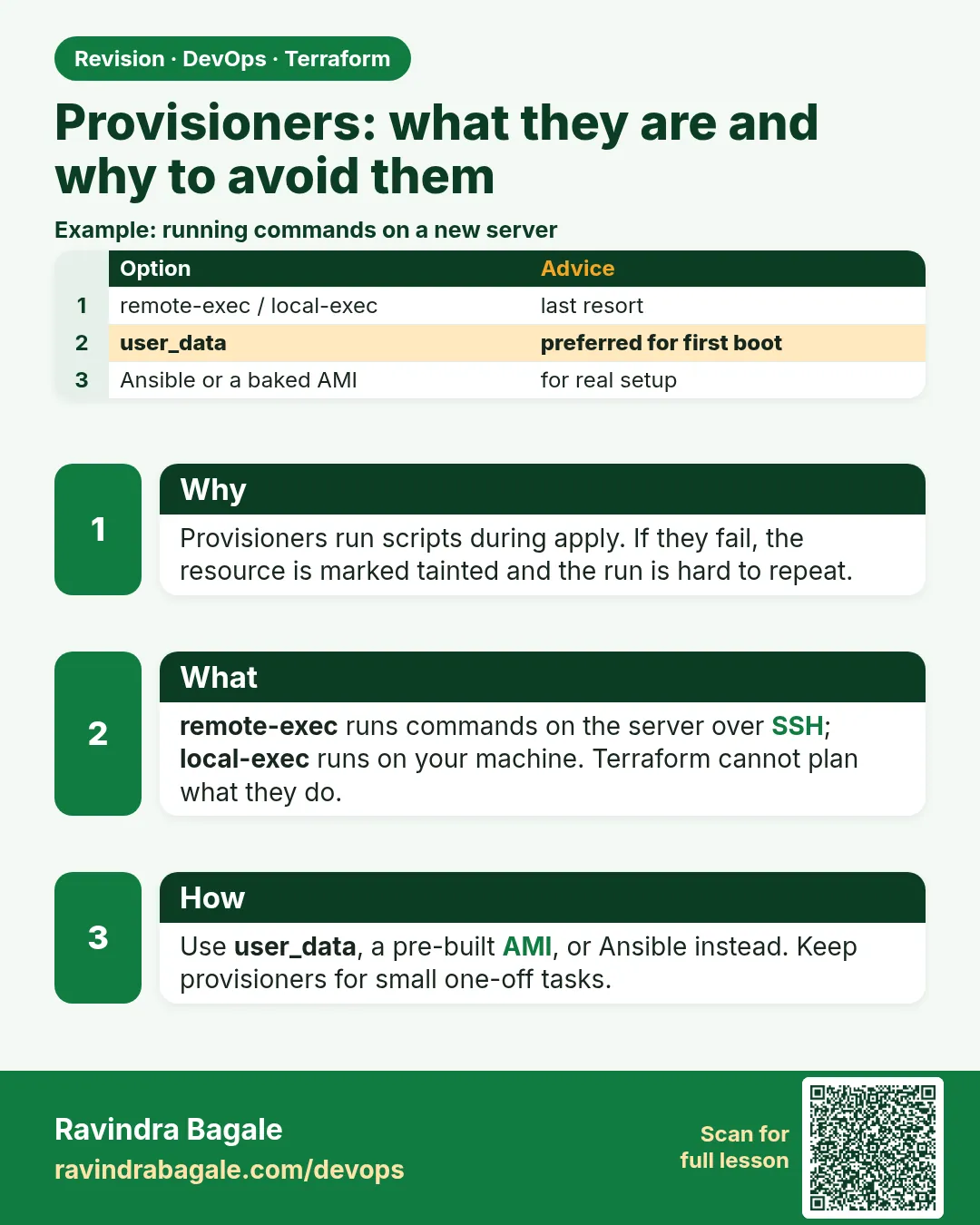
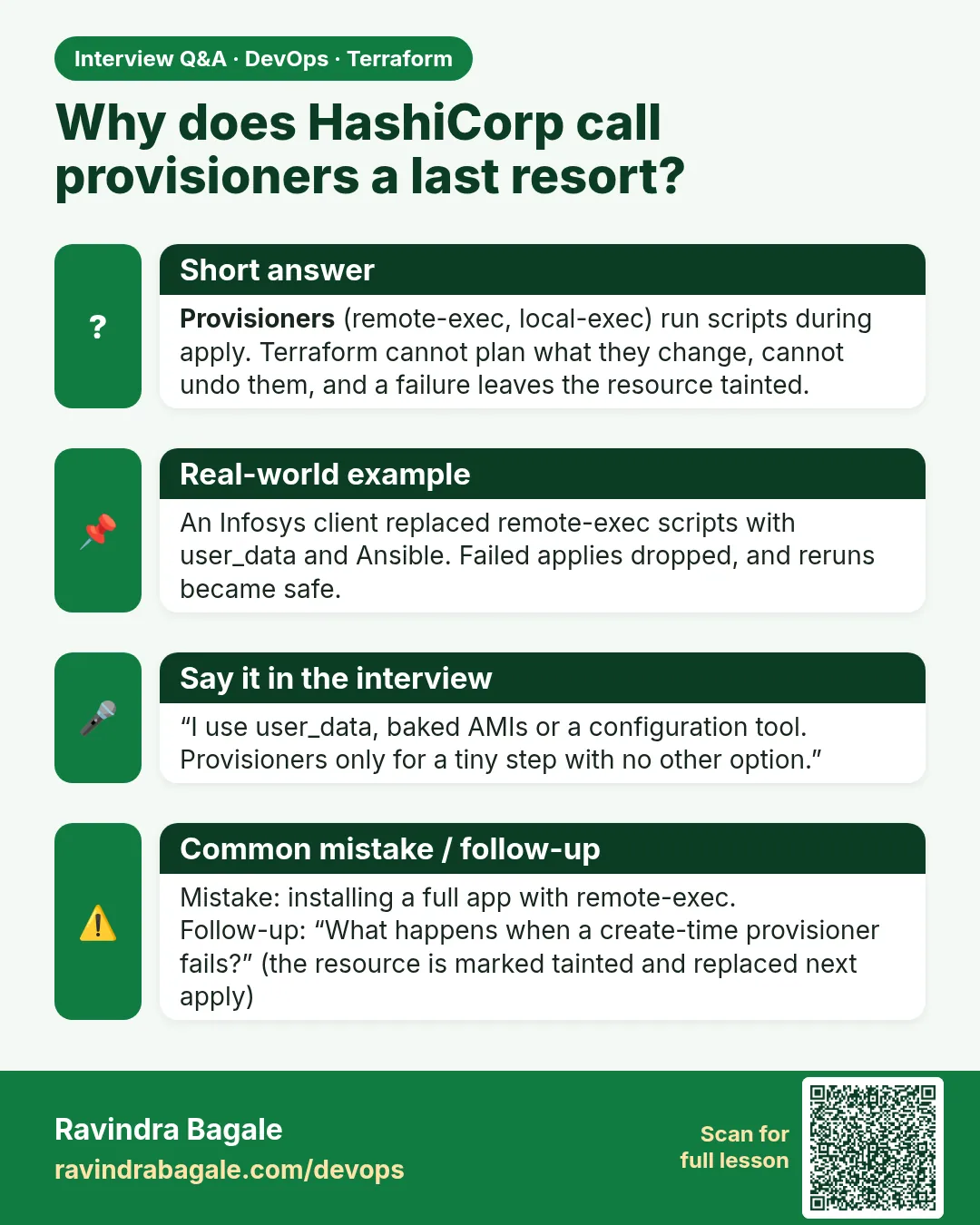
Story. An Infosys client pipeline used a remote-exec provisioner to SSH into each new server and run yum install. One day the SSH key rotated, the provisioner failed halfway, and Terraform marked the instance tainted, so the next apply destroyed it. Provisioners run scripts that Terraform cannot plan or track. HashiCorp itself calls them a last resort; use user_data, a pre-built AMI or Ansible instead.
# avoid: SSH from Terraform into the server
resource "aws_instance" "web" {
  ami           = data.aws_ami.al2023.id
  instance_type = "t3.micro"
  provisioner "remote-exec" {
    inline = ["sudo dnf install -y nginx"]
    connection {
      type        = "ssh"
      user        = "ec2-user"
      host        = self.public_ip
      private_key = file("~/.ssh/lab.pem")
    }
  }
}

# prefer: the instance configures itself at boot
resource "aws_instance" "web2" {
  ami           = data.aws_ami.al2023.id
  instance_type = "t3.micro"
  user_data     = file("${path.module}/nginx.sh")
}

# acceptable last resort: local-exec on the runner
resource "terraform_data" "notify" {
  triggers_replace = [aws_instance.web2.id]
  provisioner "local-exec" {
    command = "echo deployed ${aws_instance.web2.id} >> deploy.log"
  }
}
What each line does
provisioner "remote-exec" {— Runs commands on the server over SSH after it is created.inline = ["sudo dnf install -y nginx"]— The command; Terraform cannot plan or diff what it does.connection { type = "ssh" ... }— How Terraform logs in; needs open SSH and a key file on the runner.host = self.public_ip— self refers to the instance being created.private_key = file("~/.ssh/lab.pem")— Reads a key from disk; one more secret the pipeline must hold.user_data = file("${path.module}/nginx.sh")— The better way: cloud-init runs the script at first boot with no SSH.resource "terraform_data" "notify" {— A built-in resource that holds a provisioner without a real cloud object.triggers_replace = [aws_instance.web2.id]— Reruns when the instance id changes.provisioner "local-exec" { command = ... }— Runs a command on the machine running Terraform.
When it is green.
aws_instance.web2: Creation complete after 14s [id=i-0abc...]
terraform_data.notify (local-exec): Executing: ["/bin/sh" "-c" "echo deployed i-0abc... >> deploy.log"]
Apply complete! Resources: 2 added, 0 changed, 0 destroyed.
When it is red.
aws_instance.web (remote-exec): Connecting to remote host via SSH...
Error: remote-exec provisioner error
  timeout - last error: dial tcp 203.0.113.25:22: i/o timeout
Fix. Port 22 is closed or the key is wrong, and now the instance is tainted. Move the commands into user_data and remove the provisioner.
What: every term in plain English
- provisioner — A block inside a resource that runs a command after create or before destroy. Terraform cannot plan what it does.
- local-exec — Runs a command on the machine where Terraform runs, such as your laptop or the Jenkins agent.
- remote-exec — Connects to the new server over SSH or WinRM and runs commands there.
- file provisioner — Copies a file to the new server over SSH.
- tainted — A resource whose create-time provisioner failed. The next apply destroys and recreates it.
- when = destroy — Makes a provisioner run just before the resource is destroyed.
- terraform_data — A built-in resource with no cloud object. It is the modern place to hang a local-exec that must rerun when an input changes.
Example 1: See a local-exec run once
A small, honest use: after a bucket is created, a TCS team wrote its name to a local file for a test script. Watch when it runs and when it does not.
- Add a random_pet with a local-exec.
- Apply twice.
- Read the file.
resource "random_pet" "env" {
  provisioner "local-exec" {
    command = "echo created ${self.id} >> provision.log"
  }
}
terraform apply -auto-approve
terraform apply -auto-approve
cat provision.log
Output
random_pet.env (local-exec): Executing: ["/bin/sh" "-c" "echo created teaching-mole >> provision.log"]
Apply complete! Resources: 1 added, 0 changed, 0 destroyed.
No changes. Your infrastructure matches the configuration.
created teaching-mole
What it shows: The provisioner runs only on create. On the second apply nothing changes, so nothing runs.
Example 2: Watch a failing provisioner taint a resource
This is the Infosys story from the lesson. Reproduce it with a free resource so you understand why one bad script can destroy a server.
- Make the command fail with exit 1.
- Apply and read the error.
- Run plan and read what Terraform wants.
resource "random_pet" "web" {
  provisioner "local-exec" {
    command = "exit 1"
  }
}
terraform apply -auto-approve
terraform plan | grep -E "tainted|replaced|Plan"
Output
Error: local-exec provisioner error ... exit status 1
  # random_pet.web is tainted, so must be replaced
Plan: 1 to add, 0 to change, 1 to destroy.
What it shows: The resource exists, but Terraform marks it tainted. On a real EC2 instance, the next apply would destroy it.
Example 3: Replace remote-exec with user_data
The fix the Infosys team chose: no SSH from Terraform at all. The server installs its own packages at boot.
- Read the old remote-exec block.
- Write the same commands into user_data.sh.
- Point the instance at the file.
# OLD - avoid
#  provisioner "remote-exec" {
#    inline = ["sudo dnf install -y nginx", "sudo systemctl enable --now nginx"]
#    connection {
#      type        = "ssh"
#      user        = "ec2-user"
#      private_key = file("~/.ssh/lab.pem")
#      host        = self.public_ip
#    }
#  }

# NEW
resource "aws_instance" "web" {
  ami           = data.aws_ami.al2023.id
  instance_type = "t3.micro"
  user_data     = file("${path.module}/user_data.sh")
  user_data_replace_on_change = true
}
printf '%s\n' '#!/bin/bash' 'dnf install -y nginx' 'systemctl enable --now nginx' > user_data.sh
terraform plan | tail -1
Output
Plan: 1 to add, 0 to change, 0 to destroy.
What it shows: No key file, no port 22, no tainting. Terraform creates the server; the server configures itself.
Example 4: Rerun a script on purpose with terraform_data
Sometimes you really need a local command, such as clearing a CDN cache after a site upload. terraform_data with triggers_replace reruns it only when the input changes.
- Add terraform_data with triggers_replace.
- Apply.
- Change the version and apply again.
variable "site_version" {
  default = "v1"
}

resource "terraform_data" "purge_cache" {
  triggers_replace = [var.site_version]
  provisioner "local-exec" {
    command = "echo purge cache for ${var.site_version}"
  }
}
terraform apply -auto-approve | grep purge
terraform apply -auto-approve -var site_version=v2 | grep purge
Output
terraform_data.purge_cache (local-exec): purge cache for v1
terraform_data.purge_cache (local-exec): purge cache for v2
What it shows: terraform_data replaced null_resource. The script runs only when site_version changes, and the plan shows that clearly.
Command cheat sheet
| Command | What it does | When to use it |
|---|---|---|
terraform apply -replace=ADDR |
Recreates one resource | Rerun a create-time step |
terraform untaint ADDR |
Removes the taint mark | You fixed the cause by hand |
terraform taint ADDR |
Marks for replace (old way) | Use -replace instead |
terraform plan | grep tainted |
Finds tainted resources | After a failed apply |
TF_LOG=DEBUG terraform apply |
Shows provisioner detail | Debug a failing script |
terraform state show ADDR |
Shows the status | Check tainted status |
Verify: did it work?
-
No tainted resources
terraform plan | grep -c taintedOutput
0 -
Script ran once
wc -l provision.logOutput
1 provision.log
When it is red 1
Error: remote-exec provisioner error: timeout - last error: dial tcp 203.0.113.25:22: i/o timeout
Cause. Port 22 is closed or the server has no public IP.
Fix, step by step
- Do not open 22 to the world.
- Move the commands to user_data.
- Apply again.
When it is red 2
# aws_instance.web is tainted, so must be replaced
Cause. A create-time provisioner failed earlier.
Fix, step by step
- Fix the script cause.
- Either apply to replace, or untaint if the server is fine.
When it is red 3
Error: local-exec provisioner error: exec: "jq": executable file not found in $PATH
Cause. The command needs a tool that is not on the Jenkins agent.
Fix, step by step
- Install the tool on the agent image.
- Or avoid the tool in the command.
Cleanup
terraform destroy -auto-approve
rm -f provision.log user_data.sh
Ravindra Bagale's Tip
If you are about to write remote-exec, stop and ask: can user_data, a baked AMI or Ansible do this? The answer is almost always yes.
Practice tasks
Easy Run once
Why: See create-only behaviour.
What to do: Apply local-exec twice.
- Read provision.log.
Check: One line.
Easy Taint
Why: See the danger.
What to do: Make the command fail and plan.
- Use exit 1.
Check: tainted, must be replaced.
Medium Move to user_data
Why: Do the real fix.
What to do: Rewrite a remote-exec as user_data.sh.
- Use printf.
Check: 1 to add, no SSH.
Medium terraform_data
Why: Controlled rerun.
What to do: Rerun on a version change.
- Use triggers_replace.
Check: Two purge lines.
Easy Say it in two lines
Why: If you can say it simply, you understand it.
What to do: Write two short lines about this lesson for a fresher.
- Write the problem it solves.
- Write the one command or file you use.
- Read it aloud.
Check: A fresher understands it without a question.
Easy Start a safe lab folder
Why: Practice needs a throwaway place.
What to do: Make a new folder with versions.tf and a random_pet resource, so no AWS cost.
- mkdir tf-lab and cd into it.
- Add the hashicorp/random provider and one random_pet.
- Run terraform init and terraform apply.
Check: Apply complete! with 1 added.
Medium Break it on purpose
Why: You must know the red output by face.
What to do: Cause one error from the red part of this lesson and fix it.
- Follow one red section.
- Copy the exact message to your notes.
- Write the fix in one line.
Check: You fixed it without searching the web.
Medium Run it twice
Why: A second run must be quiet.
What to do: Run the same plan two times with no edits.
- Run terraform plan.
- Run it again.
- Explain any change it still shows.
Check: The second plan says No changes, or you can explain each line.
Medium Write a runbook page
Why: At 2 a.m. nobody remembers flags.
What to do: Write a one-page runbook for this lesson.
- Title, when to use, exact commands, how to check, how to undo.
Check: A teammate can follow it alone.
Medium Run it from a pipeline
Why: Real teams run Terraform from CI, not from laptops.
What to do: Run the main command of this lesson inside a GitHub Actions or Jenkins job.
- Add a job with hashicorp/setup-terraform or a Terraform Docker image.
- Give it AWS access through an IAM role, never a key in the file.
- Run init, then the command from this lesson.
Check: The job log shows the same output you saw on your laptop.
Medium Check the cost
Why: Labs left running cost real money.
What to do: Find what this lesson would cost per day if you forgot to destroy it.
- Open the AWS Pricing Calculator.
- Add each resource from your plan.
- Write the daily cost in your notes.
Check: You know the daily cost and you ran terraform destroy.
Hard Draw the flow top to bottom
Why: A drawing shows the order of work.
What to do: Draw this lesson as boxes from top to bottom.
- Start at your code, go through plan and state, end at AWS.
- Mark where each command reads or writes.
Check: Each box matches a real step you ran.
Hard Explain it like an interview
Why: Interviewers want real stories.
What to do: Record a 60 second answer about this lesson.
- Say the problem, the command, and one error you hit.
Check: Your answer has a real command and a real error message.
Homework: try at home
Try at home
Find one provisioner in an old project or blog post and write how you would replace it.
Recap
- Provisioners run commands Terraform cannot plan.
- A failed create-time provisioner taints the resource.
- Prefer user_data, a baked AMI or Ansible.
- terraform_data with triggers_replace is the modern local-exec home.
- Use -replace and untaint to handle tainted resources.
FAQ
Are provisioners deprecated?
No, but HashiCorp calls them a last resort.
What replaced null_resource?
terraform_data, built in since Terraform 1.4.
Does local-exec run on the server?
No, on the machine running Terraform.
Can I ignore a provisioner failure?
on_failure = continue exists, but it hides real problems.
Is terraform taint still used?
It still works, but apply -replace is the recommended way.
Interview questions
-
Why are provisioners a last resort?
Terraform cannot plan or track their effect, and failures taint resources.
-
local-exec versus remote-exec?
local-exec runs where Terraform runs; remote-exec runs on the server over SSH or WinRM.
-
What happens when a create provisioner fails?
The resource is tainted and replaced on the next apply.
-
What would you use instead of remote-exec?
user_data, a baked AMI with Packer, or Ansible.
-
How do you rerun a script when an input changes?
terraform_data with triggers_replace.
Quick quiz
Q1. Where does local-exec run?
On the Terraform machine
Q2. State after a failed create provisioner?
Tainted
Q3. Modern replacement for null_resource?
terraform_data
Q4. Command to recreate one resource?
terraform apply -replace=ADDR
Q5. Argument that reruns on change?
triggers_replace
Samajla ka?
 Revision card
 Interview card