Chapter 40: Terraform Real AWS Labs VPC EC2 nginx S3 and IAM Role
40.1 Lab part 1 — VPC, public subnets, internet gateway and routes
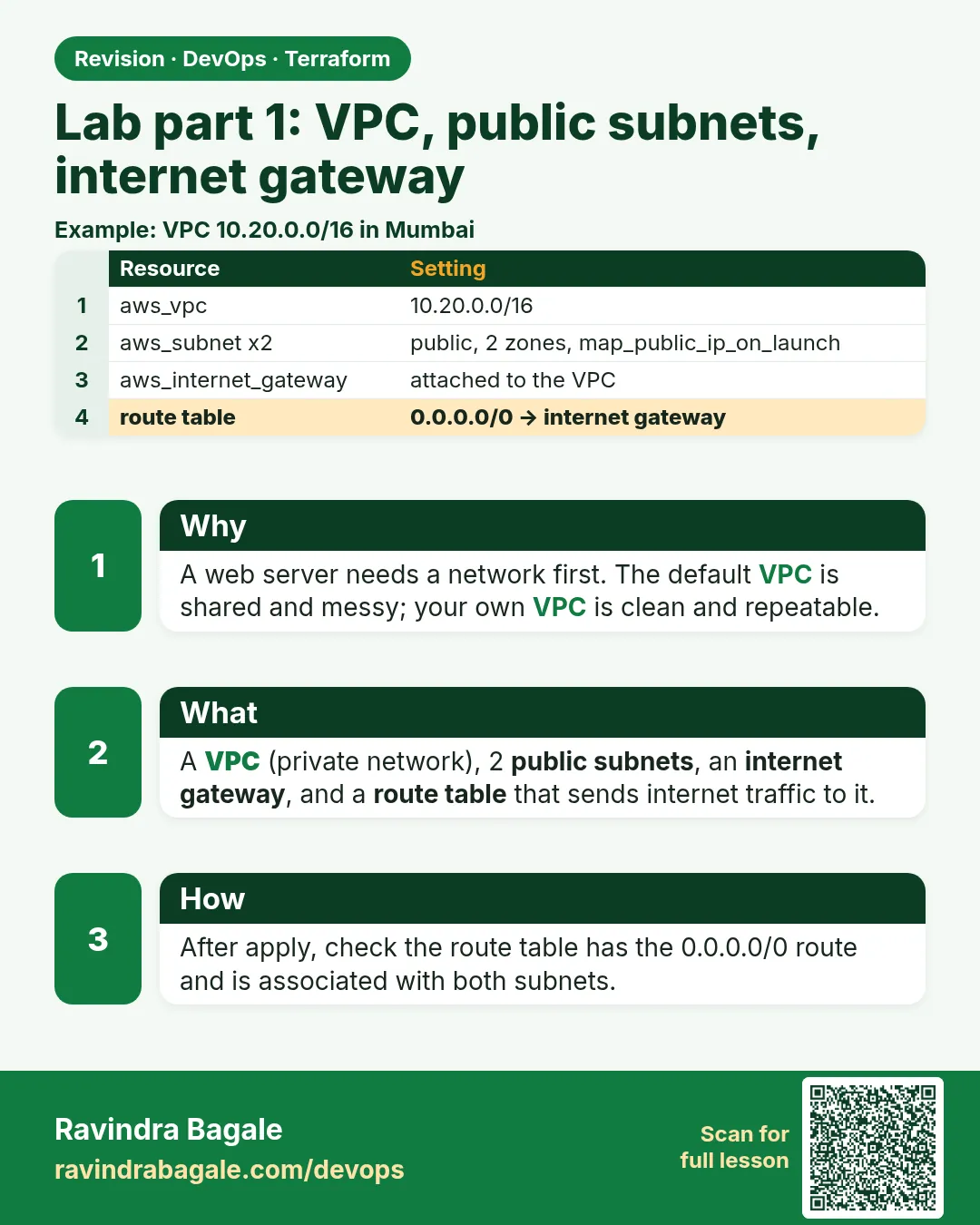
Story. An Instagram-style feature team wanted a fresh, isolated network for a load-test week, built the same way every time and deleted afterwards. A VPC needs subnets, an internet gateway and a route table before any server can reach the internet. Writing it yourself once teaches what the registry VPC module hides. The deep VPC theory stays in the AWS course; here we build the minimum in code.
data "aws_availability_zones" "available" {
  state = "available"
}

resource "aws_vpc" "lab" {
  cidr_block           = "10.20.0.0/16"
  enable_dns_hostnames = true
  tags                 = { Name = "badge-lab-vpc" }
}

resource "aws_subnet" "public" {
  for_each                = { a = 0, b = 1 }
  vpc_id                  = aws_vpc.lab.id
  cidr_block              = cidrsubnet(aws_vpc.lab.cidr_block, 8, each.value + 1)
  availability_zone       = data.aws_availability_zones.available.names[each.value]
  map_public_ip_on_launch = true
  tags                    = { Name = "badge-lab-public-${each.key}" }
}

resource "aws_internet_gateway" "lab" {
  vpc_id = aws_vpc.lab.id
}

resource "aws_route_table" "public" {
  vpc_id = aws_vpc.lab.id
  route {
    cidr_block = "0.0.0.0/0"
    gateway_id = aws_internet_gateway.lab.id
  }
}

resource "aws_route_table_association" "public" {
  for_each       = aws_subnet.public
  subnet_id      = each.value.id
  route_table_id = aws_route_table.public.id
}
What each line does
data "aws_availability_zones" "available" {— Looks up the zones available in your region.cidr_block = "10.20.0.0/16"— The VPC address range.enable_dns_hostnames = true— Gives instances public DNS names.for_each = { a = 0, b = 1 }— Two subnets, keyed a and b, with index numbers for maths.cidr_block = cidrsubnet(aws_vpc.lab.cidr_block, 8, each.value + 1)— Carves 10.20.1.0/24 and 10.20.2.0/24 out of the VPC range.availability_zone = ...names[each.value]— Puts each subnet in a different zone.map_public_ip_on_launch = true— Instances here get a public IP automatically.resource "aws_internet_gateway" "lab" {— The door between the VPC and the internet.route { cidr_block = "0.0.0.0/0" ... }— Sends all non-local traffic to the internet gateway.for_each = aws_subnet.public— One association per subnet, using the same keys.route_table_id = aws_route_table.public.id— Makes both subnets public by attaching the route table.
When it is green.
Plan: 7 to add, 0 to change, 0 to destroy.
aws_vpc.lab: Creation complete after 2s [id=vpc-0abc...]
Apply complete! Resources: 7 added, 0 changed, 0 destroyed.
When it is red.
Error: creating EC2 Subnet: InvalidSubnet.Conflict:
The CIDR '10.20.1.0/24' conflicts with another subnet
Fix. Two subnets got the same range, usually from a wrong cidrsubnet number. Make the netnum unique per subnet.
What: every term in plain English
- VPC — Your own private network inside AWS, with an address range such as 10.20.0.0/16.
- CIDR block — A way to write an address range. /16 gives 65,536 addresses; /24 gives 256.
- subnet — A slice of the VPC range inside one availability zone.
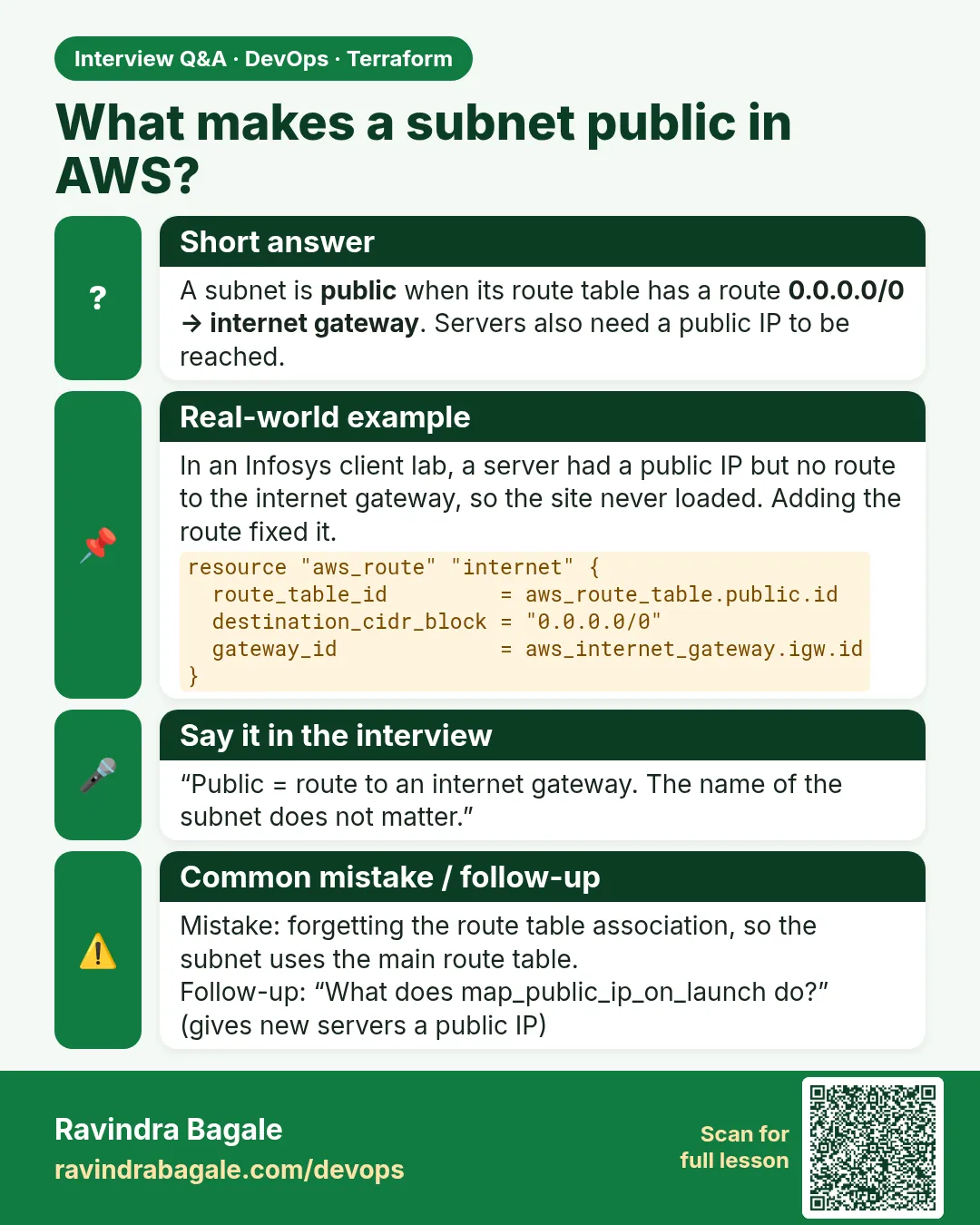
- public subnet — A subnet whose route table sends 0.0.0.0/0 to an internet gateway.
- internet gateway — The AWS object that lets a VPC talk to the internet in both directions.
- route table — A list of rules that says where traffic for each address range should go.
- cidrsubnet() — A Terraform function that cuts smaller ranges out of a bigger one, so you never type subnet ranges by hand.
Example 1: Set up the lab folder and provider
Every AWS lab at an Accenture training batch starts the same way: one folder, a pinned provider and the Mumbai region. Get this right and the rest is copy and apply.
- Make a folder named aws-lab.
- Create versions.tf below.
- Run init and validate.
- Check your AWS identity.
# versions.tf
terraform {
  required_version = ">= 1.10"
  required_providers {
    aws = {
      source  = "hashicorp/aws"
      version = "~> 5.0"
    }
  }
}

provider "aws" {
  region = "ap-south-1"
  default_tags {
    tags = { Project = "badge-lab", Owner = "ravi" }
  }
}
terraform init
terraform validate
aws sts get-caller-identity --query Arn --output text
Output
Terraform has been successfully initialized!
Success! The configuration is valid.
arn:aws:iam::123456789012:user/ravi-lab
What it shows: default_tags puts Project and Owner on every resource, so the billing page shows exactly what this lab costs.
Example 2: Check the subnet maths before you apply
At a Tata Consultancy migration, a wrong subnet range clashed with the office VPN. Test cidrsubnet in the console first; it costs nothing.
- Run terraform console.
- Try the same function the lesson uses.
- Exit with Ctrl+D.
terraform console
> cidrsubnet("10.20.0.0/16", 8, 1)
> cidrsubnet("10.20.0.0/16", 8, 2)
> [for i in range(1, 4) : cidrsubnet("10.20.0.0/16", 8, i)]
Output
"10.20.1.0/24"
"10.20.2.0/24"
[
  "10.20.1.0/24",
  "10.20.2.0/24",
  "10.20.3.0/24",
]
What it shows: Adding 8 bits to /16 makes /24 subnets. The third number picks which /24 you get.
Example 3: Apply the network and read it back
Apply only the network first. If anything is wrong, it is cheap to fix because no server depends on it yet.
- Save part 1 as vpc.tf.
- Plan and check the count is 7.
- Apply.
- Describe the subnets with the CLI.
terraform plan | tail -1
terraform apply -auto-approve
aws ec2 describe-subnets --filters Name=tag:Name,Values=badge-lab-public-* \
  --query "Subnets[].[Tags[?Key=='Name']|[0].Value,CidrBlock,AvailabilityZone,MapPublicIpOnLaunch]" --output table
Output
Plan: 7 to add, 0 to change, 0 to destroy.
Apply complete! Resources: 7 added, 0 changed, 0 destroyed.
-------------------------------------------------------------
|                      DescribeSubnets                      |
+--------------------+---------------+--------------+-------+
|  badge-lab-public-a|  10.20.1.0/24 |  ap-south-1a |  True |
|  badge-lab-public-b|  10.20.2.0/24 |  ap-south-1b |  True |
+--------------------+---------------+--------------+-------+
What it shows: Two zones, two ranges, public IPs on. That is a working public network.
Example 4: Prove the route goes to the internet gateway
Most "server cannot reach the internet" tickets at Swiggy-scale teams end at a missing 0.0.0.0/0 route. Learn to check it in one command.
- Find the route table by VPC.
- Print its routes.
VPC=$(terraform state show aws_vpc.lab | awk '/^ *id /{print $3}' | tr -d '"')
aws ec2 describe-route-tables --filters Name=vpc-id,Values=$VPC \
  --query "RouteTables[].Routes[].[DestinationCidrBlock,GatewayId]" --output text
Output
10.20.0.0/16    local
0.0.0.0/0   igw-0f1e2d3c4b5a69788
10.20.0.0/16    local
What it shows: The main route table has only the local route. Your public table adds 0.0.0.0/0 to the igw, and both subnets use it.
Command cheat sheet
| Command | What it does | When to use it |
|---|---|---|
terraform console |
Try functions such as cidrsubnet | Before writing ranges |
terraform plan | tail -1 |
Shows only the summary | Quick count check |
terraform state show aws_vpc.lab |
Prints VPC attributes | Find the VPC id |
aws ec2 describe-subnets |
Lists subnets | Check zones and ranges |
aws ec2 describe-route-tables |
Lists routes | Check the igw route |
terraform apply -target=aws_vpc.lab |
Applies one resource | Rare debugging only |
Verify: did it work?
-
Two public subnets
aws ec2 describe-subnets --filters Name=tag:Name,Values=badge-lab-public-* --query "length(Subnets)"Output
2 -
Internet gateway attached
aws ec2 describe-internet-gateways --filters Name=attachment.vpc-id,Values=$VPC --query "InternetGateways[0].Attachments[0].State" --output textOutput
available
When it is red 1
Error: creating EC2 VPC: VpcLimitExceeded: The maximum number of VPCs has been reached.
Cause. Your region already has 5 VPCs, the default limit.
Fix, step by step
- List VPCs with aws ec2 describe-vpcs.
- Delete old lab VPCs you no longer need.
- Or request a limit increase in Service Quotas.
When it is red 2
Error: Invalid index on vpc.tf: names[each.value] The given key does not identify an element
Cause. The region has fewer zones than your subnet count.
Fix, step by step
- Print data.aws_availability_zones.available.names in console.
- Reduce the subnets or use a region with more zones.
When it is red 3
Instances get no public IP
Cause. map_public_ip_on_launch is false or the instance is in another subnet.
Fix, step by step
- Check the subnet attribute.
- Set map_public_ip_on_launch = true.
- Replace the instance so it launches again.
Cleanup
terraform destroy -auto-approve
Ravindra Bagale's Tip
Build the network, check it, then add servers. One layer at a time makes every error small.
Practice tasks
Easy Console maths
Why: Trust cidrsubnet.
What to do: Print three /24 ranges from 10.20.0.0/16.
- Use a for expression.
Check: Three ranges listed.
Easy Apply the VPC
Why: Build part 1.
What to do: Apply vpc.tf and count resources.
- Expect 7.
Check: 7 added.
Medium Check routes
Why: Debug like support.
What to do: Print the routes of your VPC.
- Use describe-route-tables.
Check: 0.0.0.0/0 to igw.
Medium Third subnet
Why: Grow the map.
What to do: Add c = 2 to the map and plan.
- Watch the add count.
Check: Plan shows 2 to add.
Easy Say it in two lines
Why: If you can say it simply, you understand it.
What to do: Write two short lines about this lesson for a fresher.
- Write the problem it solves.
- Write the one command or file you use.
- Read it aloud.
Check: A fresher understands it without a question.
Easy Start a safe lab folder
Why: Practice needs a throwaway place.
What to do: Make a new folder with versions.tf and a random_pet resource, so no AWS cost.
- mkdir tf-lab and cd into it.
- Add the hashicorp/random provider and one random_pet.
- Run terraform init and terraform apply.
Check: Apply complete! with 1 added.
Medium Break it on purpose
Why: You must know the red output by face.
What to do: Cause one error from the red part of this lesson and fix it.
- Follow one red section.
- Copy the exact message to your notes.
- Write the fix in one line.
Check: You fixed it without searching the web.
Medium Run it twice
Why: A second run must be quiet.
What to do: Run the same plan two times with no edits.
- Run terraform plan.
- Run it again.
- Explain any change it still shows.
Check: The second plan says No changes, or you can explain each line.
Medium Write a runbook page
Why: At 2 a.m. nobody remembers flags.
What to do: Write a one-page runbook for this lesson.
- Title, when to use, exact commands, how to check, how to undo.
Check: A teammate can follow it alone.
Medium Run it from a pipeline
Why: Real teams run Terraform from CI, not from laptops.
What to do: Run the main command of this lesson inside a GitHub Actions or Jenkins job.
- Add a job with hashicorp/setup-terraform or a Terraform Docker image.
- Give it AWS access through an IAM role, never a key in the file.
- Run init, then the command from this lesson.
Check: The job log shows the same output you saw on your laptop.
Medium Check the cost
Why: Labs left running cost real money.
What to do: Find what this lesson would cost per day if you forgot to destroy it.
- Open the AWS Pricing Calculator.
- Add each resource from your plan.
- Write the daily cost in your notes.
Check: You know the daily cost and you ran terraform destroy.
Hard Draw the flow top to bottom
Why: A drawing shows the order of work.
What to do: Draw this lesson as boxes from top to bottom.
- Start at your code, go through plan and state, end at AWS.
- Mark where each command reads or writes.
Check: Each box matches a real step you ran.
Hard Explain it like an interview
Why: Interviewers want real stories.
What to do: Record a 60 second answer about this lesson.
- Say the problem, the command, and one error you hit.
Check: Your answer has a real command and a real error message.
Homework: try at home
Try at home
Draw the VPC, two subnets, the route table and the internet gateway as a vertical diagram, and write the CIDR next to each box.
Recap
- A VPC is a private network with a CIDR range.
- cidrsubnet cuts subnets without typing ranges.
- A public subnet needs a 0.0.0.0/0 route to an internet gateway.
- for_each keys keep subnets stable.
- Check with describe-subnets and describe-route-tables.
FAQ
Why not use the default VPC?
It works for quick tests, but a lab you can build and delete teaches more and keeps other work safe.
Does a VPC cost money?
The VPC, subnets, routes and internet gateway are free. NAT gateways and public IPv4 addresses are not.
Why two subnets?
Load balancers and many services need at least two zones.
Can I change the VPC CIDR later?
Changing cidr_block replaces the VPC. Plan the range at the start.
Why use for_each and not count?
Keys a and b stay the same if you add or remove a subnet.
Interview questions
-
What makes a subnet public?
A route table with 0.0.0.0/0 pointing to an internet gateway, attached to that subnet.
-
How do you avoid hard-coding subnet ranges?
Use cidrsubnet on the VPC range.
-
Why spread subnets across zones?
To survive the loss of one zone.
-
What does map_public_ip_on_launch do?
Gives new instances in that subnet a public IPv4 address.
-
How would you debug a server with no internet?
Check the route table, internet gateway attachment, security group and public IP.
Quick quiz
Q1. How many addresses in a /24?
256
Q2. Function to carve subnets?
cidrsubnet
Q3. Route for internet traffic?
0.0.0.0/0
Q4. Is an internet gateway free?
Yes
Q5. How many resources in part 1?
7
Samajla ka?
 Revision card
 Interview card